radar HYUNDAI PALISADE 2022 User Guide
[x] Cancel search | Manufacturer: HYUNDAI, Model Year: 2022, Model line: PALISADE, Model: HYUNDAI PALISADE 2022Pages: 663, PDF Size: 15.74 MB
Page 406 of 663
5-72
Driving your vehicle
Driving near areas containing metal substances, such as a con-
struction zone, railroad, etc.
A material is near that reflects very well on the front radar, such as a
guardrail, nearby vehicle, etc.
The cyclist in front is on a bicycle made of material that does not
reflect on the front radar
The vehicle in front is detected late
The vehicle in front is suddenly blocked by a obstacle
The vehicle in front suddenly changes lane or suddenly reduces
speed
The vehicle in front is bent out of shape
The front vehicle's speed is fast or slow
The vehicle in front steers in the opposite direction of your vehicle
to avoid a collision
With a vehicle in front, your vehicle changes lane at low speed The vehicle in front is covered with
snow
You are departing or returning to the lane
Unstable driving
You are on a roundabout and the vehicle in front is not detected
You are continuously driving in a circle
The vehicle in front has an unusu- al shape
The vehicle in front is driving uphill or downhill
The pedestrian or cyclist is not fully detected, for example, if the pedes-
trian is leaning over or is not fully
walking upright
The pedestrian or cyclist is wear- ing clothing or equipment that
makes it difficult to detect as a
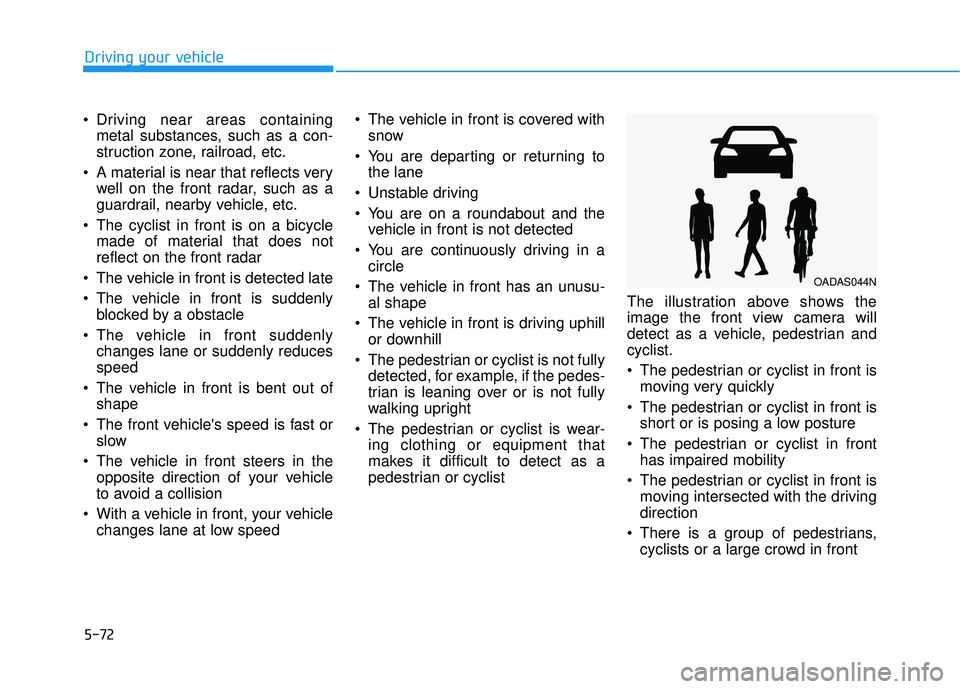
pedestrian or cyclist The illustration above shows the
image the front view camera will
detect as a vehicle, pedestrian and
cyclist.
The pedestrian or cyclist in front is
moving very quickly
The pedestrian or cyclist in front is short or is posing a low posture
The pedestrian or cyclist in front has impaired mobility
The pedestrian or cyclist in front is moving intersected with the driving
direction
There is a group of pedestrians, cyclists or a large crowd in front
OADAS044N
Page 419 of 663
5-85
Driving your vehicle
5
B BL LI IN N D D- -S S P P O O T T C C O O L LL LI IS S O O N N W W A AR RN N I IN N G G ( ( B B C CW W ) ) ( ( I IF F E E Q Q U UI IP P P PE ED D ) )
Blind-Spot Collision Warning is
designed to help detect and monitor
approaching vehicles in the driver’s
blind spot area and warn the driver of
a possible collision with a warning
message and audible warning.
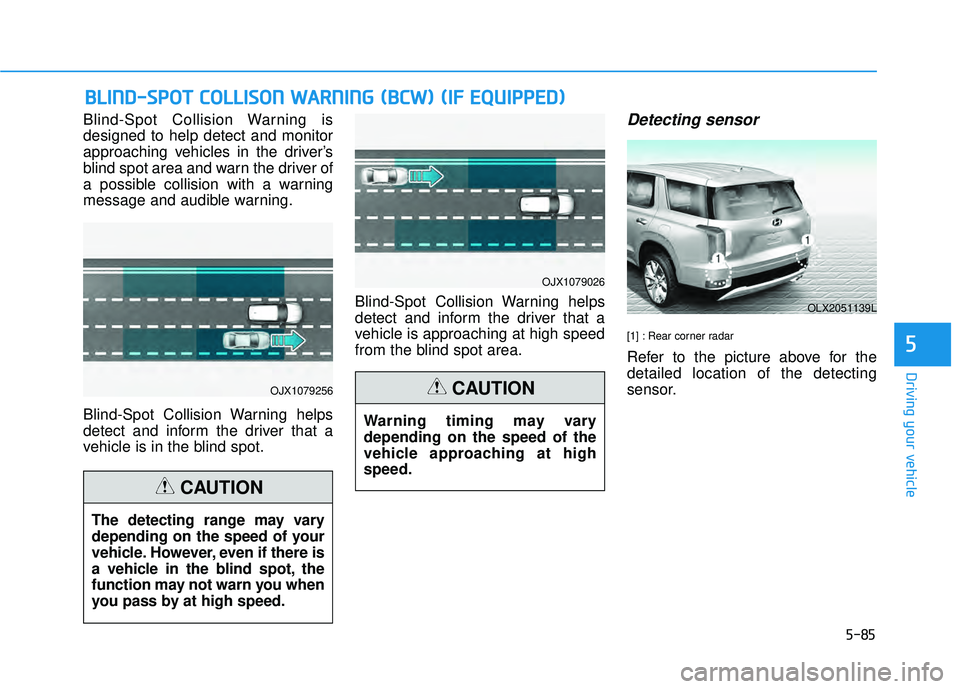
Blind-Spot Collision Warning helps
detect and inform the driver that a
vehicle is in the blind spot. Blind-Spot Collision Warning helps
detect and inform the driver that a
vehicle is approaching at high speed
from the blind spot area.Detecting sensor
[1] : Rear corner radar
Refer to the picture above for the
detailed location of the detecting
sensor.
OJX1079256
OJX1079026
OLX2051139L
The detecting range may vary
depending on the speed of your
vehicle. However, even if there is
a vehicle in the blind spot, the
function may not warn you when
you pass by at high speed.
CAUTION
Warning timing may vary
depending on the speed of the
vehicle approaching at high
speed.
CAUTION
Page 420 of 663
5-86
Driving your vehicle
Blind-Spot Collision Warning
settings settings
Setting features
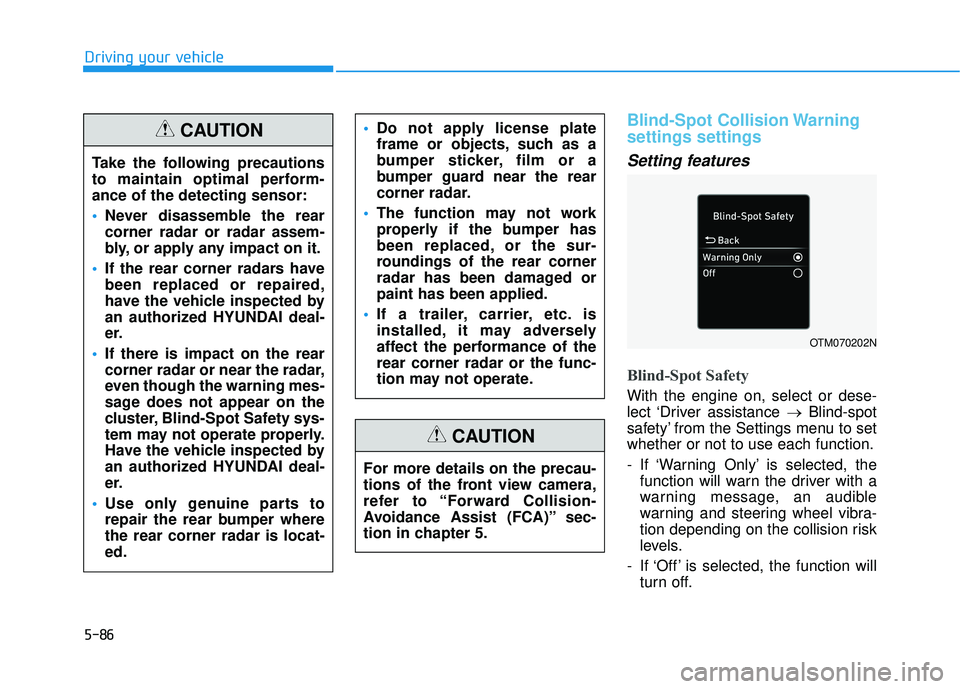
Blind-Spot Safety
With the engine on, select or dese-
lect ‘Driver assistance →Blind-spot
safety’ from the Settings menu to set
whether or not to use each function.
- If ‘Warning Only’ is selected, the function will warn the driver with a
warning message, an audible
warning and steering wheel vibra-
tion depending on the collision risk
levels.
- If ‘Off’ is selected, the function will turn off.
OTM070202N
Take the following precautions
to maintain optimal perform-
ance of the detecting sensor:
Never disassemble the rear
corner radar or radar assem-
bly, or apply any impact on it.
If the rear corner radars have
been replaced or repaired,
have the vehicle inspected by
an authorized HYUNDAI deal-
er.
If there is impact on the rear
corner radar or near the radar,
even though the warning mes-
sage does not appear on the
cluster, Blind-Spot Safety sys-
tem may not operate properly.
Have the vehicle inspected by
an authorized HYUNDAI deal-
er.
Use only genuine parts to
repair the rear bumper where
the rear corner radar is locat-
ed.
Do not apply license plate
frame or objects, such as a
bumper sticker, film or a
bumper guard near the rear
corner radar.
The function may not work
properly if the bumper has
been replaced, or the sur-
roundings of the rear corner
radar has been damaged or
paint has been applied.
If a trailer, carrier, etc. is
installed, it may adversely
affect the performance of the
rear corner radar or the func-
tion may not operate.CAUTION
For more details on the precau-
tions of the front view camera,
refer to “Forward Collision-
Avoidance Assist (FCA)” sec-
tion in chapter 5.
CAUTION
Page 423 of 663
5-89
Driving your vehicle
5
Blind-Spot Collision Warning
operation
Warning and control
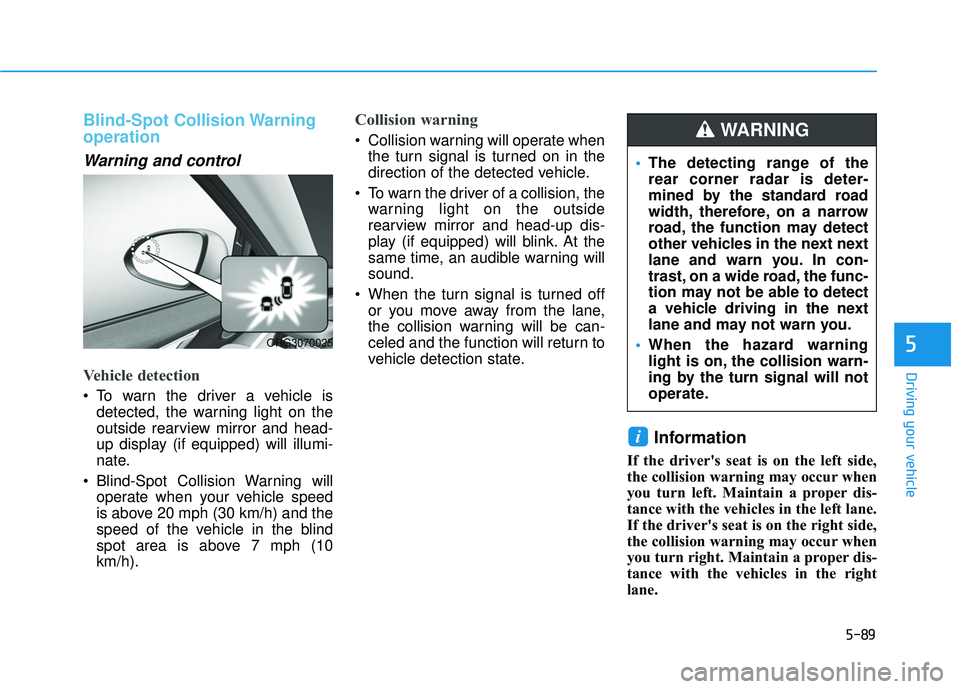
Vehicle detection
To warn the driver a vehicle isdetected, the warning light on the
outside rearview mirror and head-
up display (if equipped) will illumi-
nate.
Blind-Spot Collision Warning will operate when your vehicle speed
is above 20 mph (30 km/h) and the
speed of the vehicle in the blind
spot area is above 7 mph (10
km/h).
Collision warning
Collision warning will operate whenthe turn signal is turned on in the
direction of the detected vehicle.
To warn the driver of a collision, the warning light on the outside
rearview mirror and head-up dis-
play (if equipped) will blink. At the
same time, an audible warning will
sound.
When the turn signal is turned off or you move away from the lane,
the collision warning will be can-
celed and the function will return to
vehicle detection state.
Information
If the driver's seat is on the left side,
the collision warning may occur when
you turn left. Maintain a proper dis-
tance with the vehicles in the left lane.
If the driver's seat is on the right side,
the collision warning may occur when
you turn right. Maintain a proper dis-
tance with the vehicles in the right
lane.
i
ORG3070025
The detecting range of the
rear corner radar is deter-
mined by the standard road
width, therefore, on a narrow
road, the function may detect
other vehicles in the next next
lane and warn you. In con-
trast, on a wide road, the func-
tion may not be able to detect
a vehicle driving in the next
lane and may not warn you.
When the hazard warning
light is on, the collision warn-
ing by the turn signal will not
operate.
WARNING
Page 425 of 663
5-91
Driving your vehicle
5
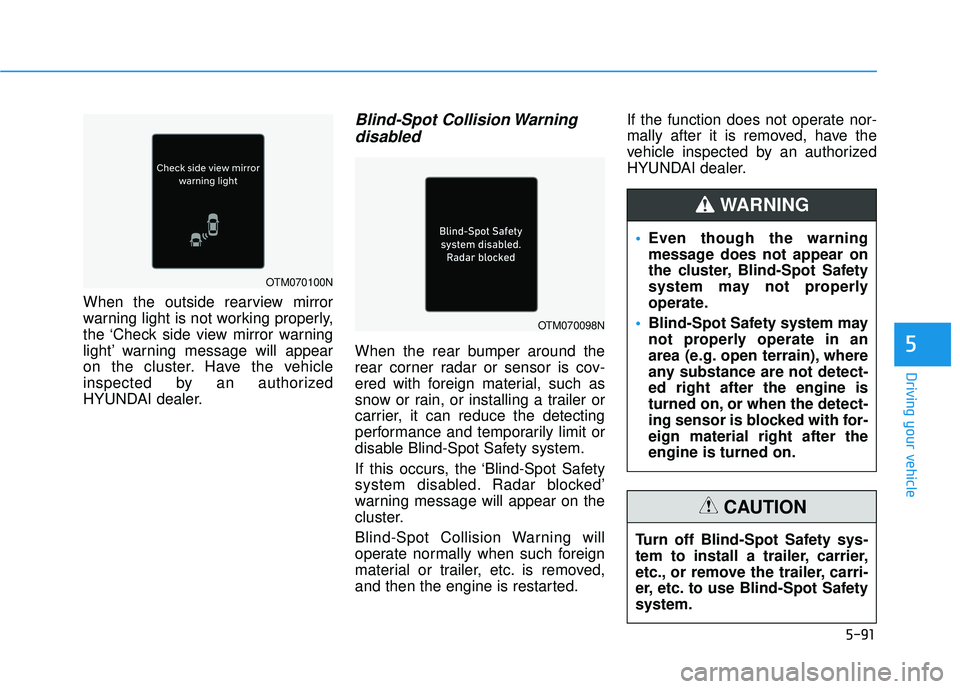
When the outside rearview mirror
warning light is not working properly,
the ‘Check side view mirror warning
light’ warning message will appear
on the cluster. Have the vehicle
inspected by an authorized
HYUNDAI dealer.
Blind-Spot Collision Warningdisabled
When the rear bumper around the
rear corner radar or sensor is cov-
ered with foreign material, such as
snow or rain, or installing a trailer or
carrier, it can reduce the detecting
performance and temporarily limit or
disable Blind-Spot Safety system.
If this occurs, the ‘Blind-Spot Safety
system disabled. Radar blocked’
warning message will appear on the
cluster.
Blind-Spot Collision Warning will
operate normally when such foreign
material or trailer, etc. is removed,
and then the engine is restarted. If the function does not operate nor-
mally after it is removed, have the
vehicle inspected by an authorized
HYUNDAI dealer.
OTM070098N
OTM070100N
Even though the warning
message does not appear on
the cluster, Blind-Spot Safety
system may not properly
operate.
Blind-Spot Safety system may
not properly operate in an
area (e.g. open terrain), where
any substance are not detect-
ed right after the engine is
turned on, or when the detect-
ing sensor is blocked with for-
eign material right after the
engine is turned on.
WARNING
Turn off Blind-Spot Safety sys-
tem to install a trailer, carrier,
etc., or remove the trailer, carri-
er, etc. to use Blind-Spot Safety
system.
CAUTION
Page 426 of 663
5-92
Driving your vehicle
Limitations of Blind-SpotCollision Warning
Blind-Spot Collision Warning may not
operate normally, or the function may
operate unexpectedly under the fol-
lowing circumstances:
There is inclement weather, such
as heavy snow, heavy rain, etc.
The rear corner radar is covered with snow, rain, dirt, etc.
The temperature around the rear corner radar is high or low
Driving on a highway (or motor- way) ramp
The road pavement (or the periph- eral ground) abnormally contains
metallic components (i.e. possibly
due to subway construction)
There is a fixed object near the vehicle, such as sound barriers,
guardrails, central dividers, entry
barriers, street lamps, signs, tun-
nels, walls, etc. (including double
structures)
Driving in large areas where there are few vehicles or structures (i.e.
desert, meadow, suburb, etc.) Driving through a narrow road
where trees or grass are over-
grown
Driving on a wet road surface, such as a puddle on the road
The other vehicle drives very close behind your vehicle, or the other
vehicle passes by your vehicle in
close proximity
The speed of the other vehicle is very fast that it passes by your
vehicle in a short time
Your vehicle passes by the other vehicle
Your vehicle changes lane
Your vehicle has started at the same time as the vehicle next to
you and has accelerated
The vehicle in the next lane moves two lanes away from you, or when
the vehicle two lanes away moves
to the next lane from you
A trailer or carrier is installed around the rear corner radar
The bumper around the rear cor- ner radar is covered with objects,
such as a bumper sticker, bumper
guard, bike rack, etc. The bumper around the rear cor-
ner radar is impacted, damaged or
the radar is out of position
Your vehicle height is low or high due to heavy loads, abnormal tire
pressure, etc.
Page 429 of 663
5-95
Driving your vehicle
5
Information
This device complies with Part 15 of
the FCC rules.
Operation is subject to the following
three conditions:
1. This device may not cause harmfulinterference, and
2. This device must accept any inter- ference received, including interfer-
ence that may cause undesired
operation.
3. Changes or modifications not expressly approved by the party
responsible for compliance could
void the user's authority to operate
the device.
Information
Radio frequency radiation exposure
information:
This equipment complies with FCC
radiation exposure limits set forth for
an uncontrolled environment.
This equipment should be installed
and operated with minimum distance
of 8 in. (20 cm) between the radiator
(antenna) and your body.
This transmitter must not be co-locat-
ed or operating in conjunction with
any other antenna or transmitter.
ii
When you are towing a trailer
or another vehicle, make sure
that you turn off Blind-Spot
Collision Warning.
Blind-Spot Collision Warning
may not operate normally if
interfered by strong electro-
magnetic waves.
Blind-Spot Collision Warning
may not operate for 15 sec-
onds after the vehicle is start-
ed, or the rear corner radars
are initialized.
WARNING
Page 431 of 663
5-97
Driving your vehicle
5
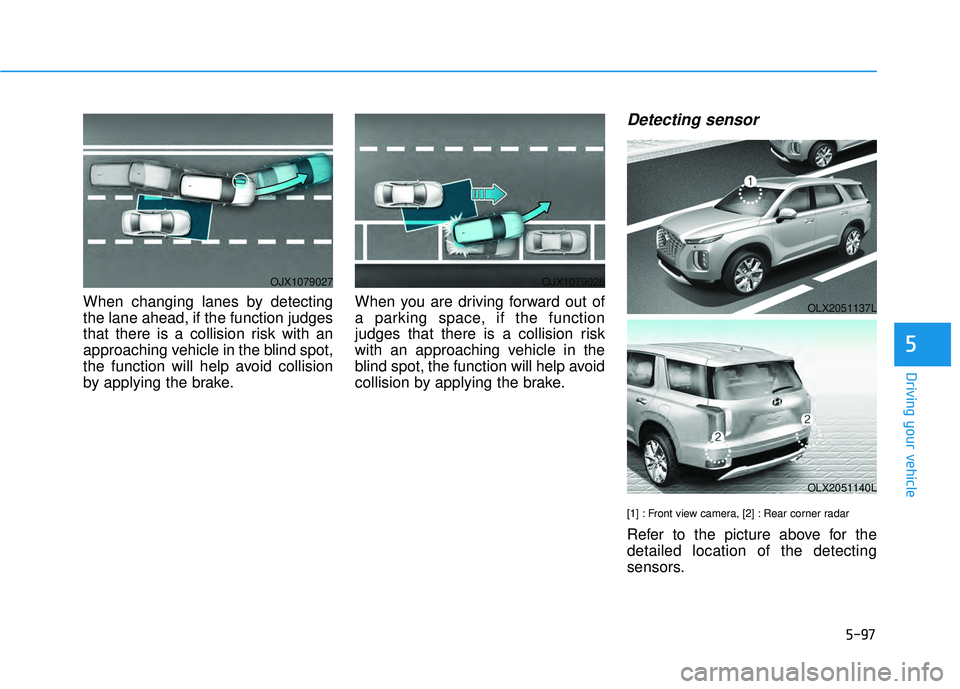
When changing lanes by detecting
the lane ahead, if the function judges
that there is a collision risk with an
approaching vehicle in the blind spot,
the function will help avoid collision
by applying the brake.When you are driving forward out of
a parking space, if the function
judges that there is a collision risk
with an approaching vehicle in the
blind spot, the function will help avoid
collision by applying the brake.
Detecting sensor
[1] : Front view camera, [2] : Rear corner radar
Refer to the picture above for the
detailed location of the detecting
sensors.
OJX1079027OJX1079028
OLX2051137L
OLX2051140L
Page 432 of 663
5-98
Driving your vehicle
Blind-Spot Collision Warning
settings
Setting features
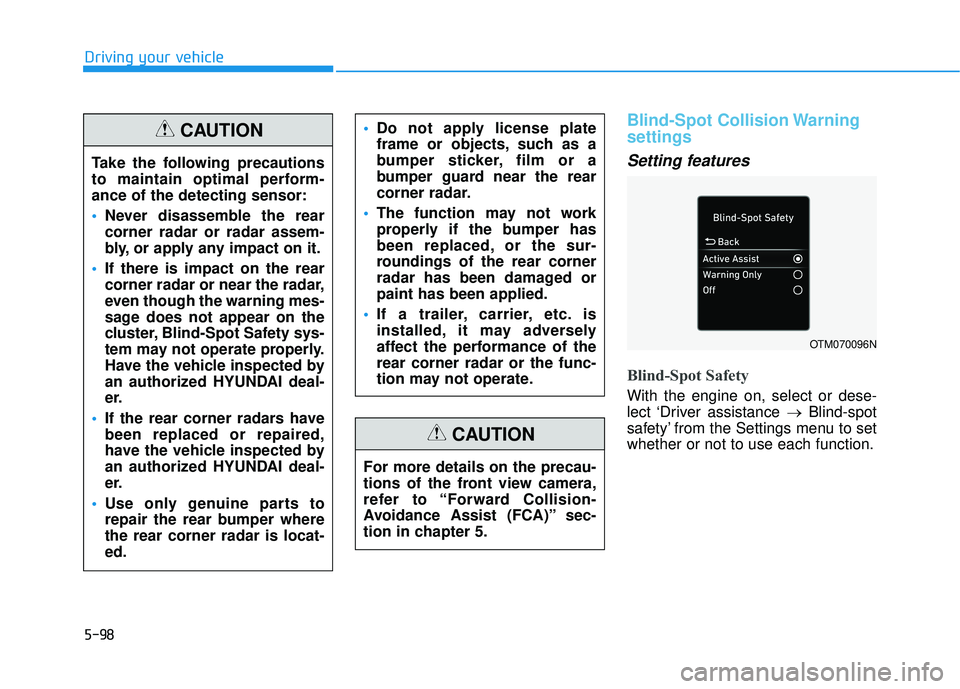
Blind-Spot Safety
With the engine on, select or dese-
lect ‘Driver assistance →Blind-spot
safety’ from the Settings menu to set
whether or not to use each function.
OTM070096N
Take the following precautions
to maintain optimal perform-
ance of the detecting sensor:
Never disassemble the rear
corner radar or radar assem-
bly, or apply any impact on it.
If there is impact on the rear
corner radar or near the radar,
even though the warning mes-
sage does not appear on the
cluster, Blind-Spot Safety sys-
tem may not operate properly.
Have the vehicle inspected by
an authorized HYUNDAI deal-
er.
If the rear corner radars have
been replaced or repaired,
have the vehicle inspected by
an authorized HYUNDAI deal-
er.
Use only genuine parts to
repair the rear bumper where
the rear corner radar is locat-
ed.
Do not apply license plate
frame or objects, such as a
bumper sticker, film or a
bumper guard near the rear
corner radar.
The function may not work
properly if the bumper has
been replaced, or the sur-
roundings of the rear corner
radar has been damaged or
paint has been applied.
If a trailer, carrier, etc. is
installed, it may adversely
affect the performance of the
rear corner radar or the func-
tion may not operate.CAUTION
For more details on the precau-
tions of the front view camera,
refer to “Forward Collision-
Avoidance Assist (FCA)” sec-
tion in chapter 5.
CAUTION
Page 436 of 663
5-102
Driving your vehicle
Information
If the driver's seat is on the left side,
the collision warning may occur when
you turn left. Maintain a proper dis-
tance with the vehicles in the left lane.
If the driver's seat is on the right side,
the collision warning may occur when
you turn right. Maintain a proper dis-
tance with the vehicles in the right
lane.
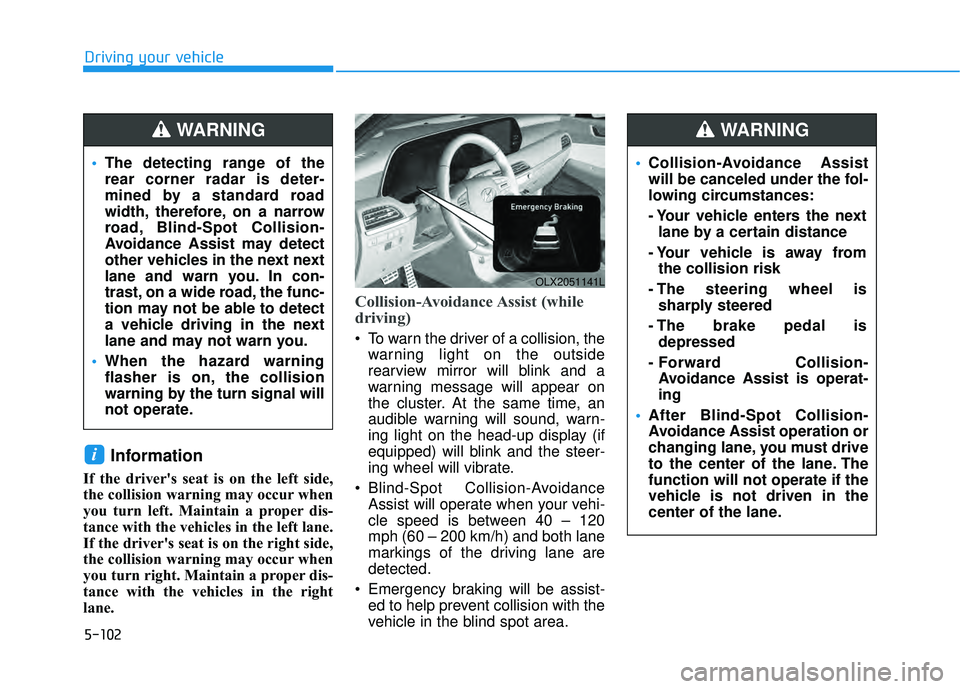
Collision-Avoidance Assist (while
driving)
To warn the driver of a collision, thewarning light on the outside
rearview mirror will blink and a
warning message will appear on
the cluster. At the same time, an
audible warning will sound, warn-
ing light on the head-up display (if
equipped) will blink and the steer-
ing wheel will vibrate.
Blind-Spot Collision-Avoidance Assist will operate when your vehi-
cle speed is between 40 – 120
mph (60 – 200 km/h) and both lane
markings of the driving lane are
detected.
Emergency braking will be assist- ed to help prevent collision with the
vehicle in the blind spot area.
i
OLX2051141L
The detecting range of the
rear corner radar is deter-
mined by a standard road
width, therefore, on a narrow
road, Blind-Spot Collision-
Avoidance Assist may detect
other vehicles in the next next
lane and warn you. In con-
trast, on a wide road, the func-
tion may not be able to detect
a vehicle driving in the next
lane and may not warn you.
When the hazard warning
flasher is on, the collision
warning by the turn signal will
not operate.
WARNING
Collision-Avoidance Assist
will be canceled under the fol-
lowing circumstances:
- Your vehicle enters the next
lane by a certain distance
- Your vehicle is away from the collision risk
- The steering wheel is sharply steered
- The brake pedal is depressed
- Forward Collision- Avoidance Assist is operat-
ing
After Blind-Spot Collision-
Avoidance Assist operation or
changing lane, you must drive
to the center of the lane. The
function will not operate if the
vehicle is not driven in the
center of the lane.
WARNING