radar HYUNDAI PALISADE 2022 Owners Manual
[x] Cancel search | Manufacturer: HYUNDAI, Model Year: 2022, Model line: PALISADE, Model: HYUNDAI PALISADE 2022Pages: 663, PDF Size: 15.74 MB
Page 119 of 663
3-23
Convenience Features
S SA A F FE E E E X X I IT T A A S SS SI IS S T T ( ( S S E E A A ) ) ( ( I IF F E E Q Q U UI IP P P PE ED D ) )
3
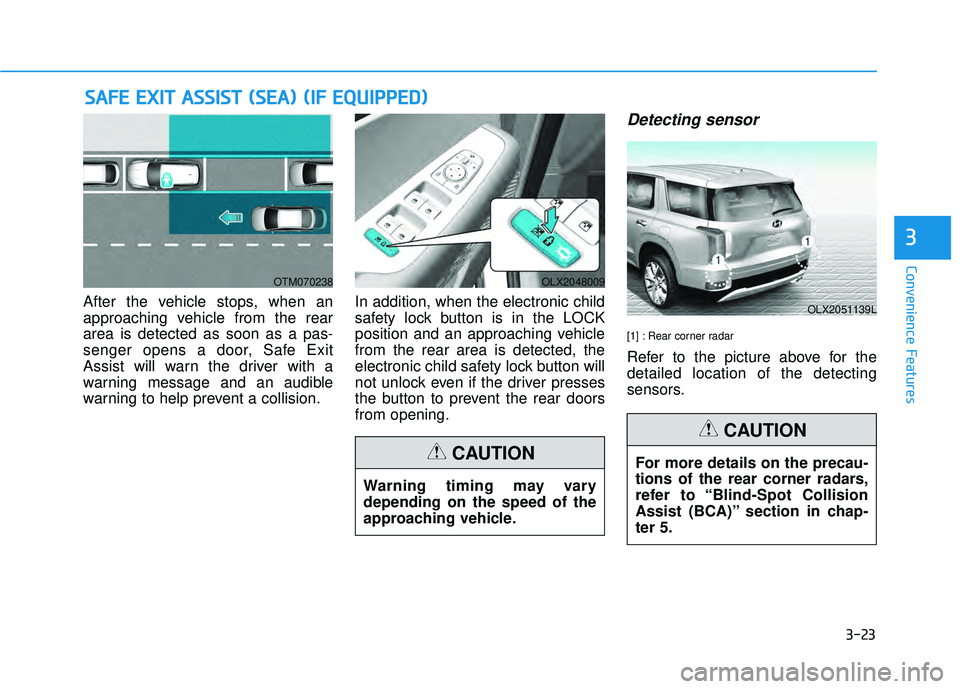
After the vehicle stops, when an
approaching vehicle from the rear
area is detected as soon as a pas-
senger opens a door, Safe Exit
Assist will warn the driver with a
warning message and an audible
warning to help prevent a collision. In addition, when the electronic child
safety lock button is in the LOCK
position and an approaching vehicle
from the rear area is detected, the
electronic child safety lock button will
not unlock even if the driver presses
the button to prevent the rear doors
from opening.
Detecting sensor
[1] : Rear corner radar
Refer to the picture above for the
detailed location of the detecting
sensors.
OTM070238OLX2048009
OLX2051139L
Warning timing may vary
depending on the speed of the
approaching vehicle.
CAUTIONFor more details on the precau-
tions of the rear corner radars,
refer to “Blind-Spot Collision
Assist (BCA)” section in chap-
ter 5.
CAUTION
Page 124 of 663
3-28
Safe Exit Assist disabled
When the rear bumper around the
rear corner radar or sensor is cov-
ered with foreign material, such as
snow or rain, or installing a trailer or
carrier, it can reduce the detecting
performance and temporarily limit or
disable Safe Exit Assist.
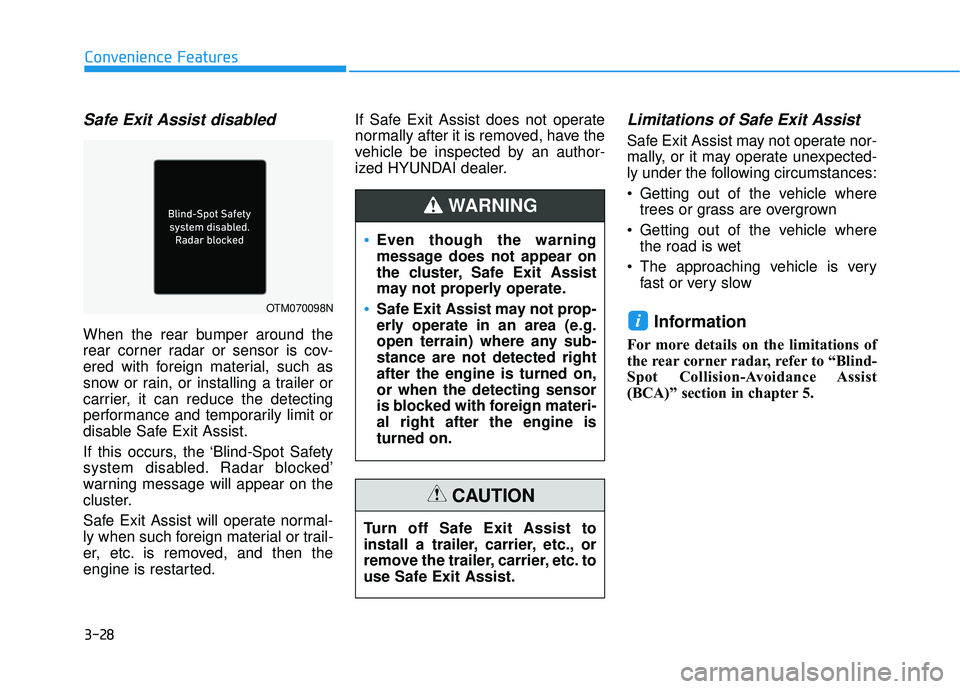
If this occurs, the ‘Blind-Spot Safety
system disabled. Radar blocked’
warning message will appear on the
cluster.
Safe Exit Assist will operate normal-
ly when such foreign material or trail-
er, etc. is removed, and then the
engine is restarted.If Safe Exit Assist does not operate
normally after it is removed, have the
vehicle be inspected by an author-
ized HYUNDAI dealer.
Limitations of Safe Exit Assist
Safe Exit Assist may not operate nor-
mally, or it may operate unexpected-
ly under the following circumstances:
Getting out of the vehicle where
trees or grass are overgrown
Getting out of the vehicle where the road is wet
The approaching vehicle is very fast or very slow
Information
For more details on the limitations of
the rear corner radar, refer to “Blind-
Spot Collision-Avoidance Assist
(BCA)” section in chapter 5.
i
Convenience Features
OTM070098N
Even though the warning
message does not appear on
the cluster, Safe Exit Assist
may not properly operate.
Safe Exit Assist may not prop-
erly operate in an area (e.g.
open terrain) where any sub-
stance are not detected right
after the engine is turned on,
or when the detecting sensor
is blocked with foreign materi-
al right after the engine is
turned on.
WARNING
Turn off Safe Exit Assist to
install a trailer, carrier, etc., or
remove the trailer, carrier, etc. to
use Safe Exit Assist.
CAUTION
Page 125 of 663
3-29
Convenience Features
Rear Occupant Alert (ROA)
System (if equipped)
The Rear Occupant Alert (ROA) sys-
tem is provided to help prevent exit-
ing the vehicle with the rear passen-
ger left in the vehicle.
1st alert- When you open the front doorafter opening and closing the rear
door and turning off the engine,
the "Check rear seats" warning
message appears on the cluster.
You can activate or deactivate the Rear Occupant Alert (ROA) sys-
tem from the User Settings mode
in the cluster LCD display. The
option can be found under the fol-
lowing menu:
User Settings → Convenience →
Rear Occupant Alert 2nd alert (if equipped)
- After the 1st alert the 2nd alertoperates when any movement is
detected in the vehicle after the
driver's door is closed and all the
doors are locked. The horn will
activate for about 25 seconds. If
the system continues to detect a
movement the alert operates up
to 8 times.
- Unlock the door with the remote key or smart key to stop the alert.
- The system detects movement in the vehicle for 24 hours after the
door is locked.
- The 2nd alert is activated only after the prior activation of the 1st
alert.
3
Safe Exit Assist may not oper-
ate normally if interfered by
strong electromagnetic
waves.
Safe Exit Assist may not oper-
ate for 3 seconds after the
vehicle is started, or the rear
corner radars are initialized.
WARNING
Make sure that all the win-
dows are closed. If the win-
dow is open, the alert may
activate by the sensor detect-
ing an unintended movement
(e.g. wind or bugs).
CAUTION
Page 191 of 663
3-95
Convenience Features
3
Low Fuel LevelWarning Light
This warning light illuminates:
When the fuel tank is nearly empty.
Add fuel as soon as possible.
Driving with the Low Fuel Level
warning light on or with the fuel
level below "E" can cause the
engine to misfire and damage the
catalytic converter.
Washer Fluid Warning Light
This warning light illuminates:
When the washer fluid level in the
reservoir is nearly empty.
If washer fluid warning light illumi-
nates, refill the washer fluid reser-
voir in the engine room when pos-
sible.
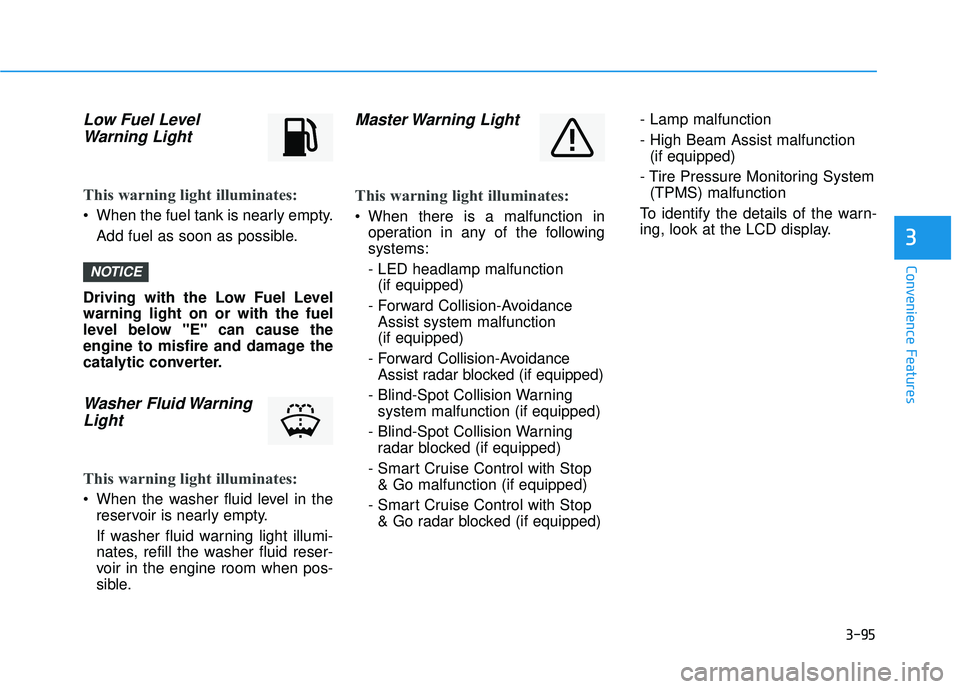
Master Warning Light
This warning light illuminates:
When there is a malfunction inoperation in any of the following
systems:
- LED headlamp malfunction(if equipped)
- Forward Collision-Avoidance Assist system malfunction
(if equipped)
- Forward Collision-Avoidance Assist radar blocked (if equipped)
- Blind-Spot Collision Warning system malfunction (if equipped)
- Blind-Spot Collision Warning radar blocked (if equipped)
- Smart Cruise Control with Stop & Go malfunction (if equipped)
- Smart Cruise Control with Stop & Go radar blocked (if equipped) - Lamp malfunction
- High Beam Assist malfunction
(if equipped)
- Tire Pressure Monitoring System (TPMS) malfunction
To identify the details of the warn-
ing, look at the LCD display.
NOTICE
Page 208 of 663
3-112
Convenience Features
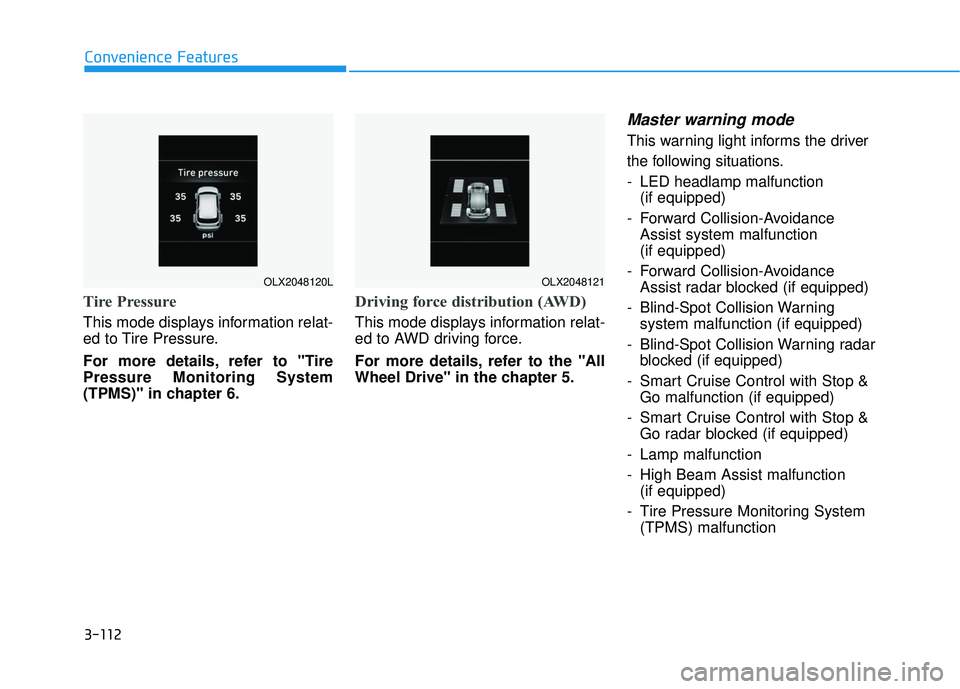
Tire Pressure
This mode displays information relat-
ed to Tire Pressure.
For more details, refer to "Tire
Pressure Monitoring System
(TPMS)" in chapter 6.
Driving force distribution (AWD)
This mode displays information relat-
ed to AWD driving force.
For more details, refer to the "All
Wheel Drive" in the chapter 5.
Master warning mode
This warning light informs the driver
the following situations.
- LED headlamp malfunction(if equipped)
- Forward Collision-Avoidance Assist system malfunction
(if equipped)
- Forward Collision-Avoidance Assist radar blocked (if equipped)
- Blind-Spot Collision Warning system malfunction (if equipped)
- Blind-Spot Collision Warning radar blocked (if equipped)
- Smart Cruise Control with Stop & Go malfunction (if equipped)
- Smart Cruise Control with Stop & Go radar blocked (if equipped)
- Lamp malfunction
- High Beam Assist malfunction (if equipped)
- Tire Pressure Monitoring System (TPMS) malfunction
OLX2048120LOLX2048121
Page 337 of 663
Navigation-based Smart Cruise
Control (NSCC) ...................................................5-170
Navigation-based Smart Cruise Control
Settings........................................................................\
....5-170
Navigation-based Smart Cruise Control
Operation ........................................................................\
5-171
Limitations of Navigation-based Smart Cruise
Control .....................................................................\
.......5-174
Special driving conditions .................................5-178
Hazardous Driving Conditions....................................5-178
Rocking the Vehicle ......................................................5-178
Smooth Cornering .........................................................5-179
Driving at Night .............................................................5-179
Driving in the Rain ........................................................5-179
Driving in Flooded Areas.............................................5-180
Highway Driving ............................................................5-180
Reducing the Risk of a Rollover ..............................5-181
Winter driving .....................................................5-182
Snow or Icy Conditions................................................5-182
Winter Precautions .......................................................5-184
Trailer towing .....................................................5-186
If you decide to pull a trailer .....................................5-186
Trailer towing equipment ............................................5-188
Driving with a trailer ....................................................5-189
Maintenance when trailer towing ...........................5-192
Vehicle load limit ................................................5-194
Tire Loading Information Label .................................5-195
Declaration of confirmity .................................5-200
Front radar ....................................................................5-20\
0
Rear corner radar .......................................................5-200
5
Page 397 of 663
5-63
Driving your vehicle
5
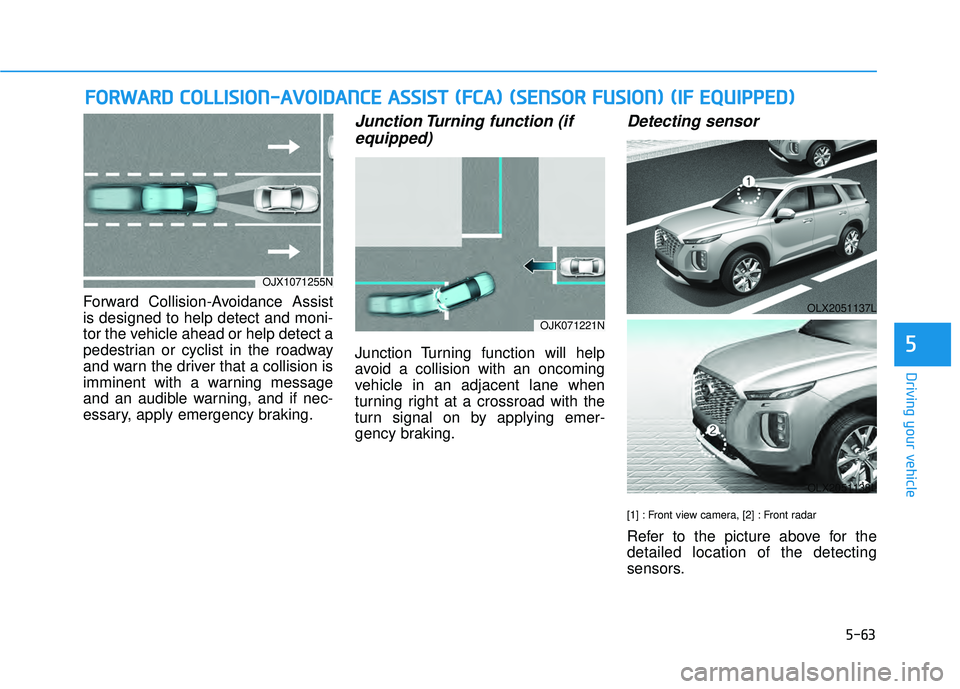
Forward Collision-Avoidance Assist
is designed to help detect and moni-
tor the vehicle ahead or help detect a
pedestrian or cyclist in the roadway
and warn the driver that a collision is
imminent with a warning message
and an audible warning, and if nec-
essary, apply emergency braking.
Junction Turning function (ifequipped)
Junction Turning function will help
avoid a collision with an oncoming
vehicle in an adjacent lane when
turning right at a crossroad with the
turn signal on by applying emer-
gency braking.
Detecting sensor
[1] : Front view camera, [2] : Front radar
Refer to the picture above for the
detailed location of the detecting
sensors.
F F O O R RW W A AR RD D C C O O L LL LI IS S I IO O N N- -A A V VO O I ID D A A N N C CE E A A S SS SI IS S T T ( ( F F C C A A ) ) ( ( S S E E N N S SO O R R F F U U S SI IO O N N) ) ( ( I IF F E E Q Q U UI IP P P PE ED D ) )
OJX1071255N
OJK071221N
OLX2051137L
OLX2051138L
Page 398 of 663
5-64
Driving your vehicle
Forward Collision-Avoidance
Assist settings
Setting features
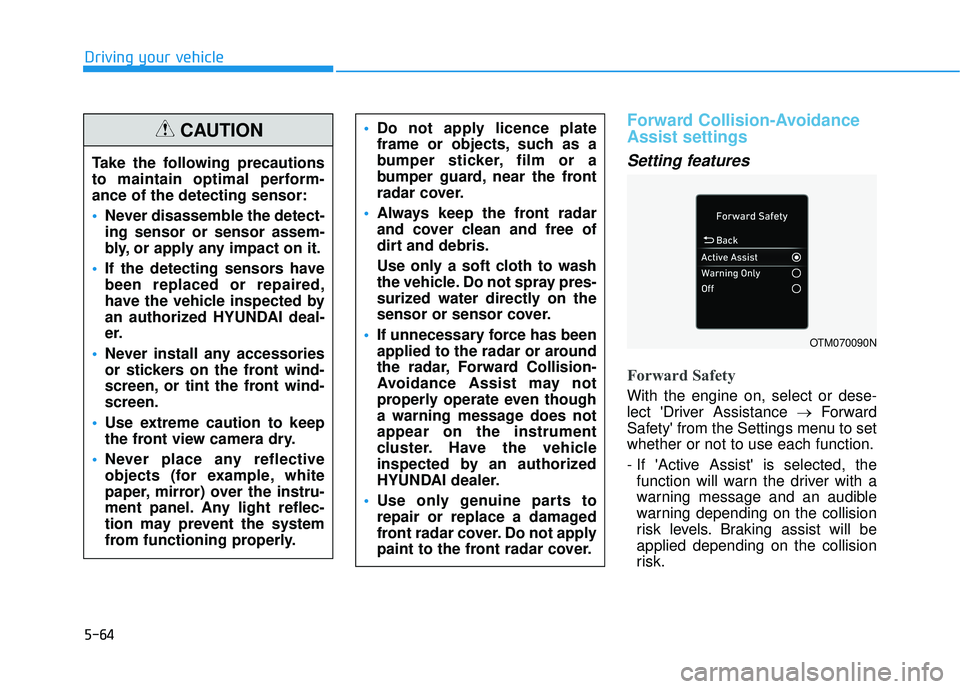
Forward Safety
With the engine on, select or dese-
lect 'Driver Assistance →Forward
Safety' from the Settings menu to set
whether or not to use each function.
- If 'Active Assist' is selected, the function will warn the driver with a
warning message and an audible
warning depending on the collision
risk levels. Braking assist will be
applied depending on the collision
risk.
Do not apply licence plate
frame or objects, such as a
bumper sticker, film or a
bumper guard, near the front
radar cover.
Always keep the front radar
and cover clean and free of
dirt and debris.
Use only a soft cloth to wash
the vehicle. Do not spray pres-
surized water directly on the
sensor or sensor cover.
If unnecessary force has been
applied to the radar or around
the radar, Forward Collision-
Avoidance Assist may not
properly operate even though
a warning message does not
appear on the instrument
cluster. Have the vehicle
inspected by an authorized
HYUNDAI dealer.
Use only genuine parts to
repair or replace a damaged
front radar cover. Do not apply
paint to the front radar cover.
OTM070090N
Take the following precautions
to maintain optimal perform-
ance of the detecting sensor:
Never disassemble the detect-
ing sensor or sensor assem-
bly, or apply any impact on it.
If the detecting sensors have
been replaced or repaired,
have the vehicle inspected by
an authorized HYUNDAI deal-
er.
Never install any accessories
or stickers on the front wind-
screen, or tint the front wind-
screen.
Use extreme caution to keep
the front view camera dry.
Never place any reflective
objects (for example, white
paper, mirror) over the instru-
ment panel. Any light reflec-
tion may prevent the system
from functioning properly.
CAUTION
Page 404 of 663
5-70
Driving your vehicle
Forward Collision-Avoidance
Assist malfunction and limita-
tions
Forward Collision-AvoidanceAssist malfunction
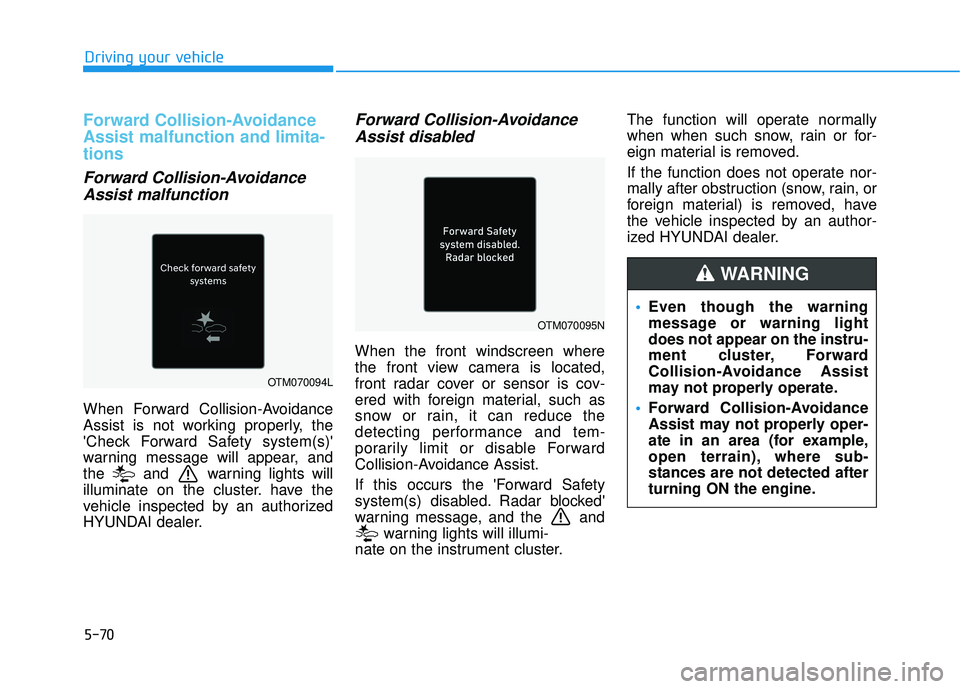
When Forward Collision-Avoidance
Assist is not working properly, the
'Check Forward Safety system(s)'
warning message will appear, and
the and warning lights will
illuminate on the cluster. have the
vehicle inspected by an authorized
HYUNDAI dealer.
Forward Collision-AvoidanceAssist disabled
When the front windscreen where
the front view camera is located,
front radar cover or sensor is cov-
ered with foreign material, such as
snow or rain, it can reduce the
detecting performance and tem-
porarily limit or disable Forward
Collision-Avoidance Assist.
If this occurs the 'Forward Safety
system(s) disabled. Radar blocked'
warning message, and the and
warning lights will illumi-
nate on the instrument cluster. The function will operate normally
when when such snow, rain or for-
eign material is removed.
If the function does not operate nor-
mally after obstruction (snow, rain, or
foreign material) is removed, have
the vehicle inspected by an author-
ized HYUNDAI dealer.
OTM070094L
OTM070095N
Even though the warning
message or warning light
does not appear on the instru-
ment cluster, Forward
Collision-Avoidance Assist
may not properly operate.
Forward Collision-Avoidance
Assist may not properly oper-
ate in an area (for example,
open terrain), where sub-
stances are not detected after
turning ON the engine.
WARNING
Page 405 of 663
5-71
Driving your vehicle
5
Limitations of the ForwardCollision-Avoidance Assist
Forward Collision-Avoidance Assist
may not operate normally, or the
function may operate unexpectedly
under the following circumstances:
The detecting sensor or the sur-
roundings are contaminated or
damaged
The temperature around the front view camera is high or low
The camera lens is contaminated due to tinted, filmed or coated
windscreen, damaged glass, or
stuck of foreign material (sticker,
bug, etc.) on the glass
Moisture is not removed or frozen on the windscreen
Washer fluid is continuously sprayed, or the wiper is on
Driving in heavy rain or snow, or thick fog
The field of view of the front view camera is obstructed by sun glare Street light or light from an oncom-
ing vehicle is reflected on the wet
road surface, such as a puddle on
the road
An object is placed on the instru- ment panel
Your vehicle is being towed
The surroundings are very bright
The surroundings are very dark, such as in a tunnel, etc.
The brightness changes suddenly, for example when entering or exit-
ing a tunnel
The brightness outside is low, and the headlamps are not on or are
not bright
Driving through steam, smoke or shadow
Only part of the vehicle, pedestrian or cyclist is detected
The vehicle in front is a bus, heavy truck, truck with a unusually
shaped luggage, trailer, etc. The vehicle in front has no tail
lights, tail lights are located unusu-
ally, etc.
The brightness outside is low, and the tail lamps are not on or are not
bright
The rear of the front vehicle is small or the vehicle does not look
normal, such as when the vehicle
is tilted, overturned, or the side of
the vehicle is visible, etc.
The front vehicle's ground clear- ance is low or high
A vehicle, pedestrian or cyclist suddenly cuts in front
The bumper around the front radar is impacted, damaged or the front
radar is out of position
The temperature around the front radar is high or low
Driving through a tunnel or iron bridge
Driving in large areas where there are few vehicles or structures (for
example, desert, meadow, suburb,
etc.)