Smart drive HYUNDAI PALISADE 2022 Workshop Manual
[x] Cancel search | Manufacturer: HYUNDAI, Model Year: 2022, Model line: PALISADE, Model: HYUNDAI PALISADE 2022Pages: 663, PDF Size: 15.74 MB
Page 493 of 663
5-159
Driving your vehicle
5
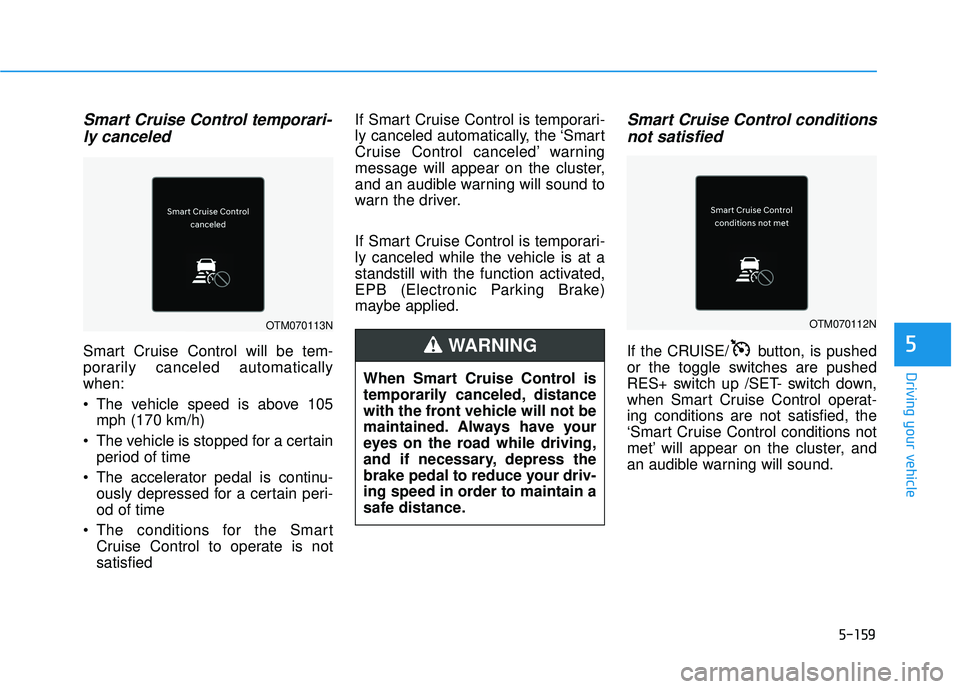
Smart Cruise Control temporari-ly canceled
Smart Cruise Control will be tem-
porarily canceled automatically
when:
The vehicle speed is above 105
mph (170 km/h)
The vehicle is stopped for a certain period of time
The accelerator pedal is continu- ously depressed for a certain peri-
od of time
The conditions for the Smart Cruise Control to operate is not
satisfied If Smart Cruise Control is temporari-
ly canceled automatically, the ‘Smart
Cruise Control canceled’ warning
message will appear on the cluster,
and an audible warning will sound to
warn the driver.
If Smart Cruise Control is temporari-
ly canceled while the vehicle is at a
standstill with the function activated,
EPB (Electronic Parking Brake)
maybe applied.
Smart Cruise Control conditions
not satisfied
If the CRUISE/ button, is pushed
or the toggle switches are pushed
RES+ switch up /SET- switch down,
when Smart Cruise Control operat-
ing conditions are not satisfied, the
‘Smart Cruise Control conditions not
met’ will appear on the cluster, and
an audible warning will sound.
When Smart Cruise Control is
temporarily canceled, distance
with the front vehicle will not be
maintained. Always have your
eyes on the road while driving,
and if necessary, depress the
brake pedal to reduce your driv-
ing speed in order to maintain a
safe distance.
WARNING
OTM070112NOTM070113N
Page 494 of 663
5-160
Driving your vehicle
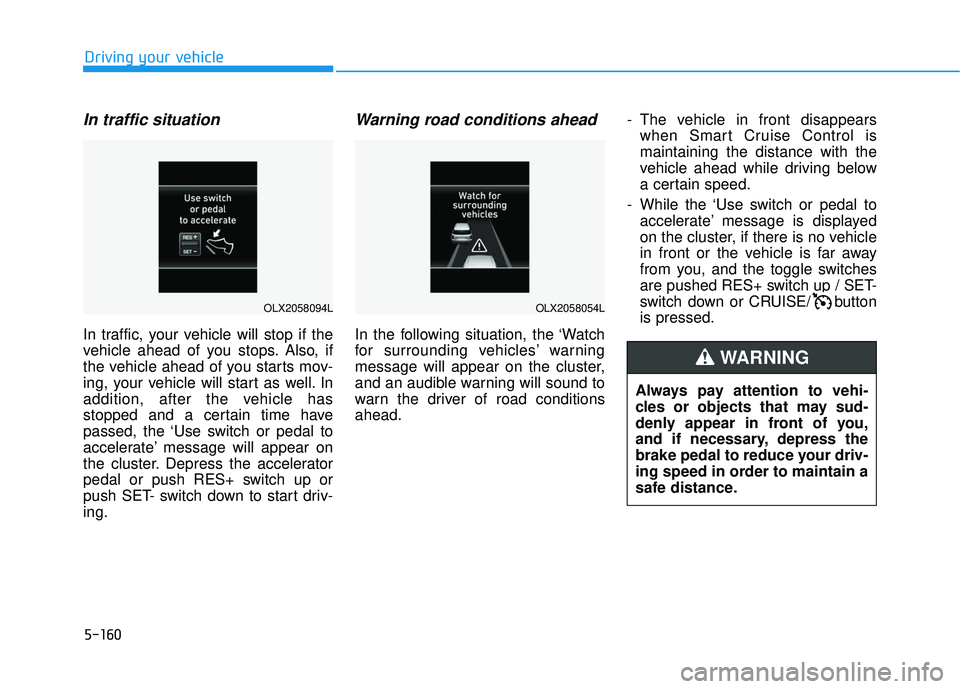
In traffic situation
In traffic, your vehicle will stop if the
vehicle ahead of you stops. Also, if
the vehicle ahead of you starts mov-
ing, your vehicle will start as well. In
addition, after the vehicle has
stopped and a certain time have
passed, the ‘Use switch or pedal to
accelerate’ message will appear on
the cluster. Depress the accelerator
pedal or push RES+ switch up or
push SET- switch down to start driv-
ing.
Warning road conditions ahead
In the following situation, the ‘Watch
for surrounding vehicles’ warning
message will appear on the cluster,
and an audible warning will sound to
warn the driver of road conditions
ahead.- The vehicle in front disappears
when Smart Cruise Control is
maintaining the distance with the
vehicle ahead while driving below
a certain speed.
- While the ‘Use switch or pedal to accelerate’ message is displayed
on the cluster, if there is no vehicle
in front or the vehicle is far away
from you, and the toggle switches
are pushed RES+ switch up / SET-
switch down or CRUISE/ button
is pressed.
Always pay attention to vehi-
cles or objects that may sud-
denly appear in front of you,
and if necessary, depress the
brake pedal to reduce your driv-
ing speed in order to maintain a
safe distance.
WARNING
OLX2058054LOLX2058094L
Page 495 of 663
5-161
Driving your vehicle
5
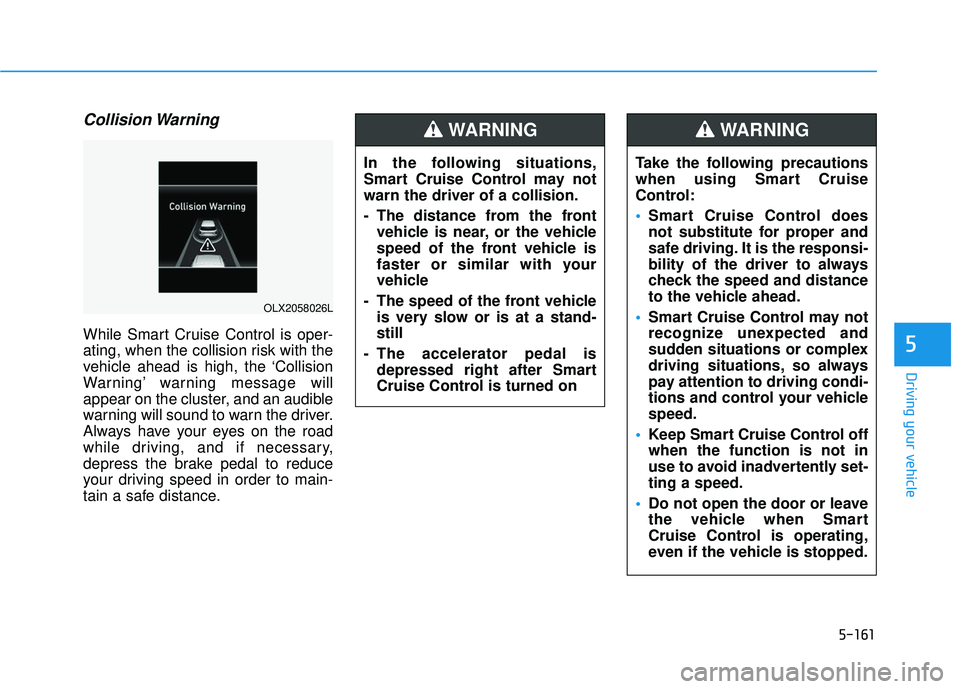
Collision Warning
While Smart Cruise Control is oper-
ating, when the collision risk with the
vehicle ahead is high, the ‘Collision
Warning’ warning message will
appear on the cluster, and an audible
warning will sound to warn the driver.
Always have your eyes on the road
while driving, and if necessary,
depress the brake pedal to reduce
your driving speed in order to main-
tain a safe distance.In the following situations,
Smart Cruise Control may not
warn the driver of a collision.
- The distance from the front
vehicle is near, or the vehicle
speed of the front vehicle is
faster or similar with your
vehicle
- The speed of the front vehicle is very slow or is at a stand-
still
- The accelerator pedal is depressed right after Smart
Cruise Control is turned on
WARNING
OLX2058026L
Take the following precautions
when using Smart Cruise
Control:
Smart Cruise Control does
not substitute for proper and
safe driving. It is the responsi-
bility of the driver to always
check the speed and distance
to the vehicle ahead.
Smart Cruise Control may not
recognize unexpected and
sudden situations or complex
driving situations, so always
pay attention to driving condi-
tions and control your vehicle
speed.
Keep Smart Cruise Control off
when the function is not in
use to avoid inadvertently set-
ting a speed.
Do not open the door or leave
the vehicle when Smart
Cruise Control is operating,
even if the vehicle is stopped.
WARNING
Page 496 of 663
5-162
Driving your vehicleTurn off Smart Cruise Control
when your vehicle is being
towed.
Smart Cruise Control may not
operate normally if interfered
by strong electromagnetic
waves.
Smart Cruise Control may not
detect an obstacle in front and
lead to a collision. Always
look ahead cautiously to pre-
vent unexpected and sudden
situations from occurring.
Vehicles moving in front of
you with a frequent lane
change may cause a delay in
Smart Cruise Control reaction
or may cause Smart Cruise
Control to react to a vehicle
actually in an adjacent lane.
Always drive cautiously to
prevent unexpected and sud-
den situations from occur-
ring.
Always be aware of the sur-
roundings and drive safely,
even though a warning mes-
sage does not appear or an
audible warning does not
sound.
If any other system’s warning
message is displayed or
warning sound is generated,
Smart Cruise Control warning
message may not be dis-
played and warning sound
may not be generated.
You may not hear the warning
sound of Forward Collision-
Avoidance Assist if the sur-
rounding is noisy.
The vehicle manufacturer is
not responsible for any traffic
violation or accidents caused
by the driver.
Always set the vehicle speed
under the speed limit in your
country.Always be aware of the select-
ed speed and headway dis-
tance.
Keep a safe distance accord-
ing to road conditions and
vehicle speed. If the headway
distance is too close during
high-speed driving, a serious
collision may result.
When maintaining distance
with the vehicle ahead, if the
front vehicle disappears,
Smart Cruise Control may
suddenly accelerate to the set
speed. Always be aware of
unexpected and sudden situa-
tions from occurring.
Vehicle speed may decrease
on an upward slope and
increase on a downward
slope.
Always be aware of situations
such as when a vehicle cuts in
suddenly.
When you are towing a trailer
or another vehicle, we recom-
mend that Smart Cruise
Control is turned off due to
safety reasons.
Page 504 of 663
5-170
Navigation-based Smart Cruise
Control will help drive at a certain
speed according to the road condi-
tions when driving on highways (or
motorways) by using road informa-
tion from the navigation system while
Smart Cruise Control is operating.
Information
• Navigation-based Smart CruiseControl is available only on con-
trolled access road of certain high-
ways.
❈ ❈ Controlled access road indicates
roads with limited entrances and
exits that allow uninterrupted high
speed traffic flow. Only passenger
cars and motorcycles are allowed
on controlled access roads.
• Additional highways may be expand- ed by future navigation updates.
Information
Navigation-based Smart Cruise
Control operates on main roads of
highways (or motorways), and does
not operate on interchanges or junc-
tions. Highway Curve Zone Auto
Slowdown
If vehicle speed is high, Highway
Curve Zone Auto Slowdown function
will temporarily decelerate your vehi-
cle or limit acceleration to help you
drive safely on a curve based on the
curve information from the naviga-
tion.
Navigation-based Smart
Cruise Control Settings
Setting features
Highway Curve Zone Auto
Slowdown
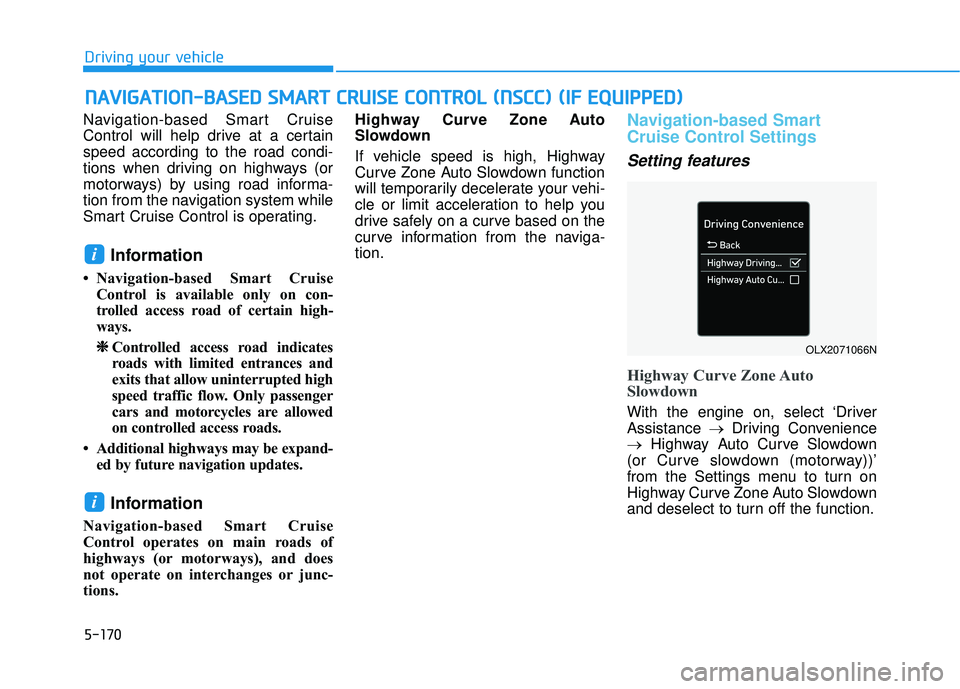
With the engine on, select ‘Driver
Assistance
→Driving Convenience
→ Highway Auto Curve Slowdown
(or Curve slowdown (motorway))’
from the Settings menu to turn on
Highway Curve Zone Auto Slowdown
and deselect to turn off the function.
i
i
N N A AV VI IG G A AT TI IO O N N- -B B A A S SE E D D S S M M A AR RT T C C R R U U I IS S E E C C O O N NT TR R O O L L ( ( N N S SC C C C) ) ( ( I IF F E E Q Q U UI IP P P PE ED D ) )
Driving your vehicle
OLX2071066N
Page 506 of 663
5-172
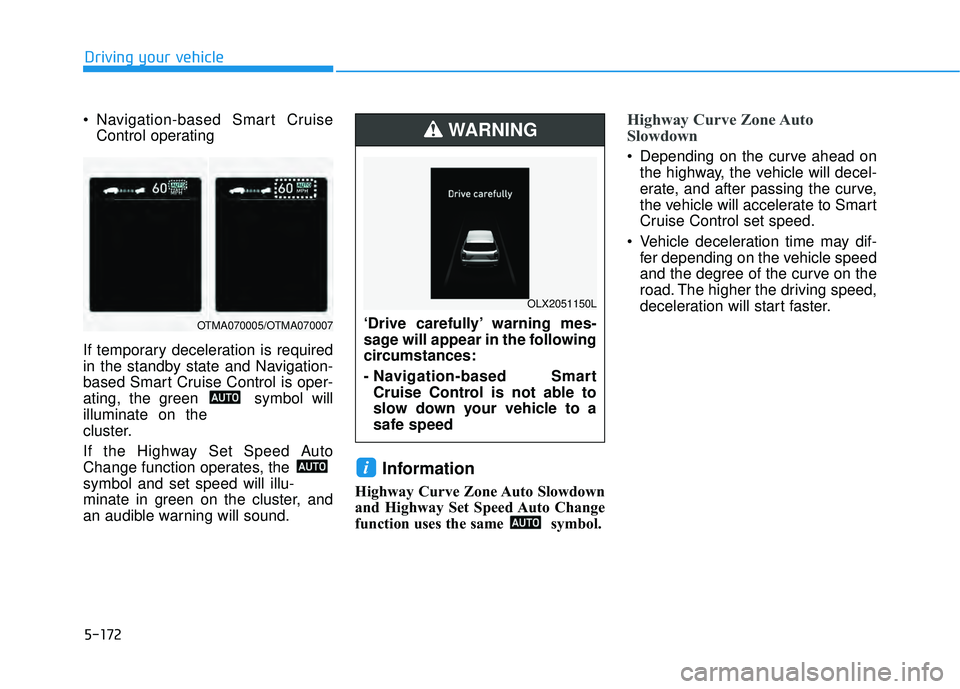
Navigation-based Smart CruiseControl operating
If temporary deceleration is required
in the standby state and Navigation-
based Smart Cruise Control is oper-
ating, the green symbol will
illuminate on the
cluster.
If the Highway Set Speed Auto
Change function operates, the
symbol and set speed will illu-
minate in green on the cluster, and
an audible warning will sound.
Information
Highway Curve Zone Auto Slowdown
and Highway Set Speed Auto Change
function uses the same symbol.
Highway Curve Zone Auto
Slowdown
Depending on the curve ahead on the highway, the vehicle will decel-
erate, and after passing the curve,
the vehicle will accelerate to Smart
Cruise Control set speed.
Vehicle deceleration time may dif- fer depending on the vehicle speed
and the degree of the curve on the
road. The higher the driving speed,
deceleration will start faster.
i
Driving your vehicle
OTMA070005/OTMA070007‘Drive carefully’ warning mes-
sage will appear in the following
circumstances:
- Navigation-based SmartCruise Control is not able to
slow down your vehicle to a
safe speed
WARNING
OLX2051150L
Page 507 of 663
5-173
Driving your vehicle
Highway Set Speed Auto Change
Highway Set Speed Auto Changefunction will operate when Smart
Cruise Control set speed and the
highway (or motorway) speed limit
is matched.
While Highway Set Speed Auto Change function is operating,
when the highway (or motorway)
speed limit changes, Smart Cruise
Control set speed automatically
changes to the changed speed
limit.
If Smart Cruise Control set speed is adjusted different from the speed
limit, Highway Set Speed Auto
Change function will be in the
standby state.
If Highway Set Speed Auto Change function has changed to
the standby state by driving on a
road other than the highway (or
motorway) main road, Highway Set
Speed Auto Change function will
operate again when you drive on
the main road again without setting
the set speed. If Highway Set Speed Auto
Change function has changed to
the standby state by depressing
the brake pedal or pressing the switch on the steering wheel,
press the switch to restart the
function.
Highway Set Speed Auto Change function does not operate on high-
way interchanges or junctions.Information
• Highway Set Speed Auto Changefunction only operates based on the
speed limits of the highway (or
motorway), it does not work with
speed cameras.
• When Highway Set Speed Auto Change function is operating, the
vehicle automatically accelerates or
decelerates when the highway (or
motorway) speed limit changes.
• The maximum set speed for Highway Set Speed Auto Change
function is 86 mph (140 km/h).
• If the speed limit of a new road is not updated in the navigation,
Highway Set Speed Auto Change
function may not operate properly.
• If the speed unit is set to a unit other than the speed unit used in your
country, Highway Set Speed Auto
Change function may not operate
properly.
i
5
Page 508 of 663
5-174
Limitations of Navigation-
based Smart Cruise Control
Navigation-based Smart Cruise
Control may not operate normally
under the following circumstances:
The navigation is not working prop-erly
Speed limit and road information in the navigation is not updated
The map information and the actu- al road is different because of real-
time GPS data or map information
error
The navigation searches for a route while driving
GPS signals are blocked in areas such as a tunnel
The navigation is updated while driving
Map information is not transmitted due to infotainment system's
abnormal operation
A road that divides into two or more roads and joins again
The driver goes off course the route set in the navigation The route to the destination is
changed or canceled by resetting
the navigation
The vehicle enters a service sta- tion or rest area
The speed limit of some sections changes according to the road sit-
uations
Android Auto or Car Play is operat- ing
The navigation cannot detect the current vehicle position (ex: elevat-
ed roads including overpass adja-
cent to general roads or nearby
roads exist in a parallel way)
The navigation is being updated while driving
The navigation is being restarted while driving
There is bad weather, such as heavy rain, heavy snow, etc.
Driving on a road under construc- tion
Driving on a road that is controlled
Driving on a road that is sharply curved
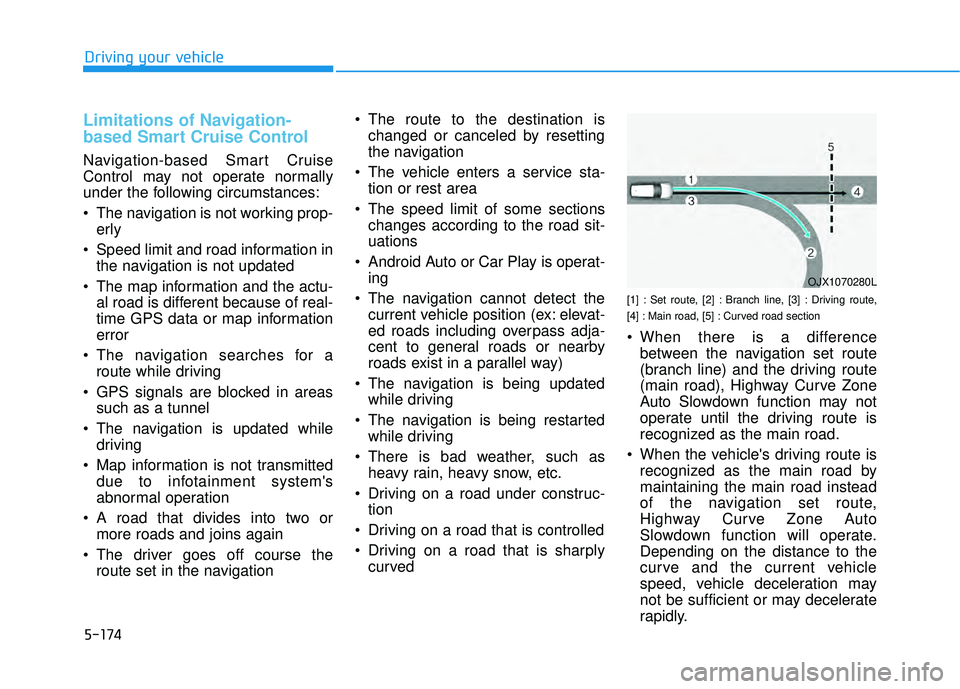
[1] : Set route, [2] : Branch line, [3] : Driving route,
[4] : Main road, [5] : Curved road section
When there is a differencebetween the navigation set route
(branch line) and the driving route
(main road), Highway Curve Zone
Auto Slowdown function may not
operate until the driving route is
recognized as the main road.
When the vehicle's driving route is recognized as the main road by
maintaining the main road instead
of the navigation set route,
Highway Curve Zone Auto
Slowdown function will operate.
Depending on the distance to the
curve and the current vehicle
speed, vehicle deceleration may
not be sufficient or may decelerate
rapidly.
Driving your vehicle
OJX1070280L
Page 509 of 663
![HYUNDAI PALISADE 2022 Workshop Manual 5-175
Driving your vehicle
[1] : Set route, [2] : Branch line, [3] : Driving route,
[4] : Main road, [5] : Curved road section
When there is a differencebetween the navigation route
(main road) and](/img/35/41170/w960_41170-508.png "HYUNDAI PALISADE 2022 Workshop Manual 5-175
Driving your vehicle
[1] : Set route, [2] : Branch line, [3] : Driving route,
[4] : Main road, [5] : Curved road section
When there is a differencebetween the navigation route
(main road) and")
5-175
Driving your vehicle
[1] : Set route, [2] : Branch line, [3] : Driving route,
[4] : Main road, [5] : Curved road section
When there is a differencebetween the navigation route
(main road) and the driving route
(branch line), Highway Curve Zone
Auto Slowdown function will oper-
ate based on the curve information
on the main road.
When it is judged that you are driv- ing out of the route by entering the
highway interchange or junction,
Highway Curve Zone Auto
Slowdown function will not operate.
[1] : Driving route, [2] : Branch line,
[3] : Curved road section, [4] : Main road
If there is no destination set on thenavigation, Highway Curve Zone
Auto Slowdown function will oper-
ate based on the curve information
on the main road.
Even if you depart from the main road, Highway Curve Zone Auto
Slowdown function may temporari-
ly operate due to navigation infor-
mation of the highway curve sec-
tion.5
OJX1070281LOJX1070282L
Navigation-based Smart
Cruise Control is not a substi-
tute for safe driving practices,
but a convenience function.
Always have your eyes on the
road, and it is the responsibil-
ity of the driver to avoid vio-
lating traffic laws.
The navigation’s speed limit
information may differ from
the actual speed limit informa-
tion on the road. It is the dri-
ver's responsibility to check
the speed limit on the actual
driving road or lane.
Navigation-based Smart
Cruise Control will automati-
cally be cancelled when you
leave the highway (or motor-
way) main road. Always pay
attention to road and driving
conditions while driving.
WARNING
Page 510 of 663
5-176
Information
• The time gap could occur betweenthe navigation’s guidance and when
Navigation-based Smart Cruise
Control operation starts and ends.
• The speed information on the clus- ter and navigation may differ.
• Even if you are driving at a speed lower than Smart Cruise Control set
speed, acceleration may be limited
by the curve sections ahead.
• If Navigation-based Smart Cruise Control is operating while leaving
the main road to enter an inter-
change, junction, rest area, etc., the
function may operate for a certain
period of time.
• Deceleration by Navigation-based Smart Cruise Control may feel it is
not sufficient due to road conditions
such as uneven road surfaces, nar-
row lanes, etc.
i
Driving your vehicle
Navigation-based Smart
Cruise Control may not oper-
ate due to the existence of
leading vehicles and the driv-
ing conditions of the vehicle.
Always pay attention to road
and driving conditions while
driving.
When you are towing a trailer
or another vehicle, we recom-
mend that Navigation-based
Smart Cruise Control is
turned off due to safety rea-
sons.
After you pass through a toll-
gate on a highway (or motor-
way), Navigation-based Smart
Cruise Control will operate
based on the first lane. If you
enter one of the other lanes,
Navigation-based Smart
Cruise Control may not oper-
ate properly.
The vehicle will accelerate if
the driver depresses the
accelerator pedal while
Navigation-based Smart
Cruise Control is operating,
and the function will not
decelerate the vehicle.
However, if the accelerator
pedal is depressed insuffi-
ciently, the vehicle may decel-
erate.
If the driver accelerates and
releases the accelerator pedal
while Navigation-based Smart
Cruise Control is operating,
the vehicle may not deceler-
ate sufficiently or may rapidly
decelerate to a safe speed.
If the curve is too large or too
small, Navigation-based
Smart Cruise Control may not
operate.