Smart drive HYUNDAI PALISADE 2022 Owner's Guide
[x] Cancel search | Manufacturer: HYUNDAI, Model Year: 2022, Model line: PALISADE, Model: HYUNDAI PALISADE 2022Pages: 663, PDF Size: 15.74 MB
Page 246 of 663
3-150
Convenience Features
Front Door Lamp (2) ( ) :
The front or rear room lamps come on
when the front or rear doors are
opened if the engine is running or not.
When doors are unlocked by the
remote key or smart key, the front and
rear lamps come on for approximate-
ly 30 seconds as long as any door is
not opened. The front and rear room
lamps go out gradually after approxi-
mately 30 seconds when the door is
closed. However, if the ignition switch
is in the ON position or all doors are
locked, the front and rear lamps will
turn off. If a door is opened with the
ignition switch in the ACC position or
the OFF position, the front and rear
lamps stay on for about 20 minutes.
Front Map Lamp (3) :
Press either or switches ( ) to
turn the map lamp on or off. This light
produces a spot beam for convenient
use as a map lamp at night or as a
personal lamp for the driver and the
front passenger.
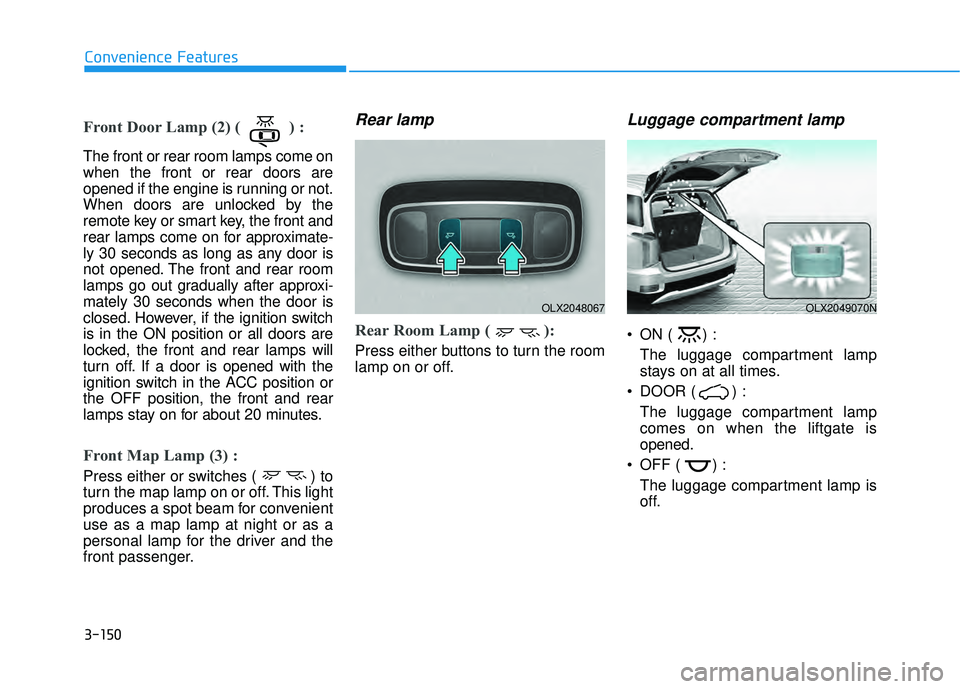
Rear lamp
Rear Room Lamp ( ):
Press either buttons to turn the room
lamp on or off.
Luggage compartment lamp
ON ( ) :The luggage compartment lamp
stays on at all times.
DOOR ( ) : The luggage compartment lamp
comes on when the liftgate is
opened.
OFF ( ) : The luggage compartment lamp is
off.
OLX2048067OLX2049070N
Page 248 of 663
3-152
Convenience Features
Escort light
When the vehicle is turned OFF and
the driver's door is opened, the pud-
dle lamp will come on for 30 sec-
onds. If the driver's door is closed
within the 30 seconds, the puddle
lamp will turn off after 15 seconds. If
the driver's door is closed and
locked, the puddle lamp will turn off
immediately.
The Puddle Lamp Escort Light will
turn on only the first time the driver's
door is opened after the engine is
turned off.
Welcome System (if equipped)
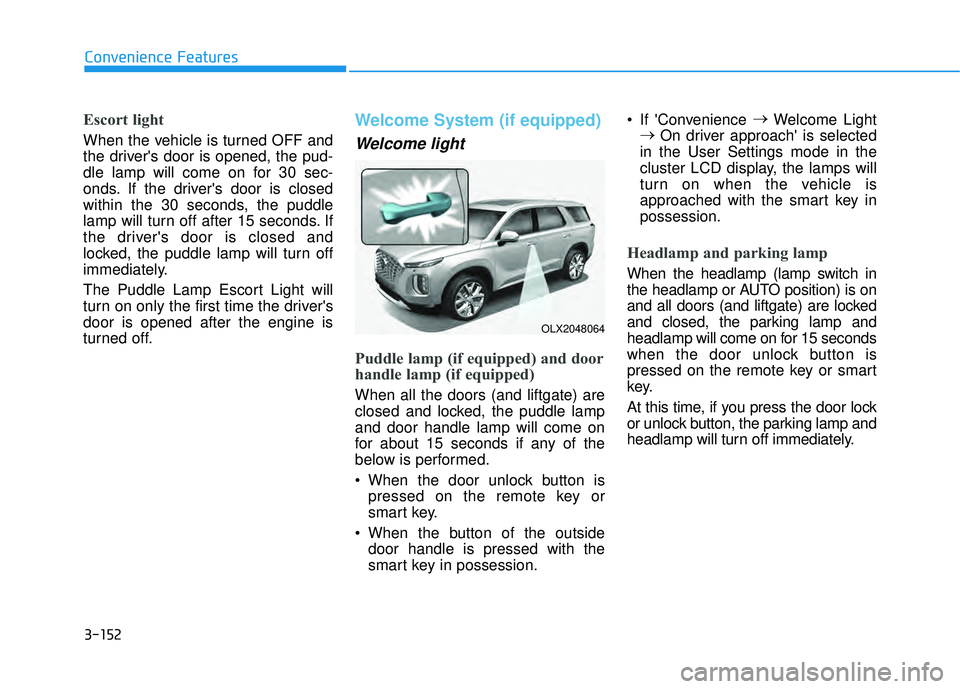
Welcome light
Puddle lamp (if equipped) and door
handle lamp (if equipped)
When all the doors (and liftgate) are
closed and locked, the puddle lamp
and door handle lamp will come on
for about 15 seconds if any of the
below is performed.
When the door unlock button ispressed on the remote key or
smart key.
When the button of the outside door handle is pressed with the
smart key in possession. If 'Convenience
→
Welcome Light
→ On driver approach' is selected
in the User Settings mode in the
cluster LCD display, the lamps will
turn on when the vehicle is
approached with the smart key in
possession.
Headlamp and parking lamp
When the headlamp (lamp switch in
the headlamp or AUTO position) is on
and all doors (and liftgate) are locked
and closed, the parking lamp and
headlamp will come on for 15 seconds
when the door unlock button is
pressed on the remote key or smart
key.
At this time, if you press the door lock
or unlock button, the parking lamp and
headlamp will turn off immediately.
OLX2048064
Page 267 of 663
3-171
Convenience features
3
Parking Distance Warning AutoOn
To use Parking Distance Warning
Auto On function, select ‘Driver
Assistance →Parking Safety →
Parking Distance Warning Auto On’
from the cluster or infotainment sys-
tem Settings menu.
Forward/Reverse Parking
Distance Warning operation
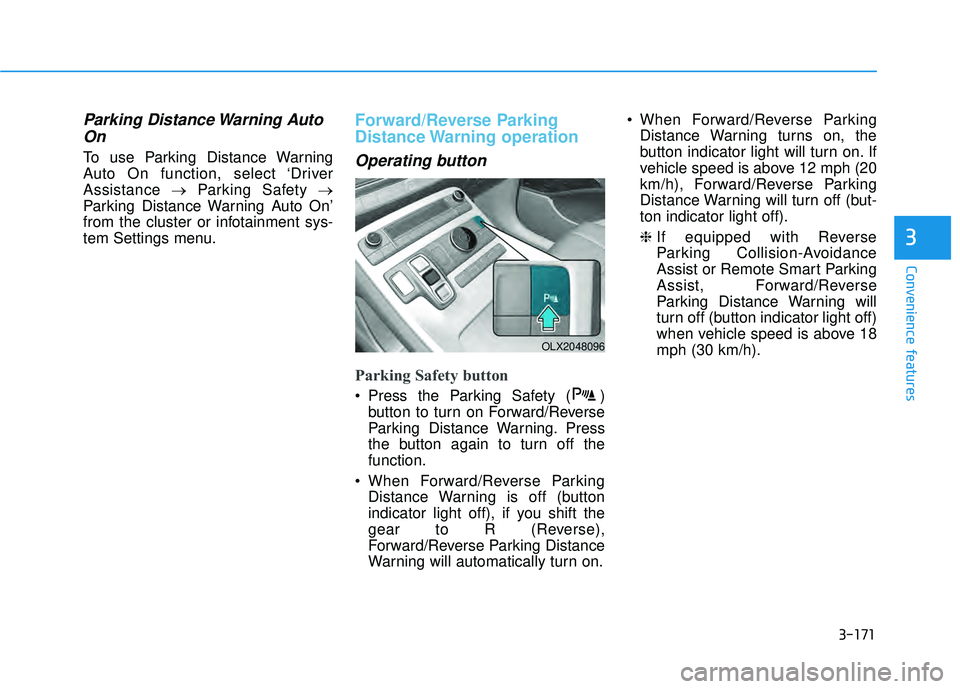
Operating button
Parking Safety button
Press the Parking Safety ( ) button to turn on Forward/Reverse
Parking Distance Warning. Press
the button again to turn off the
function.
When Forward/Reverse Parking Distance Warning is off (button
indicator light off), if you shift the
gear to R (Reverse),
Forward/Reverse Parking Distance
Warning will automatically turn on. When Forward/Reverse Parking
Distance Warning turns on, the
button indicator light will turn on. If
vehicle speed is above 12 mph (20
km/h), Forward/Reverse Parking
Distance Warning will turn off (but-
ton indicator light off).
❈ If equipped with Reverse
Parking Collision-Avoidance
Assist or Remote Smart Parking
Assist, Forward/Reverse
Parking Distance Warning will
turn off (button indicator light off)
when vehicle speed is above 18
mph (30 km/h).
OLX2048096
Page 268 of 663
3-172
Convenience features
Forward Parking DistanceWarning
Forward Parking Distance Warning
will operate when one of the condi-
tion is satisfied.
- The gear is shifted from R(Reverse) to D (Drive) with
Reverse Parking Distance
Warning on
- The gear is in D (Drive) and the Parking Safety button indicator
light is on
- ‘Parking Distance Warning Auto On’ is selected from the Settings
menu and the gear is in D (Drive)
Forward Parking Distance Warning detects a person, animal or object
in front when the vehicle’s forward
speed is below 6 mph (10 km/h).
Forward Parking Distance Warning does not operate when the vehi-
cle's forward speed is above 6 mph
(10 km/h) even when the Parking
Safety button indicator is on.
Forward Parking Distance Warning
will operate again when the vehi-
cle's forward speed decreases
below 6 mph (10 km/h) while the
Parking Safety button indicator is
on. When ‘Parking Distance Warning
Auto On’ is selected, the Parking
Safety button indicator light stays
on.
When ‘Parking Distance Warning Auto On’ is deselected, and the
vehicle’s forward speed is above
12 mph (20 km/h), the Parking
Safety button indicator will turn off.
Although you drive below 6 mph
(10 km/h), Forward Parking
Distance Warning will not turn on.
❈ If equipped with Reverse
Parking Collision-Avoidance
Assist or Remote Smart Parking
Assist, Forward/Reverse
Parking Distance Warning will
turn off when vehicle speed is
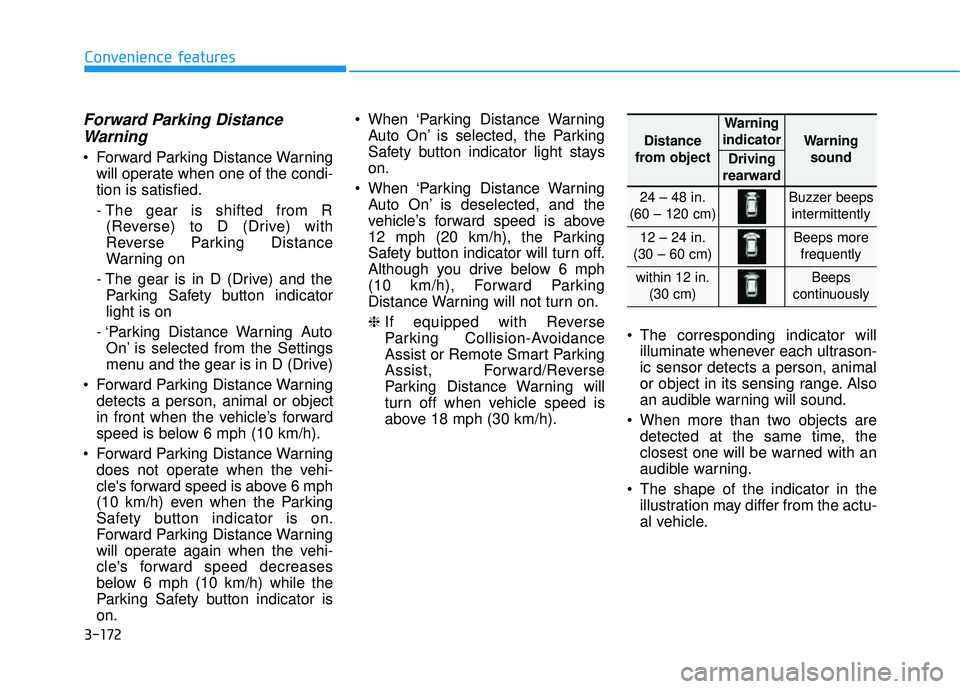
above 18 mph (30 km/h). The corresponding indicator will
illuminate whenever each ultrason-
ic sensor detects a person, animal
or object in its sensing range. Also
an audible warning will sound.
When more than two objects are detected at the same time, the
closest one will be warned with an
audible warning.
The shape of the indicator in the illustration may differ from the actu-
al vehicle.
Distance
from object
Warning
indicator
Warning sound
Driving
rearward
24 – 48 in.
(60 – 120 cm)Buzzer beeps intermittently
12 – 24 in.
(30 – 60 cm)Beeps more frequently
within 12 in. (30 cm)Beeps
continuously
Page 336 of 663
5
Blind-spot Collison Warning (BCW) ..................5-85
Blind-Spot Collision Warning settings settings .......5-86
Blind-Spot Collision Warning operation ...................5-89
Blind-Spot Collision Warning malfunction and
limitations ........................................................................\
..5-90
Blind-Spot Collision-Avoidance Assist (BCA)..5-96
Blind-Spot Collision Warning settings .......................5-98
Blind-Spot Collision-Avoidance Assist
operation ........................................................................\
.5-101
Blind-Spot Collision-Avoidance Assist
malfunction and limitations ........................................5-105
Rear Cross-Traffic Collision
Warning (RCCW) ...............................................5-111
Rear Cross-Traffic Collision Warning settings ......5-112
Rear Cross-Traffic Collision Warning operation ...5-113
Rear Cross-Traffic Collision Warning
malfunction and limitations ........................................5-115
Rear Cross-Traffic Collision-Avoidance
Assist (RCCA) ....................................................5-119
Rear Cross-Traffic Collision-Avoidance Assist .....5-120
Rear Cross-Traffic Collision-Avoidance Assist
operation ........................................................................\
.5-121
Rear Cross-Traffic Collision-Avoidance Assist
malfunction and limitations ........................................5-125
Lane Following Assist (LFA).............................5-131
Lane Following Assist settings ..................................5-131
Lane Following Assist operation ...............................5-132
Lane Following Assist malfunction and
limitations ........................................................................\
5-134
Driver Attention Warning (DAW) .....................5-136
Driver Attention Warning settings ..........................5-137
Driver Attention Warning operation ........................5-138
Driver Attention Warning malfunction and
limitations ........................................................................\
5-140
Highway Driving Assist (HDA) .........................5-143
Highway Driving Assist Settings ...............................5-144
Highway Driving Assist Operation ............................5-145
Highway Driving Assist Malfunction and
Limitations.......................................................................5\
-148
Smart Cruise Control (SCC) ..............................5-151
Smart Cruise Control settings ....................................5-152
Smart Cruise Control operation.................................5-156
Smart Cruise Control display and control ...............5-157
Smart Cruise Control malfunction and
limitations ........................................................................\
5-163
Page 344 of 663
5-10
Driving your vehicle
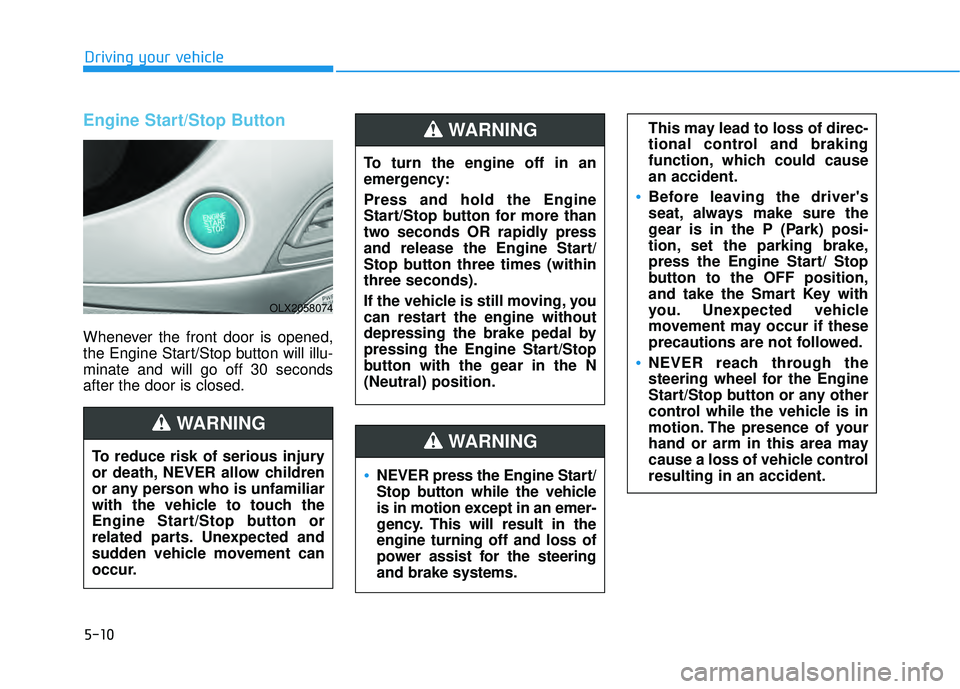
Engine Start/Stop Button
Whenever the front door is opened,
the Engine Start/Stop button will illu-
minate and will go off 30 seconds
after the door is closed.
NEVER press the Engine Start/
Stop button while the vehicle
is in motion except in an emer-
gency. This will result in the
engine turning off and loss of
power assist for the steering
and brake systems.
WARNING
To turn the engine off in an
emergency:
Press and hold the Engine
Start/Stop button for more than
two seconds OR rapidly press
and release the Engine Start/
Stop button three times (within
three seconds).
If the vehicle is still moving, you
can restart the engine without
depressing the brake pedal by
pressing the Engine Start/Stop
button with the gear in the N
(Neutral) position.
This may lead to loss of direc-
tional control and braking
function, which could cause
an accident.
Before leaving the driver's
seat, always make sure the
gear is in the P (Park) posi-
tion, set the parking brake,
press the Engine Start/ Stop
button to the OFF position,
and take the Smart Key with
you. Unexpected vehicle
movement may occur if these
precautions are not followed.
NEVER reach through the
steering wheel for the Engine
Start/Stop button or any other
control while the vehicle is in
motion. The presence of your
hand or arm in this area may
cause a loss of vehicle control
resulting in an accident.
WARNING
To reduce risk of serious injury
or death, NEVER allow children
or any person who is unfamiliar
with the vehicle to touch the
Engine Start/Stop button or
related parts. Unexpected and
sudden vehicle movement can
occur.
WARNING
OLX2058074
Page 347 of 663
5-13
Driving your vehicle
5
Starting the engine Information
• The engine will start by pressing theEngine Start/Stop button, only when
the smart key is in the vehicle.
• Even if the smart key is in the vehi- cle, if it is far away from the driver,
the engine may not start.
• When the Engine Start/Stop button is in the ACC or ON position, if any
door is open, the system checks for
the smart key. If the smart key is not
in the vehicle, the " " indicator
will blink and the warning "Key not
in vehicle" will come on and if all
doors are closed, the chime will also
sound for about 5 seconds. Keep the
smart key in the vehicle when using
the ACC position or if the vehicle
engine is ON. 1. Always carry the smart key with
you.
2. Make sure the parking brake is applied.
3. Make sure the gear is in P (Park).
4. Depress the brake pedal.
5. Press the Engine Start/Stop but- ton.
Information
• Do not wait for the engine to warmup while the vehicle remains station-
ary. Start driving at moderate
engine speeds. (Aggressive accelerat-
ing and decelerating should be
avoided.)
• Always start the vehicle with your foot on the brake pedal. Do not
depress the accelerator while start-
ing the vehicle. Do not rev the
engine while warming it up.
i
i
Always wear appropriate shoes
when operating your vehicle.
Unsuitable shoes, such as
high heels, ski boots, sandals,
flip-flops, etc., may interfere
with your ability to use the
brake and accelerator pedals.
Do not start the vehicle with the
accelerator pedal depressed.
The vehicle can move and lead
to an accident.
Wait until the engine RPM is
normal. The vehicle may sud-
denly move if the brake pedal
is released when the RPM is
high.
WARNING
Page 389 of 663
5-55
Driving your vehicle
5
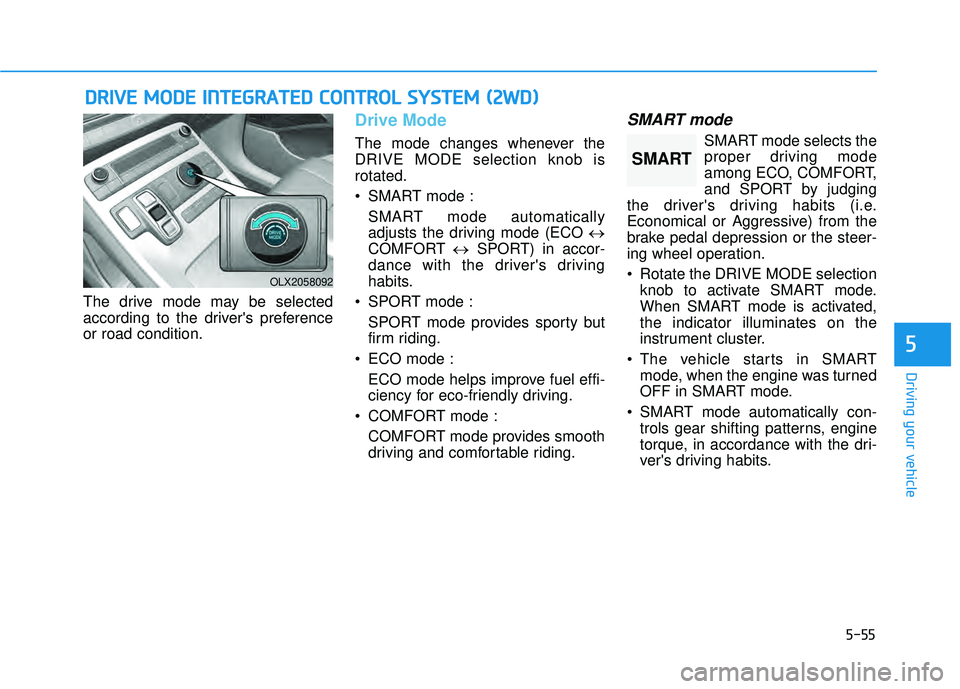
The drive mode may be selected
according to the driver's preference
or road condition.
Drive Mode
The mode changes whenever the
DRIVE MODE selection knob is
rotated.
SMART mode :SMART mode automatically
adjusts the driving mode (ECO ↔
COMFORT ↔SPORT) in accor-
dance with the driver's driving
habits.
SPORT mode : SPORT mode provides sporty but
firm riding.
ECO mode : ECO mode helps improve fuel effi-
ciency for eco-friendly driving.
COMFORT mode : COMFORT mode provides smooth
driving and comfortable riding.
SMART mode
SMART mode selects the
proper driving mode
among ECO, COMFORT,
and SPORT by judging
the driver's driving habits (i.e.
Economical or Aggressive) from the
brake pedal depression or the steer-
ing wheel operation.
Rotate the DRIVE MODE selection knob to activate SMART mode.
When SMART mode is activated,
the indicator illuminates on the
instrument cluster.
The vehicle starts in SMART mode, when the engine was turned
OFF in SMART mode.
SMART mode automatically con- trols gear shifting patterns, engine
torque, in accordance with the dri-
ver's driving habits.
D DR RI IV V E E M M O OD DE E I IN N T TE EG G R RA A T TE ED D C C O O N NT TR R O O L L S S Y Y S ST T E EM M ( ( 2 2 W W D D) )
OLX2058092
SMART
Page 390 of 663
5-56
Driving your vehicle
Information
• When you mildly drive the vehiclein SMART mode, the driving mode
changes to ECO mode to improve
fuel efficiency. However, the actual
fuel efficiency may differ in accor-
dance with your driving situations
(i.e. upward/downward slope, vehi-
cle deceleration/acceleration).
• When you dynamically drive the vehicle in SMART mode by abrupt-
ly decelerating or sharply turning
the driving mode changes to SPORT
mode. However, it may adversely
affect fuel economy.
Various driving situations, which
you may encounter in SMART
mode
The driving mode automaticallychanges to ECO mode after a cer-
tain period of time, when you gen-
tly depress the accelerator pedal
(Your driving is categorized to be
economical.).
The driving mode automatically changes from SMART ECO mode
to SMART COMFORT mode after
a certain period of time, when you
sharply or repetitively depress the
accelerator pedal.
The driving mode automatically changes to SMART COMFORT
mode with the same driving pat-
terns, when the vehicle starts to
drive on an upward slope of a cer-
tain angle. The driving mode auto-
matically returns to SMART ECO
mode, when the vehicle enters a
leveled road. The driving mode automatically
changes to SMART SPORT, when
you abruptly accelerate the vehicle
or repetitively operate the steering
wheel (Your driving is categorized
to be aggressive.). In this mode,
your vehicle drives in a lower gear
for abrupt accelerating/decelerat-
ing and increases the engine brake
performance.
You may still sense the engine braking performance, even when
you release the accelerator pedal
in SMART SPORT mode. It is
because your vehicle remains in
lower gear over a certain period of
time for next acceleration. Thus, it
is a normal driving situation, not
indicating any malfunction.
The driving mode automatically changes to SMART SPORT mode
only in harsh driving situations. In
most of the normal driving situa-
tions, the driving mode sets to be
either in SMART ECO mode or in
SMART COMFORT mode.
i
Page 391 of 663
5-57
Driving your vehicle
5
Limitation of SMART mode
The SMART mode may be limited in
following situations. (The OFF indica-
tor illuminates in those situations.)
The driver uses the paddle shifter(manual shift mode) :
It deactivates SMART mode. The
vehicle drives, as the driver manu-
ally changes gear with the paddle
shifter.
Smart Cruise Control is activated : Smart Cruise Control may deacti-
vate the SMART mode when the
vehicle is controlled by the set
speed of Smart Cruise Control.
(SMART mode is not deactivated
just by activating Smart Cruise
Control.)
The transmission oil temperature is either extremely low or extremely
high :
The SMART mode can be active in
most of the normal driving situa-
tions. However, an extremely high/
low transmission oil temperature
may temporarily deactivate the
SMART mode, because the trans-
mission condition is out of normal
operation condition.
SPORT
SPORT mode manages
the driving dynamics by
automatically adjusting
the steering effort, and
the engine and transmission control
logic for enhanced driver perform-
ance.
When SPORT mode is selected by rotating the DRIVE MODE selec-
tion knob, the SPORT indicator will
illuminate.
Whenever the engine is restarted, the drive mode will revert back to
COMFORT mode. If SPORT mode
is desired, re-select SPORT mode.
When SPORT mode is activated: - The engine RPM will tend toremain a little higher for a brief
time even after releasing the
accelerator. This is typical when
the SPORT mode is activated.
- Upshifts are delayed when accel- erating
Information
In SPORT mode, the fuel efficiency
may decrease.
ECO mode
When the drive mode isset to ECO mode, the
engine and transmission
control logic are changed
to maximize fuel efficien-
cy.
When ECO mode is selected by rotating the DRIVE MODE selec-
tion knob, the ECO indicator will
illuminate.
The vehicle starts in ECO mode, when the engine was turned OFF
in ECO mode.
Information
Fuel efficiency depends on the driver's
driving habit and road condition.
i
i
SPORTECO