sel HYUNDAI PALISADE 2022 Owners Manual
[x] Cancel search | Manufacturer: HYUNDAI, Model Year: 2022, Model line: PALISADE, Model: HYUNDAI PALISADE 2022Pages: 663, PDF Size: 15.74 MB
Page 333 of 663
• When reinstalling your roof anten-na, it is important that it is fully
tightened and adjusted to the
upright position to ensure proper
reception.
When cargo is loaded on the roof rack, do not place the cargo near
the antenna pole to ensure proper
reception.
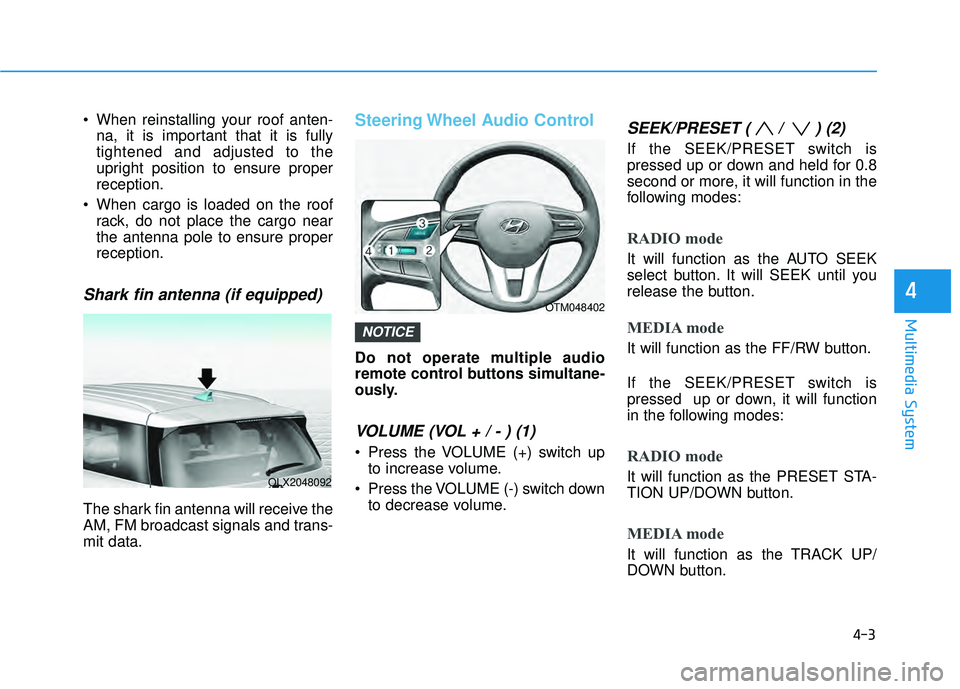
Shark fin antenna (if equipped)
The shark fin antenna will receive the
AM, FM broadcast signals and trans-
mit data.
Steering Wheel Audio Control
Do not operate multiple audio
remote control buttons simultane-
ously.
VOLUME (VOL + / - ) (1)
Press the VOLUME (+) switch upto increase volume.
Press the VOLUME (-) switch down to decrease volume.
SEEK/PRESET ( / ) (2)
If the SEEK/PRESET switch is
pressed up or down and held for 0.8
second or more, it will function in the
following modes:
RADIO mode
It will function as the AUTO SEEK
select button. It will SEEK until you
release the button.
MEDIA mode
It will function as the FF/RW button.
If the SEEK/PRESET switch is
pressed up or down, it will function
in the following modes:
RADIO mode
It will function as the PRESET STA-
TION UP/DOWN button.
MEDIA mode
It will function as the TRACK UP/
DOWN button.
NOTICE
4-3
Multimedia System
4
OLX2048092
OTM048402
Page 334 of 663
4-4
Multimedia System
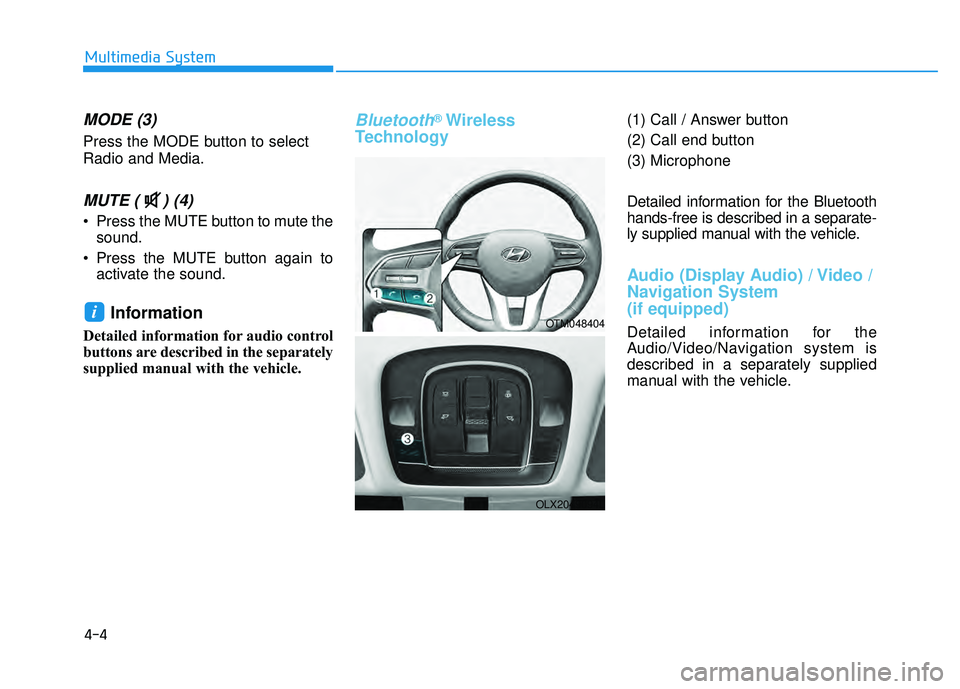
MODE (3)
Press the MODE button to select
Radio and Media.
MUTE ( ) (4)
Press the MUTE button to mute thesound.
Press the MUTE button again to activate the sound.
Information
Detailed information for audio control
buttons are described in the separately
supplied manual with the vehicle.
Bluetooth®Wireless
Technology(1) Call / Answer button
(2) Call end button
(3) Microphone
Detailed information for the Bluetooth
hands-free is described in a separate-
ly supplied manual with the vehicle.
Audio (Display Audio) / Video /
Navigation System
(if equipped)
Detailed information for the
Audio/Video/Navigation system is
described in a separately supplied
manual with the vehicle.
iOTM048404
OLX2049094L
Page 349 of 663
5-15
Driving your vehicle
5
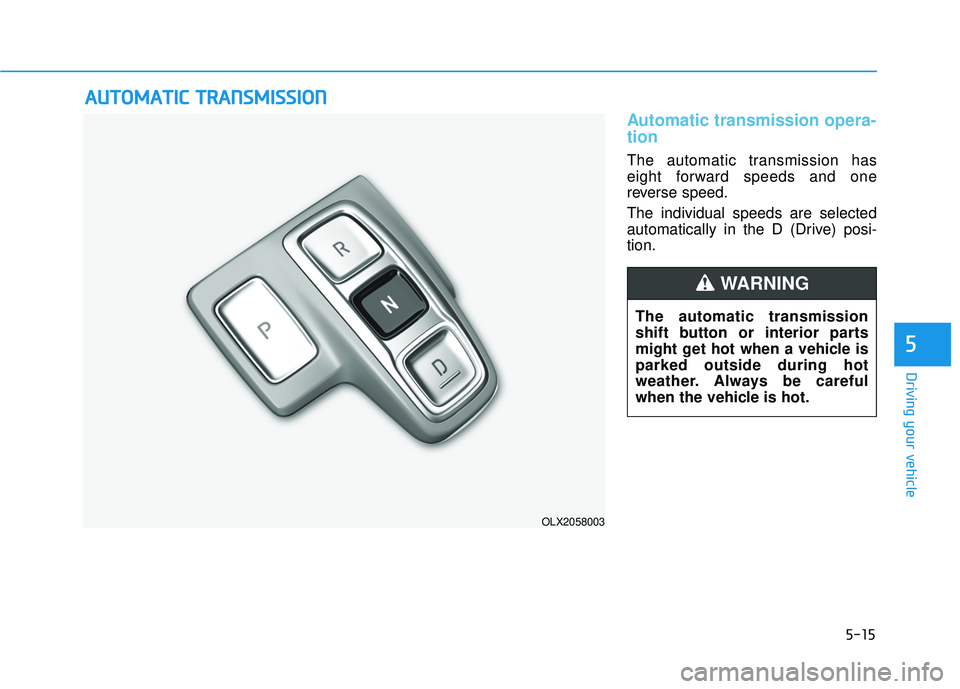
Automatic transmission opera-
tion
The automatic transmission has
eight forward speeds and one
reverse speed.
The individual speeds are selected
automatically in the D (Drive) posi-
tion.
A AU U T TO O M M A AT TI IC C T T R R A A N N S SM M I IS S S SI IO O N N
OLX2058003
The automatic transmission
shift button or interior parts
might get hot when a vehicle is
parked outside during hot
weather. Always be careful
when the vehicle is hot.
WARNING
Page 353 of 663
5-19
Driving your vehicle
5
LCD display message
Shifting conditions not met
The warning message appears on
the LCD display, when engine RPM
is too high, or when driving speed is
too fast to shift the gear.
We recommend you decrease the
engine speed or slow down before
shifting the gear.
Press brake pedal to changegear
The warning message appears on
the LCD display, when the brake
pedal is not depressed while shifting
the gear.
We recommend you to depress the
brake pedal and then shift the gear.
Shift to P after stopping
The warning message appears on
the LCD display, when the gear is
shifted to P (Park) while the vehicle
is moving.
Stop the vehicle before shifting to P
(Park).
PARK engaged
The warning message appears on
the LCD display, when the gear is
shifted to P (Park) while the vehicle
is moving.
Stop the vehicle before shifting to P
(Park).
Press and hold OK button tostay in Neutral when vehicle isOff
The warning message appears on
the LCD display, when pushing the
N(Neutral) button. If you want to stay
N(Neutral) after turning off the
engine, press and hold the “OK” but-
ton on the steering wheel more than
1 second.
Vehicle will stay in (N). Changegear to cancel
The warning message appears on
the LCD display, when pushing the
"OK" button on the steering wheel
after the message ("Press and hold
OK button to stay in Neutral when
vehicle is Off") appears on the clus-
ter LCD display. The gear stays in
N(Neutral) position after turning off
the engine.
NEUTRAL engaged
The message appears on the LCD
display, when the N (Neutral) posi-
tion is engaged.
Gear already selected
The message appears on the LCD
display, when pushing the current
shift button again.
Page 354 of 663
5-20
Driving your vehicle
Shift button held down
The warning message appears on
the LCD display, when the shift but-
ton is pressed continuously or the
shift button does not properly oper-
ate. Clean the surroundings of gear
shift button.
If this message appears again, we
recommend you to have the vehicle
inspected by an authorized
HYUNDAI dealer.
Shifter system malfunction
The warning message appears on
the LCD display, when the transmis-
sion or the shift button does not prop-
erly operate in the P (Park) position.
In this case, we recommend you to
immediately have the vehicle
inspected by an authorized
HYUNDAI dealer.
Check shift controls
The warning message appears on
the LCD display, when there is a mal-
function with transmission shift but-
ton.
In this case, we recommend you to
immediately have the vehicle
inspected by an authorized
HYUNDAI dealer.
Good driving practices
Never shift the gear from P (Park)or N (Neutral) to any other position
with the accelerator pedal
depressed.
Never shift the gear into P (Park) when the vehicle is in motion.
Be sure the vehicle is completely
stopped before you attempt to shift
into R (Reverse) or D (Drive).
Do not shift the gear to N (Neutral) when driving. Doing so may result
in an accident because of a loss of
engine braking and the transmis-
sion could be damaged.
Driving uphill or downhill, always shift to D (Drive) when driving for-
ward or to R (Reverse) when driv-
ing backwards, and check the gear
position indicated on the cluster
before driving. If you drive in the
opposite direction of the selected
gear, the engine will turn off and a
serious accident might be occurred
due to the degraded brake per-
formance.
Page 360 of 663
5-26
Driving your vehicle
Warning messages
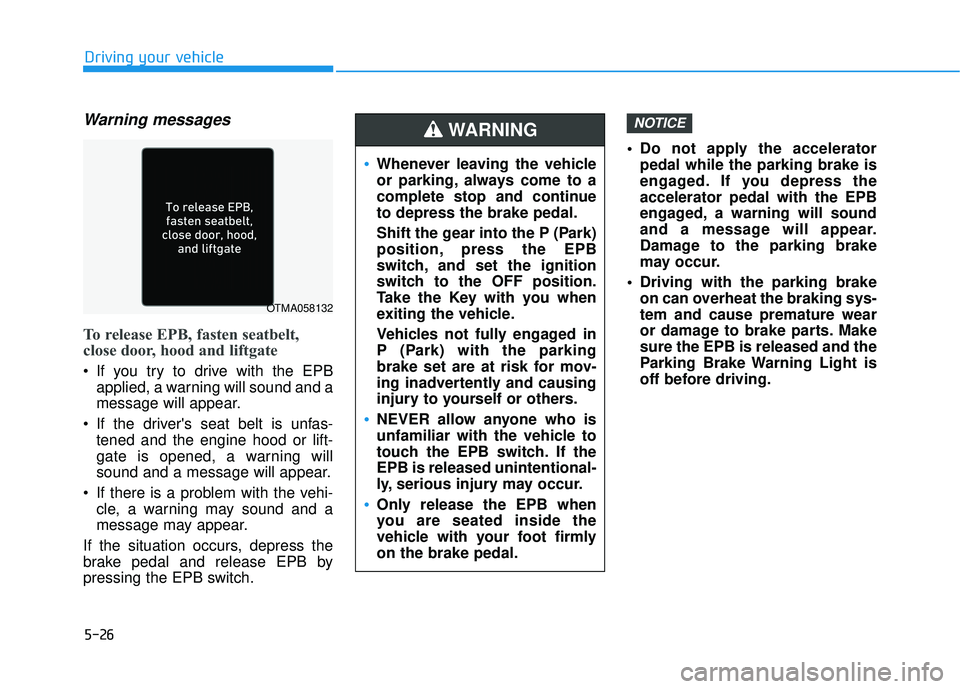
To release EPB, fasten seatbelt,
close door, hood and liftgate
If you try to drive with the EPBapplied, a warning will sound and a
message will appear.
If the driver's seat belt is unfas- tened and the engine hood or lift-
gate is opened, a warning will
sound and a message will appear.
If there is a problem with the vehi- cle, a warning may sound and a
message may appear.
If the situation occurs, depress the
brake pedal and release EPB by
pressing the EPB switch. Do not apply the accelerator
pedal while the parking brake is
engaged. If you depress the
accelerator pedal with the EPB
engaged, a warning will sound
and a message will appear.
Damage to the parking brake
may occur.
Driving with the parking brake on can overheat the braking sys-
tem and cause premature wear
or damage to brake parts. Make
sure the EPB is released and the
Parking Brake Warning Light is
off before driving.
NOTICE
Whenever leaving the vehicle
or parking, always come to a
complete stop and continue
to depress the brake pedal.
Shift the gear into the P (Park)
position, press the EPB
switch, and set the ignition
switch to the OFF position.
Take the Key with you when
exiting the vehicle.
Vehicles not fully engaged in
P (Park) with the parking
brake set are at risk for mov-
ing inadvertently and causing
injury to yourself or others.
NEVER allow anyone who is
unfamiliar with the vehicle to
touch the EPB switch. If the
EPB is released unintentional-
ly, serious injury may occur.
Only release the EPB when
you are seated inside the
vehicle with your foot firmly
on the brake pedal.
WARNING
OTMA058132
Page 367 of 663
![HYUNDAI PALISADE 2022 Owners Manual 5-33
Driving your vehicle
5
AUTO HOLD conditions not met.
Close door and hood.
When you press the [AUTO HOLD]
switch, if the drivers door and engine
hood are not closed, a warning will
sound and a me](/img/35/41170/w960_41170-366.png "HYUNDAI PALISADE 2022 Owners Manual 5-33
Driving your vehicle
5
AUTO HOLD conditions not met.
Close door and hood.
When you press the [AUTO HOLD]
switch, if the drivers door and engine
hood are not closed, a warning will
sound and a me")
5-33
Driving your vehicle
5
AUTO HOLD conditions not met.
Close door and hood.
When you press the [AUTO HOLD]
switch, if the driver's door and engine
hood are not closed, a warning will
sound and a message will appear on
the cluster LCD display.
Press the [AUTO HOLD] switch after
closing the driver's door and hood.
Anti-lock Brake System (ABS)
ABS is an electronic braking system
that helps prevent a braking skid.
ABS allows the driver to steer and
brake at the same time.
An Anti-Lock Braking System
(ABS) or an Electronic Stability
Control (ESC) system will not
prevent accidents due to
improper or dangerous driving
maneuvers. Even though vehi-
cle control is improved during
emergency braking, always
maintain a safe distance
between you and objects ahead
of you. Vehicle speeds should
always be reduced during
extreme road conditions. The
braking distance for cars
equipped with ABS or ESC may
be longer than for those without
these systems in the following
road conditions.
Drive your vehicle at reduced
speeds during the following
conditions:
Rough, gravel or snow-cov-
ered roads.
On roads where the road sur-
face is pitted or has different
surface height.
WARNING
OTM058159L
Tire chains are installed on
your vehicle.
The safety features of an ABS
or ESC equipped vehicle should
not be tested by high speed
driving or cornering. This could
endanger the safety of yourself
or others.
Page 368 of 663
5-34
Driving your vehicle
Using ABS
To obtain the maximum benefit from
your ABS in an emergency situation,
do not attempt to modulate your
brake pressure and do not try to
pump your brakes. Depress your
brake pedal as hard as possible.
When you apply your brakes under
conditions which may lock the
wheels, you may hear sounds from
the brakes, or feel a corresponding
sensation in the brake pedal. This is
normal and it means your ABS is
active.
ABS does not reduce the time or dis-
tance it takes to stop the vehicle.
Always maintain a safe distance from
the vehicle in front of you.
ABS will not prevent a skid that
results from sudden changes in
direction, such as trying to take a
corner too fast or making a sudden
lane change. Always drive at a safe
speed for the road and weather con-
ditions.ABS cannot prevent a loss of stabili-
ty. Always steer moderately when
braking hard. Severe or sharp steer-
ing wheel movement can still cause
your vehicle to veer into oncoming
traffic or off the road.
On loose or uneven road surfaces,
operation of the anti-lock brake sys-
tem may result in a longer stopping
distance than for vehicles equipped
with a conventional brake system.
The ABS warning light ( ) will stay
on for several seconds after the igni-
tion switch is in the ON position.
During that time, the ABS will go
through self-diagnosis and the light
will go off if everything is normal. If
the light stays on, you may have a
problem with your ABS. Contact an
authorized HYUNDAI dealer as soon
as possible
If the ABS warning light ( ) is
on and stays on, you may have
a problem with the ABS. Your
power brakes will work normal-
ly. To reduce the risk of serious
injury or death, contact your
HYUNDAI dealer as soon as
possible.
WARNING
Page 378 of 663
5-44
Driving your vehicle
Transfer modeSelection modeDescription
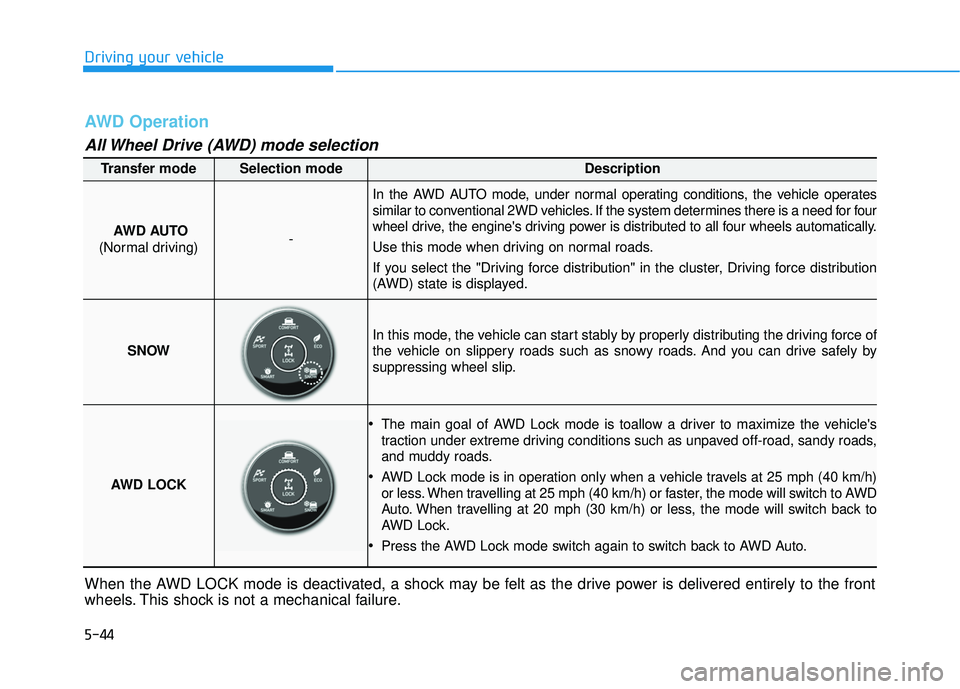
AWD AUTO
(Normal driving)-
In the AWD AUTO mode, under normal operating conditions, the vehicle operates
similar to conventional 2WD vehicles. If the system determines there is a need for four
wheel drive, the engine's driving power is distributed to all four wheels automatically.
Use this mode when driving on normal roads.
If you select the "Driving force distribution" in the cluster, Driving force distribution
(AWD) state is displayed.
SNOW
In this mode, the vehicle can start stably by properly distributing the driving force of
the vehicle on slippery roads such as snowy roads. And you can drive safely by
suppressing wheel slip.
AWD LOCK
The main goal of AWD Lock mode is toallow a driver to maximize the vehicle's
traction under extreme driving conditions such as unpaved off-road, sandy roads,
and muddy roads.
AWD Lock mode is in operation only when a vehicle travels at 25 mph (40 km/h)
or less. When travelling at 25 mph (40 km/h) or faster, the mode will switch to AWD
Auto. When travelling at 20 mph (30 km/h) or less, the mode will switch back to
AWD Lock.
Press the AWD Lock mode switch again to switch back to AWD Auto.
AWD Operation
All Wheel Drive (AWD) mode selection
When the AWD LOCK mode is deactivated, a shock may be felt as the drive power is delivered entirely to the front
wheels. This shock is not a mechanical failure.
Page 379 of 663
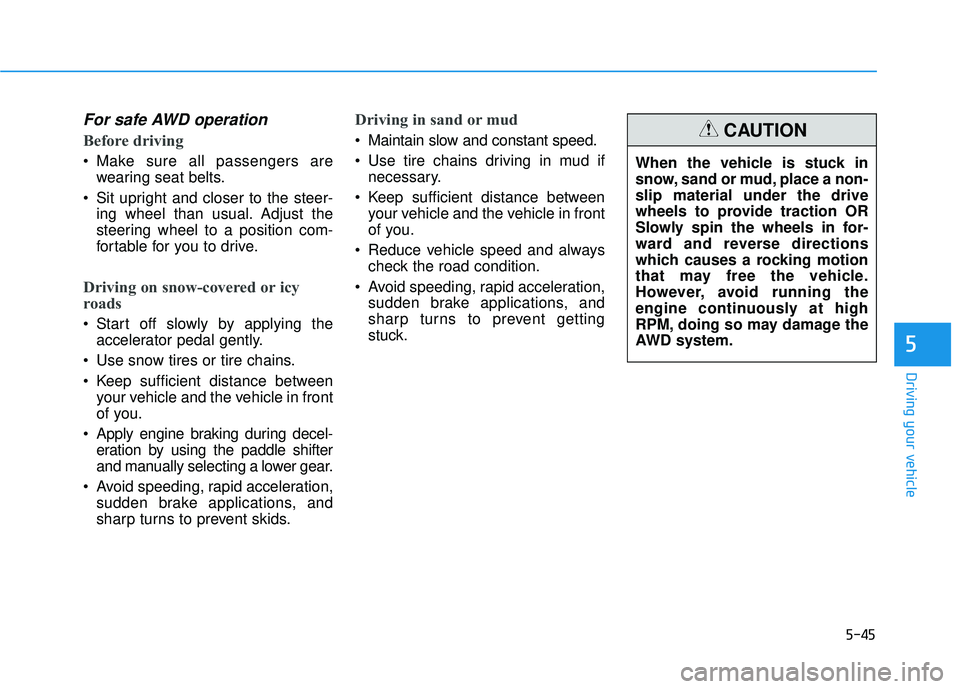
5-45
Driving your vehicle
5
For safe AWD operation
Before driving
Make sure all passengers arewearing seat belts.
Sit upright and closer to the steer- ing wheel than usual. Adjust the
steering wheel to a position com-
fortable for you to drive.
Driving on snow-covered or icy
roads
Start off slowly by applying theaccelerator pedal gently.
Use snow tires or tire chains.
Keep sufficient distance between your vehicle and the vehicle in front
of you.
Apply engine braking during decel- eration by using the paddle shifter
and manually selecting a lower gear.
Avoid speeding, rapid acceleration, sudden brake applications, and
sharp turns to prevent skids.
Driving in sand or mud
Maintain slow and constant speed.
Use tire chains driving in mud ifnecessary.
Keep sufficient distance between your vehicle and the vehicle in front
of you.
Reduce vehicle speed and always check the road condition.
Avoid speeding, rapid acceleration, sudden brake applications, and
sharp turns to prevent getting
stuck. When the vehicle is stuck in
snow, sand or mud, place a non-
slip material under the drive
wheels to provide traction OR
Slowly spin the wheels in for-
ward and reverse directions
which causes a rocking motion
that may free the vehicle.
However, avoid running the
engine continuously at high
RPM, doing so may damage the
AWD system.CAUTION