ignition Hyundai Santa Fe 2006 Owner's Guide
[x] Cancel search | Manufacturer: HYUNDAI, Model Year: 2006, Model line: Santa Fe, Model: Hyundai Santa Fe 2006Pages: 281, PDF Size: 8.94 MB
Page 65 of 281
1
FEATURES OF YOUR HYUNDAI
53
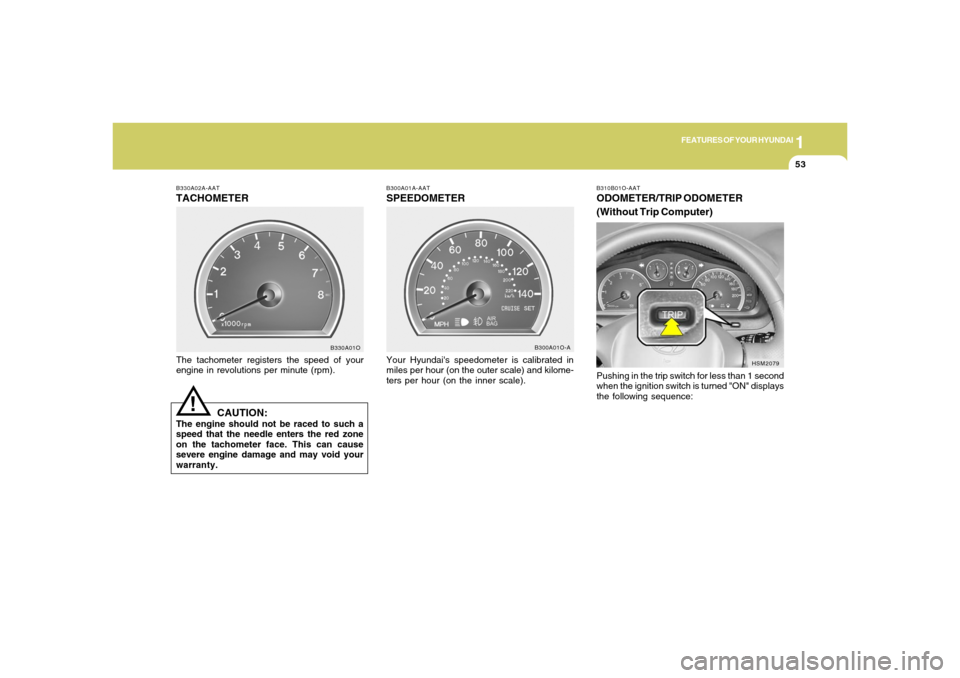
B330A02A-AATTACHOMETERThe tachometer registers the speed of your
engine in revolutions per minute (rpm).
CAUTION:
The engine should not be raced to such a
speed that the needle enters the red zone
on the tachometer face. This can cause
severe engine damage and may void your
warranty.
B330A01O
!
B300A01A-AATSPEEDOMETERYour Hyundai's speedometer is calibrated in
miles per hour (on the outer scale) and kilome-
ters per hour (on the inner scale).
B300A01O-A
HSM2079 B310B01O-AAT
ODOMETER/TRIP ODOMETER
(Without Trip Computer)Pushing in the trip switch for less than 1 second
when the ignition switch is turned "ON" displays
the following sequence:
Page 69 of 281
1
FEATURES OF YOUR HYUNDAI
57
MULTI-FUNCTION LIGHT SWITCHB340A01A-AATCOMBINATION TURN SIGNAL,
HEADLIGHT AND HIGH-BEAM
SWITCH
Turn Signal OperationPulling down on the lever causes the turn
signals on the left side of the car to blink. Pushing
upwards on the lever causes the turn signals on
the right side of the car to blink. As the turn is
completed, the lever will automatically return to
the center position and turn off the turn signals
at the same time. If either turn signal indicator
light blinks more rapidly than usual, goes on but
does not blink, or does not go on at all, there is
a malfunction in the system. Check for a burned-
out fuse or bulb or see your Hyundai dealer.
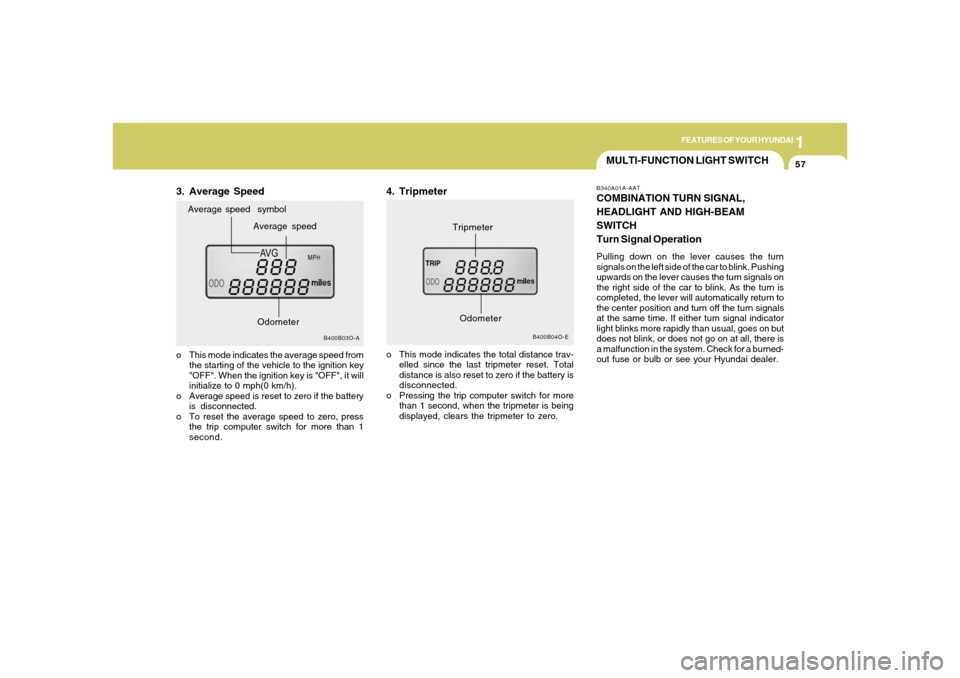
3. Average Speed
B400B04O-E
Tripmeter
B400B03O-A
Average speed Average speed symbol
o This mode indicates the average speed from
the starting of the vehicle to the ignition key
"OFF". When the ignition key is "OFF", it will
initialize to 0 mph(0 km/h).
o Average speed is reset to zero if the battery
is disconnected.
o To reset the average speed to zero, press
the trip computer switch for more than 1
second.
4. Tripmetero This mode indicates the total distance trav-
elled since the last tripmeter reset. Total
distance is also reset to zero if the battery is
disconnected.
o Pressing the trip computer switch for more
than 1 second, when the tripmeter is being
displayed, clears the tripmeter to zero.
Odometer
Odometer
Page 70 of 281
1FEATURES OF YOUR HYUNDAI58
B340D01A-AATHigh-beam Switch
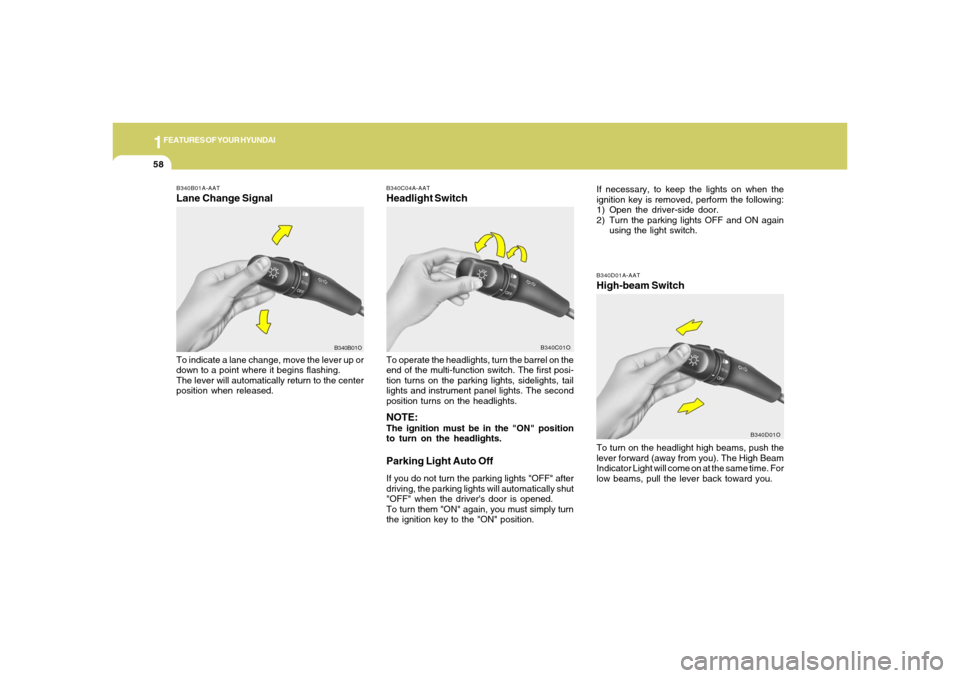
B340B01A-AATLane Change SignalTo indicate a lane change, move the lever up or
down to a point where it begins flashing.
The lever will automatically return to the center
position when released.
B340C04A-AATHeadlight SwitchTo operate the headlights, turn the barrel on the
end of the multi-function switch. The first posi-
tion turns on the parking lights, sidelights, tail
lights and instrument panel lights. The second
position turns on the headlights.NOTE:The ignition must be in the "ON" position
to turn on the headlights.Parking Light Auto OffIf you do not turn the parking lights "OFF" after
driving, the parking lights will automatically shut
"OFF" when the driver's door is opened.
To turn them "ON" again, you must simply turn
the ignition key to the "ON" position.
B340B01OB340C01O
To turn on the headlight high beams, push the
lever forward (away from you). The High Beam
Indicator Light will come on at the same time. For
low beams, pull the lever back toward you.
B340D01O
If necessary, to keep the lights on when the
ignition key is removed, perform the following:
1) Open the driver-side door.
2) Turn the parking lights OFF and ON again
using the light switch.
Page 74 of 281
1FEATURES OF YOUR HYUNDAI62
B360A01O-A
HAZARD WARNING SYSTEM
FRONT FOG LIGHT SWITCH
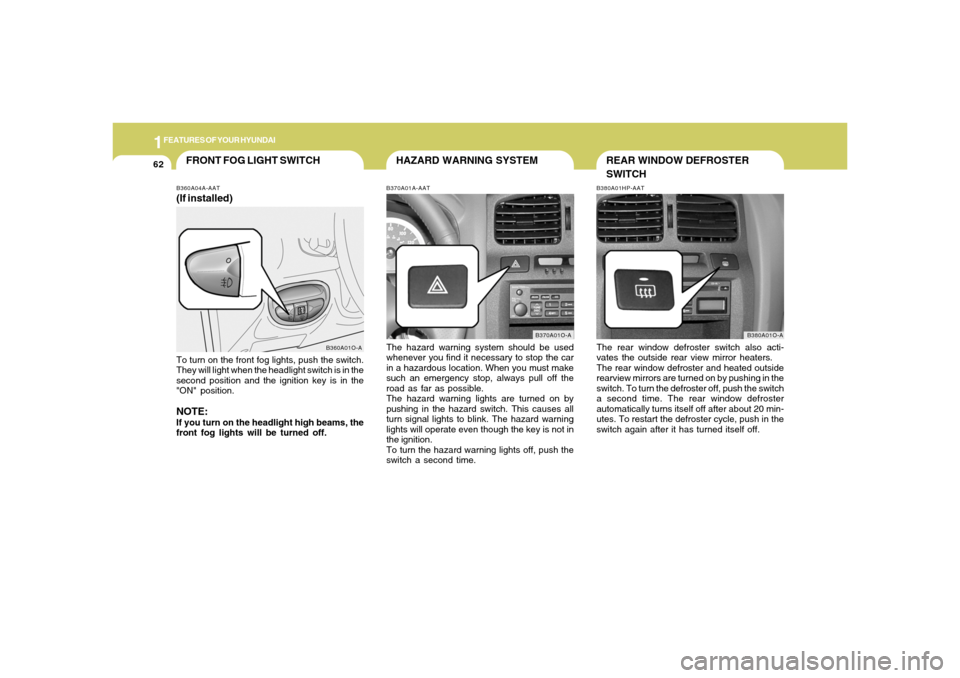
B370A01A-AATThe hazard warning system should be used
whenever you find it necessary to stop the car
in a hazardous location. When you must make
such an emergency stop, always pull off the
road as far as possible.
The hazard warning lights are turned on by
pushing in the hazard switch. This causes all
turn signal lights to blink. The hazard warning
lights will operate even though the key is not in
the ignition.
To turn the hazard warning lights off, push the
switch a second time.
B370A01O-A B360A04A-AAT
(If installed)To turn on the front fog lights, push the switch.
They will light when the headlight switch is in the
second position and the ignition key is in the
"ON" position.NOTE:If you turn on the headlight high beams, the
front fog lights will be turned off.
B380A01HP-AATThe rear window defroster switch also acti-
vates the outside rear view mirror heaters.
The rear window defroster and heated outside
rearview mirrors are turned on by pushing in the
switch. To turn the defroster off, push the switch
a second time. The rear window defroster
automatically turns itself off after about 20 min-
utes. To restart the defroster cycle, push in the
switch again after it has turned itself off.
B380A01O-A
REAR WINDOW DEFROSTER
SWITCH
Page 75 of 281
1
FEATURES OF YOUR HYUNDAI
63
DIGITAL CLOCK
NOTE:
The ignition must be in the "ON" position
for the rear window defroster to operate.
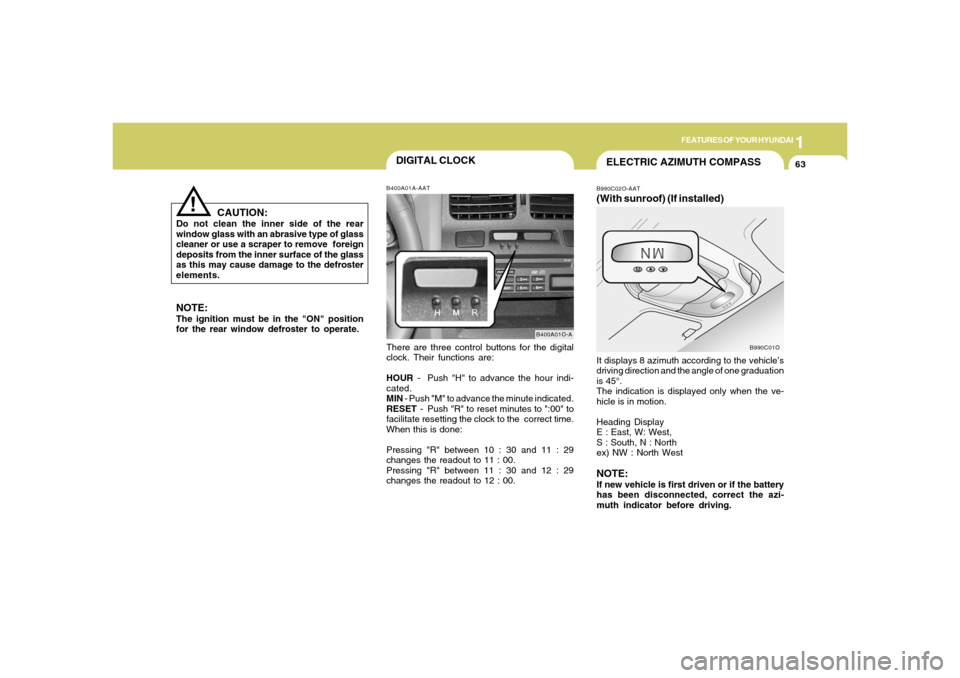
B400A01A-AATThere are three control buttons for the digital
clock. Their functions are:
HOUR - Push "H" to advance the hour indi-
cated.
MIN - Push "M" to advance the minute indicated.
RESET - Push "R" to reset minutes to ":00" to
facilitate resetting the clock to the correct time.
When this is done:
Pressing "R" between 10 : 30 and 11 : 29
changes the readout to 11 : 00.
Pressing "R" between 11 : 30 and 12 : 29
changes the readout to 12 : 00.
B400A01O-A
CAUTION:
Do not clean the inner side of the rear
window glass with an abrasive type of glass
cleaner or use a scraper to remove foreign
deposits from the inner surface of the glass
as this may cause damage to the defroster
elements.
!
ELECTRIC AZIMUTH COMPASSB990C02O-AAT(With sunroof) (If installed)It displays 8 azimuth according to the vehicle’s
driving direction and the angle of one graduation
is 45°.
The indication is displayed only when the ve-
hicle is in motion.
Heading Display
E : East, W: West,
S : South, N : North
ex) NW : North WestNOTE:If new vehicle is first driven or if the battery
has been disconnected, correct the azi-
muth indicator before driving.
B990C01O
Page 81 of 281
1
FEATURES OF YOUR HYUNDAI
69
!!
SUNROOF!
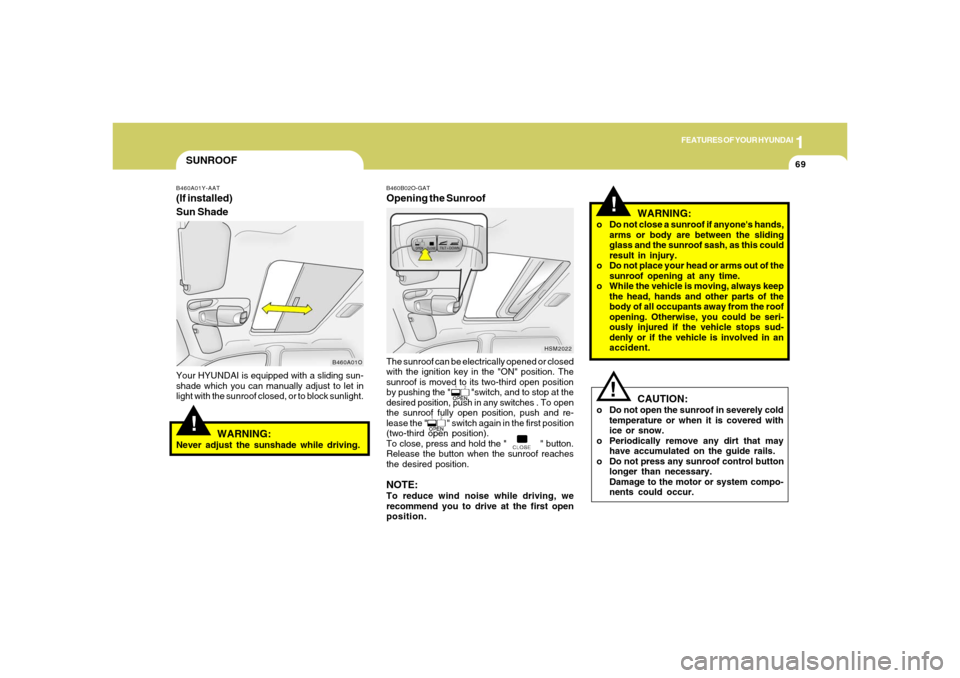
B460A01Y-AAT(If installed)
Sun ShadeYour HYUNDAI is equipped with a sliding sun-
shade which you can manually adjust to let in
light with the sunroof closed, or to block sunlight.
WARNING:
Never adjust the sunshade while driving.
B460A01OB460B02O-GAT
Opening the SunroofThe sunroof can be electrically opened or closed
with the ignition key in the "ON" position. The
sunroof is moved to its two-third open position
by pushing the " "switch, and to stop at the
desired position, push in any switches . To open
the sunroof fully open position, push and re-
lease the " " switch again in the first position
(two-third open position).
To close, press and hold the " " button.
Release the button when the sunroof reaches
the desired position.NOTE:To reduce wind noise while driving, we
recommend you to drive at the first open
position.
HSM2022
WARNING:
o Do not close a sunroof if anyone's hands,
arms or body are between the sliding
glass and the sunroof sash, as this could
result in injury.
o Do not place your head or arms out of the
sunroof opening at any time.
o While the vehicle is moving, always keep
the head, hands and other parts of the
body of all occupants away from the roof
opening. Otherwise, you could be seri-
ously injured if the vehicle stops sud-
denly or if the vehicle is involved in an
accident.
CAUTION:
o Do not open the sunroof in severely cold
temperature or when it is covered with
ice or snow.
o Periodically remove any dirt that may
have accumulated on the guide rails.
o Do not press any sunroof control button
longer than necessary.
Damage to the motor or system compo-
nents could occur.
Page 83 of 281
1
FEATURES OF YOUR HYUNDAI
71
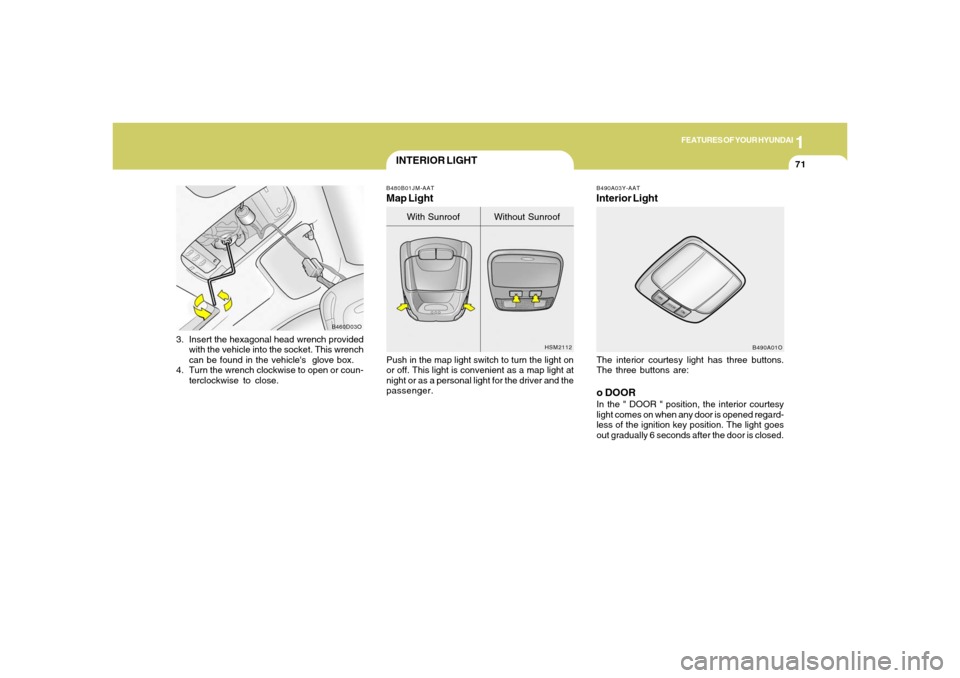
3. Insert the hexagonal head wrench provided
with the vehicle into the socket. This wrench
can be found in the vehicle's glove box.
4. Turn the wrench clockwise to open or coun-
terclockwise to close.
B460D03O
INTERIOR LIGHT
B490A03Y-AATInterior LightThe interior courtesy light has three buttons.
The three buttons are:o DOORIn the " DOOR " position, the interior courtesy
light comes on when any door is opened regard-
less of the ignition key position. The light goes
out gradually 6 seconds after the door is closed.
B490A01O B480B01JM-AAT
Map LightPush in the map light switch to turn the light on
or off. This light is convenient as a map light at
night or as a personal light for the driver and the
passenger.
HSM2112
With Sunroof Without Sunroof
Page 89 of 281
1
FEATURES OF YOUR HYUNDAI
77
!!
HOMELINK PROGRAMMING
CAUTION:o Make sure people and/or objects are out
of the way of any garage doors or gates
you may be operating during the pro-
gramming procedures.
o Keep original transmitters for potential
future programming needs, or in case
you sell the vehicle.
o In the event you do sell your vehicle, it's
recommended you erase your pro-
grammed HomeLink mirror buttons.
WARNING:
Do not use HomeLink with any garage door
opener that lacks the safety stop and re-
verse feature as required by federal safety
standards (includes garage doors manu-
factured before April 1, 1982), as these
doors can increase the risk of serious injury
or death. Call 1-800-355-3515 or visit
www.homelink.com for more information.
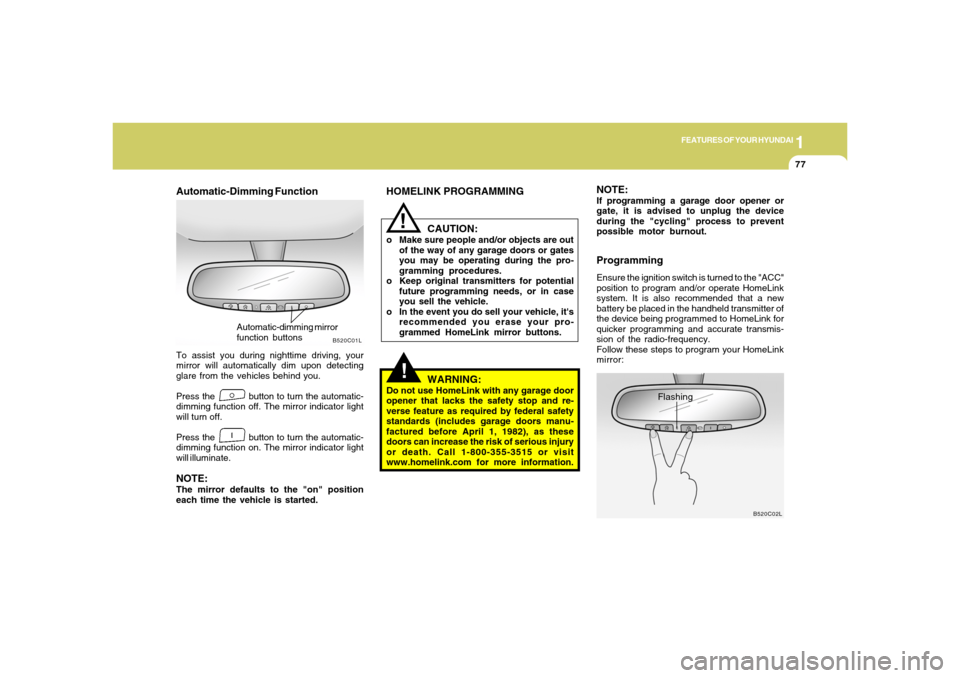
Automatic-Dimming FunctionTo assist you during nighttime driving, your
mirror will automatically dim upon detecting
glare from the vehicles behind you.
Press the button to turn the automatic-
dimming function off. The mirror indicator light
will turn off.
Press the button to turn the automatic-
dimming function on. The mirror indicator light
will illuminate.NOTE:The mirror defaults to the "on" position
each time the vehicle is started.
B520C01L
Automatic-dimming mirror
function buttons
NOTE:If programming a garage door opener or
gate, it is advised to unplug the device
during the "cycling" process to prevent
possible motor burnout.ProgrammingEnsure the ignition switch is turned to the "ACC"
position to program and/or operate HomeLink
system. It is also recommended that a new
battery be placed in the handheld transmitter of
the device being programmed to HomeLink for
quicker programming and accurate transmis-
sion of the radio-frequency.
Follow these steps to program your HomeLink
mirror:
B520C02L
Flashing
Page 108 of 281
1FEATURES OF YOUR HYUNDAI96
HSM428
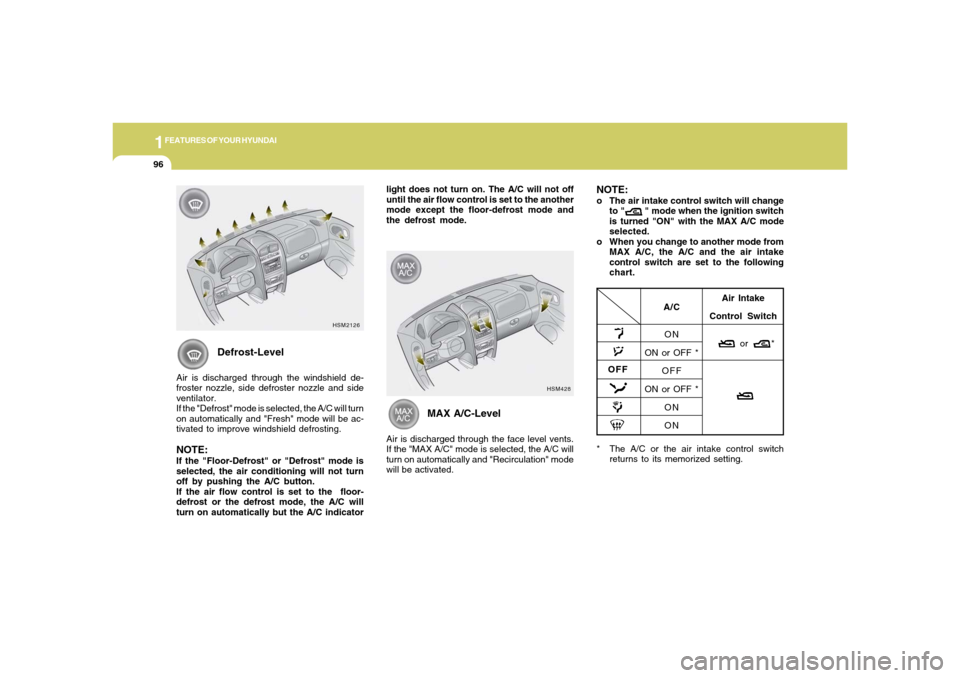
* The A/C or the air intake control switch
returns to its memorized setting.
A/C
ON
ON or OFF *
OFF
ON or OFF *
ON
ONAir Intake
Control Switch
or *
OFF
Defrost-Level
Air is discharged through the windshield de-
froster nozzle, side defroster nozzle and side
ventilator.
If the "Defrost" mode is selected, the A/C will turn
on automatically and "Fresh" mode will be ac-
tivated to improve windshield defrosting.NOTE:If the "Floor-Defrost" or "Defrost" mode is
selected, the air conditioning will not turn
off by pushing the A/C button.
If the air flow control is set to the floor-
defrost or the defrost mode, the A/C will
turn on automatically but the A/C indicatorlight does not turn on. The A/C will not off
until the air flow control is set to the another
mode except the floor-defrost mode and
the defrost mode.
MAX A/C-Level
Air is discharged through the face level vents.
If the "MAX A/C" mode is selected, the A/C will
turn on automatically and "Recirculation" mode
will be activated.
NOTE:o The air intake control switch will change
to " " mode when the ignition switch
is turned "ON" with the MAX A/C mode
selected.
o When you change to another mode from
MAX A/C, the A/C and the air intake
control switch are set to the following
chart.
HSM2126
Page 124 of 281
1FEATURES OF YOUR HYUNDAI
112
H260B04O-AAT1. POWER ON-OFF Control KnobThe radio unit may be operated when the ignition
key is in the "ACC" or "ON" position. Press the
knob to switch the power on. The LCD shows
the radio frequency in the radio mode or the CD
track indicator in the CD mode. To switch the
power off, press the knob again.VOLUME ControlRotate the knob clockwise to increase the
volume and turn the knob counterclockwise to
reduce the volume.BALANCE ControlPull and turn the control knob clockwise to
emphasize right speaker sound (left speaker
sound will be attenuated). When the control
knob is turned counterclockwise, left speaker
sound will be emphasized (right speaker sound
will be attenuated).2. FAD (Fader Control) KnobTurn the control knob counterclockwise to
emphasize front speaker sound (rear speaker
sound will be attenuated). When the control
knob is turned clockwise, rear speaker sound
will be emphasized (front speaker sound will be
attenuated).
3. BASS Control KnobPress to pop the knob out and turn to the left or
right for the desired bass tone.TREB (Treble Control) KnobPull the bass control knob further out.
Turn to the left or right for the desired treble tone.4. SCAN ButtonWhen the scan button is pressed, the frequency
will increase and the receivable stations will be
tuned in one after another, receiving each sta-
tion for 5 seconds. To stop scanning, press the
scan button again.5. TUNE (Manual) Select ButtonPress the ( ) side or ( ) side to increase or to
decrease the frequency. Press either button
and hold down to continuously scroll.
Release button once the desired station is
reached.
SEEK Operation
(Automatic Channel Selection)Press the TUNE select button for 0.5 sec or
more. Releasing it will automatically tune to the
next available station with a beep sound.
When the ( ) side is pressed longer than 0.5
second, releasing will automatically tune to the
next higher frequency and when the ( ) side is
pressed longer than 0.5 second, releasing will
automatically tune to the next lower frequency.6. BAND SelectorPressing the button changes the AM, FM1
and FM2 bands. The mode selected is dis-
played on LCD.7. PRESET STATION SELECT ButtonSix (6) stations for AM, FM1 or FM2 respec-
tively can be preset in the electronic memory
circuit on this unit.
FM/AM