Automatic Hyundai Santa Fe 2008 User Guide
[x] Cancel search | Manufacturer: HYUNDAI, Model Year: 2008, Model line: Santa Fe, Model: Hyundai Santa Fe 2008Pages: 355, PDF Size: 12.36 MB
Page 88 of 355
1FEATURES OF YOUR HYUNDAI76
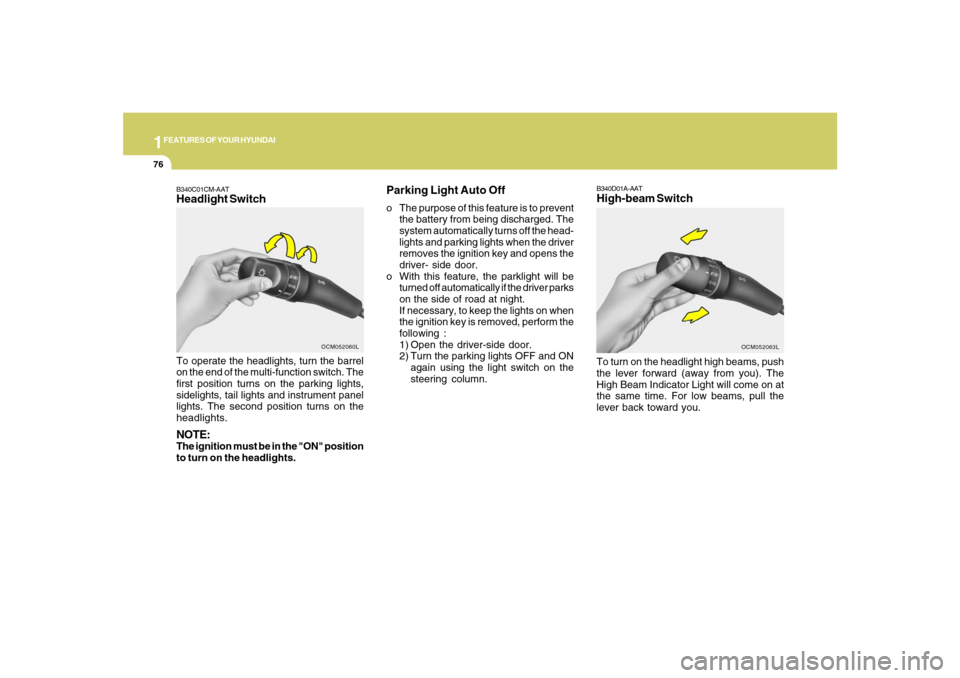
B340D01A-AATHigh-beam SwitchTo turn on the headlight high beams, push
the lever forward (away from you). The
High Beam Indicator Light will come on at
the same time. For low beams, pull the
lever back toward you.
OCM052063L
B340C01CM-AATHeadlight SwitchTo operate the headlights, turn the barrel
on the end of the multi-function switch. The
first position turns on the parking lights,
sidelights, tail lights and instrument panel
lights. The second position turns on the
headlights.NOTE:The ignition must be in the "ON" position
to turn on the headlights.
OCM052060L
Parking Light Auto Offo The purpose of this feature is to prevent
the battery from being discharged. The
system automatically turns off the head-
lights and parking lights when the driver
removes the ignition key and opens the
driver- side door.
o With this feature, the parklight will be
turned off automatically if the driver parks
on the side of road at night.
If necessary, to keep the lights on when
the ignition key is removed, perform the
following :
1) Open the driver-side door.
2) Turn the parking lights OFF and ON
again using the light switch on the
steering column.
Page 89 of 355
1
FEATURES OF YOUR HYUNDAI
77
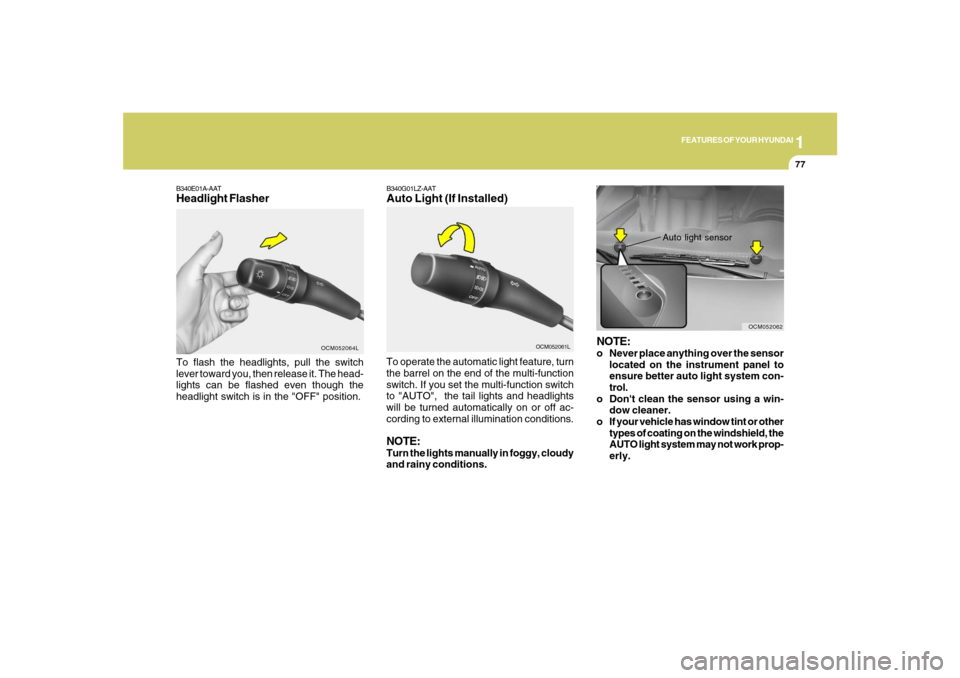
B340E01A-AATHeadlight FlasherTo flash the headlights, pull the switch
lever toward you, then release it. The head-
lights can be flashed even though the
headlight switch is in the "OFF" position.
OCM052064L
B340G01LZ-AATAuto Light (If Installed)
OCM052061L
To operate the automatic light feature, turn
the barrel on the end of the multi-function
switch. If you set the multi-function switch
to "AUTO", the tail lights and headlights
will be turned automatically on or off ac-
cording to external illumination conditions.NOTE:Turn the lights manually in foggy, cloudy
and rainy conditions.
NOTE:o Never place anything over the sensor
located on the instrument panel to
ensure better auto light system con-
trol.
o Don't clean the sensor using a win-
dow cleaner.
o If your vehicle has window tint or other
types of coating on the windshield, the
AUTO light system may not work prop-
erly.
Auto light sensor
OCM052062
Page 92 of 355
1FEATURES OF YOUR HYUNDAI80
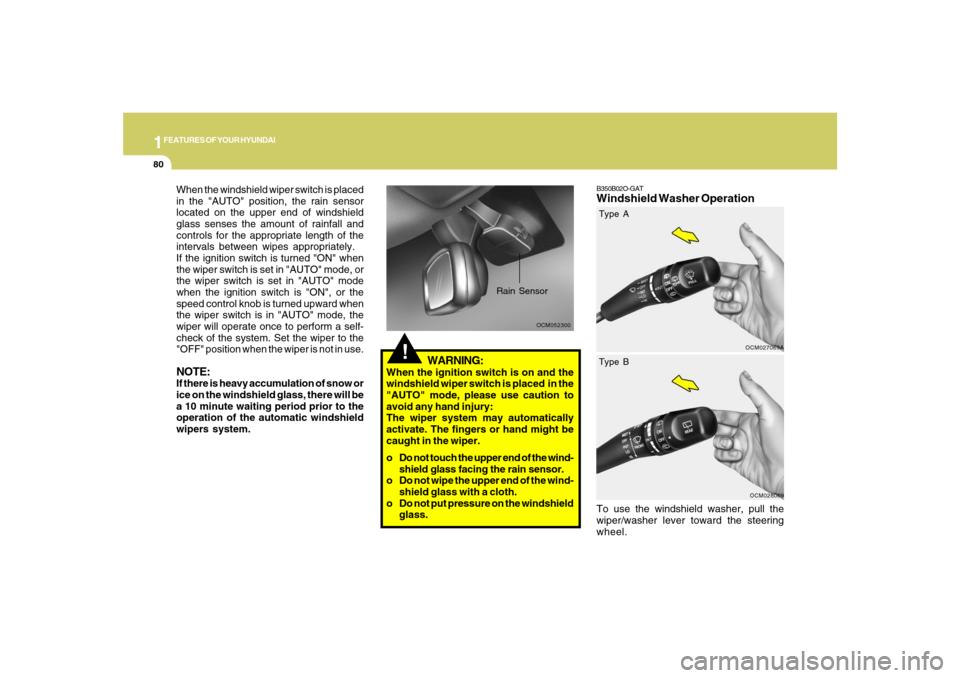
B350B02O-GATWindshield Washer OperationTo use the windshield washer, pull the
wiper/washer lever toward the steering
wheel.
OCM027069A
!
OCM052300
Rain Sensor
When the windshield wiper switch is placed
in the "AUTO" position, the rain sensor
located on the upper end of windshield
glass senses the amount of rainfall and
controls for the appropriate length of the
intervals between wipes appropriately.
If the ignition switch is turned "ON" when
the wiper switch is set in "AUTO" mode, or
the wiper switch is set in "AUTO" mode
when the ignition switch is "ON", or the
speed control knob is turned upward when
the wiper switch is in "AUTO" mode, the
wiper will operate once to perform a self-
check of the system. Set the wiper to the
"OFF" position when the wiper is not in use.NOTE:If there is heavy accumulation of snow or
ice on the windshield glass, there will be
a 10 minute waiting period prior to the
operation of the automatic windshield
wipers system.
WARNING:
When the ignition switch is on and the
windshield wiper switch is placed in the
"AUTO" mode, please use caution to
avoid any hand injury:
The wiper system may automatically
activate. The fingers or hand might be
caught in the wiper.
o Do not touch the upper end of the wind-
shield glass facing the rain sensor.
o Do not wipe the upper end of the wind-
shield glass with a cloth.
o Do not put pressure on the windshield
glass.
OCM028069
Type A
Type B
Page 93 of 355
1
FEATURES OF YOUR HYUNDAI
81
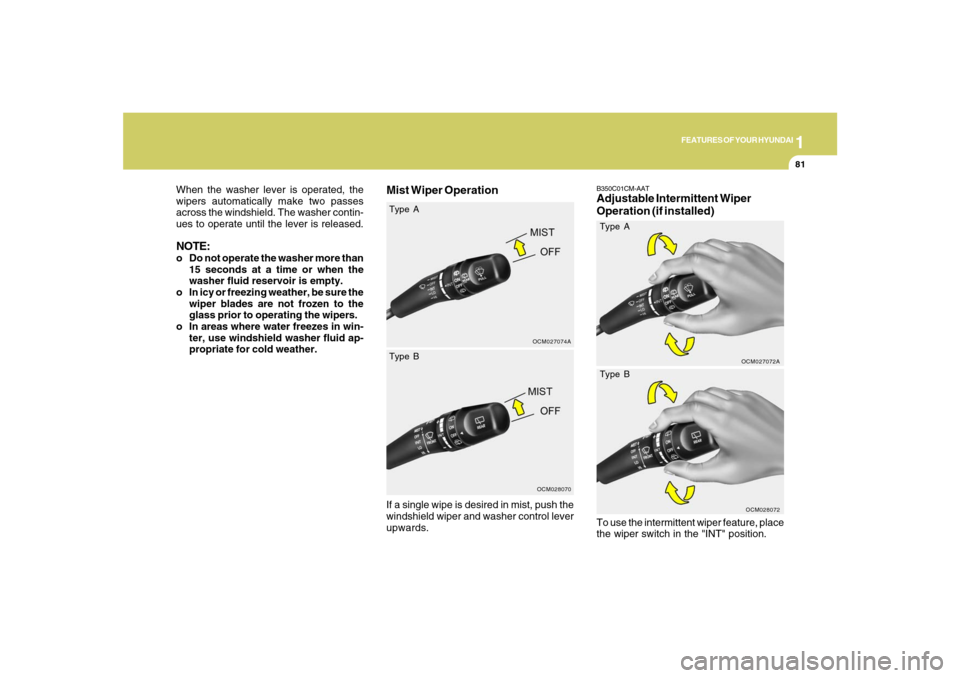
Mist Wiper Operation
OCM027074A
When the washer lever is operated, the
wipers automatically make two passes
across the windshield. The washer contin-
ues to operate until the lever is released.NOTE:o Do not operate the washer more than
15 seconds at a time or when the
washer fluid reservoir is empty.
o In icy or freezing weather, be sure the
wiper blades are not frozen to the
glass prior to operating the wipers.
o In areas where water freezes in win-
ter, use windshield washer fluid ap-
propriate for cold weather.
If a single wipe is desired in mist, push the
windshield wiper and washer control lever
upwards.
OCM028070
Type A
Type B
OCM028072
Type BB350C01CM-AATAdjustable Intermittent Wiper
Operation (if installed)
OCM027072A
Type ATo use the intermittent wiper feature, place
the wiper switch in the "INT" position.
Page 95 of 355
1
FEATURES OF YOUR HYUNDAI
83
OCM052075N
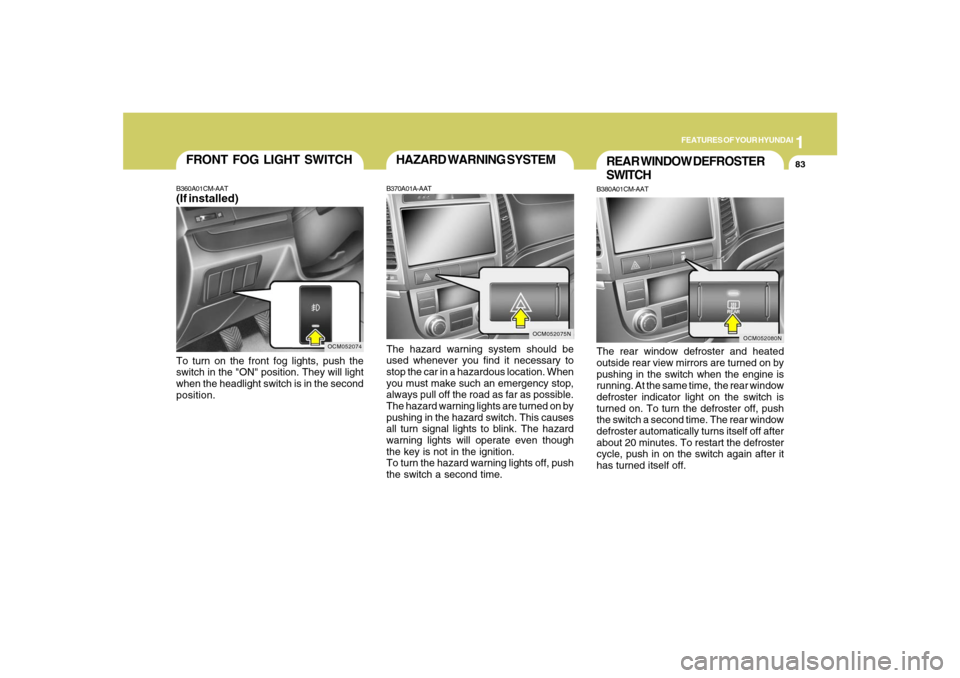
HAZARD WARNING SYSTEMB370A01A-AATThe hazard warning system should be
used whenever you find it necessary to
stop the car in a hazardous location. When
you must make such an emergency stop,
always pull off the road as far as possible.
The hazard warning lights are turned on by
pushing in the hazard switch. This causes
all turn signal lights to blink. The hazard
warning lights will operate even though
the key is not in the ignition.
To turn the hazard warning lights off, push
the switch a second time.
REAR WINDOW DEFROSTER
SWITCHB380A01CM-AATThe rear window defroster and heated
outside rear view mirrors are turned on by
pushing in the switch when the engine is
running. At the same time, the rear window
defroster indicator light on the switch is
turned on. To turn the defroster off, push
the switch a second time. The rear window
defroster automatically turns itself off after
about 20 minutes. To restart the defroster
cycle, push in on the switch again after it
has turned itself off.
OCM052080N
OCM052074
FRONT FOG LIGHT SWITCHB360A01CM-AAT(If installed)To turn on the front fog lights, push the
switch in the "ON" position. They will light
when the headlight switch is in the second
position.
Page 99 of 355
1
FEATURES OF YOUR HYUNDAI
87
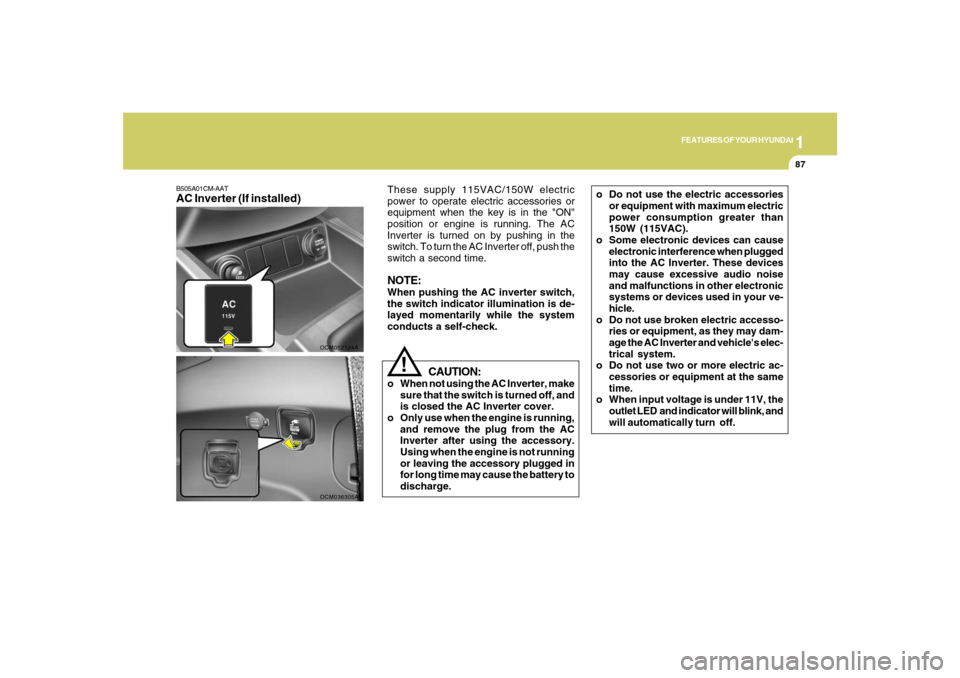
B505A01CM-AATAC Inverter (If installed)
OCM052124A
CAUTION:
o When not using the AC Inverter, make
sure that the switch is turned off, and
is closed the AC Inverter cover.
o Only use when the engine is running,
and remove the plug from the AC
Inverter after using the accessory.
Using when the engine is not running
or leaving the accessory plugged in
for long time may cause the battery to
discharge.
!
These supply 115VAC/150W electric
power to operate electric accessories or
equipment when the key is in the "ON"
position or engine is running. The AC
Inverter is turned on by pushing in the
switch. To turn the AC Inverter off, push the
switch a second time.NOTE:When pushing the AC inverter switch,
the switch indicator illumination is de-
layed momentarily while the system
conducts a self-check.
OCM036305A
o Do not use the electric accessories
or equipment with maximum electric
power consumption greater than
150W (115VAC).
o Some electronic devices can cause
electronic interference when plugged
into the AC Inverter. These devices
may cause excessive audio noise
and malfunctions in other electronic
systems or devices used in your ve-
hicle.
o Do not use broken electric accesso-
ries or equipment, as they may dam-
age the AC Inverter and vehicle's elec-
trical system.
o Do not use two or more electric ac-
cessories or equipment at the same
time.
o When input voltage is under 11V, the
outlet LED and indicator will blink, and
will automatically turn off.
Page 102 of 355
1FEATURES OF YOUR HYUNDAI90
!
Auto ReverseIf an object is detected while the sunroof is
closing automatically, it will reverse direc-
tion, and then stop.
Auto reverse function does not work if a
small obstacle is blocked between the
sliding glass and the sunroof sash. You
should always check that all passengers
and objects are away from the sunroof
before closing it.
WARNING:
Be careful that someone’s head, hands
and body are not trapped by a closing
sunroof.Manual slide closePress the CLOSE button on the overhead
console for less than 0.5 second.
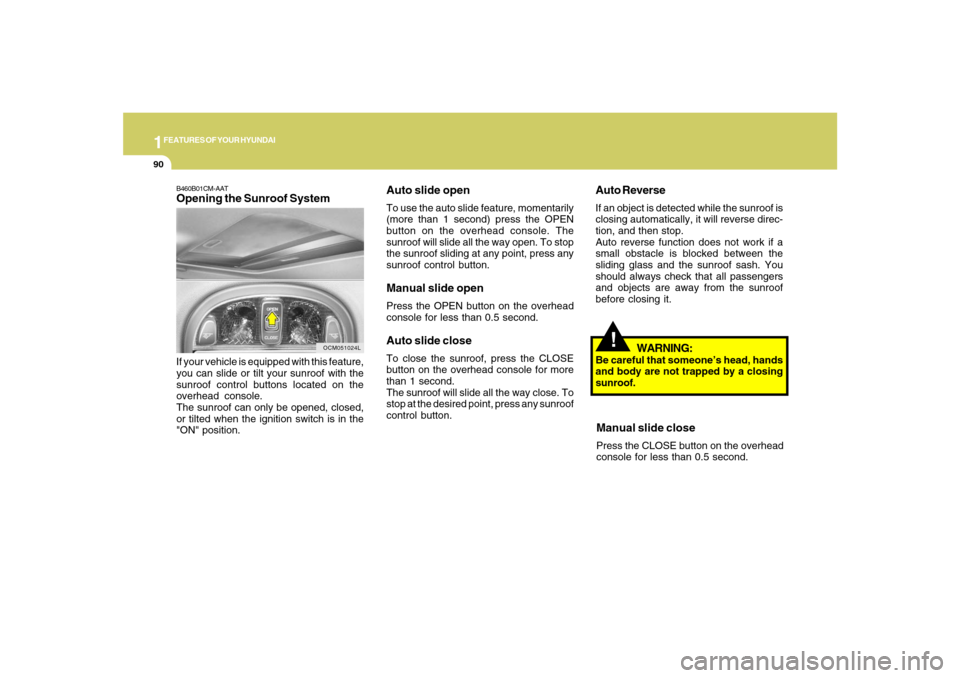
Auto slide openTo use the auto slide feature, momentarily
(more than 1 second) press the OPEN
button on the overhead console. The
sunroof will slide all the way open. To stop
the sunroof sliding at any point, press any
sunroof control button.Manual slide openPress the OPEN button on the overhead
console for less than 0.5 second.Auto slide closeTo close the sunroof, press the CLOSE
button on the overhead console for more
than 1 second.
The sunroof will slide all the way close. To
stop at the desired point, press any sunroof
control button.
B460B01CM-AATOpening the Sunroof SystemIf your vehicle is equipped with this feature,
you can slide or tilt your sunroof with the
sunroof control buttons located on the
overhead console.
The sunroof can only be opened, closed,
or tilted when the ignition switch is in the
"ON" position.
OCM051024L
Page 107 of 355
1
FEATURES OF YOUR HYUNDAI
95
!
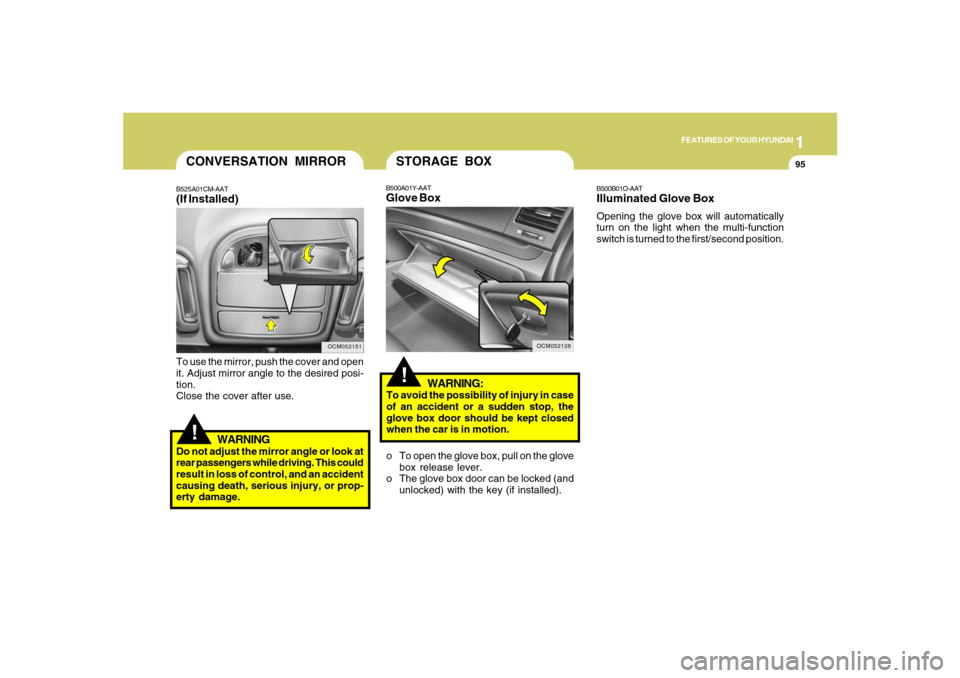
To use the mirror, push the cover and open
it. Adjust mirror angle to the desired posi-
tion.
Close the cover after use.
WARNING
Do not adjust the mirror angle or look at
rear passengers while driving. This could
result in loss of control, and an accident
causing death, serious injury, or prop-
erty damage.CONVERSATION MIRRORB525A01CM-AAT(If Installed)
OCM052151
OCM052128
!
WARNING:
To avoid the possibility of injury in case
of an accident or a sudden stop, the
glove box door should be kept closed
when the car is in motion.
B500B01O-AATIlluminated Glove BoxOpening the glove box will automatically
turn on the light when the multi-function
switch is turned to the first/second position.
B500A01Y-AATGlove BoxSTORAGE BOXo To open the glove box, pull on the glove
box release lever.
o The glove box door can be locked (and
unlocked) with the key (if installed).
Page 111 of 355
1
FEATURES OF YOUR HYUNDAI
99
!
WARNING:
Do not adjust or fold the outside rearview
mirrors while the vehicle is moving. This
could result in loss of control, and an
accident causing death, serious injury
or property damage.
CAUTION:
If the mirror is jammed with ice, do not
adjust the mirror by force. Use an ap-
proved spray de-icer (not radiator anti-
freeze) to release the frozen mecha-
nism or move the vehicle to a warm
place and allow the ice to melt.
!
DAY/NIGHT INSIDE REAR-
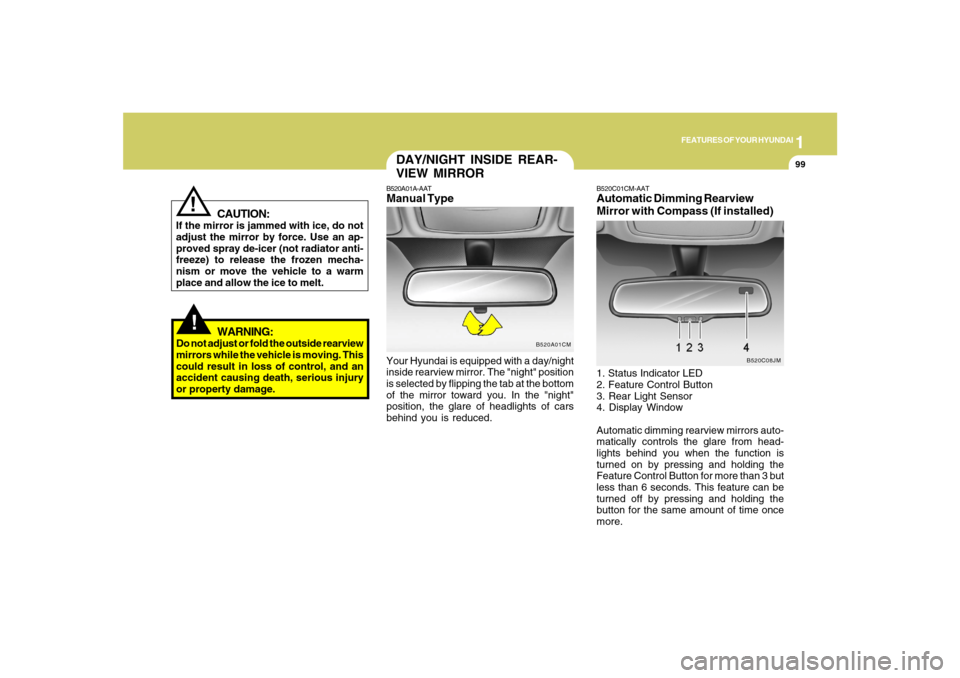
VIEW MIRRORB520A01A-AATManual TypeYour Hyundai is equipped with a day/night
inside rearview mirror. The "night" position
is selected by flipping the tab at the bottom
of the mirror toward you. In the "night"
position, the glare of headlights of cars
behind you is reduced.
B520A01CM
B520C01CM-AATAutomatic Dimming Rearview
Mirror with Compass (If installed)1. Status Indicator LED
2. Feature Control Button
3. Rear Light Sensor
4. Display Window
Automatic dimming rearview mirrors auto-
matically controls the glare from head-
lights behind you when the function is
turned on by pressing and holding the
Feature Control Button for more than 3 but
less than 6 seconds. This feature can be
turned off by pressing and holding the
button for the same amount of time once
more.
B520C08JM
Page 114 of 355
1FEATURES OF YOUR HYUNDAI
102
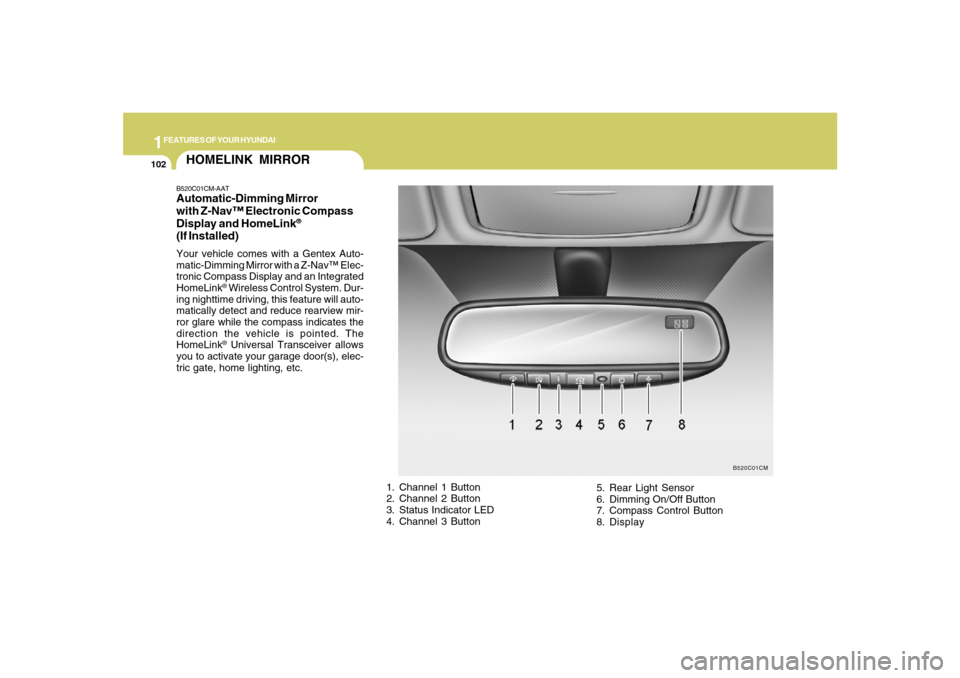
HOMELINK MIRRORB520C01CM-AATAutomatic-Dimming Mirror
with Z-Nav™ Electronic Compass
Display and HomeLink
®
(If Installed)Your vehicle comes with a Gentex Auto-
matic-Dimming Mirror with a Z-Nav™ Elec-
tronic Compass Display and an Integrated
HomeLink
® Wireless Control System. Dur-
ing nighttime driving, this feature will auto-
matically detect and reduce rearview mir-
ror glare while the compass indicates the
direction the vehicle is pointed. The
HomeLink® Universal Transceiver allows
you to activate your garage door(s), elec-
tric gate, home lighting, etc.
1. Channel 1 Button
2. Channel 2 Button
3. Status Indicator LED
4. Channel 3 Button5. Rear Light Sensor
6. Dimming On/Off Button
7. Compass Control Button
8. Display
B520C01CM