Automatic Hyundai Santa Fe 2008 Owner's Guide
[x] Cancel search | Manufacturer: HYUNDAI, Model Year: 2008, Model line: Santa Fe, Model: Hyundai Santa Fe 2008Pages: 355, PDF Size: 12.36 MB
Page 115 of 355
1
FEATURES OF YOUR HYUNDAI
103
Automatic-Dimming Night Vision
Safety™ (NVS
®) Mirror
The NVS
® Mirror in your vehicle is the most
advanced way to reduce glare in the rear-
view mirror during any driving situation.
For more information regarding NVS
® mir-
rors and other applications, please refer to
the Gentex website:
www.gentex.com.
CAUTION:
Too close the NVS
® Mirror automatically
reduces glare during driving conditions
based upon light levels monitored in front
of the vehicle and from the rear of the
vehicle. These light sensors are visible
through openings in the front and rear of
the mirror case. Any object that would
obstruct either light sensor will degrade
the automatic dimming control feature.
!
Automatic-Dimming Function
Your mirror will automatically dim upon
detecting glare from the vehicles traveling
behind you. The auto-dimming function
can be controlled by the Dimming ON/OFF
Button:
1. Pressing the
button turns the auto-
dimming function OFF which is indi-
cated by the green Status Indicator LED
turning off.
2. Pressing the button again turns the
auto-dimming function ON which is in-
dicated by the green Status Indicator
LED turning on.
NOTE:The mirror defaults to the "ON" position
each time the vehicle is started.Compass Function
The Compass can be turned ON and OFF
and will remember the last state when the
ignition is cycled. To turn the display fea-
ture ON/OFF:
1. Press and release the
button to turn
the display feature OFF.
2. Press and release the button again
to turn the display back ON.
Additional options can be set with press
and hold sequences of the button and
are detailed below.
There is a difference between magnetic
north and true north. The compass in the
mirror can compensate for this difference
when it knows the Magnetic Zone in which
it is operating. This is set either by the
dealer or by the user. The operating Zone
Numbers for North America are shown in
the figure on the following section.
Z-Nav™ Compass DisplayThe NVS™ Mirror in your vehicle is also
equipped with a Z-Nav™ Compass that
shows the vehicle Compass heading in
the Display Window using the 8 basic
cardinal headings (N, NE, E, SE, etc.).
Page 119 of 355

1
FEATURES OF YOUR HYUNDAI
107
4. Press and hold the just-trained
HomeLink
® button and observe the red
Status Indicator LED. If the indicator
light stays on constantly, programming
is complete and your device should
activate.
5. To program the remaining two
HomeLink® buttons, follow either steps
1 through 4 above for other Rolling
Code devices or steps 2 through 5 in
Standard Programming for standard
devices.
Gate Operator & Canadian Programming
During programming, your handheld trans-
mitter may automatically stop transmitting.
Continue to press the Integrated
HomeLink
® Wireless Control System but-
ton (note steps 2 through 4 in the Standard
Programming portion of this document)
while you press and re-press ("cycle") your
handheld transmitter every two seconds
until the frequency signal has been learned.
The indicator light will flash slowly and
then rapidly after several seconds upon
successful training.Operating HomeLink
®
To operate, simply press and release the
programmed HomeLink
® button. Activa-
tion will now occur for the trained device
(i.e. garage door opener, gate operator,
security system, entry door lock, home/
office lighting, etc.). For convenience, the
hand-held transmitter of the device may
also be used at any time.
Reprogramming a Single HomeLink
®
Button
To program a new device to a previously
trained HomeLink
® button, follow these
steps:
1. Press and hold the desired HomeLink
®
button. Do NOT release until step 4 has
been completed.
2. When the indicator light begins to flash
slowly (after 20 seconds), position the
handheld transmitter 1 to 3 inches away
from the HomeLink
® surface.
3. Press and hold the handheld transmit-
ter button. The HomeLink
® indicator light
will flash, first slowly and then rapidly.
4. When the indicator light begins to flash
rapidly, release both buttons.5. Press and hold the just-trained
HomeLink
® button and observe the red
Status Indicator LED. If the indicator
light stays on constantly, programming
is complete and your new device should
activate.
Erasing HomeLink
® Buttons
Individual buttons cannot be erased. How-
ever, to erase all three programmed but-
tons:
1. Press and hold the two outer HomeLink
®
buttons until the indicator light begins to
flash-after 20 seconds.
2. Release both buttons. Do not hold for
longer than 30 seconds.
The Integrated HomeLink
® Wireless Con-
trol System is now in the training (learn)
mode and can be programmed at any time
following the appropriate steps in the Pro-
gramming sections above.
Page 120 of 355
1FEATURES OF YOUR HYUNDAI
108
!
WARNING:
The transceiver has been tested and
complies with FCC and Industry Canada
rules. Changes or modifications not ex-
pressly approved by the party respon-
sible for compliance could void the user's
authority to operate the device.
NVS
® is a registered trademark and Z-
Nav™ is a trademark of the Gentex Corpo-
ration, Zeeland, Michigan. HomeLink
® is
a registered trademark owned by Johnson
Controls, Incorporated, Milwaukee, Wis-
consin.
FCC ID: NZLZTVHL3
IC: 4112A-ZTVHL3This device complies with Part 15 FCC
Rules. Operation is subject to the following
two conditions: (1) this device may not
cause harmful interference, and (2) this
device must accept any interference re-
ceived, including interference that may
cause undesired operation.
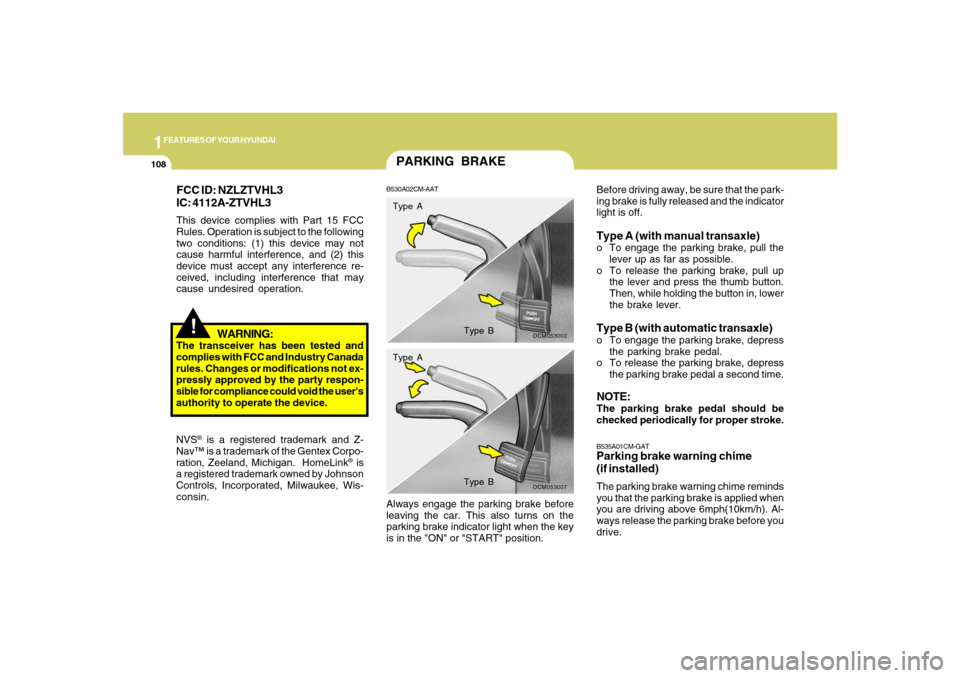
PARKING BRAKEB530A02CM-AAT
OCM053002
Type A
Type B
OCM053007
Type A
Type B
Before driving away, be sure that the park-
ing brake is fully released and the indicator
light is off.Type A (with manual transaxle)o To engage the parking brake, pull the
lever up as far as possible.
o To release the parking brake, pull up
the lever and press the thumb button.
Then, while holding the button in, lower
the brake lever.Type B (with automatic transaxle)o To engage the parking brake, depress
the parking brake pedal.
o To release the parking brake, depress
the parking brake pedal a second time.NOTE:The parking brake pedal should be
checked periodically for proper stroke.B535A01CM-GATParking brake warning chime
(if installed)The parking brake warning chime reminds
you that the parking brake is applied when
you are driving above 6mph(10km/h). Al-
ways release the parking brake before you
drive. Always engage the parking brake before
leaving the car. This also turns on the
parking brake indicator light when the key
is in the "ON" or "START" position.
Page 121 of 355
1
FEATURES OF YOUR HYUNDAI
109
!
!TAIL GATEB540A01CM-AAT
WARNING:
The tail gate should always be kept com-
pletely closed while the vehicle is in
motion. If it is left open or ajar, poisonous
exhaust gases may enter the car result-
ing in serious illness or death to the
occupants. See additional warnings con-
cerning exhaust gases on page 2-2.
o The tail gate is opened by pulling the
outside handle up, raising the tail gate
manually.
o To close, lower the tail gate, then press
down on it until it is closed. To be sure
the tail gate is fully closed, always try to
pull it up again without using the outside
handle.
WARNING:
o Whenever leaving vehicle or parking
always set the parking brake as far as
possible and fully engage the vehicle's
transaxle into the park position. Ve-
hicles not fully engaged in park with
the parking brake set are at risk for
moving inadvertently and injuring
yourself or others.
o To prevent unintentional movement
when stopped and leaving the vehicle,
do not use the gearshift lever in place
of the parking brake. Set the parking
brake AND make sure the gearshift
lever is securely positioned in 1st
(First) gear or R (Reverse) for manual
transaxle equipped vehicles and in P
(Park) for automatic transaxle
equipped vehicles.
o Never allow a person who is unfamil-
iar with the vehicle or children to touch
the parking brake. If the parking brake
is released unintentionally, serious
injury may occur.
LUGGAGE COMPARTMENT
OCM052123L
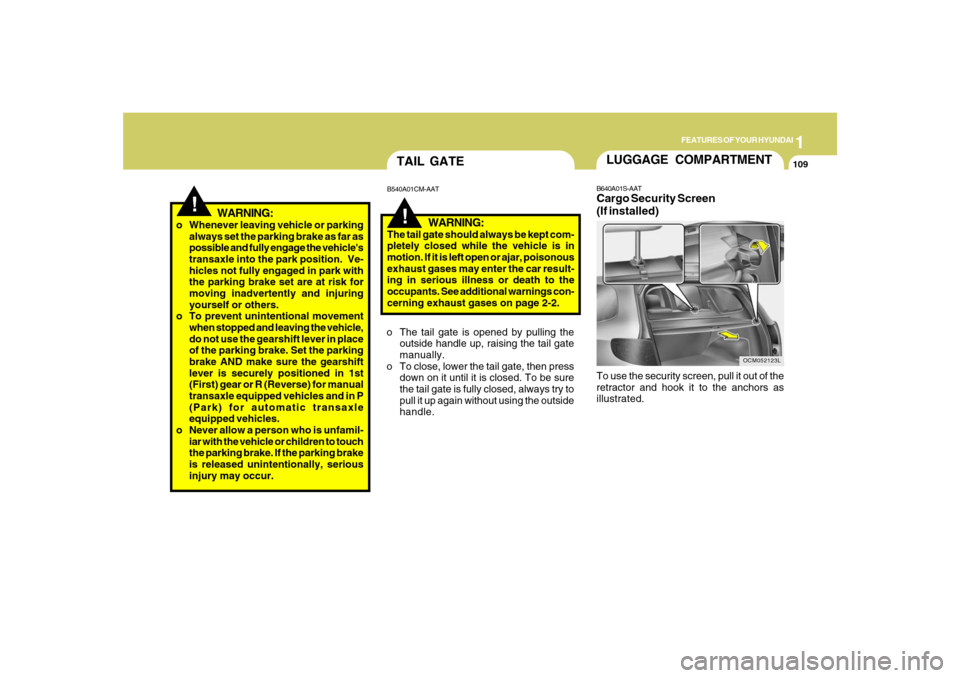
B640A01S-AATCargo Security Screen
(If installed)To use the security screen, pull it out of the
retractor and hook it to the anchors as
illustrated.
Page 129 of 355
1
FEATURES OF YOUR HYUNDAI
117
!
WARNING:
o Do not place the sun visor in such a
manner that it obscures visibility of
the roadway, traffic or other objects.
o Do not move the sun visor out to cover
the side window if there is an item
attended to it such as a garage door
remote control, pens, air fresheners
or the like. These objects could cause
injury if the curtain air bag is deployed.
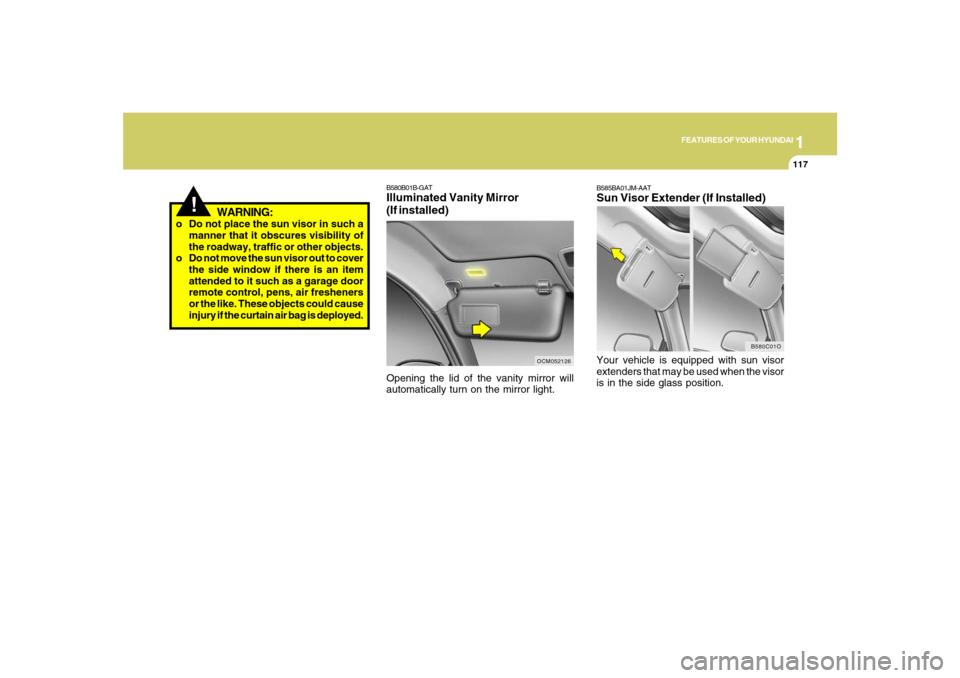
B580B01B-GATIlluminated Vanity Mirror
(If installed)Opening the lid of the vanity mirror will
automatically turn on the mirror light.
OCM052126
B580C01O
B585BA01JM-AATSun Visor Extender (If Installed)Your vehicle is equipped with sun visor
extenders that may be used when the visor
is in the side glass position.
Page 133 of 355
1
FEATURES OF YOUR HYUNDAI
121
NOTE:If the vehicle speed decreases more
than 9 mph (15 km/h) below the set speed
or decreases below 25 mph (40 km/h),
the cruise control system will automati-
cally cancel the set speed.
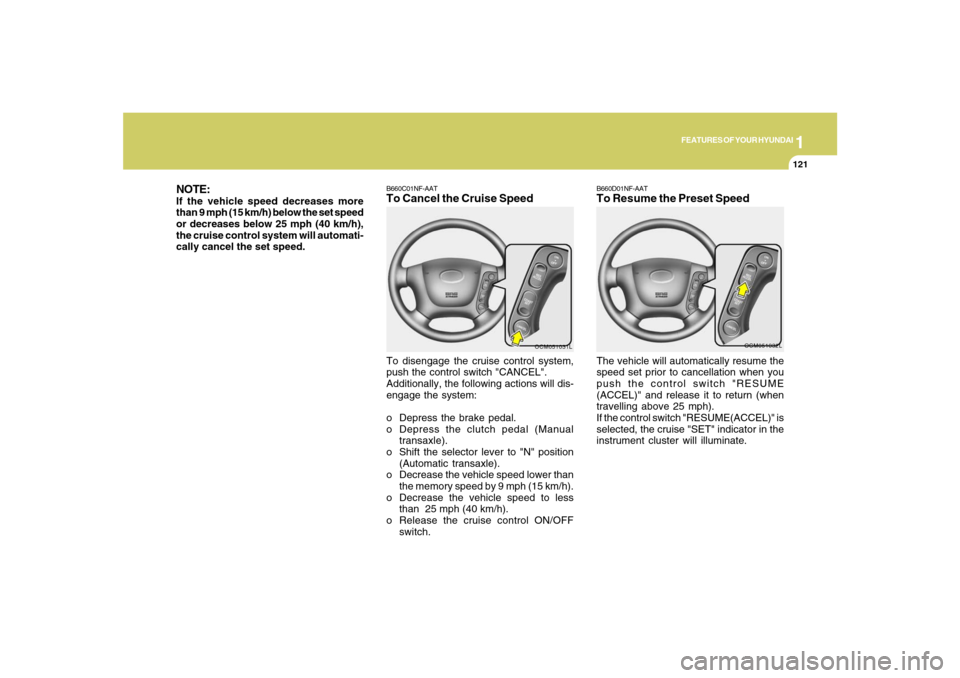
B660C01NF-AATTo Cancel the Cruise SpeedTo disengage the cruise control system,
push the control switch "CANCEL".
Additionally, the following actions will dis-
engage the system:
o Depress the brake pedal.
o Depress the clutch pedal (Manual
transaxle).
o Shift the selector lever to "N" position
(Automatic transaxle).
o Decrease the vehicle speed lower than
the memory speed by 9 mph (15 km/h).
o Decrease the vehicle speed to less
than 25 mph (40 km/h).
o Release the cruise control ON/OFF
switch.
OCM051031L
B660D01NF-AATTo Resume the Preset SpeedThe vehicle will automatically resume the
speed set prior to cancellation when you
push the control switch "RESUME
(ACCEL)" and release it to return (when
travelling above 25 mph).
If the control switch "RESUME(ACCEL)" is
selected, the cruise "SET" indicator in the
instrument cluster will illuminate.
OCM051032L
Page 136 of 355
1FEATURES OF YOUR HYUNDAI
124
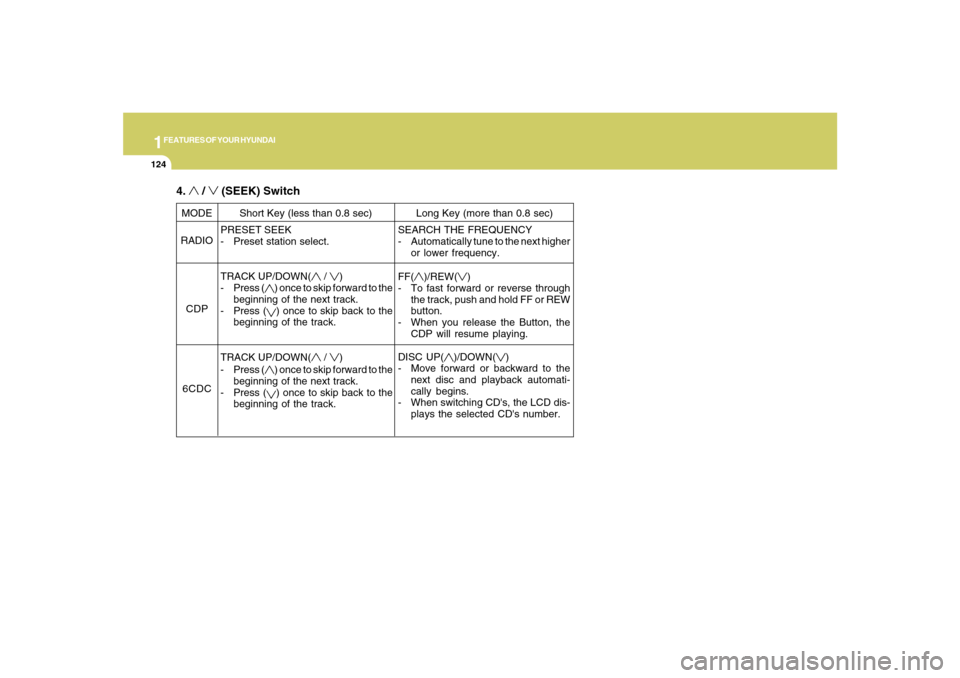
PRESET SEEK
- Preset station select.
TRACK UP/DOWN(
/
)
- Press (
) once to skip forward to the
beginning of the next track.
- Press () once to skip back to the
beginning of the track.
TRACK UP/DOWN(
/
)
- Press (
) once to skip forward to the
beginning of the next track.
- Press () once to skip back to the
beginning of the track. MODE
RADIO
CDP
6CDCShort Key (less than 0.8 sec) Long Key (more than 0.8 sec)
SEARCH THE FREQUENCY
- Automatically tune to the next higher
or lower frequency.
FF(
)/REW(
)
- To fast forward or reverse through
the track, push and hold FF or REW
button.
- When you release the Button, the
CDP will resume playing.
DISC UP(
)/DOWN(
)
- Move forward or backward to the
next disc and playback automati-
cally begins.
- When switching CD's, the LCD dis-
plays the selected CD's number.
4.
/
(SEEK) Switch
Page 146 of 355
1FEATURES OF YOUR HYUNDAI
134
AUTOMATIC HEATING AND COOLING CONTROL SYSTEMB970A01Y-AAT(If installed)Your Hyundai is equipped with an auto-
matic heating and cooling control system
controlled by simply setting the desired
temperature.
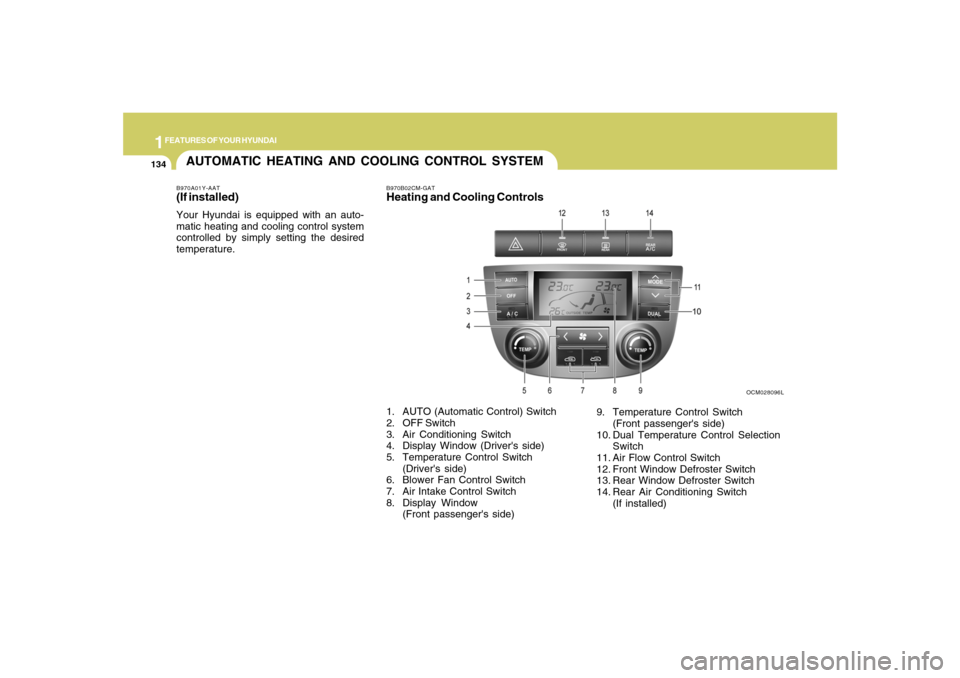
B970B02CM-GATHeating and Cooling Controls
OCM028096L
1. AUTO (Automatic Control) Switch
2. OFF Switch
3. Air Conditioning Switch
4. Display Window (Driver's side)
5. Temperature Control Switch
(Driver's side)
6. Blower Fan Control Switch
7. Air Intake Control Switch
8. Display Window
(Front passenger's side)9. Temperature Control Switch
(Front passenger's side)
10. Dual Temperature Control Selection
Switch
11. Air Flow Control Switch
12. Front Window Defroster Switch
13. Rear Window Defroster Switch
14. Rear Air Conditioning Switch
(If installed)
Page 147 of 355
1
FEATURES OF YOUR HYUNDAI
135
FEATURES OF YOUR HYUNDAI
135135135135
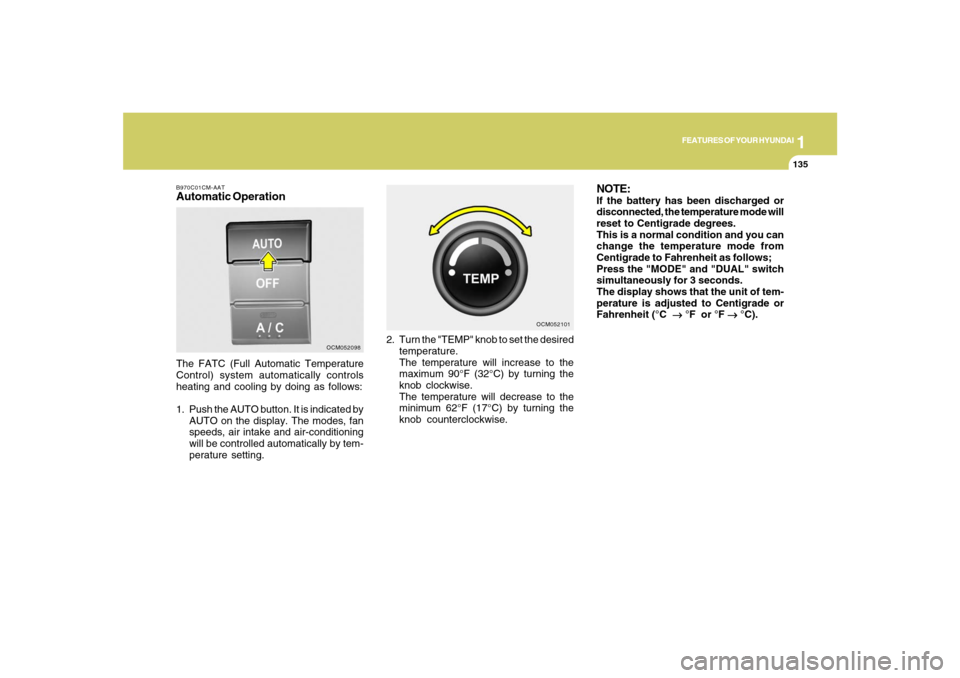
B970C01CM-AATAutomatic OperationThe FATC (Full Automatic Temperature
Control) system automatically controls
heating and cooling by doing as follows:
1. Push the AUTO button. It is indicated by
AUTO on the display. The modes, fan
speeds, air intake and air-conditioning
will be controlled automatically by tem-
perature setting.2. Turn the "TEMP" knob to set the desired
temperature.
The temperature will increase to the
maximum 90°F (32°C) by turning the
knob clockwise.
The temperature will decrease to the
minimum 62°F (17°C) by turning the
knob counterclockwise.
OCM052098OCM052101
NOTE:If the battery has been discharged or
disconnected, the temperature mode will
reset to Centigrade degrees.
This is a normal condition and you can
change the temperature mode from
Centigrade to Fahrenheit as follows;
Press the "MODE" and "DUAL" switch
simultaneously for 3 seconds.
The display shows that the unit of tem-
perature is adjusted to Centigrade or
Fahrenheit (°C
→ →→ →
→ °F or °F
→ →→ →
→ °C).
Page 148 of 355
1FEATURES OF YOUR HYUNDAI
136
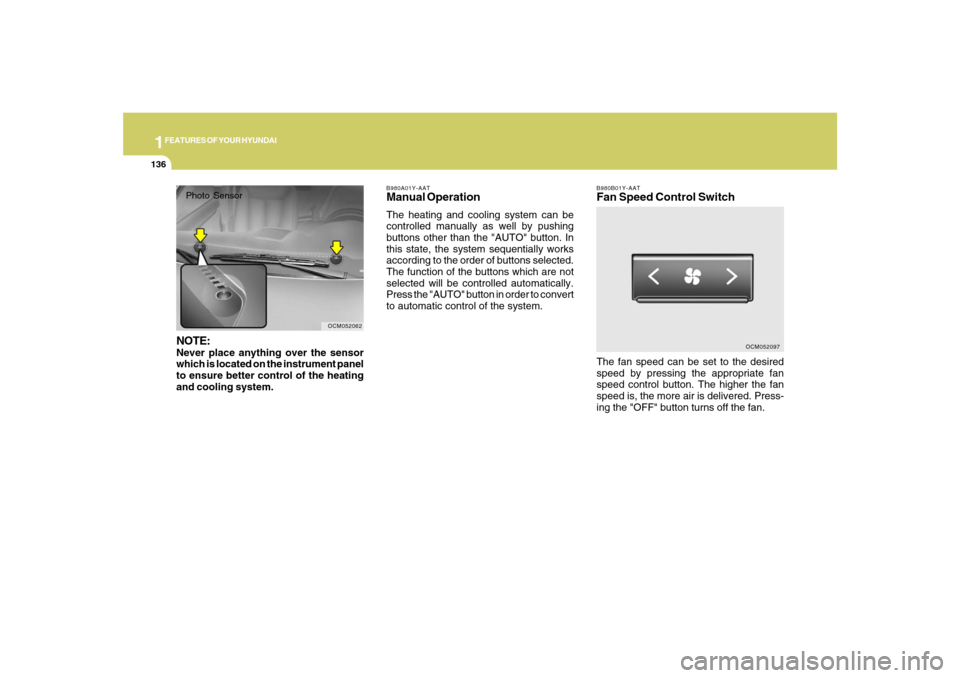
B980B01Y-AATFan Speed Control SwitchThe fan speed can be set to the desired
speed by pressing the appropriate fan
speed control button. The higher the fan
speed is, the more air is delivered. Press-
ing the "OFF" button turns off the fan.
OCM052097 B980A01Y-AAT
Manual OperationThe heating and cooling system can be
controlled manually as well by pushing
buttons other than the "AUTO" button. In
this state, the system sequentially works
according to the order of buttons selected.
The function of the buttons which are not
selected will be controlled automatically.
Press the "AUTO" button in order to convert
to automatic control of the system.
OCM052062
Photo SensorNOTE:Never place anything over the sensor
which is located on the instrument panel
to ensure better control of the heating
and cooling system.