lock Hyundai Santa Fe 2009 Service Manual
[x] Cancel search | Manufacturer: HYUNDAI, Model Year: 2009, Model line: Santa Fe, Model: Hyundai Santa Fe 2009Pages: 353, PDF Size: 10.86 MB
Page 116 of 353
1
FEATURES OF YOUR HYUNDAI
105
1. Press and hold the
button for more
than 6 seconds. When the compass
memory is cleared a "C" will appear in
the display.
2. To calibrate the compass, drive the
vehicle in 2 complete circles at less than
5 MPH (8 Km/h) or until the compass
heading appears.
!
Integrated HomeLink
® Wireless
Control System
The HomeLink
® Wireless Control System
provides a convenient way to replace up to
three hand-held radio-frequency (RF)
transmitters with a single built-in device.
This innovative feature will learn the radio
frequency codes of most current transmit-
ters to operate devices such as gate op-
erators, garage door openers, entry door
locks, security systems, even home light-
ing. Both standard and rolling code-
equipped transmitters can be programmed
by following the outlined procedures.
CAUTION:
Before programming HomeLink
® to a
garage door opener or gate operator,
make sure that people and objects are
out of the way of the device to prevent
potential harm or damage. Do not use
HomeLink
® with any garage door opener
that lacks the safety stop and reverse
features as required by U.S. federal
safety standards (this includes any ga-
rage door opener model manufactured
before April 1, 1982). A garage door that
cannot detect an object - signaling the
door to stop and reverse - does not meet
current U.S. federal safety standards.
Using a garage door opener without these
features increases the risk of serious
injury or death.Programming HomeLink
®
NOTE:o When programming a garage door
opener, it is advised to park the ve-
hicle outside of the garage.
o It is recommended that a new battery
be placed in the hand-held transmit-
ter of the device being programmed
to HomeLink
® for quicker training and
accurate transmission of the radio-
frequency signal.
o Some vehicles may require the igni-
tion switch to be turned to the second
(or "accessories") position for pro-
gramming and/or operation of
HomeLink.
o In the event that there are still pro-
gramming difficulties or questions
after following the programming steps
listed below, contact HomeLink
® at:
www.homelink.com or 1-800-355-
3515.
Retain the original transmitter of the RF
device you are programming for use in
other vehicles as well as for future
HomeLink
® programming. It is also sug-
gested that upon the sale of the vehicle, the
programmed HomeLink
® buttons be
erased for security purposes.
CAUTION:
Be sure the area is free of traffic, pedes-
trians, and obstructions.
!
Additional HomeLink
® information can be
found at: www.homelink.com or by calling
1-800-355-3515.
Page 118 of 353

1
FEATURES OF YOUR HYUNDAI
107
4. Press and hold the just-trained
HomeLink
® button and observe the red
Status Indicator LED. If the indicator
light stays on constantly, programming
is complete and your device should
activate.
5. To program the remaining two
HomeLink® buttons, follow either steps
1 through 4 above for other Rolling
Code devices or steps 2 through 5 in
Standard Programming for standard
devices.
Gate Operator & Canadian Programming
During programming, your handheld trans-
mitter may automatically stop transmitting.
Continue to press the Integrated
HomeLink
® Wireless Control System but-
ton (note steps 2 through 4 in the Standard
Programming portion of this document)
while you press and re-press ("cycle") your
handheld transmitter every two seconds
until the frequency signal has been learned.
The indicator light will flash slowly and
then rapidly after several seconds upon
successful training.Operating HomeLink
®
To operate, simply press and release the
programmed HomeLink
® button. Activa-
tion will now occur for the trained device
(i.e. garage door opener, gate operator,
security system, entry door lock, home/
office lighting, etc.). For convenience, the
hand-held transmitter of the device may
also be used at any time.
Reprogramming a Single HomeLink
®
Button
To program a new device to a previously
trained HomeLink
® button, follow these
steps:
1. Press and hold the desired HomeLink
®
button. Do NOT release until step 4 has
been completed.
2. When the indicator light begins to flash
slowly (after 20 seconds), position the
handheld transmitter 1 to 3 inches away
from the HomeLink
® surface.
3. Press and hold the handheld transmit-
ter button. The HomeLink
® indicator light
will flash, first slowly and then rapidly.
4. When the indicator light begins to flash
rapidly, release both buttons.5. Press and hold the just-trained
HomeLink
® button and observe the red
Status Indicator LED. If the indicator
light stays on constantly, programming
is complete and your new device should
activate.
Erasing HomeLink
® Buttons
Individual buttons cannot be erased. How-
ever, to erase all three programmed but-
tons:
1. Press and hold the two outer HomeLink
®
buttons until the indicator light begins to
flash-after 20 seconds.
2. Release both buttons. Do not hold for
longer than 30 seconds.
The Integrated HomeLink
® Wireless Con-
trol System is now in the training (learn)
mode and can be programmed at any time
following the appropriate steps in the Pro-
gramming sections above.
Page 122 of 353
1
FEATURES OF YOUR HYUNDAI
111
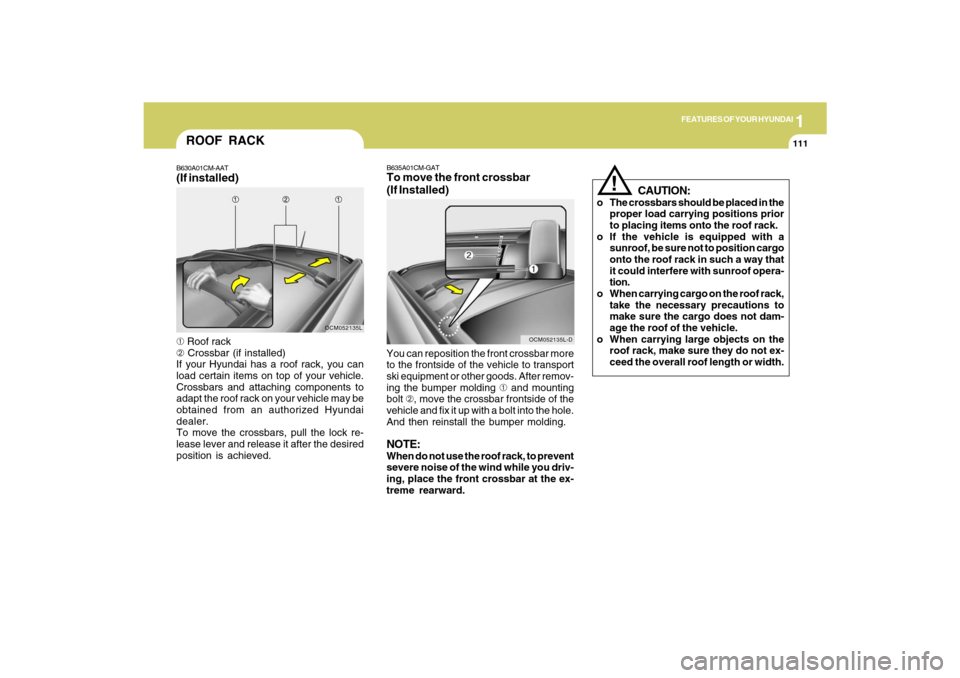
ROOF RACKB630A01CM-AAT(If installed)➀ Roof rack
➁ Crossbar (if installed)
If your Hyundai has a roof rack, you can
load certain items on top of your vehicle.
Crossbars and attaching components to
adapt the roof rack on your vehicle may be
obtained from an authorized Hyundai
dealer.
To move the crossbars, pull the lock re-
lease lever and release it after the desired
position is achieved.
OCM052135L
CAUTION:
o The crossbars should be placed in the
proper load carrying positions prior
to placing items onto the roof rack.
o If the vehicle is equipped with a
sunroof, be sure not to position cargo
onto the roof rack in such a way that
it could interfere with sunroof opera-
tion.
o When carrying cargo on the roof rack,
take the necessary precautions to
make sure the cargo does not dam-
age the roof of the vehicle.
o When carrying large objects on the
roof rack, make sure they do not ex-
ceed the overall roof length or width.
!
B635A01CM-GATTo move the front crossbar
(If Installed)You can reposition the front crossbar more
to the frontside of the vehicle to transport
ski equipment or other goods. After remov-
ing the bumper molding ➀ and mounting
bolt ➁, move the crossbar frontside of the
vehicle and fix it up with a bolt into the hole.
And then reinstall the bumper molding.NOTE:When do not use the roof rack, to prevent
severe noise of the wind while you driv-
ing, place the front crossbar at the ex-
treme rearward.
OCM052135L-D
Page 126 of 353
1
FEATURES OF YOUR HYUNDAI
115
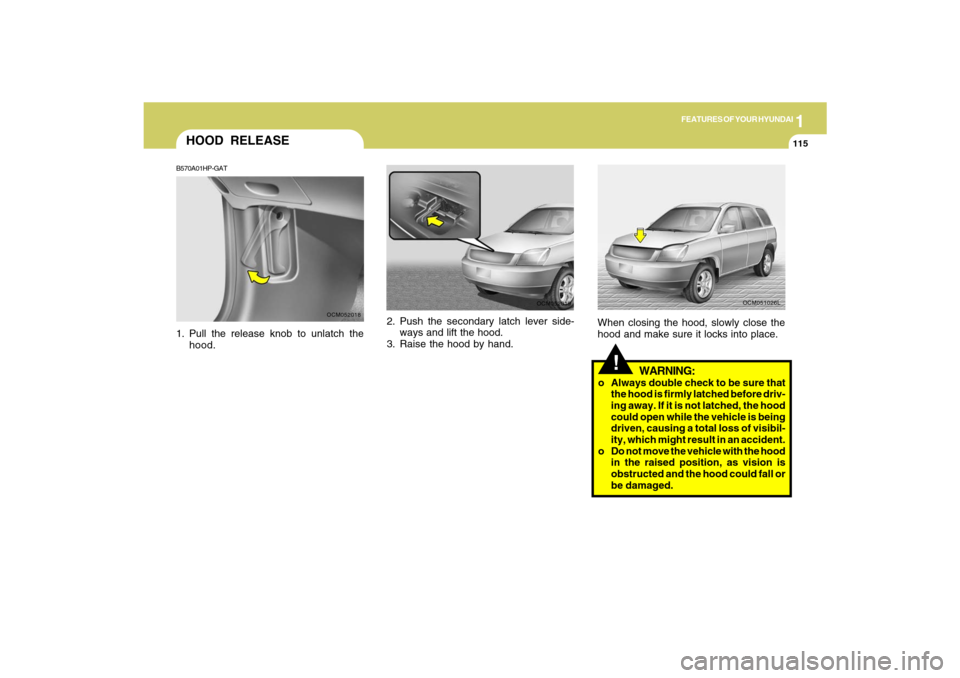
2. Push the secondary latch lever side-
ways and lift the hood.
3. Raise the hood by hand.
OCM052019
HOOD RELEASEB570A01HP-GAT1. Pull the release knob to unlatch the
hood.
OCM052018
!
WARNING:
o Always double check to be sure that
the hood is firmly latched before driv-
ing away. If it is not latched, the hood
could open while the vehicle is being
driven, causing a total loss of visibil-
ity, which might result in an accident.
o Do not move the vehicle with the hood
in the raised position, as vision is
obstructed and the hood could fall or
be damaged.When closing the hood, slowly close the
hood and make sure it locks into place.
OCM051026L
Page 129 of 353
1FEATURES OF YOUR HYUNDAI
118
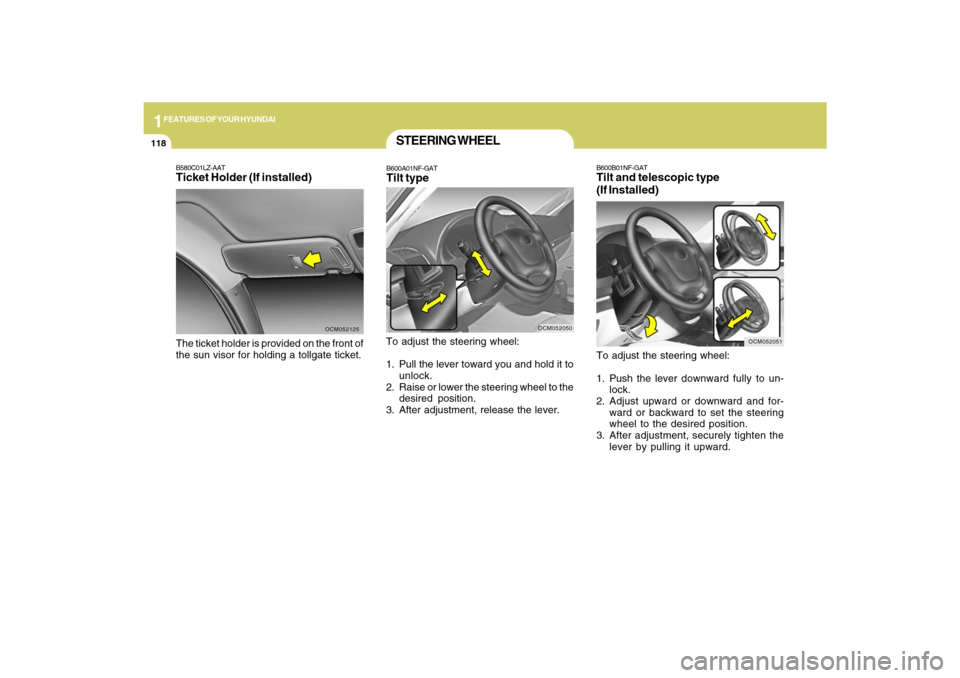
B600B01NF-GATTilt and telescopic type
(If Installed)To adjust the steering wheel:
1. Push the lever downward fully to un-
lock.
2. Adjust upward or downward and for-
ward or backward to set the steering
wheel to the desired position.
3. After adjustment, securely tighten the
lever by pulling it upward.
OCM052051
B580C01LZ-AATTicket Holder (If installed)The ticket holder is provided on the front of
the sun visor for holding a tollgate ticket.
OCM052125
STEERING WHEELB600A01NF-GATTilt typeTo adjust the steering wheel:
1. Pull the lever toward you and hold it to
unlock.
2. Raise or lower the steering wheel to the
desired position.
3. After adjustment, release the lever.
OCM052050
Page 130 of 353
1
FEATURES OF YOUR HYUNDAI
119
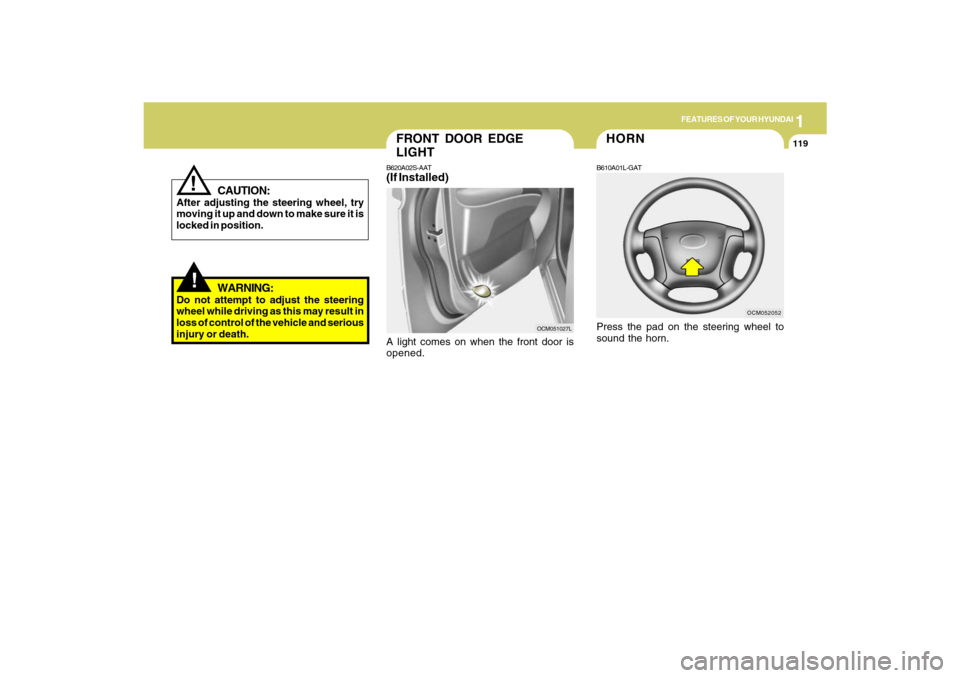
FRONT DOOR EDGE
LIGHTB620A02S-AAT(If Installed)A light comes on when the front door is
opened.
OCM051027L
!
CAUTION:
After adjusting the steering wheel, try
moving it up and down to make sure it is
locked in position.
!
WARNING:
Do not attempt to adjust the steering
wheel while driving as this may result in
loss of control of the vehicle and serious
injury or death.
OCM052052
HORNB610A01L-GATPress the pad on the steering wheel to
sound the horn.
Page 142 of 353
1
FEATURES OF YOUR HYUNDAI
131
FEATURES OF YOUR HYUNDAI
131131131131
B730A01CM-AATOperation Tipso To keep dust or unpleasant fumes from
entering the car through the ventilation
system, temporarily set the air intake
control to (
).
Be sure to return the control to (
)
when the irritation has passed to keep
fresh air in the vehicle. This will help
keep the driver alert and comfortable.
o Air for the heating/cooling system is
drawn in through the grilles just ahead
of the windshield. Care should be taken
that these are not blocked by leaves,
snow, ice or other obstructions.
o To prevent interior fog on the wind-
shield, set the air intake control to the
fresh air (
) position, fan speed to the
desired position, turn on the air condi-
tioning system, and adjust temperature
control to desired temperature.
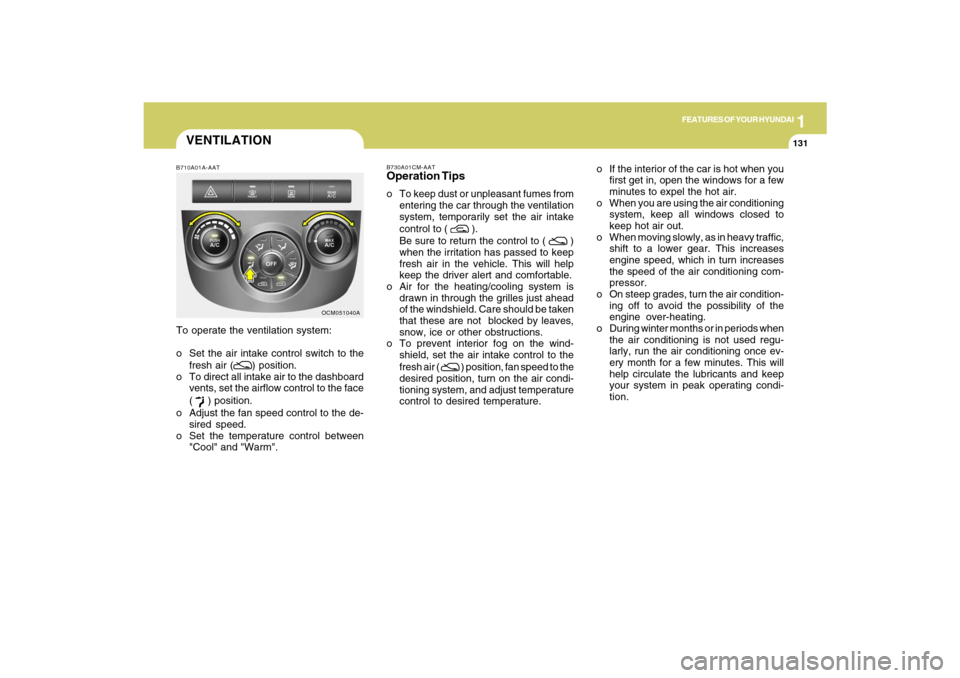
OCM051040A B710A01A-AAT
To operate the ventilation system:
o Set the air intake control switch to the
fresh air (
) position.
o To direct all intake air to the dashboard
vents, set the airflow control to the face
(
) position.
o Adjust the fan speed control to the de-
sired speed.
o Set the temperature control between
"Cool" and "Warm".
VENTILATION
o If the interior of the car is hot when you
first get in, open the windows for a few
minutes to expel the hot air.
o When you are using the air conditioning
system, keep all windows closed to
keep hot air out.
o When moving slowly, as in heavy traffic,
shift to a lower gear. This increases
engine speed, which in turn increases
the speed of the air conditioning com-
pressor.
o On steep grades, turn the air condition-
ing off to avoid the possibility of the
engine over-heating.
o During winter months or in periods when
the air conditioning is not used regu-
larly, run the air conditioning once ev-
ery month for a few minutes. This will
help circulate the lubricants and keep
your system in peak operating condi-
tion.
Page 146 of 353
1
FEATURES OF YOUR HYUNDAI
135
FEATURES OF YOUR HYUNDAI
135135135135
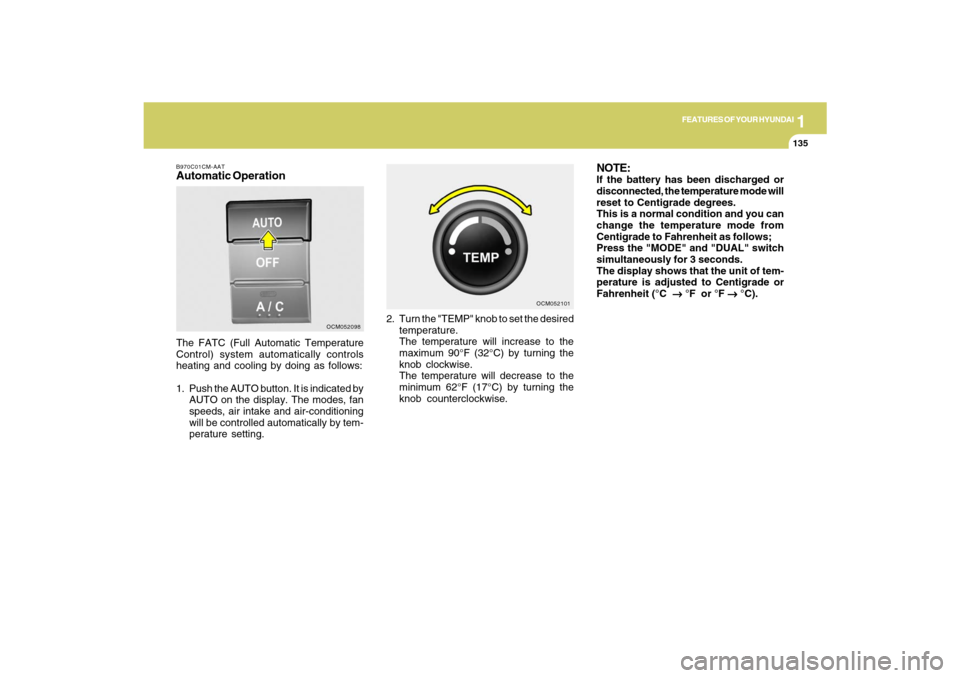
B970C01CM-AATAutomatic OperationThe FATC (Full Automatic Temperature
Control) system automatically controls
heating and cooling by doing as follows:
1. Push the AUTO button. It is indicated by
AUTO on the display. The modes, fan
speeds, air intake and air-conditioning
will be controlled automatically by tem-
perature setting.2. Turn the "TEMP" knob to set the desired
temperature.
The temperature will increase to the
maximum 90°F (32°C) by turning the
knob clockwise.
The temperature will decrease to the
minimum 62°F (17°C) by turning the
knob counterclockwise.
OCM052098OCM052101
NOTE:If the battery has been discharged or
disconnected, the temperature mode will
reset to Centigrade degrees.
This is a normal condition and you can
change the temperature mode from
Centigrade to Fahrenheit as follows;
Press the "MODE" and "DUAL" switch
simultaneously for 3 seconds.
The display shows that the unit of tem-
perature is adjusted to Centigrade or
Fahrenheit (°C
→ →→ →
→ °F or °F
→ →→ →
→ °C).
Page 153 of 353
1FEATURES OF YOUR HYUNDAI
142
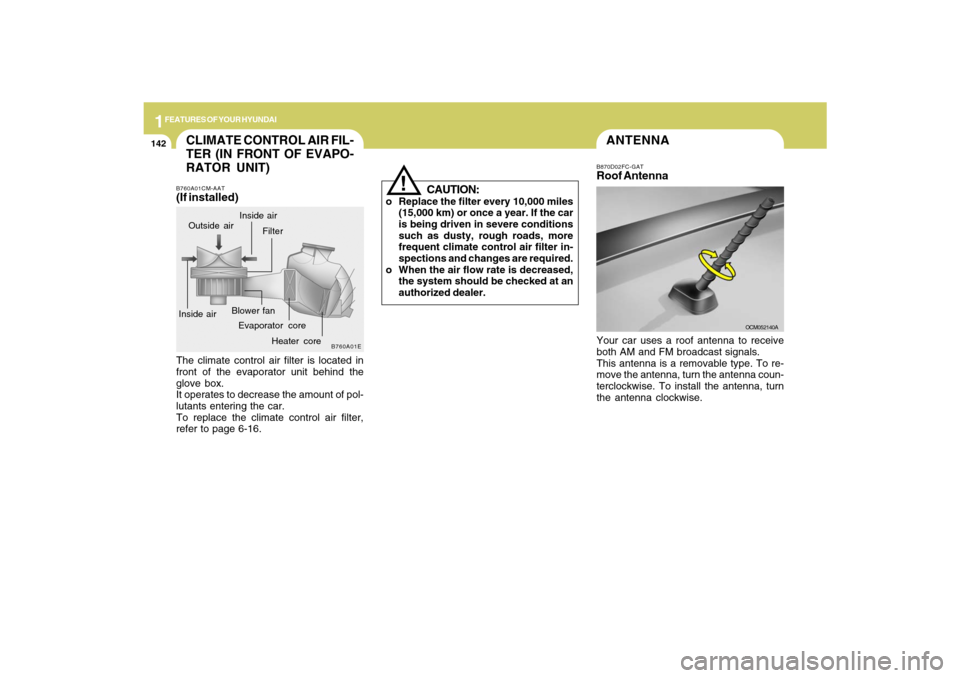
ANTENNA
OCM052140A B870D02FC-GAT
Roof AntennaYour car uses a roof antenna to receive
both AM and FM broadcast signals.
This antenna is a removable type. To re-
move the antenna, turn the antenna coun-
terclockwise. To install the antenna, turn
the antenna clockwise.
CAUTION:
o Replace the filter every 10,000 miles
(15,000 km) or once a year. If the car
is being driven in severe conditions
such as dusty, rough roads, more
frequent climate control air filter in-
spections and changes are required.
o When the air flow rate is decreased,
the system should be checked at an
authorized dealer.
!
CLIMATE CONTROL AIR FIL-
TER (IN FRONT OF EVAPO-
RATOR UNIT)B760A01CM-AAT(If installed)The climate control air filter is located in
front of the evaporator unit behind the
glove box.
It operates to decrease the amount of pol-
lutants entering the car.
To replace the climate control air filter,
refer to page 6-16.
B760A01E
Evaporator coreFilter
Heater core Outside air
Inside airInside airBlower fan
Page 156 of 353
1
FEATURES OF YOUR HYUNDAI
145
FEATURES OF YOUR HYUNDAI
145145145145
!
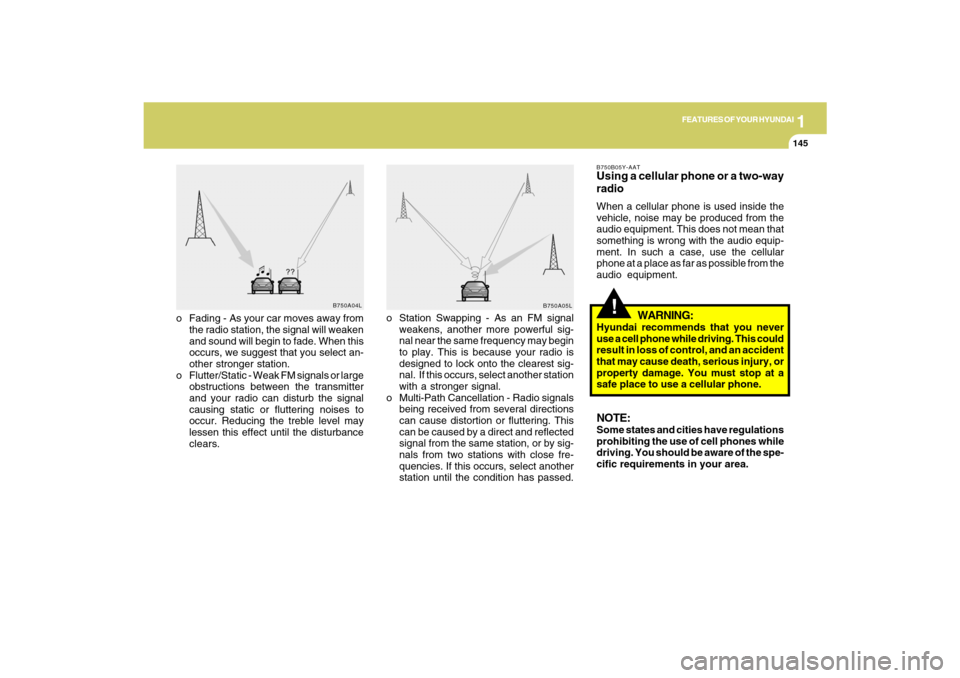
o Fading - As your car moves away from
the radio station, the signal will weaken
and sound will begin to fade. When this
occurs, we suggest that you select an-
other stronger station.
o Flutter/Static - Weak FM signals or large
obstructions between the transmitter
and your radio can disturb the signal
causing static or fluttering noises to
occur. Reducing the treble level may
lessen this effect until the disturbance
clears.o Station Swapping - As an FM signal
weakens, another more powerful sig-
nal near the same frequency may begin
to play. This is because your radio is
designed to lock onto the clearest sig-
nal. If this occurs, select another station
with a stronger signal.
o Multi-Path Cancellation - Radio signals
being received from several directions
can cause distortion or fluttering. This
can be caused by a direct and reflected
signal from the same station, or by sig-
nals from two stations with close fre-
quencies. If this occurs, select another
station until the condition has passed.
B750B05Y-AATUsing a cellular phone or a two-way
radioWhen a cellular phone is used inside the
vehicle, noise may be produced from the
audio equipment. This does not mean that
something is wrong with the audio equip-
ment. In such a case, use the cellular
phone at a place as far as possible from the
audio equipment.
WARNING:
Hyundai recommends that you never
use a cell phone while driving. This could
result in loss of control, and an accident
that may cause death, serious injury, or
property damage. You must stop at a
safe place to use a cellular phone.NOTE:Some states and cities have regulations
prohibiting the use of cell phones while
driving. You should be aware of the spe-
cific requirements in your area.
B750A04L
B750A05L