Child Hyundai Santa Fe 2012 Owner's Guide
[x] Cancel search | Manufacturer: HYUNDAI, Model Year: 2012, Model line: Santa Fe, Model: Hyundai Santa Fe 2012Pages: 419, PDF Size: 5.61 MB
Page 65 of 419
Safety systems of your vehicle
48
3
(Continued)
No objects should be placed over
or near the air bag modules on
the steering wheel, instrument
panel, and the front passenger's
panel above the glove box,
because any such object could
cause harm if the vehicle is in a
crash severe enough to cause
the air bags to deploy.
Never place covers, blankets or seat warmers on the passenger
seat as these may interfere with
the occupant classification sys-
tem.
Do not tamper with or disconnect SRS wiring or other components
of the SRS system. Doing so
could result in injury, due to acci-
dental deployment of the air bags
or by rendering the SRS inopera-
tive.
If the SRS air bag warning light remains illuminated while the
vehicle is being driven, have an
authorized HYUNDAI dealer
inspect the air bag system as
soon as possible.
(Continued)(Continued)
Air bags can only be used once –have an authorized HYUNDAI
dealer replace the air bag imme-
diately after deployment.
The SRS is designed to deploy the front air bags only when an
impact is sufficiently severe and
when the impact angle is less
than 30° from the forward longitu-
dinal axis of the vehicle.
Additionally, the air bags will only
deploy once. Seat belts must be
worn at all times.
Front air bags are not intended to deploy in side-impact, rear-
impact or rollover crashes. In
addition, front air bags will not
deploy in frontal crashes below
the deployment threshold.
(Continued)(Continued)
Even though your vehicle isequipped with the occupant clas-
sification system, do not install a
child restraint system in the front
passenger seat position. A child
restraint system must never be
placed in the front seat. The infant
or child could be severely injured
or killed by an air bag deployment
in case of an accident.
Children age 12 and under must always be properly restrained in
the rear seat. Never allow chil-
dren to ride in the front passen-
ger seat. If a child over 12 must
be seated in the front seat, he or
she must be properly belted and
the seat should be moved as far
back as possible.
For maximum safety protection in all types of crashes, all occu-
pants including the driver should
always wear their seat belts
whether or not an air bag is also
provided at their seating position
to minimize the risk of severe
injury or death in the event of a
crash. Do not sit or lean unneces-
sarily close to the air bag while
the vehicle is in motion.
(Continued)
Page 68 of 419
351
Safety systems of your vehicle
They are designed to help protect the
heads of the front seat occupants and
the rear outboard seat occupants in cer-
tain side impact collisions.
deploy during certain side impact colli-
sions, depending on the crash severity,
angle, speed and point of impact.
The curtain air bags do not only deploy on the side of the impact but also on
the opposite side.
Also, both sides of the curtain air bags deploy in certain rollover situations.
The curtain air bags are not designed to deploy in all side impacts.(Continued)
Never try to open or repair anycomponents of the side curtain
air bag system. This should only
be done by an authorized
HYUNDAI dealer.
Failure to follow the above men-
tioned instructions can result in
injury or death to the vehicle
occupants in an accident.WARNING
In order for side and curtain airbags to provide their best protec-
tion, both front seat occupants
and both outboard rear occu-
pants should sit in an upright
position with the seat belts prop-
erly fastened. Importantly, chil-
dren should sit in a proper child
restraint system in the rear seat.
When children are seated in the rear outboard seats, they must be
seated in the proper child
restraint system.
Make sure to put the child
restraint system as far away from
the door side as possible, and
secure the child restraint system
in a locked position.
Do not allow the passengers to lean their heads or bodies onto
doors, put their arms on the
doors, stretch their arms out of
the window, or place objects
between the doors and passen-
gers when they are seated on
seats equipped with side and/or
curtain air bags.
(Continued)
Page 76 of 419
359
Safety systems of your vehicle
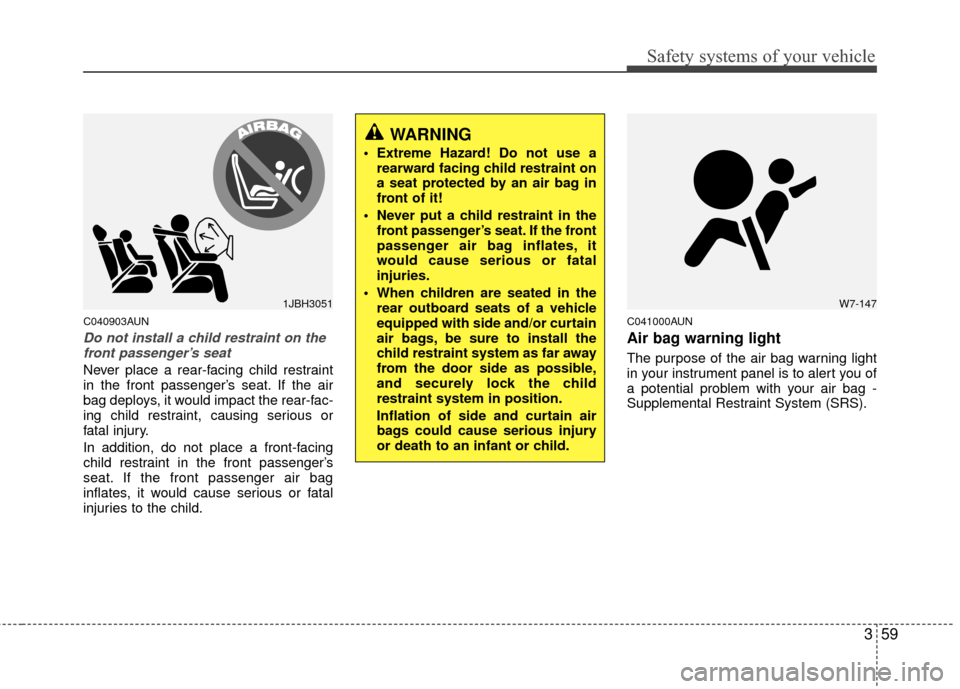
C040903AUN
Do not install a child restraint on thefront passenger’s seat
Never place a rear-facing child restraint
in the front passenger’s seat. If the air
bag deploys, it would impact the rear-fac-
ing child restraint, causing serious or
fatal injury.
In addition, do not place a front-facing
child restraint in the front passenger’s
seat. If the front passenger air bag
inflates, it would cause serious or fatal
injuries to the child.
C041000AUN
Air bag warning light
The purpose of the air bag warning light
in your instrument panel is to alert you of
a potential problem with your air bag -
Supplemental Restraint System (SRS).
1JBH3051
WARNING
Extreme Hazard! Do not use a rearward facing child restraint on
a seat protected by an air bag in
front of it!
Never put a child restraint in the front passenger’s seat. If the front
passenger air bag inflates, it
would cause serious or fatal
injuries.
When children are seated in the rear outboard seats of a vehicle
equipped with side and/or curtain
air bags, be sure to install the
child restraint system as far away
from the door side as possible,
and securely lock the child
restraint system in position.
Inflation of side and curtain air
bags could cause serious injury
or death to an infant or child.
W7-147
Page 78 of 419
361
Safety systems of your vehicle
C041300AUN
Additional safety precautions
Never let passengers ride in the
cargo area or on top of a folded-
down back seat. All occupants should
sit upright, fully back in their seats with
their seat belts on and their feet on the
floor.
Passengers should not move out of
or change seats while the vehicle is
moving. A passenger who is not wear-
ing a seat belt during a crash or emer-
gency stop can be thrown against the
inside of the vehicle, against other
occupants, or out of the vehicle.
Each seat belt is designed to
restrain one occupant. If more than
one person uses the same seat belt,
they could be seriously injured or killed
in a collision.
Do not use any accessories on seat
belts. Devices claiming to improve
occupant comfort or reposition the seat
belt can reduce the protection provided
by the seat belt and increase the
chance of serious injury in a crash.
Passengers should not place hard
or sharp objects between them-
selves and the air bags. Carrying
hard or sharp objects on your lap or in
your mouth can result in injuries if an
air bag inflates.
Keep occupants away from the air
bag covers. All occupants should sit
upright, fully back in their seats with
their seat belts on and their feet on the
floor. If occupants are too close to the
air bag covers, they could be injured if
the air bags inflate.
Do not attach or place objects on or
near the air bag covers. Any object
attached to or placed on the front or
side air bag covers could interfere with
the proper operation of the air bags.
Do not modify the front seats.
Modification of the front seats could
interfere with the operation of the sup-
plemental restraint system sensing
components or side air bags.
Do not place items under the front
seats. Placing items under the front
seats could interfere with the operation
of the supplemental restraint system
sensing components and wiring har-
nesses.
Never hold an infant or child on your
lap. The infant or child could be seri-
ously injured or killed in the event of a
crash. All infants and children should
be properly restrained in appropriate
child safety seats or seat belts in the
rear seat.
(Continued)
If the air bags inflate, they must be replaced by an authorized
HYUNDAI dealer.
Do not tamper with or disconnect SRS wiring, or other components
of the SRS system. Doing so
could result in injury, due to acci-
dental inflation of the air bags or
by rendering the SRS inopera-
tive.
If components of the air bag sys- tem must be discarded, or if the
vehicle must be scrapped, certain
safety precautions must be
observed. An authorized
HYUNDAI dealer knows these
precautions and can give you the
necessary information. Failure to
follow these precautions and pro-
cedures could increase the risk
of personal injury.
If your car was flooded and has soaked carpeting or water on
flooring, you shouldn't try to start
the engine; have the car towed to
an authorized HYUNDAI dealer.
Page 81 of 419
Features of your vehicle
24
D010100AFD
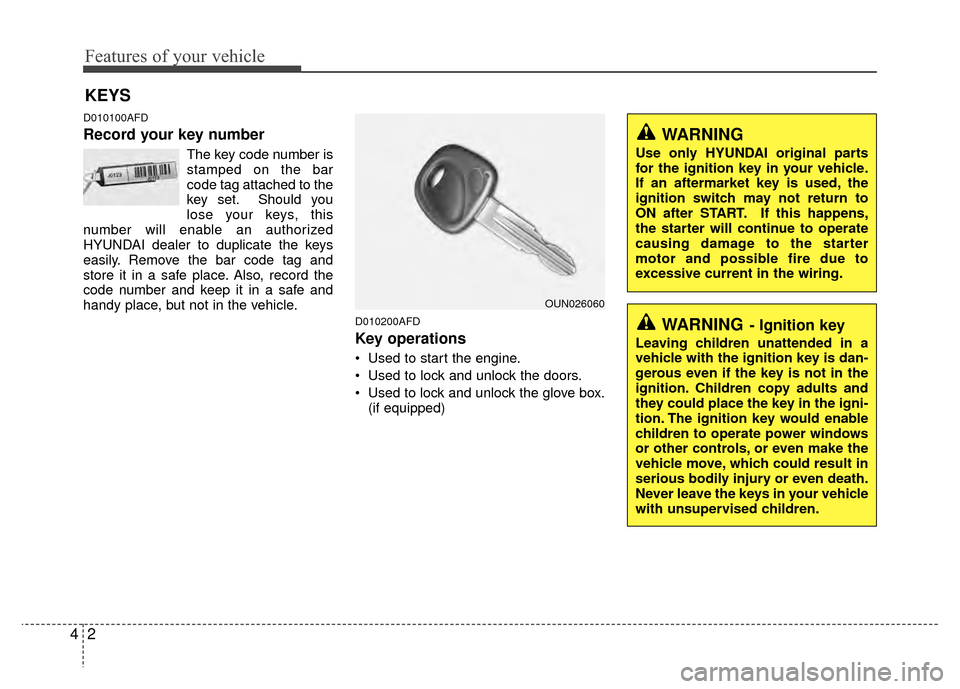
Record your key number
The key code number is
stamped on the bar
code tag attached to the
key set. Should you
lose your keys, this
number will enable an authorized
HYUNDAI dealer to duplicate the keys
easily. Remove the bar code tag and
store it in a safe place. Also, record the
code number and keep it in a safe and
handy place, but not in the vehicle.
D010200AFD
Key operations
• Used to start the engine.
Used to lock and unlock the doors.
Used to lock and unlock the glove box. (if equipped)
KEYS
WARNING- Ignition key
Leaving children unattended in a
vehicle with the ignition key is dan-
gerous even if the key is not in the
ignition. Children copy adults and
they could place the key in the igni-
tion. The ignition key would enable
children to operate power windows
or other controls, or even make the
vehicle move, which could result in
serious bodily injury or even death.
Never leave the keys in your vehicle
with unsupervised children.
WARNING
Use only HYUNDAI original parts
for the ignition key in your vehicle.
If an aftermarket key is used, the
ignition switch may not return to
ON after START. If this happens,
the starter will continue to operate
causing damage to the starter
motor and possible fire due to
excessive current in the wiring.
OUN026060
Page 88 of 419
49
Features of your vehicle
When pushing down on the rear por-tion (2) of the switch, all vehicle doors
will unlock.
However, if the key is in the ignition switch and the driver’s door is opened,
the driver’s door will not lock when the
front portion (1) of the central door lock
switch is pressed.
Also, if the key is in the ignition switch and the passenger front door is
opened, none of the doors will lock
when the front portion (1) of the central
door lock switch is pressed.D050300AUN
Impact sensing door unlock sys-
tem (if equipped)
All doors will be automatically unlocked
when the impact is delivered to impact
sensors while the ignition switch is ON.
However, the doors may not be unlocked
if mechanical problems occur with the
door lock system or battery.
WARNING- Unlocked
vehicles
Leaving your vehicle unlocked can
invite theft or possible harm to you
or others from someone hiding in
your vehicle while you are gone.
Always remove the ignition key,
engage the parking brake, close all
windows and lock all doors when
leaving your vehicle unattended.
WARNING- Unattendedchildren
An enclosed vehicle can become
extremely hot, causing death or
severe injury to unattended chil-
dren or animals who cannot escape
the vehicle. Furthermore, children
might operate features of the vehi-
cle that could injure them, or they
could encounter other harm, possi-
bly from someone gaining entry to
the vehicle. Never leave children or
animals unattended in your vehicle.
WARNING - Doors
The doors should always be fully
closed and locked while the vehi-
cle is in motion to prevent acci-
dental opening of the door.
Locked doors will also discour-
age potential intruders when the
vehicle stops or slows.
Be careful when opening doors and watch for vehicles, motorcy-
cles, bicycles or pedestrians
approaching the vehicle in the
path of the door. Opening a door
when something is approaching
can cause damage or injury.
Page 89 of 419
Features of your vehicle
10
4
Auto door lock/unlock feature
(if equipped)
All doors will automatically lock when
the transaxle shift lever is shifted out of
P(Park).
All doors will automatically unlocked when the transaxle shift lever is
shifted into P(Park).
All doors will automatically unlock when the ignition key is removed from
the ignition switch.
D050500AUN
Child-protector rear door lock
The child safety lock is provided to help
prevent children from accidentally open-
ing the rear doors from inside the vehicle.
The rear door safety locks should be
used whenever children are in the vehi-
cle.
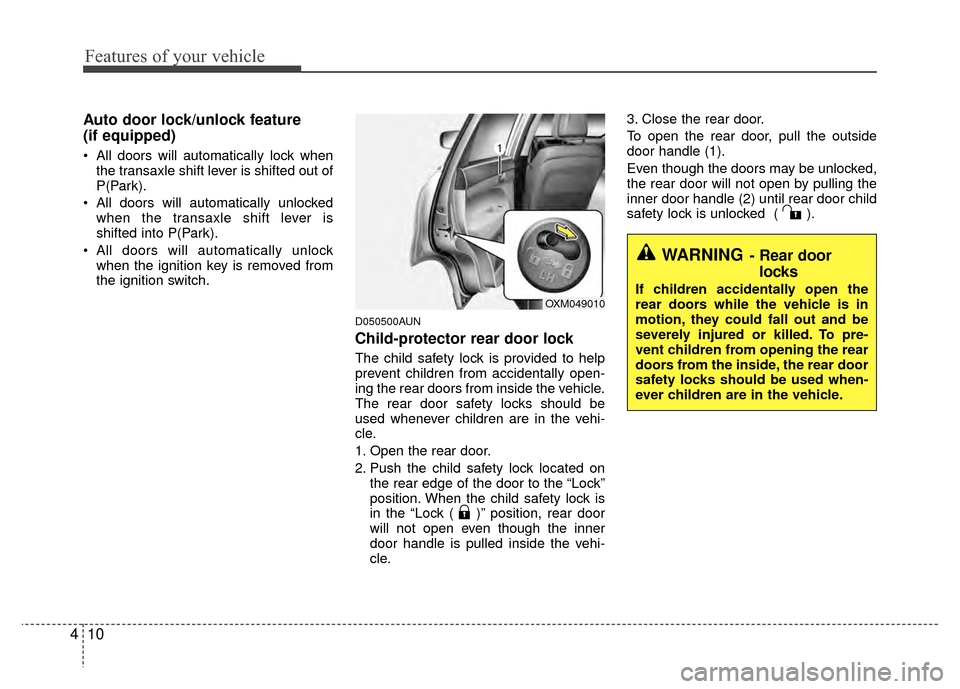
1. Open the rear door.
2. Push the child safety lock located on the rear edge of the door to the “Lock”
position. When the child safety lock is
in the “Lock ( )” position, rear door
will not open even though the inner
door handle is pulled inside the vehi-
cle. 3. Close the rear door.
To open the rear door, pull the outside
door handle (1).
Even though the doors may be unlocked,
the rear door will not open by pulling the
inner door handle (2) until rear door child
safety lock is unlocked ( ).
WARNING- Rear door
locks
If children accidentally open the
rear doors while the vehicle is in
motion, they could fall out and be
severely injured or killed. To pre-
vent children from opening the rear
doors from the inside, the rear door
safety locks should be used when-
ever children are in the vehicle.OXM049010
Page 95 of 419
Features of your vehicle
16
4
CAUTION
To prevent possible damage to
the power window system, do notopen or close two windows ormore at the same time. This willalso ensure the longevity of the fuse.
Never try to operate the main switch on the driver's door andthe individual door windowswitch in the opposite directionsat the same time. If this is done,the window will stop and cannotbe opened or closed.WARNING - Windows
NEVER leave the ignition key in the vehicle.
NEVER leave any child unattend- ed in the vehicle. Even very
young children may inadvertently
cause the vehicle to move, entan-
gle themselves in the windows,
or otherwise injure themselves or
others.
Always double check to make sure all arms, hands, head and
other obstructions are safely out
of the way before closing a win-
dow.
Do not allow children to play with the power windows. Keep the dri-
ver’s door power window lock
switch in the LOCK position
(pressed). Serious injury can
result from unintentional window
operation by the child.
Do not extend face or arms out- side through the window opening
while driving.
Page 175 of 419
Features of your vehicle
96
4
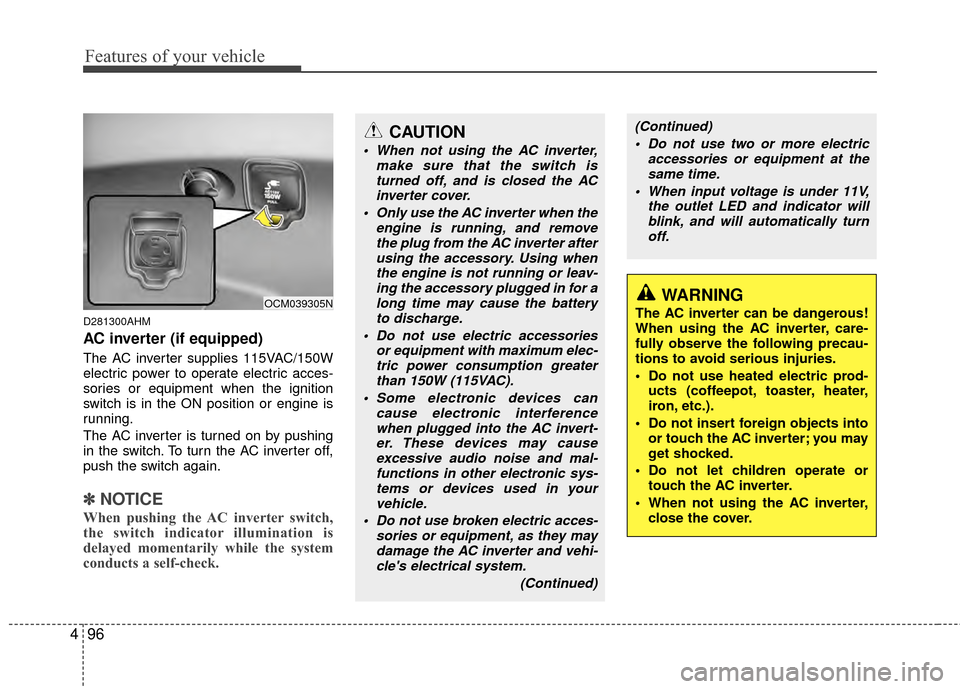
D281300AHM
AC inverter (if equipped)
The AC inverter supplies 115VAC/150W
electric power to operate electric acces-
sories or equipment when the ignition
switch is in the ON position or engine is
running.
The AC inverter is turned on by pushing
in the switch. To turn the AC inverter off,
push the switch again.
✽ ✽
NOTICE
When pushing the AC inverter switch,
the switch indicator illumination is
delayed momentarily while the system
conducts a self-check.
OCM039305N
CAUTION
When not using the AC inverter,
make sure that the switch isturned off, and is closed the ACinverter cover.
Only use the AC inverter when the engine is running, and removethe plug from the AC inverter after using the accessory. Using whenthe engine is not running or leav-ing the accessory plugged in for along time may cause the batteryto discharge.
Do not use electric accessories or equipment with maximum elec-tric power consumption greaterthan 150W (115VAC).
Some electronic devices can cause electronic interferencewhen plugged into the AC invert-er. These devices may cause excessive audio noise and mal-functions in other electronic sys-tems or devices used in yourvehicle.
Do not use broken electric acces- sories or equipment, as they maydamage the AC inverter and vehi-cle's electrical system.
(Continued)
WARNING
The AC inverter can be dangerous!
When using the AC inverter, care-
fully observe the following precau-
tions to avoid serious injuries.
Do not use heated electric prod-ucts (coffeepot, toaster, heater,
iron, etc.).
Do not insert foreign objects into or touch the AC inverter; you may
get shocked.
Do not let children operate or touch the AC inverter.
When not using the AC inverter, close the cover.
(Continued)
Do not use two or more electric accessories or equipment at thesame time.
When input voltage is under 11V, the outlet LED and indicator willblink, and will automatically turn off.
Page 193 of 419
Features of your vehicle
114
4
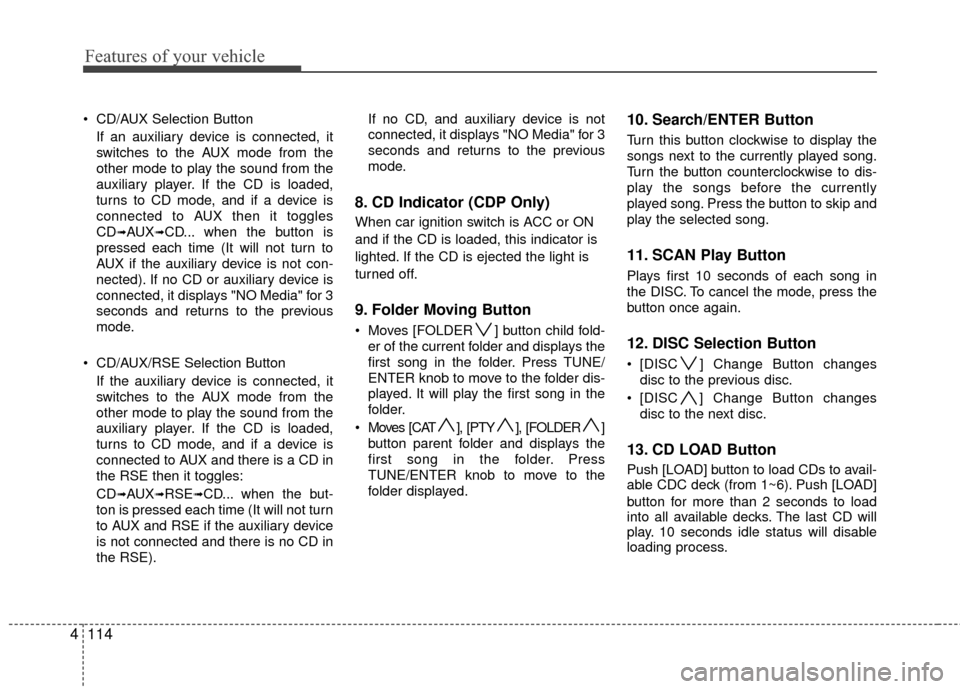
CD/AUX Selection Button
If an auxiliary device is connected, it
switches to the AUX mode from the
other mode to play the sound from the
auxiliary player. If the CD is loaded,
turns to CD mode, and if a device is
connected to AUX then it toggles
CD
➟AUX➟CD... when the button is
pressed each time (It will not turn to
AUX if the auxiliary device is not con-
nected). If no CD or auxiliary device is
connected, it displays "NO Media" for 3
seconds and returns to the previous
mode.
CD/AUX/RSE Selection Button If the auxiliary device is connected, it
switches to the AUX mode from the
other mode to play the sound from the
auxiliary player. If the CD is loaded,
turns to CD mode, and if a device is
connected to AUX and there is a CD in
the RSE then it toggles:
CD
➟AUX➟RSE➟CD... when the but-
ton is pressed each time (It will not turn
to AUX and RSE if the auxiliary device
is not connected and there is no CD in
the RSE). If no CD, and auxiliary device is not
connected, it displays "NO Media" for 3
seconds and returns to the previous
mode.
8. CD Indicator (CDP Only)
When car ignition switch is ACC or ON
and if the CD is loaded, this indicator is
lighted. If the CD is ejected the light is
turned off.
9. Folder Moving Button
Moves [FOLDER ] button child fold-
er of the current folder and displays the
first song in the folder. Press TUNE/
ENTER knob to move to the folder dis-
played. It will play the first song in the
folder.
Moves [CAT ], [PTY ], [FOLDER ] button parent folder and displays the
first song in the folder. Press
TUNE/ENTER knob to move to the
folder displayed.
10. Search/ENTER Button
Turn this button clockwise to display the
songs next to the currently played song.
Turn the button counterclockwise to dis-
play the songs before the currently
played song. Press the button to skip and
play the selected song.
11. SCAN Play Button
Plays first 10 seconds of each song in
the DISC. To cancel the mode, press the
button once again.
12. DISC Selection Button
[DISC ] Change Button changesdisc to the previous disc.
[DISC ] Change Button changes disc to the next disc.
13. CD LOAD Button
Push [LOAD] button to load CDs to avail-
able CDC deck (from 1~6). Push [LOAD]
button for more than 2 seconds to load
into all available decks. The last CD will
play. 10 seconds idle status will disable
loading process.