light Hyundai Santa Fe 2014 Repair Manual
[x] Cancel search | Manufacturer: HYUNDAI, Model Year: 2014, Model line: Santa Fe, Model: Hyundai Santa Fe 2014Pages: 711, PDF Size: 14.72 MB
Page 195 of 711
Features of your vehicle
94 4
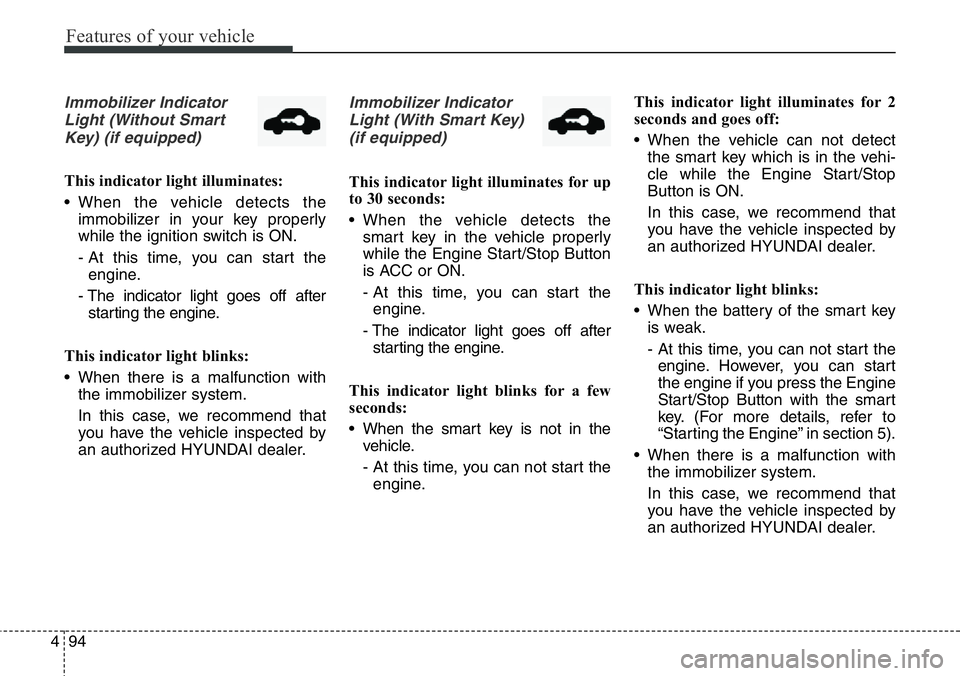
Immobilizer Indicator
Light (Without Smart
Key) (if equipped)
This indicator light illuminates:
• When the vehicle detects the
immobilizer in your key properly
while the ignition switch is ON.
- At this time, you can start the
engine.
- The indicator light goes off after
starting the engine.
This indicator light blinks:
• When there is a malfunction with
the immobilizer system.
In this case, we recommend that
you have the vehicle inspected by
an authorized HYUNDAI dealer.
Immobilizer Indicator
Light (With Smart Key)
(if equipped)
This indicator light illuminates for up
to 30 seconds:
• When the vehicle detects the
smart key in the vehicle properly
while the Engine Start/Stop Button
is ACC or ON.
- At this time, you can start the
engine.
- The indicator light goes off after
starting the engine.
This indicator light blinks for a few
seconds:
• When the smart key is not in the
vehicle.
- At this time, you can not start the
engine.This indicator light illuminates for 2
seconds and goes off:
• When the vehicle can not detect
the smart key which is in the vehi-
cle while the Engine Start/Stop
Button is ON.
In this case, we recommend that
you have the vehicle inspected by
an authorized HYUNDAI dealer.
This indicator light blinks:
• When the battery of the smart key
is weak.
- At this time, you can not start the
engine. However, you can start
the engine if you press the Engine
Start/Stop Button with the smart
key. (For more details, refer to
“Starting the Engine” in section 5).
• When there is a malfunction with
the immobilizer system.
In this case, we recommend that
you have the vehicle inspected by
an authorized HYUNDAI dealer.
Page 196 of 711
495
Features of your vehicle
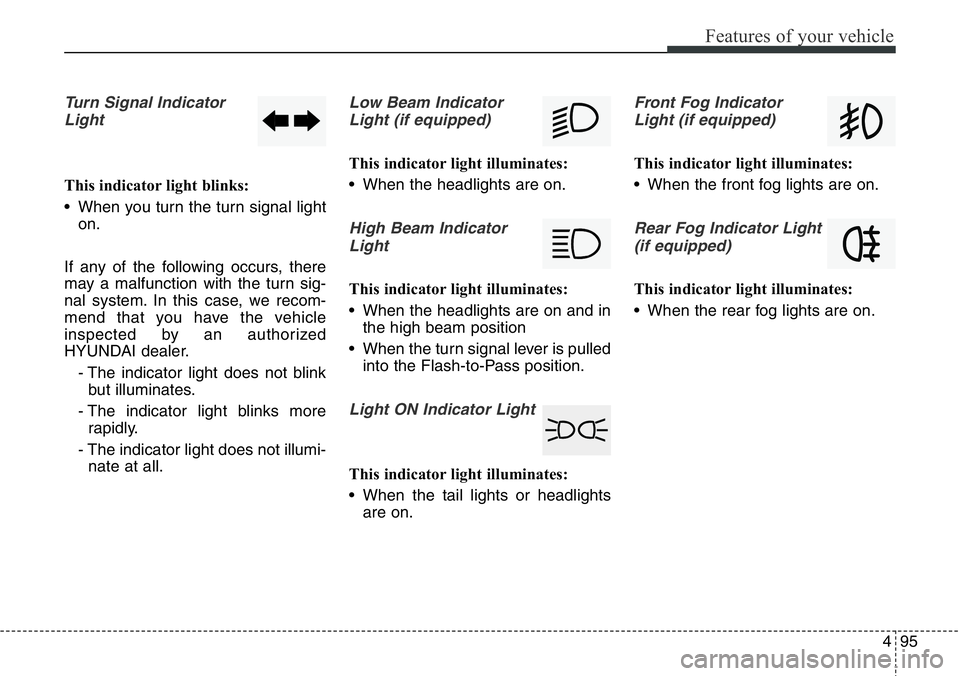
Turn Signal Indicator
Light
This indicator light blinks:
• When you turn the turn signal light
on.
If any of the following occurs, there
may a malfunction with the turn sig-
nal system. In this case, we recom-
mend that you have the vehicle
inspected by an authorized
HYUNDAI dealer.
- The indicator light does not blink
but illuminates.
- The indicator light blinks more
rapidly.
- The indicator light does not illumi-
nate at all.
Low Beam Indicator
Light (if equipped)
This indicator light illuminates:
• When the headlights are on.
High Beam Indicator
Light
This indicator light illuminates:
• When the headlights are on and in
the high beam position
• When the turn signal lever is pulled
into the Flash-to-Pass position.
Light ON Indicator Light
This indicator light illuminates:
• When the tail lights or headlights
are on.
Front Fog Indicator
Light (if equipped)
This indicator light illuminates:
• When the front fog lights are on.
Rear Fog Indicator Light
(if equipped)
This indicator light illuminates:
• When the rear fog lights are on.
Page 197 of 711
![Hyundai Santa Fe 2014 Repair Manual Features of your vehicle
96 4
AUTO HOLD Indicator
Light (if equipped)
This indicator light illuminates:
• [White] When you activate the auto
hold system by pressing the AUTO
HOLD button.
• [Green]](/img/35/16363/w960_16363-196.png "Hyundai Santa Fe 2014 Repair Manual Features of your vehicle
96 4
AUTO HOLD Indicator
Light (if equipped)
This indicator light illuminates:
• [White] When you activate the auto
hold system by pressing the AUTO
HOLD button.
• [Green]")
Features of your vehicle
96 4
AUTO HOLD Indicator
Light (if equipped)
This indicator light illuminates:
• [White] When you activate the auto
hold system by pressing the AUTO
HOLD button.
• [Green] When you stop the vehicle
completely by depressing the
brake pedal with the auto hold sys-
tem activated.
• [Yellow] When there is a malfunc-
tion with the auto hold system.
In this case, we recommend that
you have the vehicle inspected by
an authorized HYUNDAI dealer.
For more details, refer to “Auto Hold”
in chapter 5.
Glow Indicator Light
(Diesel Engine)
This indicator light illuminates:
• When the engine is being preheat-
ed with the ignition switch or
Engine Start/Stop Button in the ON
position.
- The engine can be started after
the glow indicator light goes off.
- The illumination time varies with
the engine coolant temperature,
air temperature, and battery con-
dition.
If the indicator light remains on or
blinks after the engine has warmed
up or while driving, there may a mal-
function with the engine preheating
system.
In this case, we recommend that you
have the vehicle inspected by an
authorized HYUNDAI dealer.
✽NOTICE - Engine Preheating
If the engine does not start within 10
seconds after the preheating is com-
pleted, set the ignition switch or
Engine Start/Stop Button to the
LOCK or OFF position for 10 sec-
onds and then to the ON position in
order to preheat the engine again.AUTO
HOLD
Page 198 of 711
497
Features of your vehicle
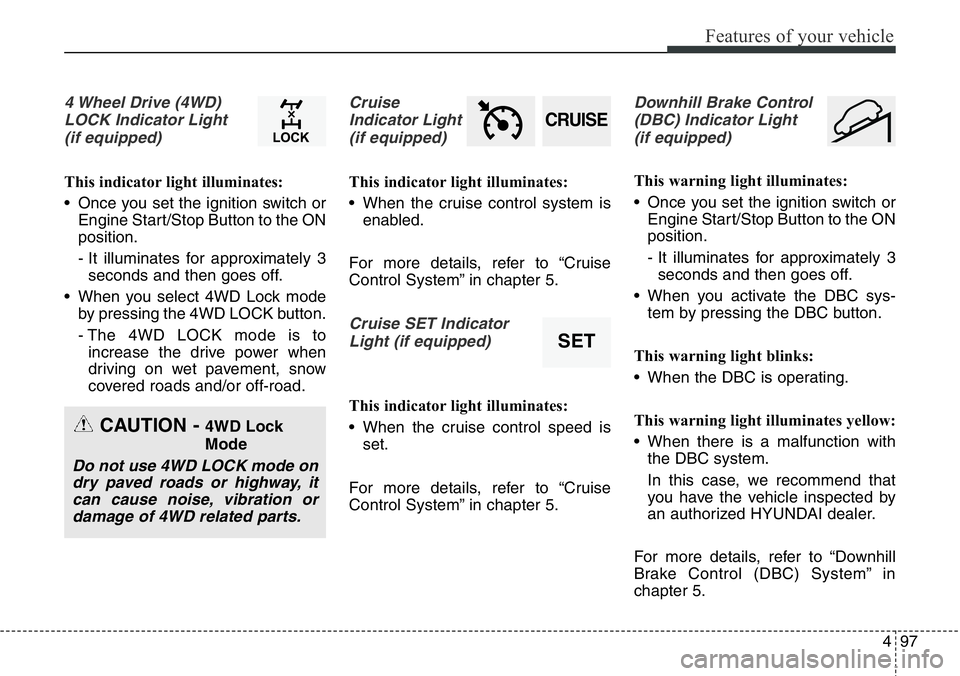
4 Wheel Drive (4WD)
LOCK Indicator Light
(if equipped)
This indicator light illuminates:
• Once you set the ignition switch or
Engine Start/Stop Button to the ON
position.
- It illuminates for approximately 3
seconds and then goes off.
• When you select 4WD Lock mode
by pressing the 4WD LOCK button.
- The 4WD LOCK mode is to
increase the drive power when
driving on wet pavement, snow
covered roads and/or off-road.
Cruise
Indicator Light
(if equipped)
This indicator light illuminates:
• When the cruise control system is
enabled.
For more details, refer to “Cruise
Control System” in chapter 5.
Cruise SET Indicator
Light (if equipped)
This indicator light illuminates:
• When the cruise control speed is
set.
For more details, refer to “Cruise
Control System” in chapter 5.
Downhill Brake Control
(DBC) Indicator Light
(if equipped)
This warning light illuminates:
• Once you set the ignition switch or
Engine Start/Stop Button to the ON
position.
- It illuminates for approximately 3
seconds and then goes off.
• When you activate the DBC sys-
tem by pressing the DBC button.
This warning light blinks:
• When the DBC is operating.
This warning light illuminates yellow:
• When there is a malfunction with
the DBC system.
In this case, we recommend that
you have the vehicle inspected by
an authorized HYUNDAI dealer.
For more details, refer to “Downhill
Brake Control (DBC) System” in
chapter 5.
CRUISE
SET
CAUTION - 4WD Lock
Mode
Do not use 4WD LOCK mode on
dry paved roads or highway, it
can cause noise, vibration or
damage of 4WD related parts.
Page 219 of 711
Features of your vehicle
118 4
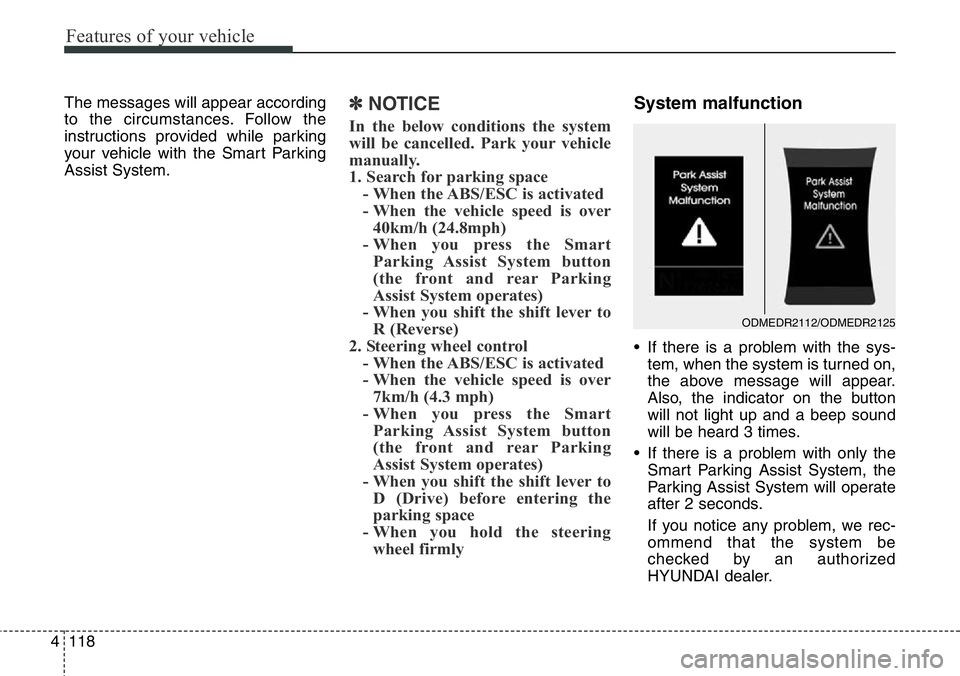
The messages will appear according
to the circumstances. Follow the
instructions provided while parking
your vehicle with the Smart Parking
Assist System.✽NOTICE
In the below conditions the system
will be cancelled. Park your vehicle
manually.
1. Search for parking space
- When the ABS/ESC is activated
- When the vehicle speed is over
40km/h (24.8mph)
- When you press the Smart
Parking Assist System button
(the front and rear Parking
Assist System operates)
- When you shift the shift lever to
R (Reverse)
2. Steering wheel control
- When the ABS/ESC is activated
- When the vehicle speed is over
7km/h (4.3 mph)
- When you press the Smart
Parking Assist System button
(the front and rear Parking
Assist System operates)
- When you shift the shift lever to
D (Drive) before entering the
parking space
- When you hold the steering
wheel firmly
System malfunction
• If there is a problem with the sys-
tem, when the system is turned on,
the above message will appear.
Also, the indicator on the button
will not light up and a beep sound
will be heard 3 times.
• If there is a problem with only the
Smart Parking Assist System, the
Parking Assist System will operate
after 2 seconds.
If you notice any problem, we rec-
ommend that the system be
checked by an authorized
HYUNDAI dealer.
ODMEDR2112/ODMEDR2125
Page 220 of 711
4119
Features of your vehicle
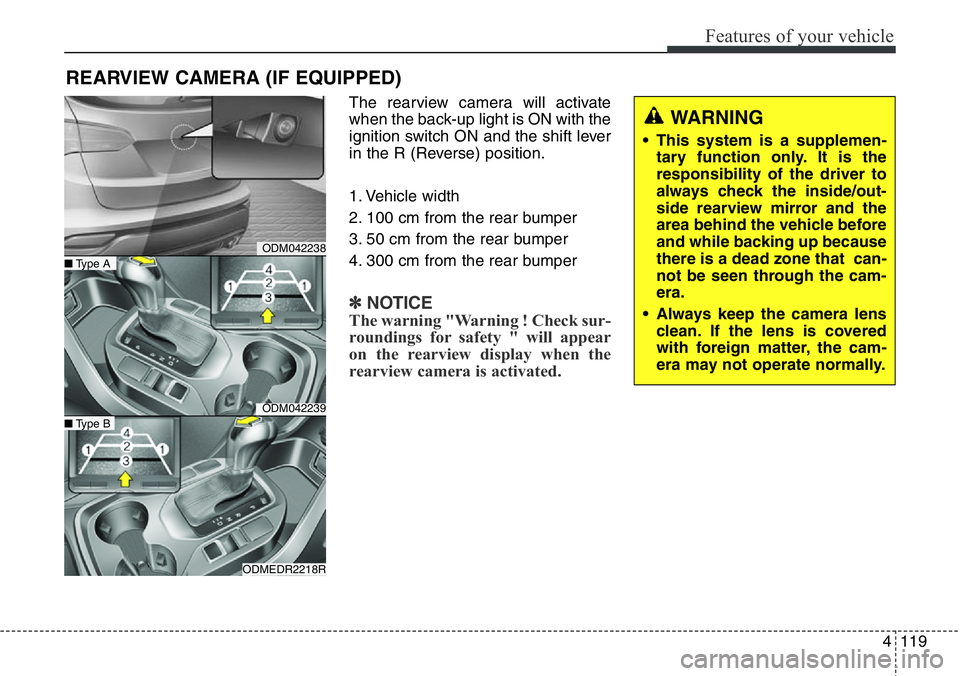
The rearview camera will activate
when the back-up light is ON with the
ignition switch ON and the shift lever
in the R (Reverse) position.
1. Vehicle width
2. 100 cm from the rear bumper
3. 50 cm from the rear bumper
4. 300 cm from the rear bumper
✽NOTICE
The warning "Warning ! Check sur-
roundings for safety " will appear
on the rearview display when the
rearview camera is activated.
REARVIEW CAMERA (IF EQUIPPED)
WARNING
• This system is a supplemen-
tary function only. It is the
responsibility of the driver to
always check the inside/out-
side rearview mirror and the
area behind the vehicle before
and while backing up because
there is a dead zone that can-
not be seen through the cam-
era.
• Always keep the camera lens
clean. If the lens is covered
with foreign matter, the cam-
era may not operate normally.
ODM042238
ODM042239
ODMEDR2218R
■Type A
■Type B
Page 221 of 711
Features of your vehicle
120 4
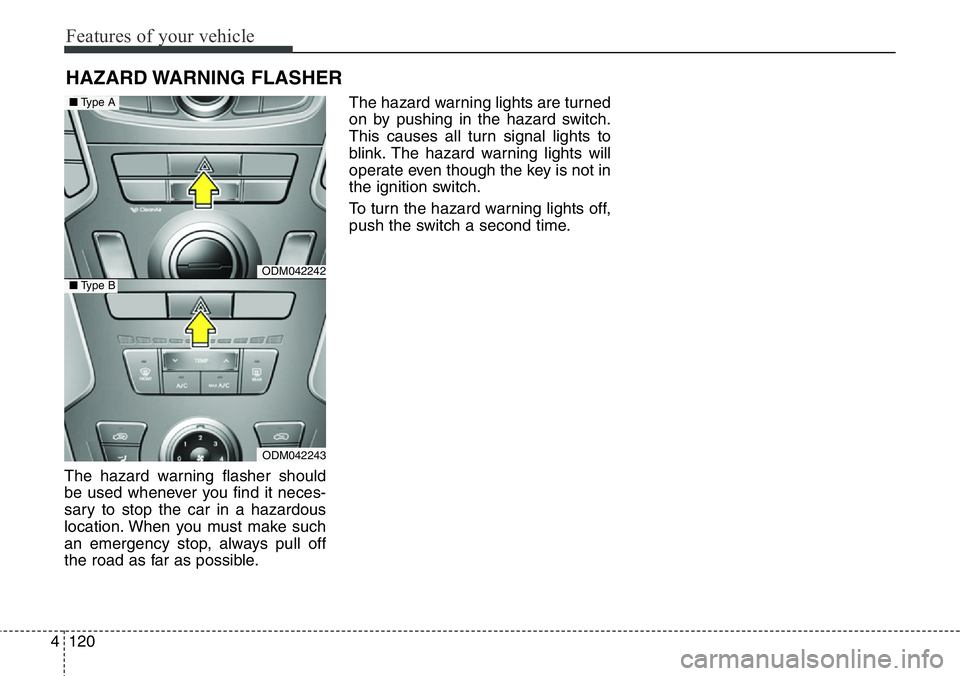
The hazard warning flasher should
be used whenever you find it neces-
sary to stop the car in a hazardous
location. When you must make such
an emergency stop, always pull off
the road as far as possible.The hazard warning lights are turned
on by pushing in the hazard switch.
This causes all turn signal lights to
blink. The hazard warning lights will
operate even though the key is not in
the ignition switch.
To turn the hazard warning lights off,
push the switch a second time.
HAZARD WARNING FLASHER
ODM042242
ODM042243
■Type A
■Type B
Page 222 of 711
4121
Features of your vehicle
Battery saver function
• The purpose of this feature is to
prevent the battery from being dis-
charged. The system automatically
turns off the parking lights when
the driver removes the ignition key
and opens the driver- side door.
• With this feature, the parking lights
will be turned off automatically if
the driver parks on the side of road
at night.
If necessary, to keep the lights on
when the ignition key is removed,
perform the following :
1) Open the driver-side door.
2) Turn the parking lights OFF and
ON again using the light switch
on the steering column.
Headlight (Headlamp) escort
function (if equipped)
The headlights (and/or taillights)
remain on for approximately 5 min-
utes after the ignition key is removed
or turned to the ACC or LOCK posi-
tion. However, if the driver’s door is
opened and closed, the headlights
are turned off after 15 seconds.
The headlights can be turned off by
pressing the lock button on the trans-
mitter or smart key twice or turning
off the light switch from the headlight
or Auto light position.
Smart cornering light
(if equipped)
While driving the corner, for your
sight and safety, the smart cornering
light turns on when all the below con-
ditions are satisfied:
• Headlights are turned on.
• Vehicle speed is under 40km/h.
• The turn signal light is turned on to
the direction that you try to turn.
LIGHTING
CAUTION
If the driver gets out of the vehi-
cle through other doors (except
driver’s door), the battery saver
function does not operate.
Therefore, it causes the battery
to be discharged. In this case,
make sure to turn off the lamp
before getting out of the vehicle.
Page 223 of 711
Features of your vehicle
122 4
Lighting control
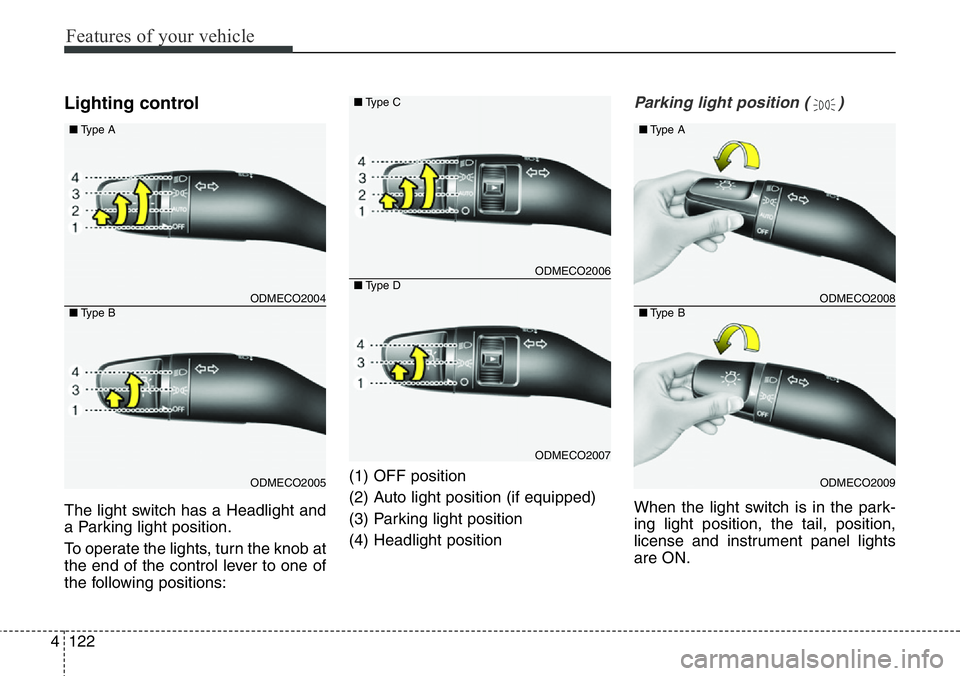
The light switch has a Headlight and
a Parking light position.
To operate the lights, turn the knob at
the end of the control lever to one of
the following positions:(1) OFF position
(2) Auto light position (if equipped)
(3) Parking light position
(4) Headlight position
Parking light position ( )
When the light switch is in the park-
ing light position, the tail, position,
license and instrument panel lights
are ON.
ODMECO2004
ODMECO2005 ■Type A
■Type B
ODMECO2006
ODMECO2007 ■Type C
■Type D
ODMECO2008
ODMECO2009 ■Type A
■Type B
Page 224 of 711
4123
Features of your vehicle
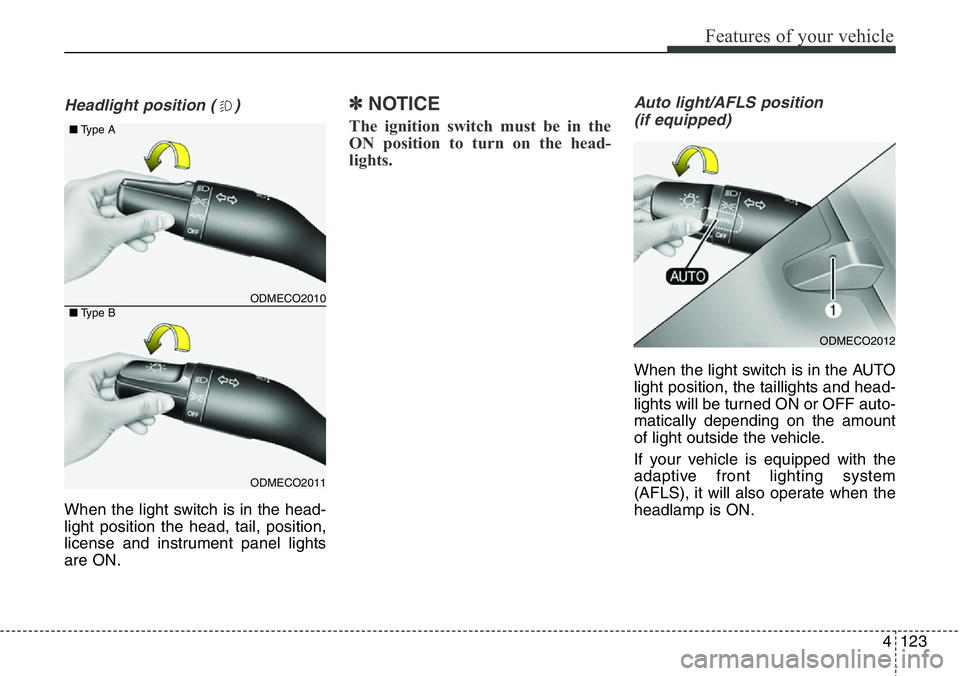
Headlight position ( )
When the light switch is in the head-
light position the head, tail, position,
license and instrument panel lights
are ON.
✽NOTICE
The ignition switch must be in the
ON position to turn on the head-
lights.
Auto light/AFLS position
(if equipped)
When the light switch is in the AUTO
light position, the taillights and head-
lights will be turned ON or OFF auto-
matically depending on the amount
of light outside the vehicle.
If your vehicle is equipped with the
adaptive front lighting system
(AFLS), it will also operate when the
headlamp is ON.
ODMECO2010
ODMECO2011 ■Type A
■Type B
ODMECO2012