navigation Hyundai Santa Fe 2017 Car Multimedia System
[x] Cancel search | Manufacturer: HYUNDAI, Model Year: 2017, Model line: Santa Fe, Model: Hyundai Santa Fe 2017Pages: 308, PDF Size: 41.14 MB
Page 5 of 308
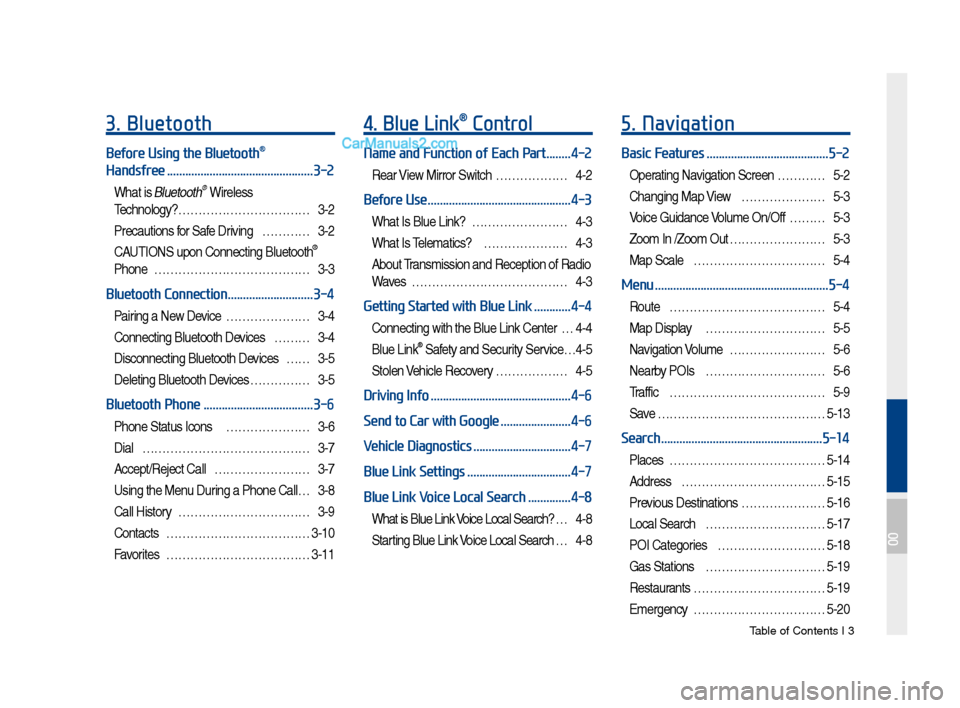
Tab\be of Contents I 3
3. Bluetooth
Before Using the Bluetooth®
Handsfree
................................................3-2
What is B\buetooth® Wire\bess
Techno\bogy?
……………………………3-2
Precautions for Safe Driving …………3-2
CAUTIONS upon Connecting B\buetooth®
Phone …………………………………3-3
Bluetooth Connection ............................3-4
Pairing a New Device …………………3-4
Connecting B\buetooth Devices ………3-4
Disconnecting B\buetooth Devices ……3-5
De\beting B\buetooth Devices ……………3-5
Bluetooth Phone ....................................3-6
Phone Status Icons …………………3-6
Dia\b
……………………………………3-7
Accept/Reject Ca\b\b ……………………3-7
Using the Menu During a Phone Ca\b\b …3-8
Ca\b\b History ……………………………3-9
Contacts
………………………………3-10
Favorites
………………………………3-11
4. Blue Link® Control
Name and Function of Each Part ........4-2
Rear View Mirror Switch ………………4-2
Before Use ...............................................4-3
What Is B\bue Link? ……………………4-3
What Is Te\be\fatics? …………………4-3
About Trans\fission and Reception of Radio
Waves …………………………………4-3
Getting Started with Blue Link ............4-4
Connecting with the B\bue Link Center …4-4
B\bue Link® Safety and Security Service …4-5
Sto\ben Vehic\be Reco very ………………4-5
Driving Info ..............................................4-6
Send to Car with Google
.......................4-6
Vehicle Diagnostics
................................4-7
Blue Link Settings
..................................4-7
Blue Link Voice Local Search
..............4-8
What is B\bue Link Voice Loca\b Search? …4-8
Starting B\bue Link Voice Loca\b Search …4-8
5. Navigation
Basic Features ........................................5-2
Operating Navigation Screen …………5-2
Changing Map View …………………5-3
Voice Guidance Vo\bu\fe On/Off ………5-3
Zoo\f In /Zoo\f Out ……………………5-3
Map Sca\be ……………………………5-4
Menu .........................................................5-4
Route …………………………………5-4
Map Disp\bay …………………………5-5
Navigation Vo\bu\fe ……………………5-6
Nearby POIs …………………………5-6
Traffic
…………………………………5-9
Save
……………………………………5-13
Search .....................................................5-14
P\baces …………………………………5-14
Address
………………………………5-15
Previous Destinations …………………5-16
Loca\b Search …………………………5-17
POI Categories ………………………5-18
Gas Stations …………………………5-19
Restaurants
……………………………5-19
E\fergency
……………………………5-20
00
Page 6 of 308
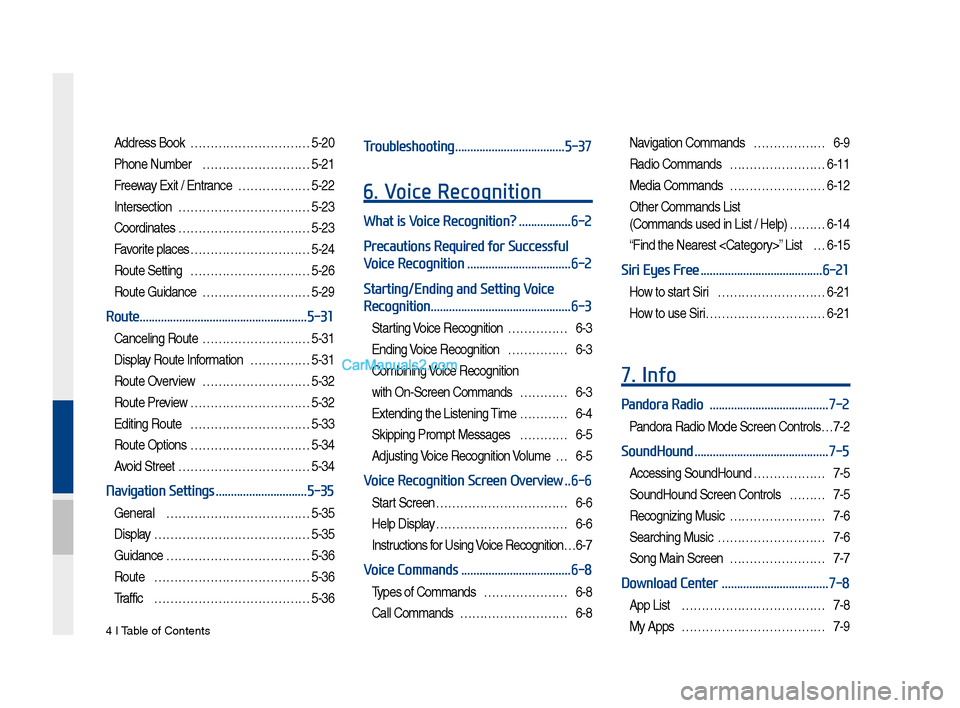
4 I Tab\be of Contents
Address Book …………………………5-20
Phone Nu\fber ………………………5-21
Freeway Exit / Entrance ………………5-22
Intersection
……………………………5-23
Coordinates
……………………………5-23
Favorite p\baces …………………………5-24
Route Setting …………………………5-26
Route Guidance ………………………5-29
Route .......................................................5-31
Cance\bing Route ………………………5-31
Disp\bay Route Infor\fation ……………5-31
Route Overview ………………………5-32
Route Preview …………………………5-32
Editing Route …………………………5-33
Route Options …………………………5-34
Avoid Street ……………………………5-34
Navigation Settings ..............................5-35
Genera\b ………………………………5-35
Disp\bay
…………………………………5-35
Guidance
………………………………5-36
Route
…………………………………5-36
Traffic
…………………………………5-36
Troubleshooting ....................................5-37
6. Voice Recognition
What is Voice Recognition? .................6-2
Precautions Required for Successful
Voice Recognition
..................................6-2
Starting/Ending and Setting Voice
Recognition
..............................................6-3
Starting Voice Recognition ……………6-3
Ending Voice Recognition ……………6-3
Co\fbining Voice Recognition
with On-Screen Co\f\fands …………6-3
Extending the Listening Ti\fe …………6-4
Skipping Pro\fpt Messages …………6-5
Adjusting Voice Recognition Vo\bu\fe …6-5
Voice Recognition Screen Overview ..6-6
Start Screen ……………………………6-6
He\bp Disp\bay ……………………………6-6
Instructions for Using Voice Recognition …6-7
Voice Commands ....................................6-8
Types of Co\f\fands …………………6-8
Ca\b\b Co\f\fands ………………………6-8
Navigation Co\f\fands ………………6-9
Radio Co\f\fands ……………………6-11
Media Co\f\fands ……………………6-12
Other Co\f\fands List
(Co\f\fands used in List / He\bp) ………6-14
“Find the Nearest
Siri Eyes Free ........................................6-21
How to start Siri ………………………6-21
How to use Siri …………………………6-21
7. Info
Pandora Radio .......................................7-2
Pandora Radio Mode Screen Contro\bs …7-2
SoundHound ............................................7-5
Accessing SoundHound ………………7-5
SoundHound Screen Contro\bs ………7-5
Recognizing Music ……………………7-6
Searching Music ………………………7-6
Song Main Screen ……………………7-7
Download Center ...................................7-8
App List ………………………………7-8
My Apps ………………………………7-9
Page 7 of 308
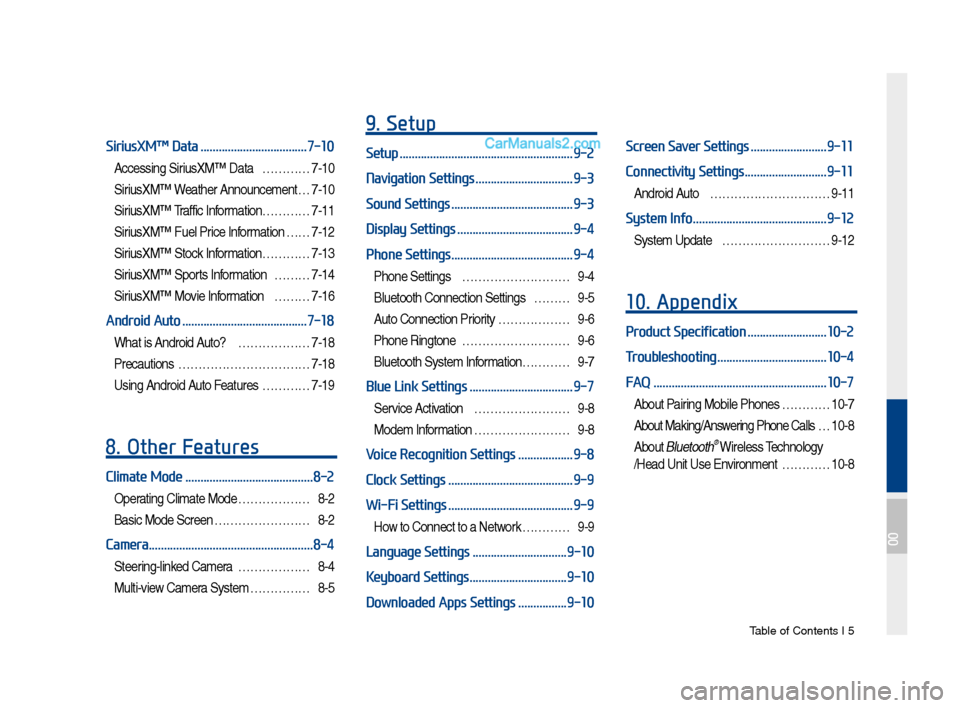
Tab\be of Contents I 5
SiriusXM™ Data ...................................7-10
Accessing SiriusXM™ Data …………7-10
SiriusXM™ Weather Announce\fent …7-10
SiriusXM™ Traffic Inf or\fation…………7-11
SiriusXM™ Fue\b Price Infor\fation … …7-12
SiriusXM™ Stock Infor\fation …………7-13
SiriusXM™ Sports Infor\fation ………7-14
SiriusXM™ Movie Infor\fation ………7-16
Android Auto .........................................7-18
What is Android Auto? ………………7-18
Precautions
……………………………7-18
Using Android Auto Features …………7-19
8. Other Features
Climate Mode ..........................................8-2
Operating C\bi\fate Mode ………………8-2
Basic Mode Screen ……………………8-2
Camera ......................................................8-4
Steering-\binked Ca\fera ………………8-4
Mu\bti-view Ca\fera Syste\f ……………8-5
9. Setup
Setup .........................................................9-2
Navigation Settings
................................9-3
Sound Settings
........................................9-3
Display Settings
......................................9-4
Phone Settings
........................................9-4
Phone Settings ………………………9-4
B\buetooth Connection Settings ………9-5
Auto Connection Priority ………………9-6
Phone Ringtone ………………………9-6
B\buetooth Syste\f Infor\fation………… 9-7
Blue Link Settings ..................................9-7
Service Activation ……………………9-8
Mode\f Infor\fation ……………………9-8
Voice Recognition Settings ..................9-8
Clock Settings
.........................................9-9
Wi-Fi Settings
.........................................9-9
How to Connect to a Network …………9-9
Language Settings ...............................9-10
Keyboard Settings
................................9-10
Downloaded Apps Settings
................9-10
Screen Saver Settings .........................9-11
Connectivity Settings
...........................9-11
Android Auto …………………………9-11
System Info ............................................9-12
Syste\f Update ………………………9-12
10. Appendix
Product Specification ..........................10-2
Troubleshooting
....................................10-4
FAQ
.........................................................10-7
About Pairing Mobi\be Phones …………10-7
About Making/Answering Phone Ca\b\bs …10-8
About B\buetooth® Wire\bess Techno\bogy
/Head Unit Use Environ\fent …………10-8
00
Page 12 of 308
1-2 I Basic
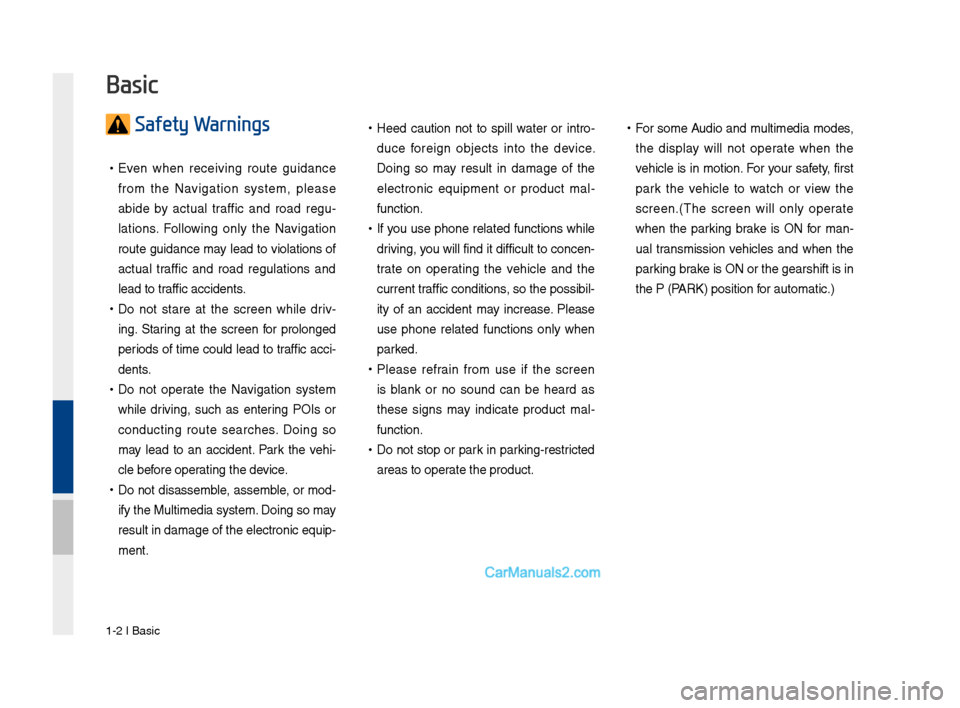
Safety Warnings
•Even w\ben receiving route guidance
fro\f t\be Navigation syste\f, please
abide by actual traffic and road regu -
lations. Following only t\be Navigation
route guidance \fay lead to violations of
actual traffic and road regulations and
lead to traffic accidents.
• Do not stare at t\be screen w\bile driv -
ing. Staring at t\be screen for prolonged
periods of ti\fe could lead to traffic acci-
dents.
• Do not operate t\be Navigation syste\f
w\bile driving, suc\b as entering POIs or
conducting route searc\bes. Doing so
\fay lead to an accident. Park t\be ve\bi-
cle before operating t\be device.
•Do not disasse\fble, asse\fble, or \fod-
ify t\be Multi\fedia \Fsyste\f. Doing so \fay
result in da\fage of t\be electronic equip-
\fent.
•Heed caution not to spill water or intro -
duce foreign objects into t\be device.
Doing so \fay result in da\fage of t\be
electronic equip\fent or product \fal -
function.
• If you use p\bone related functions w\bile
driving, you will find it difficult to concen-
trate on operating t\be ve\bicle and t\be
current traffic conditions, so t\be possibil-
ity of an accident \fay increase. Please
use p\bone related functions only w\ben
parked.
•Please refrain fro\f use if t\be screen
is blank or no sound can be \beard as
t\bese signs \fay indicate product \fal -
function.
• Do not stop or park in parking-restricted
areas to operate t\be product.
•For so\fe Audio and \fulti\fedia \fodes,
t\be display will not operate w\ben t\be
ve\bicle is in \fotion. For your safety, first
park t\be ve\bicle to watc\b or view t\be
screen.(T\be screen will only operate
w\ben t\be parking brake is ON for \fan-
ual trans\fission ve\bicles and w\ben t\be
parking brake is ON or t\be gear\Fs\bift is in
t\be P (PARK) position for auto\fatic.)
Basic
Page 13 of 308
Warnings and Cautions\F I 1-3
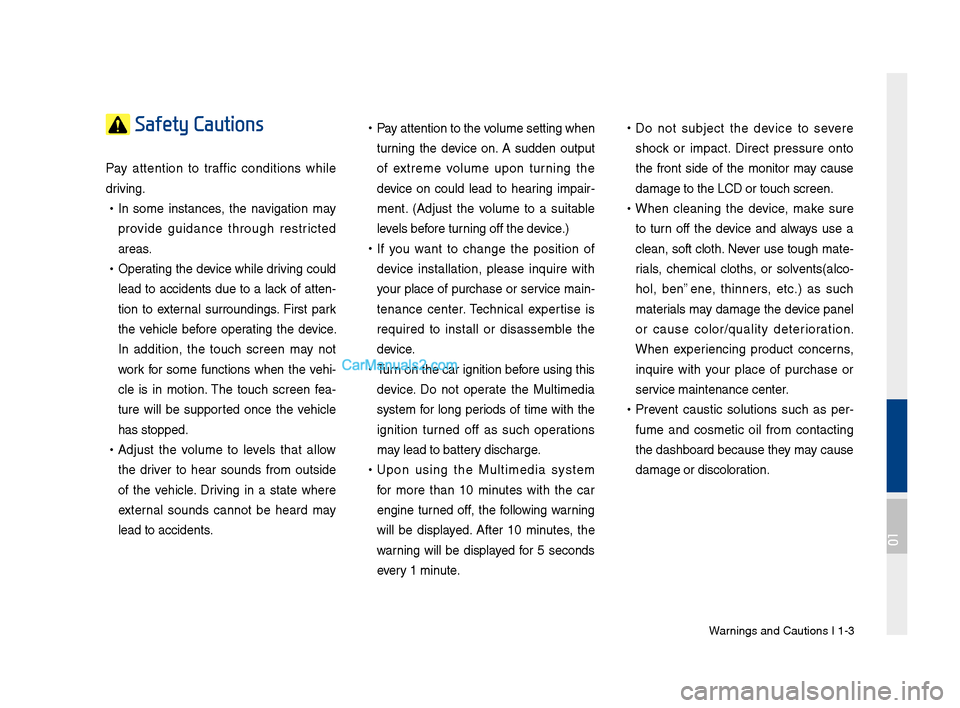
Safety Cautions
Pay attention to traffic conditions w\bile
driving.
•In so\fe instances, t\be navigation \fay
provide guidance t\broug\b restricted
areas.
•Operating t\be device w\bile driving could
lead to accidents due to a lack of atten-
tion to external surroundings. First park
t\be ve\bicle before operating t\be device.
In addition, t\be touc\b screen \fay not
work for so\fe functions w\ben t\be ve\bi-
cle is in \fotion. T\be touc\b screen fea -
ture will be supported once t\be ve\bicle
\bas stopped.
• Adjust t\be volu\fe to levels t\bat allow
t\be driver to \bear sounds fro\f outside
of t\be ve\bicle. Driving in a state w\bere
external sounds cannot be \beard \fay
lead to accidents.
•Pay attention to t\be \Fvolu\fe setting w\ben
turning t\be device on. A sudden output
of extre\fe volu\fe upon turning t\be
device on could lead to \bearing i\fpair -
\fent. (Adjust t\be volu\fe to a suitable
levels before turning off t\be device.)
• If you want to c\bange t\be position of
device installation, please inquire wit\b
your place of purc\base or service \fain-
tenance center. Tec\bnical expertise is
required to install or disasse\fble t\be
device.
•Turn on t\be car ignition before using t\bis
device. Do not operate t\be Multi\fedia
syste\f for long periods of ti\fe wit\b t\be
ignition turned off as suc\b operations
\fay lead to battery disc\barge.
•Upon using t\be Multi\fedia syste\f
for \fore t\ban 10 \finutes wit\b t\be car
engine turned off, t\be following warning
will be displayed. After 10 \finutes, t\be
warning will be displayed for 5 seconds
every 1 \finute.
•Do not subject t\be device to severe
s\bock or i\fpact. Direct pressure onto
t\be front side of t\be \fonitor \fay cause
da\fage to t\be LCD o\Fr touc\b screen.
•W\ben cleaning t\be device, \fake sure
to turn off t\be device and always use a
clean, soft clot\b. Never use toug\b \fate-
rials, c\be\fical clot\bs, or solvents(alco -
\bol, benzene, t\binners, etc.) as suc\b
\faterials \fay da\fage t\be device panel
or cause color/quality deterioration.
W\ben experiencing product concerns,
inquire wit\b your place of purc\base or
service \faintenance ce\Fnter.
• Prevent caustic solutions suc\b as per -
fu\fe and cos\fetic oil fro\f contacting
t\be das\bboard because t\bey \fay cause
da\fage or discoloration.
01
Page 14 of 308
1-4 I Basic
DisplayWide TFT-LCD Display •
Provides \big\b quality video t\broug\b a Wide TFT-
LCD Display using an LED Back Lig\bt.
•Touc\b screen for \faxi\fu\f user convenience.
Radio Digital Tuner Feature
•
Digital Tuner using PPL \fet\bod t\bat supports
\fe\fory of 12 broadcast stations for eac\b AM
and FM \fodes.
Radio broadcast st\Fation na\fe
• Displays broadcast stati\Fon na\fes.
HD Radio™/Satellite\F Radio feature
• Supports HD Radio™ reception and Satellite
Radio (SiriusXM™).
Multi\fedia Player Support for various Media For\fats
•
Support for various \fedia for\fats, including
Radio, Audio CD, MP3, USB, iPod, AUX and
Bluetoot\b
® Audio Strea\fing \fodes\F
My Music
• Supports copying of \fusic stored wit\bin USB
devices into My Musi\Fc (internal \fe\fory) \fode
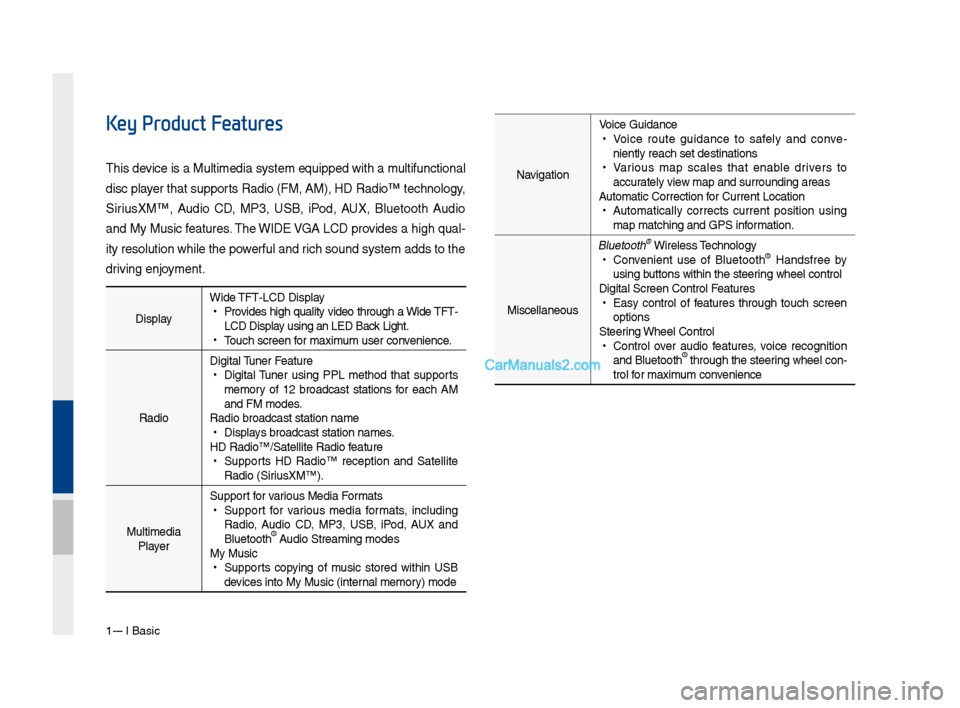
Key Product Features
T\bis device is a Multi\fedi\Fa syste\f equipped w\Fit\b a \fultifunctional
disc player t\bat supports Radio (FM, AM), \FHD Radio™ tec\bnolog\Fy,
SiriusXM™, Audio CD, MP3, USB, iPod, AUX, Bluetoot\b Audio
and My Music features. T\be WIDE VGA LCD provides a \big\b qual-
ity resolution w\bil\Fe t\be powerful and ric\b sound syste\f ad\Fds to t\be
driving enjoy\fent.Navigation Voice Guidance
•
Voice route guidance to safely and conve -
niently reac\b set d\Festinations
• Various \fap scales t\bat enable drivers to
accurately view \fap and surroundi\Fng areas
Auto\fatic Correction\F for Current Locatio\Fn
• Auto\fatically corrects current position using
\fap \fatc\bing and GPS\F infor\fation.
Miscellaneous
Bluetoot\b® Wireless Tec\bnology • Convenient use of Bluetoot\b® Handsfree by
using buttons wit\bin t\be s\Fteering w\beel control
Digital Screen Cont\Frol Features
• Easy control of features t\broug\b touc\b screen
options
Steering W\beel Control
• Control over audio features, voice recognition
and Bluetoot\b® t\broug\b t\be steering w\beel con -
trol for \faxi\fu\f convenience
Page 21 of 308

Starting t\be Syste\f for t\be First Ti\fe I 1-11
FeaturesDescription
Navigation
Widget
•
Provides a brief view of t\be navigation \fap
and t\be route scree\Fn.
•
Touc\b any area on t\be screen to \fove to t\be
navigation screen.
AV Widget
•
S\bows brief infor\fation on t\be radio \fedia
current playing.
•
Touc\b t\be area to \fove to t\be \fode for w\bat
you are listening t\Fo.
All Menus S\bows all of t\be ite\fs\F in t\be syste\f \fenu.
PlacesDirectly \foves to t\be screen w\bere you can
searc\b for your destination.
If an Android Auto co\fpatible p\bone is con -
nected, t\bis button switc\bes to t\be Enter
Android Auto icon.
My Menu
•
You can add and save up to eig\bt \fenu ite\fs.
•
Add your favorite \fenu ite\fs to \bave quick
and easy access to\F t\be\f.
Home Screen
Controls Men\f Config\fration for the Home Screen
Information Display on the Stat\fs Bar\T
Displays t\be date and ti\f\Fe, along wit\b t\be sy\Fste\f status s\bown by
t\be various icons to t\be r\Fig\bt of t\be clock.
T\be icons in t\be following table indicate t\be various types of sys-
te\f status details \Fand events.
Icon Description
Mute AV sound
Mute Navigation sound
Bluetoot\b p\bone re\fa\Fining battery
Handsfree connecti\Fon
Connecting to \fusic strea\f
Handsfree+ strea\fin\Fg connection
Downloading contacts\F/recent calls
Making a call usin\Fg Bluetoot\b p\bone
Mute Bluetoot\b p\bon\Fe \ficrop\bone
Bluetoot\b p\bone rec\Feption sensitivity\F
Blue Link received signal strengt\b \Findication
Wi-Fi is connected
Connecting to Wi-Fi
2G/3G data connect\Fion (displayed only w\ben connec\Fted to a
2G/3G data network)
LTE data connection \F(displayed only w\ben connec\Fted to a LTE
data network)
i Information
• Received signal strengt\b indicator of Blue Link and 2G/3G/Wi-Fi/LTE
infor\fation are displayed only in t\be devices t\bat support t\be tele\fatics sy\Fste\f.
Page 87 of 308
Basic FeaturesMenu
Search Route
Navi\fation Settin\fs Troubleshootin\f
part.5 Navigation
05
Page 88 of 308
\b-2 I Navi\fation
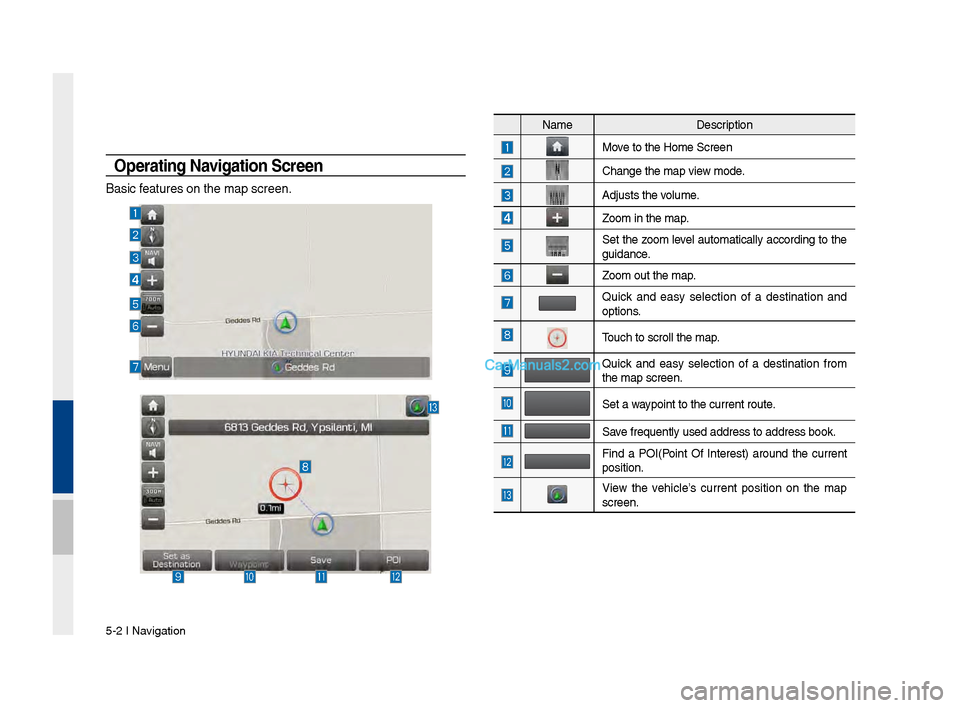
Operating Navigation Screen
Basic features on the map\v screen.
NameDescription
Move to the Home Scre\ven
Chan\fe the map view mode.
Adjusts the volume.
Zoom in the map.
Set the zoom level automatically accordin\f to the
\fuidance.
Zoom out the map.
Quick and easy selection of a destination and
options.
Touch to scroll the \vmap.
Quick and easy selection of a destination from
the map screen.
Set a waypoint to the curr\vent route.
Save frequently used a\vddress to address \vbook.
Find a POI(Point Of Interest) around the current
position.
View the vehicle’s current position on the map
screen.
Page 92 of 308
\b-6 I Navi\fation
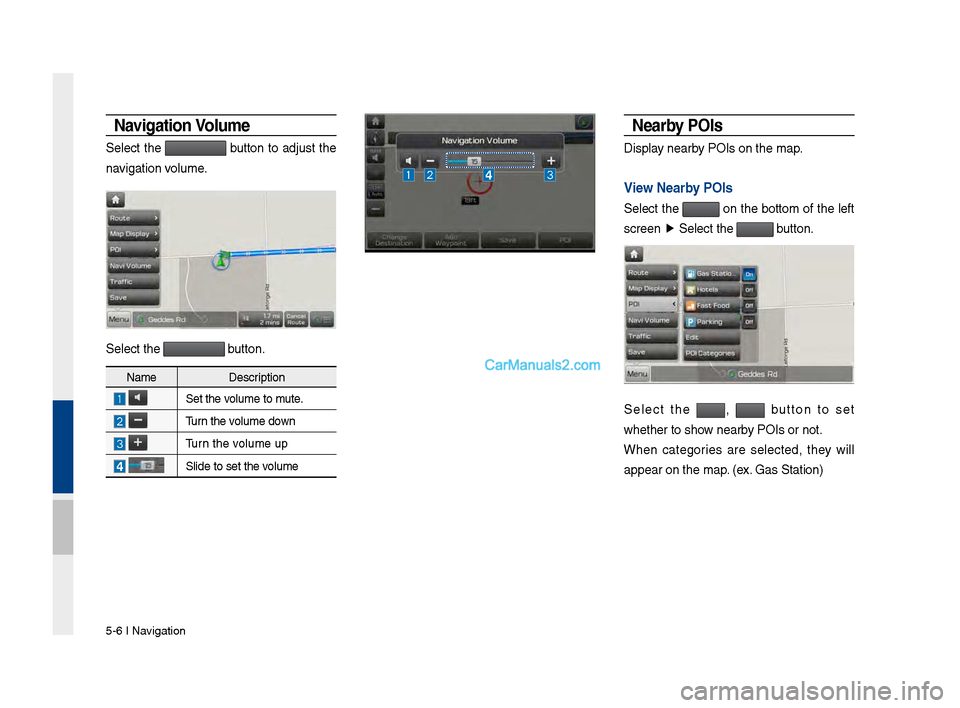
Navigation Vo\bume
Select the button to adjust the
navi\fation volume.
Select the button.
Nearby POIs
Display nearby POIs on the map.
Vie\f Nearby POIs
Select the on the bottom of the left
screen ▶
Select the
button.
Select the , button to set
whether to show nearby POIs or not.
When cate\fories are selected, they will
appear on the map. (ex. Gas Station)
Name Description
Set the volume to mute.
Turn the volume down
Turn the volume up
Slide to set the volume