automatic Hyundai Santa Fe 2017 Manual Online
[x] Cancel search | Manufacturer: HYUNDAI, Model Year: 2017, Model line: Santa Fe, Model: Hyundai Santa Fe 2017Pages: 569, PDF Size: 16.88 MB
Page 344 of 569
Driving your vehicle
52
5
WARNING
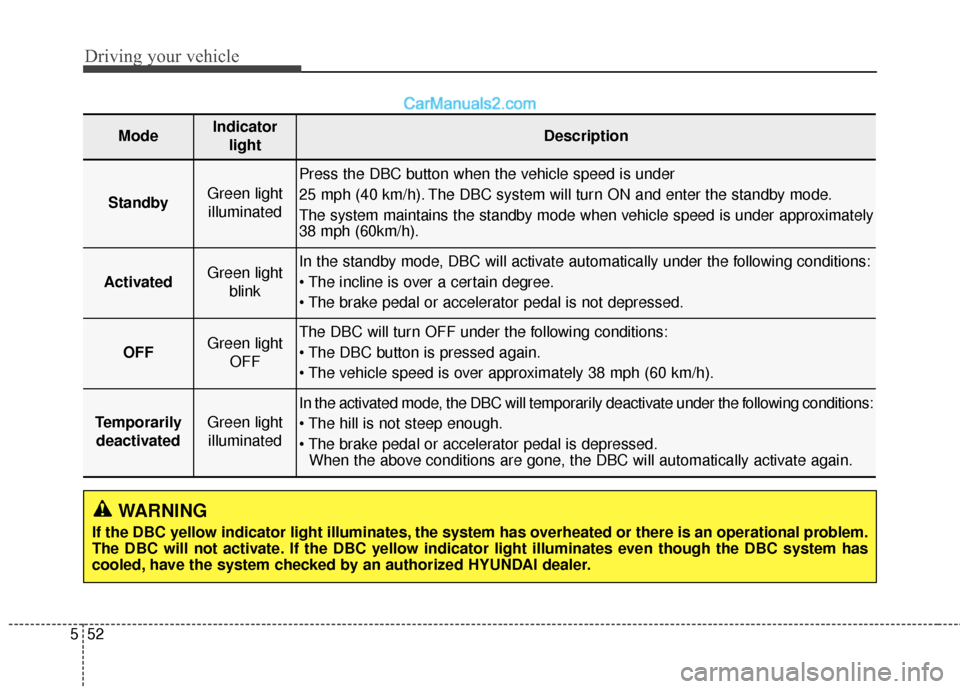
If the DBC yellow indicator light illuminates, the system has overheated or there is an operational problem.
The DBC will not activate. If the DBC yellow indicator light illuminates even though the DBC system has
cooled, have the system checked by an authorized HYUNDAI dealer.
ModeIndicator
lightDescription
StandbyGreen lightilluminated
Press the DBC button when the vehicle speed is under
25 mph (40 km/h). The DBC system will turn ON and enter the standby mode.
The system maintains the standby mode when vehicle speed is under approximately
38 mph (60km/h).
ActivatedGreen light blinkIn the standby mode, DBC will activate automatically under the following conditions:
OFFGreen light OFFThe DBC will turn OFF under the following conditions:
TemporarilydeactivatedGreen lightilluminated
In the activated mode, the DBC will temporarily deactivate under the following conditions:
When the above conditions are gone, the DBC will automatically activate again.
Page 345 of 569
553
Driving your vehicle
✽
✽NOTICE
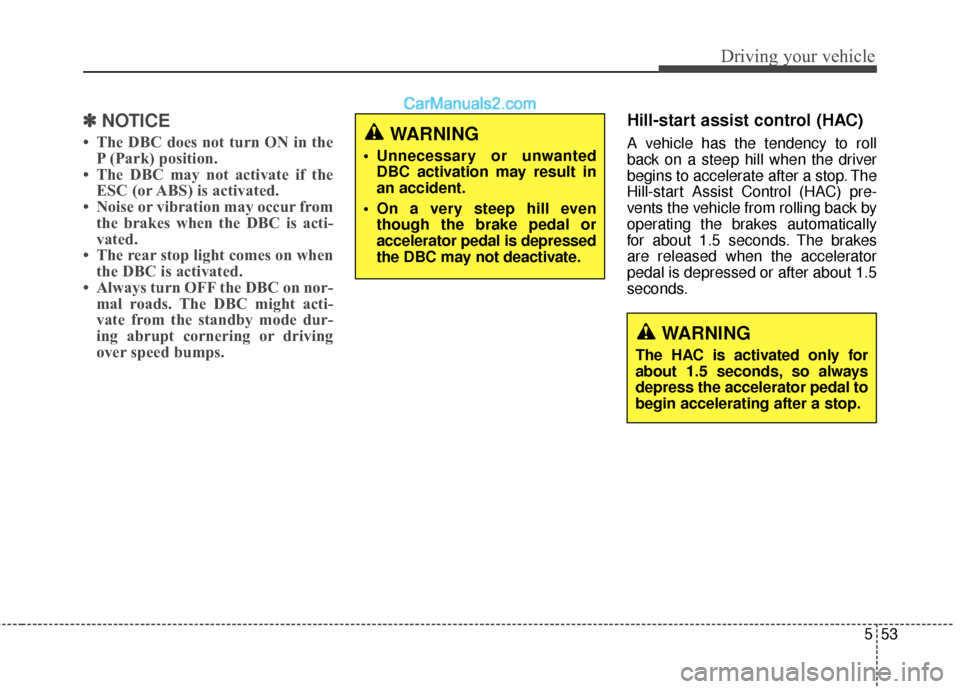
• The DBC does not turn ON in the
P (Park) position.
• The DBC may not activate if the ESC (or ABS) is activated.
• Noise or vibration may occur from the brakes when the DBC is acti-
vated.
• The rear stop light comes on when the DBC is activated.
• Always turn OFF the DBC on nor- mal roads. The DBC might acti-
vate from the standby mode dur-
ing abrupt cornering or driving
over speed bumps.
Hill-start assist control (HAC)
A vehicle has the tendency to roll
back on a steep hill when the driver
begins to accelerate after a stop. The
Hill-start Assist Control (HAC) pre-
vents the vehicle from rolling back by
operating the brakes automatically
for about 1.5 seconds. The brakes
are released when the accelerator
pedal is depressed or after about 1.5
seconds.WARNING
Unnecessary or unwanted
DBC activation may result in
an accident.
On a very steep hill even though the brake pedal or
accelerator pedal is depressed
the DBC may not deactivate.
WARNING
The HAC is activated only for
about 1.5 seconds, so always
depress the accelerator pedal to
begin accelerating after a stop.
Page 347 of 569
555
Driving your vehicle
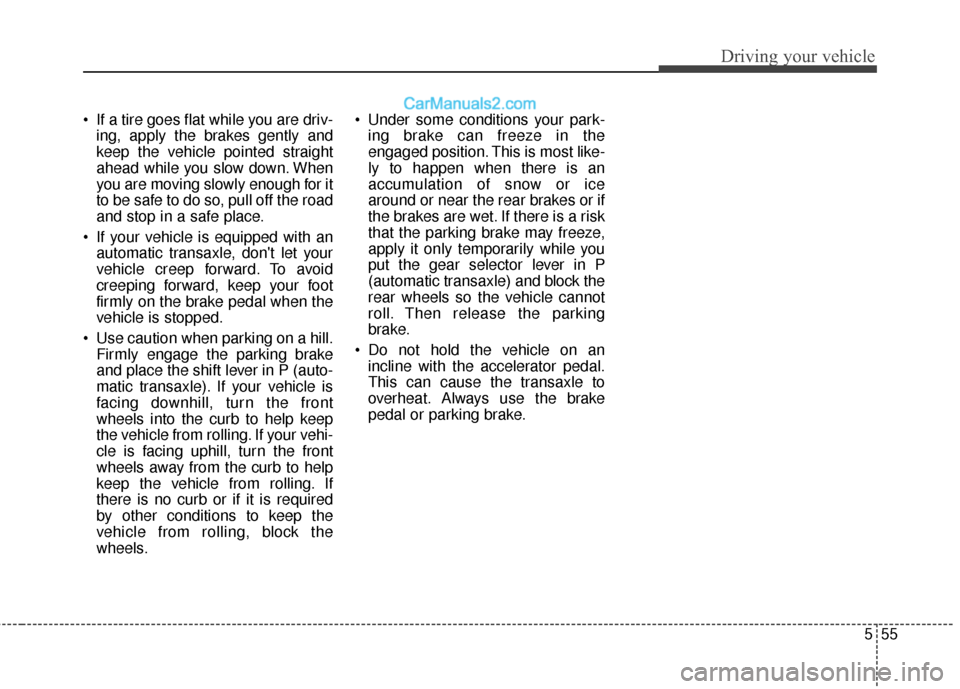
If a tire goes flat while you are driv-ing, apply the brakes gently and
keep the vehicle pointed straight
ahead while you slow down. When
you are moving slowly enough for it
to be safe to do so, pull off the road
and stop in a safe place.
If your vehicle is equipped with an automatic transaxle, don't let your
vehicle creep forward. To avoid
creeping forward, keep your foot
firmly on the brake pedal when the
vehicle is stopped.
Use caution when parking on a hill. Firmly engage the parking brake
and place the shift lever in P (auto-
matic transaxle). If your vehicle is
facing downhill, turn the front
wheels into the curb to help keep
the vehicle from rolling. If your vehi-
cle is facing uphill, turn the front
wheels away from the curb to help
keep the vehicle from rolling. If
there is no curb or if it is required
by other conditions to keep the
vehicle from rolling, block the
wheels. Under some conditions your park-
ing brake can freeze in the
engaged position. This is most like-
ly to happen when there is an
accumulation of snow or ice
around or near the rear brakes or if
the brakes are wet. If there is a risk
that the parking brake may freeze,
apply it only temporarily while you
put the gear selector lever in P
(automatic transaxle) and block the
rear wheels so the vehicle cannot
roll. Then release the parking
brake.
Do not hold the vehicle on an incline with the accelerator pedal.
This can cause the transaxle to
overheat. Always use the brake
pedal or parking brake.
Page 348 of 569
Driving your vehicle
56
5
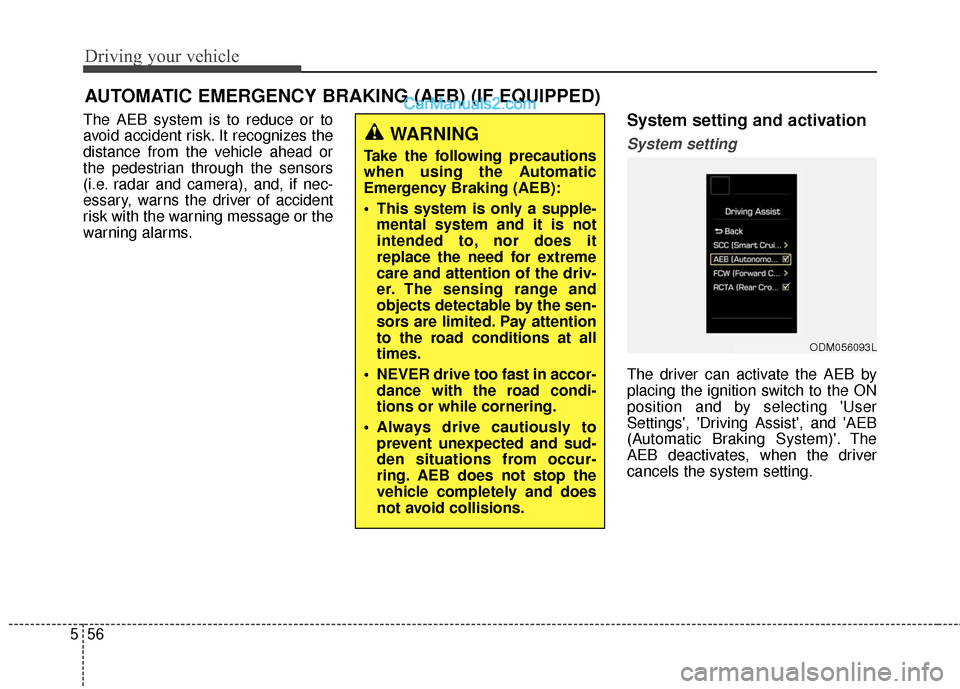
The AEB system is to reduce or to
avoid accident risk. It recognizes the
distance from the vehicle ahead or
the pedestrian through the sensors
(i.e. radar and camera), and, if nec-
essary, warns the driver of accident
risk with the warning message or the
warning alarms.System setting and activation
System setting
The driver can activate the AEB by
placing the ignition switch to the ON
position and by selecting 'User
Settings', 'Driving Assist', and 'AEB
(Automatic Braking System)'. The
AEB deactivates, when the driver
cancels the system setting.
AUTOMATIC EMERGENCY BRAKING (AEB) (IF EQUIPPED)
WARNING
Take the following precautions
when using the Automatic
Emergency Braking (AEB):
This system is only a supple-
mental system and it is not
intended to, nor does it
replace the need for extreme
care and attention of the driv-
er. The sensing range and
objects detectable by the sen-
sors are limited. Pay attention
to the road conditions at all
times.
NEVER drive too fast in accor- dance with the road condi-
tions or while cornering.
Always drive cautiously to prevent unexpected and sud-
den situations from occur-
ring. AEB does not stop the
vehicle completely and does
not avoid collisions.
ODM056093L
Page 350 of 569
Driving your vehicle
58
5
The AEB can be successfully
activated
When the AEB is selected on the
LCD display, and when the following
prerequisites are satisfied.
- The ESC (and TCS) is activated.
- Driving speed exceeds approxi- mately 6mph (10km/h). (The AEB
is only activated within a certain
speed range.)
- The system detects a pedestrian or a vehicle in front, which may collide
with your vehicle. (The AEB may
not be activated or may sound a
warning alarm in accordance with
the driving situation or vehicle con-
dition.)
AEB warning message and
system control
The AEB produces warning mes-
sages and warning alarms in accor-
dance with the collision risk levels.
Also, it controls the brakes in accor-
dance with the collision risk levels.
WARNING
The driver can either activate or deactivate the AEB by
selecting 'User Settings',
'Driving Assist' and enabling/
disabling the feature.
However, for your safety, oper-
ate the AEB after parking the
vehicle on a safe location.
The AEB automatically acti- vates upon placing the igni-
tion switch to the ON position.
The driver can deactivate the
AEB by canceling the system
setting on the LCD display.
The AEB automatically deacti- vates upon canceling the
ESC. When the ESC is can-
celed, the AEB cannot be acti-
vated on the LCD display.
Page 352 of 569
Driving your vehicle
60
5
Brake operation
In an urgent situation, the braking
system enters into the ready status
for prompt reaction against the dri-
ver’s depressing the brake pedal.
The AEB provides additional brak- ing power for optimum braking per-
formance, when the driver depress-
es the brake pedal.
The braking control is automatically deactivated, when the driver sharply
depresses the brake pedal, or when
the driver abruptly operates the
steering wheel.
The braking control is automatically canceled, when risk factors disap-
pear.CAUTION
The driver should always exer-cise caution to vehicle opera-tion, even when there is nowarning message or warningalarm.
WARNING
The braking control cannot
completely stop the vehicle nor
avoid all collisions. The driver
should hold the responsibility
to safely drive and control the
vehicle.
WARNING
The AEB operates in accor-
dance with the risk levels, such
as the distance from the vehi-
cle/passer-by in front, the speed
of the vehicle/passer-by in front,
and the driver's vehicle opera-
tion.
Page 361 of 569
569
Driving your vehicle
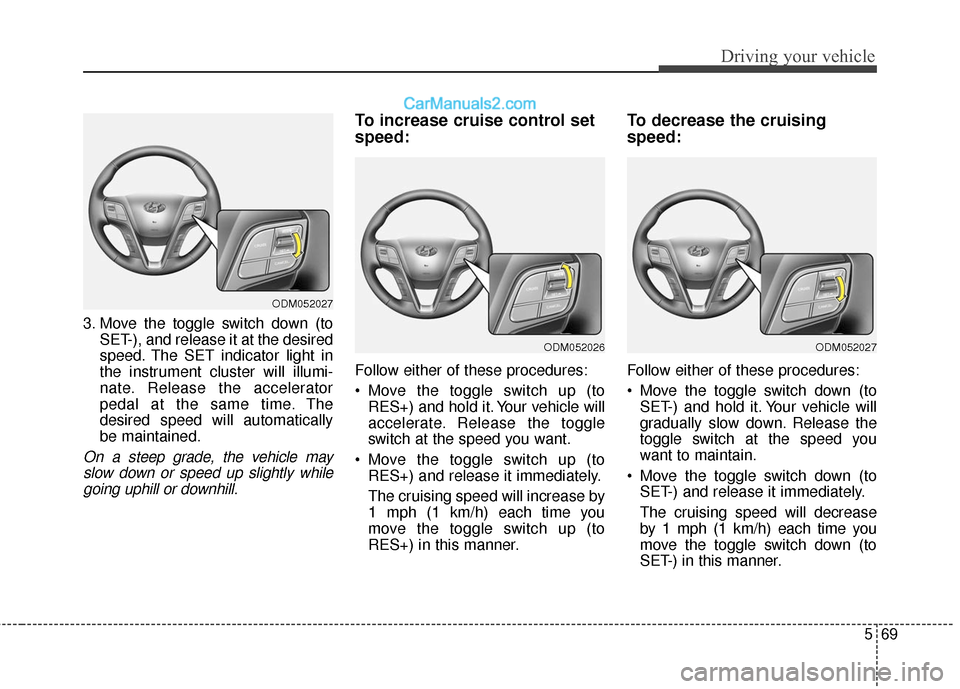
3. Move the toggle switch down (toSET-), and release it at the desired
speed. The SET indicator light in
the instrument cluster will illumi-
nate. Release the accelerator
pedal at the same time. The
desired speed will automatically
be maintained.
On a steep grade, the vehicle mayslow down or speed up slightly whilegoing uphill or downhill.
To increase cruise control set
speed:
Follow either of these procedures:
Move the toggle switch up (to RES+) and hold it. Your vehicle will
accelerate. Release the toggle
switch at the speed you want.
Move the toggle switch up (to RES+) and release it immediately.
The cruising speed will increase by
1 mph (1 km/h) each time you
move the toggle switch up (to
RES+) in this manner.
To decrease the cruising
speed:
Follow either of these procedures:
Move the toggle switch down (toSET-) and hold it. Your vehicle will
gradually slow down. Release the
toggle switch at the speed you
want to maintain.
Move the toggle switch down (to SET-) and release it immediately.
The cruising speed will decrease
by 1 mph (1 km/h) each time you
move the toggle switch down (to
SET-) in this manner.
ODM052027
ODM052026ODM052027
Page 363 of 569
571
Driving your vehicle
To resume cruising speed at
more than approximately 25
mph (40 km/h):
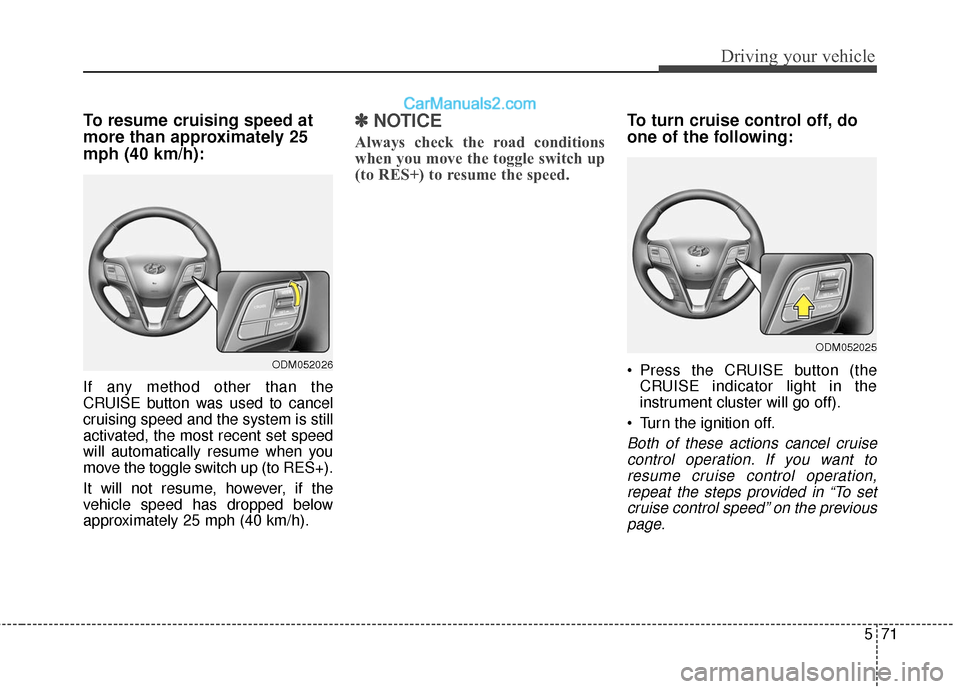
If any method other than the
CRUISE button was used to cancel
cruising speed and the system is still
activated, the most recent set speed
will automatically resume when you
move the toggle switch up (to RES+).
It will not resume, however, if the
vehicle speed has dropped below
approximately 25 mph (40 km/h).
✽ ✽NOTICE
Always check the road conditions
when you move the toggle switch up
(to RES+) to resume the speed.
To turn cruise control off, do
one of the following:
Press the CRUISE button (the
CRUISE indicator light in the
instrument cluster will go off).
Turn the ignition off.
Both of these actions cancel cruise control operation. If you want toresume cruise control operation,repeat the steps provided in “To setcruise control speed” on the previouspage.
ODM052026
ODM052025
Page 366 of 569
Driving your vehicle
74
5
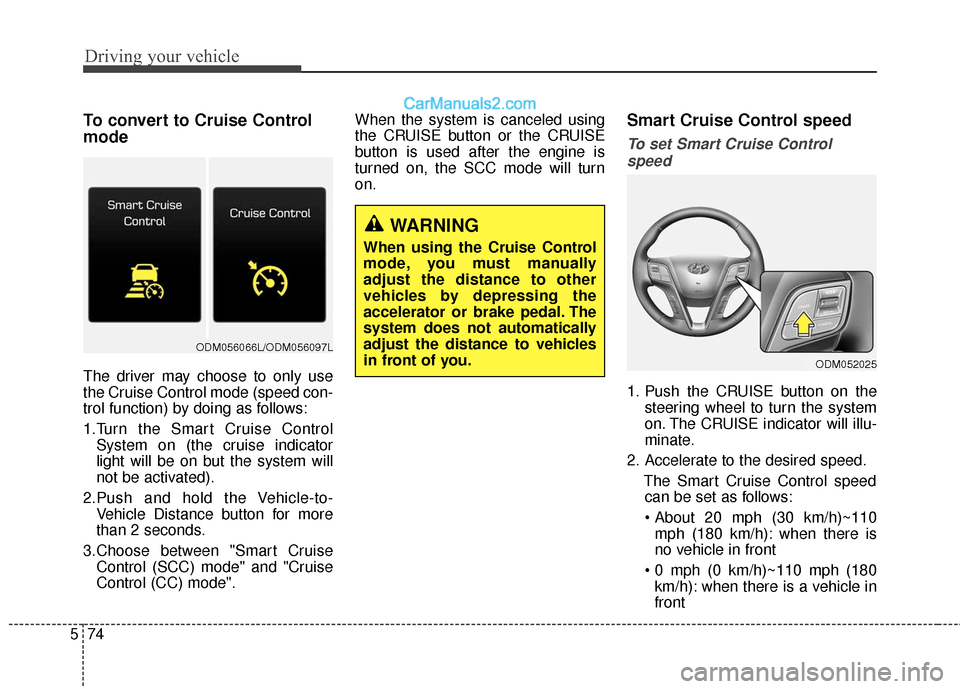
To convert to Cruise Control
mode
The driver may choose to only use
the Cruise Control mode (speed con-
trol function) by doing as follows:
1.Turn the Smart Cruise Control
System on (the cruise indicator
light will be on but the system will
not be activated).
2.Push and hold the Vehicle-to- Vehicle Distance button for more
than 2 seconds.
3.Choose between "Smart Cruise Control (SCC) mode" and "Cruise
Control (CC) mode". When the system is canceled using
the CRUISE button or the CRUISE
button is used after the engine is
turned on, the SCC mode will turn
on.
Smart Cruise Control speed
To set Smart Cruise Control
speed
1. Push the CRUISE button on the steering wheel to turn the system
on. The CRUISE indicator will illu-
minate.
2. Accelerate to the desired speed. The Smart Cruise Control speedcan be set as follows:
mph (180 km/h): when there is
no vehicle in front
km/h): when there is a vehicle in
front
WARNING
When using the Cruise Control
mode, you must manually
adjust the distance to other
vehicles by depressing the
accelerator or brake pedal. The
system does not automatically
adjust the distance to vehicles
in front of you.
ODM052025
ODM056066L/ODM056097L
Page 368 of 569
Driving your vehicle
76
5
To temporarily accelerate with the
Smart Cruise Control on
If you want to speed up temporarily
when the Smart Cruise Control is on,
depress the accelerator pedal.
Increased speed will not interfere
with Smart Cruise Control operation
or change the set speed.
To return to the set speed, take your
foot off the accelerator.
If you push the toggle switch down
(SET-) at increased speed, the cruis-
ing speed will be set again.
✽ ✽ NOTICE
Be careful when accelerating tem-
porarily, because the speed is not
controlled automatically at this
time even if there is a vehicle in front
of you.
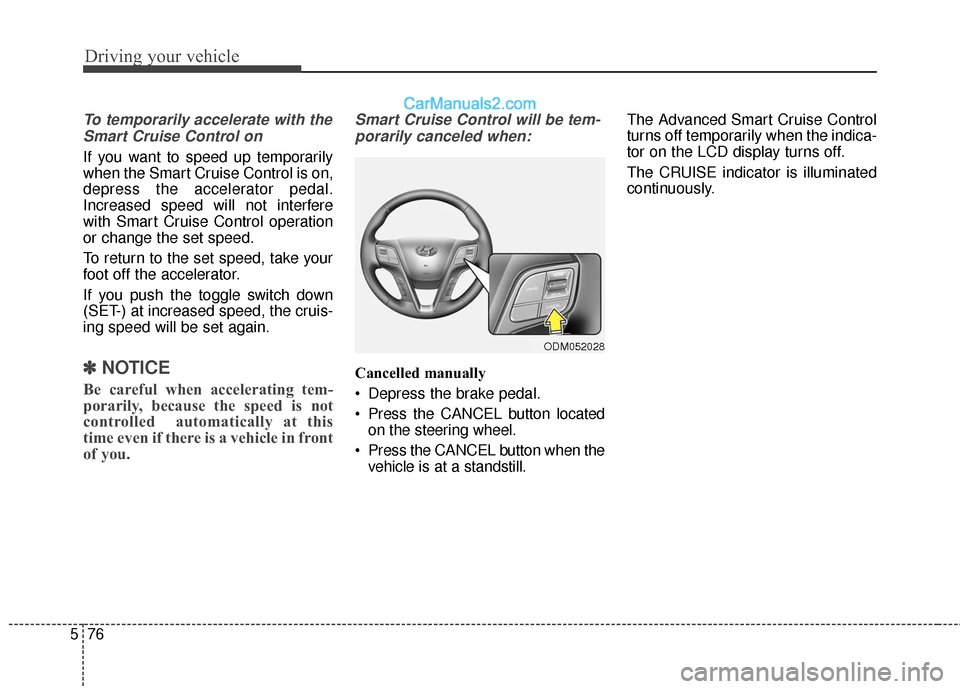
Smart Cruise Control will be tem-
porarily canceled when:
Cancelled manually
Depress the brake pedal.
Press the CANCEL button located on the steering wheel.
Press the CANCEL button when the vehicle is at a standstill. The Advanced Smart Cruise Control
turns off temporarily when the indica-
tor on the LCD display turns off.
The CRUISE indicator is illuminated
continuously.
ODM052028