eco Hyundai Sonata 2013 Manual PDF
[x] Cancel search | Manufacturer: HYUNDAI, Model Year: 2013, Model line: Sonata, Model: Hyundai Sonata 2013Pages: 410, PDF Size: 35.93 MB
Page 149 of 410
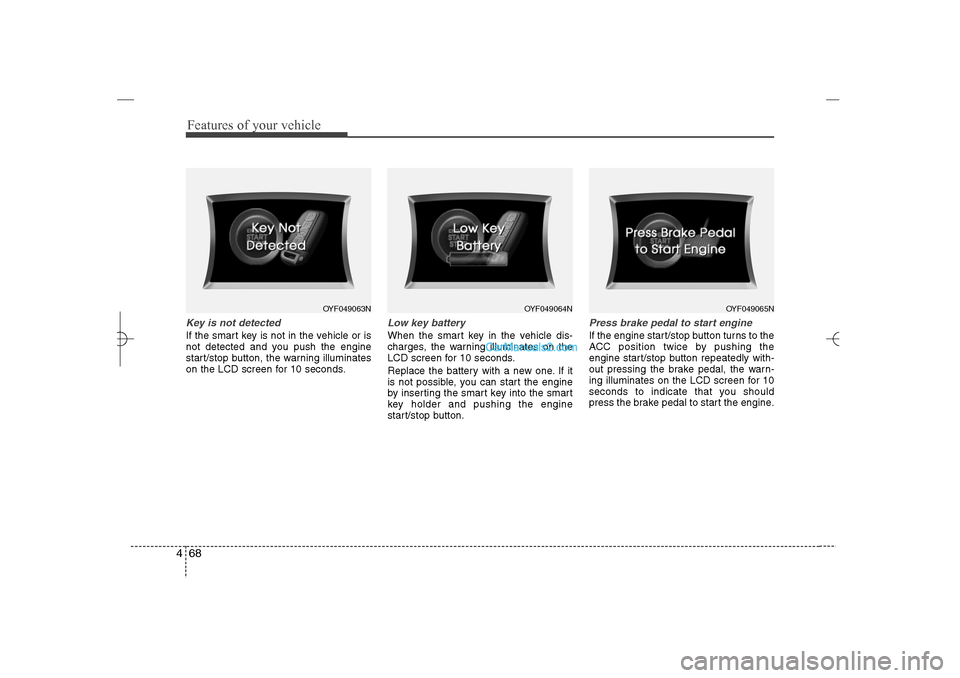
Features of your vehicle68 4Key is not detectedIf the smart key is not in the vehicle or is
not detected and you push the engine
start/stop button, the warning illuminates
on the LCD screen for 10 seconds.
Low key batteryWhen the smart key in the vehicle dis-
charges, the warning illuminates on the
LCD screen for 10 seconds.
Replace the battery with a new one. If it
is not possible, you can start the engine
by inserting the smart key into the smart
key holder and pushing the engine
start/stop button.
Press brake pedal to start engineIf the engine start/stop button turns to the
ACC position twice by pushing the
engine start/stop button repeatedly with-
out pressing the brake pedal, the warn-
ing illuminates on the LCD screen for 10
seconds to indicate that you should
press the brake pedal to start the engine.
OYF049063N
OYF049064N
OYF049065N
YF HMA 4a-111.qxp 1/16/2012 6:31 PM Page 68
Page 150 of 410
469
Features of your vehicle
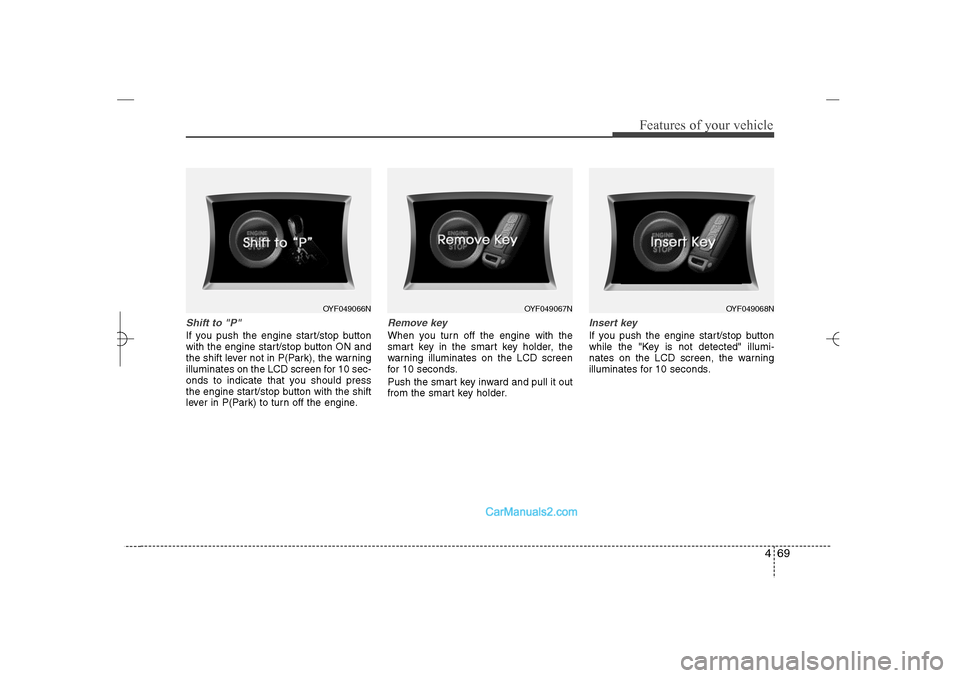
Shift to "P" If you push the engine start/stop button
with the engine start/stop button ON and
the shift lever not in P(Park), the warning
illuminates on the LCD screen for 10 sec-
onds to indicate that you should press
the engine start/stop button with the shift
lever in P(Park) to turn off the engine.
Remove keyWhen you turn off the engine with the
smart key in the smart key holder, the
warning illuminates on the LCD screen
for 10 seconds.
Push the smart key inward and pull it out
from the smart key holder.
Insert keyIf you push the engine start/stop button
while the "Key is not detected" illumi-
nates on the LCD screen, the warning
illuminates for 10 seconds.
OYF049066N
OYF049067N
OYF049068N
YF HMA 4a-111.qxp 1/16/2012 6:31 PM Page 69
Page 151 of 410
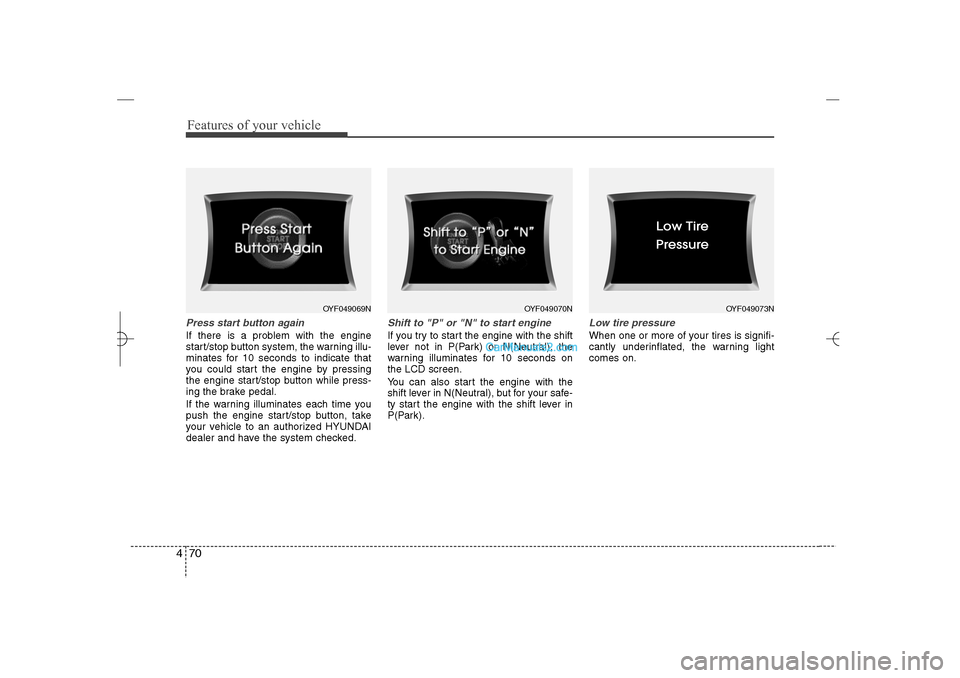
Features of your vehicle70 4Press start button againIf there is a problem with the engine
start/stop button system, the warning illu-
minates for 10 seconds to indicate that
you could start the engine by pressing
the engine start/stop button while press-
ing the brake pedal.
If the warning illuminates each time you
push the engine start/stop button, take
your vehicle to an authorized HYUNDAI
dealer and have the system checked.
Shift to "P" or "N" to start engineIf you try to start the engine with the shift
lever not in P(Park) or N(Neutral), the
warning illuminates for 10 seconds on
the LCD screen.
You can also start the engine with the
shift lever in N(Neutral), but for your safe-
ty start the engine with the shift lever in
P(Park).
Low tire pressureWhen one or more of your tires is signifi-
cantly underinflated, the warning light
comes on.
OYF049069N
OYF049070N
OYF049073N
YF HMA 4a-111.qxp 1/16/2012 6:31 PM Page 70
Page 153 of 410
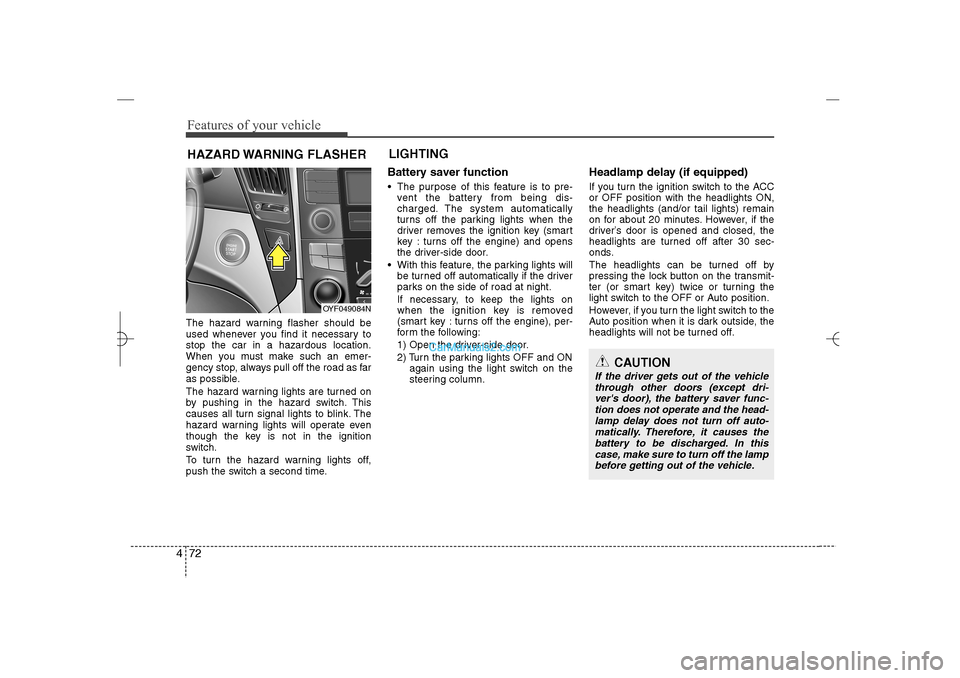
Features of your vehicle72 4The hazard warning flasher should be
used whenever you find it necessary to
stop the car in a hazardous location.
When you must make such an emer-
gency stop, always pull off the road as far
as possible.
The hazard warning lights are turned on
by pushing in the hazard switch. This
causes all turn signal lights to blink. The
hazard warning lights will operate even
though the key is not in the ignition
switch.
To turn the hazard warning lights off,
push the switch a second time.
Battery saver function The purpose of this feature is to pre-
vent the battery from being dis-
charged. The system automatically
turns off the parking lights when the
driver removes the ignition key (smart
key : turns off the engine) and opens
the driver-side door.
With this feature, the parking lights will
be turned off automatically if the driver
parks on the side of road at night.
If necessary, to keep the lights on
when the ignition key is removed
(smart key : turns off the engine), per-
form the following:
1) Open the driver-side door.
2) Turn the parking lights OFF and ON
again using the light switch on the
steering column.
Headlamp delay (if equipped)If you turn the ignition switch to the ACC
or OFF position with the headlights ON,
the headlights (and/or tail lights) remain
on for about 20 minutes. However, if the
driver’s door is opened and closed, the
headlights are turned off after 30 sec-
onds.
The headlights can be turned off by
pressing the lock button on the transmit-
ter (or smart key) twice or turning the
light switch to the OFF or Auto position.
However, if you turn the light switch to the
Auto position when it is dark outside, the
headlights will not be turned off.
HAZARD WARNING FLASHERLIGHTING
OYF049084N
CAUTION
If the driver gets out of the vehicle
through other doors (except dri-
ver's door), the battery saver func-
tion does not operate and the head-
lamp delay does not turn off auto-
matically. Therefore, it causes the
battery to be discharged. In this
case, make sure to turn off the lamp
before getting out of the vehicle.
YF HMA 4a-111.qxp 1/16/2012 6:31 PM Page 72
Page 154 of 410
473
Features of your vehicle
Headlamp welcome functionWhen the headlight switch is in the ON or
AUTO position and all doors (and trunk)
are closed and locked, if you press the
door unlock button on the transmitter (or
the smart key), the headlights will come
on for about 15 seconds. At this time, if
you press the door lock button on the
transmitter (or smart key) the headlights
will turn off immediately.Daytime running light
(if equipped)Daytime Running Lights (DRL) can make
it easier for others to see the front of your
vehicle during the day. DRL can be help-
ful in many different driving conditions,
and it is especially helpful after dawn and
before sunset.
The DRL system will make the head-
lights turn OFF when:
1. The headlight is ON.
2. Engine stops.
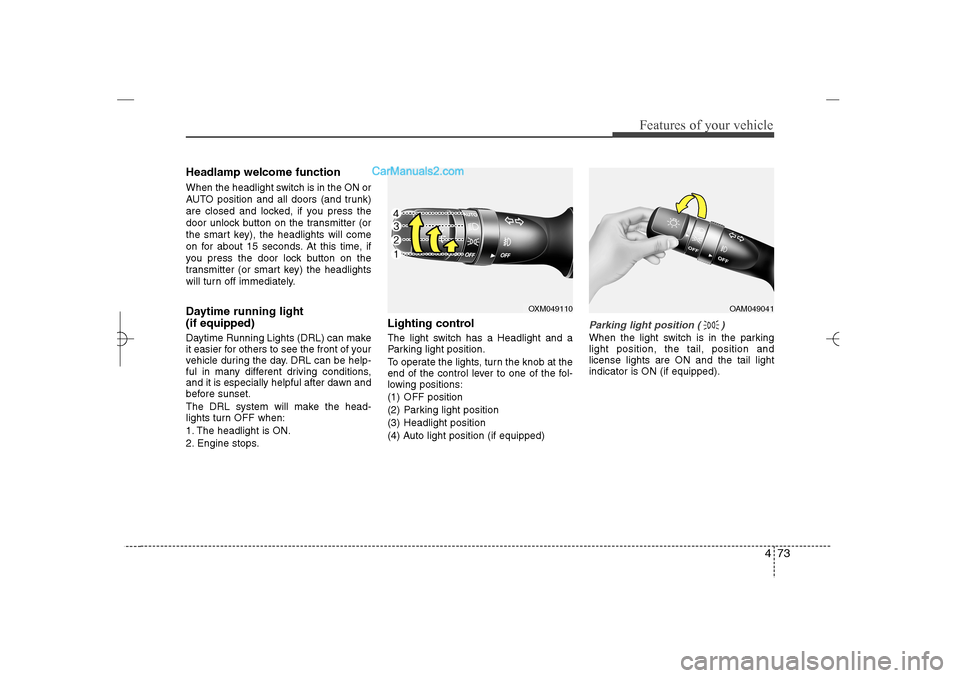
Lighting controlThe light switch has a Headlight and a
Parking light position.
To operate the lights, turn the knob at the
end of the control lever to one of the fol-
lowing positions:
(1) OFF position
(2) Parking light position
(3) Headlight position
(4) Auto light position (if equipped)
Parking light position ( )When the light switch is in the parking
light position, the tail, position and
license lights are ON and the tail light
indicator is ON (if equipped).
OXM049110
OAM049041
YF HMA 4a-111.qxp 1/16/2012 6:31 PM Page 73
Page 160 of 410
479
Features of your vehicle
Automatic turn off function (if
equipped) The interior lights automatically turn off
approximately 20 minutes after the igni-
tion switch is turned off.
If your vehicle is equipped with the theft
alarm system, the interior lights automat-
ically turns off approximately 5 seconds
after the system is armed stage.
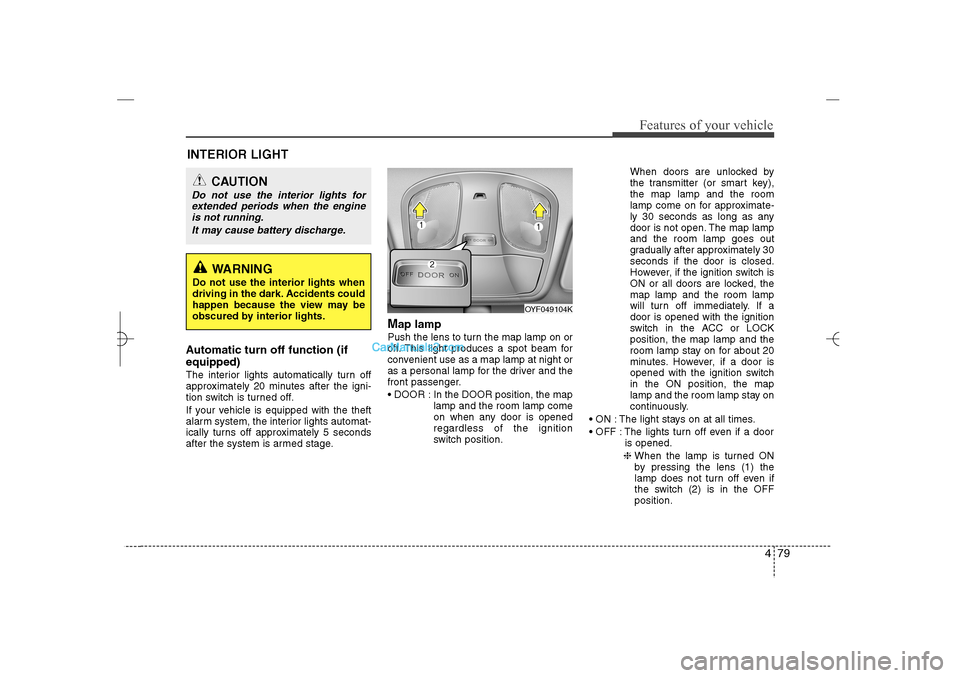
Map lamp Push the lens to turn the map lamp on or
off. This light produces a spot beam for
convenient use as a map lamp at night or
as a personal lamp for the driver and the
front passenger.
DOOR : In the DOOR position, the map
lamp and the room lamp come
on when any door is opened
regardless of the ignition
switch position.When doors are unlocked by
the transmitter (or smart key),
the map lamp and the room
lamp come on for approximate-
ly 30 seconds as long as any
door is not open. The map lamp
and the room lamp goes out
gradually after approximately 30
seconds if the door is closed.
However, if the ignition switch is
ON or all doors are locked, the
map lamp and the room lamp
will turn off immediately. If a
door is opened with the ignition
switch in the ACC or LOCK
position, the map lamp and the
room lamp stay on for about 20
minutes. However, if a door is
opened with the ignition switch
in the ON position, the map
lamp and the room lamp stay on
continuously.
ON : The light stays on at all times.
OFF : The lights turn off even if a door
is opened.
❈ When the lamp is turned ON
by pressing the lens (1) the
lamp does not turn off even if
the switch (2) is in the OFF
position.
OYF049104K
INTERIOR LIGHT
CAUTION
Do not use the interior lights for
extended periods when the engine
is not running.
It may cause battery discharge.
WARNING
Do not use the interior lights when
driving in the dark. Accidents could
happen because the view may be
obscured by interior lights.
YF HMA 4a-111.qxp 1/16/2012 6:32 PM Page 79
Page 169 of 410
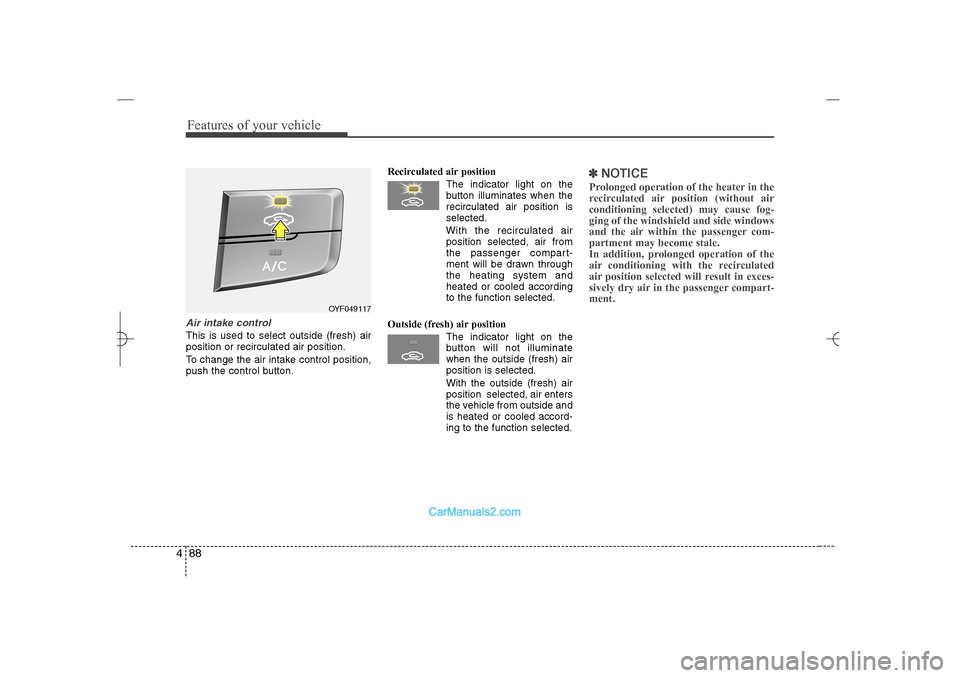
Features of your vehicle88 4Air intake control This is used to select outside (fresh) air
position or recirculated air position.
To change the air intake control position,
push the control button.Recirculated air position
The indicator light on the
button illuminates when the
recirculated air position is
selected.
With the recirculated air
position selected, air from
the passenger compart-
ment will be drawn through
the heating system and
heated or cooled according
to the function selected.
Outside (fresh) air position
The indicator light on the
button will not illuminate
when the outside (fresh) air
position is selected.
With the outside (fresh) air
position selected, air enters
the vehicle from outside and
is heated or cooled accord-
ing to the function selected.
✽ ✽
NOTICEProlonged operation of the heater in the
recirculated air position (without air
conditioning selected) may cause fog-
ging of the windshield and side windows
and the air within the passenger com-
partment may become stale.
In addition, prolonged operation of the
air conditioning with the recirculated
air position selected will result in exces-
sively dry air in the passenger compart-
ment.
OYF049117
YF HMA 4a-111.qxp 1/16/2012 6:33 PM Page 88
Page 172 of 410
491
Features of your vehicle
✽ ✽
NOTICE• While using the air conditioning sys-
tem, monitor the engine temperature
gauge closely while driving up hills or
in heavy traffic when outside temper-
atures are high. Air conditioning sys-
tem operation may cause engine over-
heating. Continue to use the blower
fan but turn the air conditioning sys-
tem off if the engine temperature
gauge indicates engine overheating.
• Opening the windows in humid
weather while air conditioning oper-
ates may create water droplets inside
the vehicle. Since excessive water
droplets may cause damage to electri-
cal equipment, air conditioning
should only be used with the windows
closed.
Air conditioning system operation tips
If the vehicle has been parked in direct
sunlight during hot weather, open the
windows for a short time to let the hot
air inside the vehicle escape.
To help reduce moisture inside of the
windows on rainy or humid days,
decrease the humidity inside the vehi-
cle by operating the air conditioning
system.
During air conditioning system opera-
tion, you may occasionally notice a
slight change in engine speed as the
air conditioning compressor cycles.
This is a normal system operation
characteristic.
Use the air conditioning system every
month only for a few minutes to ensure
maximum system performance.
When using the air conditioning sys-
tem, you may notice clear water drip-
ping (or even puddling) on the ground
under the passenger side of the vehi-
cle. This is a normal system operation
characteristic. Operating the air conditioning system
in the recirculated air position provides
maximum cooling, however, continual
operation in this mode may cause the
air inside the vehicle to become stale.
During cooling operation, you may
occasionally notice a misty air flow
because of rapid cooling and humid air
intake. This is a normal system opera-
tion characteristic.
If you operate air conditioner exces-
sively, the difference between the tem-
perature of the outside air and that of
the windshield could cause the outer
surface of the windshield to fog up,
causing loss of visibility. In this case,
set the mode selection knob or button
to the position and fan speed con-
trol to the lower speed.
YF HMA 4a-111.qxp 1/16/2012 6:33 PM Page 91
Page 180 of 410
499
Features of your vehicle
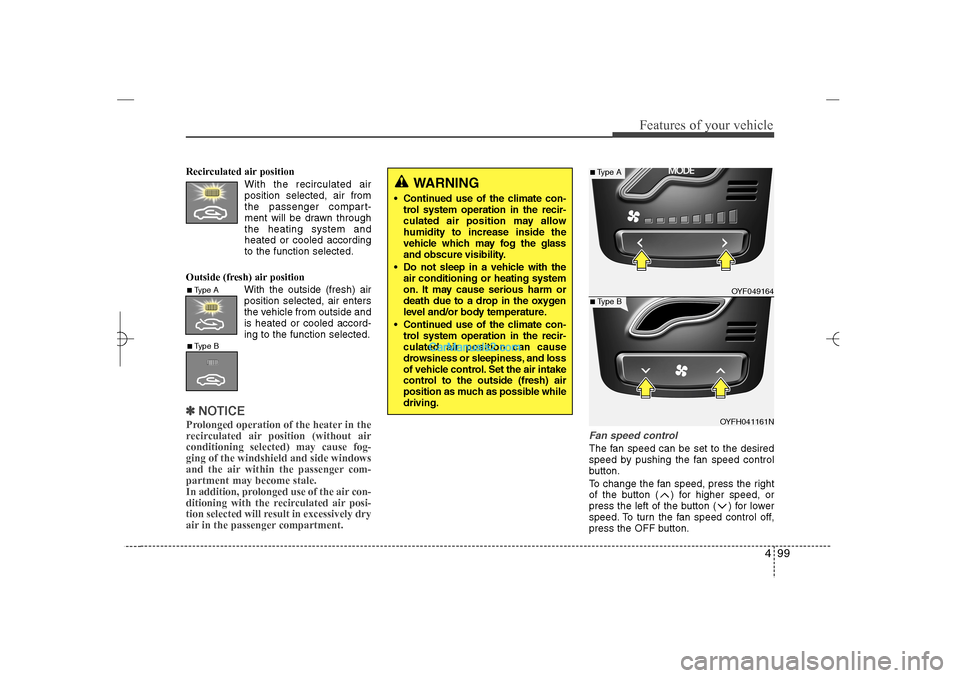
Recirculated air position
With the recirculated air
position selected, air from
the passenger compart-
ment will be drawn through
the heating system and
heated or cooled according
to the function selected.
Outside (fresh) air position
With the outside (fresh) air
position selected, air enters
the vehicle from outside and
is heated or cooled accord-
ing to the function selected.✽ ✽
NOTICEProlonged operation of the heater in the
recirculated air position (without air
conditioning selected) may cause fog-
ging of the windshield and side windows
and the air within the passenger com-
partment may become stale.
In addition, prolonged use of the air con-
ditioning with the recirculated air posi-
tion selected will result in excessively dry
air in the passenger compartment.
Fan speed controlThe fan speed can be set to the desired
speed by pushing the fan speed control
button.
To change the fan speed, press the right
of the button ( ) for higher speed, or
press the left of the button ( ) for lower
speed. To turn the fan speed control off,
press the OFF button.
WARNING
Continued use of the climate con-
trol system operation in the recir-
culated air position may allow
humidity to increase inside the
vehicle which may fog the glass
and obscure visibility.
Do not sleep in a vehicle with the
air conditioning or heating system
on. It may cause serious harm or
death due to a drop in the oxygen
level and/or body temperature.
Continued use of the climate con-
trol system operation in the recir-
culated air position can cause
drowsiness or sleepiness, and loss
of vehicle control. Set the air intake
control to the outside (fresh) air
position as much as possible while
driving.
■Type A■Type B
OYF049164
OYFH041161N
■Type A■Type B
YF HMA 4a-111.qxp 1/16/2012 6:34 PM Page 99
Page 185 of 410
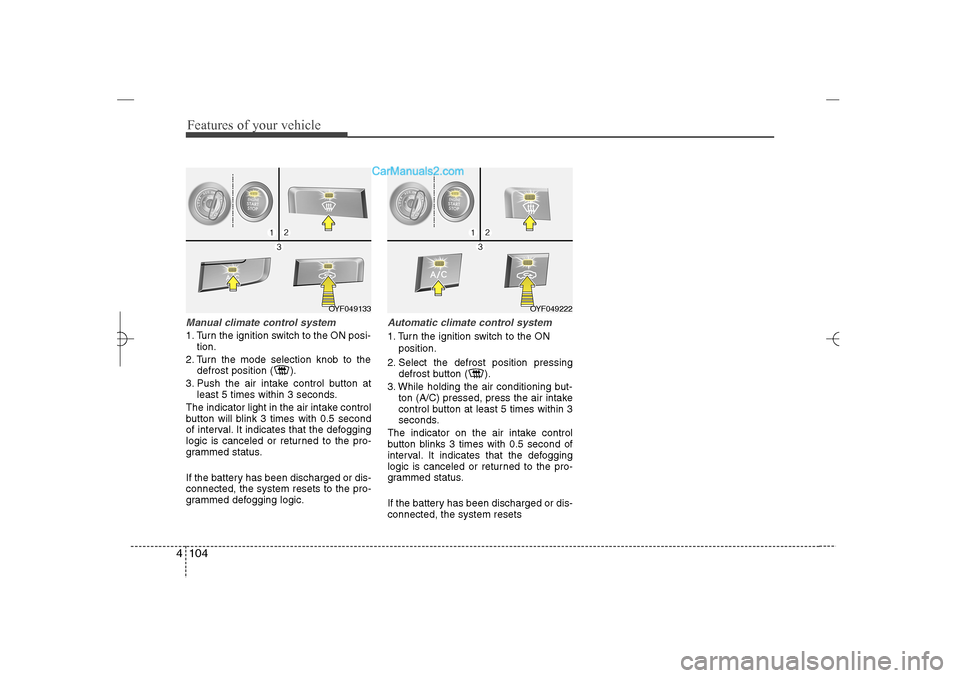
Features of your vehicle104 4Manual climate control system1. Turn the ignition switch to the ON posi-
tion.
2. Turn the mode selection knob to the
defrost position ( ).
3. Push the air intake control button at
least 5 times within 3 seconds.
The indicator light in the air intake control
button will blink 3 times with 0.5 second
of interval. It indicates that the defogging
logic is canceled or returned to the pro-
grammed status.
If the battery has been discharged or dis-
connected, the system resets to the pro-
grammed defogging logic.
Automatic climate control system1. Turn the ignition switch to the ON
position.
2. Select the defrost position pressing
defrost button ( ).
3. While holding the air conditioning but-
ton (A/C) pressed, press the air intake
control button at least 5 times within 3
seconds.
The indicator on the air intake control
button blinks 3 times with 0.5 second of
interval. It indicates that the defogging
logic is canceled or returned to the pro-
grammed status.
If the battery has been discharged or dis-
connected, the system resets
OYF049222
OYF049133
YF HMA 4a-111.qxp 1/16/2012 6:35 PM Page 104