audio Hyundai Sonata 2014 Manual Online
[x] Cancel search | Manufacturer: HYUNDAI, Model Year: 2014, Model line: Sonata, Model: Hyundai Sonata 2014Pages: 665, PDF Size: 17.43 MB
Page 397 of 665
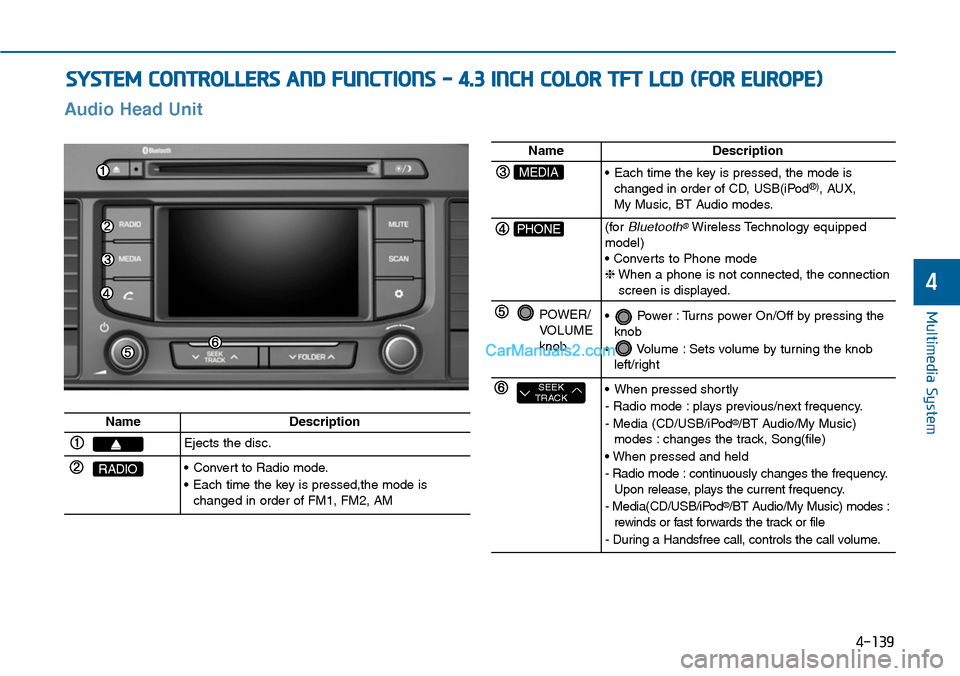
SYSTEM CONTROLLERS AND FUNCTIONS - 4.3 INCH COLOR TFT LCD (FOR EUROPE)
4-139
Multimedia System
4
Audio Head Unit
NameDescription
Ejects the disc.
RADIO•Convert to Radio mode.
•Each time the key is pressed,the mode ischanged in order of FM1, FM2, AM
NameDescription
MEDIA•Each time the key is pressed, the mode ischanged in order of CD, USB(iPod®), AUX, My Music, BT Audio modes.
PHONE(forBluetooth®Wireless Technology equippedmodel)• Converts to Phone mode❈When a phone is not connected, the connectionscreen is displayed.
POWER/VOLUMEknob
•Power :Turns power On/Off by pressing theknob
•Volume :Sets volume by turning the knobleft/right
SEEKTRACK•When pressed shortly
- Radio mode : plays previous/next frequency.
- Media (CD/USB/iPod®/BT Audio/My Music)modes : changes the track, Song(file)
• When pressed and held
- Radio mode : continuously changes the frequency.Upon release, plays the current frequency.
- Media(CD/USB/iPod®/BT Audio/My Music) modes :rewinds or fast forwards the track or file
- During a Handsfree call, controls the call volume.
Page 398 of 665
4-140
Multimedia System
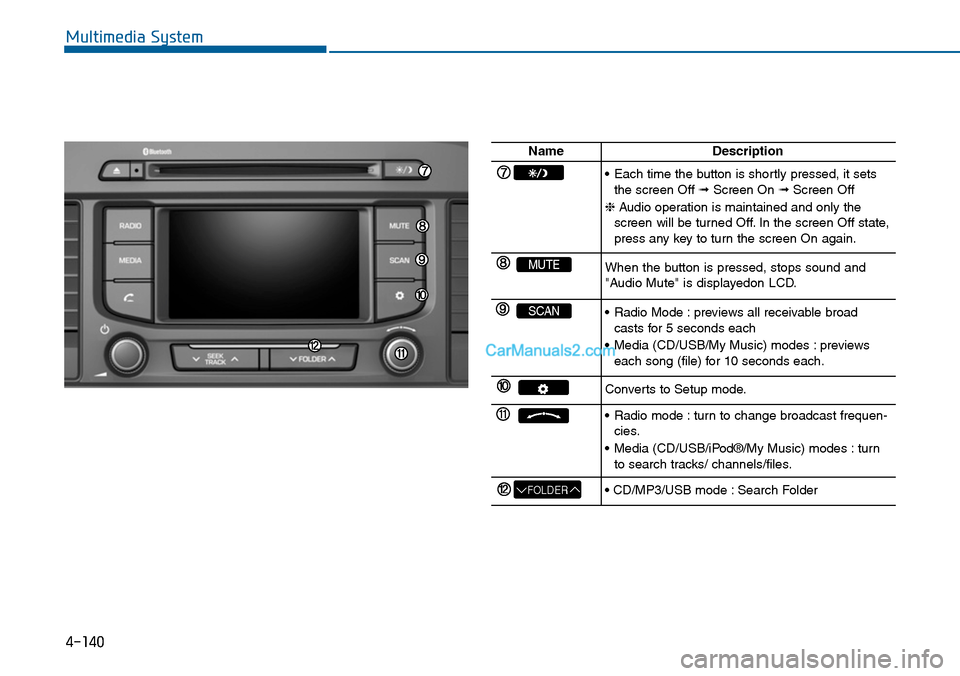
NameDescription
•Each time the button is shortly pressed, it setsthe screen Off ➟Screen On ➟Screen Off
❈Audio operation is maintained and only thescreen will be turned Off. In the screen Off state,press any key to turn the screen On again.
MUTEWhen the button is pressed, stops sound and"Audio Mute" is displayedon LCD.
SCAN•Radio Mode :previews all receivable broadcasts for 5 seconds each
•Media (CD/USB/My Music) modes :previewseach song (file) for 10 seconds each.
Converts to Setup mode.
•Radio mode :turn to change broadcast frequen-cies.
•Media (CD/USB/iPod®/My Music) modes :turnto search tracks/ channels/files.
FOLDER• CD/MP3/USB mode : Search Folder
Page 399 of 665
4-141
Multimedia System
4
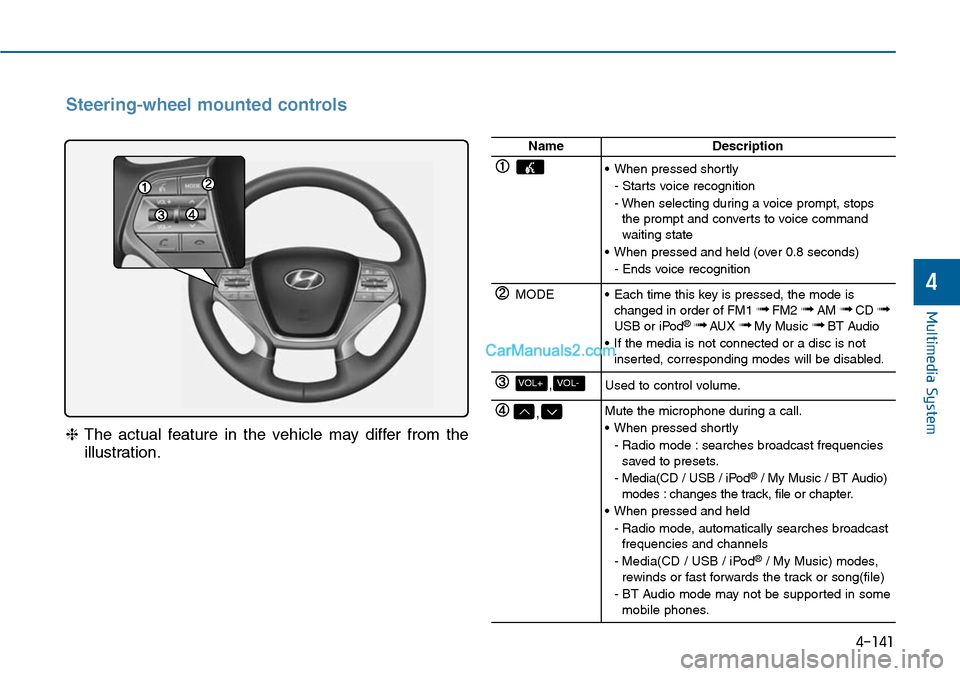
Steering-wheel mounted controls
❈The actual feature in the vehicle may differ from the
illustration.
NameDescription
•When pressed shortly
- Starts voice recognition
- When selecting during a voice prompt, stopsthe prompt and converts to voice commandwaiting state
•When pressed and held (over 0.8 seconds)
- Ends voice recognition
MODE•Each time this key is pressed, the mode ischanged in order of FM1 ➟FM2 ➟AM ➟CD ➟USB or iPod®➟ AUX ➟My Music ➟BT Audio
•If the media is not connected or a disc is notinserted, corresponding modes will be disabled.
,VOL-VOL+Used to control volume.
,Mute the microphone during a call.
•When pressed shortly
- Radio mode : searches broadcast frequenciessaved to presets.
- Media(CD / USB / iPod®/ My Music / BT Audio)modes : changes the track, file or chapter.
•When pressed and held
- Radio mode, automatically searches broadcastfrequencies and channels
- Media(CD / USB / iPod®/ My Music) modes,rewinds or fast forwards the track or song(file)
- BT Audio mode may not be supported in somemobile phones.
Page 403 of 665
![Hyundai Sonata 2014 Manual Online MEDIA MODE
Pressing the key will change
the operating mode in order of CD ➟
USB(iPod®) ➟ AUX ➟ My Music ➟BT
Audio.
If [Mode Pop up] is turned on within
[Display], then pressing the](/img/35/16805/w960_16805-402.png "Hyundai Sonata 2014 Manual Online MEDIA MODE
Pressing the key will change
the operating mode in order of CD ➟
USB(iPod®) ➟ AUX ➟ My Music ➟BT
Audio.
If [Mode Pop up] is turned on within
[Display], then pressing the")
MEDIA MODE
Pressing the key will change
the operating mode in order of CD ➟
USB(iPod®) ➟ AUX ➟ My Music ➟BT
Audio.
If [Mode Pop up] is turned on within
[Display], then pressing the
key will display the Media
Pop-up Mode screen.
Turn the TUNE knob to move the
focus. Press the knob to select.
Information
The media mode pop up screen can be
displayed only when there are two or
more media modes turned on.
Title Icon
When a Bluetooth®Wireless
Te c h n o l o g y, i P o d®, USB, or AUX
device is connected or a CD is
inserted, the corresponding mode
icon will be displayed.
Icon Title
Bluetooth®Wireless Technology
CD
iPod®
USB
AUX
i
MEDIA
MEDIA
Multimedia System
4-145
4
Page 404 of 665
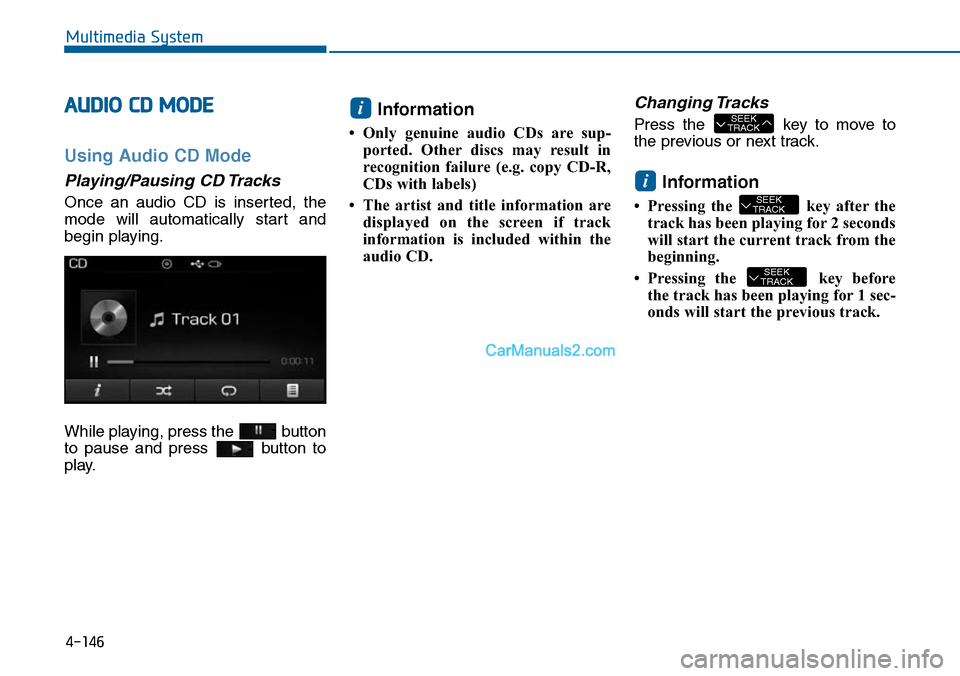
AUDIO CD MODE
Using Audio CD Mode
Playing/Pausing CD Tracks
Once an audio CD is inserted, the
mode will automatically start and
begin playing.
While playing, press the button
to pause and press button to
play.
Information
•Only genuine audio CDs are sup-
ported. Other discs may result in
recognition failure (e.g. copy CD-R,
CDs with labels)
• The artist and title information are
displayed on the screen if track
information is included within the
audio CD.
Changing Tracks
Press the key to move to
the previous or next track.
Information
• Pressing the key after the
track has been playing for 2 seconds
will start the current track from the
beginning.
• Pressing the key before
the track has been playing for 1 sec-
onds will start the previous track.
SEEKTRACK
SEEKTRACK
i
SEEKTRACK
i
Multimedia System
4-146
Page 405 of 665
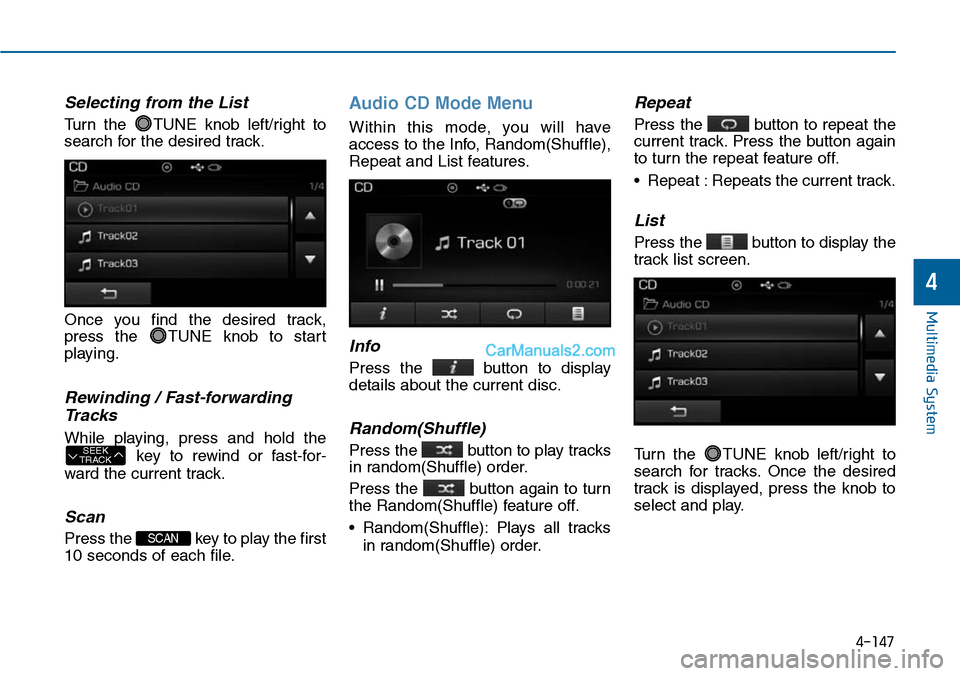
Selecting from the List
Turn the TUNE knob left/right to
search for the desired track.
Once you find the desired track,
press the TUNE knob to start
playing.
Rewinding / Fast-forwarding
Tracks
While playing, press and hold the
key to rewind or fast-for-
ward the current track.
Scan
Press the key to play the first
10 seconds of each file.
Audio CD Mode Menu
Within this mode, you will have
access to the Info, Random(Shuffle),
Repeat and List features.
Info
Press the button to display
details about the current disc.
Random(Shuffle)
Press the button to play tracks
in random(Shuffle) order.
Press the button again to turn
the Random(Shuffle) feature off.
•Random(Shuffle):Plays all tracks
in random(Shuffle) order.
Repeat
Press the button to repeat the
current track. Press the button again
to turn the repeat feature off.
•Repeat :Repeats the current track.
List
Press the button to display the
track list screen.
Turn the TUNE knob left/right to
search for tracks. Once the desired
track is displayed, press the knob to
select and play.
SCAN
SEEKTRACK
Multimedia System
4-147
4
Page 412 of 665
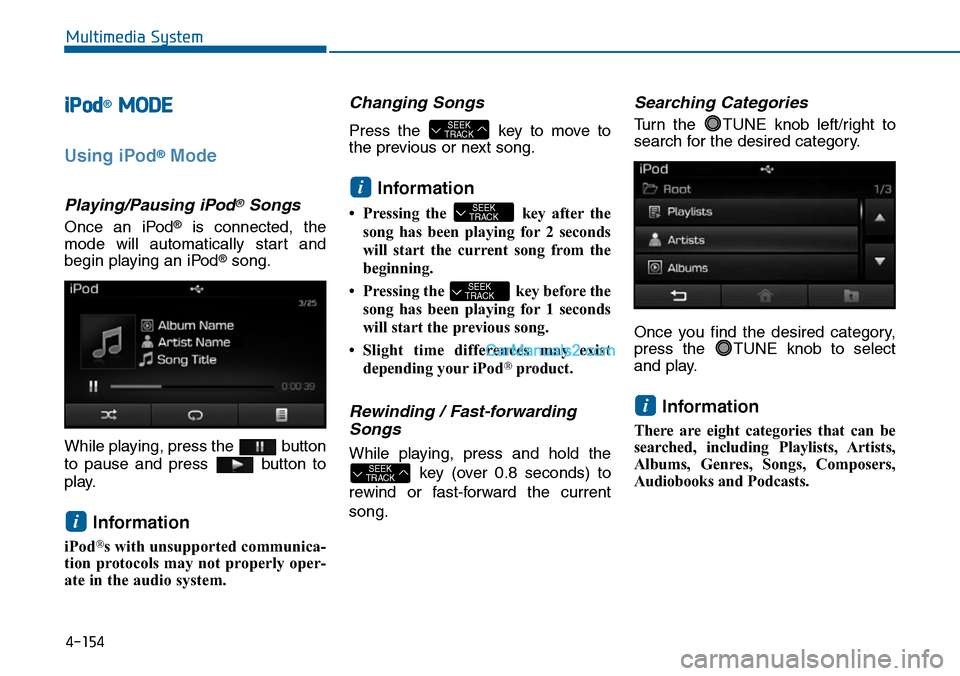
iPod®MODE
Using iPod®Mode
Playing/Pausing iPod®Songs
Once an iPod®is connected, the
mode will automatically start and
begin playing an iPod®song.
While playing, press the button
to pause and press button to
play.
Information
iPod®s with unsupported communica-
tion protocols may not properly oper-
ate in the audio system.
Changing Songs
Press the key to move to
the previous or next song.
Information
•Pressing the key afterthe
song has been playing for 2 seconds
will start the current song from the
beginning.
•Pressing the key before the
song has been playing for 1 seconds
will start the previous song.
•Slight time differences may exist
depending your iPod®product.
Rewinding / Fast-forwarding
Songs
While playing, press and hold the
key (over 0.8 seconds) to
rewind or fast-forward the current
song.
Searching Categories
Turn the TUNE knob left/right to
search for the desired category.
Once you find the desired category,
press the TUNE knob to select
and play.
Information
There are eight categories that can be
searched, including Playlists, Artists,
Albums, Genres, Songs, Composers,
Audiobooks and Podcasts.
i
SEEKTRACK
SEEKTRACK
SEEKTRACK
i
SEEKTRACK
i
Multimedia System
4-154
Page 414 of 665
Repeat
Press the button to repeat the
current song. Press the button again
to turn the repeat feature off.
• Repeat : Repeats the current song
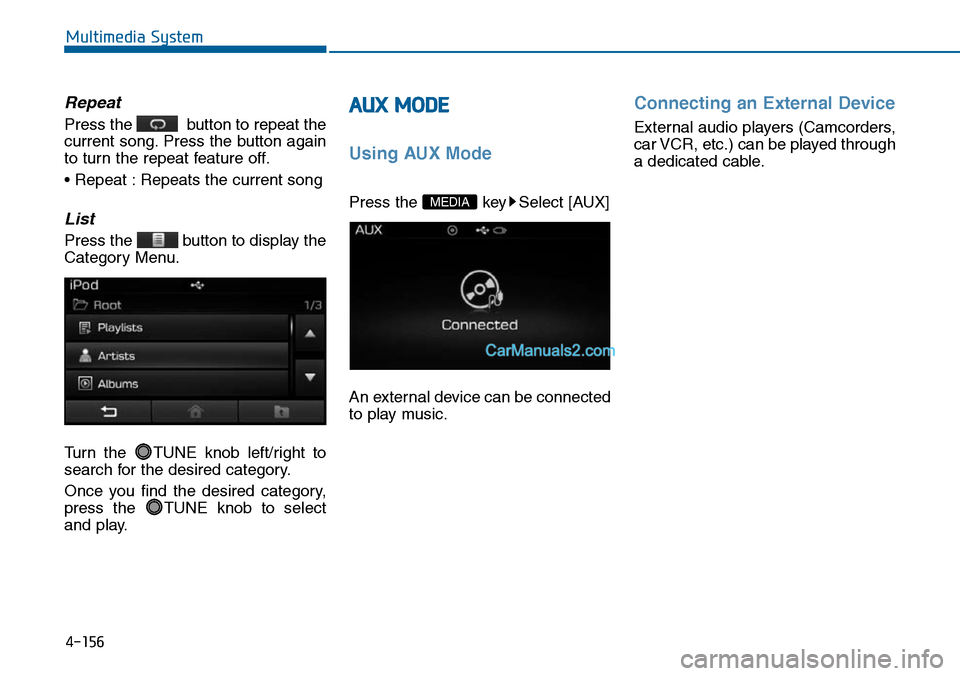
List
Press the button to display the
Category Menu.
Turn the TUNE knob left/right to
search for the desired category.
Once you find the desired category,
press the TUNE knob to select
and play.
AUX MODE
Using AUX Mode
Press the key Select [AUX]
An external device can be connected
to play music.
Connecting an External Device
External audio players (Camcorders,
car VCR, etc.) can be played through
a dedicated cable.
MEDIA
Multimedia System
4-156
Page 418 of 665
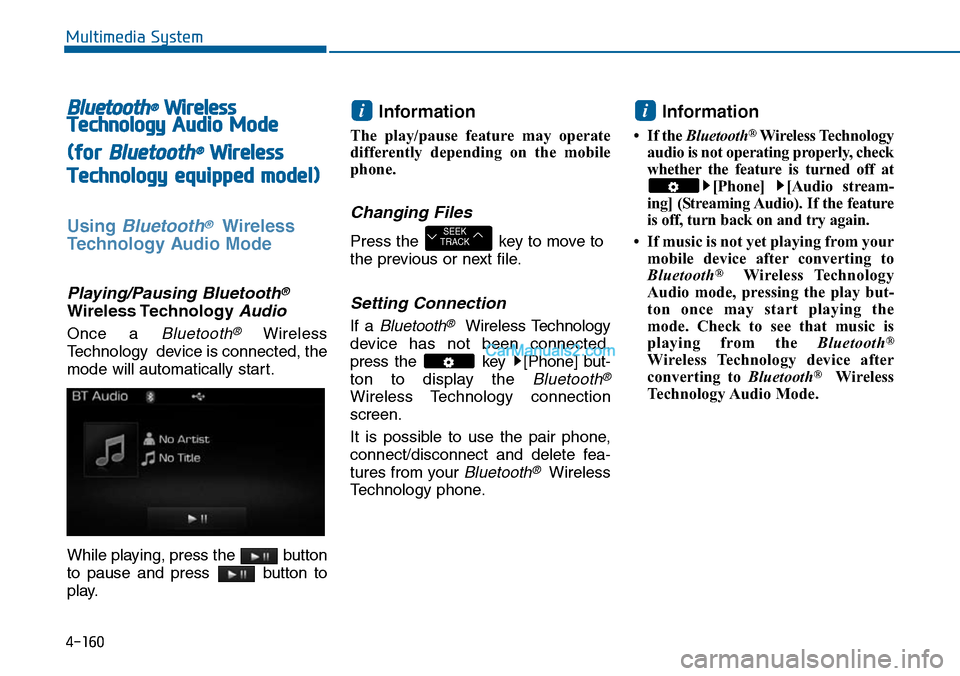
Bluetooth®Wireless
TechnologyAudio Mode
(for Bluetooth®Wireless
Technologyequipped model)
Using Bluetooth®Wireless
Technology Audio Mode
Playing/Pausing Bluetooth®
Wireless TechnologyAudio
Once a Bluetooth®Wireless
Technology device is connected, the
mode will automatically start.
While playing, press the button
to pause and press button to
play.
Information
The play/pause feature may operate
differently depending on the mobile
phone.
Changing Files
Press the key to move to
the previous or next file.
Setting Connection
If a Bluetooth®Wireless Technology
device has not been connected,
press the key [Phone] but-
ton to display the Bluetooth®
Wireless Technology connection
screen.
It is possible to use the pair phone,
connect/disconnect and delete fea-
tures from your Bluetooth®Wireless
Technology phone.
Information
•If the Bluetooth®Wireless Technology
audio is not operating properly, check
whether the feature is turned off at
[Phone] [Audio stream-
ing] (Streaming Audio). If the feature
is off, turn back on and try again.
• If music is not yet playing from your
mobile device after converting to
Bluetooth®Wireless Technology
Audio mode, pressing the play but-
ton once may start playing the
mode. Check to see that music is
playing from the Bluetooth®
Wireless Technology device after
converting to Bluetooth®Wireless
Technology Audio Mode.
i
SEEKTRACK
i
Multimedia System
4-160
Page 419 of 665
Multimedia System
4-161
4
Bluetooth®Wireless Technology
(for Bluetooth®Wireless
Te ch n o l o g yequipped model)
Using Bluetooth®Wireless
Technology Handsfree
• Bluetooth®Wireless Technology
refers to a short-distance wireless
networking technology which uses a
2.45GHz frequency to connect vari-
ous devices within a certain dis-
tance.
• Suppor ted within PCs, external
devices, Bluetooth®Wireless
Te c h n o l o g y p h o n e s , P D A s , v a r i -
ous electronic devices, and auto-
motive environments, Bluetooth®
Wireless Technology allows data to
be transmitted at high speeds with-
out having to use a connector
cable.
• Bluetooth®Wireless Technology
Handsfree refers to a device which
allows the user to conveniently
make phone calls with Bluetooth®
Wireless Technology mobile
phones through the audio system.
•Bluetooth®Wireless Technology
Handsfree is a feature that
enables drivers to practice safe
driving. Connecting the car
audio system with a Bluetooth®
Wireless Technology phone
allows the user to conveniently
make calls, receive calls, and
manage the phone book. Before
using the Bluetooth®Wireless
Technology , carefully read the
contents of this user’s manual.
•Excessive use or operations
while driving may lead to negli-
gent driving practices and be
the cause of accidents.
•Do not operate the device exces-
sively while driving.
(Continued)
(Continued)
•Viewing the screen for pro-
longed periods of time is dan-
gerous and may lead to acci-
dents. When driving, view the
screen only for short periods of
time.
NOTICE