light Hyundai Terracan 2003 Owner's Guide
[x] Cancel search | Manufacturer: HYUNDAI, Model Year: 2003, Model line: Terracan, Model: Hyundai Terracan 2003Pages: 349, PDF Size: 4.56 MB
Page 62 of 349
FEATURES OF YOUR HYUNDAI
1- 54
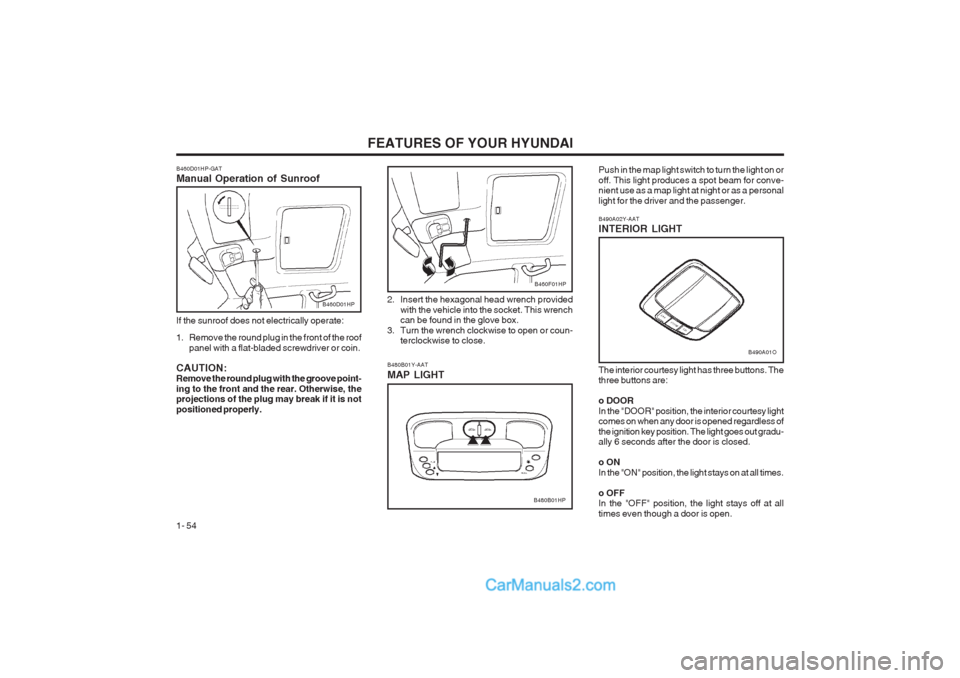
The interior courtesy light has three buttons. The three buttons are: o DOOR
In the "DOOR" position, the interior courtesy light comes on when any door is opened regardless of the ignition key position. The light goes out gradu- ally 6 seconds after the door is closed. o ON In the "ON" position, the light stays on at all times. o OFF In the "OFF" position, the light stays off at all times even though a door is open.
B480B01Y-AAT MAP LIGHT
B480B01HP
B460F01HP
Push in the map light switch to turn the light on or off. This light produces a spot beam for conve- nient use as a map light at night or as a personal light for the driver and the passenger.
B490A01O
B490A02Y-AAT INTERIOR LIGHT
2. Insert the hexagonal head wrench provided
with the vehicle into the socket. This wrench can be found in the glove box.
3. Turn the wrench clockwise to open or coun- terclockwise to close.
B460D01HP-GAT Manual Operation of Sunroof
B460D01HP
If the sunroof does not electrically operate:
1. Remove the round plug in the front of the roof panel with a flat-bladed screwdriver or coin.
CAUTION: Remove the round plug with the groove point- ing to the front and the rear. Otherwise, the projections of the plug may break if it is not positioned properly.
Page 65 of 349
FEATURES OF YOUR HYUNDAI 1- 57
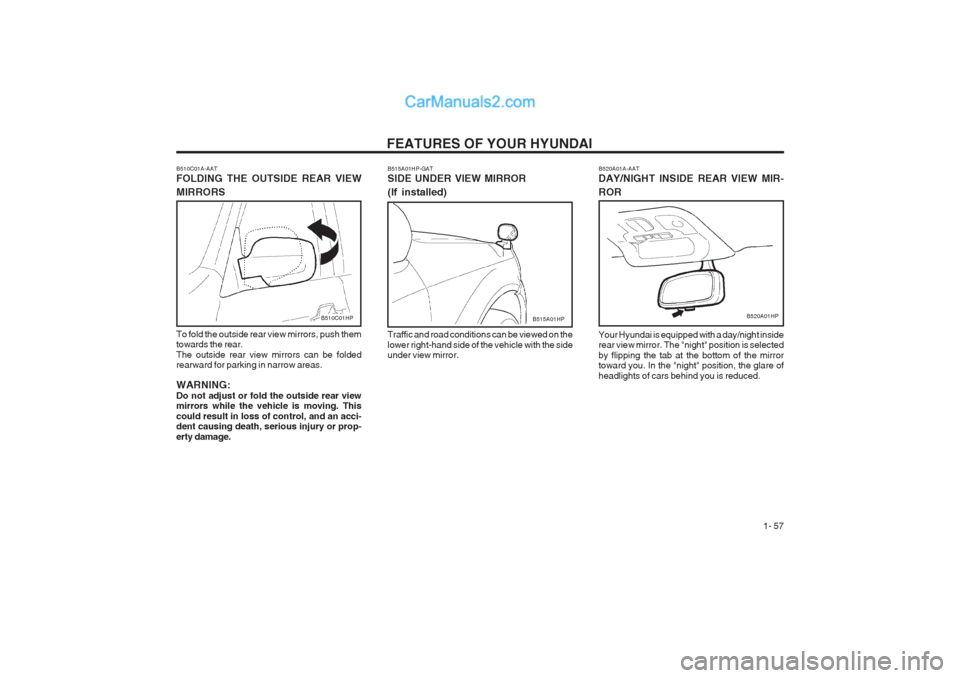
B520A01A-AAT DAY/NIGHT INSIDE REAR VIEW MIR- ROR Your Hyundai is equipped with a day/night inside rear view mirror. The "night" position is selected by flipping the tab at the bottom of the mirror toward you. In the "night" position, the glare of headlights of cars behind you is reduced.
B520A01HP
B510C01A-AAT FOLDING THE OUTSIDE REAR VIEW MIRRORS
To fold the outside rear view mirrors, push them towards the rear. The outside rear view mirrors can be folded rearward for parking in narrow areas. WARNING: Do not adjust or fold the outside rear view mirrors while the vehicle is moving. This could result in loss of control, and an acci- dent causing death, serious injury or prop- erty damage.
B510C01HPB515A01HP-GAT SIDE UNDER VIEW MIRROR (If installed) Traffic and road conditions can be viewed on the lower right-hand side of the vehicle with the side under view mirror.B515A01HP
Page 66 of 349
FEATURES OF YOUR HYUNDAI
1- 58
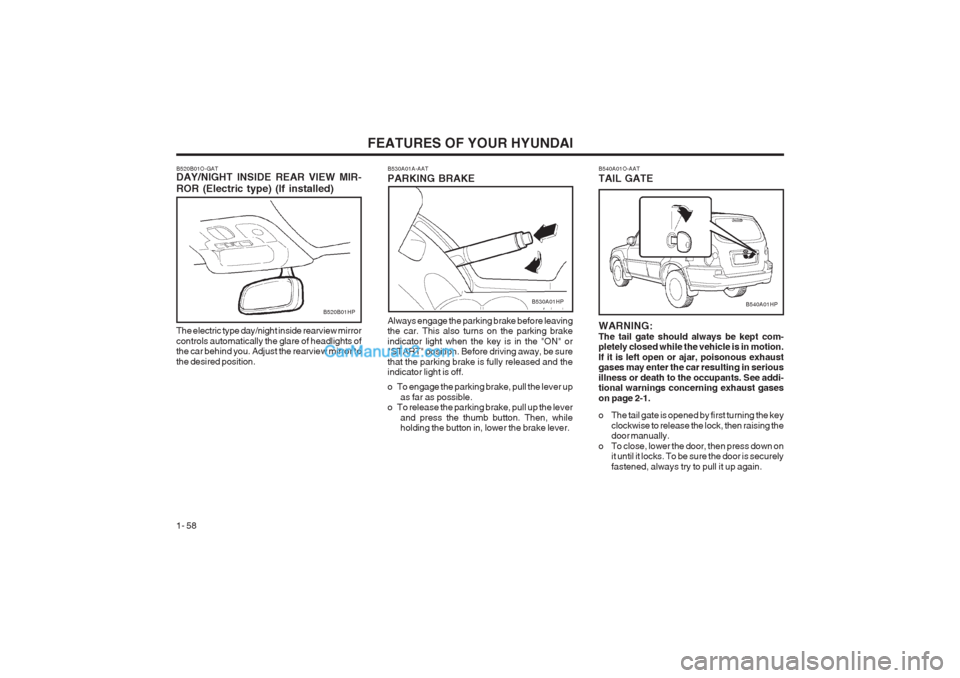
Always engage the parking brake before leaving the car. This also turns on the parking brake indicator light when the key is in the "ON" or "START" position. Before driving away, be sure that the parking brake is fully released and the indicator light is off.
o To engage the parking brake, pull the lever up as far as possible.
o To release the parking brake, pull up the lever
and press the thumb button. Then, while holding the button in, lower the brake lever.
B530A01A-AAT PARKING BRAKE
B520B01O-GAT DAY/NIGHT INSIDE REAR VIEW MIR- ROR (Electric type) (If installed)
B520B01HP
The electric type day/night inside rearview mirror controls automatically the glare of headlights of the car behind you. Adjust the rearview mirror to the desired position.B530A01HP
B540A01O-AAT TAIL GATE
B540A01HP
WARNING: The tail gate should always be kept com- pletely closed while the vehicle is in motion. If it is left open or ajar, poisonous exhaust gases may enter the car resulting in serious illness or death to the occupants. See addi- tional warnings concerning exhaust gases on page 2-1.
o The tail gate is opened by first turning the key clockwise to release the lock, then raising the door manually.
o To close, lower the door, then press down on it until it locks. To be sure the door is securely fastened, always try to pull it up again.
Page 67 of 349
FEATURES OF YOUR HYUNDAI 1- 59
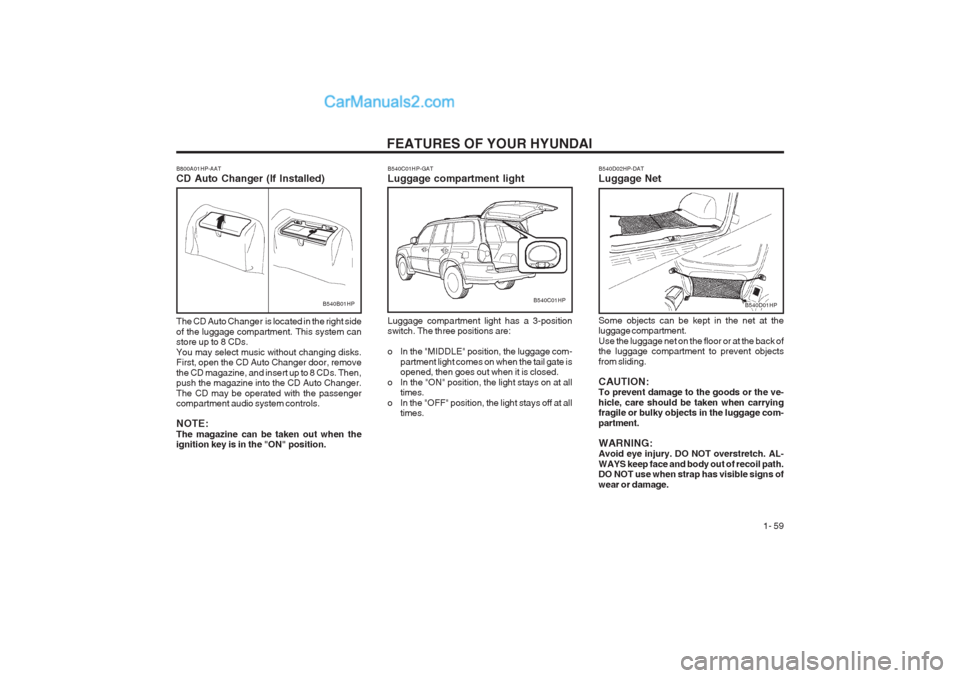
B540B01HPB540C01HP-GAT Luggage compartment light Luggage compartment light has a 3-position switch. The three positions are:
o In the "MIDDLE" position, the luggage com-
partment light comes on when the tail gate is opened, then goes out when it is closed.
o In the "ON" position, the light stays on at all times.
o In the "OFF" position, the light stays off at all times.B540C01HPB540D01HP
B800A01HP-AAT CD Auto Changer (If Installed) The CD Auto Changer is located in the right side of the luggage compartment. This system can store up to 8 CDs. You may select music without changing disks. First, open the CD Auto Changer door, remove the CD magazine, and insert up to 8 CDs. Then, push the magazine into the CD Auto Changer. The CD may be operated with the passenger compartment audio system controls. NOTE: The magazine can be taken out when the ignition key is in the "ON" position. B540D02HP-DAT Luggage Net Some objects can be kept in the net at the luggage compartment. Use the luggage net on the floor or at the back of the luggage compartment to prevent objects from sliding. CAUTION: To prevent damage to the goods or the ve- hicle, care should be taken when carrying fragile or bulky objects in the luggage com- partment. WARNING: Avoid eye injury. DO NOT overstretch. AL- WAYS keep face and body out of recoil path. DO NOT use when strap has visible signs of wear or damage.
Page 69 of 349
FEATURES OF YOUR HYUNDAI 1- 61
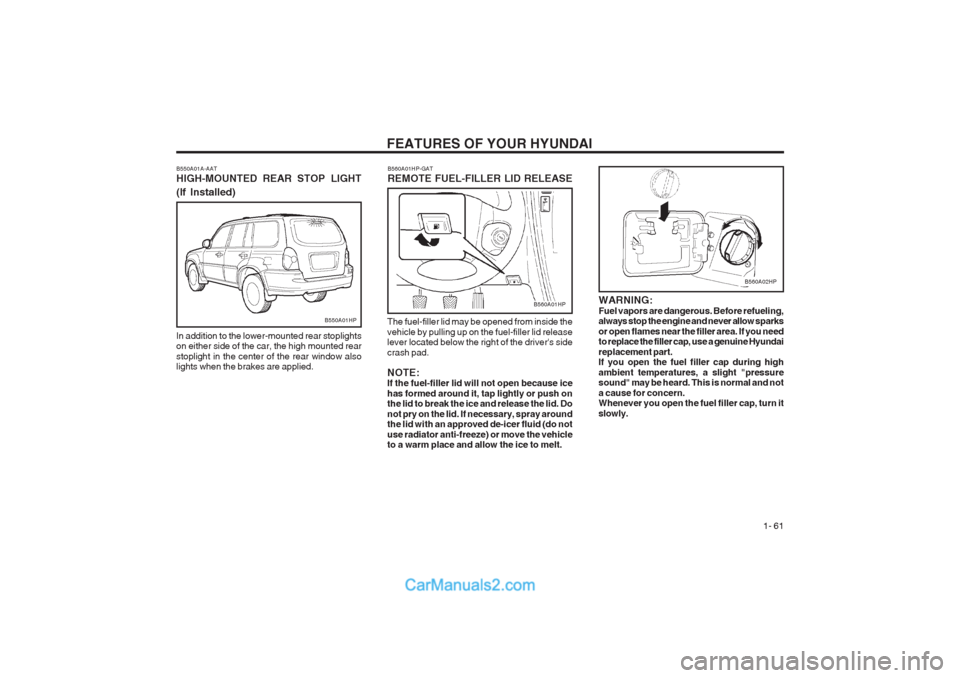
WARNING: Fuel vapors are dangerous. Before refueling, always stop the engine and never allow sparks or open flames near the filler area. If you need to replace the filler cap, use a genuine Hyundai replacement part. If you open the fuel filler cap during high ambient temperatures, a slight "pressure sound" may be heard. This is normal and not a cause for concern. Whenever you open the fuel filler cap, turn it slowly.
B550A01A-AAT HIGH-MOUNTED REAR STOP LIGHT (If Installed)
In addition to the lower-mounted rear stoplights on either side of the car, the high mounted rear stoplight in the center of the rear window also lights when the brakes are applied.
B550A01HP
B560A01HP-GAT REMOTE FUEL-FILLER LID RELEASE
The fuel-filler lid may be opened from inside the vehicle by pulling up on the fuel-filler lid release lever located below the right of the driver's side crash pad. NOTE: If the fuel-filler lid will not open because ice has formed around it, tap lightly or push on the lid to break the ice and release the lid. Do not pry on the lid. If necessary, spray around the lid with an approved de-icer fluid (do not use radiator anti-freeze) or move the vehicle to a warm place and allow the ice to melt.
B560A01HP
B560A02HP
Page 71 of 349
FEATURES OF YOUR HYUNDAI 1- 63
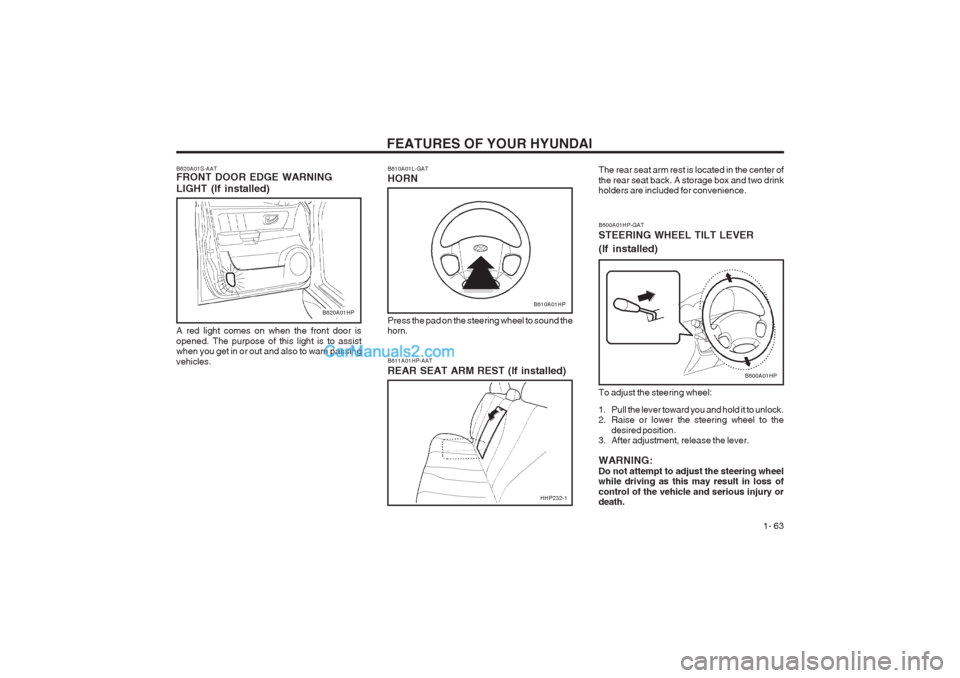
B600A01HP-GAT STEERING WHEEL TILT LEVER (If installed) To adjust the steering wheel:
1. Pull the lever toward you and hold it to unlock.
2. Raise or lower the steering wheel to thedesired position.
3. After adjustment, release the lever. WARNING: Do not attempt to adjust the steering wheel while driving as this may result in loss of control of the vehicle and serious injury or death.
B600A01HP
B620A01S-AAT FRONT DOOR EDGE WARNING LIGHT (If installed) A red light comes on when the front door is opened. The purpose of this light is to assist when you get in or out and also to warn passing vehicles.B610A01L-GAT HORN
B610A01HP
Press the pad on the steering wheel to sound the horn. B611A01HP-AAT REAR SEAT ARM REST (If installed) The rear seat arm rest is located in the center of the rear seat back. A storage box and two drink holders are included for convenience.B620A01HP
HHP232-1
Page 72 of 349
FEATURES OF YOUR HYUNDAI
1- 64
Driver only
Driver + Front PassengerFull PassengersFull passengers + MaximumPermissible Loading
Driver + Maximum PermissibleLoading0 01 2 3
LOADING CONDITION Switch
position
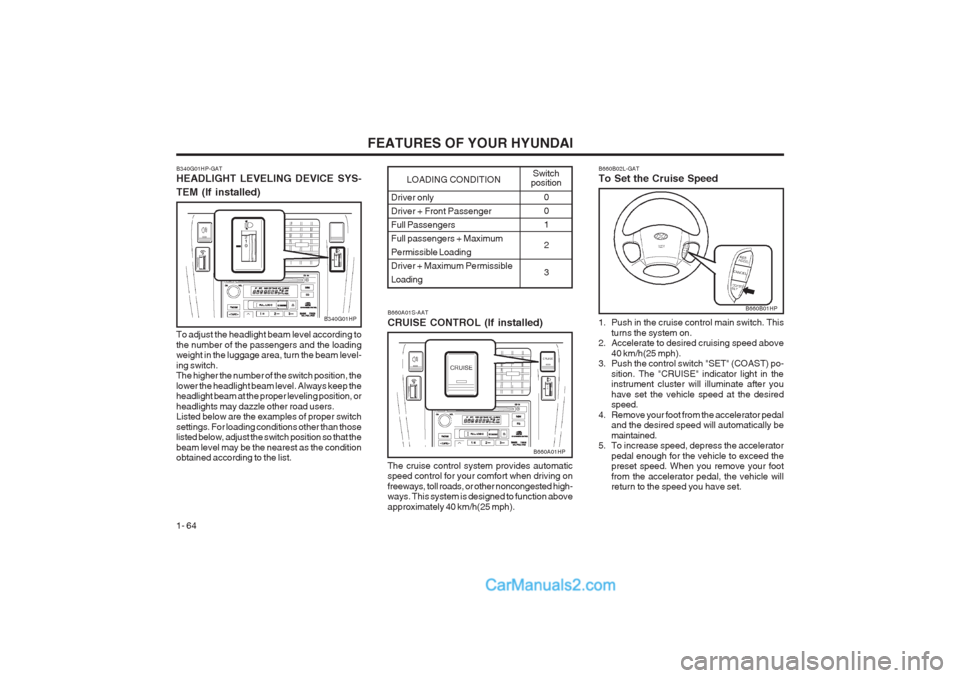
B340G01HP-GAT HEADLIGHT LEVELING DEVICE SYS- TEM (If installed)
To adjust the headlight beam level according to the number of the passengers and the loading weight in the luggage area, turn the beam level- ing switch. The higher the number of the switch position, the lower the headlight beam level. Always keep the headlight beam at the proper leveling position, or headlights may dazzle other road users. Listed below are the examples of proper switch settings. For loading conditions other than those listed below, adjust the switch position so that the beam level may be the nearest as the condition obtained according to the list.
B340G01HPB660A01S-AAT CRUISE CONTROL (If installed) The cruise control system provides automatic speed control for your comfort when driving on freeways, toll roads, or other noncongested high- ways. This system is designed to function above approximately 40 km/h(25 mph).
B660A01HP B660B02L-GAT To Set the Cruise Speed
1. Push in the cruise control main switch. This
turns the system on.
2. Accelerate to desired cruising speed above
40 km/h(25 mph).
3. Push the control switch "SET" (COAST) po-
sition. The "CRUISE" indicator light in the instrument cluster will illuminate after you have set the vehicle speed at the desired speed.
4. Remove your foot from the accelerator pedal and the desired speed will automatically be maintained.
5. To increase speed, depress the accelerator
pedal enough for the vehicle to exceed the preset speed. When you remove your foot from the accelerator pedal, the vehicle will return to the speed you have set.
B660B01HP
Page 80 of 349
FEATURES OF YOUR HYUNDAI
1- 72
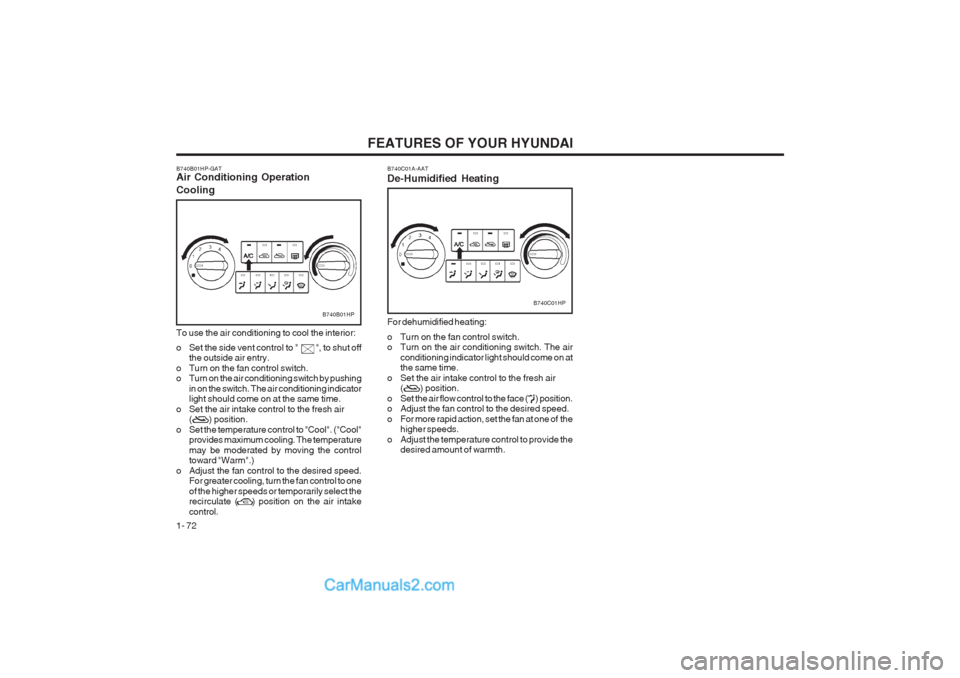
B740B01HP-GAT
Air Conditioning Operation
Cooling
B740B01HP
To use the air conditioning to cool the interior:
o Set the side vent control to " ", to shut off
the outside air entry.
o Turn on the fan control switch.
o Turn on the air conditioning switch by pushing in on the switch. The air conditioning indicatorlight should come on at the same time.
o Set the air intake control to the fresh air ( ) position.
o Set the temperature control to "Cool". ("Cool" provides maximum cooling. The temperature may be moderated by moving the control toward "Warm".)
o Adjust the fan control to the desired speed. For greater cooling, turn the fan control to one of the higher speeds or temporarily select the recirculate ( ) position on the air intake control. B740C01A-AAT De-Humidified Heating
B740C01HP
For dehumidified heating:
o Turn on the fan control switch.
o Turn on the air conditioning switch. The air conditioning indicator light should come on atthe same time.
o Set the air intake control to the fresh air ( ) position.
o Set the air flow control to the face ( ) position.
o Adjust the fan control to the desired speed.
o For more rapid action, set the fan at one of the higher speeds.
o Adjust the temperature control to provide the desired amount of warmth.
Page 82 of 349
FEATURES OF YOUR HYUNDAI
1- 74
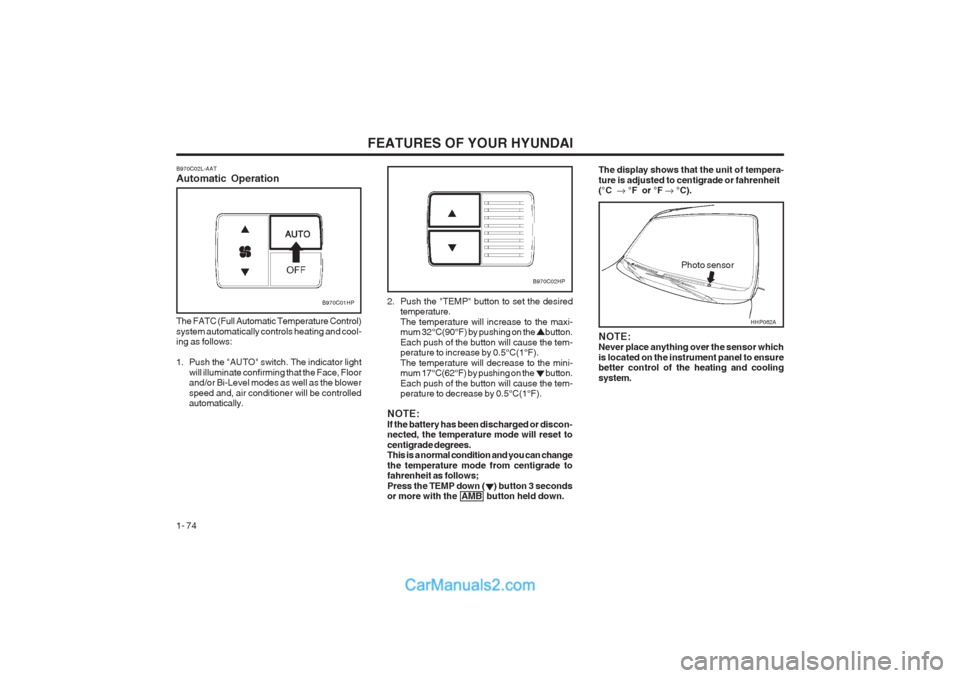
B970C02L-AAT Automatic Operation
B970C01HP
The FATC (Full Automatic Temperature Control) system automatically controls heating and cool- ing as follows:
1. Push the "AUTO" switch. The indicator light will illuminate confirming that the Face, Floor and/or Bi-Level modes as well as the blower speed and, air conditioner will be controlled automatically. 2. Push the "TEMP" button to set the desired
temperature. The temperature will increase to the maxi- mum 32°C(90°F) by pushing on the button. Each push of the button will cause the tem- perature to increase by 0.5°C(1°F). The temperature will decrease to the mini- mum 17°C(62°F) by pushing on the button. Each push of the button will cause the tem- perature to decrease by 0.5°C(1°F).
NOTE: If the battery has been discharged or discon- nected, the temperature mode will reset to centigrade degrees. This is a normal condition and you can change the temperature mode from centigrade to fahrenheit as follows; Press the TEMP down ( ) button 3 seconds or more with the AMB button held down.
Photo sensor
B970C02HP
NOTE: Never place anything over the sensor which is located on the instrument panel to ensure better control of the heating and cooling system.
The display shows that the unit of tempera- ture is adjusted to centigrade or fahrenheit (°C °F or °F °C).
HHP062A
Page 83 of 349
FEATURES OF YOUR HYUNDAI 1- 75
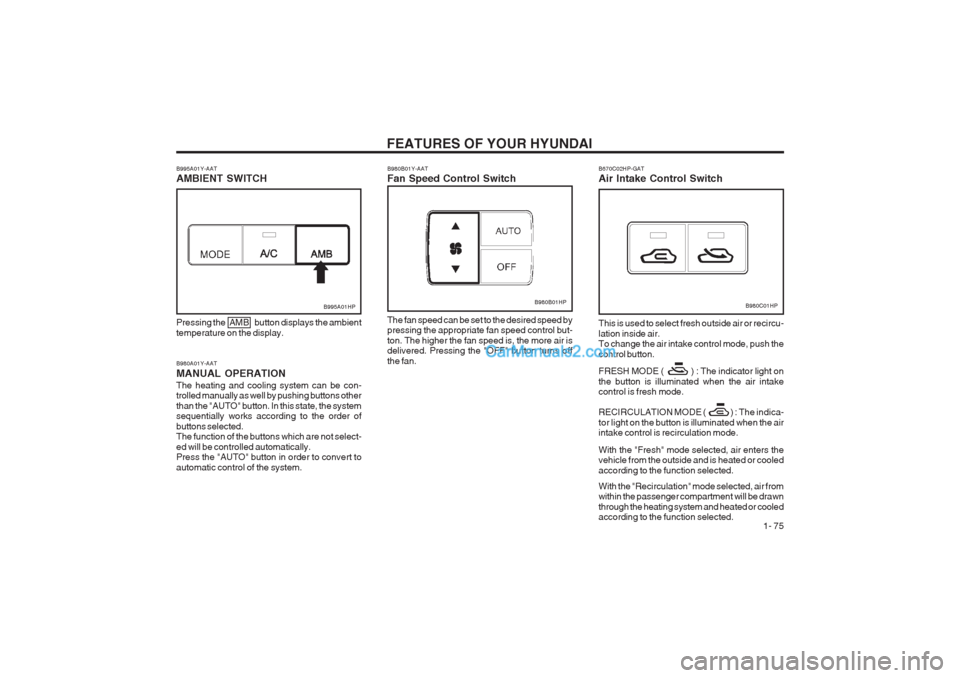
B980A01Y-AAT MANUAL OPERATIONThe heating and cooling system can be con- trolled manually as well by pushing buttons other than the "AUTO" button. In this state, the system sequentially works according to the order of buttons selected. The function of the buttons which are not select- ed will be controlled automatically. Press the "AUTO" button in order to convert to automatic control of the system.
B995A01HP
Pressing the AMB button displays the ambient temperature on the display.
B980B01Y-AAT Fan Speed Control Switch
B980B01HP
The fan speed can be set to the desired speed by pressing the appropriate fan speed control but- ton. The higher the fan speed is, the more air is delivered. Pressing the "OFF" button turns off the fan.
B995A01Y-AAT AMBIENT SWITCHB980C01HP
B670C02HP-GAT Air Intake Control Switch This is used to select fresh outside air or recircu- lation inside air. To change the air intake control mode, push the control button. FRESH MODE ( ) : The indicator light on the button is illuminated when the air intake control is fresh mode.
RECIRCULATION MODE ( ) :
The indica-
tor light on the button is illuminated when the air
intake control is recirculation mode. With the "Fresh" mode selected, air enters the vehicle from the outside and is heated or cooled according to the function selected. With the "Recirculation" mode selected, air from within the passenger compartment will be drawn through the heating system and heated or cooled according to the function selected.