control mod Hyundai Terracan 2004 User Guide
[x] Cancel search | Manufacturer: HYUNDAI, Model Year: 2004, Model line: Terracan, Model: Hyundai Terracan 2004Pages: 361, PDF Size: 4.69 MB
Page 79 of 361
FEATURES OF YOUR HYUNDAI 1- 71
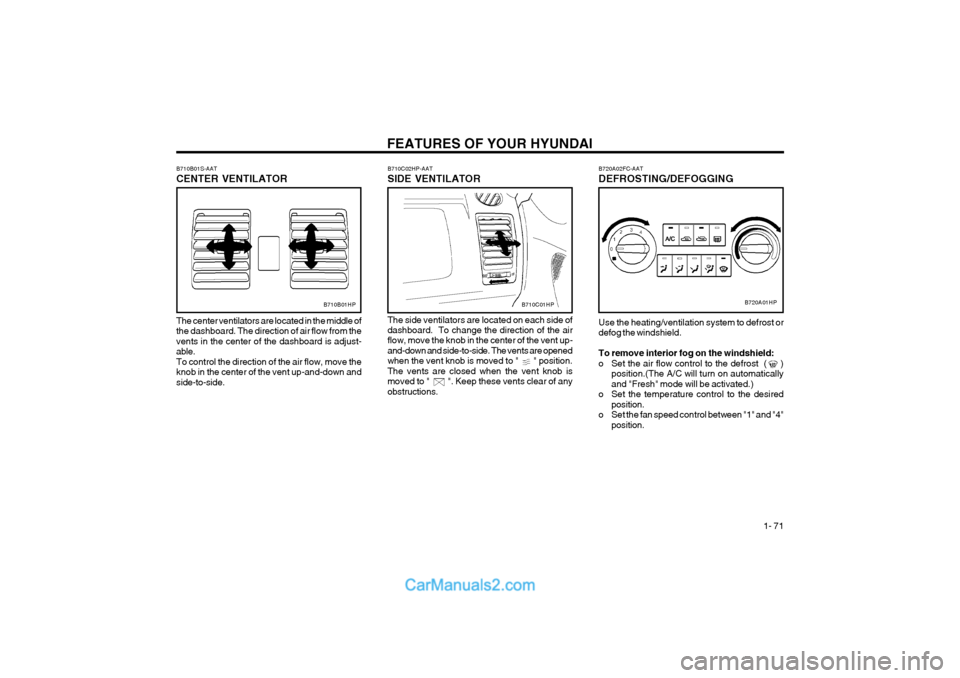
B720A02FC-AAT DEFROSTING/DEFOGGING
B720A01HP
Use the heating/ventilation system to defrost or defog the windshield. To remove interior fog on the windshield:
o Set the air flow control to the defrost ( ) position.(The A/C will turn on automaticallyand "Fresh" mode will be activated.)
o Set the temperature control to the desired position.
o Set the fan speed control between "1" and "4" position.B710C01HP
The center ventilators are located in the middle of the dashboard. The direction of air flow from thevents in the center of the dashboard is adjust-able.To control the direction of the air flow, move theknob in the center of the vent up-and-down andside-to-side.
B710B01S-AAT CENTER VENTILATOR
B710B01HP
B710C02HP-AAT SIDE VENTILATOR The side ventilators are located on each side of dashboard. To change the direction of the air flow, move the knob in the center of the vent up- and-down and side-to-side. The vents are openedwhen the vent knob is moved to " " position.The vents are closed when the vent knob ismoved to " ". Keep these vents clear of anyobstructions.
Page 80 of 361
FEATURES OF YOUR HYUNDAI
1- 72
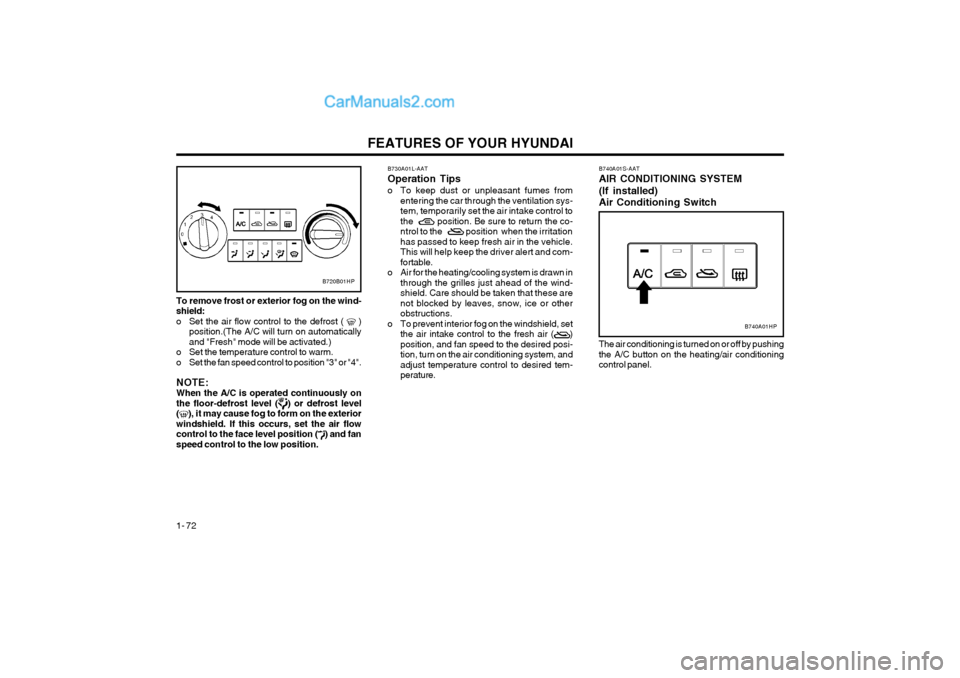
To remove frost or exterior fog on the wind- shield:
o Set the air flow control to the defrost ( )
position.(The A/C will turn on automaticallyand "Fresh" mode will be activated.)
o Set the temperature control to warm.
o Set the fan speed control to position "3" or "4". NOTE: When the A/C is operated continuously onthe floor-defrost level (
) or defrost level
(), it may cause fog to form on the exterior
windshield. If this occurs, set the air flow control to the face level position (
) and fan
speed control to the low position.
B720B01HP
B730A01L-AAT Operation Tips
o To keep dust or unpleasant fumes from entering the car through the ventilation sys-
tem, temporarily set the air intake control to
the position. Be sure to return the co-
ntrol to the position when the irritationhas passed to keep fresh air in the vehicle.This will help keep the driver alert and com-fortable.
o Air for the heating/cooling system is drawn in through the grilles just ahead of the wind-shield. Care should be taken that these arenot blocked by leaves, snow, ice or otherobstructions.
o To prevent interior fog on the windshield, set the air intake control to the fresh air ( )position, and fan speed to the desired posi-tion, turn on the air conditioning system, andadjust temperature control to desired tem-perature.
The air conditioning is turned on or off by pushing the A/C button on the heating/air conditioningcontrol panel.
B740A01S-AAT AIR CONDITIONING SYSTEM (If installed) Air Conditioning Switch
B740A01HP
Page 81 of 361
FEATURES OF YOUR HYUNDAI 1- 73
B740B01HP-GAT
Air Conditioning Operation Cooling
B740B01HP
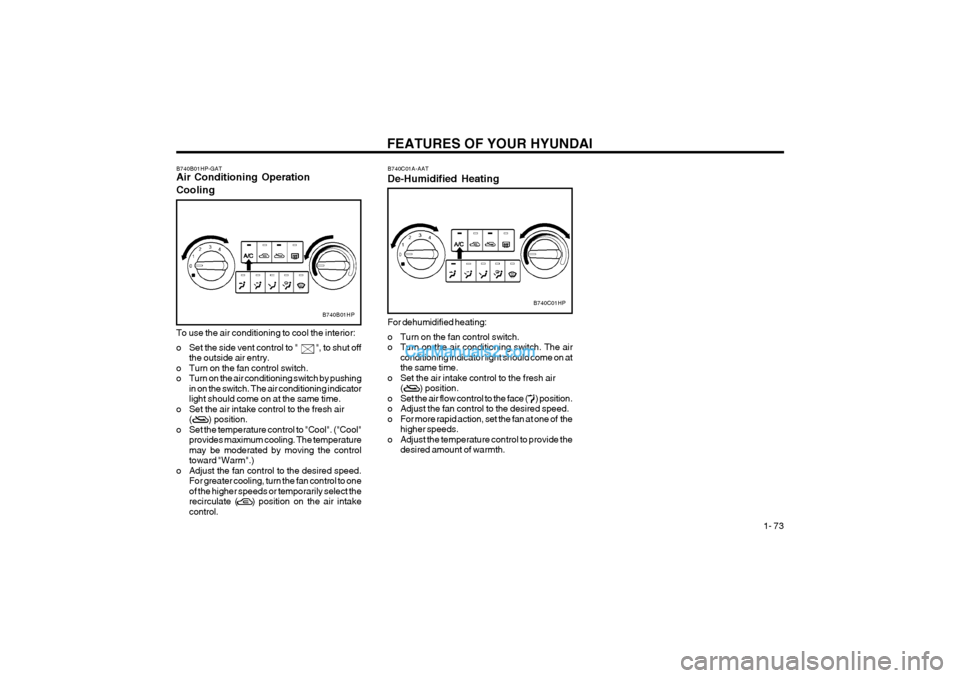
To use the air conditioning to cool the interior:
o Set the side vent control to " ", to shut off
the outside air entry.
o Turn on the fan control switch.
o Turn on the air conditioning switch by pushing in on the switch. The air conditioning indicatorlight should come on at the same time.
o Set the air intake control to the fresh air ( ) position.
o Set the temperature control to "Cool". ("Cool" provides maximum cooling. The temperaturemay be moderated by moving the controltoward "Warm".)
o Adjust the fan control to the desired speed. For greater cooling, turn the fan control to oneof the higher speeds or temporarily select therecirculate ( ) position on the air intakecontrol. B740C01A-AAT De-Humidified Heating
B740C01HP
For dehumidified heating:
o Turn on the fan control switch.
o Turn on the air conditioning switch. The air conditioning indicator light should come on atthe same time.
o Set the air intake control to the fresh air ( ) position.
o Set the air flow control to the face ( ) position.
o Adjust the fan control to the desired speed.
o For more rapid action, set the fan at one of the higher speeds.
o Adjust the temperature control to provide the desired amount of warmth.
Page 83 of 361
FEATURES OF YOUR HYUNDAI 1- 75
B970C02L-AAT Automatic Operation
B970C01HP
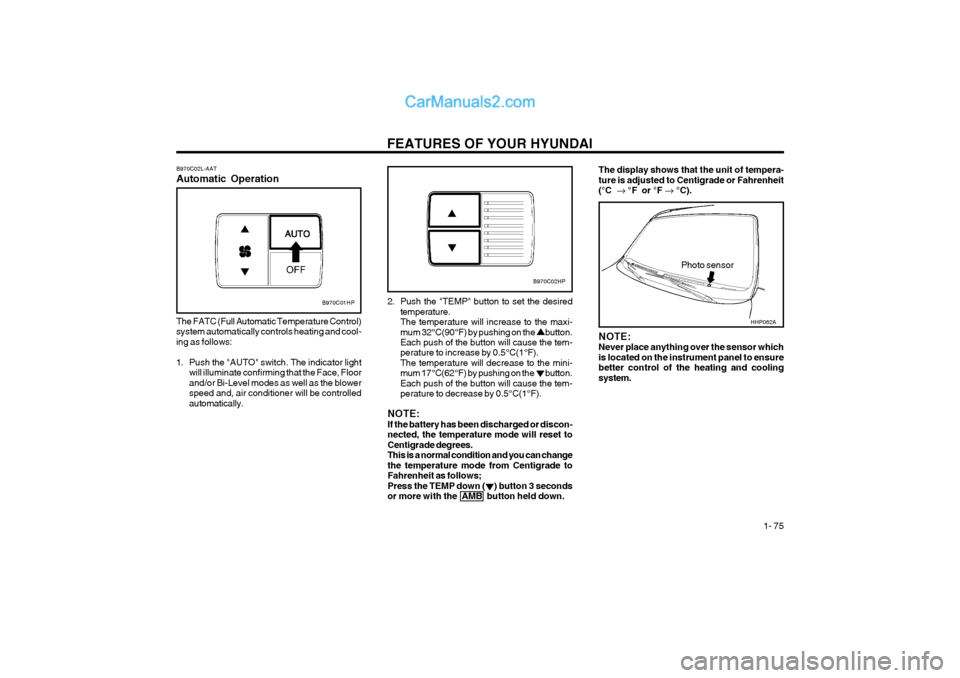
The FATC (Full Automatic Temperature Control) system automatically controls heating and cool-ing as follows:
1. Push the "AUTO" switch. The indicator light will illuminate confirming that the Face, Floor and/or Bi-Level modes as well as the blowerspeed and, air conditioner will be controlledautomatically. 2. Push the "TEMP" button to set the desired
temperature.The temperature will increase to the maxi-mum 32°C(90°F) by pushing on the button. Each push of the button will cause the tem- perature to increase by 0.5°C(1°F).The temperature will decrease to the mini-mum 17°C(62°F) by pushing on the button.Each push of the button will cause the tem-perature to decrease by 0.5°C(1°F).
NOTE:If the battery has been discharged or discon-nected, the temperature mode will reset toCentigrade degrees.This is a normal condition and you can changethe temperature mode from Centigrade toFahrenheit as follows;Press the TEMP down ( ) button 3 secondsor more with the AMB button held down.
Photo sensor
B970C02HP
NOTE: Never place anything over the sensor whichis located on the instrument panel to ensurebetter control of the heating and coolingsystem.
The display shows that the unit of tempera- ture is adjusted to Centigrade or Fahrenheit(°C °F or °F °C).
HHP062A
Page 84 of 361
FEATURES OF YOUR HYUNDAI
1- 76
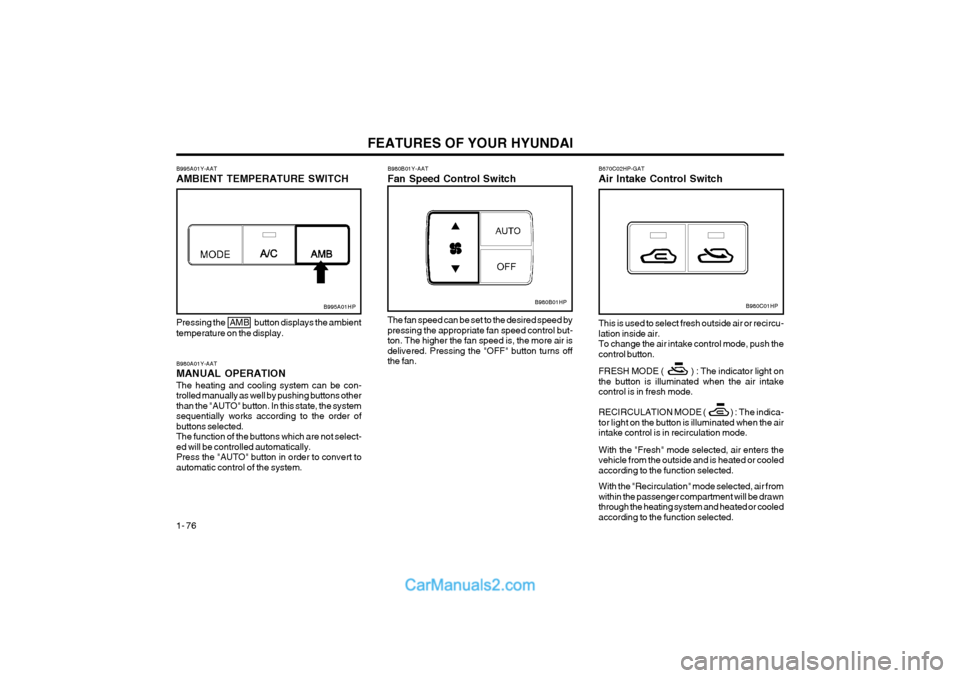
B980A01Y-AAT MANUAL OPERATIONThe heating and cooling system can be con- trolled manually as well by pushing buttons otherthan the "AUTO" button. In this state, the systemsequentially works according to the order ofbuttons selected.The function of the buttons which are not select-ed will be controlled automatically.Press the "AUTO" button in order to convert toautomatic control of the system.
B995A01HP
Pressing the AMB button displays the ambient temperature on the display.
B980B01Y-AAT Fan Speed Control Switch
B980B01HP
The fan speed can be set to the desired speed by pressing the appropriate fan speed control but-ton. The higher the fan speed is, the more air isdelivered. Pressing the "OFF" button turns offthe fan.
B995A01Y-AAT AMBIENT TEMPERATURE SWITCHB980C01HP
B670C02HP-GAT Air Intake Control Switch This is used to select fresh outside air or recircu- lation inside air.To change the air intake control mode, push thecontrol button. FRESH MODE ( ) : The indicator light on the button is illuminated when the air intakecontrol is in fresh mode.
RECIRCULATION MODE ( ) :
The indica-
tor light on the button is illuminated when the air
intake control is in recirculation mode. With the "Fresh" mode selected, air enters the vehicle from the outside and is heated or cooledaccording to the function selected. With the "Recirculation" mode selected, air from within the passenger compartment will be drawnthrough the heating system and heated or cooledaccording to the function selected.
Page 85 of 361
FEATURES OF YOUR HYUNDAI 1- 77
B980D01Y-AAT Heating and Cooling System OffPress the "OFF" button to stop the operation of the heating and cooling system.
NOTE:
o It should be noted that prolonged opera-
tion of the heating system in "Recircula-tion" mode will give rise to fogging of thewindshield and side windows and the airwithin the passenger compartment willbecome stale. In addition, prolonged useof the air conditioning with the "Recircu-lation" mode selected may result in the airwithin the passenger compartment be-coming excessively dry.
o When the ignition switch is turned "ON",
the air intake control will change to ( )
mode (regardless of the switch position).
This is normal operation. The air intake
control operates in "AUTO" mode when turning the ignition to the ON position if the"AUTO" mode was used before shuttingoff the engine.
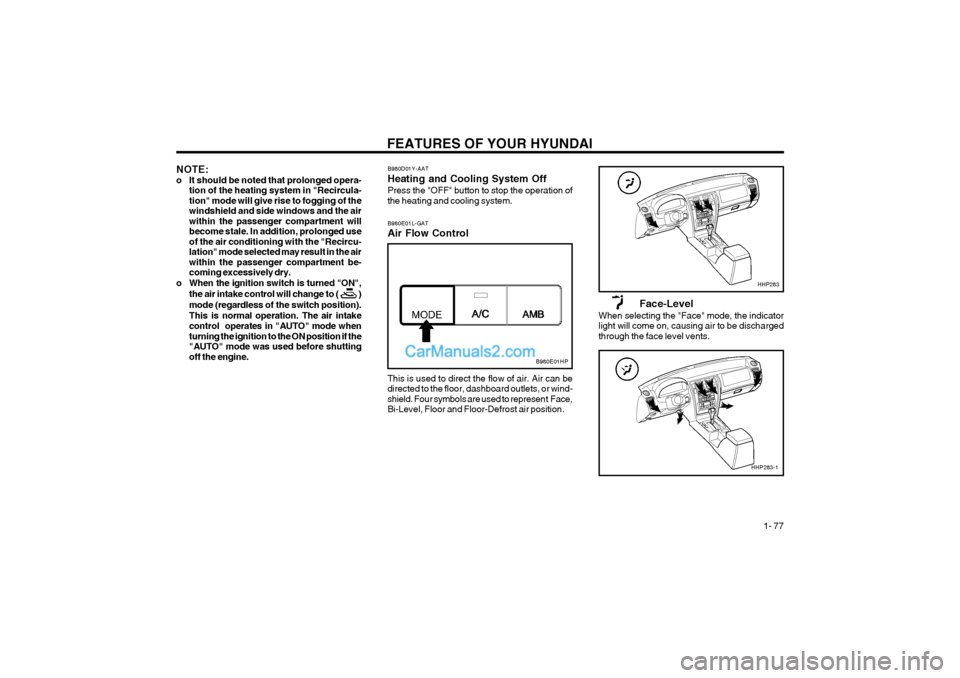
This is used to direct the flow of air. Air can be directed to the floor, dashboard outlets, or wind-shield. Four symbols are used to represent Face,Bi-Level, Floor and Floor-Defrost air position.
B980E01L-GAT Air Flow Control
Face-Level
When selecting the "Face" mode, the indicator light will come on, causing air to be dischargedthrough the face level vents.
B980E01HP
HHP283
HHP283-1
Page 91 of 361
FEATURES OF YOUR HYUNDAI 1- 83
FM/AM
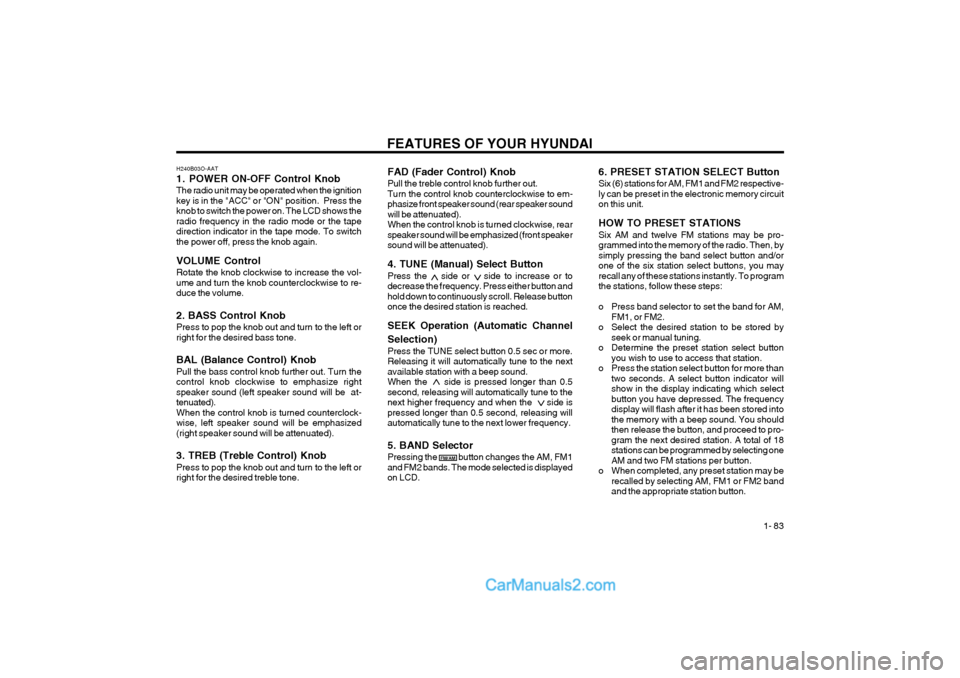
FAD (Fader Control) Knob Pull the treble control knob further out. Turn the control knob counterclockwise to em-phasize front speaker sound (rear speaker soundwill be attenuated).When the control knob is turned clockwise, rearspeaker sound will be emphasized (front speakersound will be attenuated). 4. TUNE (Manual) Select Button Press the side or side to increase or to decrease the frequency. Press either button andhold down to continuously scroll. Release buttononce the desired station is reached. SEEK Operation (Automatic Channel Selection) Press the TUNE select button 0.5 sec or more. Releasing it will automatically tune to the nextavailable station with a beep sound.When the side is pressed longer than 0.5second, releasing will automatically tune to thenext higher frequency and when the side ispressed longer than 0.5 second, releasing willautomatically tune to the next lower frequency. 5. BAND Selector Pressing the button changes the AM, FM1 and FM2 bands. The mode selected is displayedon LCD.6. PRESET STATION SELECT Button Six (6) stations for AM, FM1 and FM2 respective- ly can be preset in the electronic memory circuiton this unit. HOW TO PRESET STATIONS Six AM and twelve FM stations may be pro- grammed into the memory of the radio. Then, bysimply pressing the band select button and/orone of the six station select buttons, you mayrecall any of these stations instantly. To programthe stations, follow these steps:
o Press band selector to set the band for AM,
FM1, or FM2.
o Select the desired station to be stored by seek or manual tuning.
o Determine the preset station select button you wish to use to access that station.
o Press the station select button for more than two seconds. A select button indicator will show in the display indicating which selectbutton you have depressed. The frequencydisplay will flash after it has been stored intothe memory with a beep sound. You shouldthen release the button, and proceed to pro-gram the next desired station. A total of 18stations can be programmed by selecting oneAM and two FM stations per button.
o When completed, any preset station may be recalled by selecting AM, FM1 or FM2 bandand the appropriate station button.
H240B03O-AAT
1. POWER ON-OFF Control KnobThe radio unit may be operated when the ignition key is in the "ACC" or "ON" position. Press theknob to switch the power on. The LCD shows theradio frequency in the radio mode or the tapedirection indicator in the tape mode. To switchthe power off, press the knob again. VOLUME Control Rotate the knob clockwise to increase the vol- ume and turn the knob counterclockwise to re-duce the volume. 2. BASS Control Knob Press to pop the knob out and turn to the left or right for the desired bass tone. BAL (Balance Control) Knob Pull the bass control knob further out. Turn the control knob clockwise to emphasize rightspeaker sound (left speaker sound will be at-tenuated).When the control knob is turned counterclock-wise, left speaker sound will be emphasized(right speaker sound will be attenuated). 3. TREB (Treble Control) Knob Press to pop the knob out and turn to the left or right for the desired treble tone.
Page 96 of 361
FEATURES OF YOUR HYUNDAI
1- 88
H290B03E-AAT
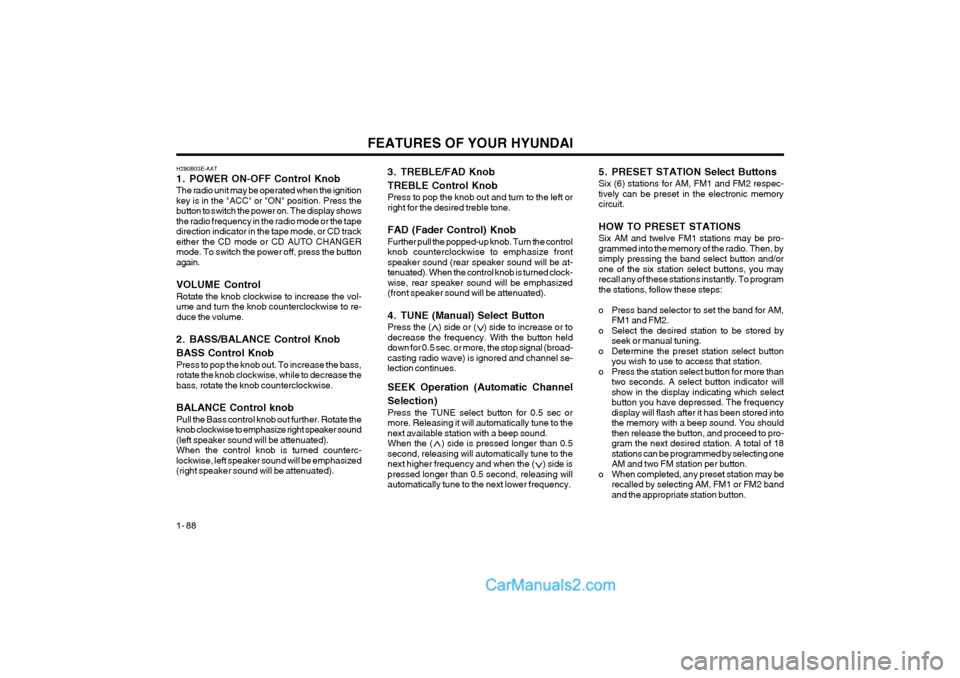
1. POWER ON-OFF Control KnobThe radio unit may be operated when the ignition key is in the "ACC" or "ON" position. Press thebutton to switch the power on. The display showsthe radio frequency in the radio mode or the tapedirection indicator in the tape mode, or CD trackeither the CD mode or CD AUTO CHANGERmode. To switch the power off, press the buttonagain. VOLUME Control Rotate the knob clockwise to increase the vol- ume and turn the knob counterclockwise to re-duce the volume.
2. BASS/BALANCE Control Knob BASS Control Knob Press to pop the knob out. To increase the bass, rotate the knob clockwise, while to decrease thebass, rotate the knob counterclockwise. BALANCE Control knob Pull the Bass control knob out further. Rotate the knob clockwise to emphasize right speaker sound(left speaker sound will be attenuated).When the control knob is turned counterc-lockwise, left speaker sound will be emphasized(right speaker sound will be attenuated). 3. TREBLE/FAD Knob TREBLE Control Knob Press to pop the knob out and turn to the left or right for the desired treble tone. FAD (Fader Control) Knob Further pull the popped-up knob. Turn the control knob counterclockwise to emphasize frontspeaker sound (rear speaker sound will be at-tenuated). When the control knob is turned clock-wise, rear speaker sound will be emphasized(front speaker sound will be attenuated).
4. TUNE (Manual) Select Button Press the ( ) side or ( ) side to increase or to decrease the frequency. With the button helddown for 0.5 sec. or more, the stop signal (broad-casting radio wave) is ignored and channel se-lection continues. SEEK Operation (Automatic Channel Selection) Press the TUNE select button for 0.5 sec or more. Releasing it will automatically tune to thenext available station with a beep sound.When the ( ) side is pressed longer than 0.5second, releasing will automatically tune to thenext higher frequency and when the ( ) side ispressed longer than 0.5 second, releasing willautomatically tune to the next lower frequency.5. PRESET STATION Select Buttons Six (6) stations for AM, FM1 and FM2 respec- tively can be preset in the electronic memorycircuit. HOW TO PRESET STATIONS Six AM and twelve FM1 stations may be pro- grammed into the memory of the radio. Then, bysimply pressing the band select button and/orone of the six station select buttons, you mayrecall any of these stations instantly. To programthe stations, follow these steps:
o Press band selector to set the band for AM,
FM1 and FM2.
o Select the desired station to be stored by seek or manual tuning.
o Determine the preset station select button you wish to use to access that station.
o Press the station select button for more than two seconds. A select button indicator will show in the display indicating which selectbutton you have depressed. The frequencydisplay will flash after it has been stored intothe memory with a beep sound. You shouldthen release the button, and proceed to pro-gram the next desired station. A total of 18stations can be programmed by selecting oneAM and two FM station per button.
o When completed, any preset station may be recalled by selecting AM, FM1 or FM2 bandand the appropriate station button.
Page 117 of 361
DRIVING YOUR HYUNDAI
2- 8
o Do not "ride" the brakes. This can cause them
to overheat and malfunction. Instead, when you are driving down a long hill, slow down and shift to a lower gear. When you do this, engine braking will help slow the car.
o Slow down before shifting to a lower gear.
Otherwise, the lower gear may not be en- gaged.
o Always use the parking brake. Do not depend on placing the transmission in "P" to keep the car from moving.
o Exercise extreme caution when driving on a
slippery surface. Be especially careful when braking, accelerating or shifting gears. On a slippery surface, an abrupt change in vehicle speed can cause the drive wheels to lose traction and the vehicle to go out of control.
WARNING:
o Avoid high cornering speeds.
o Do not make quick steering wheel move- ments, such as sharp lane changes orfast, sharp turns.
o Always wear your seat belts.
In a collision crash, an unbelted person is significantly more likely to die than a per- son wearing a seatbelt.
o The risk of rollover is greatly increased if
you lose control of your vehicle at high- way speeds.
o Loss of control often occurs if two or more wheels drop off the roadway and the driver oversteers to reenter the roadway. C120A02A-AAT ANTI-LOCK BRAKE SYSTEM (If installed) The Anti-Lock Brake System (ABS) is designed to prevent wheel lock-up during sudden braking or on hazardous road surfaces. The ABS control module monitors the wheel speed and controls the pressure applied to each brake. Thus, in emergency situations or on slick roads, ABS will increase vehicle control during braking. NOTE: During ABS operation, a slight pulsation may be felt in the brake pedal when the brakes are applied. Also, a noise may be heard in the engine compartment while braking. These conditions are normal and indicate that the anti-lock brake system is functioning prop- erly.
D090A01P-GAT FOUR-WHEEL DRIVE (4WD) You can send your engine power to all front and rear wheels for maximum power. 4WD is useful when you drive in snow, mud, ice, mountainous or sandy areas where good traction is required, or when your wheels lose traction using two- wheel drive.
WARNING:ABS will not prevent accidents due to im- proper or dangerous driving maneuvers. Even though vehicle control is improved during emergency braking, always maintain a safe distance between you and objects ahead. Vehicle speeds should always be reduced during extreme road conditions. The braking distance for cars equipped with an anti-lock braking system may be longer than for those without it in the following road conditions. During these conditions the ve- hicle should be driven at reduced speeds.
o Rough, gravel or snow-covered roads.
o With tire chains installed.
o Roads where the road surface is pitted or
has different surface height.
The safety features of an ABS equipped ve-hicle should not be tested by high speed driving or cornering. This could endanger the safety of yourself or others.
o In the event your vehicle leaves the road-
way, do not steer sharply. Instead, slowdown before pulling back into the travel lanes.
o Never exceed posted speed limits.
Page 119 of 361
DRIVING YOUR HYUNDAI
2- 10
conventional 2-wheel drive vehicles any more than low-slung sports cars are designed to perform satisfactorily under off-road condi- tions. If at all possible, avoid sharp turns or abrupt maneuvers. As with other vehicles of this type, failure to operate this vehicle cor- rectly may result in loss of control or vehicle rollover.
o Do not grip the inside or spokes of the steer-
ing wheel when driving off-road. The steering wheel could jerk and injure your hands. Al- ways firmly hold the outer steering wheel when you are driving off-road.
o Drive at lower speeds in strong crosswinds. Because of your vehicle’s high center of gravity, its stability will be affected in cross- winds. Slower speeds ensure better vehicle control.
o Check your brake condition once you are out
of mud or water. Press the brake several times as you move slowly until your feel normal braking forces return.
o Four-wheel driving on flat and normal roads
can result in a severe binding condition when turning the steering wheel.
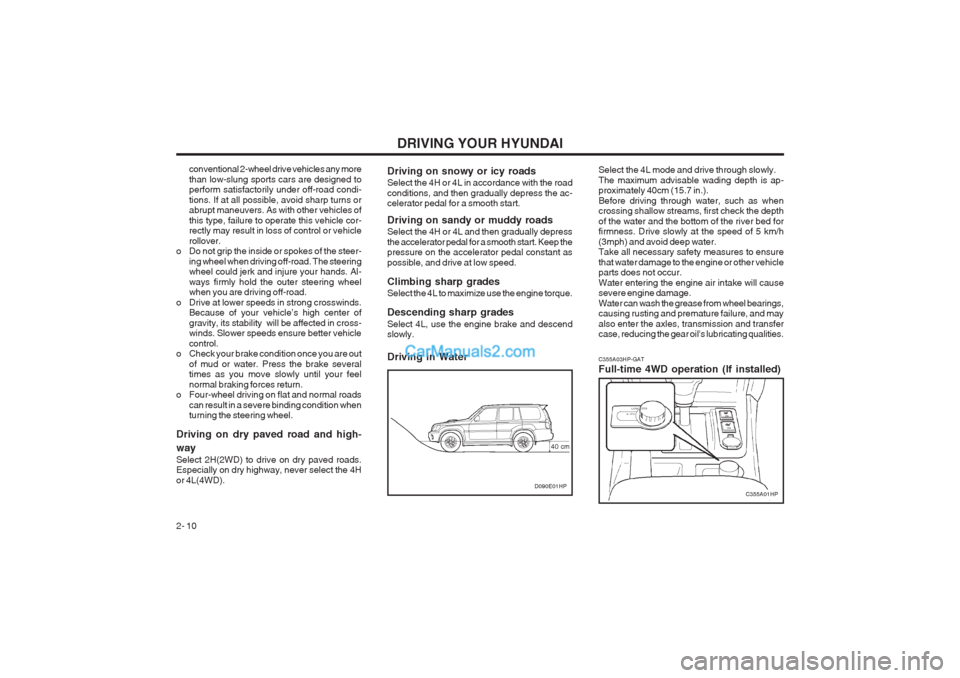
Driving on dry paved road and high- way Select 2H(2WD) to drive on dry paved roads. Especially on dry highway, never select the 4H or 4L(4WD). C355A03HP-GAT Full-time 4WD operation (If installed)Driving on snowy or icy roads Select the 4H or 4L in accordance with the road conditions, and then gradually depress the ac- celerator pedal for a smooth start. Driving on sandy or muddy roads Select the 4H or 4L and then gradually depress the accelerator pedal for a smooth start. Keep the pressure on the accelerator pedal constant as possible, and drive at low speed. Climbing sharp grades Select the 4L to maximize use the engine torque. Descending sharp grades Select 4L, use the engine brake and descend slowly. Driving in Water
C355A01HPD090E01HP
40 cmSelect the 4L mode and drive through slowly. The maximum advisable wading depth is ap- proximately 40cm (15.7 in.). Before driving through water, such as when crossing shallow streams, first check the depth of the water and the bottom of the river bed for firmness. Drive slowly at the speed of 5 km/h (3mph) and avoid deep water. Take all necessary safety measures to ensure that water damage to the engine or other vehicle parts does not occur. Water entering the engine air intake will cause severe engine damage. Water can wash the grease from wheel bearings, causing rusting and premature failure, and may also enter the axles, transmission and transfer case, reducing the gear oil's lubricating qualities.