ECO mode Hyundai Terracan 2004 Owner's Manual
[x] Cancel search | Manufacturer: HYUNDAI, Model Year: 2004, Model line: Terracan, Model: Hyundai Terracan 2004Pages: 361, PDF Size: 4.69 MB
Page 10 of 361
FEATURES OF YOUR HYUNDAI
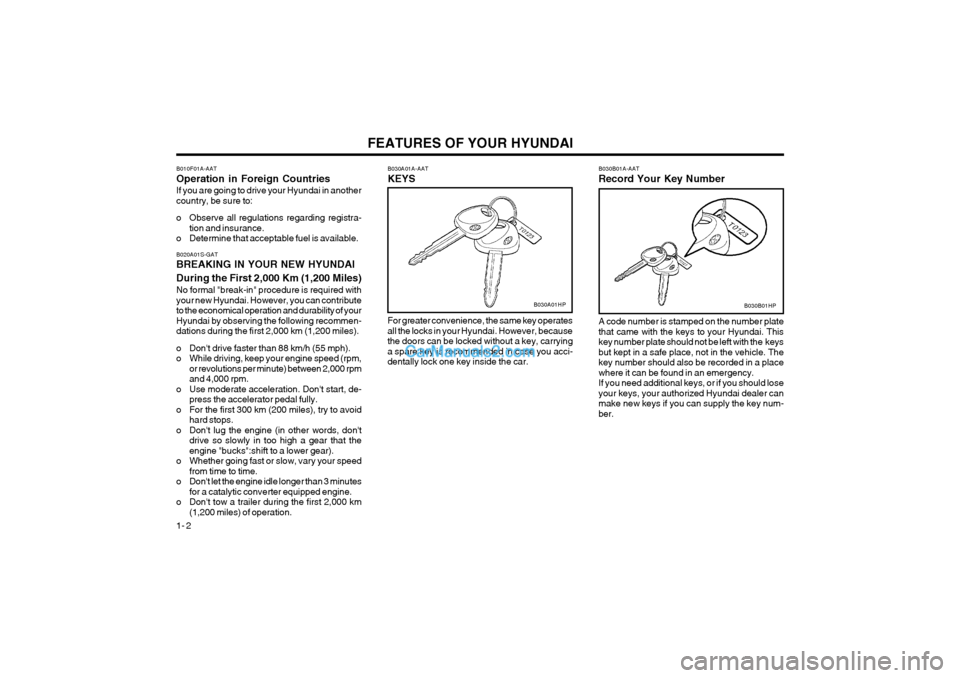
1- 2 B030A01A-AAT KEYS
B030B01HP
B030B01A-AAT Record Your Key Number
B030A01HP
A code number is stamped on the number plate that came with the keys to your Hyundai. Thiskey number plate should not be left with the keysbut kept in a safe place, not in the vehicle. Thekey number should also be recorded in a placewhere it can be found in an emergency.If you need additional keys, or if you should loseyour keys, your authorized Hyundai dealer canmake new keys if you can supply the key num-ber.
For greater convenience, the same key operatesall the locks in your Hyundai. However, becausethe doors can be locked without a key, carryinga spare key is recommended in case you acci-dentally lock one key inside the car.
B010F01A-AAT Operation in Foreign CountriesIf you are going to drive your Hyundai in another country, be sure to:
o Observe all regulations regarding registra-
tion and insurance.
o Determine that acceptable fuel is available. B020A01S-GAT BREAKING IN YOUR NEW HYUNDAI During the First 2,000 Km (1,200 Miles) No formal "break-in" procedure is required with your new Hyundai. However, you can contributeto the economical operation and durability of yourHyundai by observing the following recommen-dations during the first 2,000 km (1,200 miles).
o Don't drive faster than 88 km/h (55 mph).
o While driving, keep your engine speed (rpm, or revolutions per minute) between 2,000 rpmand 4,000 rpm.
o Use moderate acceleration. Don't start, de- press the accelerator pedal fully.
o For the first 300 km (200 miles), try to avoid hard stops.
o Don't lug the engine (in other words, don't drive so slowly in too high a gear that theengine "bucks":shift to a lower gear).
o Whether going fast or slow, vary your speed from time to time.
o Don't let the engine idle longer than 3 minutes for a catalytic converter equipped engine.
o Don't tow a trailer during the first 2,000 km (1,200 miles) of operation.
Page 57 of 361
FEATURES OF YOUR HYUNDAI 1- 49
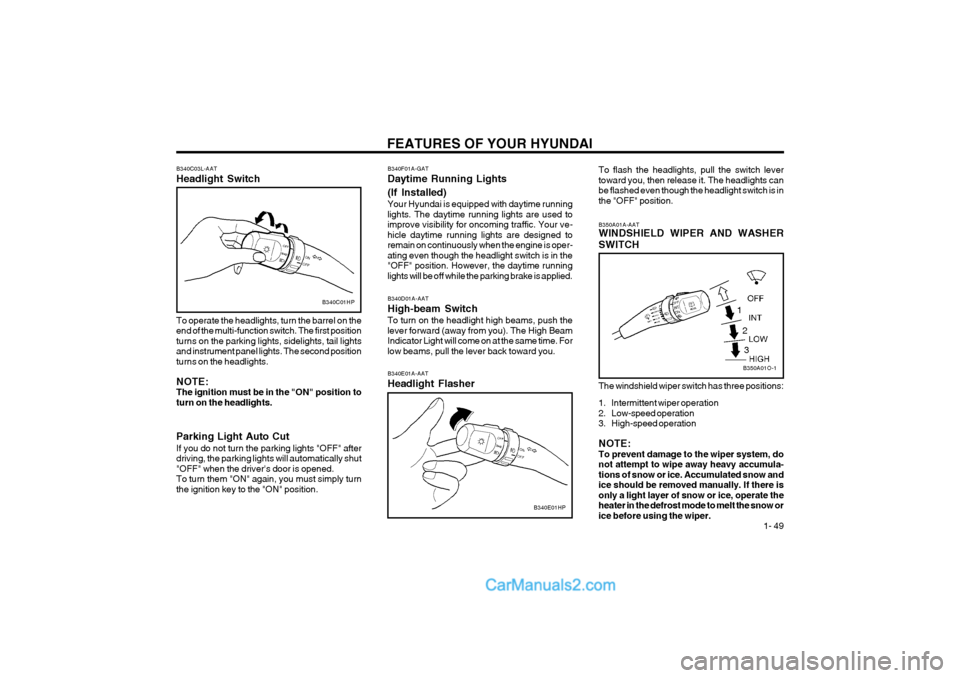
B340D01A-AAT High-beam SwitchTo turn on the headlight high beams, push the lever forward (away from you). The High BeamIndicator Light will come on at the same time. Forlow beams, pull the lever back toward you. B340E01A-AAT Headlight Flasher
B340E01HP
B340C03L-AAT Headlight Switch
B340C01HP
To operate the headlights, turn the barrel on the end of the multi-function switch. The first positionturns on the parking lights, sidelights, tail lightsand instrument panel lights. The second positionturns on the headlights. NOTE: The ignition must be in the "ON" position toturn on the headlights. Parking Light Auto Cut If you do not turn the parking lights "OFF" after driving, the parking lights will automatically shut"OFF" when the driver's door is opened.To turn them "ON" again, you must simply turnthe ignition key to the "ON" position. B340F01A-GAT Daytime Running Lights (If Installed) Your Hyundai is equipped with daytime running lights. The daytime running lights are used toimprove visibility for oncoming traffic. Your ve-hicle daytime running lights are designed toremain on continuously when the engine is oper-ating even though the headlight switch is in the"OFF" position. However, the daytime runninglights will be off while the parking brake is applied.
To flash the headlights, pull the switch levertoward you, then release it. The headlights canbe flashed even though the headlight switch is inthe "OFF" position. The windshield wiper switch has three positions:
1. Intermittent wiper operation
2. Low-speed operation
3. High-speed operation NOTE: To prevent damage to the wiper system, donot attempt to wipe away heavy accumula-tions of snow or ice. Accumulated snow andice should be removed manually. If there isonly a light layer of snow or ice, operate theheater in the defrost mode to melt the snow orice before using the wiper.
B350A01A-AAT WINDSHIELD WIPER AND WASHER SWITCH
B350A01O-1
1
23
Page 69 of 361
FEATURES OF YOUR HYUNDAI 1- 61
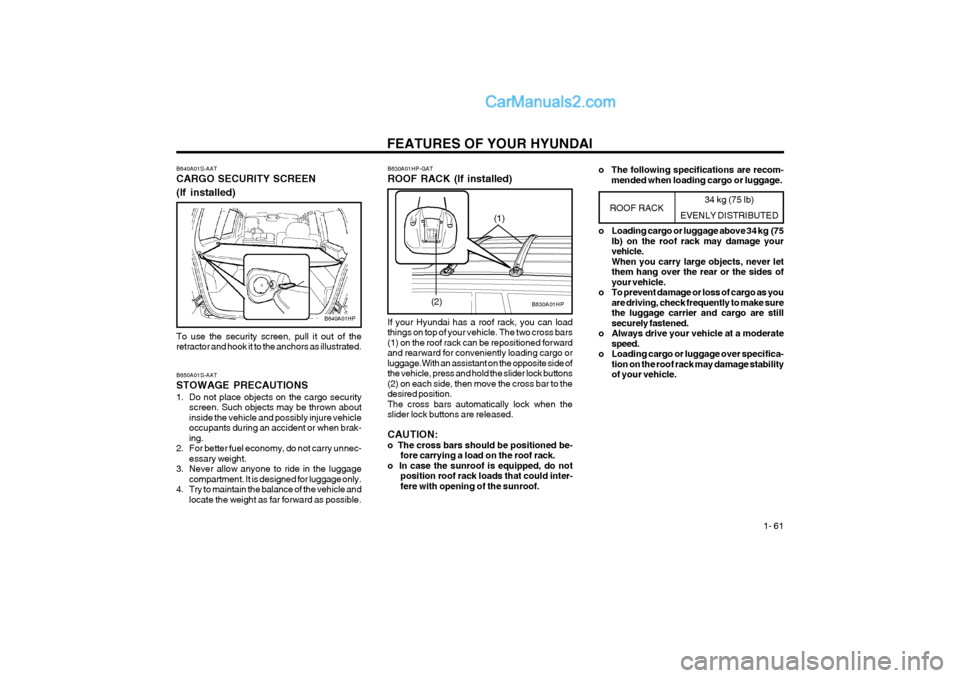
B640A01S-AAT CARGO SECURITY SCREEN (If installed)
B640A01HP
To use the security screen, pull it out of the retractor and hook it to the anchors as illustrated. B650A01S-AAT STOWAGE PRECAUTIONS
1. Do not place objects on the cargo security screen. Such objects may be thrown about inside the vehicle and possibly injure vehicleoccupants during an accident or when brak-ing.
2. For better fuel economy, do not carry unnec- essary weight.
3. Never allow anyone to ride in the luggage compartment. It is designed for luggage only.
4. Try to maintain the balance of the vehicle and locate the weight as far forward as possible. 34 kg (75 lb)
EVENLY DISTRIBUTED
B630A01HP
B630A01HP-GAT ROOF RACK (If installed) If your Hyundai has a roof rack, you can load things on top of your vehicle. The two cross bars(1) on the roof rack can be repositioned forwardand rearward for conveniently loading cargo orluggage.With an assistant on the opposite side ofthe vehicle, press and hold the slider lock buttons(2) on each side, then move the cross bar to thedesired position.The cross bars automatically lock when theslider lock buttons are released. CAUTION: o The cross bars should be positioned be-
fore carrying a load on the roof rack.
o In case the sunroof is equipped, do not position roof rack loads that could inter-fere with opening of the sunroof.
ROOF RACK
(2) o Loading cargo or luggage above 34 kg (75
lb) on the roof rack may damage your vehicle.When you carry large objects, never letthem hang over the rear or the sides ofyour vehicle.
o To prevent damage or loss of cargo as you are driving, check frequently to make surethe luggage carrier and cargo are stillsecurely fastened.
o Always drive your vehicle at a moderate speed.
o Loading cargo or luggage over specifica- tion on the roof rack may damage stabilityof your vehicle.
(1)
o The following specifications are recom-
mended when loading cargo or luggage.
Page 75 of 361
FEATURES OF YOUR HYUNDAI 1- 67
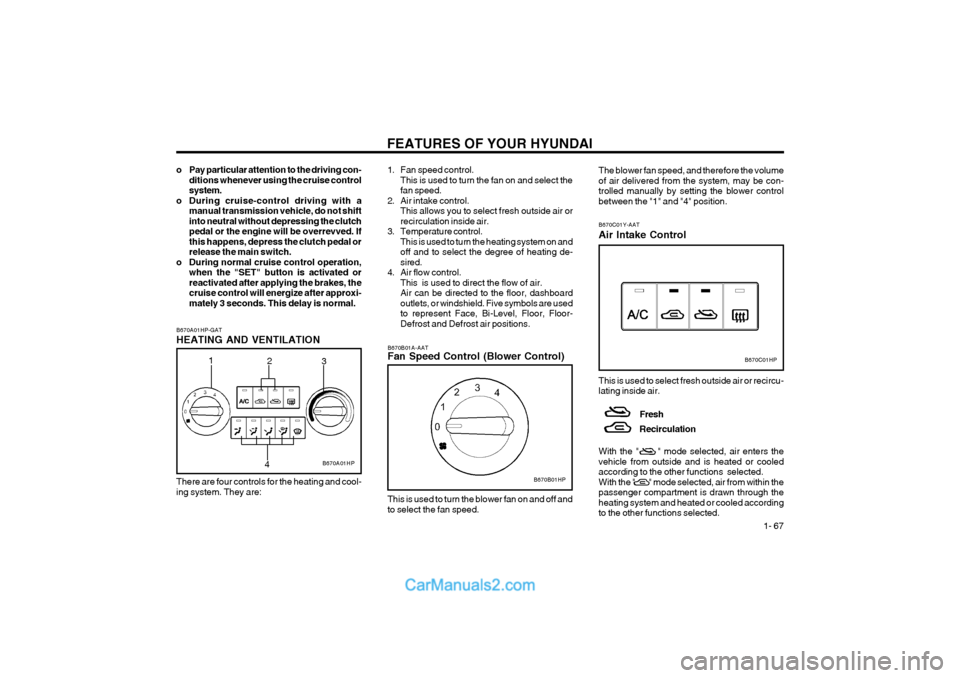
B670B01A-AAT Fan Speed Control (Blower Control)
B670B01HP
This is used to turn the blower fan on and off and to select the fan speed.
B670A01HP-GAT HEATING AND VENTILATION
B670A01HP
2
3
1
4
1. Fan speed control.This is used to turn the fan on and select the fan speed.
2. Air intake control. This allows you to select fresh outside air orrecirculation inside air.
3. Temperature control. This is used to turn the heating system on andoff and to select the degree of heating de-sired.
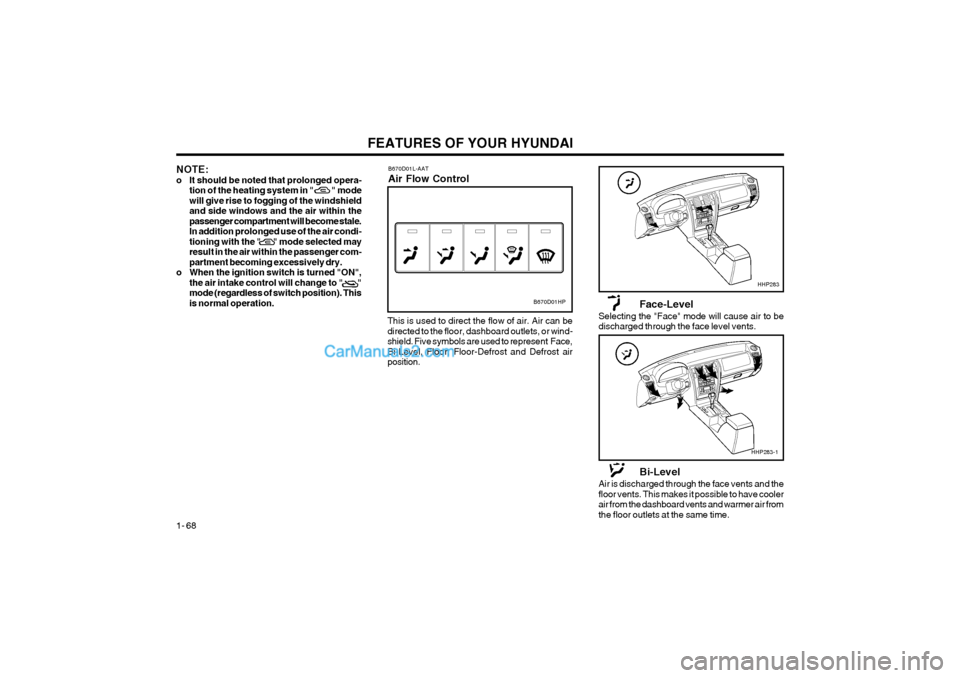
4. Air flow control. This is used to direct the flow of air.Air can be directed to the floor, dashboardoutlets, or windshield. Five symbols are usedto represent Face, Bi-Level, Floor, Floor-Defrost and Defrost air positions.
B670C01HP
The blower fan speed, and therefore the volume of air delivered from the system, may be con-trolled manually by setting the blower controlbetween the "1" and "4" position.
B670C01Y-AAT Air Intake Control This is used to select fresh outside air or recircu- lating inside air.
Fresh Recirculation
With the " " mode selected, air enters the vehicle from outside and is heated or cooledaccording to the other functions selected.With the " " mode selected, air from within thepassenger compartment is drawn through theheating system and heated or cooled accordingto the other functions selected.
o Pay particular attention to the driving con-
ditions whenever using the cruise controlsystem.
o During cruise-control driving with a manual transmission vehicle, do not shiftinto neutral without depressing the clutchpedal or the engine will be overrevved. Ifthis happens, depress the clutch pedal orrelease the main switch.
o During normal cruise control operation, when the "SET" button is activated orreactivated after applying the brakes, thecruise control will energize after approxi-mately 3 seconds. This delay is normal.
There are four controls for the heating and cool-ing system. They are:
Page 76 of 361
FEATURES OF YOUR HYUNDAI
1- 68
NOTE:
o It should be noted that prolonged opera- tion of the heating system in " " modewill give rise to fogging of the windshieldand side windows and the air within thepassenger compartment will become stale.In addition prolonged use of the air condi-tioning with the " " mode selected mayresult in the air within the passenger com-partment becoming excessively dry.
o When the ignition switch is turned "ON", the air intake control will change to " "mode (regardless of switch position). Thisis normal operation.
Face-Level
Selecting the "Face" mode will cause air to be discharged through the face level vents.
Bi-Level
Air is discharged through the face vents and thefloor vents. This makes it possible to have coolerair from the dashboard vents and warmer air fromthe floor outlets at the same time.
B670D01L-AAT Air Flow Control
This is used to direct the flow of air. Air can be directed to the floor, dashboard outlets, or wind-shield. Five symbols are used to represent Face,Bi-Level, Floor, Floor-Defrost and Defrost airposition.
B670D01HP
HHP283
HHP283-1
Page 81 of 361
FEATURES OF YOUR HYUNDAI 1- 73
B740B01HP-GAT
Air Conditioning Operation Cooling
B740B01HP
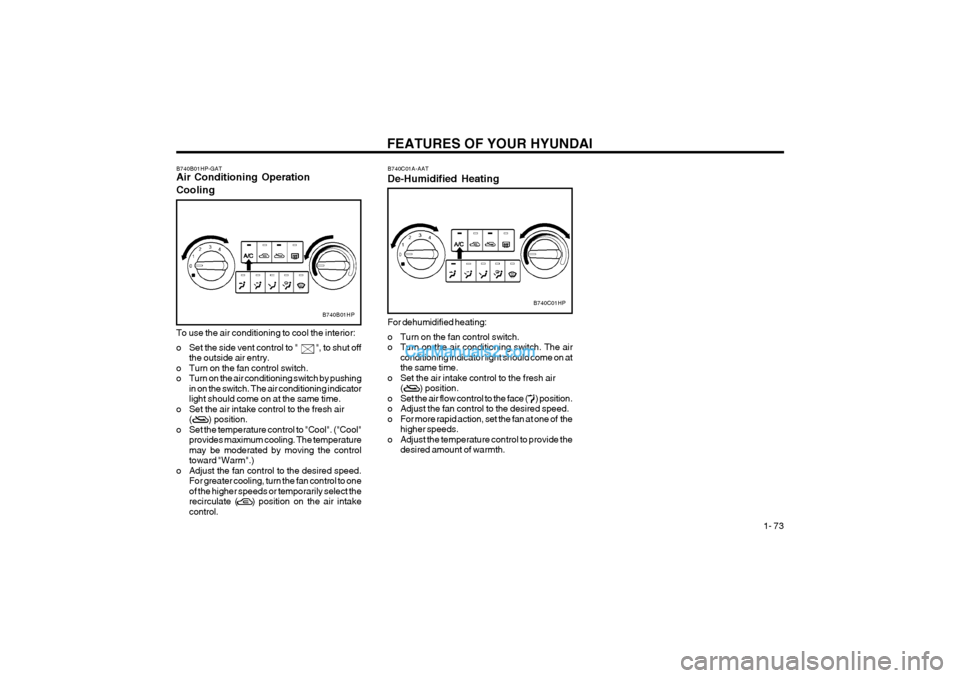
To use the air conditioning to cool the interior:
o Set the side vent control to " ", to shut off
the outside air entry.
o Turn on the fan control switch.
o Turn on the air conditioning switch by pushing in on the switch. The air conditioning indicatorlight should come on at the same time.
o Set the air intake control to the fresh air ( ) position.
o Set the temperature control to "Cool". ("Cool" provides maximum cooling. The temperaturemay be moderated by moving the controltoward "Warm".)
o Adjust the fan control to the desired speed. For greater cooling, turn the fan control to oneof the higher speeds or temporarily select therecirculate ( ) position on the air intakecontrol. B740C01A-AAT De-Humidified Heating
B740C01HP
For dehumidified heating:
o Turn on the fan control switch.
o Turn on the air conditioning switch. The air conditioning indicator light should come on atthe same time.
o Set the air intake control to the fresh air ( ) position.
o Set the air flow control to the face ( ) position.
o Adjust the fan control to the desired speed.
o For more rapid action, set the fan at one of the higher speeds.
o Adjust the temperature control to provide the desired amount of warmth.
Page 83 of 361
FEATURES OF YOUR HYUNDAI 1- 75
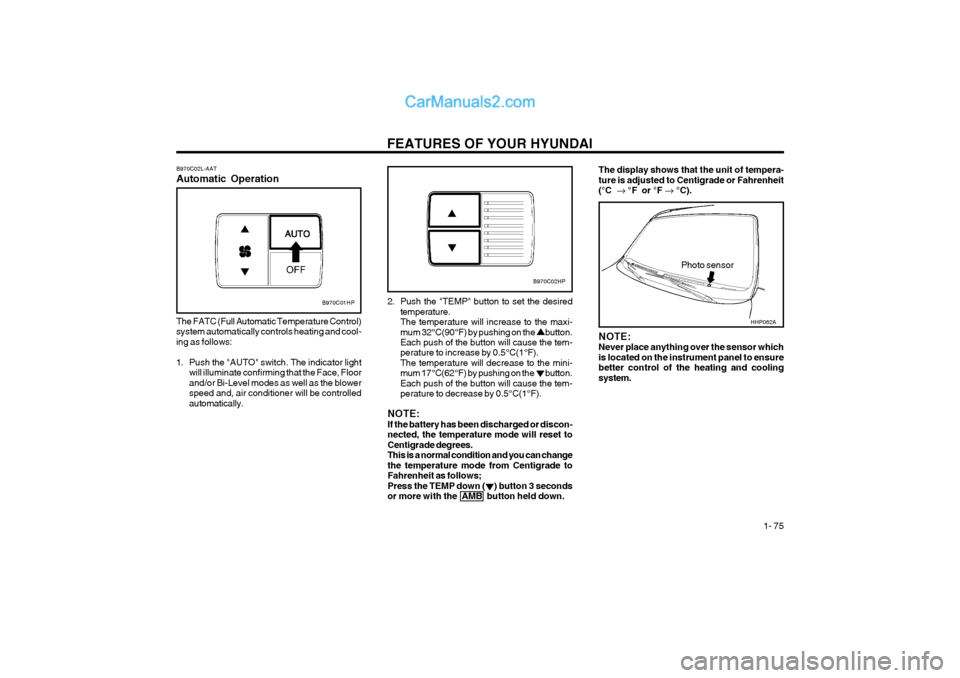
B970C02L-AAT Automatic Operation
B970C01HP
The FATC (Full Automatic Temperature Control) system automatically controls heating and cool-ing as follows:
1. Push the "AUTO" switch. The indicator light will illuminate confirming that the Face, Floor and/or Bi-Level modes as well as the blowerspeed and, air conditioner will be controlledautomatically. 2. Push the "TEMP" button to set the desired
temperature.The temperature will increase to the maxi-mum 32°C(90°F) by pushing on the button. Each push of the button will cause the tem- perature to increase by 0.5°C(1°F).The temperature will decrease to the mini-mum 17°C(62°F) by pushing on the button.Each push of the button will cause the tem-perature to decrease by 0.5°C(1°F).
NOTE:If the battery has been discharged or discon-nected, the temperature mode will reset toCentigrade degrees.This is a normal condition and you can changethe temperature mode from Centigrade toFahrenheit as follows;Press the TEMP down ( ) button 3 secondsor more with the AMB button held down.
Photo sensor
B970C02HP
NOTE: Never place anything over the sensor whichis located on the instrument panel to ensurebetter control of the heating and coolingsystem.
The display shows that the unit of tempera- ture is adjusted to Centigrade or Fahrenheit(°C °F or °F °C).
HHP062A
Page 84 of 361
FEATURES OF YOUR HYUNDAI
1- 76
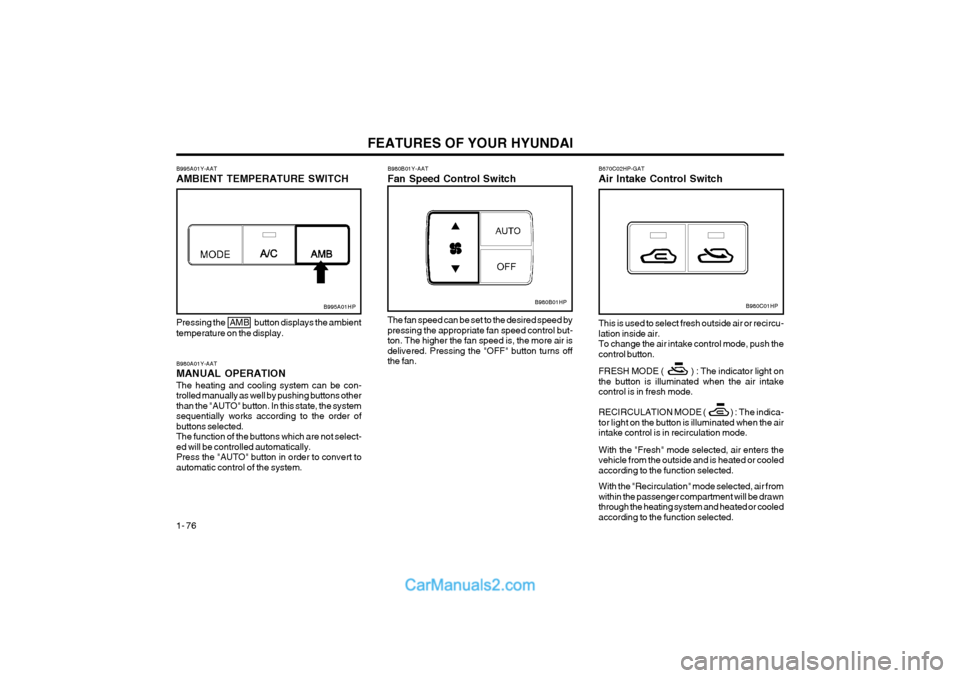
B980A01Y-AAT MANUAL OPERATIONThe heating and cooling system can be con- trolled manually as well by pushing buttons otherthan the "AUTO" button. In this state, the systemsequentially works according to the order ofbuttons selected.The function of the buttons which are not select-ed will be controlled automatically.Press the "AUTO" button in order to convert toautomatic control of the system.
B995A01HP
Pressing the AMB button displays the ambient temperature on the display.
B980B01Y-AAT Fan Speed Control Switch
B980B01HP
The fan speed can be set to the desired speed by pressing the appropriate fan speed control but-ton. The higher the fan speed is, the more air isdelivered. Pressing the "OFF" button turns offthe fan.
B995A01Y-AAT AMBIENT TEMPERATURE SWITCHB980C01HP
B670C02HP-GAT Air Intake Control Switch This is used to select fresh outside air or recircu- lation inside air.To change the air intake control mode, push thecontrol button. FRESH MODE ( ) : The indicator light on the button is illuminated when the air intakecontrol is in fresh mode.
RECIRCULATION MODE ( ) :
The indica-
tor light on the button is illuminated when the air
intake control is in recirculation mode. With the "Fresh" mode selected, air enters the vehicle from the outside and is heated or cooledaccording to the function selected. With the "Recirculation" mode selected, air from within the passenger compartment will be drawnthrough the heating system and heated or cooledaccording to the function selected.
Page 85 of 361
FEATURES OF YOUR HYUNDAI 1- 77
B980D01Y-AAT Heating and Cooling System OffPress the "OFF" button to stop the operation of the heating and cooling system.
NOTE:
o It should be noted that prolonged opera-
tion of the heating system in "Recircula-tion" mode will give rise to fogging of thewindshield and side windows and the airwithin the passenger compartment willbecome stale. In addition, prolonged useof the air conditioning with the "Recircu-lation" mode selected may result in the airwithin the passenger compartment be-coming excessively dry.
o When the ignition switch is turned "ON",
the air intake control will change to ( )
mode (regardless of the switch position).
This is normal operation. The air intake
control operates in "AUTO" mode when turning the ignition to the ON position if the"AUTO" mode was used before shuttingoff the engine.
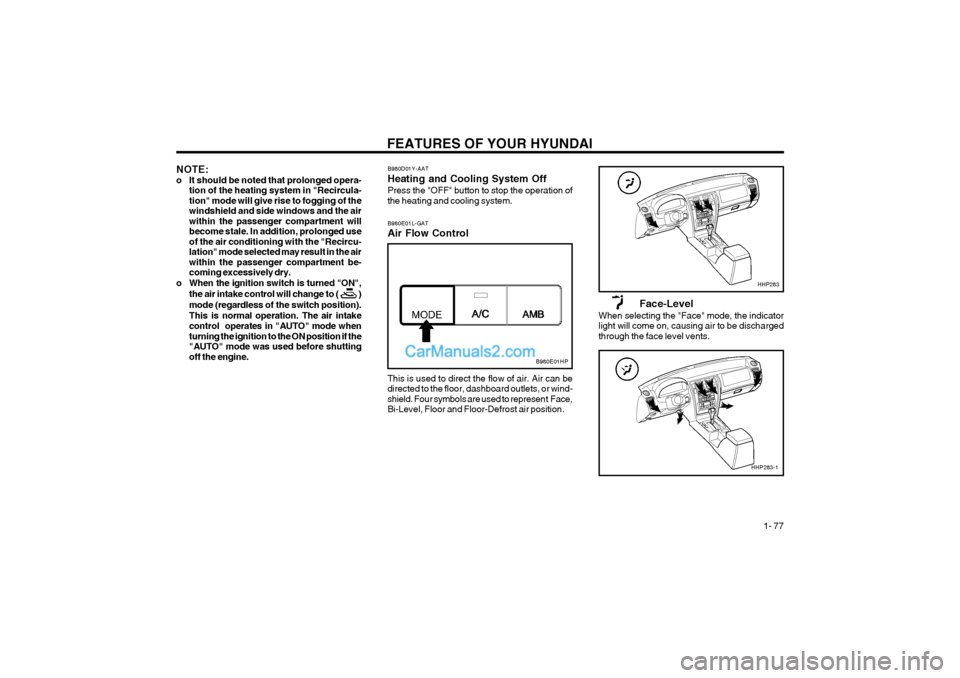
This is used to direct the flow of air. Air can be directed to the floor, dashboard outlets, or wind-shield. Four symbols are used to represent Face,Bi-Level, Floor and Floor-Defrost air position.
B980E01L-GAT Air Flow Control
Face-Level
When selecting the "Face" mode, the indicator light will come on, causing air to be dischargedthrough the face level vents.
B980E01HP
HHP283
HHP283-1
Page 91 of 361
FEATURES OF YOUR HYUNDAI 1- 83
FM/AM
FAD (Fader Control) Knob Pull the treble control knob further out. Turn the control knob counterclockwise to em-phasize front speaker sound (rear speaker soundwill be attenuated).When the control knob is turned clockwise, rearspeaker sound will be emphasized (front speakersound will be attenuated). 4. TUNE (Manual) Select Button Press the side or side to increase or to decrease the frequency. Press either button andhold down to continuously scroll. Release buttononce the desired station is reached. SEEK Operation (Automatic Channel Selection) Press the TUNE select button 0.5 sec or more. Releasing it will automatically tune to the nextavailable station with a beep sound.When the side is pressed longer than 0.5second, releasing will automatically tune to thenext higher frequency and when the side ispressed longer than 0.5 second, releasing willautomatically tune to the next lower frequency. 5. BAND Selector Pressing the button changes the AM, FM1 and FM2 bands. The mode selected is displayedon LCD.6. PRESET STATION SELECT Button Six (6) stations for AM, FM1 and FM2 respective- ly can be preset in the electronic memory circuiton this unit. HOW TO PRESET STATIONS Six AM and twelve FM stations may be pro- grammed into the memory of the radio. Then, bysimply pressing the band select button and/orone of the six station select buttons, you mayrecall any of these stations instantly. To programthe stations, follow these steps:
o Press band selector to set the band for AM,
FM1, or FM2.
o Select the desired station to be stored by seek or manual tuning.
o Determine the preset station select button you wish to use to access that station.
o Press the station select button for more than two seconds. A select button indicator will show in the display indicating which selectbutton you have depressed. The frequencydisplay will flash after it has been stored intothe memory with a beep sound. You shouldthen release the button, and proceed to pro-gram the next desired station. A total of 18stations can be programmed by selecting oneAM and two FM stations per button.
o When completed, any preset station may be recalled by selecting AM, FM1 or FM2 bandand the appropriate station button.
H240B03O-AAT
1. POWER ON-OFF Control KnobThe radio unit may be operated when the ignition key is in the "ACC" or "ON" position. Press theknob to switch the power on. The LCD shows theradio frequency in the radio mode or the tapedirection indicator in the tape mode. To switchthe power off, press the knob again. VOLUME Control Rotate the knob clockwise to increase the vol- ume and turn the knob counterclockwise to re-duce the volume. 2. BASS Control Knob Press to pop the knob out and turn to the left or right for the desired bass tone. BAL (Balance Control) Knob Pull the bass control knob further out. Turn the control knob clockwise to emphasize rightspeaker sound (left speaker sound will be at-tenuated).When the control knob is turned counterclock-wise, left speaker sound will be emphasized(right speaker sound will be attenuated). 3. TREB (Treble Control) Knob Press to pop the knob out and turn to the left or right for the desired treble tone.