display Hyundai Terracan 2006 Owner's Guide
[x] Cancel search | Manufacturer: HYUNDAI, Model Year: 2006, Model line: Terracan, Model: Hyundai Terracan 2006Pages: 539, PDF Size: 18.11 MB
Page 374 of 539
1CONTROLS AND EQUIPMENT
66DIGITAL CLOCK
4.MODE - Push "MODE" button to
display a 12- or 24-hour clock. When the 12-hour clock is in use, the letters AM or PM appear with the time.
5. - The time is displayed on the LCD by pushing in on the switchand is turned off by pushing in on theswitch again.
! CAUTION:
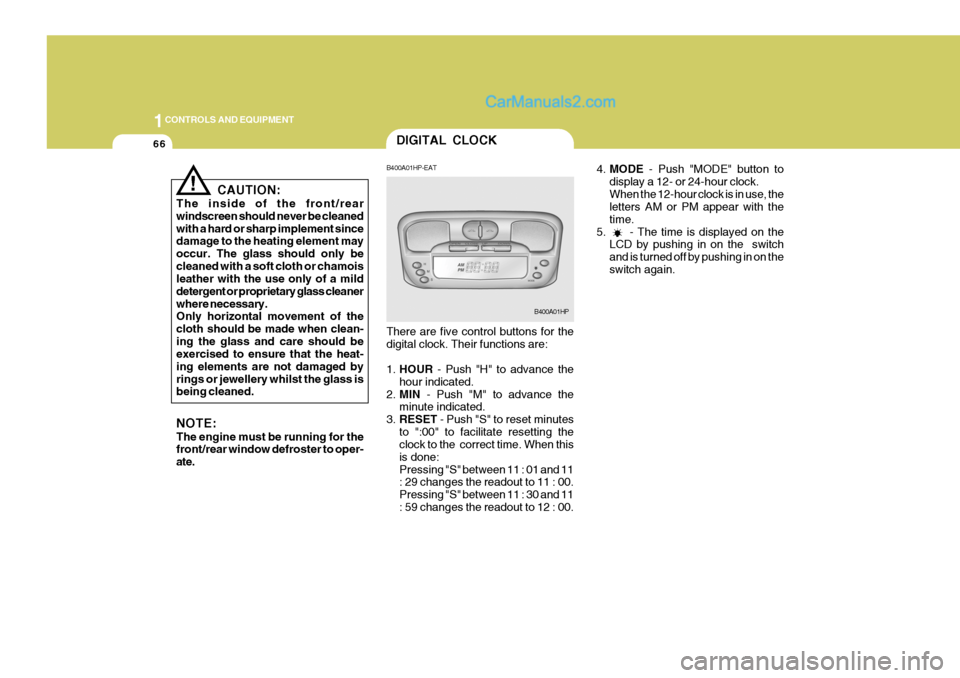
The inside of the front/rear windscreen should never be cleanedwith a hard or sharp implement since damage to the heating element may occur. The glass should only becleaned with a soft cloth or chamois leather with the use only of a mild detergent or proprietary glass cleanerwhere necessary. Only horizontal movement of the cloth should be made when clean-ing the glass and care should be exercised to ensure that the heat- ing elements are not damaged byrings or jewellery whilst the glass is being cleaned. NOTE: The engine must be running for the front/rear window defroster to oper- ate. B400A01HP-EAT There are five control buttons for the digital clock. Their functions are: 1.
HOUR - Push "H" to advance the
hour indicated.
2. MIN - Push "M" to advance the
minute indicated.
3. RESET - Push "S" to reset minutes
to ":00" to facilitate resetting the clock to the correct time. When this is done:Pressing "S" between 11 : 01 and 11 : 29 changes the readout to 11 : 00. Pressing "S" between 11 : 30 and 11: 59 changes the readout to 12 : 00.
B400A01HP
Page 407 of 539
1
CONTROLS AND EQUIPMENT
99
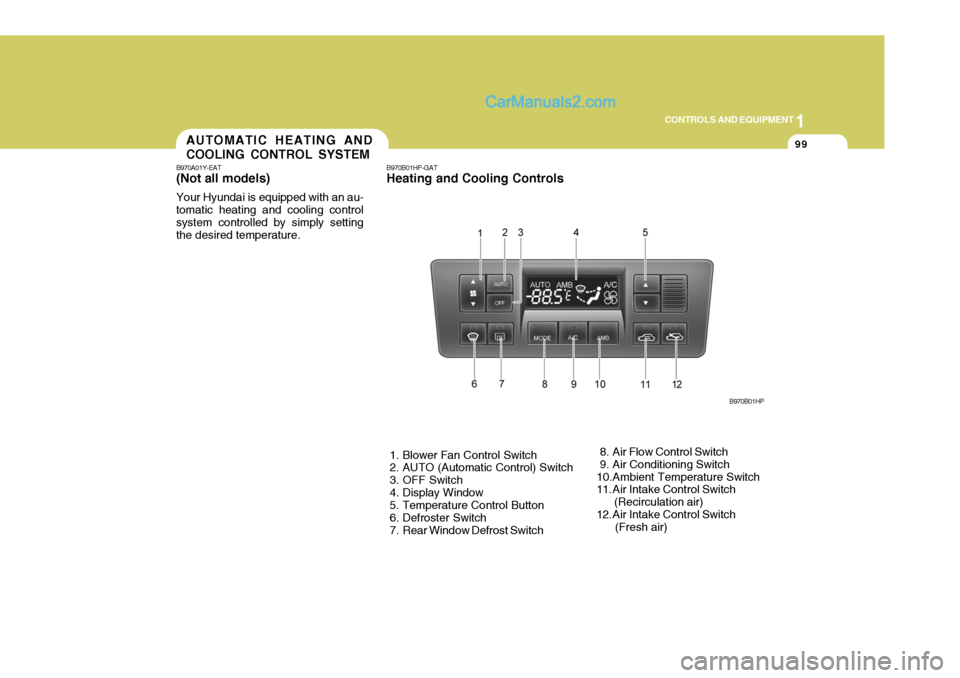
B970B01HP-GAT Heating and Cooling Controls
1. Blower Fan Control Switch
2. AUTO (Automatic Control) Switch
3. OFF Switch
4. Display Window
5. Temperature Control Button
6. Defroster Switch
7. Rear Window Defrost Switch 8. Air Flow Control Switch
9. Air Conditioning Switch
10.Ambient Temperature Switch
11. Air Intake Control Switch (Recirculation air)
12. Air Intake Control Switch (Fresh air)B970B01HPAUTOMATIC HEATING AND COOLING CONTROL SYSTEM
B970A01Y-EAT (Not aII models) Your Hyundai is equipped with an au- tomatic heating and cooling controlsystem controlled by simply setting the desired temperature.
Page 408 of 539
1CONTROLS AND EQUIPMENT
100
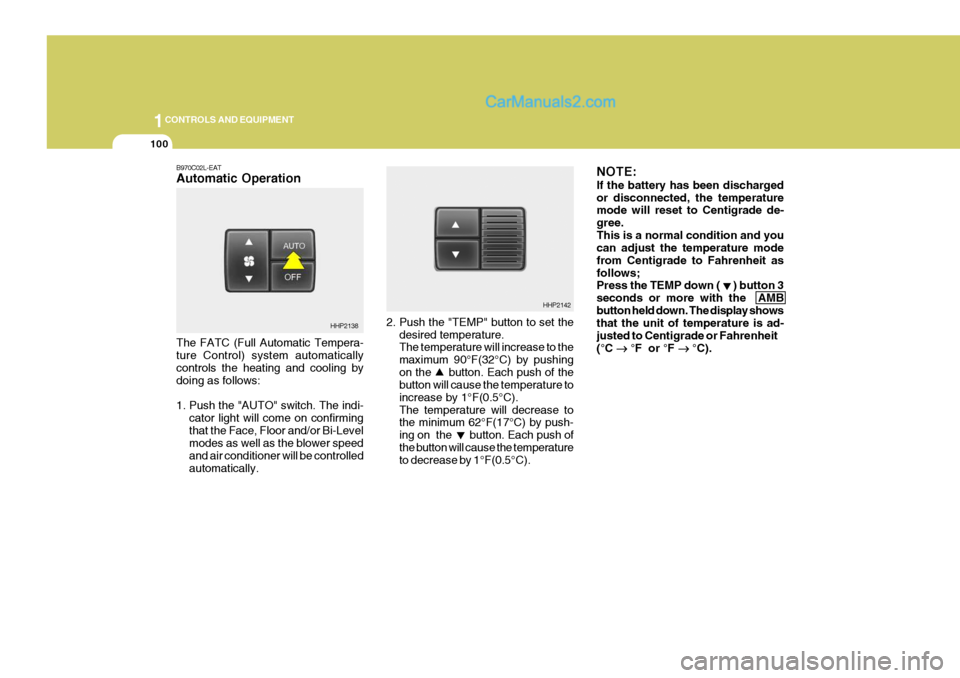
2. Push the "TEMP" button to set thedesired temperature. The temperature will increase to the maximum 90°F(32°C) by pushingon the button. Each push of the button will cause the temperature to increase by 1°F(0.5°C).The temperature will decrease to the minimum 62°F(17°C) by push- ing on the button. Each push ofthe button will cause the temperature to decrease by 1°F(0.5°C). NOTE: If the battery has been discharged or disconnected, the temperature mode will reset to Centigrade de- gree.This is a normal condition and you can adjust the temperature mode from Centigrade to Fahrenheit asfollows; Press the TEMP down ( ) button 3 seconds or more with the AMBbutton held down. The display shows that the unit of temperature is ad- justed to Centigrade or Fahrenheit(°C
°F or °F
°C).
HHP2142
B970C02L-EAT Automatic Operation The FATC (Full Automatic Tempera- ture Control) system automatically controls the heating and cooling by doing as follows:
1. Push the "AUTO" switch. The indi-
cator light will come on confirming that the Face, Floor and/or Bi-Level modes as well as the blower speed and air conditioner will be controlledautomatically.
HHP2138
Page 409 of 539
1
CONTROLS AND EQUIPMENT
101
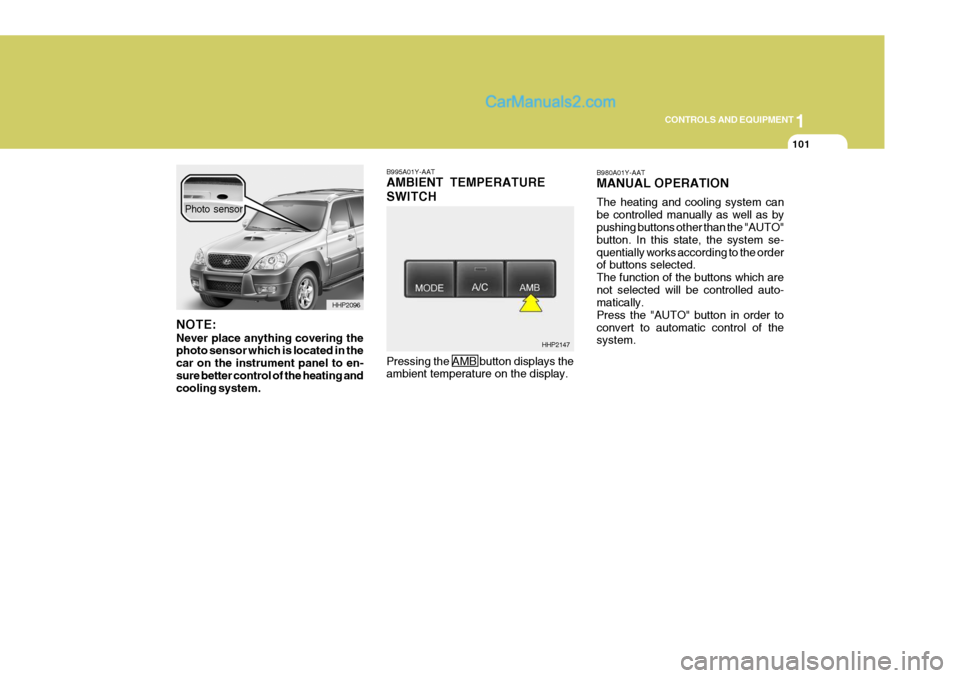
B995A01Y-AAT AMBIENT TEMPERATURE SWITCH Pressing the AMB button displays the ambient temperature on the display. B980A01Y-AAT MANUAL OPERATION The heating and cooling system can be controlled manually as well as by pushing buttons other than the "AUTO" button. In this state, the system se-quentially works according to the order of buttons selected. The function of the buttons which arenot selected will be controlled auto- matically. Press the "AUTO" button in order toconvert to automatic control of the system.
HHP2147
NOTE: Never place anything covering the photo sensor which is located in the car on the instrument panel to en-sure better control of the heating and cooling system.
HHP2096
Photo sensor
Page 467 of 539
4
CORROSION PREVENTION AND APPEARANCE CARE
5
4
APPEARANCE CARE
5
JE100A1-E SEAT BELTS Seat belts should be cleaned only with a mild soap solution. Strong deter-gents, solvents or bleaches may dam- age the belt webbing and therefore re- duce the effectiveness of the belt. Beltswhich display signs of fraying, wear or cuts should be replaced.INTERIOR VALETING
JE110A1-E The soft trim and carpets should be maintained with the regular use of a vacuum cleaner. Heavy soiling should be removed with a dry cleaning agentrecommended for this purpose follow- ing the instructions of the product manufacturer. Paint thinner, solventsor other such cleaning materials should not be used since damage to the up- holstery may result. JE120A1-E WINDOWS A proprietary glass cleaner should be used to clean the inside of the win-dows. However, the rear heated windscreen must only be cleaned us- ing a light horizontal cleaning action.Care should be exercised to avoid the use of abrasive cleaners or contact with items of jewellery which may dam-age the heating elements. YE010A1-E To Clean Leather Upholstery (Not all models) In the normal course of use, leather upholstered surfaces will, like any material, pick-up dust and dirt. Thisdust and dirt MUST be cleaned off or it may work into the surface of the leather, causing damage.Fine leather needs care. This care, as with all fine things, need not be elabo- rate, but should include cleaning whennecessary. Washing leather thoroughly with soap and water will keep your leather lustrous, beautiful and ensureyou have many years of wear. Take a piece of cheese cloth and using any mild soap and lukewarm water,work up a good lather. Thoroughly wash the leather. Wipe clean with a slightly damp cloth and dry with softcloth. Do this as often as the leather becomes soiled.