display HYUNDAI TUCSON 2016 Owners Manual
[x] Cancel search | Manufacturer: HYUNDAI, Model Year: 2016, Model line: TUCSON, Model: HYUNDAI TUCSON 2016Pages: 642, PDF Size: 9.78 MB
Page 440 of 642
5-56Information
The Rear Cross Traffic Alert (RCTA)
detecting range is approximately 1 -
65 ft (0.5 – 20 m). An approaching
vehicle will be detected if their vehicle
speed is within 2.5 - 22.5 mph (4 - 36
km/h).
Note that the detecting range may
vary under certain conditions. As
always, use caution and pay close
attention to your surroundings when
backing your vehicle.
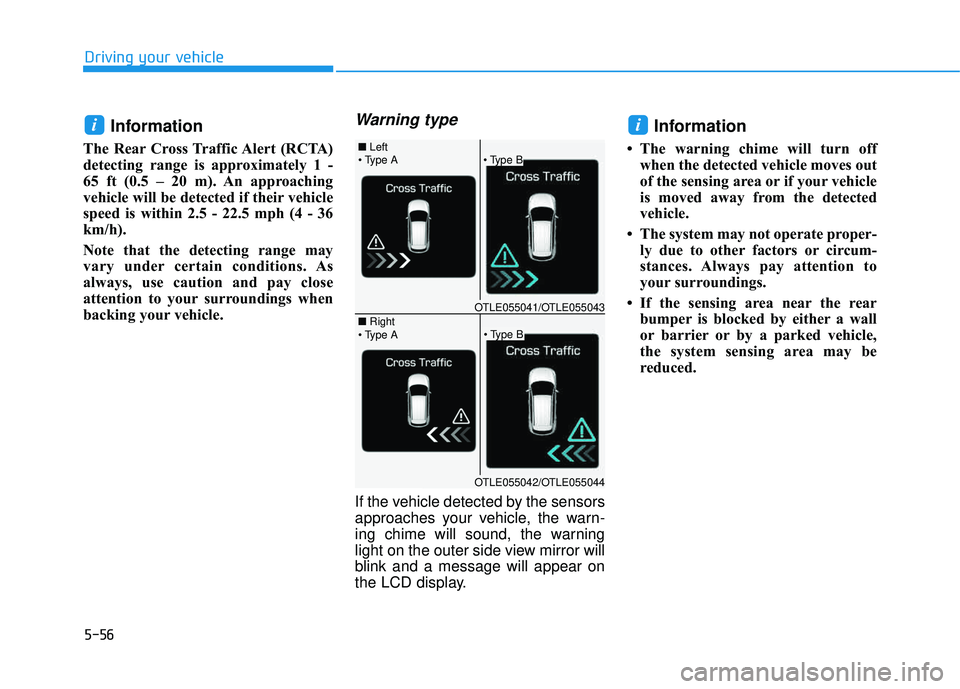
Warning type
If the vehicle detected by the sensors
approaches your vehicle, the warn-
ing chime will sound, the warning
light on the outer side view mirror will
blink and a message will appear on
the LCD display.
Information
The warning chime will turn off
when the detected vehicle moves out
of the sensing area or if your vehicle
is moved away from the detected
vehicle.
The system may not operate proper- ly due to other factors or circum-
stances. Always pay attention to
your surroundings.
If the sensing area near the rear bumper is blocked by either a wall
or barrier or by a parked vehicle,
the system sensing area may be
reduced.
ii
Driving your vehicle
■ Left
■ Right
OTLE055041/OTLE055043
OTLE055042/OTLE055044
Page 444 of 642
5-60
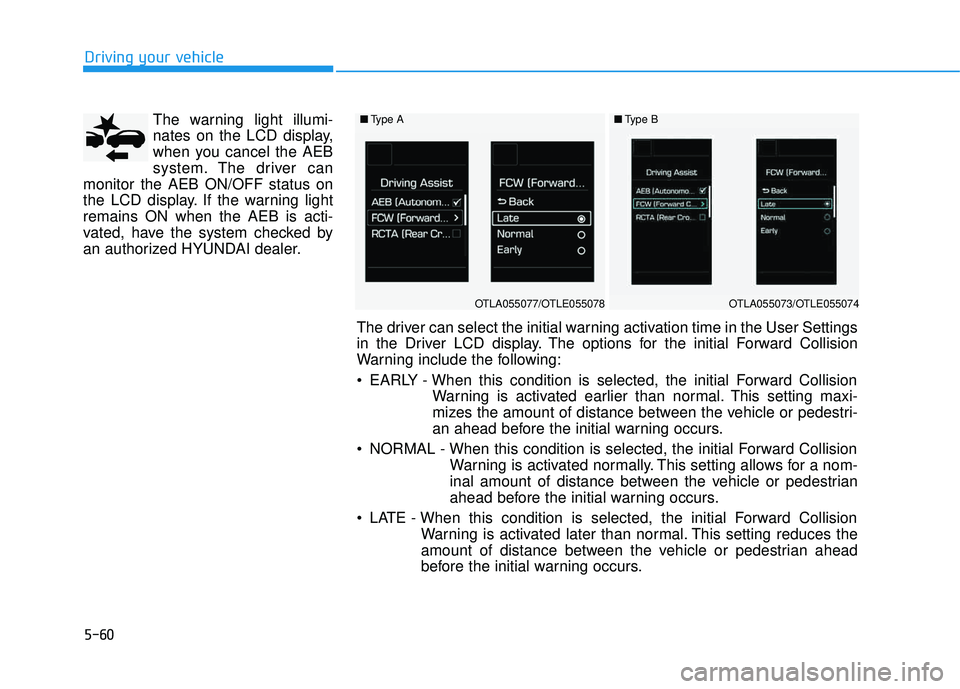
The warning light illumi-
nates on the LCD display,
when you cancel the AEB
system. The driver can
monitor the AEB ON/OFF status on
the LCD display. If the warning lightremains ON when the AEB is acti-
vated, have the system checked by
an authorized HYUNDAI dealer.
Driving your vehicle
■ Type A
OTLA055077/OTLE055078
■Type B
OTLA055073/OTLE055074
The driver can select the initial warning activation time in the User Settings
in the Driver LCD display. The options for the initial Forward Collision
Warning include the following:
EARLY - When this condition is selected, the initial Forward Collision
Warning is activated earlier than normal. This setting maxi-
mizes the amount of distance between the vehicle or pedestri-
an ahead before the initial warning occurs.
NORMAL - When this condition is selected, the initial Forward Collision Warning is activated normally. This setting allows for a nom-
inal amount of distance between the vehicle or pedestrian
ahead before the initial warning occurs.
LATE - When this condition is selected, the initial Forward Collision Warning is activated later than normal. This setting reduces the
amount of distance between the vehicle or pedestrian ahead
before the initial warning occurs.
Page 445 of 642
5-61
Driving your vehicle
Prerequisite for activation
The AEB gets ready to be activated, when the AEB is selected on the
LCD display, and when the followingprerequisites are satisfied.
- The ESC is activated.
- To enable the system to detectpedestrians ahead, the vehicle
driving speed must be between 5 -40 mph (8 - 65 km/h).
- To enable the system to detect a vehicle ahead, the vehicle driving
speed must be between 5 - 110mph (8 - 180 km/h).
When traveling above 50 mph (80km/h), the AEB system only initiates
partial braking. This is to prevent
unintended full braking to stop in the
middle of the highway.
AEB warning message and
system control
The AEB produces warning mes-
sages and warning alarms in accor-
dance with the collision risk levels.
Also, it controls the brakes in accor-
dance with the collision risk levels.
5
The AEB automatically acti-
vates upon placing the igni-
tion switch to the ON position.
The driver can deactivate the
AEB by canceling the system
setting on the LCD display.
The AEB automatically deacti-
vates upon canceling the
ESC. When the ESC is can-
celed, the AEB cannot be acti-
vated on the LCD display.
WARNING
Page 446 of 642
5-62
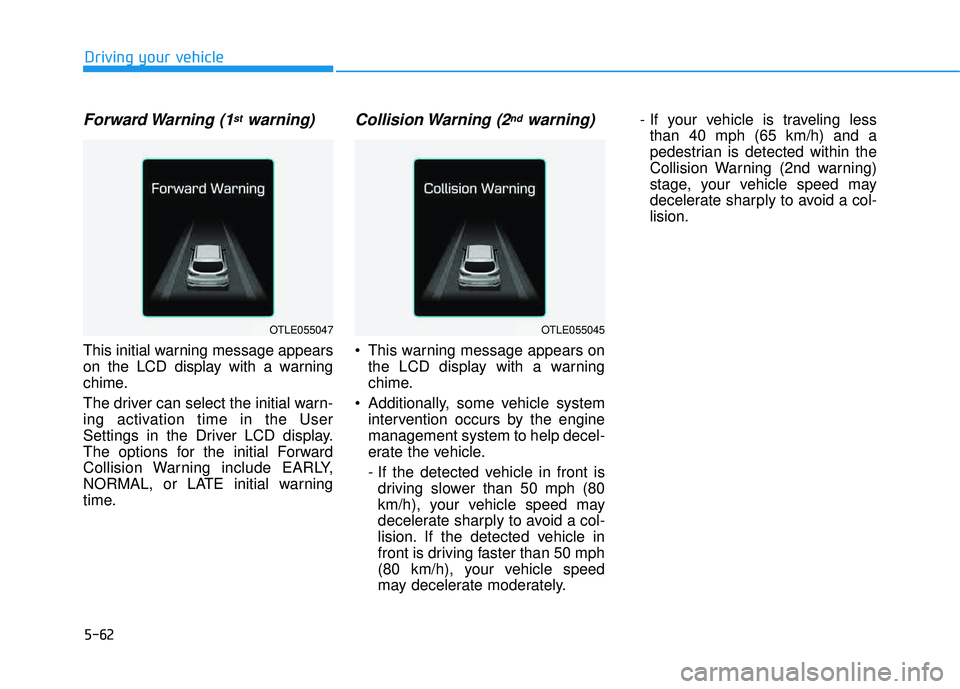
Forward Warning (1stwarning)
This initial warning message appears
on the LCD display with a warning
chime.
The driver can select the initial warn-
ing activation time in the User
Settings in the Driver LCD display.
The options for the initial Forward
Collision Warning include EARLY,
NORMAL, or LATE initial warning
time.
Collision Warning (2ndwarning)
This warning message appears onthe LCD display with a warning
chime.
Additionally, some vehicle system intervention occurs by the enginemanagement system to help decel-
erate the vehicle.
- If the detected vehicle in front isdriving slower than 50 mph (80
km/h), your vehicle speed may
decelerate sharply to avoid a col-
lision. If the detected vehicle in
front is driving faster than 50 mph
(80 km/h), your vehicle speed
may decelerate moderately. - If your vehicle is traveling less
than 40 mph (65 km/h) and a
pedestrian is detected within the
Collision Warning (2nd warning)
stage, your vehicle speed may
decelerate sharply to avoid a col-lision.
Driving your vehicle
OTLE055047OTLE055045
Page 447 of 642
5-63
Driving your vehicle
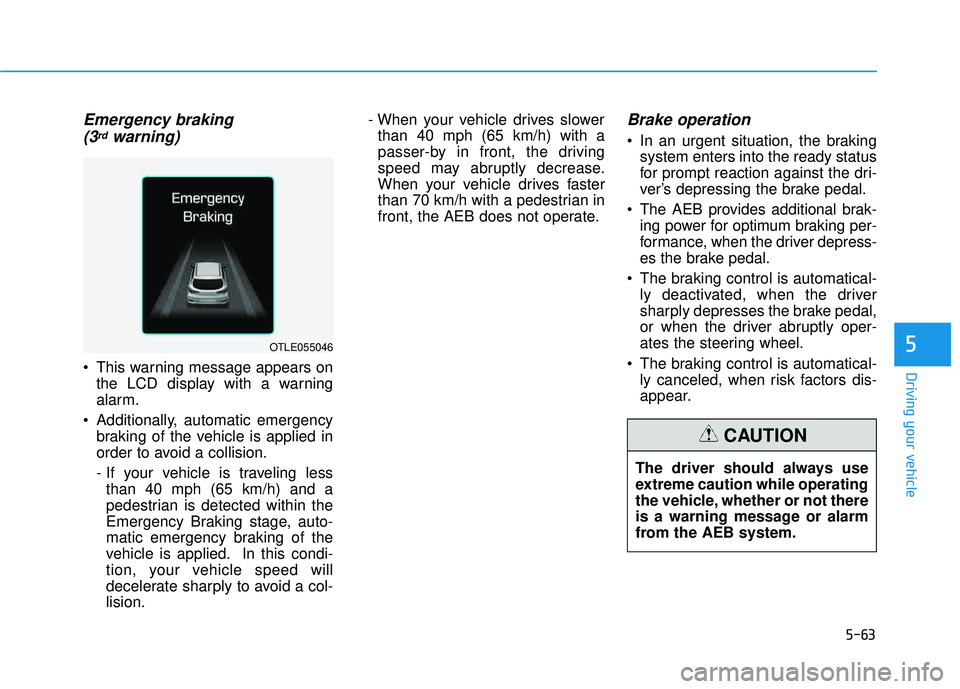
Emergency braking (3rdwarning)
This warning message appears on the LCD display with a warning
alarm.
Additionally, automatic emergency braking of the vehicle is applied in
order to avoid a collision.
- If your vehicle is traveling lessthan 40 mph (65 km/h) and a
pedestrian is detected within the
Emergency Braking stage, auto-
matic emergency braking of the
vehicle is applied. In this condi-
tion, your vehicle speed will
decelerate sharply to avoid a col-lision. - When your vehicle drives slower
than 40 mph (65 km/h) with a
passer-by in front, the driving
speed may abruptly decrease.
When your vehicle drives faster
than 70 km/h with a pedestrian in
front, the AEB does not operate.
Brake operation
In an urgent situation, the braking system enters into the ready status
for prompt reaction against the dri-
ver’s depressing the brake pedal.
The AEB provides additional brak- ing power for optimum braking per-
formance, when the driver depress-
es the brake pedal.
The braking control is automatical- ly deactivated, when the driver
sharply depresses the brake pedal,
or when the driver abruptly oper-
ates the steering wheel.
The braking control is automatical- ly canceled, when risk factors dis-
appear.
5OTLE055046
The driver should always use
extreme caution while operating
the vehicle, whether or not there
is a warning message or alarm
from the AEB system.
CAUTION
Page 449 of 642
5-65
Driving your vehicle
Do not apply foreign objectssuch as a bumper sticker or a
bumper guard near the radar
sensor. Doing so may adversely
affect the sensing performance
of the radar.
Always keep the radar sensor and lens cover clean and free of
dirt and debris.
Use only a soft cloth to wash the vehicle. Do not spray pressur-
ized water directly on the sensor
or sensor cover.
Be careful not to apply unneces- sary force on the radar sensor or
sensor cover. If the sensor is
forcibly moved out of proper
alignment, the AEB system may
not operate correctly. In this
case, a warning message may
not be displayed. Have the vehi-
cle inspected by an authorized
HYUNDAI dealer.
(Continued)(Continued)
If the front bumper becomes
damaged in the area around the
radar sensor, the AEB system
may not operate properly. Have
the vehicle inspected by an
authorized HYUNDAI dealer.
Use only genuine HYUNDAI parts to repair or replace a dam-
aged sensor or sensor cover.
Do not apply paint to the sensor
cover.
System malfunction
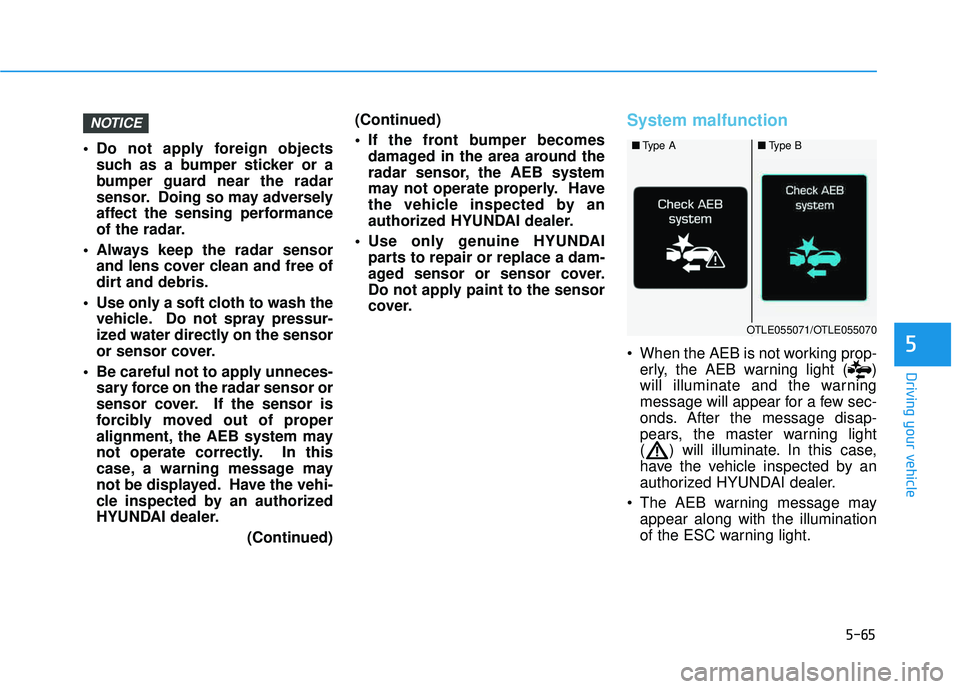
When the AEB is not working prop-erly, the AEB warning light ( )
will illuminate and the warning
message will appear for a few sec-
onds. After the message disap-
pears, the master warning light
( ) will illuminate. In this case,
have the vehicle inspected by an
authorized HYUNDAI dealer.
The AEB warning message may appear along with the illumination
of the ESC warning light.
NOTICE
5
■Type A■Type B
OTLE055071/OTLE055070
Page 450 of 642
5-66
Driving your vehicle
The AEB is only a supplemen-
tal system for the driver’s con-
venience. The driver shouldhold the responsibility to con-
trol the vehicle operation. Do
not solely depend on the AEB
system. Rather, maintain a
safe braking distance, and, if
necessary, depress the brakepedal to reduce the drivingspeed.
In certain instances and
under certain driving condi-
tions, the AEB system may
activate prematurely. This ini-
tial warning message appears
on the LCD display with a
warning chime.
Also, in certain instances the
front radar sensor or camera
recognition system may not
detect the vehicle or pedestri-
an ahead. The AEB system
may not activate and the
warning message will not be
displayed.(Continued)
(Continued)
If there is a malfunction with
the AEB system, the automat-
ic emergency braking is not
applied even though the brak-ing system is operating nor-
mally.
The AEB system operates only to detect vehicles or
pedestrians in front of the
vehicle. The AEB system does not
operate when the vehicle is in
reverse. The AEB system is not designed to detect other
objects on the road such asanimals. The AEB system does not
detect cross traffic vehicles
that are approaching. The AEB system cannot
detect the driver approaching
the side view of a parked vehi-
cle (for example on a deadend street.)
(Continued)
(Continued)In these cases, you must
maintain a safe braking dis-
tance, and if necessary,depress the brake pedal toreduce the driving speed in
order to maintain a safe dis-
tance.WARNING
Page 456 of 642
5-72
Driving your vehicle
LDWS Operation
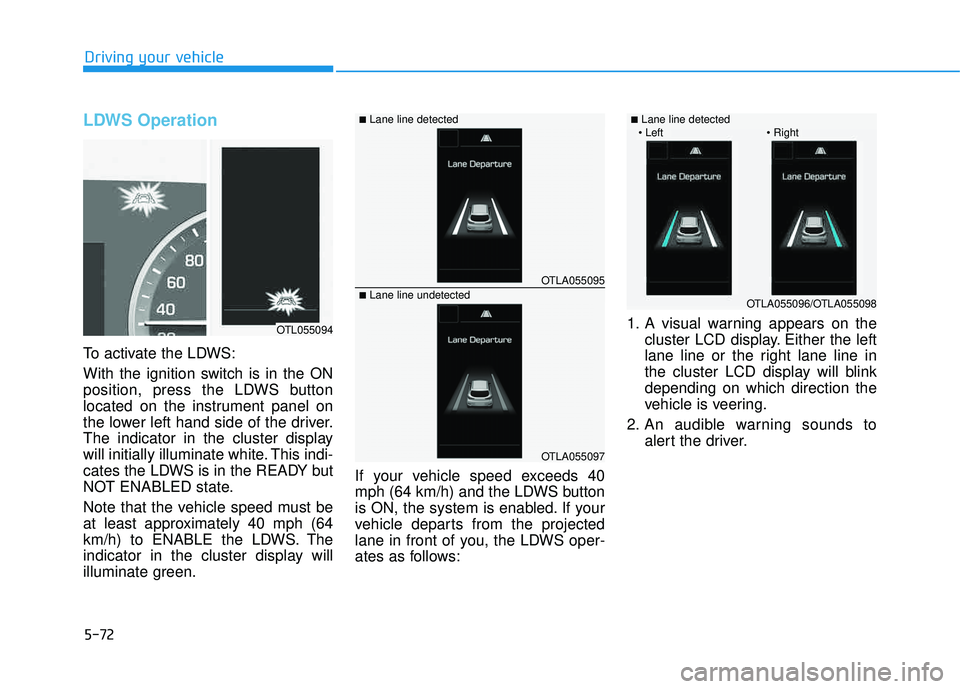
To activate the LDWS:
With the ignition switch is in the ON
position, press the LDWS button
located on the instrument panel on
the lower left hand side of the driver.
The indicator in the cluster display
will initially illuminate white. This indi-
cates the LDWS is in the READY but
NOT ENABLED state.
Note that the vehicle speed must be
at least approximately 40 mph (64
km/h) to ENABLE the LDWS. The
indicator in the cluster display will
illuminate green.If your vehicle speed exceeds 40
mph (64 km/h) and the LDWS button
is ON, the system is enabled. If your
vehicle departs from the projected
lane in front of you, the LDWS oper-
ates as follows:1. A visual warning appears on the
cluster LCD display. Either the left
lane line or the right lane line in
the cluster LCD display will blinkdepending on which direction the
vehicle is veering.
2. An audible warning sounds to alert the driver.
OTLA055095
OTLA055097
■Lane line detected
■Lane line undetected
OTL055094
OTLA055096/OTLA055098
■Lane line detected
Page 479 of 642
5-95
Driving your vehicle
5
To prevent engine and/or trans-
mission overheating:
When towing a trailer on steepgrades (in excess of 6%) pay
close attention to the engine
coolant temperature gauge toensure the engine does not
overheat. If the needle of the
coolant temperature gauge
moves towards "H" (HOT), pull
over and stop as soon as it is
safe to do so, and allow theengine to idle until it cools
down. You may proceed once the
engine has cooled sufficiently.
When towing a trailer, your vehi- cle speed may be much slower
than the general flow of traffic,
especially when climbing an
uphill grade. Use the right hand
lane when towing a trailer on an
uphill grade. Choose your vehi-
cle speed according to the max-
imum posted speed limit for
vehicles with trailers, the steep-
ness of the grade, and your trail-er weight.
(Continued)(Continued)
For vehicles equipped with the
Ecoshift dual clutch transmis-
sion, some extra precaution
should be taken when towing a
trailer. Due to the added load on
the transmission when towing a
trailer, the clutches may get hot
if the vehicle experiences exces-
sive upshifting and downshift-ing.
Under certain conditions, such
as repeated stop-and-go launch-
es on steep grades, the trans-
mission clutches may become
overheated. When the clutches
start to become overheated, the
transmission safe protection
mode logic is enabled. If the safe
protection mode logic is
enabled, the gear position indi-
cator on the cluster LCD display
blinks, a chime sounds, and a
warning message will appear.
(Continued)(Continued)
If the Ecoshift dual clutch trans-
mission starts to become over-
heated, the gear shift character-
istics may change. Gear shifts
may become more abrupt. If
continued operation while tow-
ing a trailer includes frequent
and continuous upshifts and
downshifts, the overheat warn-
ing message on the cluster LCD
display may illuminate. If this
occurs, stop the vehicle, apply
the brakes or shift the vehicle to
(P) Park, and allow the transmis-sion to cool.
NOTICE
Page 488 of 642
What to do in an emergency
6
Hazard warning flasher ........................................6-2
In case of an emergency while driving ..............6-2
If the Engine Stalls While Driving .................................6-2
If the Engine Stalls at a Crossroad or Crossing ........6-2
If you Have a Flat Tire While Driving ..........................6-3
If the engine will not start ..................................6-3
If the Engine Doesn't Turn Over or Turns
Over Slowly .........................................................................6-3
If the Engine Turns Over Normally but
Doesn't Start ......................................................................6-3
Jump starting ..........................................................6-4
If the engine overheats ........................................6-7
Tire pressure monitoring system (TPMS) ..........6-9
Check Tire Pressure .........................................................6-9
Tire Pressure Monitoring System ...............................6-10
Low tire pressure indicator ..........................................6-11
Low tire pressure LCD display with position
indicator.............................................................................6-11
TPMS (Tire Pressure Monitoring System)
Malfunction Indicator.....................................................6-12
Changing a Tire with TPMS..........................................6-13
If you have a flat tire..........................................6-15
Towing ...................................................................6-23
Towing service .................................................................6-23
Removable towing hook ................................................6-24
Emergency towing ..........................................................6-25
Tie-down hook ................................................................6-26