wheel INFINITI FX 2012 Owner's Manual
[x] Cancel search | Manufacturer: INFINITI, Model Year: 2012, Model line: FX, Model: INFINITI FX 2012Pages: 522, PDF Size: 3.51 MB
Page 117 of 522
2-46Instruments and controls
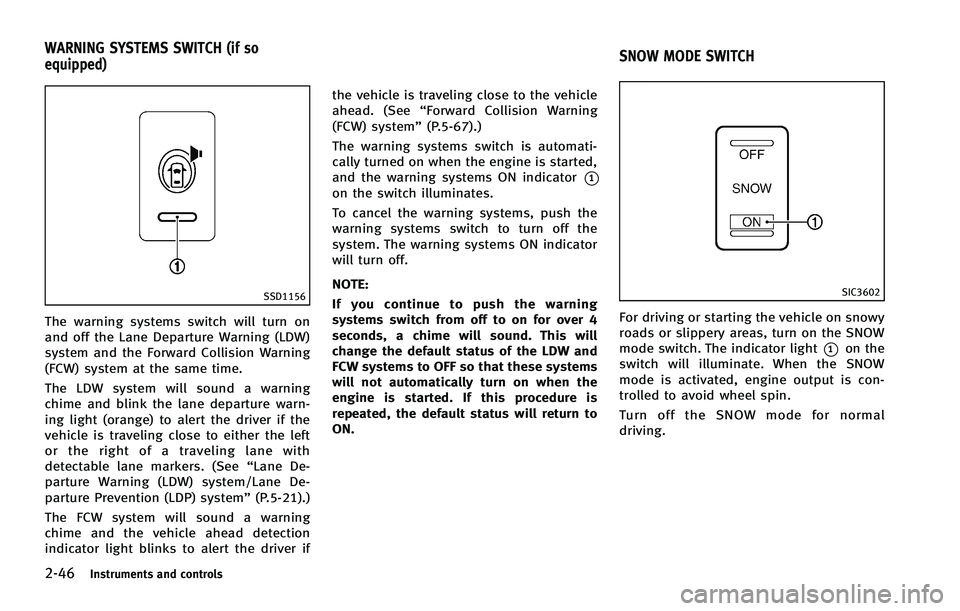
SSD1156
The warning systems switch will turn on
and off the Lane Departure Warning (LDW)
system and the Forward Collision Warning
(FCW) system at the same time.
The LDW system will sound a warning
chime and blink the lane departure warn-
ing light (orange) to alert the driver if the
vehicle is traveling close to either the left
or the right of a traveling lane with
detectable lane markers. (See“Lane De-
parture Warning (LDW) system/Lane De-
parture Prevention (LDP) system” (P.5-21).)
The FCW system will sound a warning
chime and the vehicle ahead detection
indicator light blinks to alert the driver if the vehicle is traveling close to the vehicle
ahead. (See
“Forward Collision Warning
(FCW) system” (P.5-67).)
The warning systems switch is automati-
cally turned on when the engine is started,
and the warning systems ON indicator
*1on the switch illuminates.
To cancel the warning systems, push the
warning systems switch to turn off the
system. The warning systems ON indicator
will turn off.
NOTE:
If you continue to push the warning
systems switch from off to on for over 4
seconds, a chime will sound. This will
change the default status of the LDW and
FCW systems to OFF so that these systems
will not automatically turn on when the
engine is started. If this procedure is
repeated, the default status will return to
ON.
SIC3602
For driving or starting the vehicle on snowy
roads or slippery areas, turn on the SNOW
mode switch. The indicator light
*1on the
switch will illuminate. When the SNOW
mode is activated, engine output is con-
trolled to avoid wheel spin.
Turn off the SNOW mode for normal
driving.
WARNING SYSTEMS SWITCH (if so
equipped) SNOW MODE SWITCH
Page 119 of 522
2-48Instruments and controls
JVS0033X
The vehicle should be driven with the
Vehicle Dynamic Control (VDC) system on
for most driving conditions.
If the vehicle is stuck in mud or snow, the
VDC system reduces the engine output to
reduce wheel spin. The engine speed will
be reduced even if the accelerator is
depressed to the floor. If maximum engine
power is needed to free a stuck vehicle,
turn the VDC system off.
To turn off the VDC system, push the VDC
OFF switch. The
indicator will illumi-
nate.
Push the VDC OFF switch again or restart the engine to turn on the system. (See
“Vehicle Dynamic Control (VDC) system”
(P.5-83).)
SIC3325
If the power supply is disconnected, the
clock will not indicate the correct time.
Readjust the time.
ADJUSTING THE TIME
1. To set the clock forward, push the
button
*1.
2. To set the clock backward, push the button
*2.
3. To move forward or backward faster, push and hold the button more than 5
seconds.
For details about display clock adjustment
(if so equipped), see “How to use SETTING
button” (P.4-15).
VEHICLE DYNAMIC CONTROL (VDC) OFF
SWITCH CLOCK
Page 168 of 522
3. Push the reset switch*Aon the right
side of the combination meter for about
1 second to turn off the LOOSE FUEL
CAP warning after tightening the fuel
cap.WARNING
. Do not adjust the steering wheel while
driving. You could lose control of your
vehicle and cause an accident.
. Do not adjust the steering wheel any
closer to you than is necessary for
proper steering operation and comfort.
The driver’s air bag inflates with great
force. If you are unrestrained, leaning
forward, sitting sideways or out of
position in any way, you are at greater
risk of injury or death in a crash. You
may also receive serious or fatal injuries
from the air bag if you are up against it
when it inflates. Always sit back against
the seatback and as far away as practical
from the steering wheel. Always use the
seat belts.
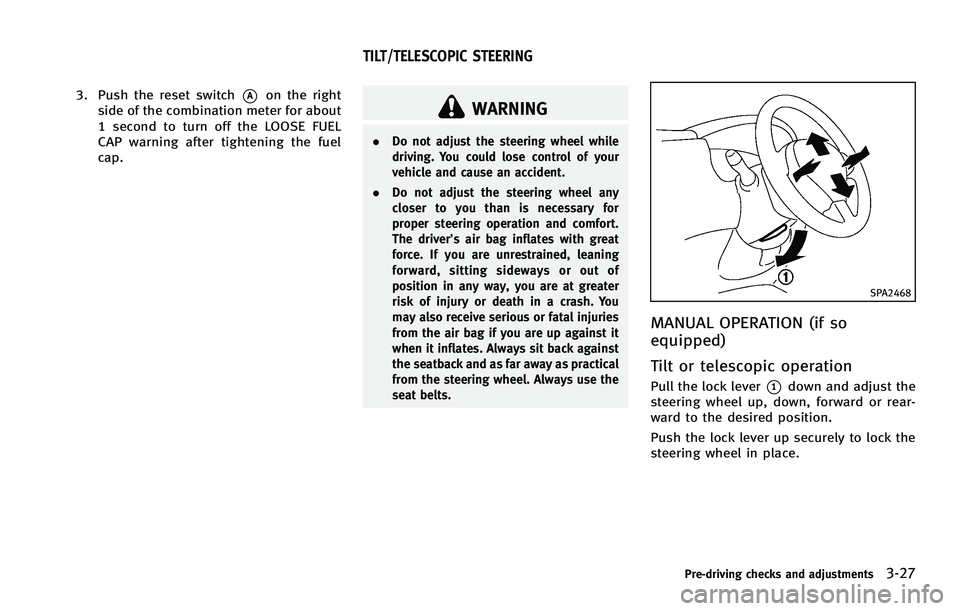
SPA2468
MANUAL OPERATION (if so
equipped)
Tilt or telescopic operation
Pull the lock lever*1down and adjust the
steering wheel up, down, forward or rear-
ward to the desired position.
Push the lock lever up securely to lock the
steering wheel in place.
Pre-driving checks and adjustments3-27
TILT/TELESCOPIC STEERING
Page 169 of 522
3-28Pre-driving checks and adjustments
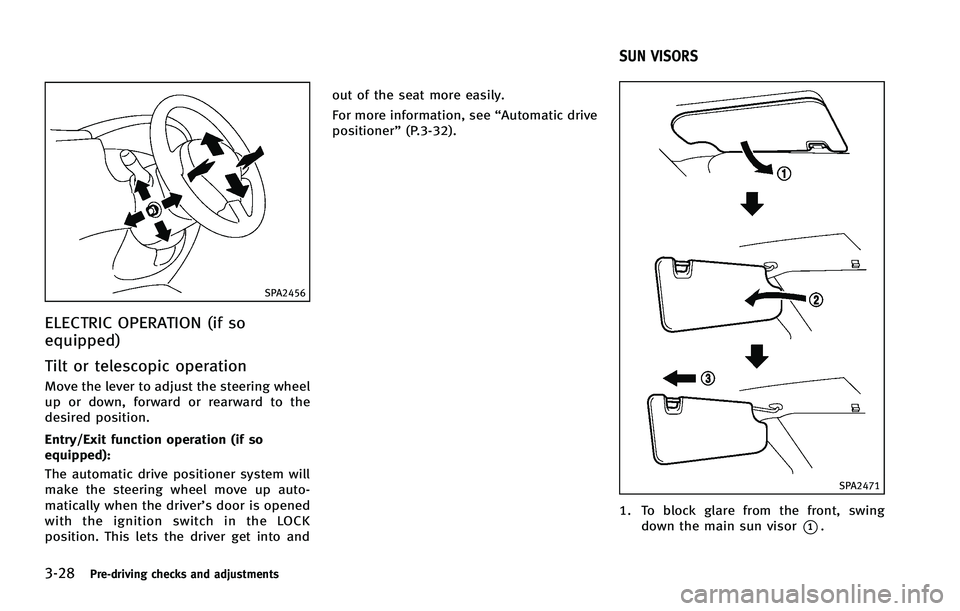
SPA2456
ELECTRIC OPERATION (if so
equipped)
Tilt or telescopic operation
Move the lever to adjust the steering wheel
up or down, forward or rearward to the
desired position.
Entry/Exit function operation (if so
equipped):
The automatic drive positioner system will
make the steering wheel move up auto-
matically when the driver’s door is opened
with the ignition switch in the LOCK
position. This lets the driver get into andout of the seat more easily.
For more information, see
“Automatic drive
positioner” (P.3-32).
SPA2471
1. To block glare from the front, swing
down the main sun visor
*1.
SUN VISORS
Page 173 of 522
3-32Pre-driving checks and adjustments
3. Select the right or left side mirror byoperating the outside mirror control
switch.
4. The selected outside mirror surface moves downward.
When one of the following conditions has
occurred, the selected outside mirror sur-
face will return to its original position.
. The selector lever is moved to any
position other than R (Reverse).
. The outside mirror control switch is set
to the center position.
. The ignition switch is pushed to the OFF
position.
SIC3869
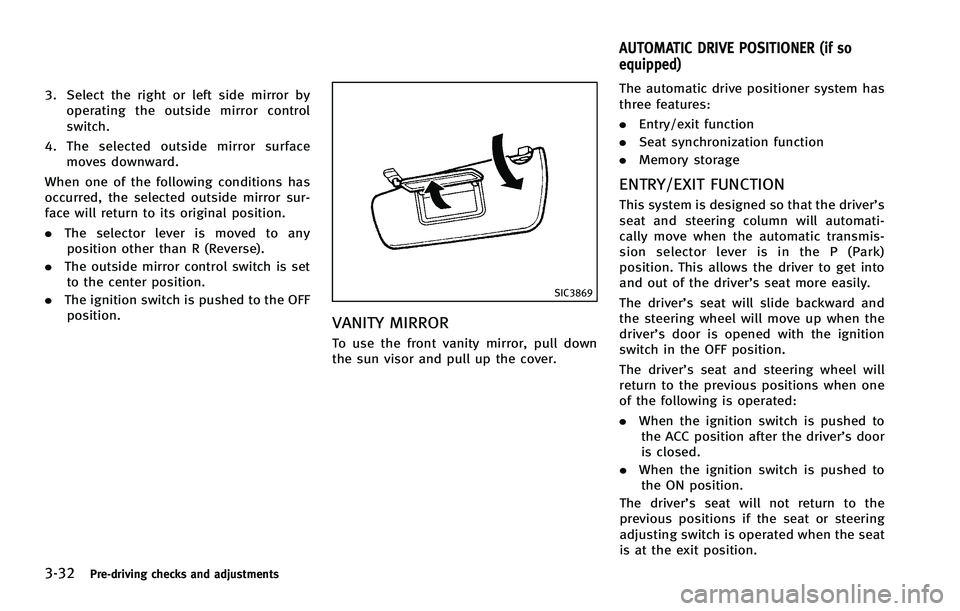
VANITY MIRROR
To use the front vanity mirror, pull down
the sun visor and pull up the cover. The automatic drive positioner system has
three features:
.
Entry/exit function
. Seat synchronization function
. Memory storage
ENTRY/EXIT FUNCTION
This system is designed so that the driver’s
seat and steering column will automati-
cally move when the automatic transmis-
sion selector lever is in the P (Park)
position. This allows the driver to get into
and out of the driver’s seat more easily.
The driver’s seat will slide backward and
the steering wheel will move up when the
driver’s door is opened with the ignition
switch in the OFF position.
The driver’s seat and steering wheel will
return to the previous positions when one
of the following is operated:
. When the ignition switch is pushed to
the ACC position after the driver’s door
is closed.
. When the ignition switch is pushed to
the ON position.
The driver’s seat will not return to the
previous positions if the seat or steering
adjusting switch is operated when the seat
is at the exit position.
AUTOMATIC DRIVE POSITIONER (if so
equipped)
Page 174 of 522
Cancel or activate entry/exit func-
tion
The selector lever must be in the P (Park)
position with the ignition switch in the OFF
position.
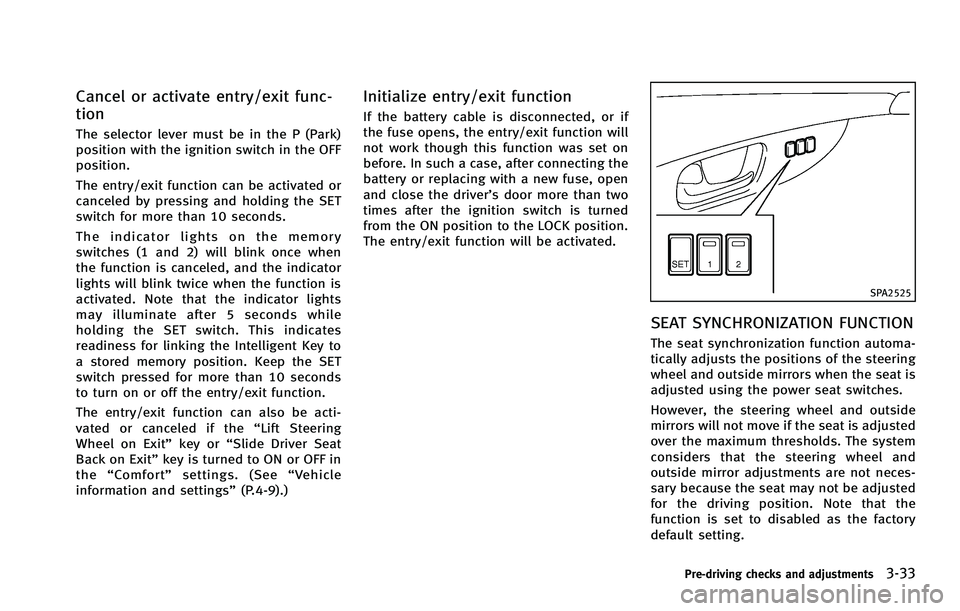
The entry/exit function can be activated or
canceled by pressing and holding the SET
switch for more than 10 seconds.
The indicator lights on the memory
switches (1 and 2) will blink once when
the function is canceled, and the indicator
lights will blink twice when the function is
activated. Note that the indicator lights
may illuminate after 5 seconds while
holding the SET switch. This indicates
readiness for linking the Intelligent Key to
a stored memory position. Keep the SET
switch pressed for more than 10 seconds
to turn on or off the entry/exit function.
The entry/exit function can also be acti-
vated or canceled if the“Lift Steering
Wheel on Exit” key or“Slide Driver Seat
Back on Exit” key is turned to ON or OFF in
the “Comfort” settings. (See “Vehicle
information and settings” (P.4-9).)
Initialize entry/exit function
If the battery cable is disconnected, or if
the fuse opens, the entry/exit function will
not work though this function was set on
before. In such a case, after connecting the
battery or replacing with a new fuse, open
and close the driver’s door more than two
times after the ignition switch is turned
from the ON position to the LOCK position.
The entry/exit function will be activated.
SPA2525
SEAT SYNCHRONIZATION FUNCTION
The seat synchronization function automa-
tically adjusts the positions of the steering
wheel and outside mirrors when the seat is
adjusted using the power seat switches.
However, the steering wheel and outside
mirrors will not move if the seat is adjusted
over the maximum thresholds. The system
considers that the steering wheel and
outside mirror adjustments are not neces-
sary because the seat may not be adjusted
for the driving position. Note that the
function is set to disabled as the factory
default setting.
Pre-driving checks and adjustments3-33
Page 175 of 522
3-34Pre-driving checks and adjustments
The seat synchronization function operates
under the following conditions:
.The ignition switch is in the ON posi-
tion.
. The selector lever is in the P (Park)
position.
If the outside mirrors or the steering wheel
reaches its maximum adjustment, the
function is automatically disabled. Restart
the function by selecting a previously
stored seat memory position using the
memory switches (1 or 2). An Intelligent
Key that was previously linked to the
stored seat memory can also be used to
restart the function.
If a seat position was not previously stored
in the seat memory, restart the function by
adjusting the steering wheel and outside
mirrors manually for your best driving
position and then drive the vehicle above
4 MPH (7 km/h).
Cancel or activate seat synchroni-
zation function
The selector lever must be in the P (Park)
position with the ignition switch in the ACC
position.
The seat synchronization function can be
activated or canceled by pushing and holding the SET switch for more than 10
seconds while the ignition switch is in the
ACC position.
The indicator lights on the memory
switches (1 and 2) will blink once when
the function is canceled, and the indicator
lights will blink twice when the function is
activated. Note that the indicator lights
may illuminate after 5 seconds while
holding the SET switch. This indicates
readiness for linking the Intelligent Key to
a stored memory position. Keep the SET
switch pushed for more than 10 seconds to
turn on or off the seat synchronization
function.
MEMORY STORAGE
Two positions for the driver’s seat, steering
column and outside mirrors can be stored
in the automatic drive positioner memory.
Follow these procedures to use the mem-
ory system.
1. Move the selector lever to the P (Park) position.
2. Push the ignition switch to the ON position.
3. Adjust the driver’s seat, steering col- umn and outside mirrors to the desired
positions by manually operating each adjusting switch. For additional infor-
mation, see
“Seat belts” (P.1-11) and
“Tilt/telescopic steering” (P.3-27) and
“Outside mirrors” (P.3-30).
4. Push the SET switch and, within 5 seconds, push the memory switch (1
or 2) fully for at least 1 second.
The indicator light for the pushed
memory switch will stay on for approxi-
mately 5 seconds after pushing the
switch.
If memory is stored in the same
memory switch, the previous memory
will be deleted.
Linking Intelligent Key to a stored
memory position
The Intelligent Key can be linked to a
stored memory position with the following
procedure.
1. Follow the steps for storing a memoryposition.
2. While the indicator light for the memory switch being set is illuminated for 5
seconds, push the
button on the
Intelligent Key. If the indicator light
blinks, the Intelligent Key is linked to
that memory setting.
Page 176 of 522
Push the ignition switch to the OFF posi-
tion, and then push thebutton on the
Intelligent Key. The driver’s seat, steering
wheel and outside mirrors will move to the
memorized position or to the exit position
when the entry/exit function is set to
active.
Confirming memory storage
. Push the ignition switch to the ON
position and push the SET switch. If
the main memory has not been stored,
the indicator light will come on for
approximately 0.5 second. When the
memory has stored in position, the
indicator light will stay on for approxi-
mately 5 seconds.
. If the battery cable is disconnected, or if
the fuse opens, the memory will be
canceled. In this case, reset the desired
position using the previous procedure.
. If optional Intelligent Keys are added to
your vehicle, the memory storage pro-
cedure to switch 1 or 2 and linking
Intelligent Key procedure to a stored
memory position should be performed
again for each Intelligent Key. For
additional Intelligent Key information,
see “Keys” (P.3-2).
Selecting the memorized position
1. Move the selector lever to the P (Park)
position.
2. Use one of the following methods to move the driver’ s seat, the outside
mirrors and the steering wheel.
.Push the ignition switch to the ON position and push the memory
switch (1 or 2) fully for at least 1
second.
.Within 45 seconds of opening thedriver’ s door, push the memory
switch (1 or 2) fully for at least 1
second.
The driver’s seat, steering column and
outside mirrors will move to the mem-
orized position or to the exit position
when the entry/exit function is set to
active with the indicator light flashing,
and then the light will stay on for
approximately 5 seconds.
SYSTEM OPERATION
The automatic drive positioner system will
not work or will stop operating under the
following conditions:
. When the vehicle speed is above 4 MPH
(7 km/h). .
When the adjusting switch for the
driver’s seat and steering column is
turned on while the automatic drive
positioner is operating.
. When the memory switch 1 or 2 is not
pushed for at least 1 second.
. When the seat, steering column and
outside mirrors have already been
moved to the memorized position.
. When no position is stored in the
memory switch.
. When the engine is started while
moving the automatic drive positioner.
. When the AT selector lever is moved
from the P (Park) position to any other
position. (However, it will not be
canceled if the switch is pushed while
the seat and steering column are
returning to the previous positions
(entry/exit function).)
. When the driver’s door remains open
for more than 45 seconds and the
ignition switch is not in the ON posi-
tion.
. The seat synchronization function is
automatically disabled if the outside
mirrors or steering wheel reaches its
maximum adjustment.
Pre-driving checks and adjustments3-35
Page 179 of 522
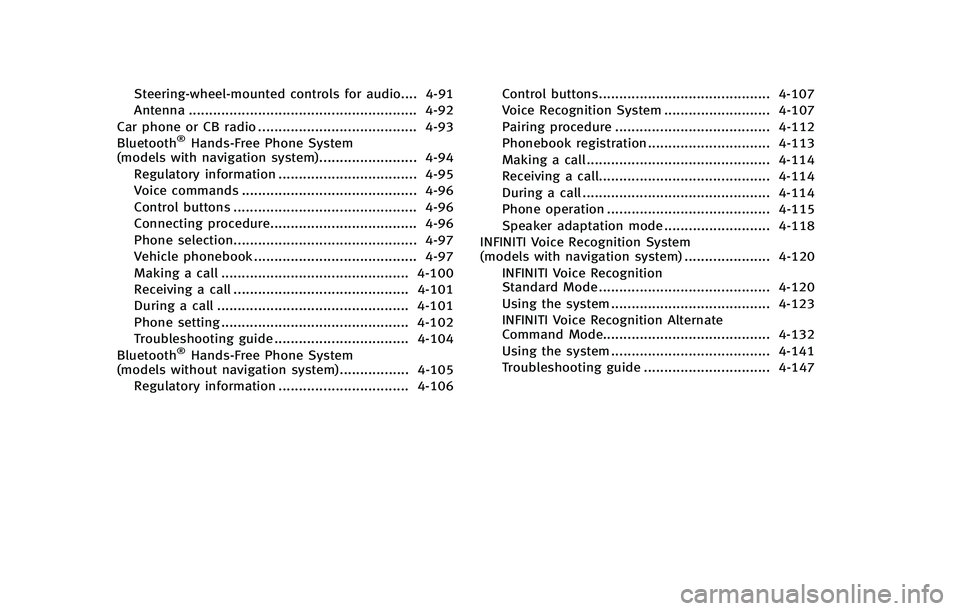
Steering-wheel-mounted controls for audio.... 4-91Antenna ........................................................ 4-92
Car phone or CB radio ....................................... 4-93
Bluetooth
®Hands-Free Phone System
(models with navigation system)........................ 4-94
Regulatory information .................................. 4-95
Voice commands ........................................... 4-96
Control buttons ............................................. 4-96
Connecting procedure.................................... 4-96 Phone selection............................................. 4-97Vehicle phonebook ........................................ 4-97
Making a call .............................................. 4-100
Receiving a call ........................................... 4-101
During a call ............................................... 4-101
Phone setting .............................................. 4-102
Troubleshooting guide ................................. 4-104
Bluetooth
®Hands-Free Phone System
(models without navigation system)................. 4-105
Regulatory information ................................ 4-106 Control buttons.......................................... 4-107
Voice Recognition System .......................... 4-107
Pairing procedure ...................................... 4-112
Phonebook registration .............................. 4-113
Making a call ............................................. 4-114
Receiving a call.......................................... 4-114
During a call .............................................. 4-114
Phone operation ........................................ 4-115
Speaker adaptation mode .......................... 4-118
INFINITI Voice Recognition System
(models with navigation system) ..................... 4-120
INFINITI Voice Recognition
Standard Mode .......................................... 4-120
Using the system ....................................... 4-123
INFINITI Voice Recognition Alternate
Command Mode......................................... 4-132 Using the system ....................................... 4-141
Troubleshooting guide ............................... 4-147
Page 184 of 522

.Delete:
Deletes the last character that has been
input with one touch. Push and hold
the button to delete all of the char-
acters.
. OK:
Completes character inputs.
Touch screen maintenance
If you clean the display screen, use a dry,
soft cloth. If additional cleaning is neces-
sary, use a small amount of neutral
detergent with a soft cloth. Never spray
the screen with water or detergent. Dam-
pen the cloth first, and then wipe the
screen.
SAA2143
MENU OPTIONS (models with navi-
gation system)
The start menu can be displayed using the
menu control switch on the steering-wheel-
mounted controls.
1. While the MAP or STATUS screen is displayed, push and hold the menu
control switch until the “Menu Options”
screen appears.
2. Highlight the preferred item by tilting the menu control switch up or down,
and then push the menu control switch
to select it.
SAA2476
Available items
Destination/Route:
These items are for the navigation system.
See the separate Navigation System Own-
er’s Manual for details.
Info:
Displays the information screen. It is the
same screen that appears when you push
the INFO button.
Settings:
Displays the settings screen. It is the same
screen that appears when you push the
SETTING button.
Monitor, climate, audio, phone and voice recognition systems4-7