ECO mode INFINITI FX 2012 Owner's Guide
[x] Cancel search | Manufacturer: INFINITI, Model Year: 2012, Model line: FX, Model: INFINITI FX 2012Pages: 522, PDF Size: 3.51 MB
Page 188 of 522
Fuel Economy information
The approximate distance to empty, aver-
age fuel economy and current fuel econo-
my will be displayed for reference.
To reset the average fuel economy (Avg
Fuel Econ), select the“Reset Fuel Eco”or
“Reset” key.
If the “Fuel Eco History” or“View” key is
selected, the average fuel consumption
history will be displayed in graph form
along with the average for the previous
Reset-to-Reset period.
The unit can be converted between “US”
and “Metric”. (See “How to use SETTING
button” (P.4-15).)
The fuel economy information may differ
from the information displayed on the dot
matrix liquid crystal display. This is due to
the timing difference in updating the
information and does not indicate a mal-
function.
SAA2829
Models with navigation system
SAA1077
Models without navigation system
TIRE PRESSURE information
WARNING
. When a spare tire is mounted or a wheel
is replaced, tire pressure will not be
indicated, the TPMS will not function
and the low tire pressure warning light
will flash for approximately 1 minute.
The light will remain on after 1 minute.
Contact your INFINITI retailer as soon as
possible for tire replacement and/or
system resetting.
. Replacing tires with those not originally
specified by INFINITI could affect the
proper operation of the TPMS.
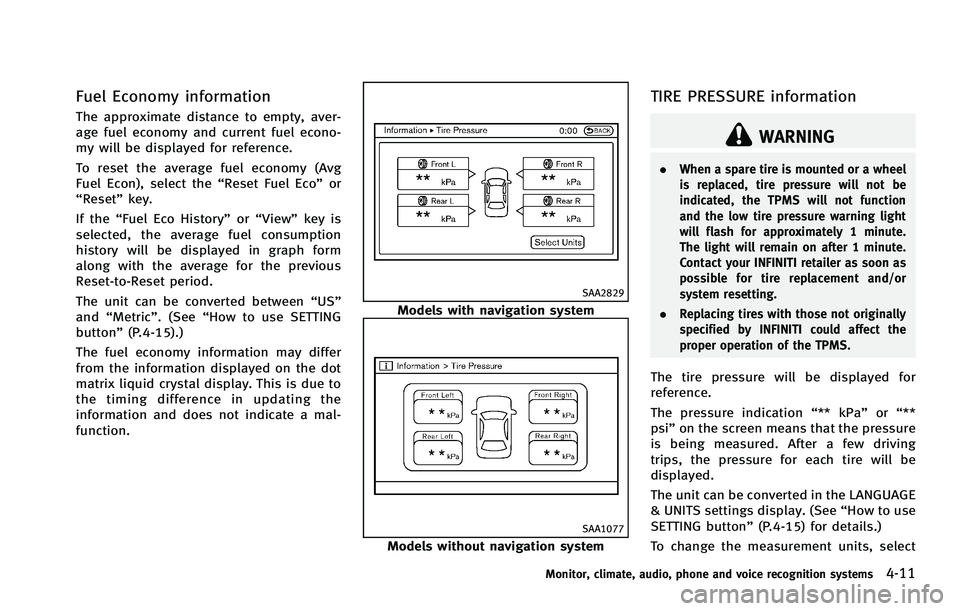
The tire pressure will be displayed for
reference.
The pressure indication “** kPa”or“**
psi ”on the screen means that the pressure
is being measured. After a few driving
trips, the pressure for each tire will be
displayed.
The unit can be converted in the LANGUAGE
& UNITS settings display. (See “How to use
SETTING button” (P.4-15) for details.)
To change the measurement units, select
Monitor, climate, audio, phone and voice recognition systems4-11
Page 189 of 522
4-12Monitor, climate, audio, phone and voice recognition systems
the“Select Units” key (models with navi-
gation system) with the INFINITI controller
and push the ENTERbutton (models with
navigation system).
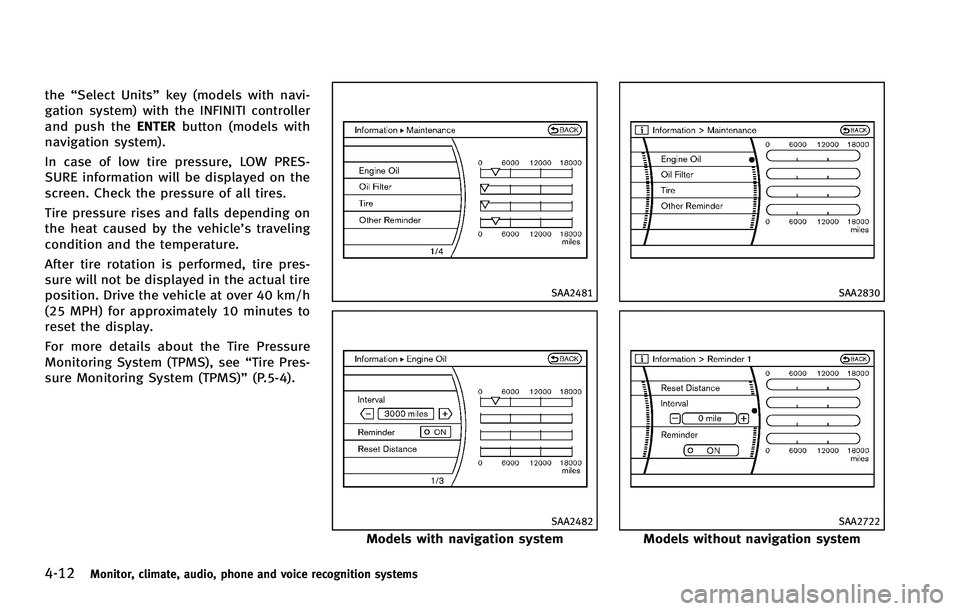
In case of low tire pressure, LOW PRES-
SURE information will be displayed on the
screen. Check the pressure of all tires.
Tire pressure rises and falls depending on
the heat caused by the vehicle’s traveling
condition and the temperature.
After tire rotation is performed, tire pres-
sure will not be displayed in the actual tire
position. Drive the vehicle at over 40 km/h
(25 MPH) for approximately 10 minutes to
reset the display.
For more details about the Tire Pressure
Monitoring System (TPMS), see “Tire Pres-
sure Monitoring System (TPMS)” (P.5-4).
SAA2481
SAA2482
Models with navigation system
SAA2830
SAA2722
Models without navigation system
Page 191 of 522

4-14Monitor, climate, audio, phone and voice recognition systems
SAA3145
Others information (models with
navigation system)
The Others information display will appear
when pushing the INFO button and select-
ing the“Others” key.
Navigation Version: For the details of this item, see the
separate Navigation System Owner’s Man-
ual.
When the ignition switch is in the ignition
position, the “Navigation Version” key is
displayed after pushing the INFO button. GPS Position:
For the details of this item, see the
separate Navigation System Owner’s Man-
ual.
Voice Recognition:
For the details of this item, see “INFINITI
Voice Recognition System (models with
navigation system)” (P.4-120).
SAA2484
Models with navigation system
SAA2604
Models without navigation system
Page 192 of 522

HOW TO USE SETTING BUTTON
The display as illustrated will appear when
the SETTING button is pushed.
Designs and items displayed on the screen
may vary depending on the models.
For navigation settings, refer to the sepa-
rate Navigation System Owner’s Manual.
SAA2485
Models with navigation system
SAA2618
Models without navigation system
Audio settings
The display as illustrated will appear when
pushing the SETTING button and selecting
the“Audio” key.
Bass/Treble/Balance/Fade:
To adjust the speaker tone quality and
sound balance, select the “Bass”,“Treble”,
“Balance ”or “Fade” key and adjust it with
the INFINITI controller.
These items can also be adjusted by
pushing and turning the AUDIO knob.
Speed Sensitive Vol.:
The audio system’s volume is increased
with the vehicle speed. Select the “Speed
Sensitive Vol.” and adjust the effect level
with the INFINITI controller. The Speed
Sensitive Volume function is turned off
when the level is set to OFF. Increasing the
value will cause the volume to increase
faster with vehicle speed.
Driver’s Audio Stage (if so equipped):
When this feature is turned to ON, better
sound will be provided to the driver’ s
position. The driver can enjoy a more crisp
and clear sound that is specialized for the
driver’s position. The effect of this feature
depends on the type of music that is
Monitor, climate, audio, phone and voice recognition systems4-15
Page 193 of 522
4-16Monitor, climate, audio, phone and voice recognition systems
played. For some music, it may be difficult
to realize the effect of this feature.
DivX
®Registration Code (models with
navigation system):
The registration code for a device that is
used to download DivX
®files will be
displayed on the screen. If a disc is loaded
or a USB memory is connected to the audio
system, this function will not be activated.
Display Album Cover Art (models with
navigation system):
When this item is turned to ON, the album
cover image is displayed when playing
compressed music files through a CD, DVD
or USB device. When the image is not
properly embedded in the file or device,
the image will not be displayed.
Phone settings (models with navi-
gation system)
For details of the “Phone”settings, see
“ Bluetooth®Hands-Free Phone System
(models with navigation system)” (P.4-94).
Bluetooth settings (models with
navigation system)
For details of the“Bluetooth”settings, see
“ Bluetooth®Hands-Free Phone System (models with navigation system)”
(P.4-94).
SAA2554
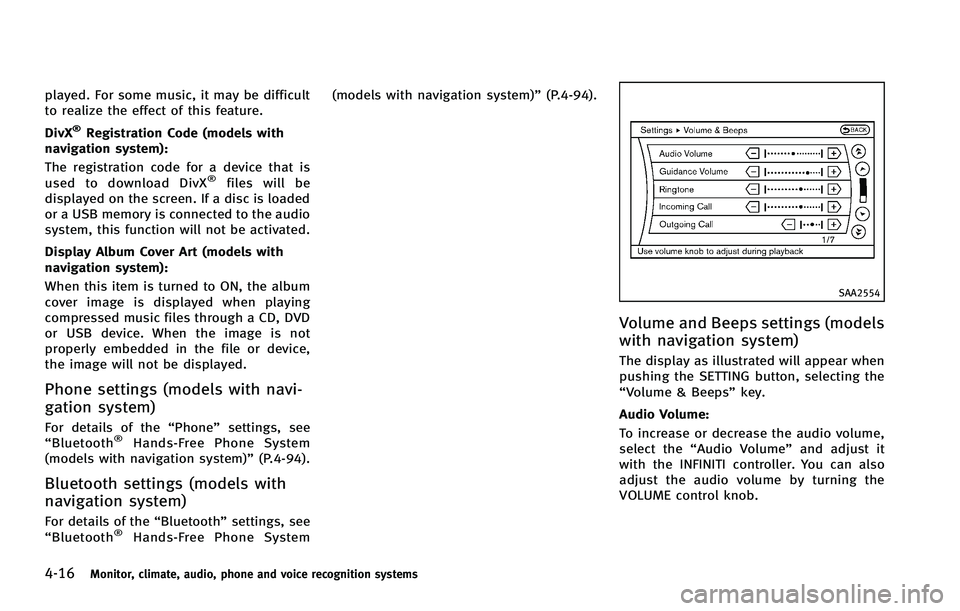
Volume and Beeps settings (models
with navigation system)
The display as illustrated will appear when
pushing the SETTING button, selecting the
“Volume & Beeps”key.
Audio Volume:
To increase or decrease the audio volume,
select the “Audio Volume” and adjust it
with the INFINITI controller. You can also
adjust the audio volume by turning the
VOLUME control knob.
Page 194 of 522
Guidance Volume:
To adjust the guidance voice volume, select
the“Guidance Volume” and adjust it with
the INFINITI controller.
You can also adjust the guidance voice
volume by turning the VOLUME control
knob while voice guidance is being an-
nounced.
Ringtone/Incoming Call/Outgoing Call:
For the details of these items, see “Blue-
tooth
®Hands-Free Phone System (models
with navigation system)” (P.4-94).
Switch Beeps:
When this item is turned to ON, you will
hear a beep sound when you use a button.
Guidance Voice:
When this item is turned to ON, you will
hear voice guidance in the navigation
operation or in other operations.
NOTE:
When the voice guidance is being an-
nounced during audio playback, turning
the volume knob does not adjust the
music level; it adjusts the guidance
volume level. If voice guidance is not
being heard, please check the Guidance
Volume level.
JVH0176M
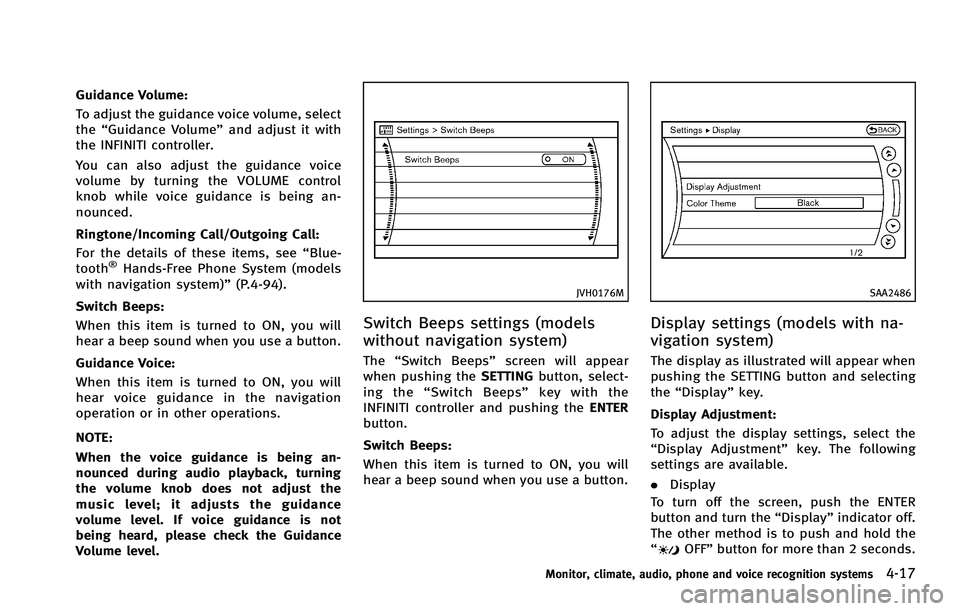
Switch Beeps settings (models
without navigation system)
The “Switch Beeps” screen will appear
when pushing the SETTINGbutton, select-
ing the “Switch Beeps” key with the
INFINITI controller and pushing the ENTER
button.
Switch Beeps:
When this item is turned to ON, you will
hear a beep sound when you use a button.
SAA2486
Display settings (models with na-
vigation system)
The display as illustrated will appear when
pushing the SETTING button and selecting
the “Display” key.
Display Adjustment:
To adjust the display settings, select the
“Display Adjustment” key. The following
settings are available.
. Display
To turn off the screen, push the ENTER
button and turn the “Display”indicator off.
The other method is to push and hold the
“
OFF” button for more than 2 seconds.
Monitor, climate, audio, phone and voice recognition systems4-17
Page 195 of 522

4-18Monitor, climate, audio, phone and voice recognition systems
When any mode button is pushed with the
screen off, the screen turns on for further
operation. The screen will turn off auto-
matically 5 seconds after the operation is
finished.
To turn on the screen, set this item to the
ON position, or push and hold the“
OFF”button.
. Brightness/Contrast/Background Color
To adjust the brightness and contrast of
the screen, select the “Brightness” or
“Contrast” key.
You can then adjust the brightness and
contrast using the INFINITI controller.
For information on the “Background Color”
key, refer to the separate Navigation
System Owner’s Manual.
Color Theme:
Choose the theme color of the menu
screen.
SAA2115
DISPLAY settings (models without
navigation system)
The “Display” screen will appear when
pushing the SETTINGbutton, selecting
“Display” key with the INFINITI controller
and pushing the ENTERbutton.
Display:
To turn off the screen, push the ENTER
button and turn the “ON”indicator off.
When any mode button is pushed with the
screen off, the screen turns on for further
operation. The screen will turn off auto-
matically 5 seconds after the operation is
finished. To turn on the screen, set this item to the
“
ON” position or push the “
OFF”
button.
Brightness/Contrast/Background Color:
To adjust the brightness, contrast and
background color of the screen, select the
appropriate “Brightness” ,“Contrast” or
“ Background Color” key and push the
ENTER button.
You can then adjust the brightness and
contrast using the INFINITI controller.
Switch the background color to the day-
time mode or the nighttime mode by
pushing the ENTERbutton.
Page 196 of 522
SAA2487
Models with navigation system
Clock settings (models with navi-
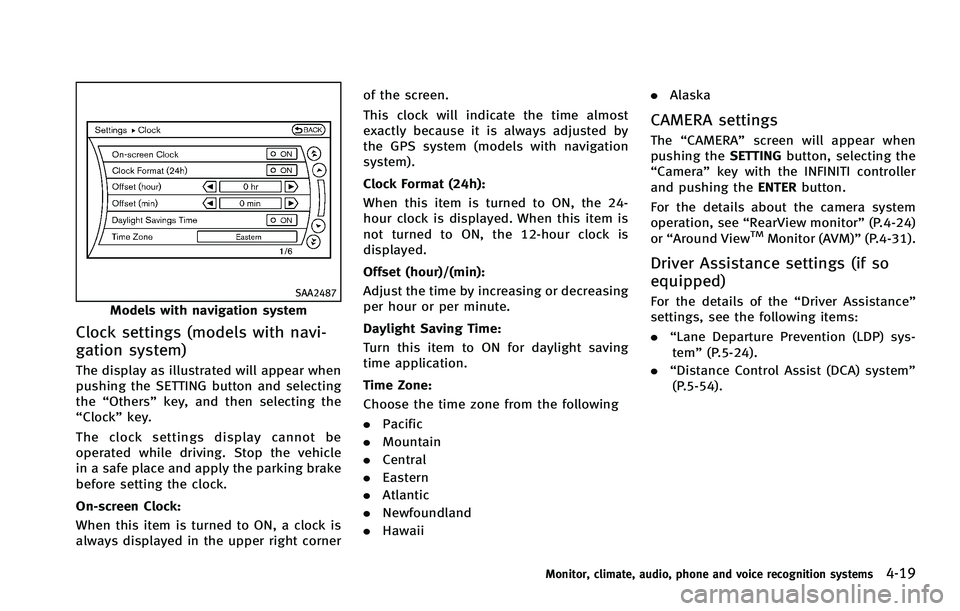
gation system)
The display as illustrated will appear when
pushing the SETTING button and selecting
the“Others” key, and then selecting the
“Clock” key.
The clock settings display cannot be
operated while driving. Stop the vehicle
in a safe place and apply the parking brake
before setting the clock.
On-screen Clock:
When this item is turned to ON, a clock is
always displayed in the upper right corner of the screen.
This clock will indicate the time almost
exactly because it is always adjusted by
the GPS system (models with navigation
system).
Clock Format (24h):
When this item is turned to ON, the 24-
hour clock is displayed. When this item is
not turned to ON, the 12-hour clock is
displayed.
Offset (hour)/(min):
Adjust the time by increasing or decreasing
per hour or per minute.
Daylight Saving Time:
Turn this item to ON for daylight saving
time application.
Time Zone:
Choose the time zone from the following
. Pacific
. Mountain
. Central
. Eastern
. Atlantic
. Newfoundland
. Hawaii .
Alaska
CAMERA settings
The “CAMERA” screen will appear when
pushing the SETTINGbutton, selecting the
“Camera” key with the INFINITI controller
and pushing the ENTERbutton.
For the details about the camera system
operation, see “RearView monitor” (P.4-24)
or “Around View
TMMonitor (AVM)” (P.4-31).
Driver Assistance settings (if so
equipped)
For the details of the “Driver Assistance”
settings, see the following items:
. “Lane Departure Prevention (LDP) sys-
tem” (P.5-24).
. “Distance Control Assist (DCA) system”
(P.5-54).
Monitor, climate, audio, phone and voice recognition systems4-19
Page 197 of 522
4-20Monitor, climate, audio, phone and voice recognition systems
SAA2489
Example
Others settings (models with navi-
gation system)
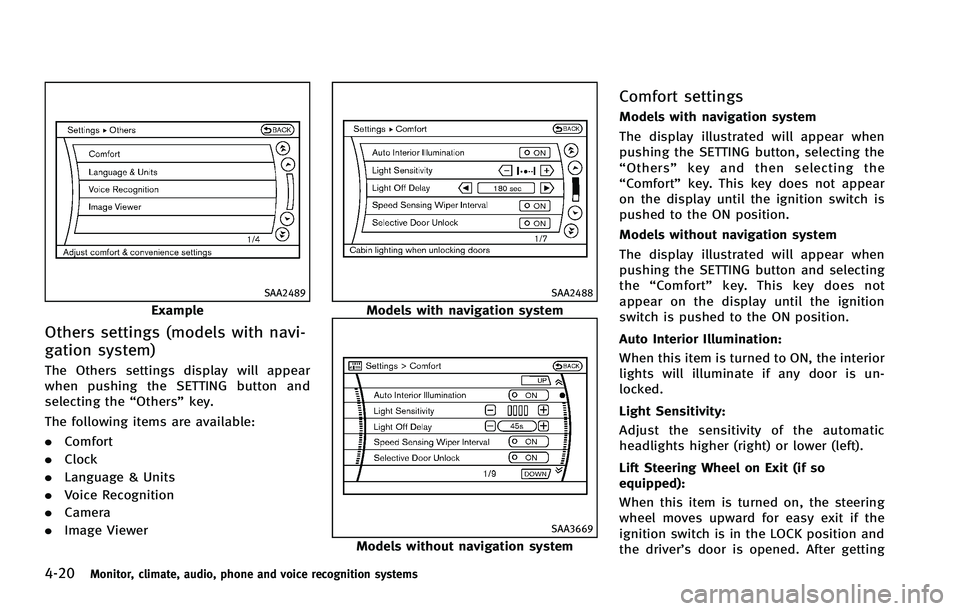
The Others settings display will appear
when pushing the SETTING button and
selecting the“Others”key.
The following items are available:
. Comfort
. Clock
. Language & Units
. Voice Recognition
. Camera
. Image Viewer
SAA2488
Models with navigation system
SAA3669
Models without navigation system
Comfort settings
Models with navigation system
The display illustrated will appear when
pushing the SETTING button, selecting the
“Others” key and then selecting the
“Comfort” key. This key does not appear
on the display until the ignition switch is
pushed to the ON position.
Models without navigation system
The display illustrated will appear when
pushing the SETTING button and selecting
the “Comfort” key. This key does not
appear on the display until the ignition
switch is pushed to the ON position.
Auto Interior Illumination:
When this item is turned to ON, the interior
lights will illuminate if any door is un-
locked.
Light Sensitivity:
Adjust the sensitivity of the automatic
headlights higher (right) or lower (left).
Lift Steering Wheel on Exit (if so
equipped):
When this item is turned on, the steering
wheel moves upward for easy exit if the
ignition switch is in the LOCK position and
the driver’s door is opened. After getting
Page 198 of 522

into the vehicle and pushing the ignition
switch to the ACC position, the steering
wheel moves to the previous position.
Slide Driver Seat Back on Exit (if so
equipped):
When this item is turned on, the driver’s
seat moves backward for easy exit if the
ignition switch is in the OFF position and
the driver’s door is opened. After getting
into the vehicle and pushing the ignition
switch to the ACC position, the driver’s seat
moves to the previous position.
Light Off Delay:
Choose the duration of the automatic
headlight off timer from 0, 30, 45, 60, 90,
120, 150 and 180 second periods.
Speed Sensing Wiper Interval (if so
equipped):
When this item is turned to ON, the wiper
interval is adjusted automatically accord-
ing to the vehicle speed.
Selective Door Unlock:
When this item is turned to ON, only the
driver’s door is unlocked first after the door
unlock operation. When the door handle
request switch on the driver’s or front
passenger’s side door is pushed to beunlocked, only the corresponding door is
unlocked first. All the doors can be
unlocked if the door unlock operation is
performed again within 60 seconds.
When this item is turned to OFF, all the
doors will be unlocked after the door
unlock operation is performed once.
Intelligent Key Lock/Unlock:
When this item is turned to ON, door lock/
unlock function by pushing the door
handle request switch will be activated.
Return All Settings to Default:
Select this item and then select “YES”to
return all settings to the default.
SAA3007
Models with navigation system
SAA3014
Models without navigation system
Monitor, climate, audio, phone and voice recognition systems4-21