suspension INFINITI FX35 2008 Service Manual
[x] Cancel search | Manufacturer: INFINITI, Model Year: 2008, Model line: FX35, Model: INFINITI FX35 2008Pages: 3924, PDF Size: 81.37 MB
Page 1 of 3924
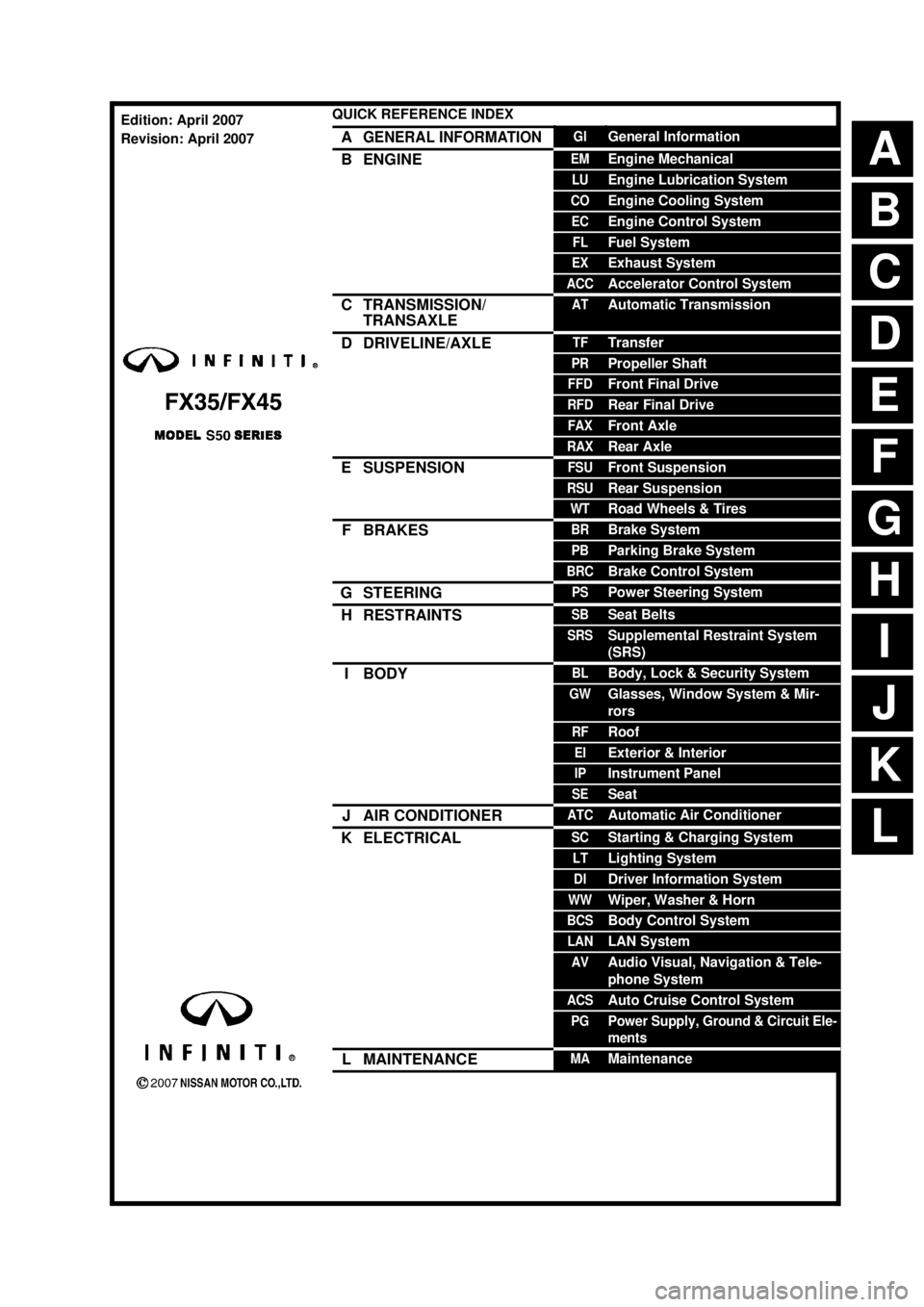
ABCDEFGHIJKLQUICK REFERENCE INDEX AGENERAL INFORMATIONGIGeneral InformationBENGINEEMEngine MechanicalLUEngine Lubrication SystemCOEngine Cooling SystemECEngine Control SystemFLFuel SystemEXExhaust SystemACCAccelerator Control SystemCTRANSMISSION/
TRANSAXLEATAutomatic TransmissionDDRIVELINE/AXLETFTransferPRPropeller ShaftFFDFront Final DriveRFDRear Final DriveFAXFront AxleRAXRear AxleESUSPENSIONFSUFront SuspensionRSURear SuspensionWTRoad Wheels & TiresFBRAKESBRBrake SystemPBParking Brake SystemBRCBrake Control SystemGSTEERINGPSPower Steering SystemHRESTRAINTSSBSeat BeltsSRSSupplemental Restraint System
(SRS)IBODYBLBody, Lock & Security SystemGWGlasses, Window System & Mir-
rorsRFRoofEIExterior & InteriorIPInstrument PanelSESeatJAIR CONDITIONERATCAutomatic Air ConditionerKELECTRICALSCStarting & Charging SystemLTLighting SystemDIDriver Information SystemWWWiper, Washer & HornBCSBody Control SystemLANLAN SystemAVAudio Visual, Navigation & Tele-
phone SystemACSAuto Cruise Control SystemPGPower Supply, Ground & Circuit Ele-
mentsLMAINTENANCEMAMaintenanceEdition: April 2007
Revision: April 2007
Page 988 of 3924

BR-4
< SERVICE INFORMATION >
NOISE, VIBRATION AND HARSHNESS (NVH) TROUBLESHOOTING
NOISE, VIBRATION AND HARSHNESS (NVH) TROUBLESHOOTING
NVH Troubleshooting ChartINFOID:0000000001327606
Use the chart below to help you find the cause of the sy mptom. If necessary, repair or replace these parts.
×: ApplicableReference page
BR-18
,
BR-24
BR-18
, BR-24
BR-18
, BR-24—
—
BR-20, BR-26—
—
—
BR-20, BR-26—
NVH in PR section
NVH in FFD an d RFD section
NVH in FAX, RAX and FSU, RSU section
NVH in WT section
NVH in WT section
NVH in FAX and RAX section
NVH in PS section
Possible cause and
SUSPECTED PARTS
Pads - damaged
Pads - uneven wear
Shims damaged
Rotor imbalance
Rotor damage
Rotor runout
Rotor deformation
Rotor deflection
Rotor rust
Rotor thickness variation
Drum out of round
PROPELLER SHAFT
DIFFERENTIAL
AXLE AND SUSPENSION
TIRE
ROAD WHEEL
DRIVE SHAFT
STEERING
Symptom BRAKE Noise
××× ×× ×××
××
Shake ×××××
××
Shimmy, Judder ××××××× ××× ×
3AA93ABC3ACD3AC03ACA3AC03AC63AC53A913A773A893A873A873A8E3A773A983AC73AC93AC03AC3
3A893A873A873A8F3A773A9D3AAF3A8A3A8C3A863A9D3AAF3A8B3A8C
Page 1021 of 3924
![INFINITI FX35 2008 Service Manual
BRC-6
< SERVICE INFORMATION >[VDC/TCS/ABS]
PRECAUTIONS
If the following components are replaced with non-genui
ne components or converted, VDC OFF indicator
lamp and SLIP indicator lamp may turn on](/img/42/57017/w960_57017-1020.png "INFINITI FX35 2008 Service Manual
BRC-6
< SERVICE INFORMATION >[VDC/TCS/ABS]
PRECAUTIONS
If the following components are replaced with non-genui
ne components or converted, VDC OFF indicator
lamp and SLIP indicator lamp may turn on")
BRC-6
< SERVICE INFORMATION >[VDC/TCS/ABS]
PRECAUTIONS
If the following components are replaced with non-genui
ne components or converted, VDC OFF indicator
lamp and SLIP indicator lamp may turn on or the VDC system may not operate properly. Components
related to suspension (shock absorber, strut, spring, bushing, etc.), Tires, wheels (exclude specified size),
components related to brake (pad, rotor, caliper, etc. ), components related to engine (muffler, ECM, etc.),
components related to body reinforcement (roll bar, tower bar, etc.).
Driving in the condition of breakage or excessive wear of suspension, tires or components related to the
brakes may cause VDC OFF indicator lamp and SLIP indicator lamp turn on, and the VDC system may not
operate properly.
When the TCS or VDC is activated by sudden accele ration or sudden turn, some noise may occur. The
noise is a result of the normal operation of the TCS and VDC.
When driving on roads which have extreme slopes (s uch as mountainous roads) or high banks (such as
sharp carves on a freeway), the VDC may not operate nor mally, or VDC OFF indicator lamp and SLIP indi-
cator lamp may turn on. However, this is not a malfunction, if normal operation can be resumed after restart-
ing engine.
Sudden turns (such as spin turns, acceleration turns) , drifting, etc. When VDC function is OFF (VDC OFF
SW ON) may cause the G sensor system indicate a malf unction. However, this is not a malfunction, if nor-
mal operation can be resumed after restarting engine.
Change 4 tires at a time. Be sure to use specified- size tires that have the same brand name and pattern.
Wheel sensor errors can be detected be self-diagnosis when tires have wide abrasion variations or the size
is different from the genuine tires.
3AA93ABC3ACD3AC03ACA3AC03AC63AC53A913A773A893A873A873A8E3A773A983AC73AC93AC03AC3
3A893A873A873A8F3A773A9D3AAF3A8A3A8C3A863A9D3AAF3A8B3A8C
Page 1023 of 3924
![INFINITI FX35 2008 Service Manual
BRC-8
< SERVICE INFORMATION >[VDC/TCS/ABS]
ON-VEHICLE SERVICE
ON-VEHICLE SERVICE
Adjustment of Steering Angl
e Sensor Neutral PositionINFOID:0000000001327658
In case of doing work that applies to the](/img/42/57017/w960_57017-1022.png "INFINITI FX35 2008 Service Manual
BRC-8
< SERVICE INFORMATION >[VDC/TCS/ABS]
ON-VEHICLE SERVICE
ON-VEHICLE SERVICE
Adjustment of Steering Angl
e Sensor Neutral PositionINFOID:0000000001327658
In case of doing work that applies to the")
BRC-8
< SERVICE INFORMATION >[VDC/TCS/ABS]
ON-VEHICLE SERVICE
ON-VEHICLE SERVICE
Adjustment of Steering Angl
e Sensor Neutral PositionINFOID:0000000001327658
In case of doing work that applies to the list below, make sure to adjust neutral position of steering angle sen-
sor before running vehicle.
CAUTION:
To adjust neutral position of steering angl e sensor, make sure to use CONSULT-III.
(Adjustment can not be done without CONSULT-III.)
1. Stop vehicle with front wheels in straight-ahead position.
2. Touch “WORK SUPPORT” and “ST ANGLE SENSOR ADJUSTMENT” on CONSULT-III screen in this order.
3. Touch “START”. CAUTION:
Do not touch steering wheel whil e adjusting steering angle sensor.
4. After approximately 10 seconds, touch “END”. (After approximately 60 seconds, it ends automatically.)
5. Turn ignition switch OFF, then turn it ON again. CAUTION:
Be sure to perform above operation.
6. Run vehicle with front wheels in straight-ahead position, then stop.
7. Select “DATA MONITOR”, “SELECTION FROM ME NU”, and “STR ANGLE SIG” on CONSULT-III screen.
Then make sure “STR ANGLE SIG” is within 0 ± 3.5 deg. If value is more than specification, repeat steps
1 to 6.
8. Erase memory of ABS actuator and electric unit (control unit) and ECM.
9. Turn ignition switch OFF.
Calibration of Decel G Sensor (AWD Models)INFOID:0000000001327659
NOTE:
After removing/installing or replacing yaw rate/side/dec el G sensor, ABS actuator and electric unit (control
unit), suspension components, or after adjusting wheel ali gnment, make sure to calibration of decel G sensor
before running vehicle.
CAUTION:
To calibrate decel G sensor, make sure to use CONS ULT-III. (Adjustment can not be done without CON-
SULT-III.)
1. Stop vehicle with front wheels in straight-ahead position.
CAUTION:
The work should be done at a horizontal place when vehicle is in the unloaded vehicle condition.
Keep all tires inflated to correct pressures. Ad just the tire pressure to the specified pressure
value.
2. Touch “WORK SUPPORT” and “DECEL G-SEN CALI BRATION” on CONSULT-III screen in this order.
3. Touch “START”. CAUTION:
Set vehicle as shown in the display.
4. After approximately 10 seconds, touch “END”. (After approximately 60 seconds, it ends automatically.)
Situation Adjustment of Steering Angle Sensor Neutral Position
Removing/Installing ABS actuator and electric unit (control unit) —
Replacing ABS actuator and electric unit (control unit) ×
Removing/Installing steering angle sensor ×
Removing/Installing steering components ×
Removing/Installing suspension components ×
Change 4 tires to new ones —
Tire rotation —
Adjusting wheel alignment ×
3AA93ABC3ACD3AC03ACA3AC03AC63AC53A913A773A893A873A873A8E3A773A983AC73AC93AC03AC3
3A893A873A873A8F3A773A9D3AAF3A8A3A8C3A863A9D3AAF3A8B3A8C
Page 1046 of 3924
![INFINITI FX35 2008 Service Manual
TROUBLE DIAGNOSISBRC-31
< SERVICE INFORMATION > [VDC/TCS/ABS]
C
D
E
G H
I
J
K L
M A
B
BRC
N
O P
When active test is performed while depressing, t he pedal depression amount will change. This is nor](/img/42/57017/w960_57017-1045.png "INFINITI FX35 2008 Service Manual
TROUBLE DIAGNOSISBRC-31
< SERVICE INFORMATION > [VDC/TCS/ABS]
C
D
E
G H
I
J
K L
M A
B
BRC
N
O P
When active test is performed while depressing, t he pedal depression amount will change. This is nor")
TROUBLE DIAGNOSISBRC-31
< SERVICE INFORMATION > [VDC/TCS/ABS]
C
D
E
G H
I
J
K L
M A
B
BRC
N
O P
When active test is performed while depressing, t he pedal depression amount will change. This is normal.
“TEST IS STOPPED” is displayed 10 seconds after operation start.
After “TEST IS STOPPED” is displayed, touch “BACK” and perform test again.
TEST ITEM
Solenoid Valve
NOTE:
The example shown is for the front right wheel. The procedure for the other wheels is the same as given
below.
When performing an active test of the ABS function, se lect the main item for each test item. In addition,
when performing an active test of the VDC/TCS function, select the item menu for each test item.
For the ABS solenoid valve, touch “UP” “KEEP” “DOWN”, and for the ABS solenoid valve (ACT), touch “UP”
“ACTUATOR UP” “ACTUATOR KEEP”, and check to make su re that all solenoid valve (in, out) are operating
as given in the table below.
*: ON for 1 to 2 seconds after the touch, and then OFF
ABS Motor
Touch “ON” and “OFF” on the screen. Make sure AB S motor relay operates as shown in table below.
For Fast and Accurate DiagnosisINFOID:0000000001327675
PRECAUTIONS FOR DIAGNOSIS
Before performing diagnosis, always read precautions. Refer to BRC-13, "How to Proceed with Diagnosis".
If ABS actuator and electric unit (control unit), steer ing angle sensor, steering system parts or suspension
system parts have been replaced, or if alignment has been adjusted, be sure to adjust neutral position of
steering angle sensor before driving. Refer to BRC-8, "
Adjustment of Steering Angle Sensor Neutral Posi-
tion".
After diagnosis is finished, be sure to erase memory. Refer to BRC-26, "
Self-Diagnosis".
When checking continuity and voltage between units, be sure to check for disconnection, looseness, bend,
or collapse of connector terminals. If any malfuncti on is found, repair or replace connector terminals.
For intermittent symptoms, possible cause is malfunc tion in harness, harness connector, or terminals. Move
harness, harness connector, and terminals to check for poor connections.
If a circuit tester is used for the check, be ca reful not to forcibly extend any connector terminal.
To use CONSULT-III to perform self-diagnosis of ABS act uator and electric unit (control unit), active tests, or
work support, first stop work, then connect CONSULT-III and select “ABS”.
While self-diagnostic results of CONSULT-III shows malf unction, if CONSULT-III active test is performed, an
engine system error may be indicated. In this case, start engine to resume the normal screen.
VDC/TCS/ABS system electronica lly controls brake operation and engine output. The following symptoms
may be caused by normal operations:
Operation ABS solenoid valve ABS so
lenoid valve (ACT)
UP KEEP DOWN UP ACTUATOR
UP ACTUATOR
KEEP
FR RH IN SOL OFF ON ON OFF OFF OFF
FR RH OUT SOL OFF OFF ON* OFF OFF OFF
CV 1 OFF OFF OFF OFF ON ON
SV 1 OFF OFF OFF OFF ON* OFF
Operation ON OFF
MOTOR RELAY ON OFF
ACTUATOR RLY ON ON
3AA93ABC3ACD3AC03ACA3AC03AC63AC53A913A773A893A873A873A8E3A773A983AC73AC93AC03AC3
3A893A873A873A8F3A773A9D3AAF3A8A3A8C3A863A9D3AAF3A8B3A8C
Page 1067 of 3924
![INFINITI FX35 2008 Service Manual
BRC-52
< SERVICE INFORMATION >[VDC/TCS/ABS]
WHEEL SENSORS
WHEEL SENSORS
Removal and InstallationINFOID:0000000001327698
REMOVAL
1. Disconnect wheel sensor connector.
2. Remove wheel sensor mounting b](/img/42/57017/w960_57017-1066.png "INFINITI FX35 2008 Service Manual
BRC-52
< SERVICE INFORMATION >[VDC/TCS/ABS]
WHEEL SENSORS
WHEEL SENSORS
Removal and InstallationINFOID:0000000001327698
REMOVAL
1. Disconnect wheel sensor connector.
2. Remove wheel sensor mounting b")
BRC-52
< SERVICE INFORMATION >[VDC/TCS/ABS]
WHEEL SENSORS
WHEEL SENSORS
Removal and InstallationINFOID:0000000001327698
REMOVAL
1. Disconnect wheel sensor connector.
2. Remove wheel sensor mounting bolts, grommets (front sensor) and clip.
3. Remove wheel sensor.
CAUTION:
Be careful of the followin
g when installing sensor.
As much as possible, avoid rotati ng sensor when removing it. Pull sensors out without pulling on
sensor harness.
Take care to avoid damaging sensor edges or roto r teeth. Remove wheel sensor first before remov-
ing front wheel hub and bearing assembly and rear fina l drive. This is to avoid damage to sensor wir-
ing and loss of sensor function.
INSTALLATION
Note the following, and install in the reverse order of removal.
CAUTION:
Be careful of the follow ing when installing sensor. Tighten in stallation bolts to specified torques.
When installing, make sure there is no foreign material such as iron chips on pick-up and mounting
hole of sensor. Make sure no foreign material h as been caught in the sensor rotor. Remove any for-
eign material and clean the mount.
When installing front sensor, be sure to press rubber grommets in until they lock at the three loca-
tions shown in the figure (2 at shock absorbers and 1 at body pa nel). When installed, harness must
not be twisted. White line on ha rness must be visible from front.
When installing rear sensor, attach harness at rear suspension member securely. Besides, harness
must not be twisted when installed.
PFIA0600E
3AA93ABC3ACD3AC03ACA3AC03AC63AC53A913A773A893A873A873A8E3A773A983AC73AC93AC03AC3
3A893A873A873A8F3A773A9D3AAF3A8A3A8C3A863A9D3AAF3A8B3A8C
Page 1201 of 3924

LANE DEPARTURE WARNING SYSTEMDI-75
< SERVICE INFORMATION >
C
DE
F
G H
I
J
L
M A
B
DI
N
O P
Measure the wheel arch height. And calculate “Dh”.
NOTE:
“Dh” may be calculated as a minus value.
AIMING ADJUSTMENT
Operation Procedure
CAUTION:
Perform the adjustment under unloaded vehicle condition.
LDW indicator is turned off after the remo val/installation, and blinks after replacement.
NOTE:
When the DTC (C1B01 CAM AIMING INCMP) is disp layed on CONSULT-III screen, perform the aiming
adjustment after erasing the DTC.
1. Select “Work Support” on LDW with CONSULT-III.
2. Select “AUTO AIM”.
3. Confirm following.
a. The target should be accurately placed.
b. The vehicle should be stopped.
4. Select “Start” to perform aiming.
CAUTION:
Never Select “Start” when the target is not placed.
5. Input “Dh”, and then select “Start”. NOTE:
Check the value “Dh”. Refer to "VEHICLE HEIGHT CHECK".
CAUTION:
Never change “Ht” and “Dt”.
6. Check it display item.
a. “Normally Completed” is displayed, then selecting “Completion”.
b. Perform the following services when displa yed “SUSPENSION” or “ABNORMALLY COMPLETED”.
NOTE:
Replace camera unit if “SUSPENSION” is repeatedly indicated though the above tw o service is performed.
7. Check if “Normally Completed” is displayed and close the aiming adjustment procedure by selecting
“End”.
Check After The Adjustment
1. Perform self-diagnosis of LDW camera unit. Refer to DI-81, "CONSULT-III Function (LDW)".
2. Test the LDW system operation by running test. Refer to DI-71, "
Action Test".
Dh [mm] = (Hfl + Hfr)
÷ 2 − 840
where, Hfl: Front left wheel arch height [mm]
Hfr: Front right wheel arch height [mm]
SKIB3164E
Displays item Service procedure
SUSPENSION 00H Routine not activated
Position the target appropriately again. Perform the aiming again.
Refer to "Camera Aiming Adjustment".
10H Writing error
ABNORMALLY COMPLETED —
3AA93ABC3ACD3AC03ACA3AC03AC63AC53A913A773A893A873A873A8E3A773A983AC73AC93AC03AC3
3A893A873A873A8F3A773A9D3AAF3A8A3A8C3A863A9D3AAF3A8B3A8C
Page 2515 of 3924
![INFINITI FX35 2008 Service Manual
OIL PAN AND OIL STRAINEREM-31
< SERVICE INFORMATION > [VQ35DE]
C
D
E
F
G H
I
J
K L
M A
EM
NP
O
Do not spill engine oil on drive belts.
6. Drain engine coolant. Refer to CO-10, "
Changing Engine Co](/img/42/57017/w960_57017-2514.png "INFINITI FX35 2008 Service Manual
OIL PAN AND OIL STRAINEREM-31
< SERVICE INFORMATION > [VQ35DE]
C
D
E
F
G H
I
J
K L
M A
EM
NP
O
Do not spill engine oil on drive belts.
6. Drain engine coolant. Refer to CO-10, \"
Changing Engine Co")
OIL PAN AND OIL STRAINEREM-31
< SERVICE INFORMATION > [VQ35DE]
C
D
E
F
G H
I
J
K L
M A
EM
NP
O
Do not spill engine oil on drive belts.
6. Drain engine coolant. Refer to CO-10, "
Changing Engine Coolant".
CAUTION:
Perform this step when the engine is cold.
Do not spill engine coolant on drive belts.
7. Remove engine cover with power tool. Refer to EM-19, "
Component".
8. Remove air hose from air duct to mass air flow sens or side and electric throttle control actuator side.
Refer to EM-17, "
Component".
9. Removal engine rear lower slinger, and install engine rear slinger [SST: 10006 31U00 ( — )] to sling engine assembly for positioning. Refer to EM-7, "
Special Service Tool".
10. Remove front suspension member. Refer to FSU-16, "
Removal and Installation".
11. Remove drive belts. Refer to EM-15, "
Removal and Installation".
12. Remove alternator stay. Refer to SC-19, "
System Description".
13. Remove starter motor. Refer to SC-8, "
System Description".
14. Remove idler pulley and bracket assembly. Refer to EM-64, "
Component".
15. Disconnect oil cooler water hoses, and remove oil cooler water pipe mounting bolt. Refer to LU-12, "
Com-
ponent".
16. Disconnect A/T fluid cooler hoses, and remove A/T fluid cooler tube. Refer to AT-241, "
Removal and
Installation (2WD Models)".
17. Remove crankshaft position sensor (POS). CAUTION:
Handle carefully to avoid dropping and shocks.
Do not disassemble.
Do not allow metal powder to adhere to magnetic part at sensor tip.
Do not place sensors in a location wh ere they are exposed to magnetism.
18. Remove oil filter, as necessary. Refer to LU-8, "
Removal and Installation".
19. Remove oil cooler, as necessary. Refer to LU-12, "
Component".
20. Remove oil pan (lower) as follows:
a. Loosen mounting bolts in reverse order as shown in the figure to remove.
b. Insert the seal cutter (SST) between oil pan (upper) and oil pan (lower).
CAUTION:
Be careful not to damage the mating surfaces.
Do not insert a screwdriver, this will damage the mating
surfaces.
c. Slide the seal cutter by tapping on the side of tool with a ham- mer. Remove oil pan (lower).Slinger bolts:
: 28.0 N·m (2.9 kg-m, 21 ft-lb)
PBIC0782E
SEM960F
3AA93ABC3ACD3AC03ACA3AC03AC63AC53A913A773A893A873A873A8E3A773A983AC73AC93AC03AC3
3A893A873A873A8F3A773A9D3AAF3A8A3A8C3A863A9D3AAF3A8B3A8C
Page 2520 of 3924
![INFINITI FX35 2008 Service Manual
EM-36
< SERVICE INFORMATION >[VQ35DE]
OIL PAN AND OIL STRAINER
Removal and Installation (AWD Models)
INFOID:0000000001325719
REMOVAL
CAUTION:
To avoid the danger of being scalded, never drain engine](/img/42/57017/w960_57017-2519.png "INFINITI FX35 2008 Service Manual
EM-36
< SERVICE INFORMATION >[VQ35DE]
OIL PAN AND OIL STRAINER
Removal and Installation (AWD Models)
INFOID:0000000001325719
REMOVAL
CAUTION:
To avoid the danger of being scalded, never drain engine")
EM-36
< SERVICE INFORMATION >[VQ35DE]
OIL PAN AND OIL STRAINER
Removal and Installation (AWD Models)
INFOID:0000000001325719
REMOVAL
CAUTION:
To avoid the danger of being scalded, never drain engine oil when the engine is hot.
NOTE:
To remove oil pan (lower) only, take step 5, then st ep 24. Removal of step 1, hood assembly (step 2) and step
4 are unnecessary.
1. Remove front tire.
2. Remove hood assembly. Refer to BL-13, "
Fitting Adjustment".
3. Remove front and rear engine undercover with power tool.
4. Remove front cross bar with power tool. Refer to FSU-5, "
On-Vehicle Inspection and Service".
5. Drain engine oil. Refer to LU-7, "
Changing Engine Oil".
CAUTION:
Perform this step when the engine is cold.
Do not spill engine oil on drive belts.
6. Drain engine coolant. Refer to CO-10, "
Changing Engine Coolant".
CAUTION:
Perform this step when the engine is cold.
Do not spill engine coolant on drive belts.
7. Remove engine cover with power tool. Refer to EM-19, "
Component".
8. Remove air hose from air duct to mass air flow s ensor side and electric throttle control actuator side.
Refer to EM-17, "
Component".
9. Remove drive belts. Refer to EM-15, "
Removal and Installation".
10. Remove front drive shaft (LH and RH) and side shaft. Refer to FAX-13, "
On-Vehicle Inspection".
11. Remove side shaft. Refer to FFD-14, "
Removal and Installation (VQ35DE Models)".
12. Removal engine rear lower slinger, and install engine rear slinger [SST: 10006 31U00 ( — )] to sling engine assembly for positioning. Refer to EM-7, "
Special Service Tool".
13. Remove front suspension member. Refer to FSU-16, "
Removal and Installation".
14. Remove engine mounting bracket, engine mounting bracket (lower) and insulator. Refer to EM-112,
"Component (2WD Models)".
15. Remove front propeller shaft. Refer to PR-4, "
On-Vehicle Inspection".
16. Remove oil filter and oil filter bracket. Refer to LU-10, "
Component".
17. Remove alternator stay. Refer to SC-19, "
System Description".
18. Remove idler pulley and bracket. Refer to EM-15, "
Removal and Installation".
19. Disconnect oil cooler water hoses, and remove oil cooler water pipe mounting bolt. Refer to LU-12, "
Com-
ponent".
20. Disconnect A/T fluid cooler hoses, and remove A/T fluid cooler tube. Refer to AT-241, "
Removal and
Installation (2WD Models)".
21. Remove front final drive assembly. Refer to FFD-14, "
Removal and Installation (VQ35DE Models)".
22. Remove starter motor. Refer to SC-8, "
System Description".
1. Oil pan gasket (rear) 2. Oil pan (upper) 3. O-ring
4. Oil pan gasket (front) 5. Oil filter 6. Connector bolt
7. Oil cooler 8. O-ring 9. Relief valve
10. Oil filter bracket 11. Oil filter bracket gasket 12. Oil strainer
13. Drain plug 14. Drain plug washer 15. Oil pan (lower)
16. Rear plate cover 17. Crankshaft position sensor (POS) 18 O-ring (small)
19. O-ring (large) 20. Axle pipe
Slinger bolts:
: 28.0 N·m (2.9 kg-m, 21 ft-lb)
3AA93ABC3ACD3AC03ACA3AC03AC63AC53A913A773A893A873A873A8E3A773A983AC73AC93AC03AC3
3A893A873A873A8F3A773A9D3AAF3A8A3A8C3A863A9D3AAF3A8B3A8C
Page 2585 of 3924
![INFINITI FX35 2008 Service Manual
CYLINDER HEADEM-101
< SERVICE INFORMATION > [VQ35DE]
C
D
E
F
G H
I
J
K L
M A
EM
NP
O
If the engine speed is out of the specified range, c
heck battery liquid for proper gravity. Check the
engine sp](/img/42/57017/w960_57017-2584.png "INFINITI FX35 2008 Service Manual
CYLINDER HEADEM-101
< SERVICE INFORMATION > [VQ35DE]
C
D
E
F
G H
I
J
K L
M A
EM
NP
O
If the engine speed is out of the specified range, c
heck battery liquid for proper gravity. Check the
engine sp")
CYLINDER HEADEM-101
< SERVICE INFORMATION > [VQ35DE]
C
D
E
F
G H
I
J
K L
M A
EM
NP
O
If the engine speed is out of the specified range, c
heck battery liquid for proper gravity. Check the
engine speed again with normal battery gravity.
If compression pressure is below minimum value, check valve clearances and parts associated with
combustion chamber (valve, valve seat, piston, pi ston ring, cylinder bore, cylinder head, cylinder head
gasket). After the checking, measure compression pressure again.
If some cylinder has low compression pressure, pour small amount of engine oil into the spark plug hole
of the cylinder to re-check it for compression.
- If the added engine oil improves the compression, piston rings may be worn out or damaged. Check pis- ton rings and replace if necessary.
- If the compression pressure remains at low level despite the addition of engine oil, valves may be mal- functioning. Check valves for damage. Repl ace valve or valve seat accordingly.
If two adjacent cylinders have respectively low compression pressure and their compression remains low even after the addition of engine oil, cylinder head gaskets are leaking. In such a case, replace cyl-
inder head gaskets.
9. After inspection is completed, install removed parts.
10. Start the engine, and make sure that the engine runs smoothly.
11. Perform trouble diagnosis. If DTC appears, erase it. Refer to EC-89, "
Trouble Diagnosis Introduction".
ComponentINFOID:0000000001325738
Removal and InstallationINFOID:0000000001325739
REMOVAL
1. Remove camshaft. Refer to EM-83, "Component".
NOTE:
It is also possible to perform the following steps 2 and 3 just before removing camshaft.
2. Temporarily fit front suspension member to support engine. Refer to FSU-16, "
Removal and Installation".
CAUTION:
1. Engine rear lower slinger 2. Cylinder head (left bank) 3. Cylinder head bolt
4. Cylinder head (right bank) 5. Cylinder head gasket (right bank) 6. Cylinder head gasket (left bank)
7. Oil level gauge guide
SBIA0581E
3AA93ABC3ACD3AC03ACA3AC03AC63AC53A913A773A893A873A873A8E3A773A983AC73AC93AC03AC3
3A893A873A873A8F3A773A9D3AAF3A8A3A8C3A863A9D3AAF3A8B3A8C