ignition INFINITI G35 2006 Workshop Manual
[x] Cancel search | Manufacturer: INFINITI, Model Year: 2006, Model line: G35, Model: INFINITI G35 2006Pages: 344, PDF Size: 6.81 MB
Page 146 of 344
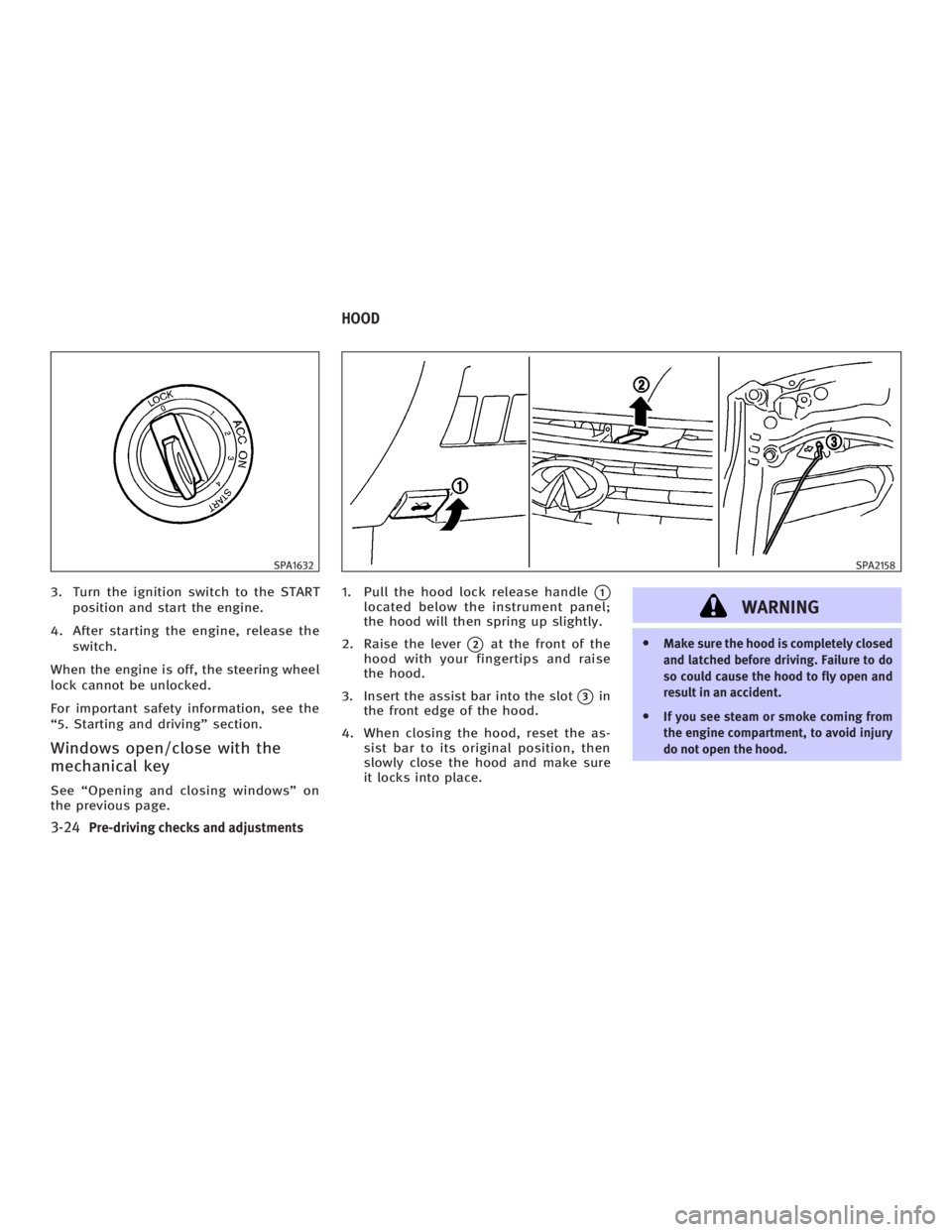
3. Turn the ignition switch to the START
position and start the engine.
4. After starting the engine, release the
switch.
When the engine is off, the steering wheel
lock cannot be unlocked.
For important safety information, see the
ª5. Starting and drivingº section.
Windows open/close with the
mechanical key See ªOpening and closing windowsº on
the previous page. 1. Pull the hood lock release handle
q 1
located below the instrument panel;
the hood will then spring up slightly.
2. Raise the lever
q 2
at the front of the
hood with your fingertips and raise
the hood.
3. Insert the assist bar into the slot
q 3
in
the front edge of the hood.
4. When closing the hood, reset the as-
sist bar to its original position, then
slowly close the hood and make sure
it locks into place.
WARNING O Make sure the hood is completely closed
and latched before driving. Failure to do
so could cause the hood to fly open and
result in an accident.
O If you see steam or smoke coming from
the engine compartment, to avoid injury
do not open the hood.SPA1632 SPA2158
HOOD
3-24 Pre-driving checks and adjustments
w 06.1.4/V35-D/V5.0
X
Page 153 of 344
Push the lock lever up securely to lock
the steering wheel in place.
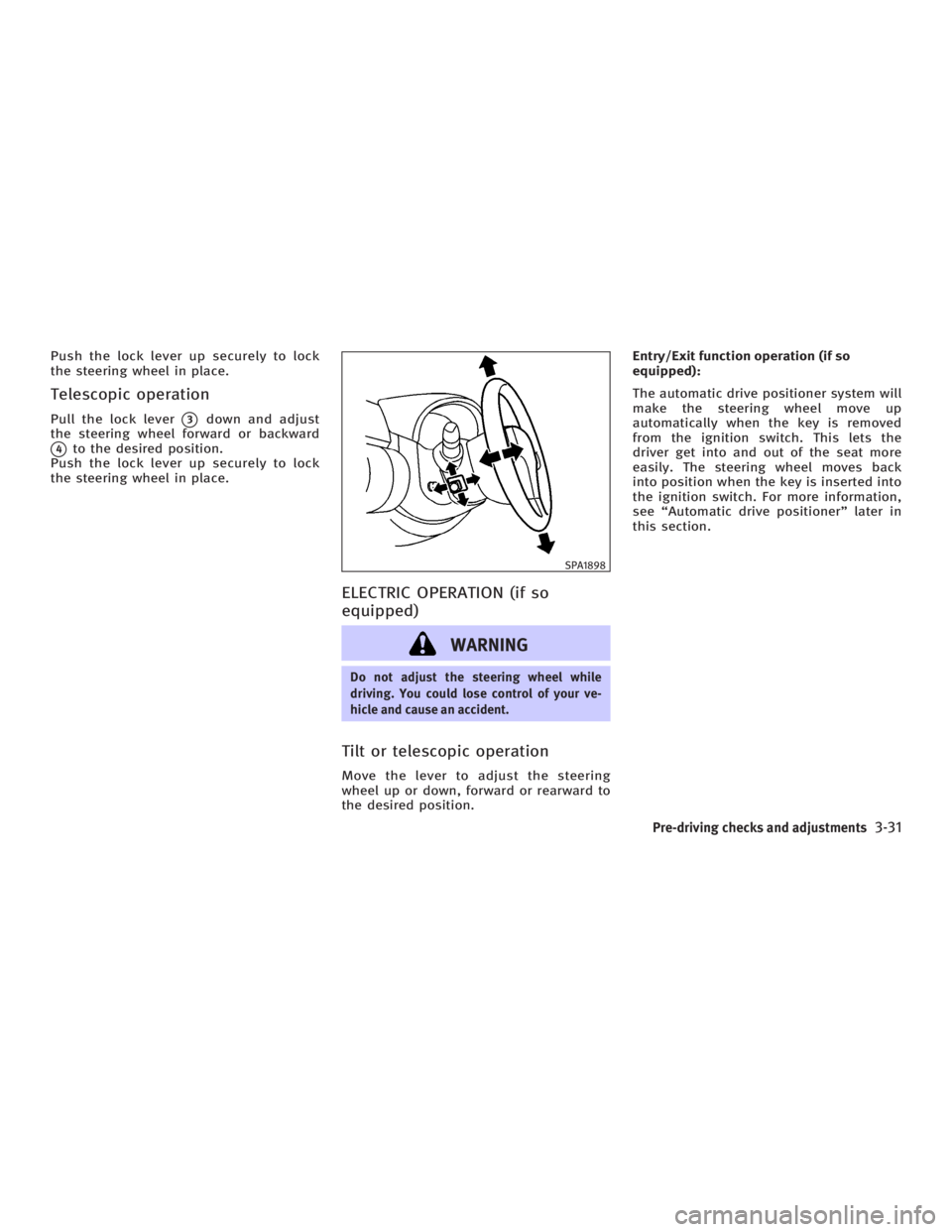
Telescopic operation Pull the lock lever
q 3
down and adjust
the steering wheel forward or backward
q 4
to the desired position.
Push the lock lever up securely to lock
the steering wheel in place.
ELECTRIC OPERATION (if so
equipped)
WARNING Do not adjust the steering wheel while
driving. You could lose control of your ve-
hicle and cause an accident.
Tilt or telescopic operation Move the lever to adjust the steering
wheel up or down, forward or rearward to
the desired position. Entry/Exit function operation (if so
equipped):
The automatic drive positioner system will
make the steering wheel move up
automatically when the key is removed
from the ignition switch. This lets the
driver get into and out of the seat more
easily. The steering wheel moves back
into position when the key is inserted into
the ignition switch. For more information,
see ªAutomatic drive positionerº later in
this section. SPA1898
Pre-driving checks and adjustments
3-31
w 06.1.4/V35-D/V5.0
X
Page 155 of 344
For HomeLink Universal Transceiver, see
the description in the ª2. Instruments and
controlsº section.
OUTSIDE MIRRORS
WARNING Objects viewed in the outside mirror on the
passenger side are closer than they appear.
Be careful when moving to the right. Using
only this mirror could cause an accident. Use
the inside mirror or glance over your
shoulder to properly judge distances to
other objects. The outside mirror adjustment will op-
erate only when the ignition switch is in
the ACC or ON position.
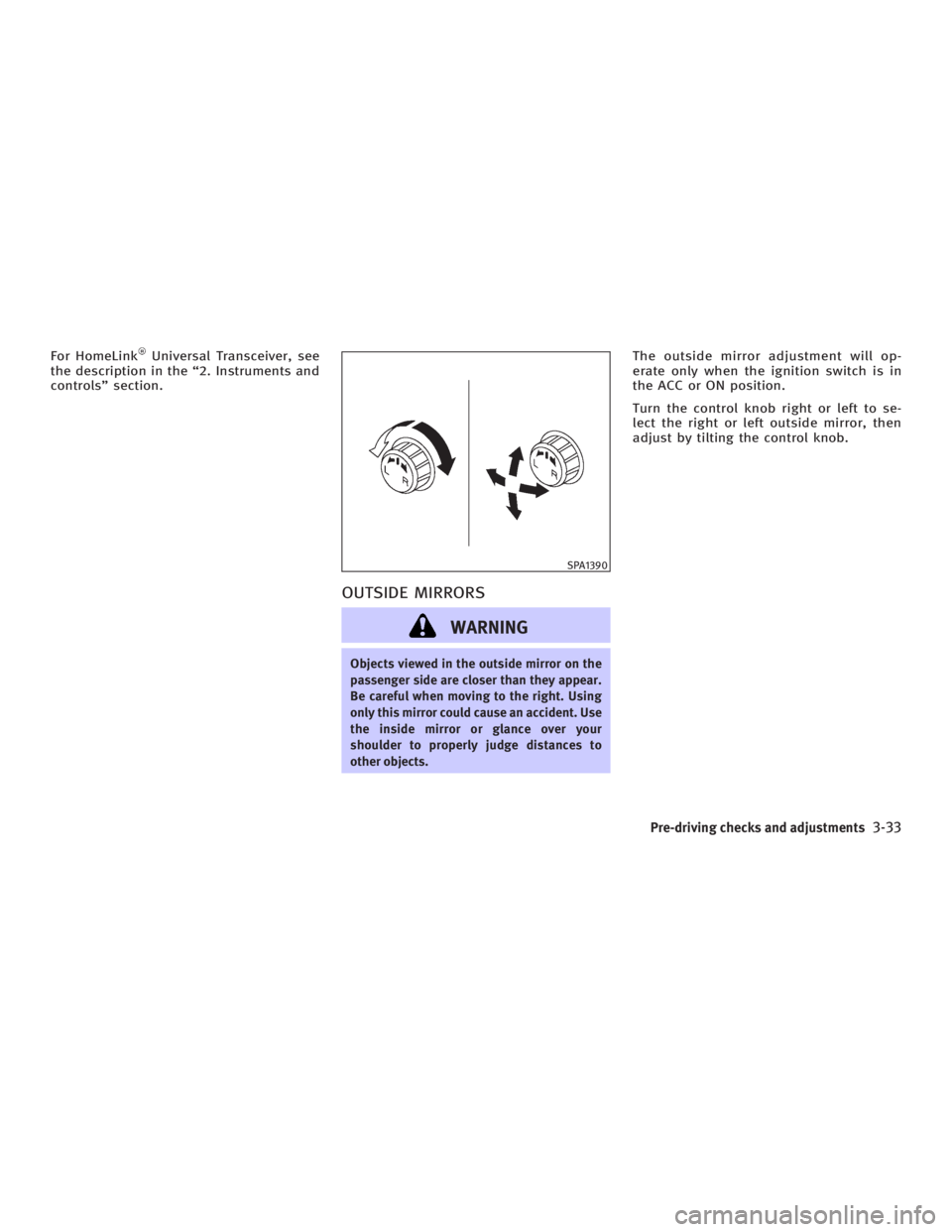
Turn the control knob right or left to se-
lect the right or left outside mirror, then
adjust by tilting the control knob. SPA1390
Pre-driving checks and adjustments
3-33
w 06.1.4/V35-D/V5.0
X
Page 156 of 344
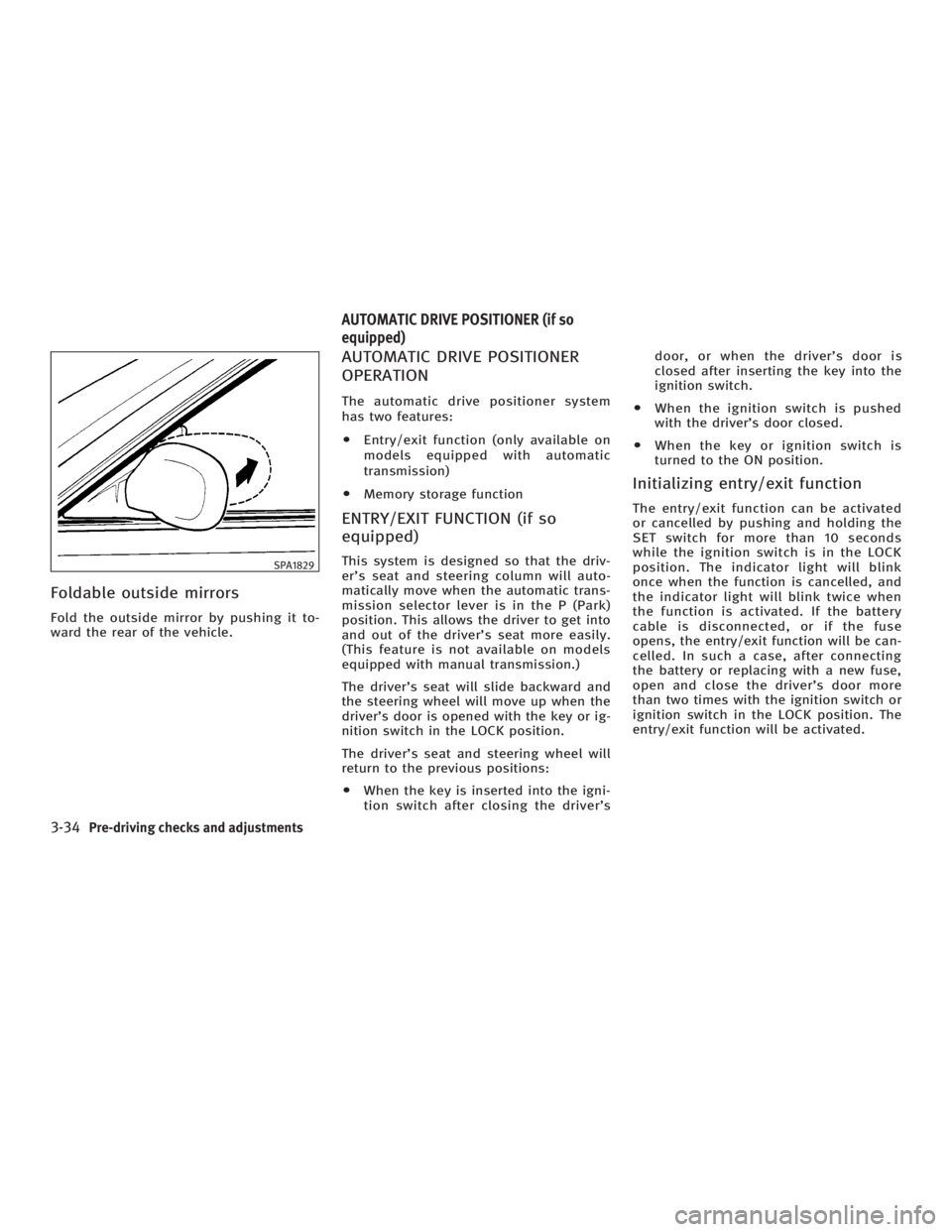
Foldable outside mirrors Fold the outside mirror by pushing it to-
ward the rear of the vehicle. AUTOMATIC DRIVE POSITIONER
OPERATION The automatic drive positioner system
has two features:
O Entry/exit function (only available on
models equipped with automatic
transmission)
O Memory storage function
ENTRY/EXIT FUNCTION (if so
equipped) This system is designed so that the driv-
er's seat and steering column will auto-
matically move when the automatic trans-
mission selector lever is in the P (Park)
position. This allows the driver to get into
and out of the driver's seat more easily.
(This feature is not available on models
equipped with manual transmission.)
The driver's seat will slide backward and
the steering wheel will move up when the
driver's door is opened with the key or ig-
nition switch in the LOCK position.
The driver's seat and steering wheel will
return to the previous positions:
O When the key is inserted into the igni-
tion switch after closing the driver's door, or when the driver's door is
closed after inserting the key into the
ignition switch.
O When the ignition switch is pushed
with the driver's door closed.
O When the key or ignition switch is
turned to the ON position.
Initializing entry/exit function The entry/exit function can be activated
or cancelled by pushing and holding the
SET switch for more than 10 seconds
while the ignition switch is in the LOCK
position. The indicator light will blink
once when the function is cancelled, and
the indicator light will blink twice when
the function is activated. If the battery
cable is disconnected, or if the fuse
opens, the entry/exit function will be can-
celled. In such a case, after connecting
the battery or replacing with a new fuse,
open and close the driver's door more
than two times with the ignition switch or
ignition switch in the LOCK position. The
entry/exit function will be activated.SPA1829
AUTOMATIC DRIVE POSITIONER (if so
equipped)
3-34 Pre-driving checks and adjustments
w 06.1.4/V35-D/V5.0
X
Page 157 of 344
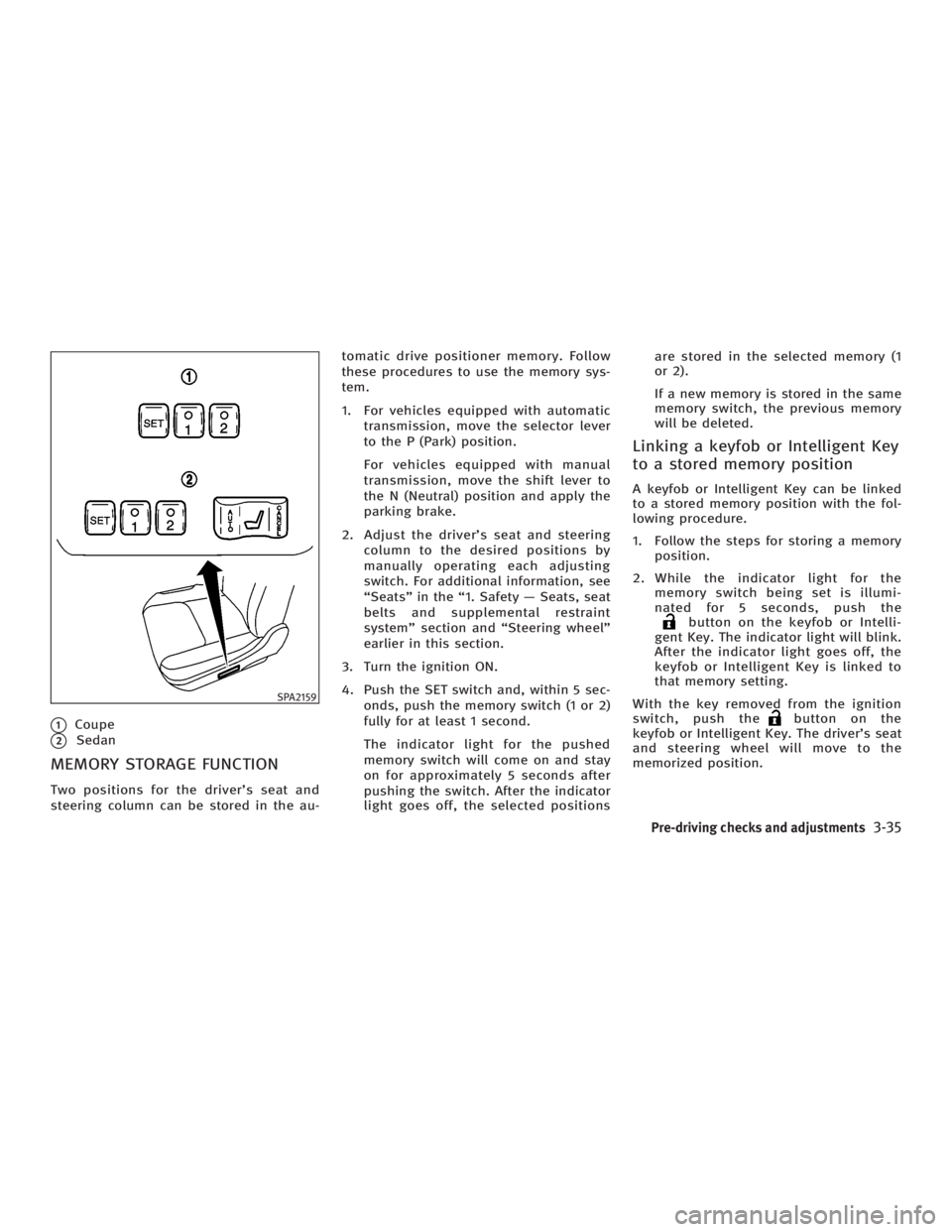
q 1
Coupe
q 2
Sedan
MEMORY STORAGE FUNCTION Two positions for the driver's seat and
steering column can be stored in the au- tomatic drive positioner memory. Follow
these procedures to use the memory sys-
tem.
1. For vehicles equipped with automatic
transmission, move the selector lever
to the P (Park) position.
For vehicles equipped with manual
transmission, move the shift lever to
the N (Neutral) position and apply the
parking brake.
2. Adjust the driver's seat and steering
column to the desired positions by
manually operating each adjusting
switch. For additional information, see
ªSeatsº in the ª1. Safety Ð Seats, seat
belts and supplemental restraint
systemº section and ªSteering wheelº
earlier in this section.
3. Turn the ignition ON.
4. Push the SET switch and, within 5 sec-
onds, push the memory switch (1 or 2)
fully for at least 1 second.
The indicator light for the pushed
memory switch will come on and stay
on for approximately 5 seconds after
pushing the switch. After the indicator
light goes off, the selected positions are stored in the selected memory (1
or 2).
If a new memory is stored in the same
memory switch, the previous memory
will be deleted.
Linking a keyfob or Intelligent Key
to a stored memory position A keyfob or Intelligent Key can be linked
to a stored memory position with the fol-
lowing procedure.
1. Follow the steps for storing a memory
position.
2. While the indicator light for the
memory switch being set is illumi-
nated for 5 seconds, push the
button on the keyfob or Intelli-
gent Key. The indicator light will blink.
After the indicator light goes off, the
keyfob or Intelligent Key is linked to
that memory setting.
With the key removed from the ignition
switch, push the button on the
keyfob or Intelligent Key. The driver's seat
and steering wheel will move to the
memorized position.SPA2159
Pre-driving checks and adjustments
3-35
w 06.1.4/V35-D/V5.0
X
Page 158 of 344
Confirming memory storage O Turn the ignition ON and push the SET
switch. If the main memory has not
been stored, the indicator light will
come on for approximately 0.5 sec-
onds. When the memory has stored in
position, the indicator light will stay
on for approximately 5 seconds.
O If the battery cable is disconnected, or
if the fuse opens, the memory will be
canceled.
Reset the desired position using the
previous procedure.
Selecting the memorized position 1. For vehicles equipped with automatic
transmission, move the selector lever
to the P (Park) position.
For vehicles equipped with manual
transmission, move the shift lever in
the N (Neutral) position and apply the
parking brake.
2. Use one of the following methods to
move the driver's seat and the
steering wheel.
O Turn the ignition switch to the ªONº
position and push the memory switch (1 or 2) fully for at least 1
second.
O Within 45 seconds of opening the
driver's door, push the memory
switch (1 or 2) fully for at least 1
second.
The driver's seat and steering column
will move to the memorized position
with the indicator light flashing, and
then the light will stay on for approxi-
mately 5 seconds.
SYSTEM OPERATION The automatic drive positioner system will
not work or will stop operating under the
following conditions:
O when the vehicle speed is above 4
MPH (7 km/h).
O when the adjusting switch for the driv-
er's seat and steering column is
turned on while the automatic drive
positioner is operating.
O when the cancel switch (if so
equipped) is pushed to the CANCEL
side. (However, it will not be cancelled
if the switch is pushed while the seat
and steering column are returning to the previous positions (entry/exit
function).)
O when the memory switch 1 or 2 is not
pushed and held for at least 1 second.
O when the seat has already been
moved to the memorized position.
O when no seat position is stored in the
memory switch.
O when the parking brake is not applied.
Ð MT models
O when the speed is above 4 MPH (7
km/h) while the parking brake is ap-
plied. Ð MT models
To restart the drive positioner system,
move the parking brake to off and on.
O when the front seat is folded for oper-
ating the walk-in mechanism (if so
equipped).
O when the engine is started while the
automatic drive positioner is operating.
O when the AT selector lever is moved
from the P position to any other posi-
tion. (However, it will not be cancelled
if the switch is pushed while the seat
and steering column are returning to
the previous positions (entry/exit
function).)
3-36 Pre-driving checks and adjustments
w 06.1.4/V35-D/V5.0
X
Page 162 of 344

WARNINGO Positioning of the heating or air condi-
tioning controls and display controls
should not be done while driving, in
order that full attention may be given to
driving operation.
O Do not disassemble or modify this
system. If you do, it may result in acci-
dents, fire, or electric shock.
O Do not use this system if you notice any
abnormality, such as a frozen screen or
lack of sound. Continued use of the
system may result in accident, fire or
electric shock.
O In case you notice any foreign object in
the system hardware, spill liquid on it, or
notice smoke or smell coming from it,
stop using the system immediately and
contact an INFINITI dealer. Ignoring such
conditions may lead to accidents, fire, or
electric shock. When you use this system, make sure the
engine is running.
If you use the system with the engine not
running (ignition ON or ACC) for a long
time, it will use up all the battery power,
and the engine will not start.
Reference symbols:
ªENTERº button Ð This is a button on the
control panel.
ª Display º key Ð This is a select key on
the screen. By selecting this key you can
proceed to the next function. NAMES OF THE COMPONENTS 1., 2., 5., 6., 9., 10. and 11.
For Navigation control buttons: refer to
the separate Navigation Owner's Manual.
3. ªSETTINGº button (P. 4-7)
4. ªINFOº button (P. 4-3)
7. Joystick and ªENTERº button (P. 4-3)
8. brightness control button
(P. 4-9)
12. ªBACKº button (P. 4-3) SAA1301
SAFETY NOTE
CONTROL PANEL BUTTONS Ð WITH
NAVIGATION SYSTEM
4-2 Display screen, heater, air conditioner and audio systems
w 06.1.4/V35-D/V5.0
X
Page 163 of 344

HOW TO USE JOYSTICK AND
ªENTERº BUTTON Choose an item on the display using the
joystick and push the ªENTERº button for
operation.
HOW TO USE ªBACKº BUTTON This button has two functions.
O Go back to the previous display.
When this button is pushed during setup,
setup will be canceled, and the screen
will return to the previous screen.
O Finish setup.
When this button is pushed after setup is
completed, the settings will be renewed
as directed, and the screen will return to
the map.
SETTING UP THE START-UP
SCREEN When you turn the ignition switch to the
ACC or ON position, the SYSTEM
START-UP warning is displayed on the
screen. Read the warning and select the
ª OK º key then push the ªENTERº button. If you do not push the ªENTERº button,
the Navigation system will not proceed to
the next step display.
To proceed to the next step, refer to the
separate Navigation System Owner's
Manual.
HOW TO USE ªINFOº BUTTON The ª Vehicle Information º screen will ap-
pear when the ªINFOº button is pushed.
Choose an item using the joystick and
push the ªENTERº button.
After viewing or adjusting the information
on the following screens, push the
ªBACKº button to return to the VEHICLE
INFORMATION menu. SAA1304
Display screen, heater, air conditioner and audio systems
4-3
w 06.1.4/V35-D/V5.0
X
Page 166 of 344
4. To return the display to the ª Mainte-
nance º screen, push the ªBACKº
button.
ªMaintenanceº display cannot be oper-
ated when the vehicle is moving. Stop the
vehicle in a safe place to see the informa-
tion.
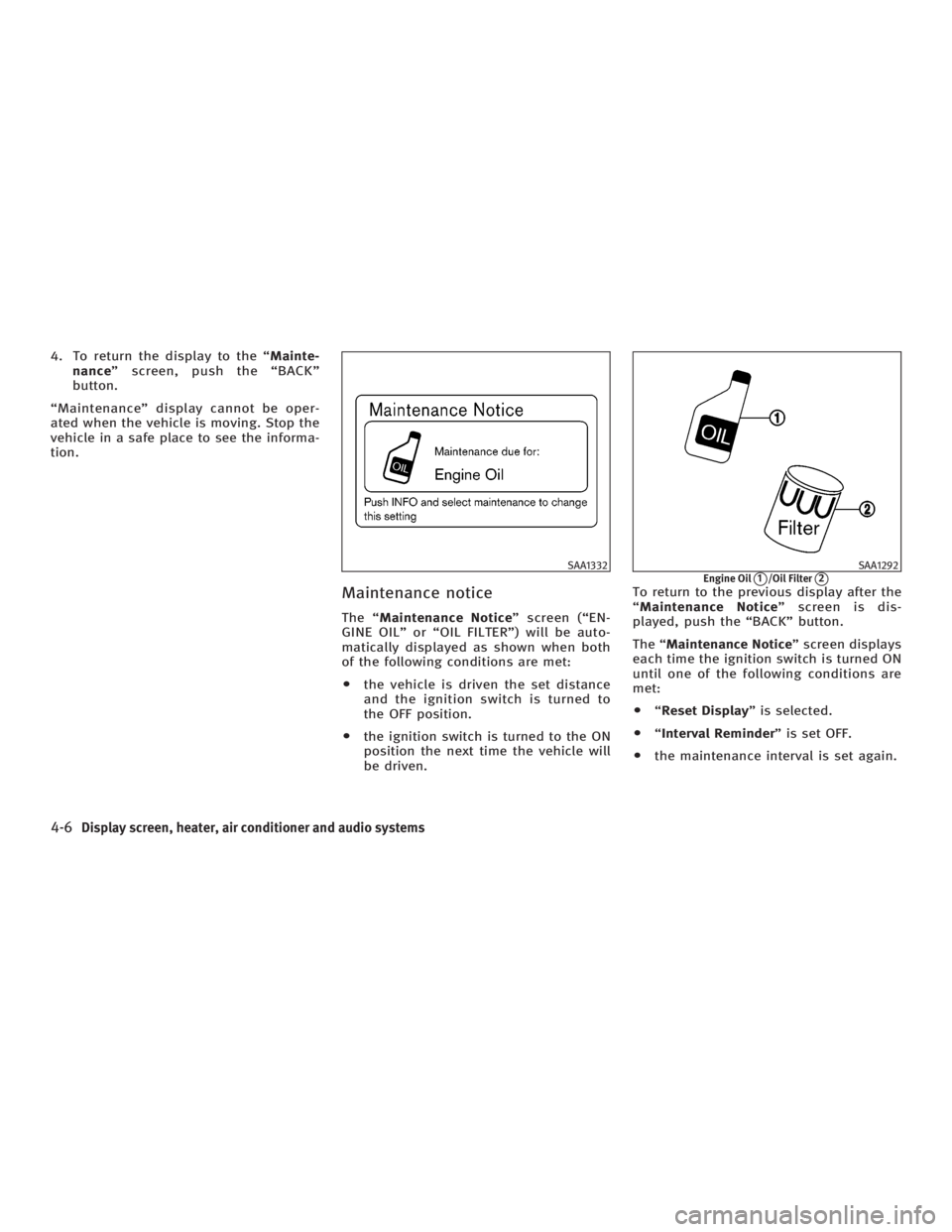
Maintenance notice The ª Maintenance Notice º screen (ªEN-
GINE OILº or ªOIL FILTERº) will be auto-
matically displayed as shown when both
of the following conditions are met:
O the vehicle is driven the set distance
and the ignition switch is turned to
the OFF position.
O the ignition switch is turned to the ON
position the next time the vehicle will
be driven. To return to the previous display after the
ª Maintenance Notice º screen is dis-
played, push the ªBACKº button.
The ª Maintenance Notice º screen displays
each time the ignition switch is turned ON
until one of the following conditions are
met:
O ª Reset Display º is selected.
O ª Interval Reminder º is set OFF.
O the maintenance interval is set again. SAA1332 SAA1292
Engine Oil
q 1
/Oil Filter
q 2
4-6 Display screen, heater, air conditioner and audio systems
w 06.1.4/V35-D/V5.0
X
Page 174 of 344
The air conditioning system in your
INFINITI vehicle is charged with a refriger-
ant designed with the environment in
mind. This refrigerant will not harm the
earth's ozone layer. However, special
charging equipment and lubricant are re-
quired when servicing your INFINITI air
conditioner. Using improper refrigerants
or lubricants will cause severe damage to
your air conditioning system. See ªCa-
pacities and recommended fuel/
lubricantsº in the ª9. Technical and con-
sumer informationº section for air condi-
tioning system refrigerant and lubricant
recommendations.
An INFINITI dealer will be able to service
your environmentally friendly air condi-
tioning system.
WARNINGThe air conditioner system contains refriger-
ant under high pressure. To avoid personal
injury, any air conditioner service should be
done only by an experienced technician with
proper equipment. Turn the ignition switch to the ACC or ON
position and push the POWER or RADIO
button to turn on the radio. If you listen to
the radio with the engine not running, the
key should be turned to the ACC position.
Radio reception is affected by station sig-
nal strength, distance from radio trans-
mitter, buildings, bridges, mountains and
other external influences. Intermittent
changes in reception quality normally are
caused by these external influences.
Using a cellular phone in or near the ve-
hicle may influence radio reception
quality.
Radio reception Your radio system is equipped with state-
of-the-art electronic circuits to enhance
radio reception. These circuits are de-
signed to extend reception range, and to
enhance the quality of that reception.
However there are some general charac-
teristics of FM, AM and satellite radio sig-
nals that can affect radio reception
quality in a moving vehicle, even when
the finest equipment is used. These char-
acteristics are completely normal in a
given reception area, and do not indicate
any malfunction in your radio system. Remember that a moving vehicle is not
the ideal place to listen to a radio. Be-
cause of the movement, reception condi-
tions will constantly change. Buildings,
terrain, signal distance and interference
from other vehicles can work against
ideal reception. Described below are
some of the factors that can affect your
radio reception.
SERVICING AIR CONDITIONER AUDIO SYSTEM
4-14 Display screen, heater, air conditioner and audio systems
w 06.1.4/V35-D/V5.0
X