climate settings INFINITI M 2010 Owner's Manual
[x] Cancel search | Manufacturer: INFINITI, Model Year: 2010, Model line: M, Model: INFINITI M 2010Pages: 445, PDF Size: 6.15 MB
Page 218 of 445
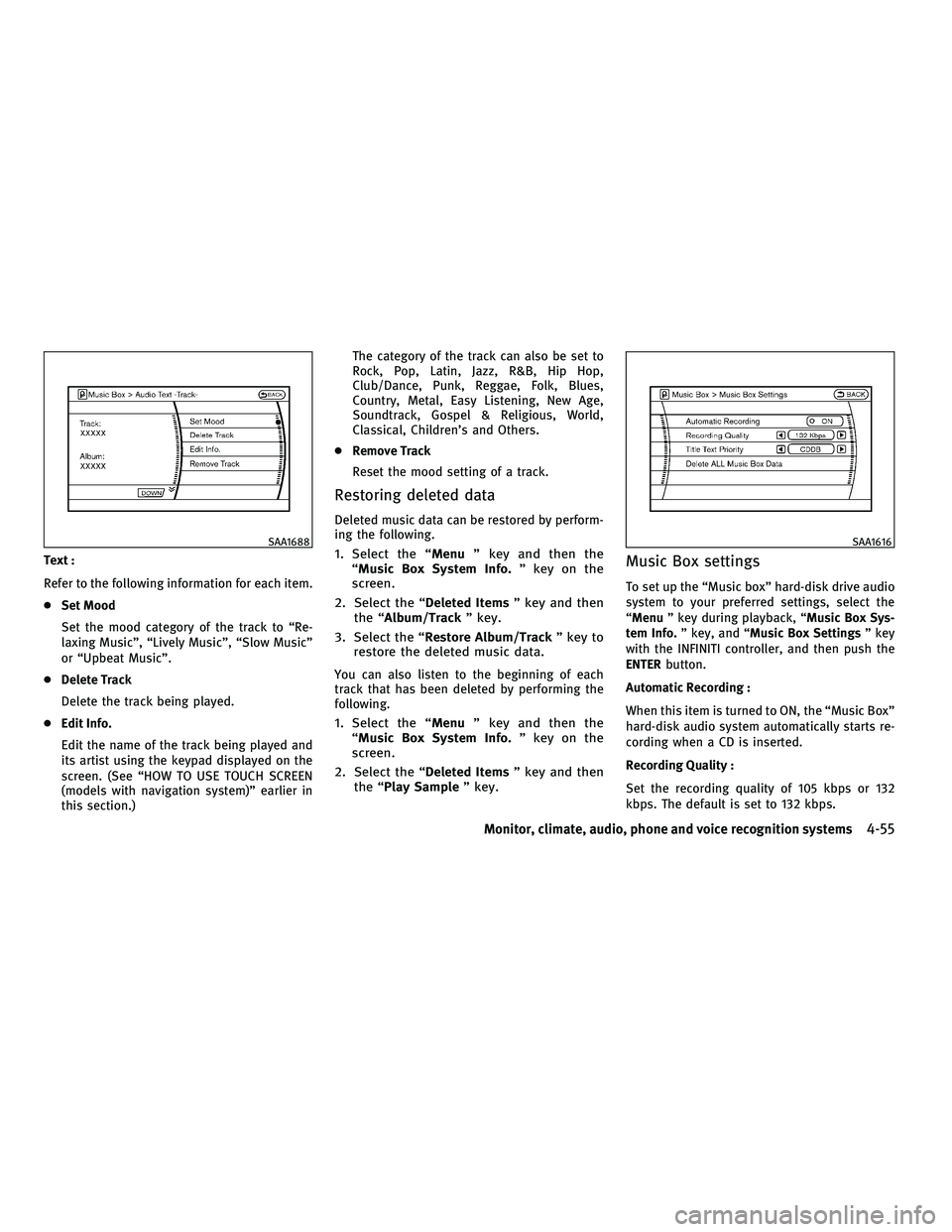
Text :
Refer to the following information for each item.
cSet Mood
Set the mood category of the track to ªRe-
laxing Musicº, ªLively Musicº, ªSlow Musicº
or ªUpbeat Musicº.
c Delete Track
Delete the track being played.
c Edit Info.
Edit the name of the track being played and
its artist using the keypad displayed on the
screen. (See ªHOW TO USE TOUCH SCREEN
(models with navigation system)º earlier in
this section.) The category of the track can also be set to
Rock, Pop, Latin, Jazz, R&B, Hip Hop,
Club/Dance, Punk, Reggae, Folk, Blues,
Country, Metal, Easy Listening, New Age,
Soundtrack, Gospel & Religious, World,
Classical, Children's and Others.
c Remove Track
Reset the mood setting of a track.
Restoring deleted data
Deleted music data can be restored by perform-
ing the following.
1. Select the ª Menuº key and then the
ªMusic Box System Info. º key on the
screen.
2. Select the ª Deleted Itemsº key and then
the ªAlbum/Track º key.
3. Select the ªRestore Album/Track º key to
restore the deleted music data.
You can also listen to the beginning of each
track that has been deleted by performing the
following.
1. Select the ª Menuº key and then the
ªMusic Box System Info. º key on the
screen.
2. Select the ª Deleted Itemsº key and then
the ª Play Sample º key.
Music Box settings
To set up the ªMusic boxº hard-disk drive audio
system to your preferred settings, select the
ªMenuº key during playback, ª Music Box Sys-
tem Info. º key, and ª Music Box Settings º key
with the INFINITI controller, and then push the
ENTER button.
Automatic Recording :
When this item is turned to ON, the ªMusic Boxº
hard-disk audio system automatically starts re-
cording when a CD is inserted.
Recording Quality :
Set the recording quality of 105 kbps or 132
kbps. The default is set to 132 kbps.
SAA1688SAA1616
Monitor, climate, audio, phone and voice recognition systems4-55
wÐ
Ð
05/14/09Ðpattie
X
Page 230 of 445
cDolby and the double D mark ªº are
trademarks of Dolby Laboratories, Inc.
c DTS and DTS Digital Surround ª
º are
registered trademarks of Digital Theater Sys-
tems, Inc.
Parental level (parental control)
DVDs with the parental control setting can be
played with this system. Please use your own
judgement to set the parental control with the
system.
Disc selection
You can play the following disc formats with the
DVD drive:
c DVD-VIDEO
c DVD-AUDIO
c VIDEO-CD
c CD-DA (Conventional Compact Disc) (CD with
MP3/WMA cannot be played.)
Use DVDs with a region code ª1º, ªALLº or ª1
includedº for your DVD entertainment system.
(The region code is displayed as a small symbol
printed on the top of the DVD.) This vehicle-
installed DVD player cannot play DVDs with a
region code other than ª1º or ªALLº. Do not use the following DVD's as they may
cause the DVD player to malfunction:
c
3.1 in (8 cm) discs
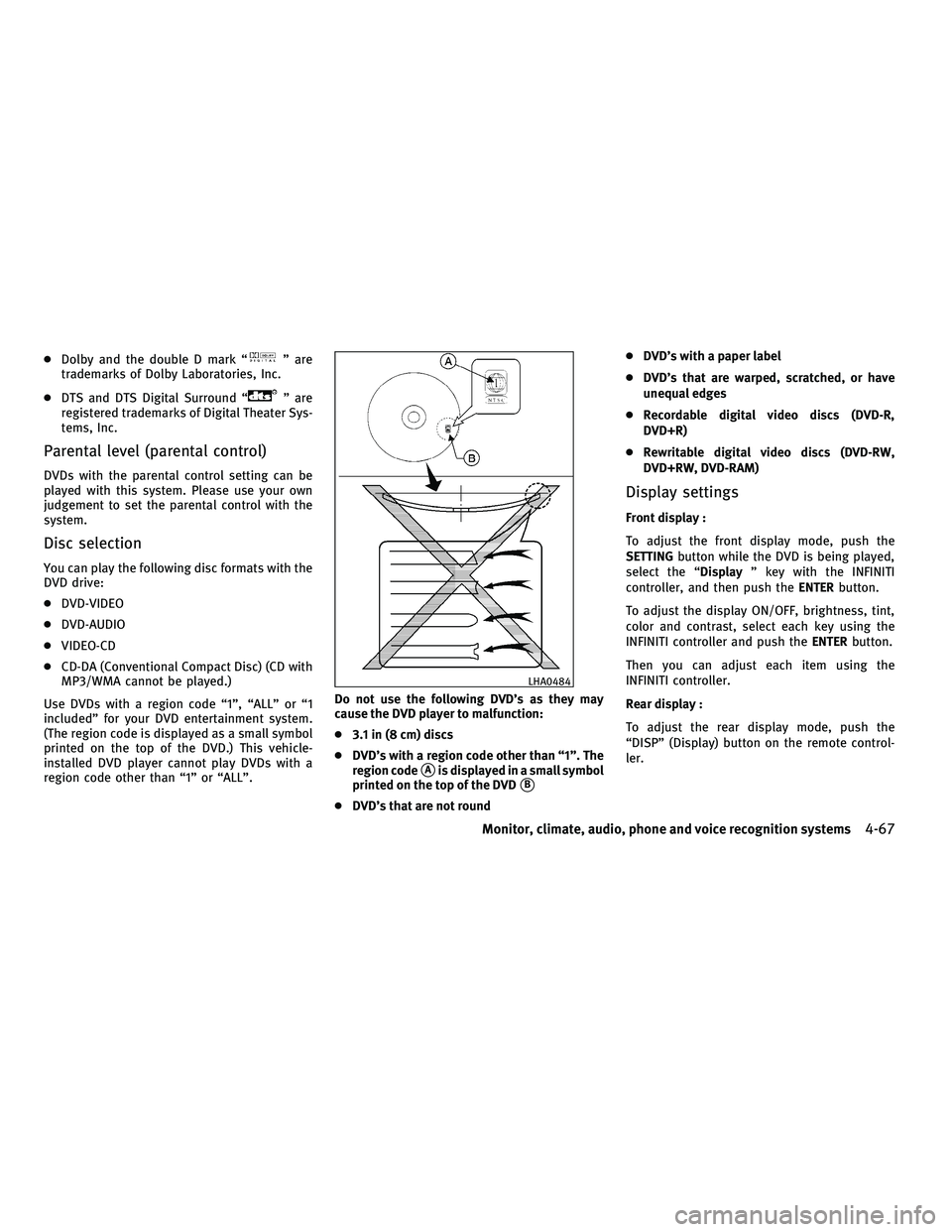
c DVD's with a region code other than ª1º. The
region code
sAis displayed in a small symbol
printed on the top of the DVD
sB
c DVD's that are not round c
DVD's with a paper label
c DVD's that are warped, scratched, or have
unequal edges
c Recordable digital video discs (DVD-R,
DVD+R)
c Rewritable digital video discs (DVD-RW,
DVD+RW, DVD-RAM)
Display settings
Front display :
To adjust the front display mode, push the
SETTING button while the DVD is being played,
select the ª Displayº key with the INFINITI
controller, and then push the ENTERbutton.
To adjust the display ON/OFF, brightness, tint,
color and contrast, select each key using the
INFINITI controller and push the ENTERbutton.
Then you can adjust each item using the
INFINITI controller.
Rear display :
To adjust the rear display mode, push the
ªDISPº (Display) button on the remote control-
ler.
LHA0484
Monitor, climate, audio, phone and voice recognition systems4-67
wÐ
Ð
05/14/09Ðpattie
X
Page 231 of 445
To adjust the display brightness, tint, color and
contrast, select each key using the joystick on
the remote controller and tilt the joystick to
right or left.
Push theBACKbutton to apply the settings and
return to the previous display.
PLAYING A DVD
DISC´AUX button
Park the vehicle in a safe location for the front
seat occupants to operate the DVD drive while
watching the images.
Push the DISC´AUX button on the instrument
panel and turn the display to the DVD mode.
When a DVD is loaded, it will be replayed
automatically.
The operation screen will be turned on when the
DISC´AUX button located on the instrument
panel is pushed while a DVD is being played, and it will turn off automatically after a period of
time. To turn it on again, push the
DISC´AUX
button again.
DVD operation keys
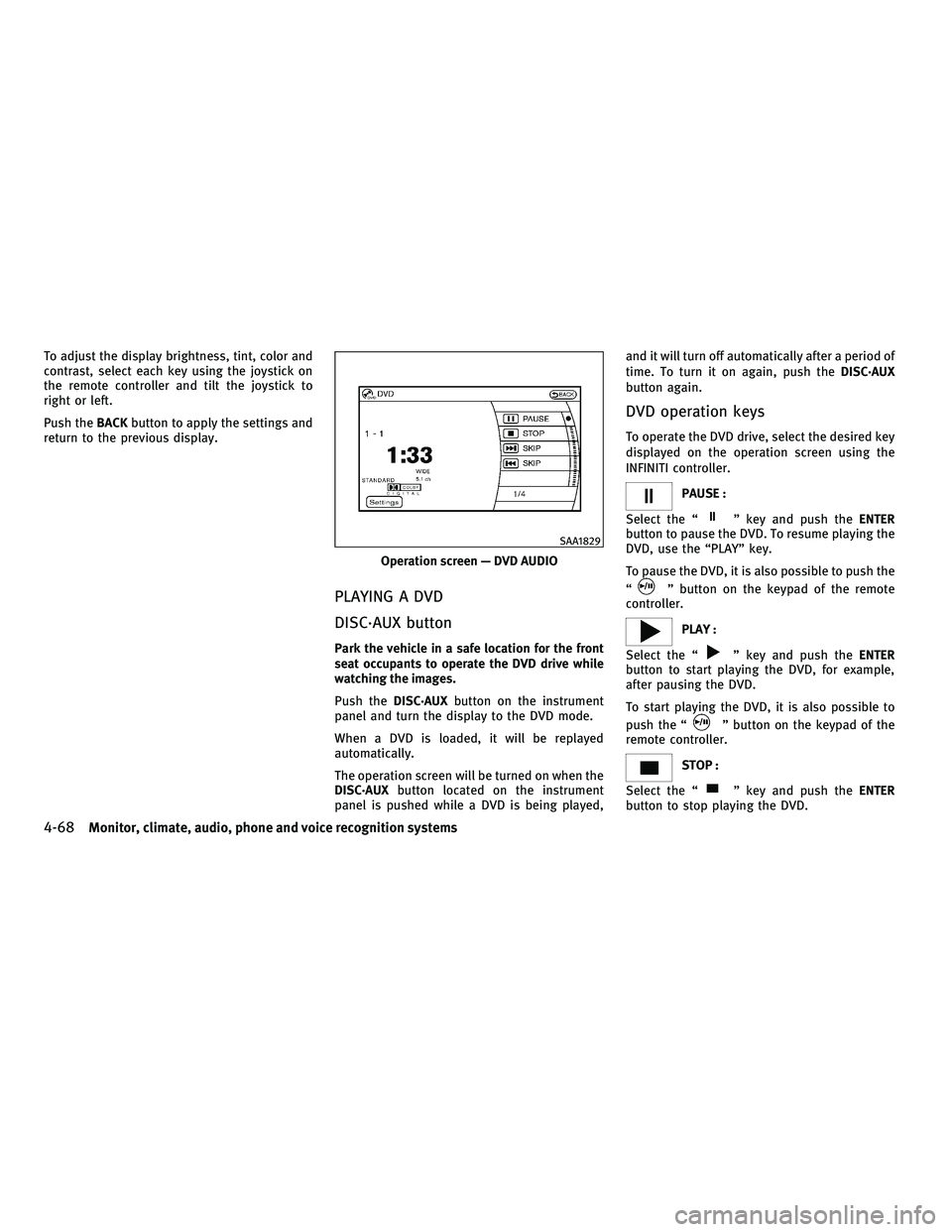
To operate the DVD drive, select the desired key
displayed on the operation screen using the
INFINITI controller.
PAUSE :
Select the ª
º key and push the ENTER
button to pause the DVD. To resume playing the
DVD, use the ªPLAYº key.
To pause the DVD, it is also possible to push the
ª
º button on the keypad of the remote
controller.
PLAY :
Select the ª
º key and push the ENTER
button to start playing the DVD, for example,
after pausing the DVD.
To start playing the DVD, it is also possible to
push the ª
º button on the keypad of the
remote controller.
STOP :
Select the ª
º key and push the ENTER
button to stop playing the DVD.
Operation screen Ð DVD AUDIO
SAA1829
4-68Monitor, climate, audio, phone and voice recognition systems
wÐ
Ð
05/14/09Ðpattie
X
Page 233 of 445
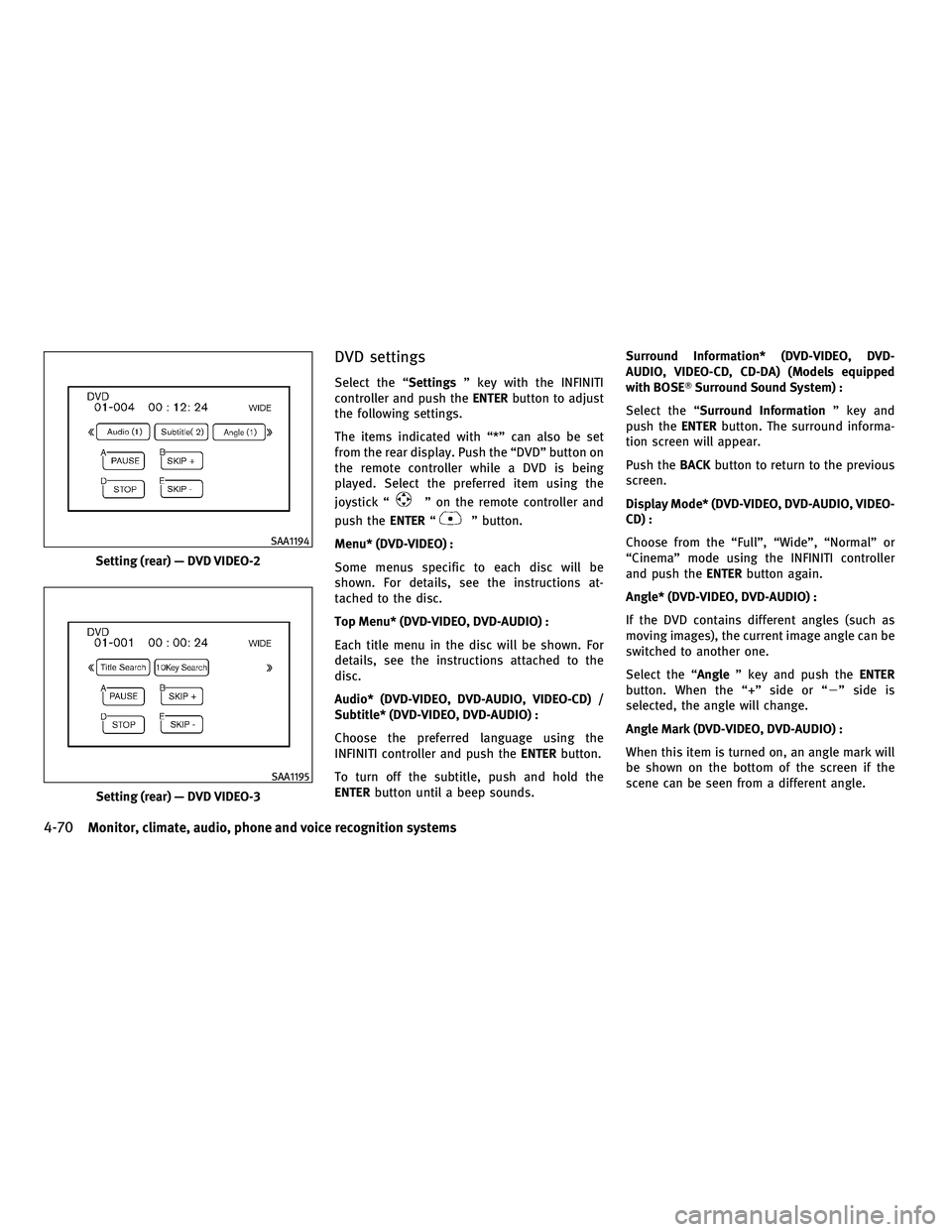
DVD settings
Select the ªSettingsº key with the INFINITI
controller and push the ENTERbutton to adjust
the following settings.
The items indicated with ª*º can also be set
from the rear display. Push the ªDVDº button on
the remote controller while a DVD is being
played. Select the preferred item using the
joystick ª
º on the remote controller and
push the ENTERª
º button.
Menu* (DVD-VIDEO) :
Some menus specific to each disc will be
shown. For details, see the instructions at-
tached to the disc.
Top Menu* (DVD-VIDEO, DVD-AUDIO) :
Each title menu in the disc will be shown. For
details, see the instructions attached to the
disc.
Audio* (DVD-VIDEO, DVD-AUDIO, VIDEO-CD) /
Subtitle* (DVD-VIDEO, DVD-AUDIO) :
Choose the preferred language using the
INFINITI controller and push the ENTERbutton.
To turn off the subtitle, push and hold the
ENTER button until a beep sounds. Surround Information* (DVD-VIDEO, DVD-
AUDIO, VIDEO-CD, CD-DA) (Models equipped
with BOSET
Surround Sound System) :
Select the ª Surround Information º key and
push the ENTERbutton. The surround informa-
tion screen will appear.
Push the BACKbutton to return to the previous
screen.
Display Mode* (DVD-VIDEO, DVD-AUDIO, VIDEO-
CD) :
Choose from the ªFullº, ªWideº, ªNormalº or
ªCinemaº mode using the INFINITI controller
and push the ENTERbutton again.
Angle* (DVD-VIDEO, DVD-AUDIO) :
If the DVD contains different angles (such as
moving images), the current image angle can be
switched to another one.
Select the ªAngle º key and push the ENTER
button. When the ª+º side or ª 2º side is
selected, the angle will change.
Angle Mark (DVD-VIDEO, DVD-AUDIO) :
When this item is turned on, an angle mark will
be shown on the bottom of the screen if the
scene can be seen from a different angle.
Setting (rear) Ð DVD VIDEO-2
SAA1194
Setting (rear) Ð DVD VIDEO-3
SAA1195
4-70Monitor, climate, audio, phone and voice recognition systems
wÐ
Ð
05/14/09Ðpattie
X
Page 244 of 445

cCancel Mute
This will appear after ªMuteº is selected.
Mute will be canceled.
To adjust the person's voice to be louder or
quieter, push the volume control switch (+ or 2)
on the steering wheel or turn the volume control
knob on the instrument panel while talking on
the phone. This adjustment is also available in
the SETTING mode.
PHONE SETTING
To set up the Bluetooth THands-Free Phone
System to your preferred settings, push the
SETTING button on the instrument panel and
select the ªPHONEº key on the display, and
then push the ENTERbutton.
Phonebook
See ªPHONEBOOK REGISTRATIONº earlier in
this section for adding, editing and deleting a
contact.
Downloaded Phonebook
Refer to the following information for each item.
cDownload All
Download all of the contacts registered in
the BluetoothT cellular phone. Availability of
this function depends on each cellular
phone. The memory downloading procedure
from the cellular phone also varies accord-
ing to each cellular phone. See cellular
phone Owner's Manual for more details.
c Delete Downloaded Phonebook
Delete a downloaded phonebook.
SAA1580SAA1581
Monitor, climate, audio, phone and voice recognition systems4-81
wÐ
Ð
05/14/09Ðpattie
X
Page 263 of 445

Available items :
cGetting Started
Describes the basics of how to operate the
INFINITI Voice Recognition system.
c Placing Calls
Tutorial for making a phone call by voice
command operation.
c Finding a Street Address
Tutorial for entering a destination by street
address.
c Help on Speaking
Displays useful tips of speaking for correct
command recognition by the system.
c Voice Recognition Settings
Describes the available voice recognition
settings.
Note that the Command List feature is only
available when Alternate Command Mode is
active.
Getting Started
Before using the INFINITI Voice Recognition
system for the first time, you can confirm how to
use commands by viewing the Getting Started
section of the User Guide.
1. Highlight ªGetting Startedº and push the ENTER button.
2. You can confirm the page by scrolling the screen using the INFINITI controller.
Tutorials on the operation of the INFINITI Voice
Recognition system
If you choose ªFinding a Street Addressº or
ªPlacing Callsº, you can view tutorials on how
to perform these operations using INFINITI
Voice Recognition.
Useful tips for correct operation
You can display useful speaking tips to help the
system recognize your voice commands cor-
rectly.
Highlight ªHelp on Speakingº and push the
ENTER button.
SAA1904SAA2165
4-100Monitor, climate, audio, phone and voice recognition systems
wÐ
Ð
05/14/09Ðpattie
X
Page 264 of 445

Voice recognition settings
The available settings of the INFINITI Voice
Recognition system are described.
1. Highlight ªVoice Recognition Settingsºand push the ENTERbutton.
2. You can confirm the page by scrolling the screen using the INFINITI controller.
USING THE SYSTEM
Initialization
When the ignition switch is pushed to the ON
position, INFINITI Voice Recognition is initial-
ized, which takes a few seconds. When com-
pleted, the system is ready to accept voice
commands. If the TALK
switch is pushed before the initialization completes, the display
will show the message: ªPhonetic data down-
loaded. Please wait.º or a beep sounds.
Before starting
To get the best recognition performance from
INFINITI Voice Recognition, observe the follow-
ing:
c
The interior of the vehicle should be as quiet
as possible. Close the windows to eliminate
the surrounding noises (traffic noise and
vibration sounds, etc.), which may prevent
the system from correctly recognizing the
voice commands.
c Wait until the tone sounds before speaking a
command.
c Speak in a natural conversational voice with-
out pausing between words.
c If the air conditioner is set to ªAutoº, the fan
speed is automatically lowered so that your
commands can be recognized more easily.
Giving voice commands
1. Push the TALKswitch located on the
steering wheel.
SAA2166SAA1113
Monitor, climate, audio, phone and voice recognition systems4-101
wÐ
Ð
05/14/09Ðpattie
X
Page 279 of 445

cHelp on Speaking
Displays useful tips for how to correctly
speak commands in order for them to be
properly recognized by the system.
c Voice Recognition Settings
Describes the available voice recognition
settings.
c Speaker Adaptation
Tutorial adapting the system to your voice.
USING THE SYSTEM
Initialization
When the ignition switch is pushed to the ON
position, INFINITI Voice Recognition is initial-
ized, which takes a few seconds. When com-
pleted, the system is ready to accept voice
commands. If the TALK
switch is pushed
before the initialization completes the display
will show the message: ªPhonetic data down-
loaded. Please wait.º or a beep sounds.
Before starting
To get the best performance from INFINITI Voice
Recognition, observe the following:
c Keep the interior of the vehicle as quiet as
possible. Close the windows to eliminate the
surrounding noises (traffic noises, vibration
sounds, etc.), which may prevent the system
from recognizing the voice commands cor-
rectly.
c When the climate control is in the AUTO
mode, the fan speed decreases automati-
cally for easy recognition.
c Wait until a tone sounds before speaking a
command.
c Speak in a natural voice without pausing
between words.
Giving voice command
1. Push and release the TALKswitch
located on the steering wheel.
SAA1113
4-116Monitor, climate, audio, phone and voice recognition systems
wÐ
Ð
05/15/09Ðpattie
X
Page 282 of 445
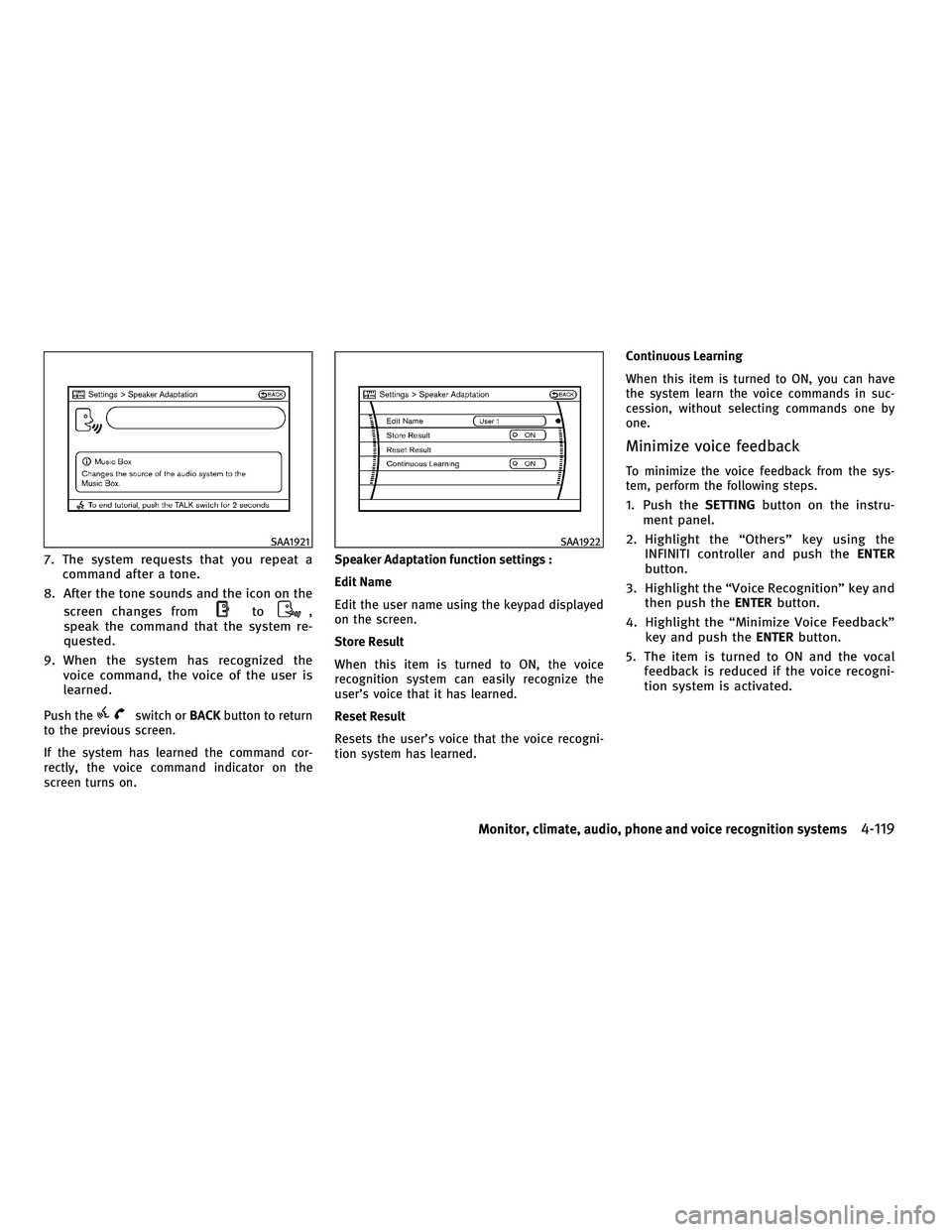
7. The system requests that you repeat acommand after a tone.
8. After the tone sounds and the icon on the screen changes from
to,
speak the command that the system re-
quested.
9. When the system has recognized the voice command, the voice of the user is
learned.
Push theswitch or BACKbutton to return
to the previous screen.
If the system has learned the command cor-
rectly, the voice command indicator on the
screen turns on. Speaker Adaptation function settings :
Edit Name
Edit the user name using the keypad displayed
on the screen.
Store Result
When this item is turned to ON, the voice
recognition system can easily recognize the
user's voice that it has learned.
Reset Result
Resets the user's voice that the voice recogni-
tion system has learned.Continuous Learning
When this item is turned to ON, you can have
the system learn the voice commands in suc-
cession, without selecting commands one by
one.
Minimize voice feedback
To minimize the voice feedback from the sys-
tem, perform the following steps.
1. Push the
SETTINGbutton on the instru-
ment panel.
2. Highlight the ªOthersº key using the INFINITI controller and push the ENTER
button.
3. Highlight the ªVoice Recognitionº key and then push the ENTERbutton.
4. Highlight the ªMinimize Voice Feedbackº key and push the ENTERbutton.
5. The item is turned to ON and the vocal feedback is reduced if the voice recogni-
tion system is activated.
SAA1921SAA1922
Monitor, climate, audio, phone and voice recognition systems4-119
wÐ
Ð
05/15/09Ðpattie
X