lock INFINITI M 2010 Owner's Guide
[x] Cancel search | Manufacturer: INFINITI, Model Year: 2010, Model line: M, Model: INFINITI M 2010Pages: 445, PDF Size: 6.15 MB
Page 92 of 445

CAUTION
Running the engine with the engine oil pres-
sure warning light on could cause serious dam-
age to the engine almost immediately. Such
damage is not covered by warranty. Turn off the
engine as soon as it is safe to do so.
Intelligent Cruise Control
(ICC) system warning light
(orange; if so equipped)
This light comes on if there is a malfunction in
the Intelligent Cruise Control (ICC) system.
If the warning light comes on, park the vehicle
in a safe place. Turn the engine off, restart the
engine, resume driving and set the ICC system
again.
If it is not possible to set the system or the
indicator stays on, it may indicate that the sys-
tem is malfunctioning. Although the vehicle is
still driveable under normal conditions, have the
vehicle checked at an INFINITI retailer.
See ªINTELLIGENT CRUISE CONTROL (ICC) SYS-
TEMº in the ª5. Starting and drivingº section.
Intelligent Key system
warning light
After the ignition switch is pushed to the ON
position, this light comes on for about 2 sec-
onds and then turns off.
This light warns of a malfunction with the
electrical steering lock system or the Intelligent
Key system.
If the light comes on while the engine is
stopped, it may be impossible to free the
steering lock or to start the engine. If the light
comes on while the engine is running, you can
drive the vehicle. However in these cases, con-
tact an INFINITI retailer for repair as soon as
possible.
See ªINTELLIGENT KEY SYSTEMº in the ª3. Pre-
driving checks and adjustmentsº section.
Lane departure warning light
(orange; if so equipped)
When the ignition switch is pushed to the ON
position, the light will come on in orange, turn
green, and then turn off. This indicates that the
Lane Departure Warning (LDW) and Lane Depar-
ture Prevention (LDP) systems are operational.
While the LDW and/or LDP system is on, the
light will blink in orange and a warning chime
will sound if the vehicle is traveling close toeither the left or the right of a traveling lane
with detectable lane markers.
If the light comes on in orange and remains on,
it may indicate that the LDW and LDP systems
are not functioning properly. Have the systems
checked by an INFINITI retailer.
See ªLANE DEPARTURE WARNING (LDW)
SYSTEM/LANE DEPARTURE PREVENTION (LDP)
SYSTEMº in the ª5. Starting and drivingº sec-
tion.
Low fuel warning light
This light comes on when the fuel in the tank is
getting low. Refuel as soon as it is convenient,
preferably before the fuel gauge reaches ªEº
(Empty).
There will be a small reserve of fuel remaining in
the tank when the fuel gauge needle reaches ªEº
(Empty).
Low tire pressure warning
light
Your vehicle is equipped with a Tire Pressure
Monitoring System (TPMS) that monitors the
tire pressure of all tires except the spare.
The low tire pressure warning light warns of low
tire pressure or indicates that the TPMS is not
functioning properly.
Instruments and controls2-15
wÐ
Ð
05/14/09Ðpattie
X
Page 97 of 445
CAUTION
Continued vehicle operation without having
the emission control system checked and re-
paired as necessary could lead to poor drive-
ability, reduced fuel economy, and possible
damage to the emission control system.
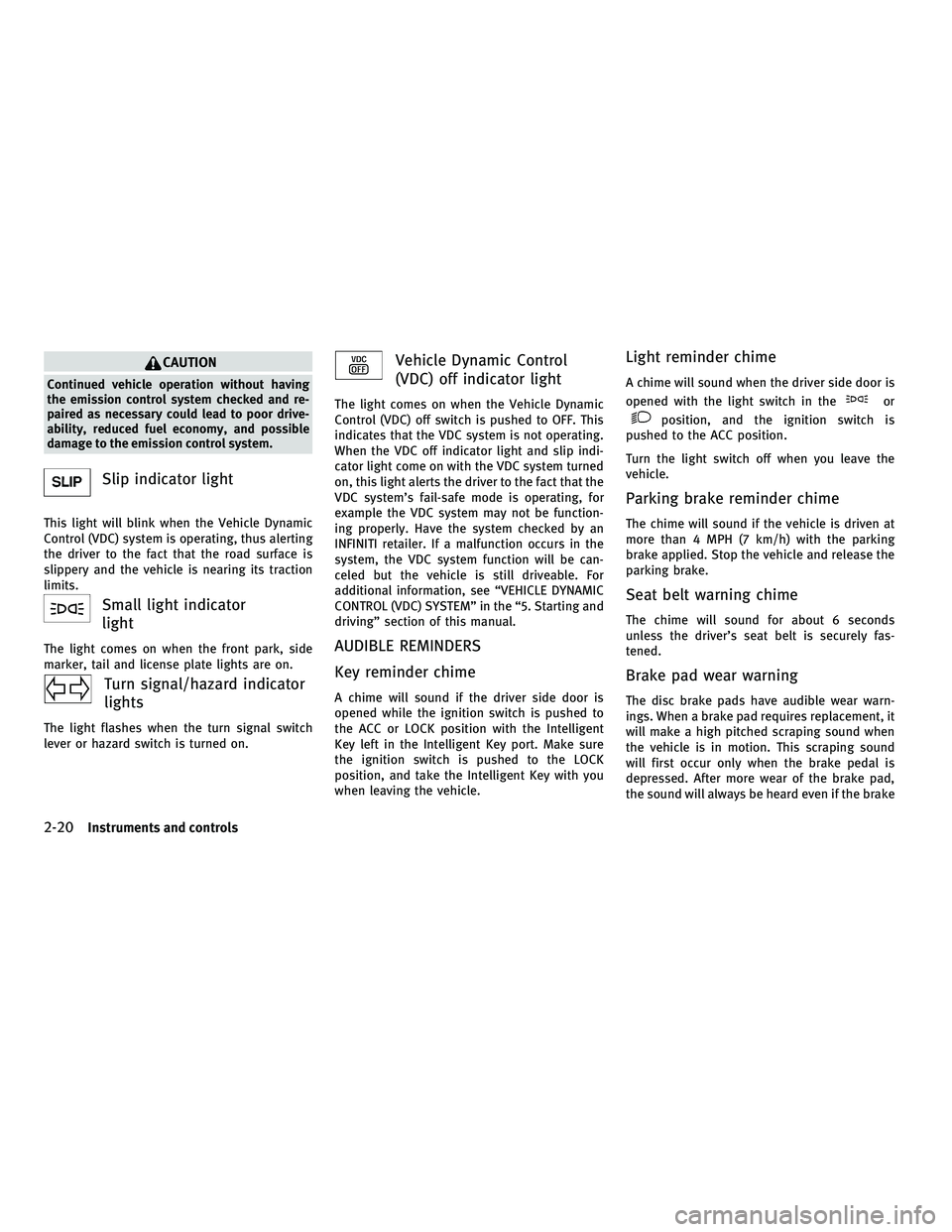
Slip indicator light
This light will blink when the Vehicle Dynamic
Control (VDC) system is operating, thus alerting
the driver to the fact that the road surface is
slippery and the vehicle is nearing its traction
limits.
Small light indicator
light
The light comes on when the front park, side
marker, tail and license plate lights are on.
Turn signal/hazard indicator
lights
The light flashes when the turn signal switch
lever or hazard switch is turned on.
Vehicle Dynamic Control
(VDC) off indicator light
The light comes on when the Vehicle Dynamic
Control (VDC) off switch is pushed to OFF. This
indicates that the VDC system is not operating.
When the VDC off indicator light and slip indi-
cator light come on with the VDC system turned
on, this light alerts the driver to the fact that the
VDC system's fail-safe mode is operating, for
example the VDC system may not be function-
ing properly. Have the system checked by an
INFINITI retailer. If a malfunction occurs in the
system, the VDC system function will be can-
celed but the vehicle is still driveable. For
additional information, see ªVEHICLE DYNAMIC
CONTROL (VDC) SYSTEMº in the ª5. Starting and
drivingº section of this manual.
AUDIBLE REMINDERS
Key reminder chime
A chime will sound if the driver side door is
opened while the ignition switch is pushed to
the ACC or LOCK position with the Intelligent
Key left in the Intelligent Key port. Make sure
the ignition switch is pushed to the LOCK
position, and take the Intelligent Key with you
when leaving the vehicle.
Light reminder chime
A chime will sound when the driver side door is
opened with the light switch in the
or
position, and the ignition switch is
pushed to the ACC position.
Turn the light switch off when you leave the
vehicle.
Parking brake reminder chime
The chime will sound if the vehicle is driven at
more than 4 MPH (7 km/h) with the parking
brake applied. Stop the vehicle and release the
parking brake.
Seat belt warning chime
The chime will sound for about 6 seconds
unless the driver's seat belt is securely fas-
tened.
Brake pad wear warning
The disc brake pads have audible wear warn-
ings. When a brake pad requires replacement, it
will make a high pitched scraping sound when
the vehicle is in motion. This scraping sound
will first occur only when the brake pedal is
depressed. After more wear of the brake pad,
the sound will always be heard even if the brake
2-20Instruments and controls
wÐ
Ð
05/14/09Ðpattie
X
Page 99 of 445

INDICATORS FOR OPERATION
1. Engine start operation indicator
(ignition switch in the LOCK or ACC
position)
This indicator appears when the selector lever
is in the P (Park) position.
This indicator means that the engine will start
by pushing the ignition switch with the brake
pedal depressed.
2. Engine start operation indicator
(ignition switch in the ON position)
This indicator appears when the ignition switch
is in the ON position with the selector lever in
the P (Park) position.
This indicator means that the engine will start
by pushing the ignition switch with the brake
pedal depressed.
3. Steering lock release malfunction
indicator
This indicator appears when the steering wheel
cannot be released from the LOCK position.
If this indicator appears, push the ignition
switch while lightly turning the steering wheel
right and left.
SIC2765
2-22Instruments and controls
wÐ
Ð
05/19/09Ðtbrooks
X
Page 100 of 445

4. Intelligent Key insertion indicator
This indicator appears when the Intelligent Key
needs to be inserted into the Intelligent Key
port. (For example, the Intelligent Key battery is
discharged.)
If this indicator appears, insert the Intelligent
Key into the Intelligent Key port in the correct
direction. (See ªPUSH-BUTTON IGNITION
SWITCHº in the ª5. Starting and drivingº sec-
tion.)
5. Intelligent Key removal indicator
This indicator appears when the driver's door is
opened with the ignition switch in the LOCK
position and the Intelligent Key placed in the
Intelligent Key port. A key reminder chime also
sounds.
If this indicator appears, remove the Intelligent
Key from the Intelligent Key port and take it with
you when leaving the vehicle.
6. NO KEY warning
The warning appears when the door is closed
with the Intelligent Key left outside the vehicle
and the ignition switch in the ACC or ON
position. Make sure that the Intelligent Key is
inside the vehicle.When all the doors are closed, an outside chime
and inside warning chime will also sound.
See ªINTELLIGENT KEY SYSTEMº in the ª3. Pre-
driving checks and adjustmentsº section.
7. SHIFT ªPº warning
This warning appears when the ignition switch
is pushed to stop the engine with the selector
lever in any position except the P (Park) posi-
tion.
If this warning appears, move the selector lever
to the P (Park) position or push the ignition
switch to the ON position.
An inside warning chime will also sound.
See ªINTELLIGENT KEY SYSTEMº in the ª3. Pre-
driving checks and adjustmentsº section.
8. ªLOCKº warning
This warning appears when the selector lever is
moved to the P (Park) position with the ignition
switch in the ACC position after the SHIFT ªPº
warning appears.
To push the ignition switch to the LOCK posi-
tion, perform the following procedure:
SHIFT ªPº warning
!(Move the selector lever
to ªPº) !LOCK warning !(Push the ignition
switch !ignition switch position is turned to
ON) !LOCK warning !(Push the ignition
switch !ignition switch position is turned to
LOCK)
9. NO KEY ID indicator
This indicator appears when the ignition switch
is pushed and the Intelligent Key cannot be
recognized by the system with the ignition
switch in the LOCK position.
If this indicator appears, you cannot start the
engine. Check for the following causes and
perform remedies:
c The battery of the Intelligent Key carried with
you is discharged completely. Replace the
battery with a new one.
c The Intelligent Key carried with you is not
registered to the system. Use the registered
Intelligent Key.
c You do not have an Intelligent Key with you.
Carry an Intelligent Key with you.
Instruments and controls2-23
wÐ
Ð
05/14/09Ðpattie
X
Page 101 of 445

10. Intelligent Key battery discharge
indicator
This indicator appears when the Intelligent Key
battery is running out of power.
If this indicator appears, replace the battery
with a new one. (See ªBATTERY REPLACEMENTº
in the ª8. Maintenance and do-it-yourselfº sec-
tion.)Your vehicle has two types of security systems,
as follows:
cVehicle security system
c INFINITI Vehicle Immobilizer System
The security condition will be shown by the
security indicator light.
VEHICLE SECURITY SYSTEM
The vehicle security system provides visual and
audio alarm signals if someone opens the
doors, hood, or trunk lid when the system is
armed. It is not, however, a motion detection
type system that activates when a vehicle is
moved or when a vibration occurs.
The system helps deter vehicle theft but cannot
prevent it, nor can it prevent the theft of interior
or exterior vehicle components in all situations.
Always secure your vehicle even if parking for a
brief period. Never leave your Intelligent Key(s)
in the vehicle, and always lock it when unat-
tended. Be aware of your surroundings, and
park in secure, well-lit areas whenever pos-
sible.
Many devices offering additional protection,
such as component locks, identification mark-
ers, and tracking systems, are available at auto
supply stores and specialty shops. Your INFINITI
retailer may also offer such equipment. Check
with your insurance company to see if you may
be eligible for discounts for various theft pro-
tection features.
SIC2132
SECURITY SYSTEMS
2-24Instruments and controls
wÐ
Ð
05/14/09Ðpattie
X
Page 102 of 445

How to arm the vehicle security
system
1. Close all windows.
The system can be armed even if the windows
are open.
2. Push the ignition switch to the LOCKposition.
3. Remove the Intelligent Key from the ve- hicle.
4. Close all doors, hood and trunk. Lock all doors. The doors can be locked with the
Intelligent Key, door handle request
switch, power door lock switch or me-
chanical key. 5. Confirm that the security indicator light
sAcomes on. The security indicator light
stays on for about 30 seconds. The ve-
hicle security system is now pre-armed.
After about 30 seconds the vehicle secu-
rity system automatically shifts into the
armed phase. The security light begins to
flash once every approximately 3 sec-
onds. If, during this 30-second pre-arm
time period, the door is unlocked, or the
ignition switch is pushed to ACC or ON,
the system will not arm.
Even when the driver and/or passengers are in
the vehicle, the system will activate with all
doors, hood, and trunk lid locked with the igni-
tion switch in the LOCK position. When pushing
the ignition switch to the ACC or ON position, the
system will be released.
Vehicle security system activation
The vehicle security system will give the follow-
ing alarm:
c The headlights blink and the horn sounds
intermittently.
c The alarm automatically turns off after ap-
proximately 1 minute. However, the alarm
reactivates if the vehicle is tampered with
again. The alarm is activated by:
c
Unlocking the door or opening the trunk lid
without using the button on the Intelligent
Key, the door handle request switch or the
mechanical key. (Even if the door is opened
by releasing the door inside lock knob, the
alarm will activate.)
c Opening the hood.
How to stop an activated alarm
The alarm will stop by unlocking a door by
pushing the unlock button
on the Intel-
ligent Key, the door handle request switch or
using the mechanical key. The alarm will not
stop if the ignition switch is pushed to the ACC
or ON position.
If the system does not operate as described
above, have it checked by an INFINITI retailer.
INFINITI VEHICLE IMMOBILIZER
SYSTEM
The INFINITI Vehicle Immobilizer System will not
allow the engine to start without the use of the
registered Intelligent Key.
Statement related to section 15 of FCC rules for
INFINITI Vehicle Immobilizer System (CONT
ASSY - CARD SLOT)
SIC2766
Instruments and controls2-25
wÐ
Ð
05/14/09Ðpattie
X
Page 103 of 445

This device complies with part 15 of the FCC
Rules and RSS-210 of Industry Canada. Opera-
tion is subject to the following two conditions;
(1) This device may not cause harmful interfer-
ence, and (2) this device must accept any inter-
ference received, including interference that
may cause undesired operation of the device.
CHANGES OR MODIFICATIONS NOT EXPRESSLY
APPROVED BY THE PARTY RESPONSIBLE FOR
COMPLIANCE COULD VOID THE USER'S AUTHOR-
ITY TO OPERATE THE EQUIPMENT.
Security indicator light
The security indicator light indicates the status
of the INFINITI Vehicle Immobilizer System.
The light
sAblinks when the ignition switch is
in the ACC or LOCK position. This function
indicates that the security systems equipped on
the vehicle are operational.
If the INFINITI Vehicle Immobilizer System is
malfunctioning, this light will remain on while
the ignition switch is in the ON position. If the light still remains on and/or the engine will
not start, see an INFINITI retailer for INFINITI Ve-
hicle Immobilizer System service as soon as
possible. Please bring all registered Intelligent
Keys that you have when visiting an INFINITI
retailer for service.
SIC2766
2-26Instruments and controls
wÐ
Ð
05/14/09Ðpattie
X
Page 107 of 445

Autolight system
The autolight system allows the headlights to
be set so they turn on and off automatically.
To set the autolight system:
1. Make sure the headlight switch is in theAUTO position
s1.
2. Push the ignition switch to the ON posi- tion.
3. The autolight system automatically turns the headlights on and off.
To turn the autolight system off, turn the switch
to the OFF,
orposition. The autolight system can turn on the headlights
automatically when it is dark and turn off the
headlights when it is light.
If the ignition switch is pushed to the LOCK
position and one of the doors is opened and
this condition is continued, the headlights re-
main on for 5 minutes.
Automatic headlights off delay :
You can keep the headlights on for up to 180
seconds after you push the ignition switch to
LOCK and open any door then close all the
doors.
You can adjust the period of the automatic
headlights off delay from 0 seconds (OFF) to 180
seconds.
For automatic headlights off delay setting, see
ªComfort & Conv. settingsº in the ª4. Monitor,
climate, audio, phone and voice recognition
systemsº section.
Be sure not to put anything on top of the photo
sensor
sAlocated on the top of the instrument
panel. The photo sensor controls the autolight;
if it is covered, the photo sensor reacts as if it is
dark and the headlights will illuminate.
SIC2412SAA0642A
2-30Instruments and controls
wÐ
Ð
05/14/09Ðpattie
X
Page 108 of 445

Headlight beam select
s1To select the low beam, put the lever in
the neutral position as shown.
s2To select the high beam, push the lever
forward while the switch is in the
position. Pull it back to select the low
beam.
s3Pulling the lever toward you will flash the headlight high beam even when the
headlight switch is in the OFF position.
Battery saver system
c When the headlight switch is in theor
position while the ignition switch is in the ON position, the lights will automatically
turn off 5 minutes after the ignition switch
has been pushed to the LOCK position.
c When the headlight switch remains in the
orposition after the lights
automatically turn off, the lights will turn on
when the ignition switch is pushed to the ON
position.
CAUTION
c When you turn on the headlight switch again
after the lights automatically turn off, the
lights will not turn off automatically. Be sure
to turn the light switch to the OFF position
when you leave the vehicle for extended pe-
riods of time, otherwise the battery will be
discharged.
c Never leave the light switch on when the
engine is not running for extended periods of
time even if the headlights turn off
automatically.
Daytime running light system
(Canada only)
The daytime running lights automatically illumi-
nate when the engine is started with the park-
ing brake released. The daytime running lights
operate with the headlight switch in the OFF position or in the
position. Turn the
headlight switch to the
position for full
illumination when driving at night.
If the parking brake is applied before the engine
is started, the daytime running lights do not
illuminate. The daytime running lights illumi-
nate once the parking brake is released. The
daytime running lights will remain on until the
ignition switch is pushed to the LOCK position.
WARNING
When the daytime running light system is ac-
tive, tail lights on your vehicle are not on. It is
necessary at dusk to turn on your headlights.
Failure to do so could cause an accident injur-
ing yourself and others.
Adaptive Front lighting System (AFS)
The Adaptive Front lighting System (AFS) will
automatically adjust the headlights (low beam)
toward the turning direction to improve the
driver's view. When the headlight switch is ON
and the driver operates the steering wheel in a
turn, the AFS system will be activated.
The AFS will operate:
c when the headlight switch is ON.
SIC2413
Instruments and controls2-31
wÐ
Ð
05/14/09Ðpattie
X
Page 115 of 445

If the power supply is disconnected, the clock
will not indicate the correct time. Readjust the
time.
ADJUSTING THE TIME
1. To set the clock forward, push the button
s1.
2. To set the clock backward, push the but- ton
s2.
3. To move forward or backward faster, push and hold the button more than 5 seconds.
For details about display clock adjustment (if so
equipped), see ªHOW TO USE SETTING BUTTONº
in the ª4. Monitor, climate, audio, phone and
voice recognition systemsº section. The power outlets are located on the back side
and inside (if equipped) of the center console
for powering electrical accessories such as a
cellular telephone.
CAUTION
c
The outlet and plug may be hot during or
immediately after use.
c Do not use with accessories that exceed a 12
volt, 120W (10A) power draw. Do not use
double adapters or more than one electrical
accessory.
c Use power outlet with the engine running to
avoid discharging the vehicle battery.
c Avoid using power outlet when the air condi-
tioner, headlights or rear window defroster
is on.
c This power outlet is not designed for use
with a cigarette lighter unit.
c Push the plug in as far as it will go. If good
contact is not made, the plug may overheat
or the internal temperature fuse may open.
c Before inserting or disconnecting a plug, be
sure the electrical accessory being used is
turned OFF.
c When not in use, be sure to close the cap. Do
not allow water to contact the outlet.
SIC2772SIC2773
Only for model without DVD player
SIC2774
CLOCK POWER OUTLETS
2-38Instruments and controls
wÐ
Ð
05/14/09Ðpattie
X