ignition INFINITI M 2010 Workshop Manual
[x] Cancel search | Manufacturer: INFINITI, Model Year: 2010, Model line: M, Model: INFINITI M 2010Pages: 445, PDF Size: 6.15 MB
Page 156 of 445

Move the switch rights1or lefts2to select the
right or left side mirror, then adjust
s3using
the control switch.
Defrosting outside mirrors (if so
equipped)
The outside mirrors will be heated when the
rear window defroster switch is operated. (See
ªREAR WINDOW AND OUTSIDE MIRROR DE-
FROSTER SWITCHº in the ª2. Instruments and
controlsº section.)
Foldable outside mirrors
Fold the outside mirror by pushing it toward the
rear of the vehicle.
Reverse tilt-down feature
When backing up the vehicle, the right or left
outside mirror will turn downward automatically
to provide better rear visibility.
1. Push the ignition switch to the ON posi-
tion.
2. Move the selector lever to the R (Reverse) position.
3. Choose the right or left outside mirror by operating the outside mirror control
switch. 4. The selected outside mirror surface
moves downward.
When one of the following conditions has oc-
curred, the selected outside mirror surface will
return to its original position.
cThe selector lever is moved to any position
other than R (Reverse).
c The outside mirror control switch is set to
the center position.
c The ignition switch is pushed to the LOCK
position.
For more information regarding this feature and
how to save the R (Reverse) mirror tilt-down
adjustment in the automatic drive positioner
memory, see ªAutomatic drive positionerº later
in this section.
SPA1829
Pre-driving checks and adjustments3-25
wÐ
Ð
05/14/09Ðpattie
X
Page 157 of 445

The automatic drive positioner system has the
following features:
cEntry/exit function
c Memory storage
ENTRY/EXIT FUNCTION
This system is designed so that the driver's seat
and steering column will automatically move
when the selector lever is in the P (Park)
position. This allows the driver to get into and
out of the driver's seat more easily.
The driver's seat will slide backward and the
steering wheel will move up when the driver's
door is opened with the ignition switch in the
LOCK position.
The driver's seat and steering wheel will return
to the previous positions when one of the
following is operated:
cWhen the ignition switch is pushed to the
ACC position after the driver's door is
closed.
c When the ignition switch is pushed to the
ON position.
c When the Intelligent Key is inserted into the
port after the driver's door is closed. The driver's seat will not return to the previous
positions if the seat or steering adjusting
switch is operated when the seat is at the exit
position.
Cancel or activate entry/exit function
To cancel or activate the entry/exit function, the
selector lever must be in the P (Park) position
with the ignition switch in the LOCK position.
Push and hold the SET switch for more than 10
seconds to cancel or activate the entry/exit
function.
The indicator lights on the memory switches (1
and 2) will blink once when the function is
canceled, and the indicator lights will blink
twice when the function is activated.
The entry/exit function can also be canceled or
activated if the ªLift Steering Wheel on Exitº key
or ªSlide Driver Seat Back on Exitº key is turned
to ON or OFF in the ªComfort & Conv.º settings.
(See ªVEHICLE INFORMATION AND SETTINGSº in
the ª4. Monitor, climate, audio, phone and
voice recognition systemsº section.)
Initialize entry/exit function
If the battery cable is disconnected, or if the
fuse opens, the entry/exit function will not work
though this function was set on before. In such
a case, after connecting the battery or replacing
with a new fuse, open and close the driver's
door more than two times after the ignition
switch is pushed to the ON position once, then
pushed to the LOCK position. The entry/exit
function will be activated.
AUTOMATIC DRIVE POSITIONER
3-26Pre-driving checks and adjustments
wÐ
Ð
05/14/09Ðpattie
X
Page 158 of 445
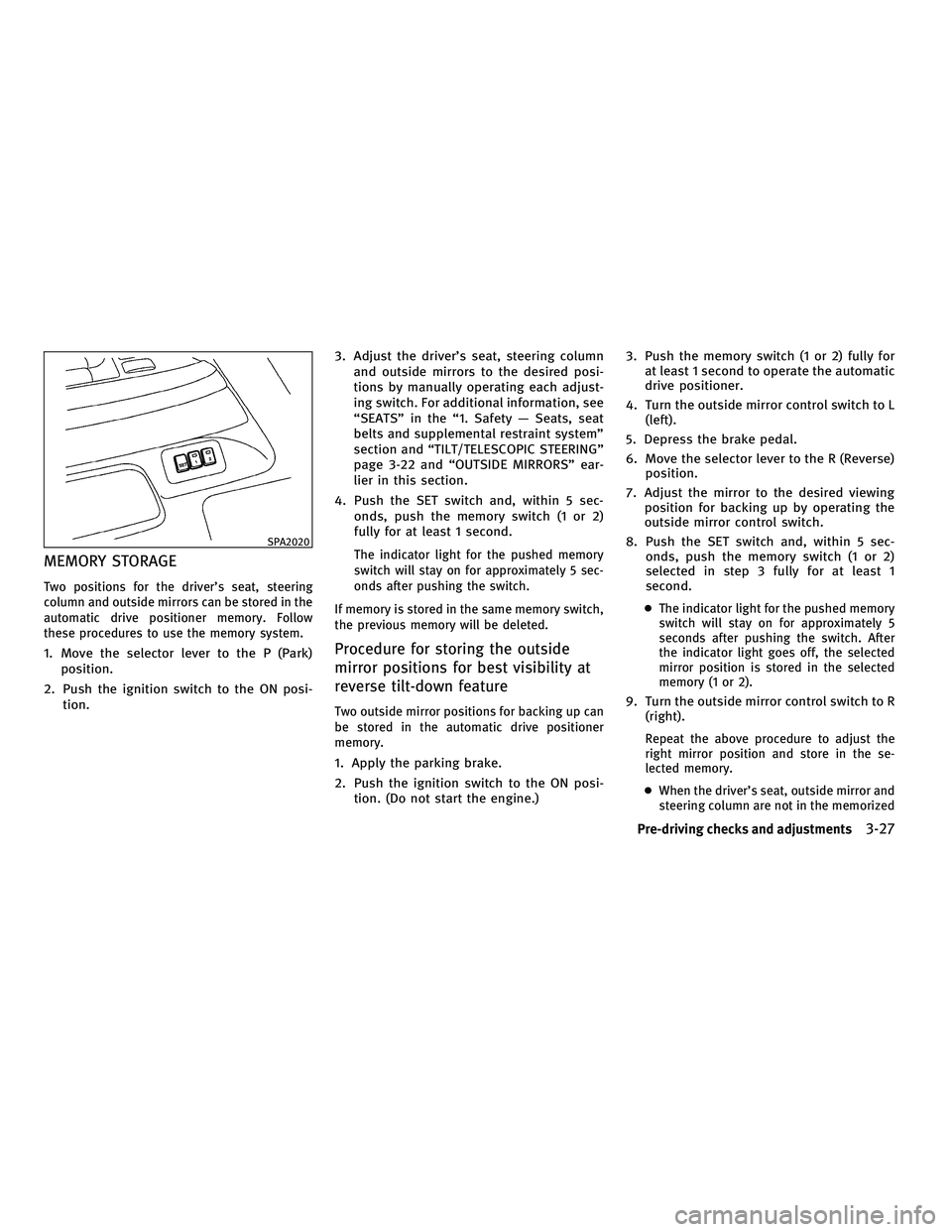
MEMORY STORAGE
Two positions for the driver's seat, steering
column and outside mirrors can be stored in the
automatic drive positioner memory. Follow
these procedures to use the memory system.
1. Move the selector lever to the P (Park)position.
2. Push the ignition switch to the ON posi- tion. 3. Adjust the driver's seat, steering column
and outside mirrors to the desired posi-
tions by manually operating each adjust-
ing switch. For additional information, see
ªSEATSº in the ª1. Safety Ð Seats, seat
belts and supplemental restraint systemº
section and ªTILT/TELESCOPIC STEERINGº
page 3-22 and ªOUTSIDE MIRRORSº ear-
lier in this section.
4. Push the SET switch and, within 5 sec- onds, push the memory switch (1 or 2)
fully for at least 1 second.
The indicator light for the pushed memory
switch will stay on for approximately 5 sec-
onds after pushing the switch.
If memory is stored in the same memory switch,
the previous memory will be deleted.
Procedure for storing the outside
mirror positions for best visibility at
reverse tilt-down feature
Two outside mirror positions for backing up can
be stored in the automatic drive positioner
memory.
1. Apply the parking brake.
2. Push the ignition switch to the ON posi- tion. (Do not start the engine.) 3. Push the memory switch (1 or 2) fully for
at least 1 second to operate the automatic
drive positioner.
4. Turn the outside mirror control switch to L (left).
5. Depress the brake pedal.
6. Move the selector lever to the R (Reverse) position.
7. Adjust the mirror to the desired viewing position for backing up by operating the
outside mirror control switch.
8. Push the SET switch and, within 5 sec- onds, push the memory switch (1 or 2)
selected in step 3 fully for at least 1
second.
cThe indicator light for the pushed memory
switch will stay on for approximately 5
seconds after pushing the switch. After
the indicator light goes off, the selected
mirror position is stored in the selected
memory (1 or 2).
9. Turn the outside mirror control switch to R
(right).
Repeat the above procedure to adjust the
right mirror position and store in the se-
lected memory.
c When the driver's seat, outside mirror and
steering column are not in the memorized
SPA2020
Pre-driving checks and adjustments3-27
wÐ
Ð
05/14/09Ðpattie
X
Page 159 of 445
position, the outside mirror will move with
the initial tilt-down angle, if the reverse
tilt-down position is stored.
Linking Intelligent Key to a stored
memory position
The Intelligent Key can be linked to a stored
memory position with the following procedure.
1. Follow the steps for storing a memoryposition.
2. While the indicator light for the memory switch being set is illuminated for 5 sec-
onds, push the
button on the Intel-
ligent Key. If the indicator light blinks, the
Intelligent Key is linked to that memory
setting.
Push the ignition switch to the LOCK position,
and push the
button on the Intelligent
Key. The driver's seat, steering wheel and out-
side mirrors will move to the memorized posi-
tion.
Confirming memory storage
c Push the ignition switch to the ON position
and push the SET switch. If the main memory
has not been stored, the indicator light will
come on for approximately 0.5 second.
When the memory has stored in position, the
indicator light will stay on for approximately
5 seconds.
c If the battery cable is disconnected, or if the
fuse opens, the memory will be canceled. In
this case, reset the desired position using
the previous procedure.
c If optional Intelligent Keys are added to your
vehicle, perform the memory storage proce-
dure to switch (1 or 2) and linking Intelligent
Key procedure to a stored memory position
again for each Intelligent Key. For additional
Intelligent Key information, see ªKEYSº ear-
lier in this section.
Selecting the memorized position
1. Move the selector lever to the P (Park)
position.
2. Use one of the following methods to move the driver's seat, steering column and
outside mirrors.
cPush the ignition switch to the ON posi-
tion and push the memory switch (1 or 2)
fully for at least 1 second.
c Within 45 seconds after opening the driv-
er's door, push the memory switch (1 or 2)
fully for at least 1 second.
The driver's seat, steering column and
outside mirrors will move to the memo-
rized position with the indicator light
flashing, and then the light will stay on for
approximately 5 seconds.
3-28Pre-driving checks and adjustments
wÐ
Ð
05/14/09Ðpattie
X
Page 160 of 445

SYSTEM OPERATION
The automatic drive positioner system will not
work or will stop operating under the following
conditions:
cWhen the vehicle speed is above 4 MPH (7
km/h).
c When the adjusting switch for the driver's
seat and steering column is turned on while
the automatic drive positioner is operating.
c When the memory switch (1 or 2) is not
pushed for at least 1 second.
c When the seat, steering column and outside
mirrors have already been moved to the
memorized position.
c When no position is stored in the memory
switch.
c When the engine is started while the auto-
matic drive positioner is operating.
c When approximately 45 seconds have
passed after the driver's door was opened
(ignition switch is not in the ON position).
c When the selector lever is moved from the P
(Park) position to any other position. (How-
ever, it will not be canceled if the switch is
pushed while the seat and steering column
are returning to the previous positions
(entry/exit function).)
Pre-driving checks and adjustments3-29
wÐ
Ð
05/14/09Ðpattie
X
Page 166 of 445
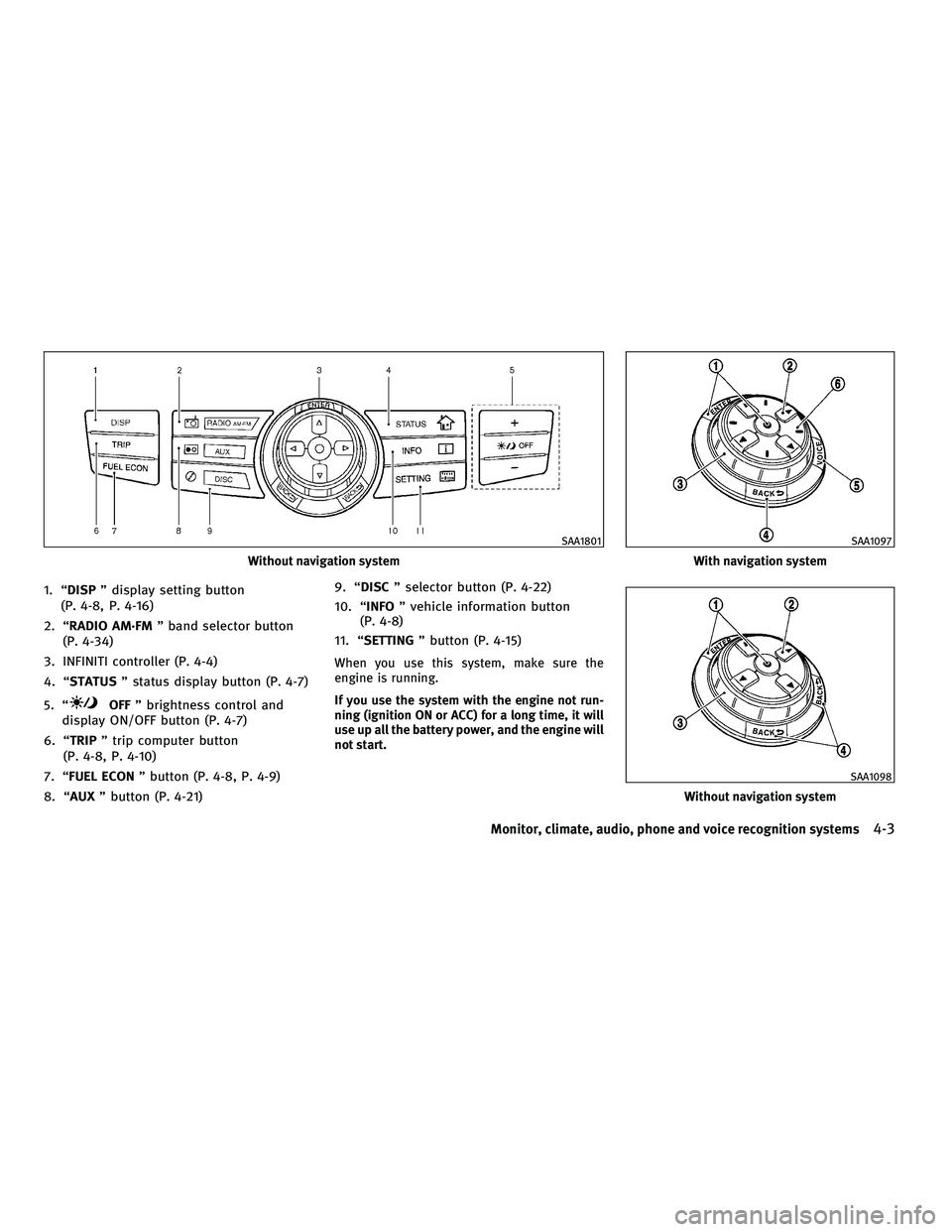
1. ªDISPº display setting button
(P. 4-8, P. 4-16)
2. ªRADIO AM´FM º band selector button
(P. 4-34)
3. INFINITI controller (P. 4-4)
4. ªSTATUS º status display button (P. 4-7)
5. ª
OFF º brightness control and
display ON/OFF button (P. 4-7)
6. ªTRIP º trip computer button
(P. 4-8, P. 4-10)
7. ªFUEL ECON º button (P. 4-8, P. 4-9)
8. ªAUX º button (P. 4-21) 9. ªDISC
º selector button (P. 4-22)
10. ª INFO º vehicle information button
(P. 4-8)
11. ª SETTING º button (P. 4-15)
When you use this system, make sure the
engine is running.
If you use the system with the engine not run-
ning (ignition ON or ACC) for a long time, it will
use up all the battery power, and the engine will
not start.
Without navigation system
SAA1801
With navigation system
SAA1097
Without navigation system
SAA1098
Monitor, climate, audio, phone and voice recognition systems4-3
wÐ
Ð
05/14/09Ðpattie
X
Page 169 of 445
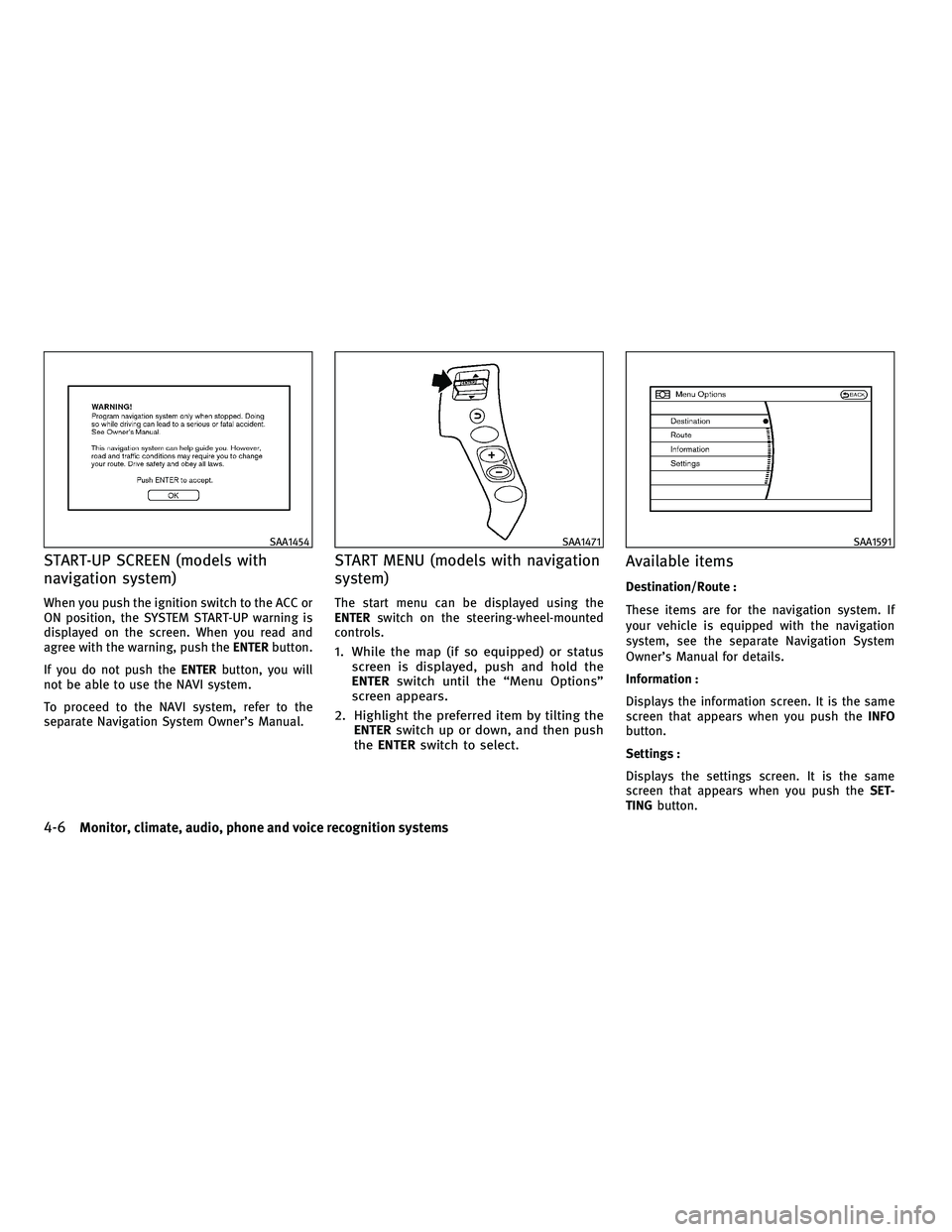
START-UP SCREEN (models with
navigation system)
When you push the ignition switch to the ACC or
ON position, the SYSTEM START-UP warning is
displayed on the screen. When you read and
agree with the warning, push theENTERbutton.
If you do not push the ENTERbutton, you will
not be able to use the NAVI system.
To proceed to the NAVI system, refer to the
separate Navigation System Owner's Manual.
START MENU (models with navigation
system)
The start menu can be displayed using the
ENTER switch on the steering-wheel-mounted
controls.
1. While the map (if so equipped) or status screen is displayed, push and hold the
ENTER switch until the ªMenu Optionsº
screen appears.
2. Highlight the preferred item by tilting the ENTER switch up or down, and then push
the ENTER switch to select.
Available items
Destination/Route :
These items are for the navigation system. If
your vehicle is equipped with the navigation
system, see the separate Navigation System
Owner's Manual for details.
Information :
Displays the information screen. It is the same
screen that appears when you push the INFO
button.
Settings :
Displays the settings screen. It is the same
screen that appears when you push the SET-
TING button.
SAA1454SAA1471SAA1591
4-6Monitor, climate, audio, phone and voice recognition systems
wÐ
Ð
05/14/09Ðpattie
X
Page 175 of 445
Maintenance information display cannot be op-
erated when the vehicle is moving. Stop the
vehicle in a safe place to see the information.
The unit can be converted between ªUSº and
ªMetricº. (See ªHOW TO USE SETTING BUTTONº
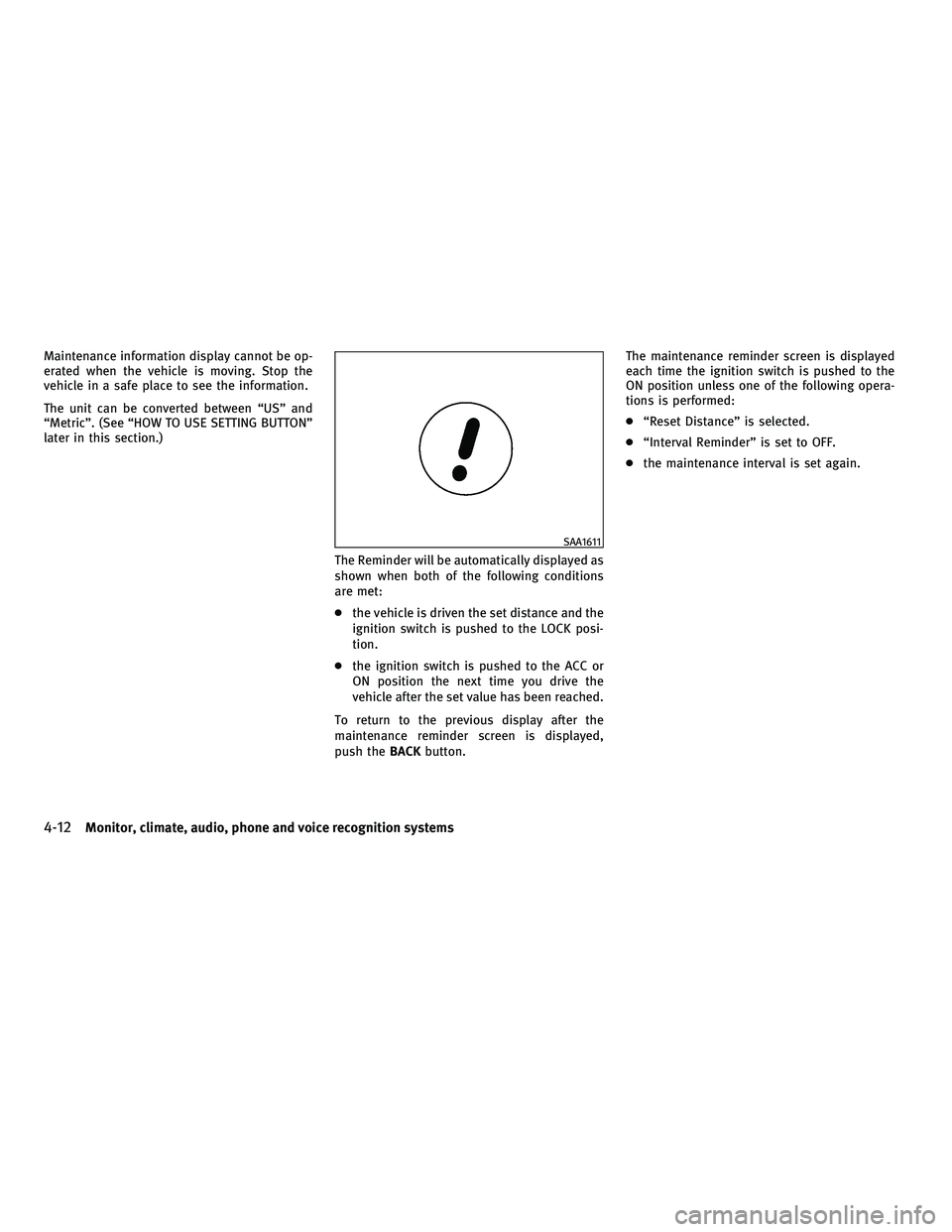
later in this section.)The Reminder will be automatically displayed as
shown when both of the following conditions
are met:
cthe vehicle is driven the set distance and the
ignition switch is pushed to the LOCK posi-
tion.
c the ignition switch is pushed to the ACC or
ON position the next time you drive the
vehicle after the set value has been reached.
To return to the previous display after the
maintenance reminder screen is displayed,
push the BACKbutton. The maintenance reminder screen is displayed
each time the ignition switch is pushed to the
ON position unless one of the following opera-
tions is performed:
c
ªReset Distanceº is selected.
c ªInterval Reminderº is set to OFF.
c the maintenance interval is set again.
SAA1611
4-12Monitor, climate, audio, phone and voice recognition systems
wÐ
Ð
05/14/09Ðpattie
X
Page 180 of 445

Rear Display settings (if so equipped)
The following display will appear when pushing
theSETTING button, selecting the ªRear Dis-
playº key with the INFINITI controller and push-
ing the ENTERbutton.
Rear Display :
To open the rear display, push the ENTER
button. The rear display is flipped down auto-
matically. To close the rear display, push the
ENTER button and turn the ªOKº indicator off.
The rear display will be closed automatically
when the ignition switch is pushed to the LOCK
position. The rear display can be also opened or closed
using the remote controller. (See ªINFINITI MO-
BILE ENTERTAINMENT SYSTEM (MES)º later in
this section.)
Volume and Beeps settings (models
with navigation system)
The following display will appear when pushing
the
SETTING button, selecting the ª Volume and
Beeps º key with the INFINITI controller and
pushing the ENTERbutton.
Guidance Vol. :
To adjust the guidance voice volume louder or
softer, select the ªGuidance Volumeº and ad-
just it with the INFINITI controller.
You can also adjust the guidance voice volume
by turning the VOLUME control knob while voice
guidance is being announced.
SAA2146SAA1561
Monitor, climate, audio, phone and voice recognition systems4-17
wÐ
Ð
05/14/09Ðpattie
X
Page 182 of 445
Clock Format :
Choose either the 12-hour clock display or the
24-hour clock display.
Offset Adjust :
Adjust the time by increasing or decreasing per
minute.
Daylight Saving Time :
Turn this item to ON for daylight saving time
application.
Time Zone :
Choose the time zone from the following
cPacific
c Mountain
c Central
c Eastern
c Atlantic
c Newfoundland
c Hawaii
c Aleutian
c Alaska
Others settings (models with
navigation system)
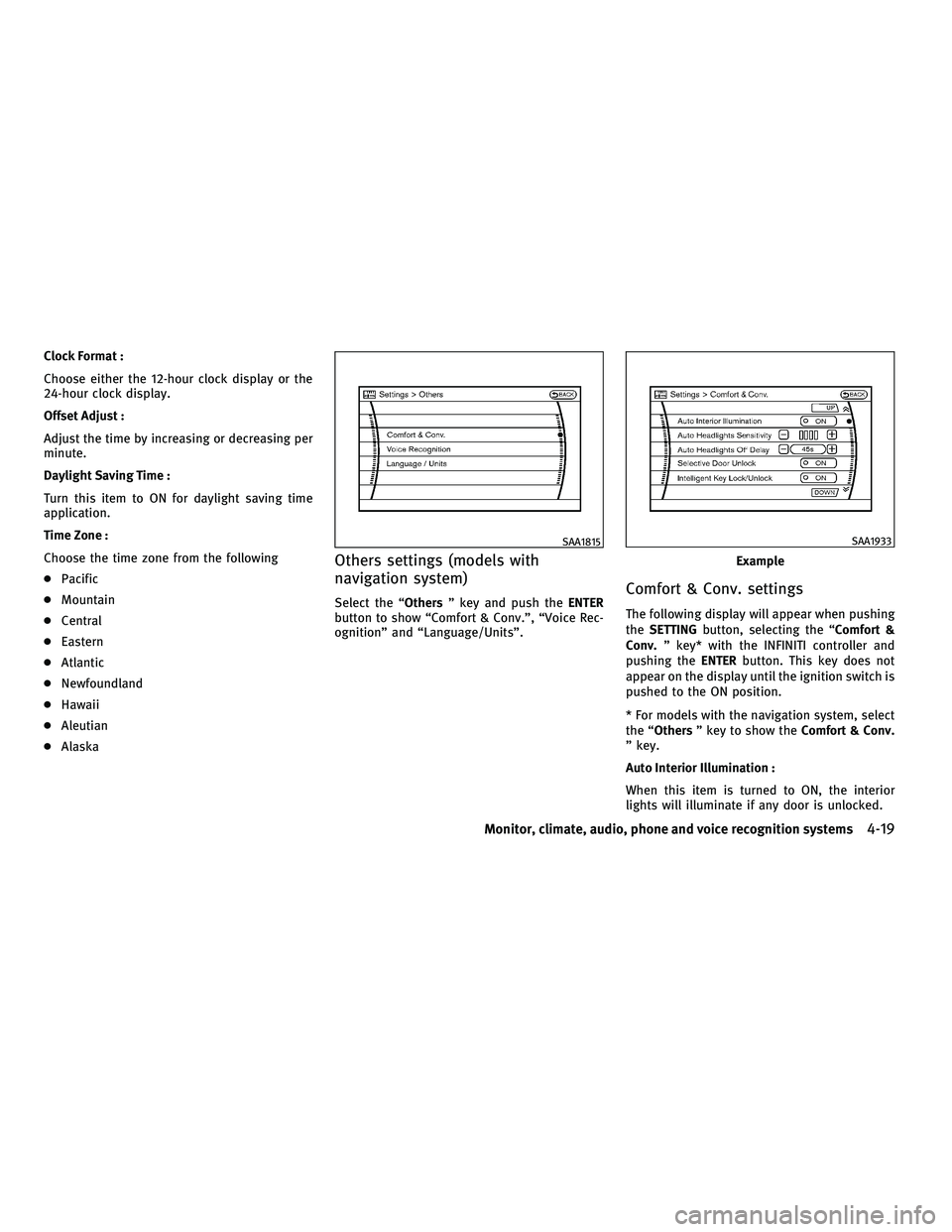
Select the ªOthers º key and push the ENTER
button to show ªComfort & Conv.º, ªVoice Rec-
ognitionº and ªLanguage/Unitsº.Comfort & Conv. settings
The following display will appear when pushing
the SETTING button, selecting the ªComfort &
Conv. º key* with the INFINITI controller and
pushing the ENTERbutton. This key does not
appear on the display until the ignition switch is
pushed to the ON position.
* For models with the navigation system, select
the ªOthers º key to show the Comfort & Conv.
º key.
Auto Interior Illumination :
When this item is turned to ON, the interior
lights will illuminate if any door is unlocked.
SAA1815
Example
SAA1933
Monitor, climate, audio, phone and voice recognition systems4-19
wÐ
Ð
05/14/09Ðpattie
X