horn INFINITI QX60 2015 Owners Manual
[x] Cancel search | Manufacturer: INFINITI, Model Year: 2015, Model line: QX60, Model: INFINITI QX60 2015Pages: 554, PDF Size: 5.78 MB
Page 15 of 554
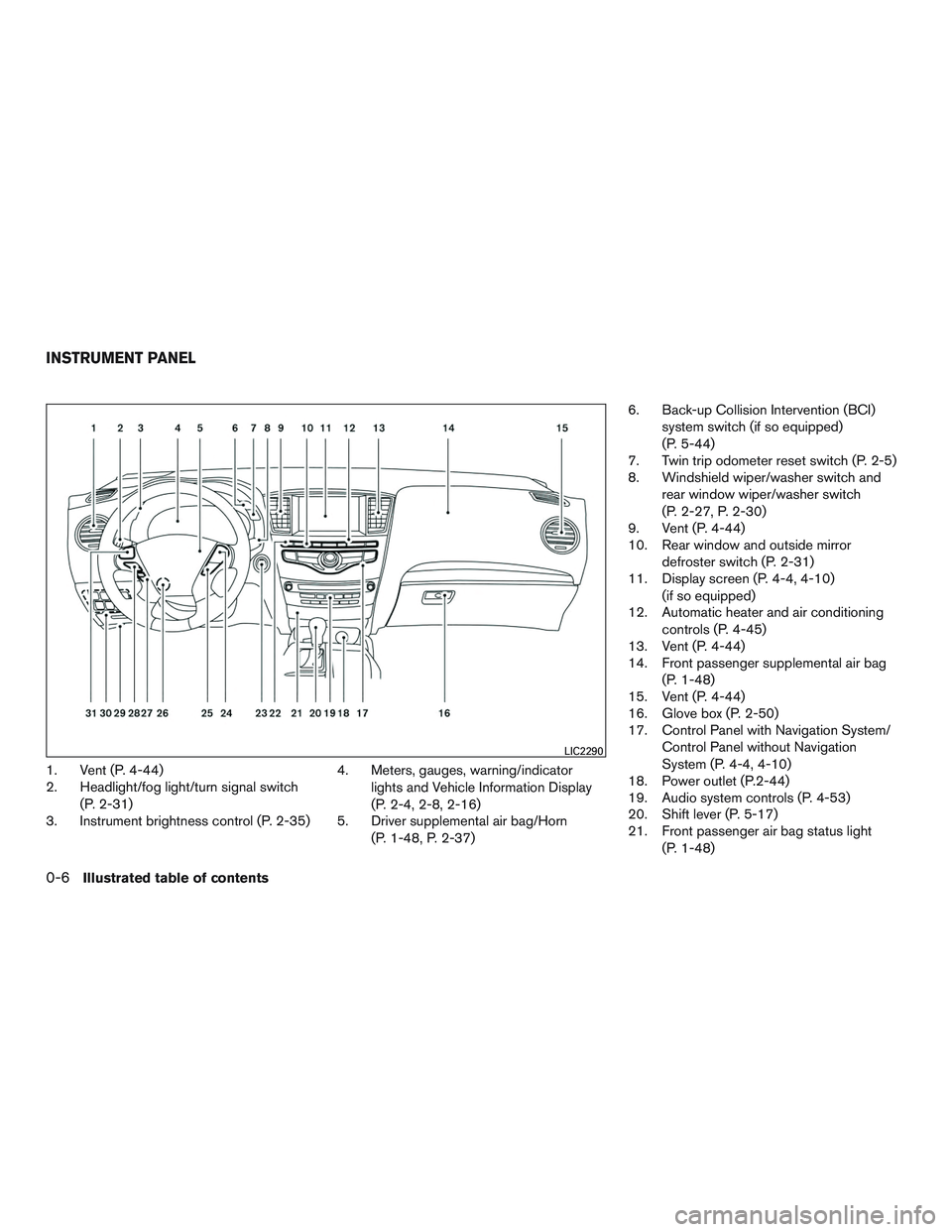
1. Vent (P. 4-44)
2. Headlight/fog light/turn signal switch(P. 2-31)
3. Instrument brightness control (P. 2-35) 4. Meters, gauges, warning/indicator
lights and Vehicle Information Display
(P. 2-4, 2-8, 2-16)
5. Driver supplemental air bag/Horn
(P. 1-48, P. 2-37) 6. Back-up Collision Intervention (BCI)
system switch (if so equipped)
(P. 5-44)
7. Twin trip odometer reset switch (P. 2-5)
8. Windshield wiper/washer switch and
rear window wiper/washer switch
(P. 2-27, P. 2-30)
9. Vent (P. 4-44)
10. Rear window and outside mirror
defroster switch (P. 2-31)
11. Display screen (P. 4-4, 4-10)
(if so equipped)
12. Automatic heater and air conditioning
controls (P. 4-45)
13. Vent (P. 4-44)
14. Front passenger supplemental air bag
(P. 1-48)
15. Vent (P. 4-44)
16. Glove box (P. 2-50)
17. Control Panel with Navigation System/
Control Panel without Navigation
System (P. 4-4, 4-10)
18. Power outlet (P.2-44)
19. Audio system controls (P. 4-53)
20. Shift lever (P. 5-17)
21. Front passenger air bag status light
(P. 1-48)
LIC2290
INSTRUMENT PANEL
0-6Illustrated table of contents
Page 87 of 554
2 Instruments and controls
Instrument panel...................................2-2
Meters and gauges ................................2-4
Speedometer and odometer .....................2-4
Tachometer ....................................2-6
Engine coolant temperature gauge ...............2-6
Fuel gauge ....................................2-7
Warning/indicator lights and audible reminders .......2-8
Checking bulbs ................................2-8
Warning lights .................................2-9
Indicator lights ................................ 2-13
Audible reminders ............................. 2-15
Vehicle Information Display ........................2-16
How to use the vehicle information display .......2-16
Startup display ................................ 2-16
Settings ...................................... 2-17
Vehicle information display warnings and
indicators ..................................... 2-22
Security systems ................................. 2-25
Vehicle security system ......................... 2-25
INFINITI vehicle immobilizer system ..............2-26
Windshield wiper and washer switch ...............2-27
Switch operation .............................. 2-28Rain-sensing auto wiper system
(if so equipped)
............................... 2-29
Rear window wiper and washer switch ..............2-30
Rear window and outside mirror defroster switch .....2-31
Headlight and turn signal switch ....................2-31
Xenon headlights .............................. 2-31
Headlight control switch ........................ 2-32
Daytime running light system (Canada only) ......2-35
Instrument brightness control ...................2-35
Turn signal switch ............................. 2-36
Fog light switch ............................... 2-36
Horn ............................................ 2-37
Heated front seats ................................ 2-37
Heated rear seats (if so equipped) ..................2-38
Climate control seat switch (if so equipped) .........2-40
Heated steering wheel (if so equipped) .............2-41
Rear sonar system off switch (if so equipped) ........2-42
W arning
systems switch (if so equipped) ............2-42
Vehicle Dynamic Control (VDC) off switch ...........2-43
Power inverter switch (if so equipped) ..............2-44
Power outlets .................................... 2-44
12v outlets ................................... 2-44
Page 89 of 554
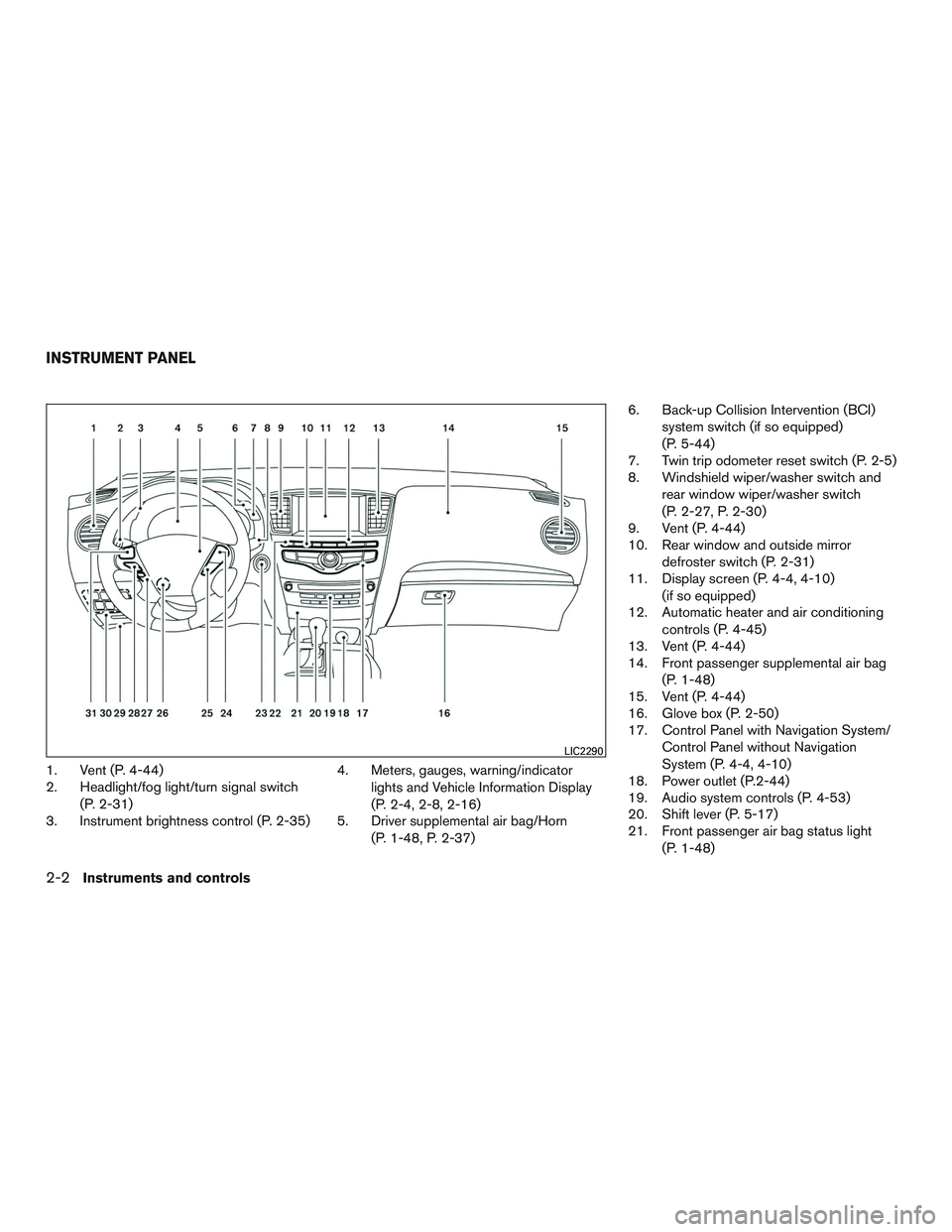
1. Vent (P. 4-44)
2. Headlight/fog light/turn signal switch(P. 2-31)
3. Instrument brightness control (P. 2-35) 4. Meters, gauges, warning/indicator
lights and Vehicle Information Display
(P. 2-4, 2-8, 2-16)
5. Driver supplemental air bag/Horn
(P. 1-48, P. 2-37) 6. Back-up Collision Intervention (BCI)
system switch (if so equipped)
(P. 5-44)
7. Twin trip odometer reset switch (P. 2-5)
8. Windshield wiper/washer switch and
rear window wiper/washer switch
(P. 2-27, P. 2-30)
9. Vent (P. 4-44)
10. Rear window and outside mirror
defroster switch (P. 2-31)
11. Display screen (P. 4-4, 4-10)
(if so equipped)
12. Automatic heater and air conditioning
controls (P. 4-45)
13. Vent (P. 4-44)
14. Front passenger supplemental air bag
(P. 1-48)
15. Vent (P. 4-44)
16. Glove box (P. 2-50)
17. Control Panel with Navigation System/
Control Panel without Navigation
System (P. 4-4, 4-10)
18. Power outlet (P.2-44)
19. Audio system controls (P. 4-53)
20. Shift lever (P. 5-17)
21. Front passenger air bag status light
(P. 1-48)
LIC2290
INSTRUMENT PANEL
2-2Instruments and controls
Page 105 of 554
Light Sensitivity
Light sensitivity can be set to illuminate earlier
based on the brightness outside the vehicle.
From the Vehicle Settings menu, select “Light
Sensitivity”. Use the ENTER button to change the
sensitivity.
Light Off Delay
The duration of the automatic headlights can be
changed from 0 to 180 seconds. From the Ve-
hicle Settings menu, select “Light Off Delay”. Use
the ENTER button to change the duration.
Rain Sensor (if so equipped)
The rain sensor can be set to be ON or OFF. From
the Vehicle Settings menu, select “Rain Sensor”.
Use the ENTER button to turn this feature ON or
OFF.
Wiper with Speed
The wiper with speed can be set to be ON or
OFF. From the Vehicle Settings menu, select
“Wiper with Speed”. Use the ENTER button to
turn this feature ON or OFF.
I-Key Door Lock
When this item is turned on, the request switch
on the door is activated. From the Vehicle Set-
tings menu, select “I-Key Door Unlock”. Use the
ENTER button to activate this function.Selective-Unlock
When this item is turned on, only the driver’s door
is unlocked first after the door unlock operation.
When the door handle request switch on the
driver’s or front passenger’s side door is pushed
to be unlocked, only the corresponding door is
unlocked first. All the doors can be unlocked if the
door unlock operation is performed again within
1 minute. When this item is turned to OFF, all the
doors will be unlocked after the door unlock
operation is performed once. From the Vehicle
Settings menu, select “Selective Unlock”. Use
the ENTER button to activate this function.
Auto Door Unlock
The auto door unlock function automatically un-
locks all the doors when the shift lever is placed in
the P (Park) position. From the Vehicle Settings
menu, select “Auto Door Unlock”. Use the EN-
TER button to enable/disable this function.
Answer Back Horn
When the answer back horn is on, the horn will
chirp and the hazard indicators will flash once
when locking the vehicle with the Intelligent Key.
Remote Start (if so equipped)
The remote start function can be turned on or off.
If the setting is OFF the vehicle cannot be started
using the Intelligent Key. From the Vehicle Set-tings menu, select “Remote Start”. Use the EN-
TER button to enable/disable.
Battery Saver
The battery saver automatically turns off the igni-
tion after a period of time when the ignition switch
is left in the ACC or ON position.
Exit Seat Slide (if so equipped)
When the exit seat slide is on the driver’s seat will
move backward for easy exit when the ignition
switch is placed in the OFF position and the
driver’s door is opened.
After getting into the vehicle and placing the
ignition switch in the ACC position, the driver’s
seat will move to the previous set position. For
additional information, refer to “Automatic drive
positioner” in the “Pre-driving checks and adjust-
ments” section of this manual regarding setting
the seat position. Use the ENTER button to
enable/disable this function.
Exit steering up (if so equipped)
When the exit steering up feature is turned ON,
the steering wheel moves upward for easy exit
when the ignition switch is in the OFF position
and the driver’s door is opened.
After getting into the vehicle and placing the
ignition switch in the ACC position, the steering
wheel moves to the previous position. For addi-
2-18Instruments and controls
Page 113 of 554
Theindicator light will blink every
3 seconds once the security system is
armed.
If during the pre-armed phase one of the
following occurs, the system will not arm:
● Any door is unlocked with the mechanical
key
● A door is opened with the release button
with the Intelligent Key on your person
● The doors are unlocked using the unlock
button on the Intelligent Key
● The ignition switch is placed in the ACC
or ON position
● Even when the driver and/or passen-
gers are in the vehicle, the system will
activate when all the doors, hood and
liftgate are locked with the ignition
switch placed in the LOCK position.
When placing the ignition switch in the
ACC or ON position, the system will be
released.
Vehicle security system activation
The vehicle security system will give the following
alarm:
● The turn signals blink and the horn sounds
intermittently. ●
The alarm automatically turns off after a pe-
riod of time. However, the alarm reactivates if
the vehicle is tampered with again. The alarm
can be shut off by unlocking the driver’s door
or liftgate with the key, or by pressing
the
button on the Intelligent Key.
The alarm is activated by:
● opening the door or liftgate without using the
key or Intelligent Key (even if the door is
unlocked by releasing the door inside lock
switch) .
How to stop an activated alarm
The alarm stops only by unlocking the driver’s
door or the liftgate with the key, pressing
the
button on the Intelligent Key, or press-
ing the request switch on the driver’s or passen-
ger’s door with the Intelligent Key in range of the
door handle.
INFINITI VEHICLE IMMOBILIZER
SYSTEM
The INFINITI Vehicle Immobilizer System will not
allow the engine to start without the use of a
registered INFINITI Vehicle Immobilizer System
key.
If the engine fails to start using a registered
INFINITI Vehicle Immobilizer System key (for ex-
ample, when interference is caused by another INFINITI Vehicle Immobilizer System key, an au-
tomated toll road device or automatic payment
device on the key ring) , restart the engine using
the following procedures:
1. Leave the ignition switch in the ON position for approximately 5 seconds.
2. Place the ignition switch in the OFF or LOCK position, and wait approximately
10 seconds.
3. Repeat steps 1 and 2.
4. Restart the engine while holding the device (which may have caused the interference)
separate from the registered INFINITI Ve-
hicle Immobilizer System key.
If the no start condition re-occurs, INFINITI rec-
ommends placing the registered INFINITI Vehicle
Immobilizer System key on a separate key ring to
avoid interference from other devices.
FCC Notice:
For USA:
This device complies with part 15 of the
FCC Rules. Operation is subject to the fol-
lowing two conditions: (1) This device may
not cause harmful interference, and (2) this
device must accept any interference re-
ceived, including interference that may
cause undesired operation.
2-26Instruments and controls
Page 124 of 554
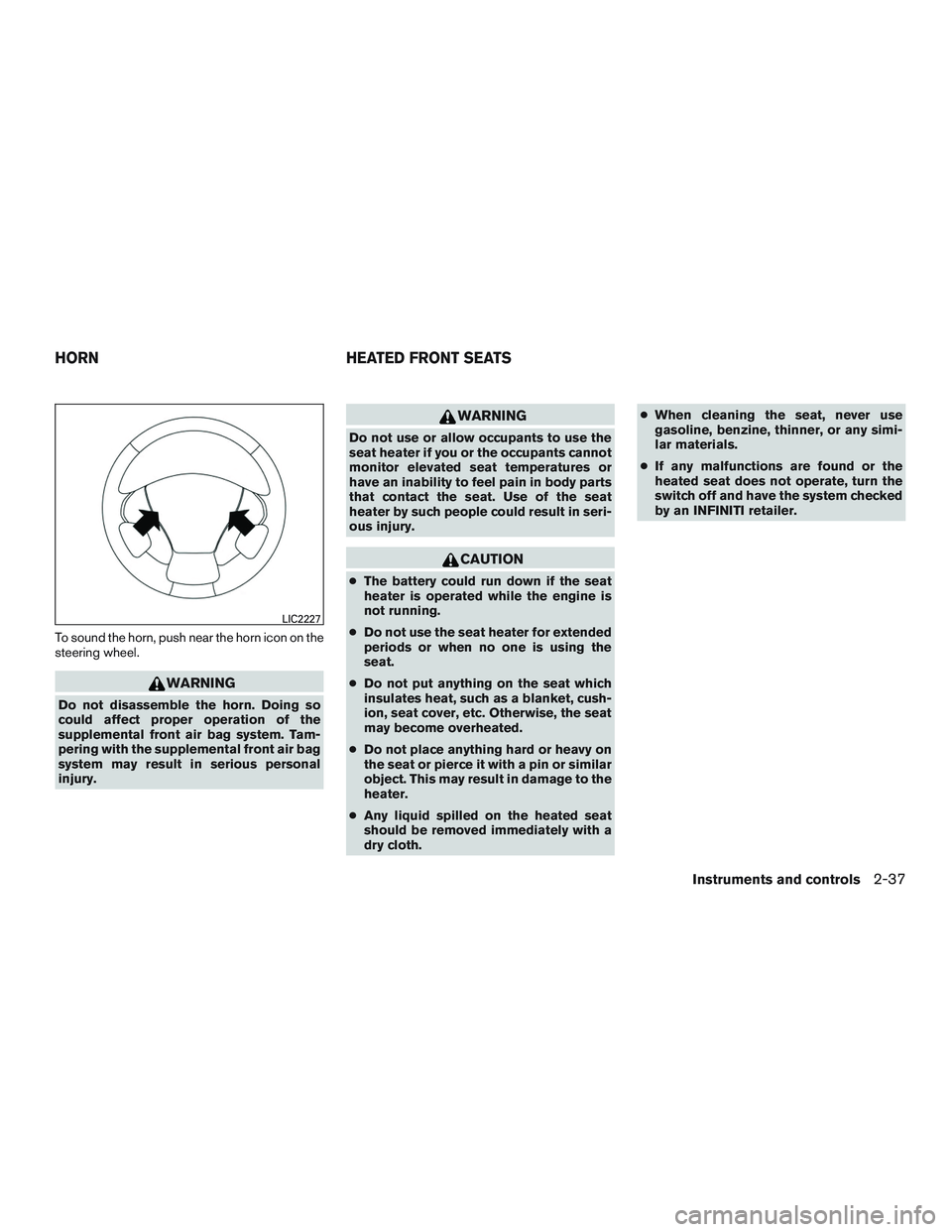
To sound the horn, push near the horn icon on the
steering wheel.
WARNING
Do not disassemble the horn. Doing so
could affect proper operation of the
supplemental front air bag system. Tam-
pering with the supplemental front air bag
system may result in serious personal
injury.
WARNING
Do not use or allow occupants to use the
seat heater if you or the occupants cannot
monitor elevated seat temperatures or
have an inability to feel pain in body parts
that contact the seat. Use of the seat
heater by such people could result in seri-
ous injury.
CAUTION
●The battery could run down if the seat
heater is operated while the engine is
not running.
● Do not use the seat heater for extended
periods or when no one is using the
seat.
● Do not put anything on the seat which
insulates heat, such as a blanket, cush-
ion, seat cover, etc. Otherwise, the seat
may become overheated.
● Do not place anything hard or heavy on
the seat or pierce it with a pin or similar
object. This may result in damage to the
heater.
● Any liquid spilled on the heated seat
should be removed immediately with a
dry cloth. ●
When cleaning the seat, never use
gasoline, benzine, thinner, or any simi-
lar materials.
● If any malfunctions are found or the
heated seat does not operate, turn the
switch off and have the system checked
by an INFINITI retailer.
LIC2227
HORN HEATED FRONT SEATS
Instruments and controls2-37
Page 164 of 554
All doors will be locked automatically unless one
of the following operations is performed within
1 minute after pushing the request switch.● Opening any door.
● Pushing the ignition switch.
The interior light timer illuminates for a period of
time when a door is unlocked and the room light
switch is in the DOOR position.
The interior light can be turned off without waiting
by performing one of the following operations: ● Placing the ignition switch in the ON posi-
tion.
● Locking the doors with the remote control.
● Switching the room light switch to the OFF
position.
● Switching the Auto Room Lamp to the OFF
position in Vehicle Settings of the vehicle
information display. For additional informa-
tion, refer to “Vehicle information display” in
the “Instruments and controls” section of this
manual.HOW TO USE THE REMOTE
KEYLESS ENTRY FUNCTION
The remote keyless entry function can operate all
door locks using the remote keyless function of
the Intelligent Key. The remote keyless function
can operate at a distance of 33 ft (10 m) away
from the vehicle. The operating distance de-
pends upon the conditions around the vehicle.
The remote keyless entry function will not func-
tion under the following conditions:
● When the Intelligent Key is not within the
operational range.
● When the doors or the rear liftgate are open
or not closed securely.
● When the Intelligent Key battery is dis-
charged.
CAUTION
When locking the doors using the Intelli-
gent Key, be sure not to leave the key in
the vehicle.
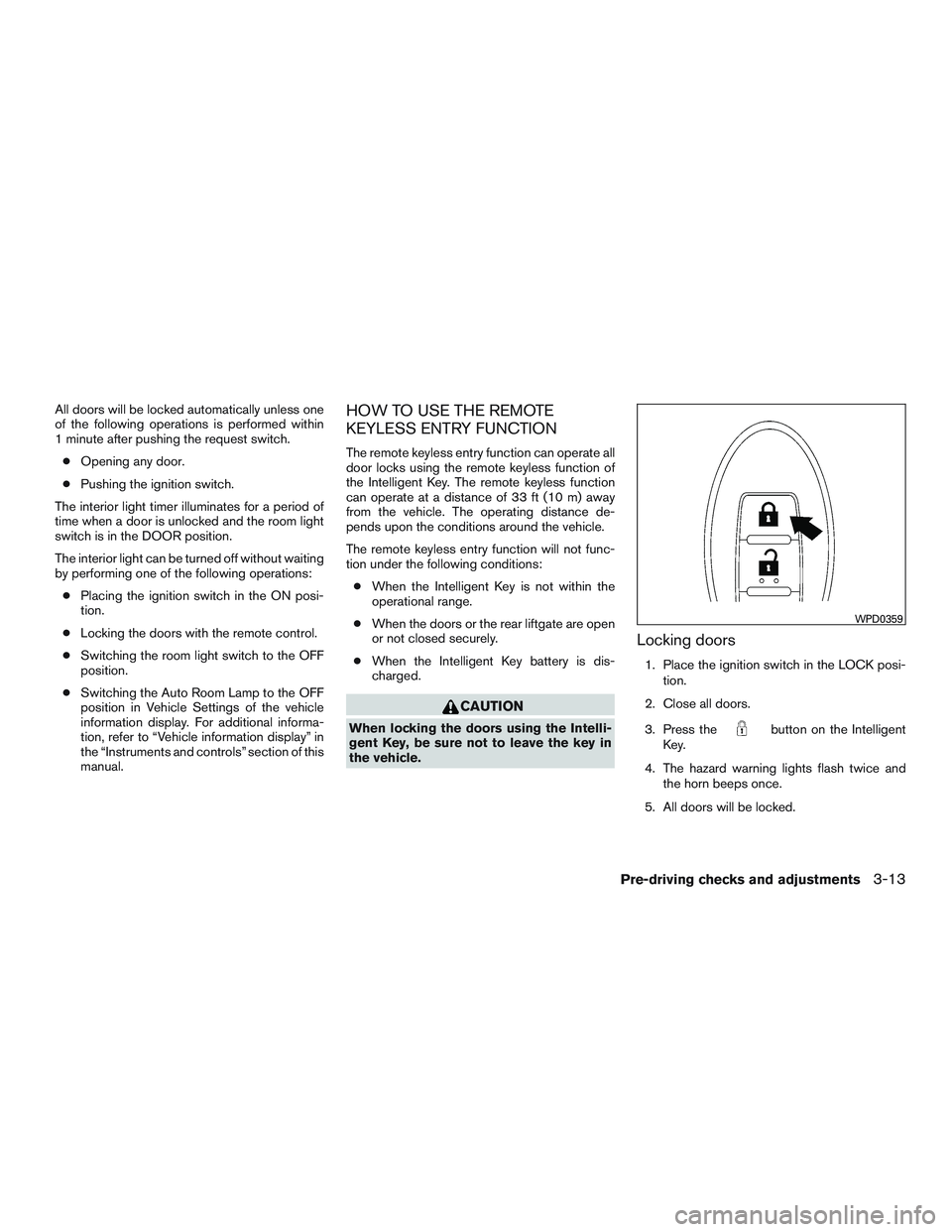
Locking doors
1. Place the ignition switch in the LOCK posi-
tion.
2. Close all doors.
3. Press the
button on the Intelligent
Key.
4. The hazard warning lights flash twice and the horn beeps once.
5. All doors will be locked.
WPD0359
Pre-driving checks and adjustments3-13
Page 167 of 554
The panic alarm stops when:● It has run for a period of time, or
● Any button is pressed on the Intelligent Key.
● The request switch on the driver or passen-
ger door is pushed and the Intelligent Key is
in range of the door handle.
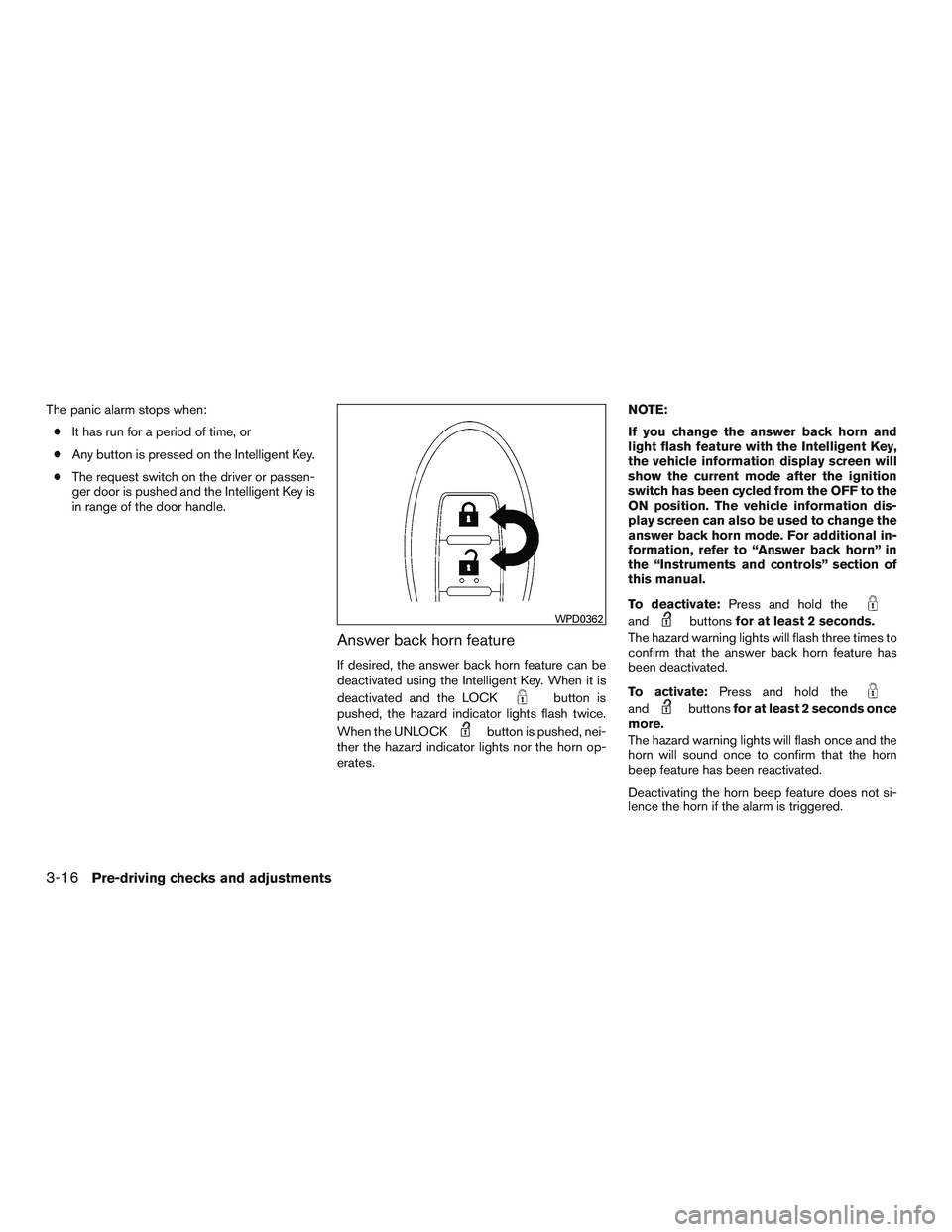
Answer back horn feature
If desired, the answer back horn feature can be
deactivated using the Intelligent Key. When it is
deactivated and the LOCK
button is
pushed, the hazard indicator lights flash twice.
When the UNLOCK
button is pushed, nei-
ther the hazard indicator lights nor the horn op-
erates. NOTE:
If you change the answer back horn and
light flash feature with the Intelligent Key,
the vehicle information display screen will
show the current mode after the ignition
switch has been cycled from the OFF to the
ON position. The vehicle information dis-
play screen can also be used to change the
answer back horn mode. For additional in-
formation, refer to “Answer back horn” in
the “Instruments and controls” section of
this manual.
To deactivate:
Press and hold the
andbuttonsfor at least 2 seconds.
The hazard warning lights will flash three times to
confirm that the answer back horn feature has
been deactivated.
To activate: Press and hold the
andbuttonsfor at least 2 seconds once
more.
The hazard warning lights will flash once and the
horn will sound once to confirm that the horn
beep feature has been reactivated.
Deactivating the horn beep feature does not si-
lence the horn if the alarm is triggered.
WPD0362
3-16Pre-driving checks and adjustments
Page 347 of 554
Operation:1. Add air to the tire.
2. After a few seconds, the hazard indicators will start flashing.
3. When the designated pressure is reached, the horn beeps once and the hazard indica-
tors stop flashing.
4. Perform the above steps for each tire. ●If the tire is over-inflated more than ap-
proximately 4 psi (30 kPa) , the horn
beeps and the hazard indicators flash
three times. To correct the pressure, push
the core of the valve stem on the tire
briefly to release pressure. When the
pressure reaches the designated pres-
sure, the horn beeps once.
● If the hazard indicator does not flash
within approximately 15 seconds after
starting to inflate the tire, it indicates that
the TPMS with Tire Inflation Indicator is
not operating.
● The TPMS will not activate the TPMS with
Tire Inflation Indicator under the following
conditions:
– If there is interference from an external device or transmitter. – The air pressure from the inflation device
is not sufficient to inflate the tire.
– There is a malfunction in the TPMS sys- tem.
– There is a malfunction in the horn or haz- ard indicators.
– The identification code of the tire pres- sure sensor is not registered to the sys-
tem.
– The battery of the tire pressure sensor is low.
● If the TPMS with Tire Inflation Indicator
does not operate due to TPMS interfer-
ence, move the vehicle about 3 ft (1 m)
backward or forward and try again.
If the TPMS with Tire Inflation Indicator is not
working, use a tire pressure gauge.
ON-PAVEMENT AND OFF-ROAD
DRIVING PRECAUTIONS
Utility vehicles have a significantly higher
rollover rate than other types of vehicles.
They have higher ground clearance than passen-
ger cars to make them capable of performing in a
variety of on-pavement and off-road applications.
This gives them a higher center of gravity than
ordinary vehicles. An advantage of higher ground clearance is a better view of the road, allowing
you to anticipate problems. However, they are not
designed for cornering at the same speeds as
conventional 2-wheel drive vehicles any more
than low-slung sports cars are designed to per-
form satisfactorily under off-road conditions. If at
all possible, avoid sharp turns at high speeds. As
with other vehicles of this type, failure to operate
this vehicle correctly may result in loss of control
or vehicle rollover. In a rollover crash, an unbelted
person is significantly more likely to die than a
person wearing a seat belt.
For additional information, refer to “Driving safety
precautions” in this section.
AVOIDING COLLISION AND
ROLLOVER
WARNING
Failure to operate this vehicle in a safe
and prudent manner may result in loss of
control or an accident.
Be alert and drive defensively at all times. Obey
all traffic regulations. Avoid excessive speed,
high speed cornering, or sudden steering ma-
neuvers, because these driving practices could
cause you to lose control of your vehicle. As with
any vehicle, loss of control could result in a
collision with other vehicles or objects or
5-8Starting and driving
Page 548 of 554

F
Flashers (See hazard warning flasher switch) . .6-2
Flat tire .......................6-3
Floor mat positioning aid .............7-5
Fluid Brake fluid ..................8-13
Capacities and recommended
fuel/lubricants .................9-2
Continuously Variable Transmission
(CVT) fluid ..................8-12
Engine coolant .................8-7
Engine oil ...................8-9
Power steering fluid .............8-12
Windshield-washerfluid...........8-14
F.M.V.S.S. certification label ...........9-11
Foglightswitch .................2-36
Forward Collision Warning system . . .5-82, 5-83
Front air bag system
(See supplemental restraint system) ......1-55
Front and rear sonar system ..........5-102
Front power seat adjustment ...........1-3
Frontseats.....................1-2
Fuel Capacities and recommended
fuel/lubricants .................9-2
Fuel economy ................5-90
Fuel gauge ...................2-7
Fuel octane rating ...............9-5
Fuel recommendation .............9-4
Loose fuel cap warning ...........2-25
Fuel-filler door ..................3-27
Fuel gauge .....................2-7
Fuses.......................8-22
Fusible links ...................8-22 G
Garage door opener, HomeLink® Universal
Transceiver . .2-60, 2-61, 2-62, 2-63, 2-63, 2-64
Gauge Engine coolant temperature gauge .....2-6
Fuel gauge ...................2-7
Odometer ...................2-5
Speedometer .................2-5
Tachometer ..................2-6
Trip odometer .................2-5
General maintenance ...............8-2
Glovebox.....................2-50
Gloveboxlock..................2-50
H
Hands-free phone system,
Bluetooth®...............4- 109, 4-123
Hazard warning flasher switch ..........6-2
Headlight aiming control ............2-34
Headlight and turn signal switch ........2-31
Headlight control switch ............2-32
Headlights ....................8-26
Headlights, aiming control ............2-34
Head restraints ..................1-11
Heated seats ............2-37,2-38,2-40
Heated steering wheel .............2-41
Heater Heater and air conditioner (automatic)
(if so equipped) ...............4-45
Heater and air conditioner controls .....4-46
Heater operation ...............4-46
Heater and air conditioner (automatic) .....4-45Hill start assist system
.............5-101
HomeLink® Universal Transceiver . . .2-60, 2-61, 2-62, 2-63, 2-63, 2-64
Hood.......................3-22
Hook Luggage hook................
2-51
Horn .......................2-37
I
Ignition Switch Push-Button Ignition Switch ........5-12
Imageviewer...................4-19
Immobilizer system ................5-15
Important vehicle information label .......9-11
In-cabin microfilter ................8-19
Increasing fuel economy .............5-90
Indicator lights and audible reminders
(See warning/indicator lights and audible
reminders)..................2-8,2-13
INFINITI vehicle immobilizer system . . .2-26, 5-15
INFINITI voice recognition system .......4-136
Inside automatic anti-glare mirror ........3-32
Instrument brightness control ..........2-35
Instrumentpanel...............0-6,2-2
Instrument panel dimmer switch ........2-35
Intelligent Brake Assist (IBA) system ......5-85
Intelligent cruise control (ICC) system Brake assist .................5-52
Intelligent Key system Key operating range ..............3-9
Key operation ................3-10
Mechanical key ................3-3
Remote keyless entry operation.......3-13
Troubleshooting guide ............3-18
10-3