roof INFINITI QX60 2023 User Guide
[x] Cancel search | Manufacturer: INFINITI, Model Year: 2023, Model line: QX60, Model: INFINITI QX60 2023Pages: 636, PDF Size: 7.28 MB
Page 113 of 636

NOTE:
• The DTE value after refill is estimatedbased on recent fuel economy and amount
of fuel added.
• If a small amount of fuel is added, or the ignition is on during refueling, the display
may not be updated.
• Conditions that affect the fuel economy will also affect the estimated DTE value
(city/highway driving, idle time, remote
start time, terrain, seasonal weather,
added vehicle weight, added deflectors,
roof racks, etc.).
Instruments and controls2-11
Page 174 of 636

The system helps deter vehicle theft but can-
not prevent it nor can it prevent the theft of
interior or exterior vehicle components in all
situations. Always secure your vehicle even if
parking for a brief period. Never leave your
Intelligent Key in the vehicle, and always lock
the vehicle when unattended. Be aware of
your surroundings, and park in secure, well-lit
areas whenever possible.
Many devices offering additional protection,
such as component locks, identification
markers, and tracking systems, are available
at auto supply stores and specialty shops. An
INFINITI retailer may also offer such equip-
ment. Check with your insurance company to
see if you may be eligible for discounts for
various theft protection features.
How to arm the vehicle security
system
1. Close all windows and the moonroof.(The
system can be armed even if the windows
and moonroof are open.)
2. Remove the Intelligent Key from the vehicle.
3. Close all doors, hood and liftgate. Lock all doors. The doors can be locked with the
Intelligent Key, door handle request
switch, or power door lock switch. 4. Wait 30 seconds for the system to com-
plete the pre-armed phase. If during the
pre-armed phase one of the following oc-
curs, the system will not arm:
• Any door is unlocked with the Intelligent Key or door request switch.
• Ignition switch is placed in ON position.
• Even when the driver and/or passengers
are in the vehicle, the system will activate
with all the doors, hood and liftgate locked
with the ignition switch placed in the
LOCK position. When placing the ignition
switch in the ON position, the system will
be released.
Vehicle security system activation
The vehicle security system will give the fol-
lowing alarm:
• The turn signals blink and the horn sounds intermittently.
• The alarm automatically turns off after a period of time. However, the alarm reacti-
vates if the vehicle is tampered with again.
The alarm can be shut off by pressing the
button on the Intelligent Key. The alarm is activated by:
• Opening the door or liftgate without using
the Intelligent Key (even if the door is un-
locked by releasing the door inside lock
switch).
How to stop an activated alarm
The alarm stops only by unlocking the driver’s
door or the liftgate by pressing the
button on the Intelligent Key or pushing the
request switch on the driver's or passenger's
door with the Intelligent Key in range of the
door handle.
INFINITI VEHICLE IMMOBILIZER
SYSTEM
The INFINITI Vehicle Immobilizer System will
not allow the engine to start without the use
of a registered INFINITI Vehicle Immobilizer
System key.
If the engine fails to start using a registered
INFINITI Vehicle Immobilizer System key (for
example, when interference is caused by an-
other INFINITI Vehicle Immobilizer System
key, an automated toll road device or auto-
matic payment device on the key ring), restart
the engine using the following procedures:
1. Leave the ignition switch in the ON posi- tion for approximately 5 seconds.
2-72Instruments and controls
Page 209 of 636

WARNING
• Properly secure all cargo with ropes or
straps to help prevent it from sliding or
shifting. Do not place cargo higher than
the seatbacks. In a sudden stop or colli-
sion, unsecured cargo could cause per-
sonal injury.
• Use suitable ropes and hooks to secure
cargo.
• Never allow anyone to ride in the lug-
gage area. It is extremely dangerous to
ride in a cargo area inside of a vehicle. In a
collision, people riding in these areas are
more likely to be seriously injured or
killed.
• Do not allow people to ride in any area of
your vehicle that is not equipped with
seats and seat belts.
• The child restraint top tether strap may
be damaged by contact with items in the
cargo area. Secure any items in the cargo
area. Your child could be seriously injured
or killed in a collision if the top tether
strap is damaged.
• Be sure everyone in your vehicle is in a
seat and using a seat belt properly.
ROOF RACK (if so equipped)
WARNING
• Always install the crossbars onto the
roof side rails before loading cargo of
any kind. Loading cargo directly onto the
roof side rails or the vehicle’s roof may
cause vehicle damage.
• Roof rack cross bars should be evenly
distributed.
• Do not exceed maximum roof rack cross-
bars load capacity and always distribute
the load uniformly. •
Heavy loading of the crossbars has the
potential to affect the vehicle stability
and handling during sudden or unusual
handling maneuvers.
• Properly secure all cargo with ropes or
straps to help prevent it from sliding or
shifting. In a sudden stop or collision, un-
secured cargo could cause personal
injury.
• Drive extra carefully when the vehicle is
loaded at or near the cargo carrying ca-
pacity, especially if the significant por-
tion of that load is carried on the
crossbars.CAUTION
• Use care when placing or removing items
from the roof rack. If you cannot com-
fortably lift the items onto the roof rack
from the ground, use a ladder or a stool.
Do not apply any load directly to the roof side
rails
OA. CrossbarsOBmust be installed be-
fore applying load/cargo/luggage to the
roof of the vehicle.
INFINITI accessory crossbars may be avail-
able through an INFINITI retailer. It is recom-
mended that you visit an INFINITI retailer for
additional information.
LIC4202
Instruments and controls2-107
Page 210 of 636

The service load capacity for the roof side
rails is 165 lbs. (74 kg.), however do not ex-
ceed the crossbars load capacity.
Be careful that your vehicle does not exceed
the Gross Vehicle Weight Rating (GVWR) or
its Gross Axle Weight Rating (GAWR front
and rear).
For additional information regarding GVWR
and GAWR, refer to:
• F.M.V.S.S. or C.M.V.S.S. certification label(located on the driver’s door pillar).POWER WINDOWS
WARNING
• Make sure that all passengers have their
hands, etc., inside the vehicle while it is in
motion and before closing the windows.
Use the window lock switch to prevent
unexpected use of the power windows.
• To help avoid risk of injury or death
through unintended operation of the ve-
hicle and/or its systems, including en-
trapment in windows or inadvertent
door lock activation, do not leave chil-
dren, people who require the assistance
of others or pets unattended in your ve-
hicle. Additionally, the temperature in-
side a closed vehicle on a warm day can
quickly become high enough to cause a
significant risk of injury or death to
people and pets.
The power windows operate when the igni-
tion switch is placed in the ON position or for
a period of time after the ignition switch is
placed in the OFF position. If the driver's or
passenger's door is opened during this period
of time, the power to the windows is
canceled.
Driver's side power window switch
The driver's side control panel is equipped
with switches to open or close all of the
windows.
LIC4727
1. Window lock button
2. Left rear passenger side switch
3. Driver’s side switch
4. Power door lock/unlock switch
5. Front passenger side switch
6. Right rear passenger side switch
WINDOWS
2-108Instruments and controls
Page 213 of 636

REAR DOOR SUNSHADE (if so
equipped)
The rear door sunshade is located within the
rear doors at the base of the window.
• To raise the sunshade, pull up the centertab
O1.
• Hook the sunshade slots onto the tabs ex- tending from the top of the window frame
O2.
CAUTION
• Do not release the rear door sunshade
during operation. This could damage the
sunshade or cause injury.
• Do not forcefully pull the sunshade. Do-
ing so may elongate the sunshade. This
could cause improper operation or could
damage the sunshade.
• Do not place objects on or near the rear
sunshade. This could cause improper op-
eration or could damage the sunshade.
NOTE:
To avoid damage to the sunshade, please
note the following:
• Do not pull or push the sunshade, other than upwards.
• Do not pull or push the sunshade with the sunshade hung on the hooks.
• Do not allow liquids or objects on the stor- ing area of the sunshade.
WARNING
• In an accident you could be thrown from
the vehicle through an open moonroof.
Always use seat belts and child
restraints.
• Do not allow anyone to stand up or ex-
tend any portion of their body of the
moonroof opening while the vehicle is in
motion or while the moonroof is closing.
CAUTION
• Remove water drops, snow, ice or sand
from the moonroof before opening.
• Do not place any heavy object on the
moonroof or surrounding area.
LIC4169
POWER MOONROOF
Instruments and controls2-111
Page 214 of 636

AUTOMATIC MOONROOF AND
SUNSHADE
Sliding sunshade and moonroof
When the sunshade switch is pushed to the
OPEN position
O1, the sunshade open. (If the
sunshade starts to open from the position
between close and half open, the sunshade
will stop half. When the switch is pushed
again, the sunshade will open fully.) When the
moonroof switch is pushed to the OPEN po-
sition
O3, the moonroof opens to the comfort
mode position. (If the sunshade is close, the sunshade will open half first. When the
switch is pushed again, the moonroof will
open fully.)
When the moonroof switch is pushed to the
CLOSE position
O4, the moonroof will auto-
matically close. When the sunshade switch is
pushed to the CLOSE position
O2, the sun-
shade will close. (If the sunshade starts to
close from the position between full and half
open, the sunshade will stop half. When the
switch is pushed again, the sunshade will
close fully. However, if the moonroof is open
or tilted up, the sunshade will not close be-
yond half.)
To stop the sunshade or moonroof during the
operation, push the moonroof switch to ei-
ther of the OPEN
O1,O3, CLOSEO2,O4or
UP
O5position.
Tilting the moonroof
To tilt up the moonroof, push the moonroof
switch to the UP position
O5. To tilt down the
moonroof, push the switch to the CLOSE
position
O4.
Comfort mode
This is the position used when driving with
the moonroof open. When driving with the
moonroof fully open, wind noise may be very
loud. Use the comfort mode position when
driving.
Auto-reverse function
WARNING
There are some small distances immedi-
ately before the closed position which can-
not be detected. Make sure that all passen-
gers have their hands, etc., inside the
vehicle before closing the moonroof and
sunshade.
The auto-reverse function enables the
moonroof and sunshade to automatically re-
verse when something is caught in the moon-
roof and sunshade as it is closing. When the
control unit detects an obstacle, the moon-
roof and sunshade will open immediately.
Depending on the environment or driving
conditions, the auto-reverse function may
activate if an impact or load similar to some-
thing being caught in the moonroof and sun-
shade occurs.
If the auto-reverse function activates con-
secutively or the battery is discharged, the
moonroof and sunshade may not close prop-
erly. In this case, push and hold the switch
to the CLOSE position
O4to close the
moonroof.
LIC4912
2-112Instruments and controls
Page 215 of 636

If the moonroof switch does not operate
If the moonroof and sunshade do not operate
properly, perform the following procedure to
initialize the operation system.
1. If the moonroof and sunshade are open,close them fully by repeatedly pushing the
moonroof switch to the CLOSE
O2and
O4position.
2. Push and hold the moonroof switch to the CLOSE
O4position for 10 seconds.
3. After the moonroof and sunshade move slightly to the closed position and then
move back a little, release the moonroof
switch.
4. Push and hold the moonroof switch to the CLOSE
O4position, and the glass and
shade will move.
5. Release the moonroof switch. Then the moonroof and sunshade will fully open
and then fully close.
6. Check if the moonroof switch operates normally.
WARNING
The driver is always responsible for oper-
ating the moonroof properly, including the
operation by all passengers. Failure to fol-
low the warnings and instructions for
proper use of the moonroof could result in
serious injury or death.
• Do not allow children to operate the
moonroof. Improper operation by chil-
dren may cause an accident. If children or
others get caught in the moonroof, it
could cause serious injury.
• To help avoid risk of injury or death
through unintended operation of the
moonroof, place the ignition switch in
the OFF position when leaving the ve-
hicle, and do not leave children and the
Intelligent Key inside the vehicle.
• Do not activate the auto-reverse func-
tion intentionally. If hands or face, etc.
get caught in the moonroof, it could
cause serious injury.CAUTION
• Do not place objects (such as newspa-
pers, handkerchiefs, etc.) on the sun-
shade when it is extending or retracting
causing improper operation or damage
to the sunshade.
• Do not push the sunshade arm with your
hands, etc., as this may deform it. Im-
proper operation or damage to the sun-
shade may result.
• Do not put any object into the sunshade
inlet port as this may result in improper
operation or damage the sunshade.
• Do not hang any object on the arm rail as
this may result in improper operation or
damage the sunshade.
• Do not forcefully pull the sunshade. Do-
ing so may elongate the sunshade. Im-
proper operation or damage to the sun-
shade may result.
If the moonroof does not operate properly
after performing the procedure above, have
your vehicle checked by an INFINITI retailer.
Instruments and controls2-113
Page 303 of 636
• When the outside and interior cabin tem-peratures are moderate to high, the intake
setting may default to turn off air recircu-
lation to allow fresh air into the passenger
compartment. You may notice air flow
from the foot mode, bi-level mode, or side
demist vent outlets for a maximum of 15
seconds. This may occur when the previous
climate setting was turned off. This is not a
malfunction. After the initial warm air is
expelled, the intake will return to automatic
control, the air flow outlet will return to
previous settings, and operation will con-
tinue normally. To exit, press any climate
control button.
• Keep the moonroof closed while the air conditioner is in operation.
• If you feel that the air flow mode you have selected and the outlets the air is coming
out do not match, select the
mode.
• When you change the air flow mode, you may feel air flow from the foot outlets for
just a moment. This is not a malfunction.
AUTOMATIC CLIMATE
CONTROL SYSTEM (if so
equipped)
The Automatic Climate Control System
keeps the air inside of the vehicle clean, using
the automatic air recirculation control with
the exhaust gas/outside odor detecting sen-
sor with ion control. Touch the
recircu-
lation switch to activate.
Ion control (if so equipped):
The Automatic Climate Control System unit
generates highly concentrated Plasmaclus-
ter® ions into the air blown from the ventila-
tors to reduce odor absorbed into the interior
trim and to suppress airborne bacteria.
The Plasmacluster® icon on the Climate dis-
play indicates the status of the Plasmaclus-
ter® ion emission from the system and
changes with the amount of the air flow.
Automatic air recirculation control with the
exhaust gas/outside odor detection sensor
(if so equipped):
The Automatic Climate Control System
comes with an exhaust gas detection/
outside odor sensor. When the automatic air
circulation control is activated, the sensor de-
tects odors outside the vehicle such as pulp or
chemicals, and exhaust such as gasoline or diesel. When such odors or gases are de-
tected the display and the system automati-
cally changes from fresh air mode to the re-
circulation mode.
When the automatic air recirculation is on, for
the first 5 minutes, the air recirculation mode
is selected to prevent dust, dirt, and pollen
from entering the vehicle and to clean the air
inside of the vehicle.
After 5 minutes, the sensor detects exhaust
gas and automatically alternates between
the air recirculation mode and the fresh air
mode.
The automatic air recirculation mode can be
activated under the following conditions.
• The air flow control is not in the front de-
froster mode (the indicator light on the
front defroster button is turned off).
• The outside temperature is about 32°F (0°C) or more.
Monitor, climate, audio, phone and voice recognition systems4-33
Page 513 of 636
7 Appearance and care
Cleaning exterior.................................7-2
Washing ......................................7-2
Waxing .......................................7-2
Removing spots ...............................7-3
Underbody ...................................7-3
Glass .........................................7-3
Aluminum alloy wheels ........................7-3
Chrome parts .................................7-3
Tire dressings .................................7-3
Cleaning interior .................................7-4
Air fresheners .................................7-5 Power moonroof
.............................7-5
Floor mats (if so equipped) ....................7-5
Seat belts .....................................7-7
Cleaning the seat tracks .......................7-7
Corrosion protection .............................7-7
Most common factors contributing to
vehicle corrosion ..............................7-7
Environmental factors influence the rate
of corrosion ..................................7-7
Protect your vehicle from corrosion ............7-8
Page 517 of 636
AIR FRESHENERS
Most air fresheners use a solvent that could
affect the vehicle interior. If you use an air
freshener, take the following precautions:
• Hanging-type air fresheners can cause per-manent discoloration when they contact
vehicle interior surfaces. Place the air fresh-
ener in a location that allows it to hang free
and not contact an interior surface.
• Liquid-type air fresheners typically clip on the vents. These products can cause imme-
diate damage and discoloration when
spilled on interior surfaces.
Carefully read and follow the manufacturer's
instructions before using the air fresheners.
POWER MOONROOF
The sunshade is made from a tricot material.
CAUTION
To help prevent damaging the moonroof
while cleaning:
• Do not rub the material with a cloth. Do-
ing so can damage the surface of the ma-
terial or cause a stain to spread. •
Never use benzine, thinner or any similar
chemical to clean the sunshade. This may
discolor the moonroof and damage the
surface.
• Clean water based stains by patting the
surface with a clean soft cloth dampened
in warm water. Press a clean dry cloth
onto the surface to remove as much
dampness as possible and then let air dry.
• Clean oil based stains by patting the sur-
face with a clean soft cloth dampened in
warm water. Press a clean dry cloth onto
the surface to remove as much dampness
as possible and then let air dry.
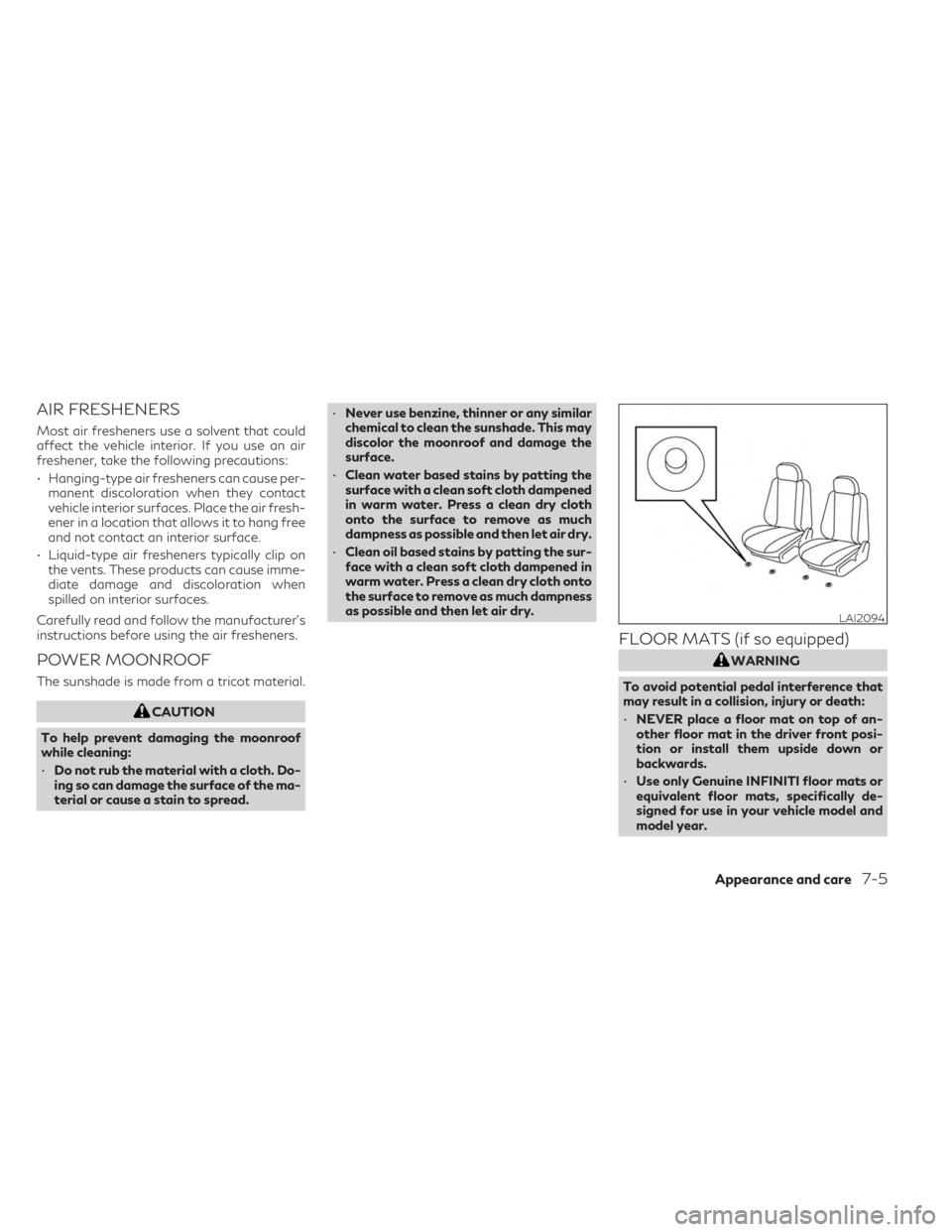
FLOOR MATS (if so equipped)
WARNING
To avoid potential pedal interference that
may result in a collision, injury or death:
• NEVER place a floor mat on top of an-
other floor mat in the driver front posi-
tion or install them upside down or
backwards.
• Use only Genuine INFINITI floor mats or
equivalent floor mats, specifically de-
signed for use in your vehicle model and
model year.
LAI2094
Appearance and care7-5