ECU INFINITI QX60-HYBRID 2017 Owner's Guide
[x] Cancel search | Manufacturer: INFINITI, Model Year: 2017, Model line: QX60-HYBRID, Model: INFINITI QX60-HYBRID 2017Pages: 655, PDF Size: 7.01 MB
Page 81 of 655
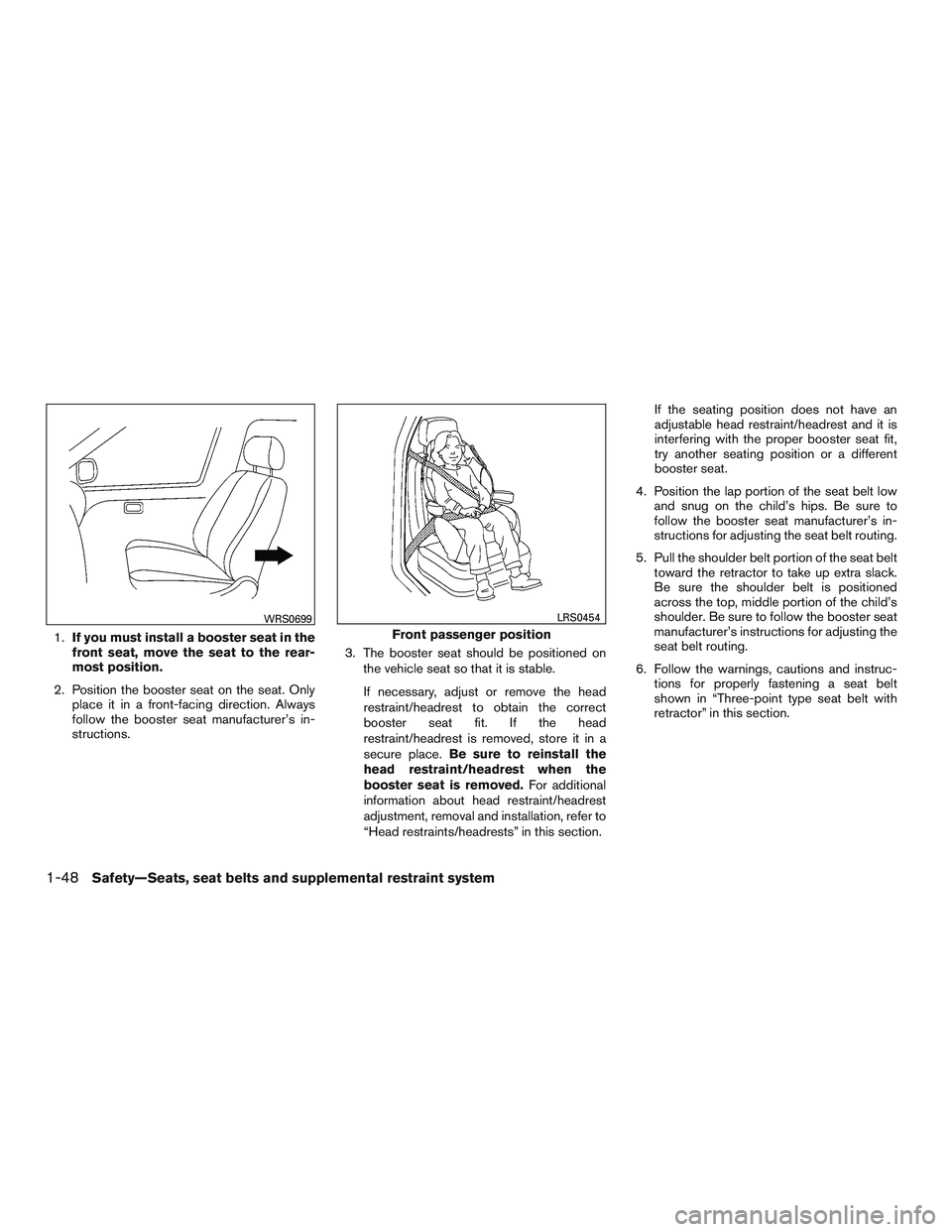
1.If you must install a booster seat in the
front seat, move the seat to the rear-
most position.
2. Position the booster seat on the seat. Only place it in a front-facing direction. Always
follow the booster seat manufacturer’s in-
structions. 3. The booster seat should be positioned on
the vehicle seat so that it is stable.
If necessary, adjust or remove the head
restraint/headrest to obtain the correct
booster seat fit. If the head
restraint/headrest is removed, store it in a
secure place. Be sure to reinstall the
head restraint/headrest when the
booster seat is removed. For additional
information about head restraint/headrest
adjustment, removal and installation, refer to
“Head restraints/headrests” in this section. If the seating position does not have an
adjustable head restraint/headrest and it is
interfering with the proper booster seat fit,
try another seating position or a different
booster seat.
4. Position the lap portion of the seat belt low and snug on the child’s hips. Be sure to
follow the booster seat manufacturer’s in-
structions for adjusting the seat belt routing.
5. Pull the shoulder belt portion of the seat belt toward the retractor to take up extra slack.
Be sure the shoulder belt is positioned
across the top, middle portion of the child’s
shoulder. Be sure to follow the booster seat
manufacturer’s instructions for adjusting the
seat belt routing.
6. Follow the warnings, cautions and instruc- tions for properly fastening a seat belt
shown in “Three-point type seat belt with
retractor” in this section.
WRS0699
Front passenger position
LRS0454
1-48Safety—Seats, seat belts and supplemental restraint system
Page 93 of 655
INFINITI recommends that pre-teens and chil-
dren be properly restrained in a rear seat.
INFINITI also recommends that appropriate child
restraints and booster seats be properly installed
in a rear seat. If this is not possible, the occupant
classification sensor is designed to operate as
described above to turn the front passenger air
bag OFF for specified child restraints as required
by the regulations. Failing to properly secure
child restraints and to use the ALR mode may
allow the restraint to tip or move in a collision or
sudden stop. This can also result in the passen-
ger air bag inflating in a crash instead of being
OFF. For additional information about proper use
and installation, refer to “Child restraints” in this
section.
If the front passenger seat is not occupied, the
front passenger air bag is designed not to inflate
in a crash. However, heavy objects placed on the
seat could result in air bag inflation, because of
the object’s weight detected by the occupant
classification sensor. Other conditions could also
result in air bag inflation, such as if a child is
standing on the seat, or if two children are on the
seat, contrary to the instructions in this manual.
Always be sure that you and all vehicle occupants
are seated and restrained properly.
Using the front passenger air bag status light, you
can monitor when the front passenger air bag is
automatically turned OFF.If an adult occupant is in the seat but the front
passenger air bag status light is illuminated (indi-
cating that the air bag is OFF) , it could be that the
person is a small adult, or is not sitting on the seat
properly or not using the seat belt properly.
If a child restraint must be used in the front seat,
the front passenger air bag status light may or
may not be illuminated, depending on the size of
the child and the type of child restraint being
used. If the air bag status light is not illuminated
(indicating that the air bag might inflate in a
crash) , it could be that the child restraint or seat
belt is not being used properly. Make sure that
the child restraint is installed properly, the seat
belt is used properly and the occupant is posi-
tioned properly. If the air bag status light is still not
illuminated, reposition the occupant or child re-
straint in a rear seat.
If the front passenger air bag status light will not
illuminate even though you believe that the child
restraint, the seat belts and the occupant are
properly positioned, it is recommended that you
take your vehicle to an INFINITI retailer. An
INFINITI retailer can check system status by us-
ing a special tool. However, until you have con-
firmed with a retailer that your air bag is working
properly, reposition the occupant or child re-
straint in a rear seat.
The INFINITI Advanced Air Bag System and front
passenger air bag status light will take a few
seconds to register a change in the front passen-
ger seat status. For example, if a large adult who
is sitting in the front passenger seat exits the
vehicle, the front passenger air bag status light
will go from OFF to ON for a few seconds and
then to OFF. This is normal system operation and
does not indicate a malfunction.
If a malfunction occurs in the front passenger air
bag system, the supplemental air bag warning
light
, located in the meter and gauges area
of the instrument panel, will be illuminated (blink-
ing or steadily lit) . Have the system checked. It is
recommended that you visit an INFINITI retailer
for this service.
Normal operation
In order for the occupant classification sensor
system to classify the front passenger based on
weight, please follow the precautions and steps
outlined below:
Precautions
● Make sure that there are no objects weigh-
ing over 2.2 lbs (1 kg) hanging on the seat or
placed in the seatback pocket.
1-60Safety—Seats, seat belts and supplemental restraint system
Page 103 of 655
2 Instruments and controls
Instrument panel...................................2-2
Meters and gauges ................................2-4
Speedometer and odometer .....................2-4
Tachometer ....................................2-5
Fuel gauge ....................................2-6
Assist Charge Gauge ...........................2-6
Warning lights, indicator lights and audible
reminders .........................................2-7
Checking lights ................................2-8
Warning lights .................................2-8
Indicator lights ................................ 2-13
Audible reminders ............................. 2-15
Vehicle Information Display ........................2-16
How to use the vehicle information display .......2-17
Startup display ................................ 2-17
Resetting the trip computer .....................2-18
Settings ...................................... 2-18
Vehicle information display warnings and
indicators ..................................... 2-27
Security systems ................................. 2-33
Vehicle security system ......................... 2-33
INFINITI vehicle immobilizer system ..............2-34
Wiper and washer switch ......................... 2-36Switch operation
.............................. 2-36
Rain-sensing auto wiper system
(if so equipped) ............................... 2-37
Rear switch operation .......................... 2-38
Rear window and outside mirror defroster switch .....2-39
Headlight and turn signal switch ....................2-40
Xenon headlights .............................. 2-40
Headlight control switch ........................ 2-40
Daytime running light system ....................2-45
Instrument brightness control ...................2-45
Turn signal switch ............................. 2-45
Fog light switch ............................... 2-46
Horn ............................................ 2-46
Climate controlled seat switches (if so equipped) ....2-47
Heated seat switches (if so equipped) ..............2-48
Heated 2nd row seat switches (if so equipped) ......2-49
Heated
steering wheel switch (if so equipped) .......2-50
Vehicle Dynamic Control (VDC) off switch ...........2-50
Warning systems switch (if so equipped) ............2-51
Power inverter switch (if so equipped) ..............2-52
E-call (SOS) switch (if so equipped) ................2-52
Power outlets .................................... 2-53
12v outlets ................................... 2-53
Page 110 of 655
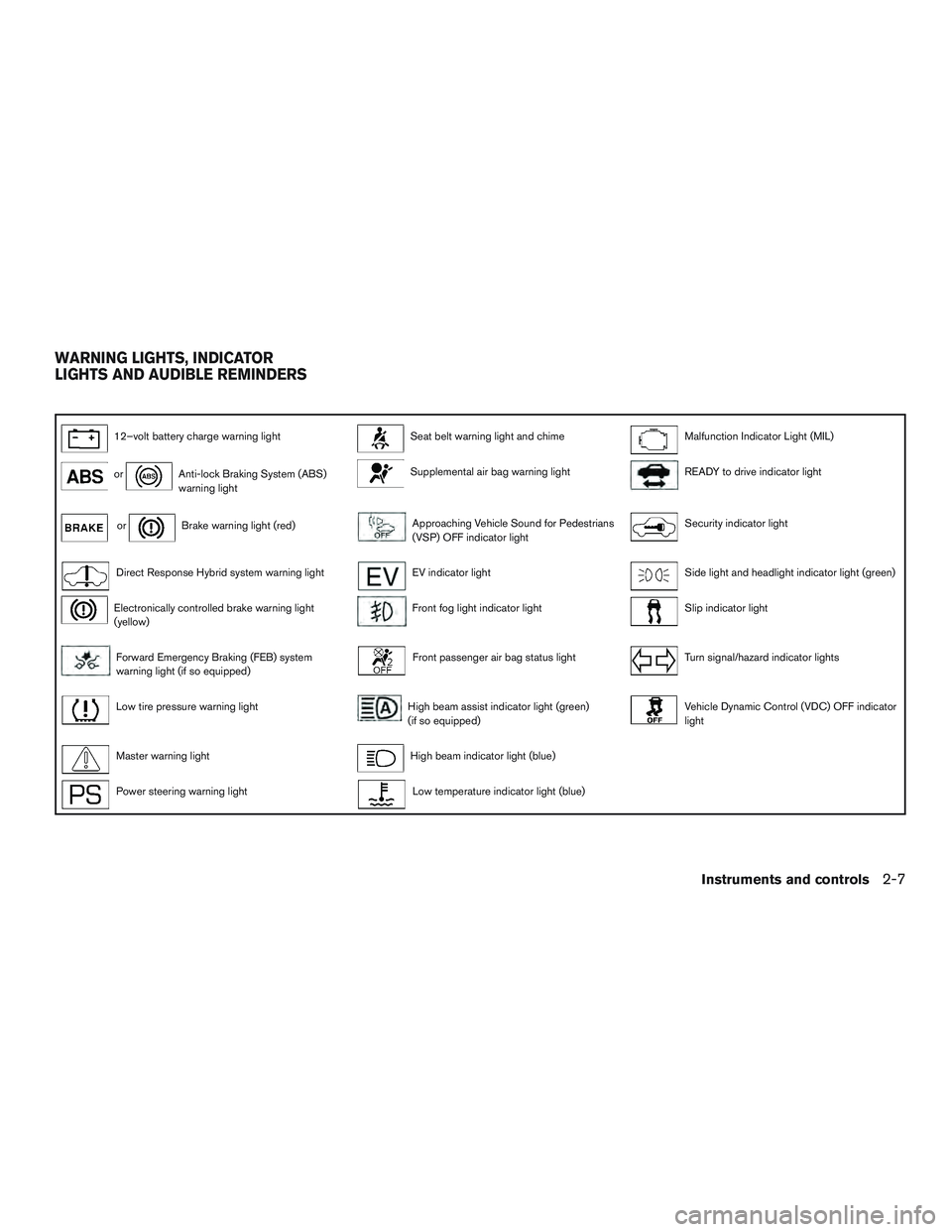
12–volt battery charge warning lightSeat belt warning light and chimeMalfunction Indicator Light (MIL)
orAnti-lock Braking System (ABS)
warning lightSupplemental air bag warning lightREADY to drive indicator light
orBrake warning light (red)Approaching Vehicle Sound for Pedestrians
(VSP) OFF indicator lightSecurity indicator light
Direct Response Hybrid system warning lightEV indicator lightSide light and headlight indicator light (green)
Electronically controlled brake warning light
(yellow)Front fog light indicator lightSlip indicator light
Forward Emergency Braking (FEB) system
warning light (if so equipped)Front passenger air bag status lightTurn signal/hazard indicator lights
Low tire pressure warning lightHigh beam assist indicator light (green)
(if so equipped)Vehicle Dynamic Control (VDC) OFF indicator
light
Master warning lightHigh beam indicator light (blue)
Power steering warning lightLow temperature indicator light (blue)
WARNING LIGHTS, INDICATOR
LIGHTS AND AUDIBLE REMINDERS
Instruments and controls2-7
Page 115 of 655
Master warning light
When the ignition switch is in the ON position,
the master warning light illuminates if any of the
following are displayed on the vehicle information
display:● No key warning
● Low fuel warning
● Low washer fluid warning
● Parking brake release warning
● Door open warning
● Loose fuel cap warning (if so equipped)
● Check tire pressure warning
For additional information, refer to “Vehicle infor-
mation display” in this section.
Power steering warning light
WARNING
● If the engine is not running or is turned
off while driving, the power assist for
the steering will not work. Steering will
be harder to operate. ●
When the power steering warning light
illuminates with the engine running,
there will be no power assist for the
steering. You will still have control of
the vehicle but the steering will be
harder to operate. Have the power
steering system checked. It is recom-
mended that you visit an INFINITI re-
tailer for this service.
When the ignition switch is placed in the ON
position, the power steering warning light illumi-
nates. After starting the engine, the power steer-
ing warning light turns off. This indicates that the
electric power steering system is operational.
If the power steering warning light illuminates
while the engine is running, it may indicate the
power steering system is not functioning properly
and may need servicing. Have the hydraulic pump
electric power steering system checked. It is
recommended that you visit an INFINITI retailer
for this service.
When the power steering warning light illumi-
nates with the engine running, there will be no
power assist for the steering but you will still have
control of the vehicle. At this time, greater steer-
ing effort is required to operate the steering
wheel, especially in sharp turns and at low
speeds. For additional information, refer to “Power steer-
ing” in the “Starting and driving” section of this
manual.
Seat belt warning light and
chime
The light and chime remind you to fasten your
seat belts. The light illuminates whenever the
ignition switch is placed in the ON or START
position and remains illuminated until the driver’s
seat belt is fastened. At the same time, the chime
sounds for about 6 seconds unless the driver’s
seat belt is securely fastened.
The seat belt warning light may also illuminate if
the front passenger’s seat belt is not fastened
when the front passenger’s seat is occupied . For
7 seconds after the ignition switch is placed in
the ON position, the system does not activate the
warning light for the front passenger.
For additional information, refer to “Seat belts” in
the “Safety—Seats, seat belts and supplemental
restraint system” section for precautions on seat
belt usage.
2-12Instruments and controls
Page 118 of 655
The MIL may stop blinking and come on steady.
Have the vehicle inspected. It is recommended
that you visit an INFINITI retailer for this service.
You do not need to have your vehicle towed to the
retailer.
CAUTION
Continued vehicle operation without hav-
ing the emission control system checked
and repaired as necessary could lead to
poor driveability, reduced fuel economy,
and possible damage to the emission con-
trol system.
READY to drive indicator light
The READY to drive indicator light illuminates
when the hybrid system is powered and the ve-
hicle may be driven.
Security indicator light
This light blinks whenever the ignition switch is in
the LOCK, OFF or ACC position. This function
indicates the security system equipped on the
vehicle is operational.
For additional information, refer to “Security sys-
tems” in this section.
Side light and headlightindicator light (green)
The side light and headlight indicator light illumi-
nates when the side light or headlight position is
selected. For additional information, refer to
“Headlight and turn signal switch” in this section.
Slip indicator light
This indicator will blink when the VDC system is
operating, thus alerting that the vehicle is nearing
its traction limits. The road surface may be slip-
pery.
Turn signal/hazard indicatorlights
The appropriate light flashes when the turn signal
switch is activated.
Both lights flash when the hazard switch is turned
on.
Vehicle Dynamic Control(VDC) OFF indicator light
This indicator light comes on when the VDC OFF
switch is pushed to OFF. This indicates the VDC
has been turned off.
Push the VDC OFF switch again or restart the
engine and the system will be reactivated. For
additional information, refer to “Vehicle Dynamic Control (VDC) system” in the “Starting and driv-
ing” section of this manual.
The VDC light also comes on when the ignition
switch is placed to the ON position. The light will
turn off after about 2 seconds if the system is
operational. If the light stays on or comes on
along with the
indicator light while you are
driving, have the system checked. It is recom-
mended that you visit an INFINITI retailer for this
service.
WARNING
VDC should remain on unless freeing a
vehicle from mud or snow.
While the VDC system is operating, you might
feel a slight vibration or hear the system working
when starting the vehicle or accelerating, but this
is normal.
AUDIBLE REMINDERS
Brake pad wear warning
The disc brake pads have audible wear warnings.
When a disc brake pad requires replacement, it
makes a high pitched scraping sound when the
vehicle is in motion, whether or not the brake
pedal is depressed. Have the brakes checked as
soon as possible if the warning sound is heard.
Instruments and controls2-15
Page 119 of 655
Key reminder chime
A chime sounds if the driver’s door is opened
while the ignition switch is placed in the ACC or
OFF position or placed in the OFF or LOCK
position with the Intelligent Key left in the vehicle.
Make sure the ignition switch is placed in the
LOCK position, and take the Intelligent Key with
you when leaving the vehicle.
Lane Departure Warning (LDW) and
Lane Departure Prevention (LDP)
warning chime (if so equipped)
When the LDW or LDP system is on, the chime
sounds if the vehicle is traveling close to either
the left or the right of a traveling lane with detect-
able lane markers.
For additional information, refer to “Lane Depar-
ture Warning (LDW)” or “Lane Departure Preven-
tion (LDP)” in the “Starting and driving” section of
this manual.
Light reminder chime
With the ignition switch placed in the OFF posi-
tion, a chime sounds when the driver’s door is
opened if the headlights or parking lights are on.
Turn the headlight control switch off before leav-
ing the vehicle.
Intelligent Key door buzzer
The Intelligent Key door buzzer sounds if any one
of the following improper operations is found.● The ignition switch is not returned to the
LOCK position when locking the doors.
● The Intelligent Key is left inside the vehicle
when locking the doors.
● The Intelligent Key is taken outside the ve-
hicle when operating the vehicle.
● Any doors are not closed securely when
locking the doors.
When the buzzer sounds, be sure to check both
the vehicle and the Intelligent Key System. For
additional information, refer to “INFINITI Intelli-
gent Key” in the “Pre-driving checks and adjust-
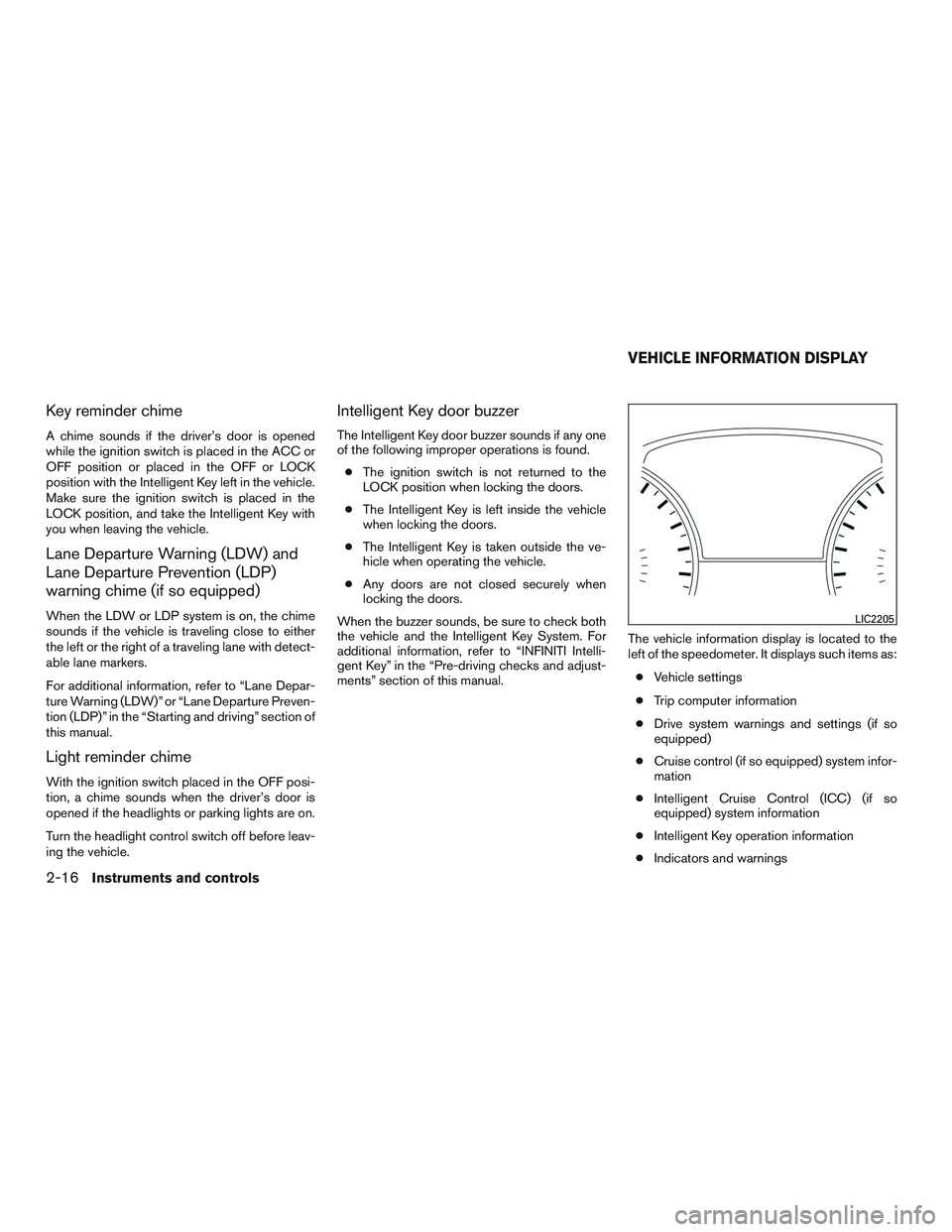
ments” section of this manual. The vehicle information display is located to the
left of the speedometer. It displays such items as:
● Vehicle settings
● Trip computer information
● Drive system warnings and settings (if so
equipped)
● Cruise control (if so equipped) system infor-
mation
● Intelligent Cruise Control (ICC) (if so
equipped) system information
● Intelligent Key operation information
● Indicators and warnings
LIC2205
VEHICLE INFORMATION DISPLAY
2-16Instruments and controls
Page 136 of 655
High Coolant Temp: See Owner’s Manual
This warning appears when the temperature of
the engine coolant is too high. Stop the vehicle in
a safe location as soon as possible. Avoid quick
starting or abrupt acceleration. When the warn-
ing turns off, the vehicle can be driven.
If the warning appears again soon after it turns
off, have the vehicle checked. It is recommended
that you visit an INFINITI retailer for this service.Your vehicle has two types of security systems:● Vehicle security system
● INFINITI Vehicle Immobilizer System
VEHICLE SECURITY SYSTEM
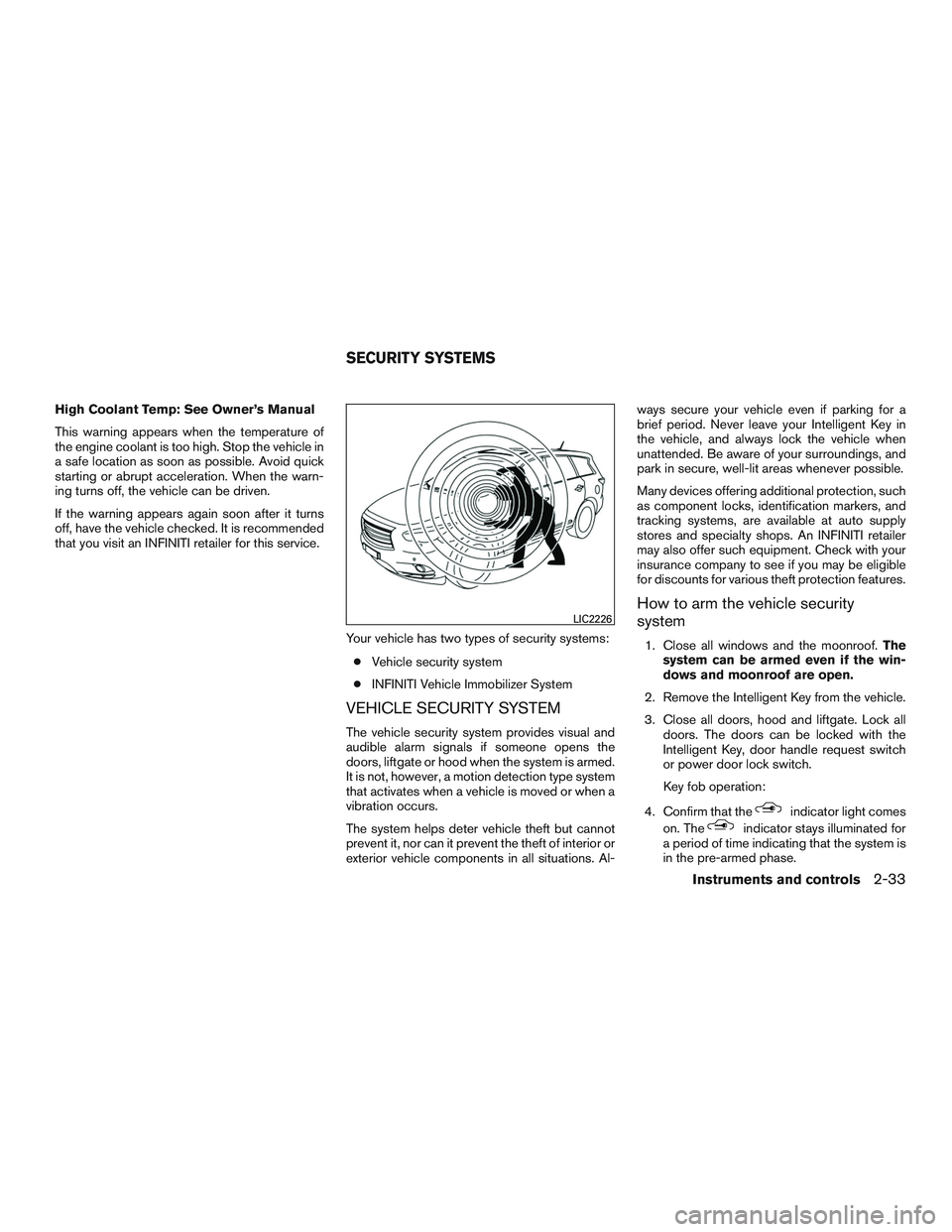
The vehicle security system provides visual and
audible alarm signals if someone opens the
doors, liftgate or hood when the system is armed.
It is not, however, a motion detection type system
that activates when a vehicle is moved or when a
vibration occurs.
The system helps deter vehicle theft but cannot
prevent it, nor can it prevent the theft of interior or
exterior vehicle components in all situations. Al- ways secure your vehicle even if parking for a
brief period. Never leave your Intelligent Key in
the vehicle, and always lock the vehicle when
unattended. Be aware of your surroundings, and
park in secure, well-lit areas whenever possible.
Many devices offering additional protection, such
as component locks, identification markers, and
tracking systems, are available at auto supply
stores and specialty shops. An INFINITI retailer
may also offer such equipment. Check with your
insurance company to see if you may be eligible
for discounts for various theft protection features.
How to arm the vehicle security
system
1. Close all windows and the moonroof.
The
system can be armed even if the win-
dows and moonroof are open.
2. Remove the Intelligent Key from the vehicle.
3. Close all doors, hood and liftgate. Lock all doors. The doors can be locked with the
Intelligent Key, door handle request switch
or power door lock switch.
Key fob operation:
4. Confirm that the
indicator light comes
on. The
indicator stays illuminated for
a period of time indicating that the system is
in the pre-armed phase.
LIC2226
SECURITY SYSTEMS
Instruments and controls2-33
Page 137 of 655
Theindicator light will blink every
3 seconds once the security system is
armed.
If during the pre-armed phase one of the
following occurs, the system will not arm:
● Any door is unlocked with the mechanical
key
● A door is opened with the release button
with the Intelligent Key on your person
● The doors are unlocked using the unlock
button on the Intelligent Key
● The ignition switch is placed in the ACC
or ON position
● Even when the driver and/or passen-
gers are in the vehicle, the system will
activate when all the doors, hood and
liftgate are locked with the ignition
switch placed in the LOCK position.
When placing the ignition switch in the
ACC or ON position, the system will be
released.
Vehicle security system activation
The vehicle security system will give the following
alarm:
● The turn signals blink and the horn sounds
intermittently. ●
The alarm automatically turns off after a pe-
riod of time. However, the alarm reactivates if
the vehicle is tampered with again. The alarm
can be shut off by unlocking the driver’s door
or liftgate with the key, or by pressing
the
button on the Intelligent Key.
The alarm is activated by:
● opening the door or liftgate without using the
key or Intelligent Key (even if the door is
unlocked by releasing the door inside lock
switch) .
How to stop an activated alarm
The alarm stops only by unlocking the driver’s
door or the liftgate with the key, pressing
the
button on the Intelligent Key, or press-
ing the request switch on the driver’s or passen-
ger’s door with the Intelligent Key in range of the
door handle.
INFINITI VEHICLE IMMOBILIZER
SYSTEM
The INFINITI Vehicle Immobilizer System will not
allow the engine to start without the use of a
registered INFINITI Vehicle Immobilizer System
key.
If the engine fails to start using a registered
INFINITI Vehicle Immobilizer System key (for ex-
ample, when interference is caused by another INFINITI Vehicle Immobilizer System key, an au-
tomated toll road device or automatic payment
device on the key ring) , restart the engine using
the following procedures:
1. Leave the ignition switch in the ON position for approximately 5 seconds.
2. Place the ignition switch in the OFF or LOCK position, and wait approximately
10 seconds.
3. Repeat steps 1 and 2.
4. Restart the engine while holding the device (which may have caused the interference)
separate from the registered INFINITI Ve-
hicle Immobilizer System key.
If the no start condition re-occurs, INFINITI rec-
ommends placing the registered INFINITI Vehicle
Immobilizer System key on a separate key ring to
avoid interference from other devices.
FCC Notice:
For USA:
This device complies with part 15 of the
FCC Rules. Operation is subject to the fol-
lowing two conditions: (1) This device may
not cause harmful interference, and (2) this
device must accept any interference re-
ceived, including interference that may
cause undesired operation.
2-34Instruments and controls
Page 138 of 655
NOTE:
Changes or modifications not expressly ap-
proved by the party responsible for compli-
ance could void the user’s authority to op-
erate the equipment.
For Canada:
This device complies with Industry Canada
license-exempt RSS standard(s) . Opera-
tion is subject to the following two condi-
tions: (1) this device may not cause inter-
ference, and (2) this device must accept any
interference, including interference that
may cause undesired operation of the de-
vice.
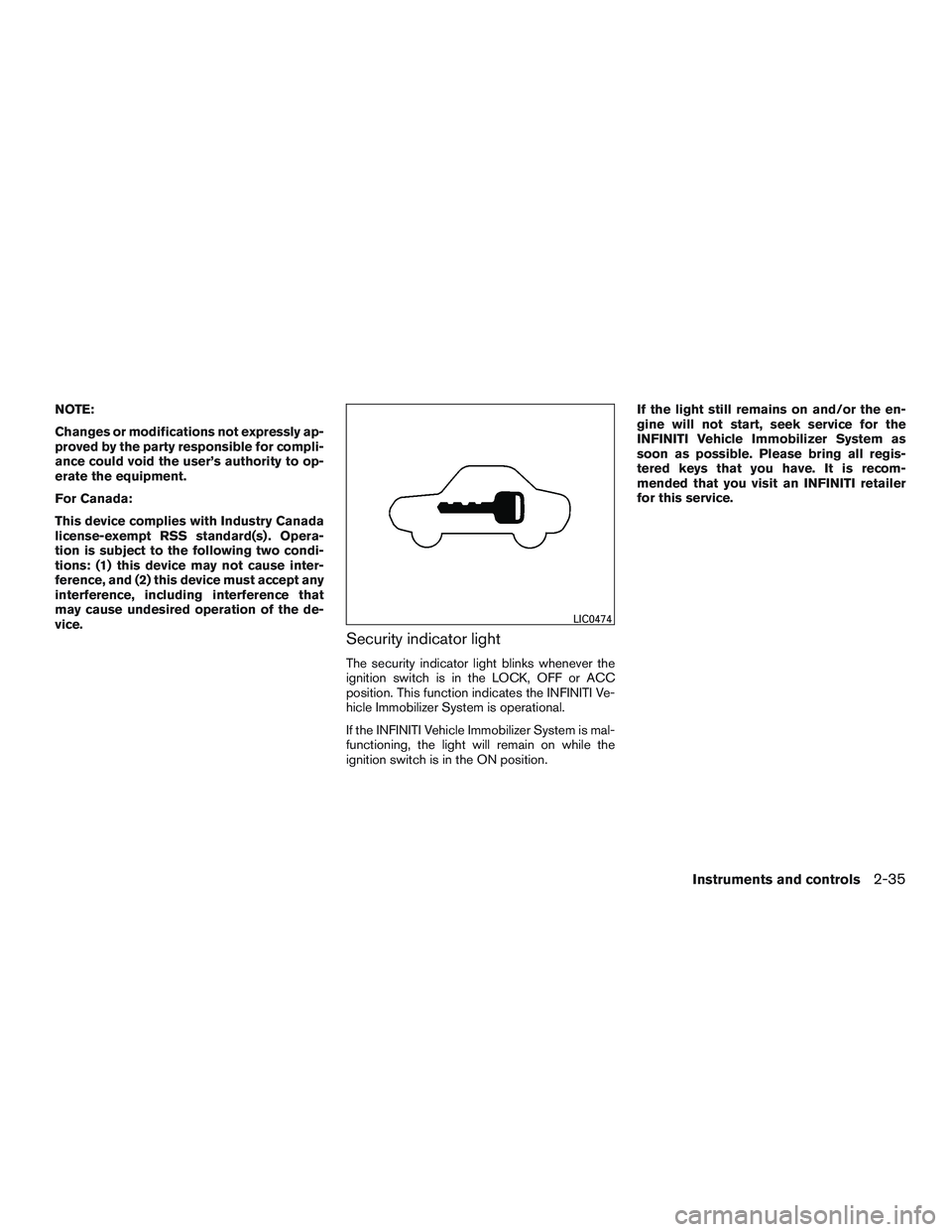
Security indicator light
The security indicator light blinks whenever the
ignition switch is in the LOCK, OFF or ACC
position. This function indicates the INFINITI Ve-
hicle Immobilizer System is operational.
If the INFINITI Vehicle Immobilizer System is mal-
functioning, the light will remain on while the
ignition switch is in the ON position.If the light still remains on and/or the en-
gine will not start, seek service for the
INFINITI Vehicle Immobilizer System as
soon as possible. Please bring all regis-
tered keys that you have. It is recom-
mended that you visit an INFINITI retailer
for this service.
LIC0474
Instruments and controls2-35