Asl JAGUAR XF 2009 1.G Owners Manual
[x] Cancel search | Manufacturer: JAGUAR, Model Year: 2009, Model line: XF, Model: JAGUAR XF 2009 1.GPages: 391, PDF Size: 19.32 MB
Page 4 of 391
Contents
4
SIDE REPEATER LAMP .................................. 85
REAR LAMP BULBS ....................................... 85
BULB SPECIFICATION CHART ........................ 87
Wipers and washers
WINDSCREEN WIPERS .................................. 88
RAIN SENSOR ................................................ 89
WINDSCREEN WASHERS............................... 89
HEADLAMP WASHERS................................... 90
CHECKING THE WIPER BLADES .................... 90
CHANGING THE WIPER BLADES .................... 91
Windows and mirrors
ELECTRIC WINDOWS ..................................... 93
INTERIOR MIRROR ........................................ 94
EXTERIOR MIRRORS ..................................... 95
BLIND SPOT MONITOR .................................. 97
Instruments
INSTRUMENT PANEL OVERVIEW .................. 99
WARNING LAMPS AND INDICATORS .......... 100
AUDIBLE WARNINGS AND INDICATORS ..... 104
Information displays
GENERAL INFORMATION ............................. 105
WARNING AND INFORMATION MESSAGES. 106
TRIP COMPUTER ......................................... 107
TOUCH-SCREEN ........................................... 109
PERSONALISED SETTINGS .......................... 111
Climate control
AIR VENTS ................................................... 115
AUTOMATIC CLIMATE CONTROL ................. 116
ELECTRIC SUNROOF .................................... 121
Convenience features
SUN VISORS ................................................ 123
SUN BLINDS................................................. 123
INSTRUMENT LIGHTING DIMMER ............... 123
CLOCK .......................................................... 124
AUXILIARY POWER SOCKETS ..................... 125
GLOVE BOX .................................................. 125
CUP HOLDERS ............................................. 126
STORAGE COMPARTMENTS ........................ 127
GARAGE DOOR TRANSCEIVER .................... 128
PORTABLE AUDIO INTERFACE..................... 131
Starting the engine
GENERAL INFORMATION.............................. 132
KEYLESS STARTING ..................................... 133
SWITCHING OFF THE ENGINE....................... 134
DIESEL PARTICULATE FILTER (DPF)............ 135
Transmission
AUTOMATIC TRANSMISSION ....................... 137
Brakes
PRINCIPLE OF OPERATION .......................... 144
HINTS ON DRIVING WITH ABS ..................... 144
ELECTRIC PARKING BRAKE (EPB) ............... 146
Parking aid
PRINCIPLE OF OPERATION .......................... 148
USING THE PARKING AID ............................. 148
Rear view camera
PRINCIPLE OF OPERATION .......................... 152
Driving hints
RUNNING-IN ................................................. 154
ECONOMICAL DRIVING ................................ 155
Cruise control
PRINCIPLE OF OPERATION .......................... 156
USING CRUISE CONTROL............................. 156
Adaptive cruise control (ACC)
PRINCIPLE OF OPERATION .......................... 159
USING ACC ................................................... 159
FORWARD ALERT FUNCTION ....................... 164
ADVANCED EMERGENCY BRAKE ASSIST..... 165
Automatic speed limiter (ASL)
PRINCIPLE OF OPERATION .......................... 167
USING THE ASL ............................................ 167
Driving dynamics
GENERAL INFORMATION.............................. 169
WINTER MODE ............................................. 169
DYNAMIC MODE ........................................... 170
STABILITY CONTROL.................................... 170
Fuel and refuelling
SAFETY PRECAUTIONS................................. 174
Page 100 of 391
Instruments
100
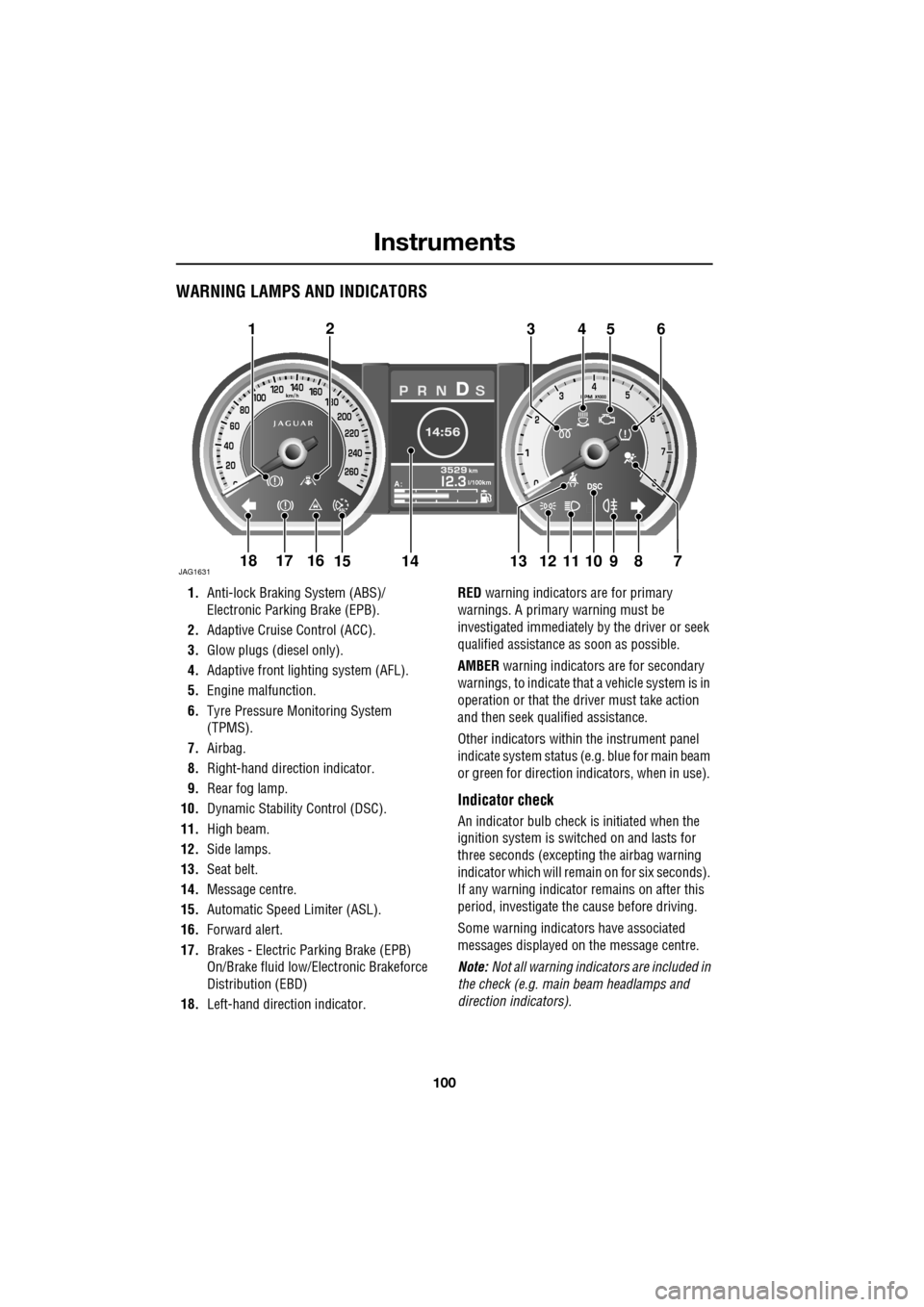
WARNING LAMPS AND INDICATORS
1.Anti-lock Braking System (ABS)/
Electronic Parking Brake (EPB).
2. Adaptive Cruise Control (ACC).
3. Glow plugs (diesel only).
4. Adaptive front lighting system (AFL).
5. Engine malfunction.
6. Tyre Pressure M onitoring System
(TPMS).
7. Airbag.
8. Right-hand direct ion indicator.
9. Rear fog lamp.
10. Dynamic Stability Control (DSC).
11. High beam.
12. Side lamps.
13. Seat belt.
14. Message centre.
15. Automatic Speed Limiter (ASL).
16. Forward alert.
17. Brakes - Electric Parking Brake (EPB)
On/Brake fluid low/El ectronic Brakeforce
Distribution (EBD)
18. Left-hand direction indicator. RED
warning indicators are for primary
warnings. A primary warning must be
investigated immediately by the driver or seek
qualified assistance as soon as possible.
AMBER warning indicators are for secondary
warnings, to indicate that a vehicle system is in
operation or that the driver must take action
and then seek qualified assistance.
Other indicators within the instrument panel
indicate system status (e .g. blue for main beam
or green for direction indicators, when in use).
Indicator check
An indicator bulb check is initiated when the
ignition system is switched on and lasts for
three seconds (excepting the airbag warning
indicator which will remain on for six seconds).
If any warning indicator remains on after this
period, investigate the cause before driving.
Some warning indicators have associated
messages displayed on the message centre.
Note: Not all warning indicators are included in
the check (e.g. main beam headlamps and
direction indicators).
Akm
l/100km
JAG1631
123456
789101817161514131211
Page 167 of 391
167
Automatic speed limiter (ASL)
PRINCIPLE OF OPERATION
ASL can be used in a situation where varying
vehicle speed is likely but a maximum speed
must not be exceeded. For example, where a
local speed limit is 80 km/h (50 mph), the set
speed could be at that limit or just under.
If ASL is not selected, cr uise control is always
available by simply rotating the thumb wheel
on the right-hand side of the steering wheel to
set a cruising speed. The ASL button allows the
driver to select betwee n cruise control and the
automatic speed limiter. The ASL can be set to
any speed between 30 km/h (18 mph) and 240
km/h (150 mph).
Note: Although ASL only operates at speeds
between 30 km/h (18 mph) and 240 km/h (150
mph), the maximum speed can be set when the
vehicle is stationary.
When ASL is selected, the warning indicator in
the instrument panel will illuminate. When the
ASL button is pressed ag ain, the light will
extinguish, ASL will be cancelled and cruise
control will be available again.
USING THE ASL
Setting a speed limit
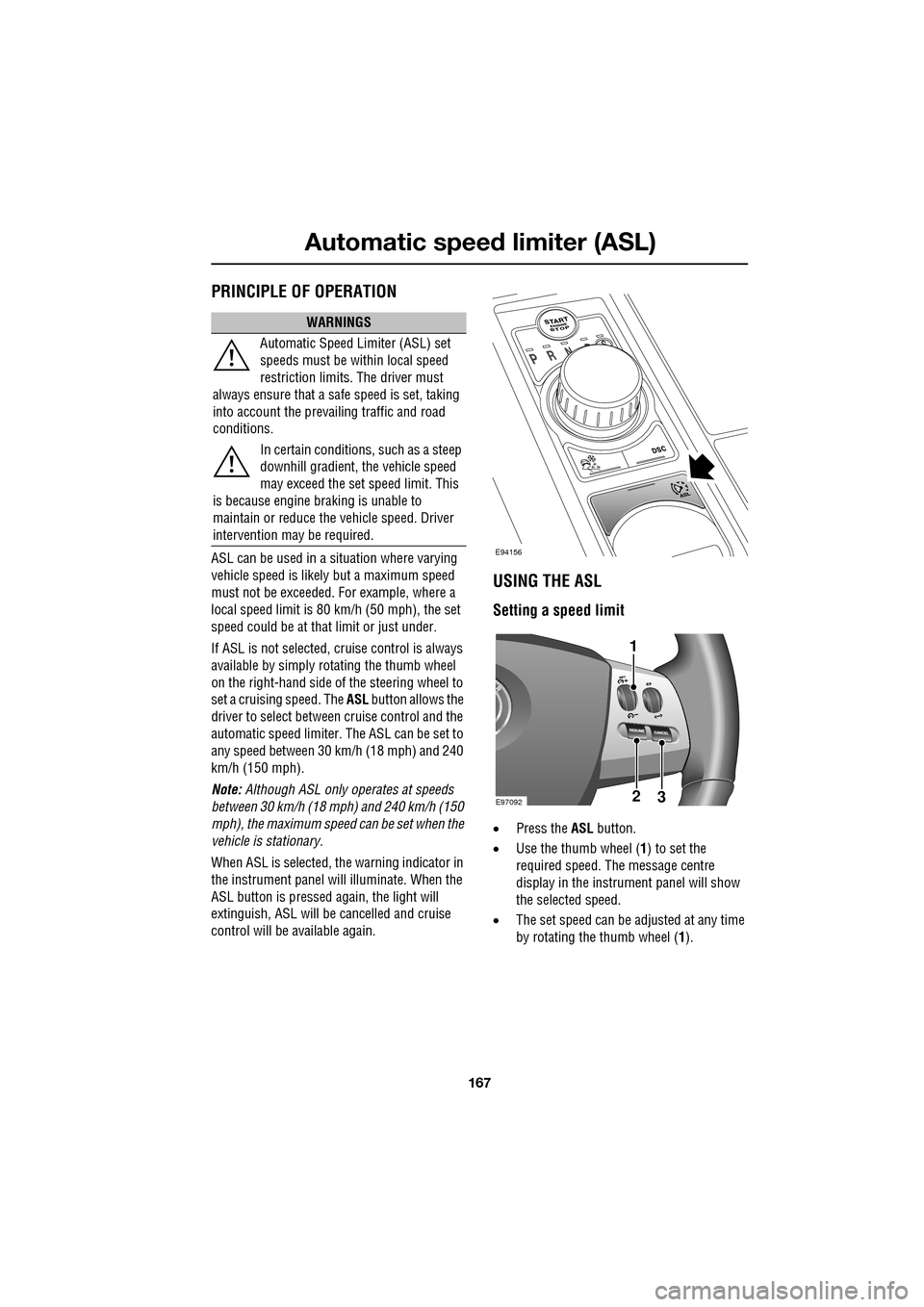
• Press the ASL button.
• Use the thumb wheel ( 1) to set the
required speed. The message centre
display in the instru ment panel will show
the selected speed.
• The set speed can be adjusted at any time
by rotating the thumb wheel (1).
WARNINGS
Automatic Speed Limiter (ASL) set
speeds must be within local speed
restriction limits. The driver must
always ensure that a safe speed is set, taking
into account the prevailing traffic and road
conditions.
In certain conditions, such as a steep
downhill gradient, the vehicle speed
may exceed the set speed limit. This
is because engine br aking is unable to
maintain or reduce the vehicle speed. Driver
intervention may be required.
E94156
E9709223
1
Page 168 of 391
Automatic speed limiter (ASL)
168
Note: The message is also displayed at other
times as an information display.
When ASL is selected and a set speed inserted,
the engine will respond normally up to the set
speed. Further accelerator pedal pressure will
not increase the vehicle speed beyond your set
speed, unless kickdown is initiated, in which
case ASL will be suspended.
Suspending ASL
ASL can be suspended by pressing the
CANCEL button ( 3). Applying sudden, rapid
acceleration (kickdown) will also suspend ASL.
Resuming ASL
If ASL has been suspended, it can be reinstated
with a single press of the RESUME button (2),
however, ASL will only reinstate if the vehicle
speed is less than the current speed set in
memory and greater than 30 km/h (18 mph).
The message centre will display an appropriate
message if the vehicle speed is too fast to
resume ASL.
Exceeding the set speed
If the set speed is exceeded, e.g. on a steep
downhill section, th e message centre will
display an appropriate message along with an
amber warning indicator. There are three categor
ies of over limit
displays:
• If the set speed is exceeded by up to 3
km/h (1.8 mph), the message centre will
display the message along with an amber
warning indicator.
• If the set speed is exceeded by more than
7 km/h (4 mph), the message centre will
display the message along with a flashing
red warning indicator.
• If the set speed is exceeded by more than
7 km/h (4 mph) for a duration of four
seconds, the message centre will display
the message along with a flashing red
warning indicator and an audible warning
tone.
Use your brakes to rectify the situation.
ASL unavailable
If ASL is not available due to a fault, the
message centre will display an appropriate
message along with an amber warning
indicator.
The message and warning indicator will display
when the driver attempts to use ASL.
When the ignition is switched off, ASL is
deactivated and any set speed is deleted from
memory.
LIMITER SET
XXX km/h (MPH)
LIMITER CANCELLED
TOO FAST TO RESUME
OVER LIMIT XXX km/h (MPH)
LIMITER NOT AVAILABLE
Page 381 of 391
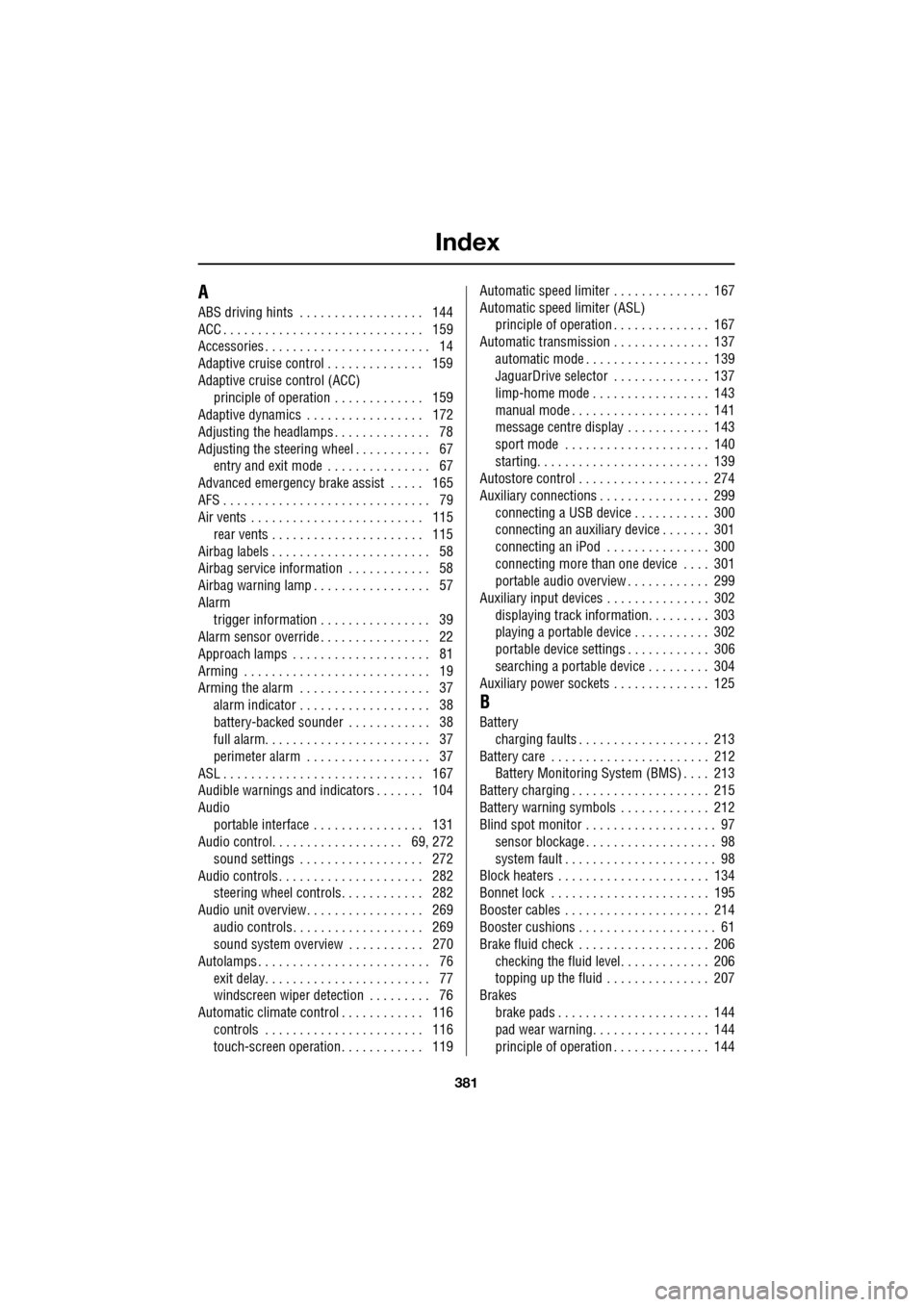
Index
381
A
ABS driving hints . . . . . . . . . . . . . . . . . . 144
ACC . . . . . . . . . . . . . . . . . . . . . . . . . . . . . 159
Accessories . . . . . . . . . . . . . . . . . . . . . . . . 14
Adaptive cruise control . . . . . . . . . . . . . . 159
Adaptive cruise control (ACC)principle of operation . . . . . . . . . . . . . 159
Adaptive dynamics . . . . . . . . . . . . . . . . . 172
Adjusting the headlamps . . . . . . . . . . . . . . 78
Adjusting the steering wheel . . . . . . . . . . . 67 entry and exit mode . . . . . . . . . . . . . . . 67
Advanced emergency brake assist . . . . . 165
AFS . . . . . . . . . . . . . . . . . . . . . . . . . . . . . . 79
Air vents . . . . . . . . . . . . . . . . . . . . . . . . . 115 rear vents . . . . . . . . . . . . . . . . . . . . . . 115
Airbag labels . . . . . . . . . . . . . . . . . . . . . . . 58
Airbag service information . . . . . . . . . . . . 58
Airbag warning lamp . . . . . . . . . . . . . . . . . 57
Alarm trigger information . . . . . . . . . . . . . . . . 39
Alarm sensor override . . . . . . . . . . . . . . . . 22
Approach lamps . . . . . . . . . . . . . . . . . . . . 81
Arming . . . . . . . . . . . . . . . . . . . . . . . . . . . 19
Arming the alarm . . . . . . . . . . . . . . . . . . . 37
alarm indicator . . . . . . . . . . . . . . . . . . . 38
battery-backed sounder . . . . . . . . . . . . 38
full alarm. . . . . . . . . . . . . . . . . . . . . . . . 37
perimeter alarm . . . . . . . . . . . . . . . . . . 37
ASL . . . . . . . . . . . . . . . . . . . . . . . . . . . . . 167
Audible warnings and indicators . . . . . . . 104
Audio portable interface . . . . . . . . . . . . . . . . 131
Audio control. . . . . . . . . . . . . . . . . . . 69, 272
sound settings . . . . . . . . . . . . . . . . . . 272
Audio controls . . . . . . . . . . . . . . . . . . . . . 282 steering wheel controls. . . . . . . . . . . . 282
Audio unit overview. . . . . . . . . . . . . . . . . 269 audio controls . . . . . . . . . . . . . . . . . . . 269
sound system overview . . . . . . . . . . . 270
Autolamps . . . . . . . . . . . . . . . . . . . . . . . . . 76 exit delay. . . . . . . . . . . . . . . . . . . . . . . . 77
windscreen wiper detection . . . . . . . . . 76
Automatic climate control . . . . . . . . . . . . 116 controls . . . . . . . . . . . . . . . . . . . . . . . 116
touch-screen operation . . . . . . . . . . . . 119 Automatic speed limiter . . . . . . . . . . . . . . 167
Automatic speed limiter (ASL)
principle of operation . . . . . . . . . . . . . . 167
Automatic transmission . . . . . . . . . . . . . . 137
automatic mode . . . . . . . . . . . . . . . . . . 139
JaguarDrive selector . . . . . . . . . . . . . . 137
limp-home mode . . . . . . . . . . . . . . . . . 143
manual mode . . . . . . . . . . . . . . . . . . . . 141
message centre display . . . . . . . . . . . . 143
sport mode . . . . . . . . . . . . . . . . . . . . . 140
starting. . . . . . . . . . . . . . . . . . . . . . . . . 139
Autostore control . . . . . . . . . . . . . . . . . . . 274
Auxiliary connections . . . . . . . . . . . . . . . . 299 connecting a USB device . . . . . . . . . . . 300
connecting an auxiliary device . . . . . . . 301
connecting an iPod . . . . . . . . . . . . . . . 300
connecting more than one device . . . . 301
portable audio overview . . . . . . . . . . . . 299
Auxiliary input devices . . . . . . . . . . . . . . . 302 displaying track information. . . . . . . . . 303
playing a portable device . . . . . . . . . . . 302
portable device settings . . . . . . . . . . . . 306
searching a portable device . . . . . . . . . 304
Auxiliary power sockets . . . . . . . . . . . . . . 125
B
Battery charging faults . . . . . . . . . . . . . . . . . . . 213
Battery care . . . . . . . . . . . . . . . . . . . . . . . 212 Battery Monitoring System (BMS) . . . . 213
Battery charging . . . . . . . . . . . . . . . . . . . . 215
Battery warning symbols . . . . . . . . . . . . . 212
Blind spot monitor . . . . . . . . . . . . . . . . . . . 97 sensor blockage . . . . . . . . . . . . . . . . . . . 98
system fault . . . . . . . . . . . . . . . . . . . . . . 98
Block heaters . . . . . . . . . . . . . . . . . . . . . . 134
Bonnet lock . . . . . . . . . . . . . . . . . . . . . . . 195
Booster cables . . . . . . . . . . . . . . . . . . . . . 214
Booster cushions . . . . . . . . . . . . . . . . . . . . 61
Brake fluid check . . . . . . . . . . . . . . . . . . . 206
checking the fluid level. . . . . . . . . . . . . 206
topping up the fluid . . . . . . . . . . . . . . . 207
Brakes
brake pads . . . . . . . . . . . . . . . . . . . . . . 144
pad wear warning. . . . . . . . . . . . . . . . . 144
principle of operation . . . . . . . . . . . . . . 144
Page 389 of 391
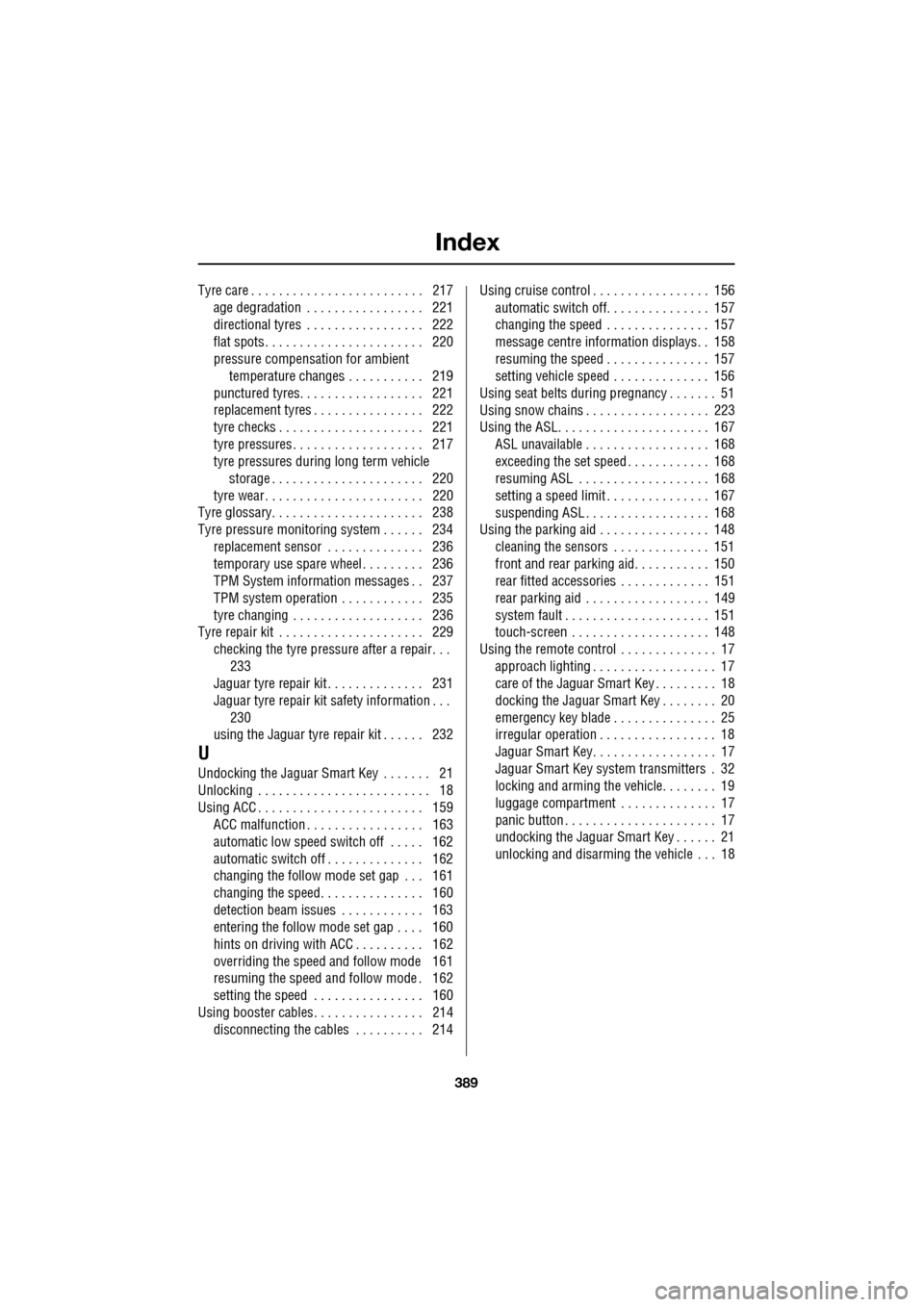
Index
389
Tyre care . . . . . . . . . . . . . . . . . . . . . . . . . 217age degradation . . . . . . . . . . . . . . . . . 221
directional tyres . . . . . . . . . . . . . . . . . 222
flat spots . . . . . . . . . . . . . . . . . . . . . . . 220
pressure compensation for ambient temperature changes . . . . . . . . . . . 219
punctured tyres. . . . . . . . . . . . . . . . . . 221
replacement tyres . . . . . . . . . . . . . . . . 222
tyre checks . . . . . . . . . . . . . . . . . . . . . 221
tyre pressures . . . . . . . . . . . . . . . . . . . 217
tyre pressures during long term vehicle storage . . . . . . . . . . . . . . . . . . . . . . 220
tyre wear . . . . . . . . . . . . . . . . . . . . . . . 220
Tyre glossary. . . . . . . . . . . . . . . . . . . . . . 238
Tyre pressure monitoring system . . . . . . 234
replacement sensor . . . . . . . . . . . . . . 236
temporary use spare wheel . . . . . . . . . 236
TPM System information messages . . 237
TPM system operation . . . . . . . . . . . . 235
tyre changing . . . . . . . . . . . . . . . . . . . 236
Tyre repair kit . . . . . . . . . . . . . . . . . . . . . 229
checking the tyre pressure after a repair. . . 233
Jaguar tyre repair kit . . . . . . . . . . . . . . 231
Jaguar tyre repair kit safety information . . . 230
using the Jaguar tyre repair kit . . . . . . 232
U
Undocking the Jaguar Smart Key . . . . . . . 21
Unlocking . . . . . . . . . . . . . . . . . . . . . . . . . 18
Using ACC . . . . . . . . . . . . . . . . . . . . . . . . 159 ACC malfunction . . . . . . . . . . . . . . . . . 163
automatic low speed switch off . . . . . 162
automatic switch off . . . . . . . . . . . . . . 162
changing the follow mode set gap . . . 161
changing the speed. . . . . . . . . . . . . . . 160
detection beam issues . . . . . . . . . . . . 163
entering the follow mode set gap . . . . 160
hints on driving with ACC . . . . . . . . . . 162
overriding the speed and follow mode 161
resuming the speed and follow mode . 162
setting the speed . . . . . . . . . . . . . . . . 160
Using booster cables. . . . . . . . . . . . . . . . 214 disconnecting the cables . . . . . . . . . . 214 Using cruise control . . . . . . . . . . . . . . . . . 156
automatic switch off. . . . . . . . . . . . . . . 157
changing the speed . . . . . . . . . . . . . . . 157
message centre information displays. . 158
resuming the speed . . . . . . . . . . . . . . . 157
setting vehicle speed . . . . . . . . . . . . . . 156
Using seat belts during pr egnancy . . . . . . . 51
Using snow chains . . . . . . . . . . . . . . . . . . 223
Using the ASL. . . . . . . . . . . . . . . . . . . . . . 167
ASL unavailable . . . . . . . . . . . . . . . . . . 168
exceeding the set speed . . . . . . . . . . . . 168
resuming ASL . . . . . . . . . . . . . . . . . . . 168
setting a speed limit . . . . . . . . . . . . . . . 167
suspending ASL . . . . . . . . . . . . . . . . . . 168
Using the parking aid . . . . . . . . . . . . . . . . 148
cleaning the sensors . . . . . . . . . . . . . . 151
front and rear parking aid. . . . . . . . . . . 150
rear fitted accessories . . . . . . . . . . . . . 151
rear parking aid . . . . . . . . . . . . . . . . . . 149
system fault . . . . . . . . . . . . . . . . . . . . . 151
touch-screen . . . . . . . . . . . . . . . . . . . . 148
Using the remote control . . . . . . . . . . . . . . 17 approach lighting . . . . . . . . . . . . . . . . . . 17
care of the Jaguar Smart Key . . . . . . . . . 18
docking the Jaguar Smart Key . . . . . . . . 20
emergency key blade . . . . . . . . . . . . . . . 25
irregular operation . . . . . . . . . . . . . . . . . 18
Jaguar Smart Key. . . . . . . . . . . . . . . . . . 17
Jaguar Smart Key system transmitters . 32
locking and arming the vehicle. . . . . . . . 19
luggage compartment . . . . . . . . . . . . . . 17
panic button . . . . . . . . . . . . . . . . . . . . . . 17
undocking the Jaguar Smart Key . . . . . . 21
unlocking and disarming the vehicle . . . 18