light JAGUAR XJ 2004 X350 / 3.G Owner's Manual
[x] Cancel search | Manufacturer: JAGUAR, Model Year: 2004, Model line: XJ, Model: JAGUAR XJ 2004 X350 / 3.GPages: 227, PDF Size: 4.22 MB
Page 57 of 227
3 - 18 Before Driving
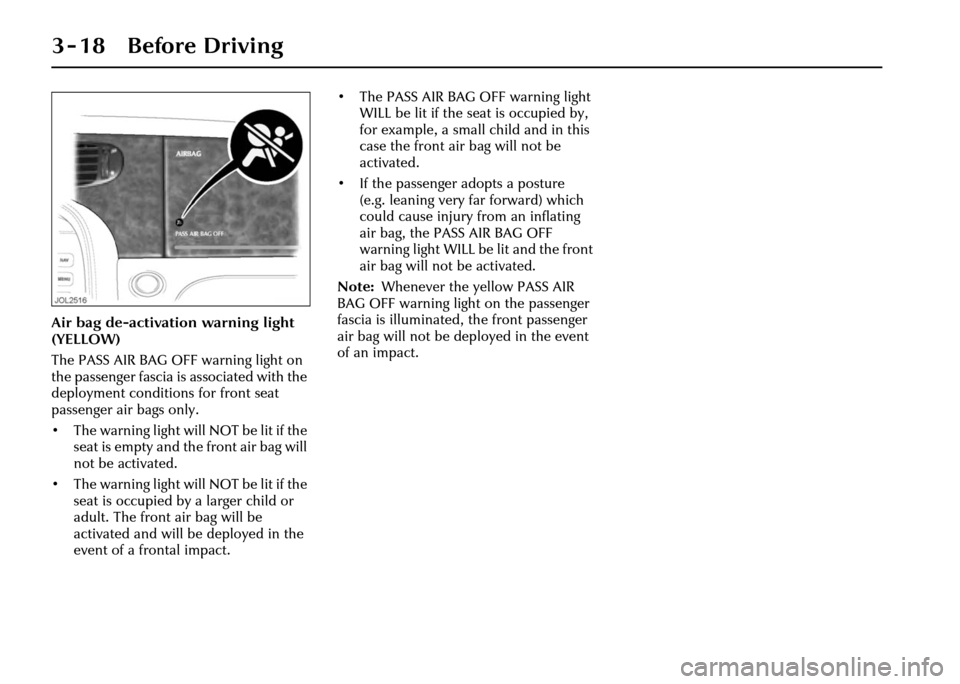
Air bag de-activation warning light
(YELLOW)
The PASS AIR BAG OFF warning light on
the passenger fascia is associated with the
deployment conditions for front seat
passenger air bags only.
• The warning light will NOT be lit if the seat is empty and the front air bag will
not be activated.
• The warning light will NOT be lit if the seat is occupied by a larger child or
adult. The front air bag will be
activated and will be deployed in the
event of a frontal impact. • The PASS AIR BAG OFF warning light
WILL be lit if the seat is occupied by,
for example, a small child and in this
case the front air bag will not be
activated.
• If the passenger adopts a posture (e.g. leaning very far forward) which
could cause injury from an inflating
air bag, the PASS AIR BAG OFF
warning light WILL be lit and the front
air bag will not be activated.
Note: Whenever the yellow PASS AIR
BAG OFF warning light on the passenger
fascia is illuminated, the front passenger
air bag will not be deployed in the event
of an impact.
Page 63 of 227
3 - 24 Before Driving
Holding a baby or child in a person’s
arms is not a substitute for a child
restraint system. Do not use a seat belt to
restrain more than one person.
In an accident, a baby or child held in a
person’s arms can be crushed between
the vehicles interior and a restrained
person.
The child can also be injured by hitting
the interior or being thrown from the
vehicle during a sudden manoeuvre or
impact.
Injury can also be caused if the baby or
child is allowed to ride on the seat
unrestrained. Other occupants should
also be properly restra ined to help reduce
the chance of injuring the child.
Do not allow children to stand in the
space between the front seats, or on the
passenger seats.
!WARNING:
1. Do not put an adult seat belt around two children.
2. Choose a child seat that sits
securely on the seat cushion and
against the back seat.
3. Always use the top tether to secure a forward-facing child seat
where possible (see page 3 - 29). Choosing a suitable child seat
Before you buy a child seat, it is
important to note that your child’s
weight, rather than age, determines the
type of seat that is required.
Jaguar recommends that a rear-
facing seat with a harness is used for
as long as your infant’s development
allows.
Do not use a forward-facing seat until
your child is able to sit up unaided.
Up to the age of 2, a child’s spine and
neck are not sufficiently developed to
avoid injury in a frontal impact.
When choosing a child seat, it is also
important to consider how you plan to
use it. For longer journeys, a reclining
seat may offer a
dded comfort and
support for a sleepin g child, while a
lightweight design may be easier to lift in
and out of the vehicle.
It is also worth noting that some children
are more suited to a harness-style seat
than a booster seat during their toddler
years. Because child seats vary in shape, certain
designs may be more stable when
mounted on the ou
ter rear seating
positions rather than in the centre.
Always check that a child seat can be
mounted securely in the required
position: if in doubt, speak to your Jaguar
Retailer.
We strongly advise that you do not buy or
use a second-hand child seat. The seat
may have been used inappropriately,
or been involved in an accident. In such
circumstances, the seat may not protect
your child.
Page 74 of 227
On the Road 4 - 3
4 On the Road
Instruments
None of the instruments will show
correct indications until the ignition is
switched ON (position ‘II’).
If the exterior light switch is ON and the
ignition is ON, the display brightness can
be varied using the dimmer switch
(page 4 - 25).
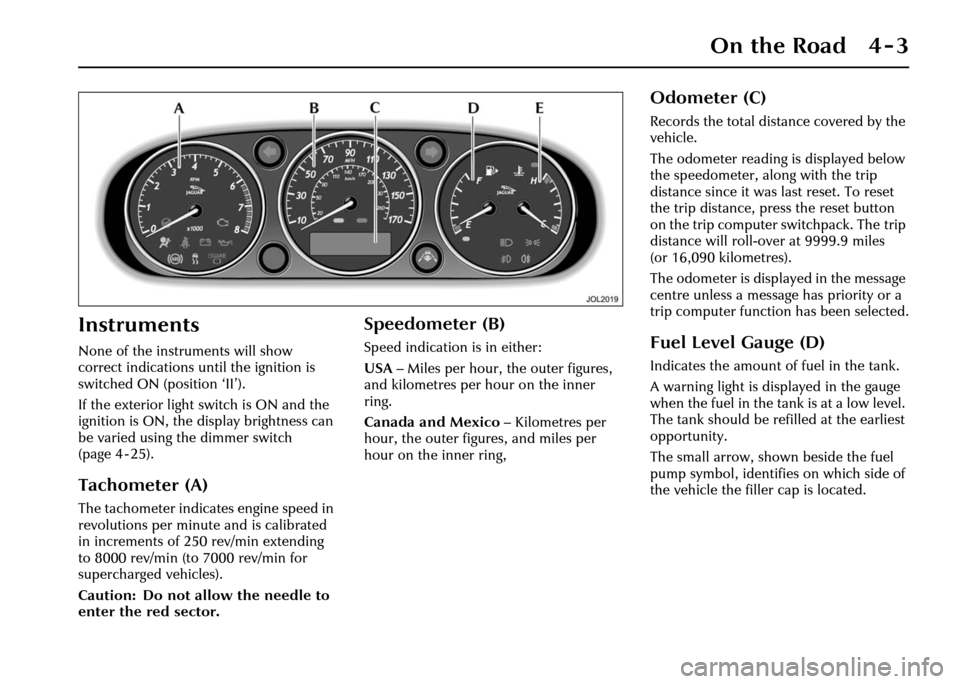
Tachometer (A)
The tachometer indicates engine speed in
revolutions per minute and is calibrated
in increments of 250 rev/min extending
to 8000 rev/min (to 7000 rev/min for
supercharged vehicles).
Caution: Do not allow the needle to
enter the red sector.
Speedometer (B)
Speed indication is in either:
USA– Miles per hour, the outer figures,
and kilometres per hour on the inner
ring.
Canada and Mexico – Kilometres per
hour, the outer figures, and miles per
hour on the inner ring,
Odometer (C)
Records the total distance covered by the
vehicle.
The odometer reading is displayed below
the speedometer, al ong with the trip
distance since it was last reset. To reset
the trip distance, press the reset button
on the trip computer switchpack. The trip
distance will roll-over at 9999.9 miles
(or 16,090 kilometres).
The odometer is displayed in the message
centre unless a message has priority or a
trip computer function has been selected.
Fuel Level Gauge (D)
Indicates the amount of fuel in the tank.
A warning light is displayed in the gauge
when the fuel in the tank is at a low level.
The tank should be refilled at the earliest
opportunity.
The small arrow, shown beside the fuel
pump symbol, identifies on which side of
the vehicle the filler cap is located.
Page 76 of 227
On the Road 4 - 5
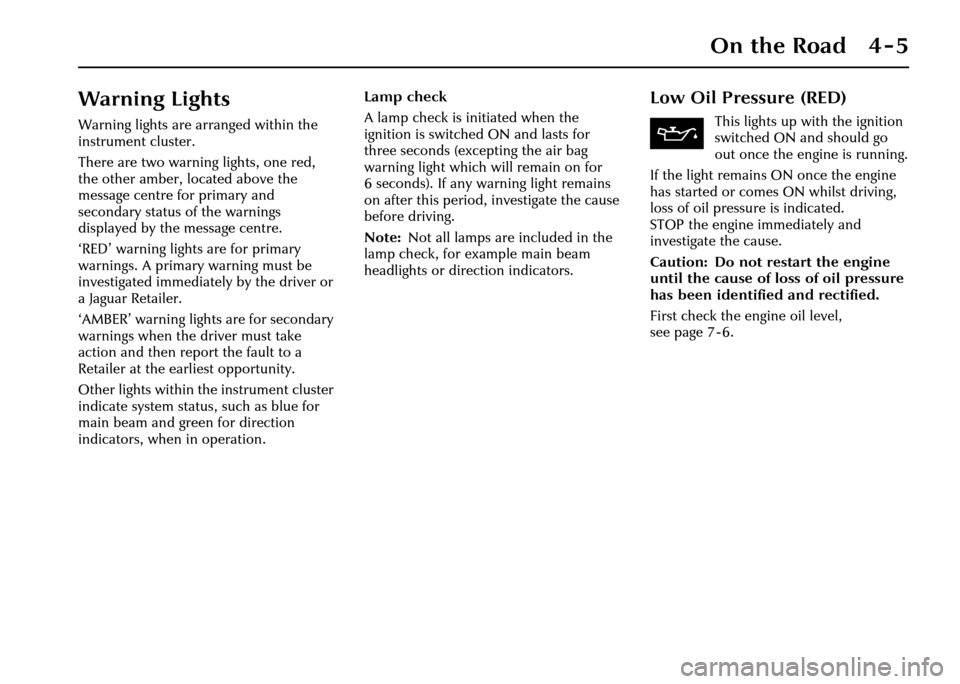
Warning Lights
Warning lights are arranged within the
instrument cluster.
There are two warning lights, one red,
the other amber, located above the
message centre for primary and
secondary status of the warnings
displayed by the message centre.
‘RED’ warning lights are for primary
warnings. A primary warning must be
investigated immediately by the driver or
a Jaguar Retailer.
‘AMBER’ warning lights are for secondary
warnings when the driver must take
action and then report the fault to a
Retailer at the earliest opportunity.
Other lights within the instrument cluster
indicate system status, such as blue for
main beam and green for direction
indicators, when in operation. Lamp check
A lamp check is initiated when the
ignition is switched ON and lasts for
three seconds (excepting the air bag
warning light which will remain on for
6seconds). Ifany wa
rning light remains
on after this period, investigate the cause
before driving.
Note: Not all lamps are included in the
lamp check, for example main beam
headlights or direction indicators.
Low Oil Pressure (RED)
This lights up with the ignition
switched ON and should go
out once the engine is running.
If the light remains ON once the engine
has started or comes ON whilst driving,
loss of oil pressure is indicated.
STOP the engine immediately and
investigate the cause.
Caution: Do not restart the engine
until the cause of loss of oil pressure
has been identified and rectified.
First check the engine oil level,
seepage7-6.
Page 77 of 227
4-6 On the Road
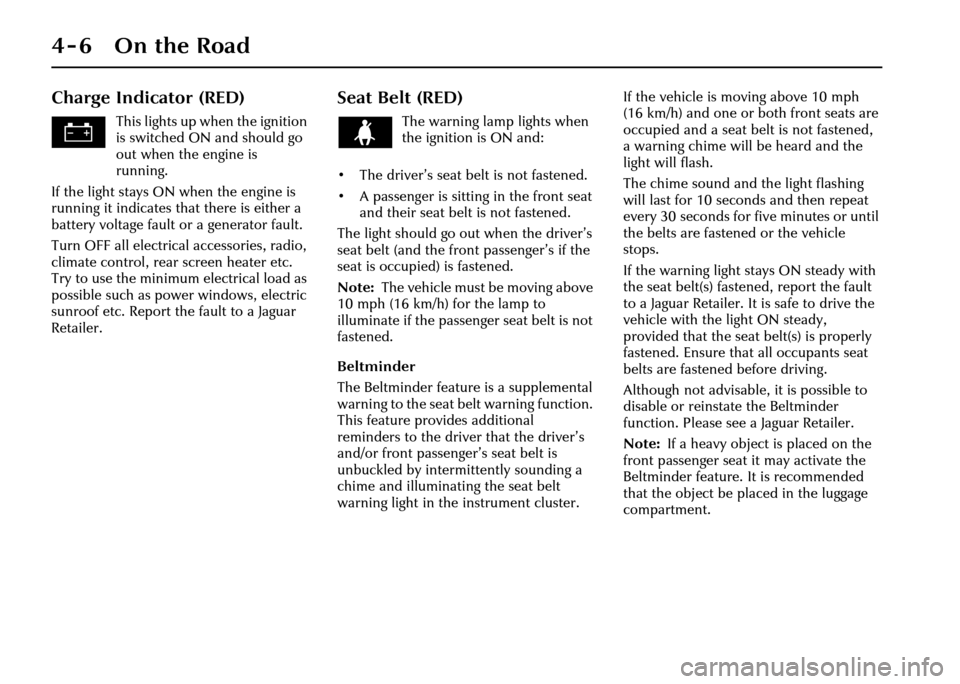
Charge Indicator (RED)
This lights up when the ignition
is switched ON and should go
out when the engine is
running.
If the light stays ON when the engine is
running it indicates that there is either a
battery voltage fault or a generator fault.
Turn OFF all electrical accessories, radio,
climate control, rear screen heater etc.
Try to use the minimum electrical load as
possible such as power windows, electric
sunroof etc. Report the fault to a Jaguar
Retailer.
Seat Belt (RED)
The warning lamp lights when
the ignition is ON and:
• The driver’s seat belt is not fastened.
• A passenger is sitting in the front seat and their seat belt is not fastened.
The light should go out when the driver’s
seat belt (and the front passenger’s if the
seat is occupied) is fastened.
Note: The vehicle must be moving above
10 mph (16 km/h) for the lamp to
illuminate if the passeng er seat belt is not
fastened.
Beltminder
The Beltminder feature is a supplemental
warning to the seat be lt warning function.
This feature provides additional
reminders to the driver that the driver’s
and/or front passenger’s seat belt is
unbuckled by intermittently sounding a
chime and illuminating the seat belt
warning light in the instrument cluster. If the vehicle is moving above 10 mph
(16 km/h) and one or both front seats are
occupied and a seat belt is not fastened,
a warning chime will be heard and the
light will flash.
The chime sound and the light flashing
will last for 10 seconds and then repeat
every 30 seconds for five minutes or until
the belts are fastened or the vehicle
stops.
If the warning light stays ON steady with
the seat belt(s) fastened, report the fault
to a Jaguar Retailer. It is safe to drive the
vehicle with the light ON steady,
provided that the seat belt(s) is properly
fastened. Ensure that all occupants seat
belts are fastened before driving.
Although not advisable, it is possible to
disable or reinstate the Beltminder
function. Please see a Jaguar Retailer.
Note:
If a heavy object is placed on the
front passenger seat it may activate the
Beltminder feature. It is recommended
that the object be placed in the luggage
compartment.
Page 78 of 227
On the Road 4 - 7
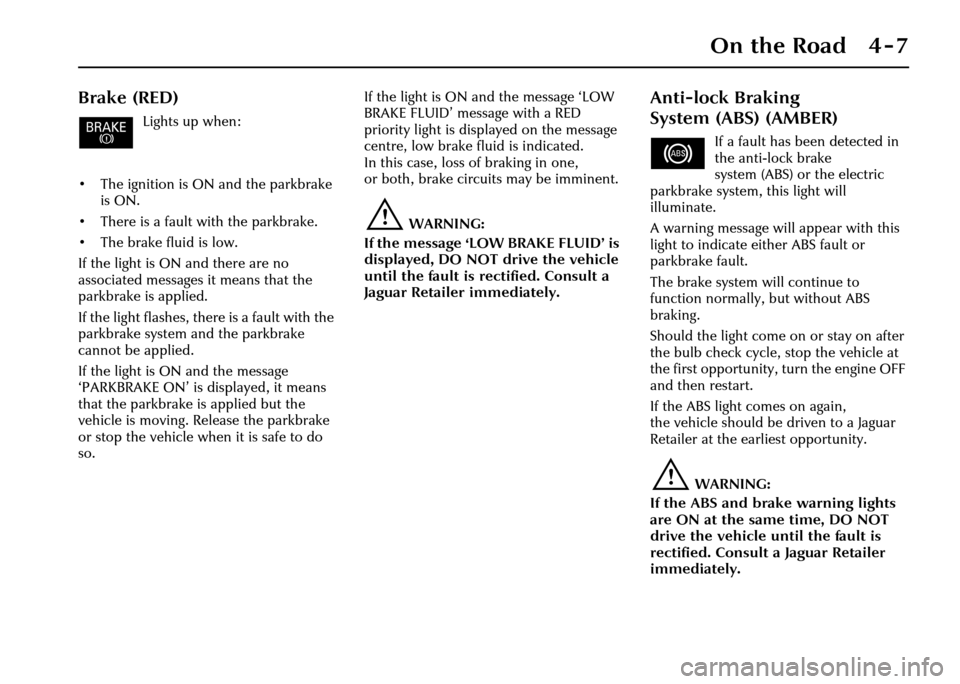
Brake (RED)
Lights up when:
• The ignition is ON and the parkbrake is ON.
• There is a fault with the parkbrake.
• The brake fluid is low.
If the light is ON and there are no
associated messages it means that the
parkbrake is applied.
If the light flashes, th ere is a fault with the
parkbrake system and the parkbrake
cannot be applied.
If the light is ON and the message
‘PARKBRAKE ON’ is displayed, it means
that the parkbrake is applied but the
vehicle is moving. Release the parkbrake
or stop the vehicle when it is safe to do
so. If the light is ON and the message ‘LOW
BRAKE FLUID’ message with a RED
priority light is displayed on the message
centre, low brake fluid is indicated.
In this case, loss of braking in one,
or both, brake circuits may be imminent.
!WARNING:
If the message ‘LOW BRAKE FLUID’ is
displayed, DO NOT drive the vehicle
until the fault is rectified. Consult a
Jaguar Retailer immediately.
Anti-lock Braking
System (ABS) (AMBER)
If a fault has been detected in
the anti-lock brake
system (ABS) or the electric
parkbrake system, this light will
illuminate.
A warning message will appear with this
light to indicate either ABS fault or
parkbrake fault.
The brake system will continue to
function normally, but without ABS
braking.
Should the light come on or stay on after
the bulb check cycle, stop the vehicle at
the first opportunity, turn the engine OFF
and then restart.
If the ABS light comes on again,
the vehicle should be driven to a Jaguar
Retailer at the earliest opportunity.
!WARNING:
If the ABS and brake warning lights
are ON at the same time, DO NOT
drive the vehicle until the fault is
rectified. Consult a Jaguar Retailer
immediately.
Page 79 of 227
4-8 On the Road
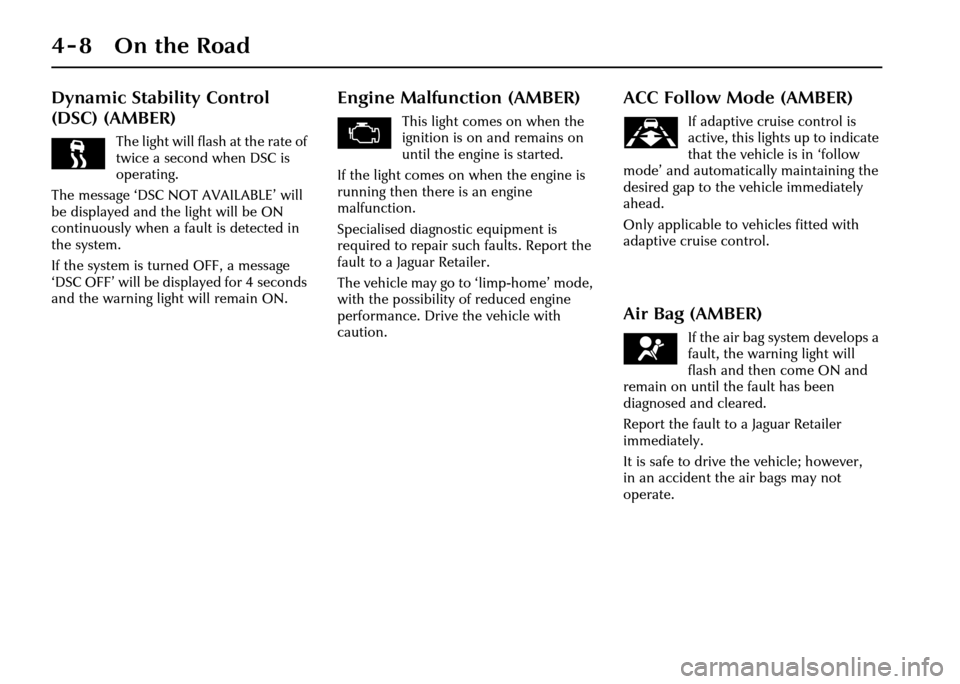
Dynamic Stability Control
(DSC) (AMBER)
The light will flash at the rate of
twice a second when DSC is
operating.
The message ‘DSC NOT AVAILABLE’ will
be displayed and the light will be ON
continuously when a fault is detected in
the system.
If the system is turned OFF, a message
‘DSC OFF’ will be displayed for 4 seconds
and the warning light will remain ON.
Engine Malfunction (AMBER)
This light comes on when the
ignition is on and remains on
until the engine is started.
If the light comes on when the engine is
running then there is an engine
malfunction.
Specialised diagnostic equipment is
required to repair such faults. Report the
fault to a Jaguar Retailer.
The vehicle may go to ‘limp-home’ mode,
with the possibility of reduced engine
performance. Drive the vehicle with
caution.
ACC Follow Mode (AMBER)
If adaptive cruise control is
active, this lights up to indicate
that the vehicle is in ‘follow
mode’ and automatically maintaining the
desired gap to the vehicle immediately
ahead.
Only applicable to vehicles fitted with
adaptive cruise control.
Air Bag (AMBER)
If the air bag system develops a
fault, the warning light will
flash and then come ON and
remain on until the fault has been
diagnosed and cleared.
Report the fault to a Jaguar Retailer
immediately.
It is safe to drive the vehicle; however,
in an accident the air bags may not
operate.
Page 80 of 227
On the Road 4 - 9
Sidelights (GREEN)
Illuminates when the sidelights
or headlights are switched ON
either manually or by the
autolamp system, if fitted.
Main Beam (BLUE)
Illuminates when the main
beam headlights are switched
ON or flashed ON.
Front Fog Lights (GREEN)
Illuminates when the front fog
lights are switched ON.
Rear Fog Lights (AMBER)
Illuminates when the rear fog
lights are switched ON.
Direction Indicators (GREEN)
The appropriate
indicator tell-tale
light will flash when
the column switch is moved up or down
to signal a right or left-hand turn.
If a direction indicato r fails, the tell-tale
will flash at twice normal rate when that
indicator is selected. A message will be
shown that a bulb has failed. Fit a new
bulb immediately.
Note:
1. If a bulb has failed, the audible ticking will sound at twice the normal rate.
2. If a trailer or caravan is fitted and a direction indicator bulb fails then the
tell-tale will flash at twice the normal
rate and a message will be displayed
that a rear indicator lamp has failed.
Hazard Warning Lights
When the hazard warning is selected,
both direction indicator tell-tale lights
flash simultaneously.
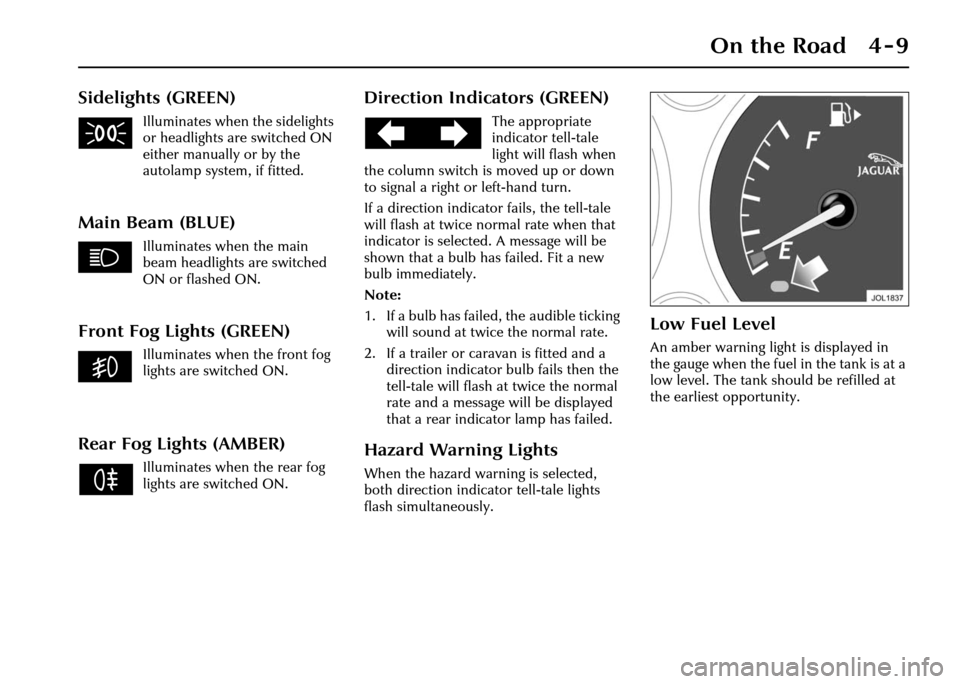
Low Fuel Level
An amber warning light is displayed in
the gauge when the fuel in the tank is at a
low level. The tank should be refilled at
the earliest opportunity.
Page 81 of 227
4-10 On the Road
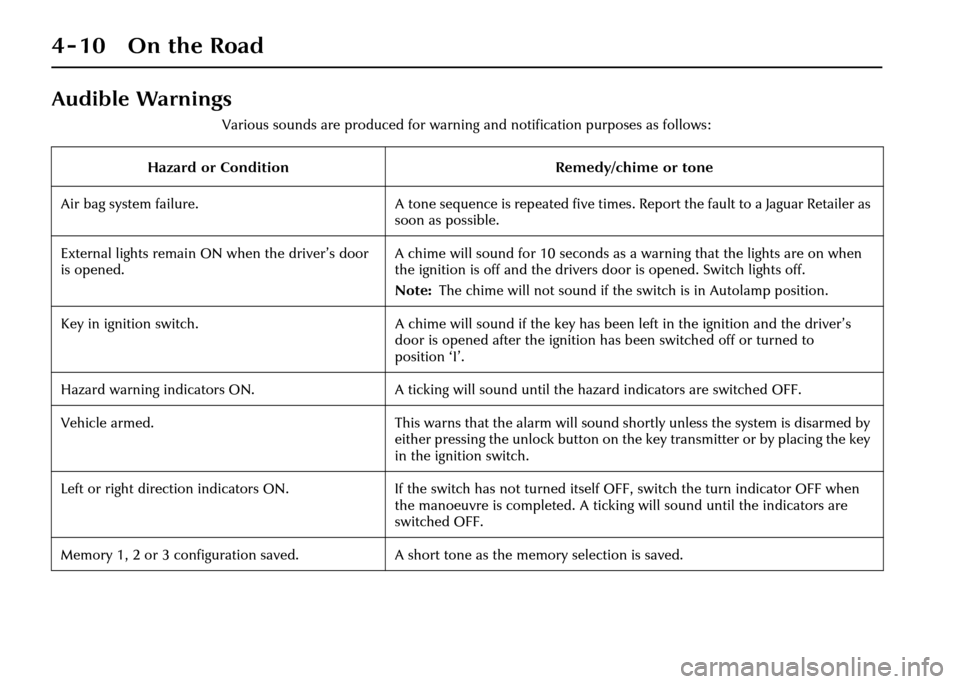
Audible Warnings
Various sounds are produced for warning and notification purposes as follows:
Hazard or Condition Remedy/chime or tone
Air bag system failure. A tone sequence is repeated five times. Report the fault to a Jaguar Retailer as
soon as possible.
External lights remain ON when the driver’s door
is opened. A chime will sound for 10 seconds as a warning that the lights are on when
the ignition is off and the drivers door is opened. Switch lights off.
Note:
The chime will not sound if the switch is in Autolamp position.
Key in ignition switch. A chime will sound if the key has been left in the ignition and the driver’s
door is opened after the ignition has been switched off or turned to
position ‘I’.
Hazard warning indicators ON. A ticking will sound until the hazard indicators are switched OFF.
Vehicle armed. This warns that the alarm will sound shortly unless the system is disarmed by
either pressing the unlock button on the key transmitter or by placing the key
in the ignition switch.
Left or right direction indicators ON. If the switch has not turned itself OFF, switch the turn indicator OFF when
the manoeuvre is completed. A ticking will sound until the indicators are
switched OFF.
Memory 1, 2 or 3 configuration saved. A short tone as the memory selection is saved.
Page 83 of 227
4-12 On the Road
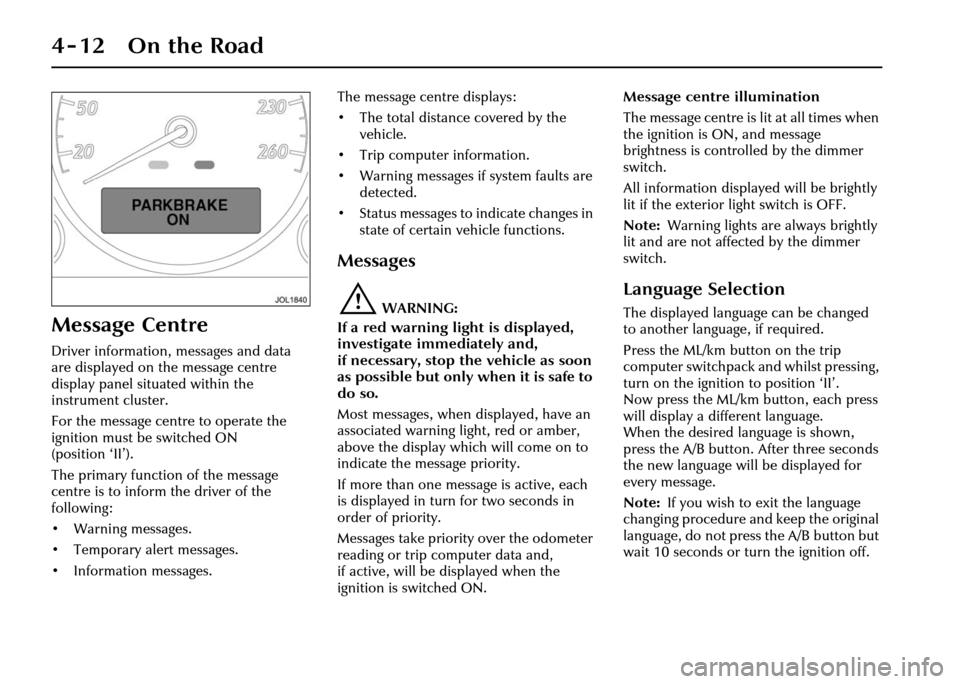
Message Centre
Driver information, messages and data
are displayed on the message centre
display panel situated within the
instrument cluster.
For the message centre to operate the
ignition must be switched ON
(position ‘II’).
The primary function of the message
centre is to inform the driver of the
following:
• Warning messages.
• Temporary alert messages.
• Information messages.The message centre displays:
• The total distance covered by the
vehicle.
• Trip computer information.
• Warning messages if system faults are detected.
• Status messages to indicate changes in
state of certain vehicle functions.
Messages
!WARNING:
If a red warning light is displayed,
investigate immediately and,
if necessary, stop the vehicle as soon
as possible but only when it is safe to
do so.
Most messages, when displayed, have an
associated warning light, red or amber,
above the display which will come on to
indicate the message priority.
If more than one message is active, each
is displayed in turn for two seconds in
order of priority.
Messages take priority over the odometer
reading or trip computer data and,
if active, will be displayed when the
ignition is switched ON. Message centre illumination
The message centre is lit at all times when
the ignition is ON, and message
brightness is controlled by the dimmer
switch.
All information displayed will be brightly
lit if the exterior light switch is OFF.
Note:
Warning lights are always brightly
lit and are not affected by the dimmer
switch.
Language Selection
The displayed language can be changed
to another language, if required.
Press the ML/km button on the trip
computer switchpack and whilst pressing,
turn on the ignition to position ‘II’.
Now press the ML/km button, each press
will display a different language.
When the desired language is shown,
press the A/B button. After three seconds
the new language will be displayed for
every message.
Note: If you wish to exit the language
changing procedure and keep the original
language, do not press the A/B button but
wait 10 seconds or turn the ignition off.