headlights JEEP GRAND CHEROKEE 2013 Owner handbook (in English)
[x] Cancel search | Manufacturer: JEEP, Model Year: 2013, Model line: GRAND CHEROKEE, Model: JEEP GRAND CHEROKEE 2013Pages: 408, PDF Size: 3.21 MB
Page 190 of 408
Remote Unlock Sequence
WhenUnlock Driver Door Only On 1st Press
is selected, only the driver’s door will unlock on
the first press of the RKE transmitter UNLOCK
button. When Driver Door 1st Press is selected,
you must press the RKE transmitter UNLOCK
button twice to unlock the passenger’s doors.
When Unlock All Doors On 1st Press is
selected, all of the doors will unlock on the first
press of the RKE transmitter UNLOCK button.
To make your selection, scroll up or down until
the preferred setting is highlighted, then press
and release the SELECT button until a check-
mark appears next to the setting, showing that
the setting has been selected.
NOTE:
If the vehicle is equipped with Keyless
Enter-N-Go™ (Passive Entry) and the EVIC
is programmed to Unlock All Doors 1st
Press, all doors will unlock no matter which
Passive Entry equipped door handle is
grasped. If Driver Door 1st Press is pro-
grammed, only the driver’s door will unlock
when the driver’s door is grasped. With Passive Entry, if Driver Door 1st Press is
programmed touching the handle more than
once will only result in the driver’s door
opening. If driver door first is selected, once
the driver door is opened, the interior door
lock/unlock switch can be used to unlock all
doors (or use RKE transmitter).
RKE Linked To Memory
When this feature is selected, you can use your
RKE transmitter to recall one of two pre-
programmed memory profiles. Each memory
profile contains desired position settings for the
driver seat, side mirror, adjustable pedals (if
equipped), power tilt and telescopic steering
column (if equipped), and a set of desired radio
station presets. When OFF is selected, only the
MEMORY switch on the driver’s door trim panel
will recall memory profiles. To make your selec-
tion, press and release the SELECT button a
check-mark appears next to the feature show-
ing the system has been activated or the check-
mark is removed showing the system has been
deactivated. Refer to “Driver Memory Seat” in
“Understanding The Features Of Your Vehicle”.
Flash Lamps With Lock
When this feature is selected, the front and rear
turn signals will flash when the doors are locked
or unlocked with the RKE transmitter. To make
your selection, press and release the SELECT
button until a check-mark appears next to the
feature showing the system has been activated
or the check-mark is removed showing the
system has been deactivated.
Headlamp Off Delay
When this feature is selected, the driver can
choose to have the headlights remain on for 0,
30, 60, or 90 seconds when exiting the vehicle.
To make your selection, scroll up or down until
the preferred setting is highlighted, then press
and release the SELECT button until a check-
mark appears next to the setting, showing that
the setting has been selected.
Headlamps with Wipers (Available with
Automatic Headlamps Only)
When this feature is selected, and the headlight
switch is in the AUTO position, the headlights
will turn on approximately 10 seconds after the
wipers are turned on. The headlights will also
186
Page 191 of 408
turn off when the wipers are turned off if they
were turned on by this feature. To make your
selection, press and release the SELECT but-
ton until a check-mark appears next to the
feature showing the system has been activated
or the check-mark is removed showing the
system has been deactivated.
NOTE:
Turning the headlights on during the day-
time causes the instrument panel lights to
dim. To increase the brightness, refer to
“Lights” in “Understanding The Features Of
Your Vehicle”.
Tilt Mirror in Reverse — If Equipped
When this feature is selected, the outside rear-
view mirrors will tilt downward when the ignition
switch is in the RUN position and the transmis-
sion shift lever is in the REVERSE position. The
mirrors will move back to their previous position
when the transmission is shifted out of RE-
VERSE. To make your selection, press and
release the SELECT button until a check-mark
appears next to the feature showing the system
has been activated or the check-mark is re-
moved showing the system has been deacti-
vated.Auto High Beams (Available with
SmartBeam™ Only)
When this feature is selected, the high beam
headlights will deactivate automatically under
certain conditions. To make your selection,
press and release the SELECT button until a
check-mark appears next to the feature show-
ing the system has been activated or the check-
mark is removed showing the system has been
deactivated. Refer to “Lights/SmartBeam™ — If
Equipped” in “Understanding The Features Of
Your Vehicle” for further information.
Wiper Mode — If Equipped
When this feature is selected, the system will
automatically activate the windshield wipers if it
senses moisture on the windshield. To make
your selection, press and release the SELECT
button until a check-mark appears next to the
feature showing the system has been activated
or the check-mark is removed showing the
system has been deactivated. When this fea-
ture is deactivated, the system reverts to the
standard intermittent wiper operation.
Easy Entry/Exit Seat (Available with
Memory Seat Only)
This feature provides automatic driver seat po-
sitioning to enhance driver mobility when enter-
ing and exiting the vehicle. To make your selec-
tion, press and release the SELECT button until
a check-mark appears next to the feature show-
ing the system has been activated or the check-
mark is removed showing the system has been
deactivated.
NOTE:
The seat will return to the memorized seat
location (if Recall Memory with Remote Key
Unlock is set to ON) when the RKE transmit-
ter is used to unlock the door. Refer to
“Driver Memory Seat” in “Understanding
The Features Of Your Vehicle” for further
information.
187
Page 192 of 408
Key-Off Power DelayWhen this feature is selected, the power window
switches, radio, hands-free system (if equipped),
DVD video system (if equipped), power sunroof (if
equipped), and power outlets will remain active
for up to 10 minutes after the ignition switch is
turned OFF. Opening either front vehicle door will
cancel this feature. To make your selection, scroll
up or down until the preferred setting is high-
lighted, then press and release the SELECT
button until a check-mark appears next to the
setting, showing that the setting has been se-
lected.
Illuminated Approach
When this feature is selected, the headlights will
activate and remain on for 0, 30, 60, or 90 sec-
onds when the doors are unlocked with the RKE
transmitter. To make your selection, scroll up or
down until the preferred setting is highlighted,
then press and release the SELECT button until
a check-mark appears next to the setting, show-
ing that the setting has been selected.Hill Start Assist (HSA) — If Equipped
When this feature is selected, the HSA system
is active. Refer to “Electronic Brake Control
System” in “Starting And Operating” for system
function and operating information. To make
your selection, press and release the SELECT
button until a check-mark appears next to the
feature showing the system has been activated
or the check-mark is removed showing the
system has been deactivated.
Keyless Enter-N-Go™ (Passive Entry)
This feature allows you to lock and unlock the
vehicle’s door(s) without having to press the
RKE transmitter lock or unlock buttons. To make
your selection, press and release the SELECT
button until a check-mark appears next to the
feature showing the system has been activated
or the check-mark is removed showing the
system has been deactivated. Refer to “Keyless
Enter-N-Go™” in “Things To Know Before Start-
ing Your Vehicle”.
Display Units of Measure In
The EVIC, odometer, and Uconnect® gps (if
equipped) can be changed between English
and Metric units of measure. To make your
selection, press and release the SELECT but-
ton until “ENGLISH” or “METRIC” appears.
Display Fuel Saver — If Equipped
The “ECO” message is located in the Compass/
Temperature display; this message can be
turned on or off. To make your selection, press
and release the SELECT button until a check-
mark appears next to the setting, showing that
the setting has been selected.
Calibrate Compass
Refer to “Compass Display” for more information.
Compass VarianceRefer to “Compass Display” for more information.
SOUND SYSTEMS
Refer to your Sound Systems Booklet.
188
Page 247 of 408
The system requires that the engine be running
for all changes. When lowering the vehicle all of
the doors, including the liftgate, must be closed.
If a door is opened at any time while the vehicle
is lowering the change will not be completed
until the open door(s) is closed.
The Quadra-Lift™ air suspension system uses
a lifting and lowering pattern which keeps the
headlights from incorrectly shining into oncom-
ing traffic. When raising the vehicle, the rear of
the vehicle will move up first and then the front.
When lowering the vehicle, the front will move
down first and then the rear.
After the engine is turned off, it may be noticed
that the air suspension system operates briefly,
this is normal. The system is correcting the
position of the vehicle to ensure a proper ap-
pearance.
To assist with changing a spare tire, the
Quadra-Lift™ air suspension system has a fea-
ture which allows the automatic leveling to be
disabled. Press and hold both the “Up” and
“Down” buttons simultaneously between 5 and
10 seconds, a message will appear in the EVIC
stating leveling has been disabled immediatelyafter both buttons have been released. Refer to
“Electronic Vehicle Information Center (EVIC)”
in “Understanding Your Instrument Panel” for
further information. Driving the vehicle over
5 mph (8 km/h) will return the air suspension to
normal operation. Refer to “Jacking and Tire
Changing” in “What To Do In Emergencies” for
further information.
WARNING!
The air suspension system uses a high pres-
sure volume of air to operate the system. To
avoid personal injury or damage to the sys-
tem, see your authorized dealer for service.
Electronic Vehicle Information
Center (EVIC) Display Messages
When the appropriate conditions exist, a mes-
sage will appear in the EVIC display. Refer to
“Electronic Vehicle Information Center (EVIC)”
in “Understanding Your Instrument Panel” for
further information.
An audible chime will be heard whenever a
system error has been detected.
OperationThe indicator lamps 3 through 6 will illuminate to
show the current position of the vehicle. Flash-
ing indicator lamps will show a position which
the system is working to achieve. When raising,
if multiple indicator lamps are flashing on the
“Up” button, the highest flashing indicator lamp
is the position the system is working to achieve.
When lowering, if multiple indicators are flash-
ing on the
"Up"button the lowest solid indicator
lamp is the position the system is working to
achieve.
Pressing the “UP” button once will move the
suspension one position higher from the current
position, assuming all conditions are met (i.e.
engine running, speed below threshold, etc).
The “UP” button can be pressed multiple times,
each press will raise the requested level by one
position up to a maximum position of OR2 or the
highest position allowed based on current con-
ditions (i.e. vehicle speed, etc).
243
Page 334 of 408
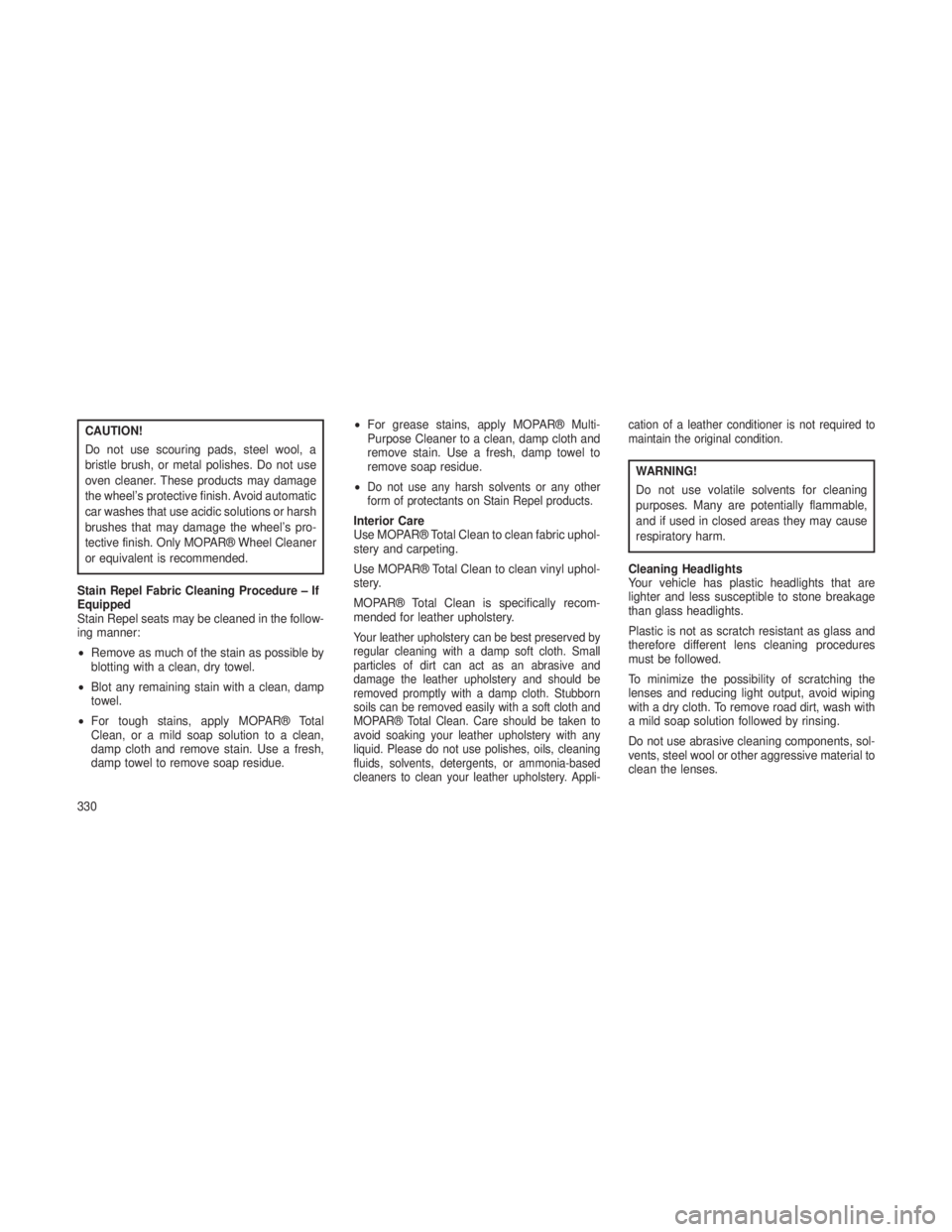
CAUTION!
Do not use scouring pads, steel wool, a
bristle brush, or metal polishes. Do not use
oven cleaner. These products may damage
the wheel’s protective finish. Avoid automatic
car washes that use acidic solutions or harsh
brushes that may damage the wheel’s pro-
tective finish. Only MOPAR® Wheel Cleaner
or equivalent is recommended.
Stain Repel Fabric Cleaning Procedure – If
Equipped
Stain Repel seats may be cleaned in the follow-
ing manner:
• Remove as much of the stain as possible by
blotting with a clean, dry towel.
• Blot any remaining stain with a clean, damp
towel.
• For tough stains, apply MOPAR® Total
Clean, or a mild soap solution to a clean,
damp cloth and remove stain. Use a fresh,
damp towel to remove soap residue. •
For grease stains, apply MOPAR® Multi-
Purpose Cleaner to a clean, damp cloth and
remove stain. Use a fresh, damp towel to
remove soap residue.
•
Do not use any harsh solvents or any other
form of protectants on Stain Repel products.
Interior Care
Use MOPAR® Total Clean to clean fabric uphol-
stery and carpeting.
Use MOPAR® Total Clean to clean vinyl uphol-
stery.
MOPAR® Total Clean is specifically recom-
mended for leather upholstery.
Your leather upholstery can be best preserved by
regular cleaning with a damp soft cloth. Small
particles of dirt can act as an abrasive and
damage the leather upholstery and should be
removed promptly with a damp cloth. Stubborn
soils can be removed easily with a soft cloth and
MOPAR® Total Clean. Care should be taken to
avoid soaking your leather upholstery with any
liquid. Please do not use polishes, oils, cleaning
fluids, solvents, detergents, or ammonia-based
cleaners to clean your leather upholstery. Appli- cation of a leather conditioner is not required to
maintain the original condition.
WARNING!
Do not use volatile solvents for cleaning
purposes. Many are potentially flammable,
and if used in closed areas they may cause
respiratory harm.
Cleaning Headlights
Your vehicle has plastic headlights that are
lighter and less susceptible to stone breakage
than glass headlights.
Plastic is not as scratch resistant as glass and
therefore different lens cleaning procedures
must be followed.
To minimize the possibility of scratching the
lenses and reducing light output, avoid wiping
with a dry cloth. To remove road dirt, wash with
a mild soap solution followed by rinsing.
Do not use abrasive cleaning components, sol-
vents, steel wool or other aggressive material to
clean the lenses.
330
Page 398 of 408
Adaptive Cruise Control (ACC)(Cruise Control) ..............119
Adding Engine Coolant (Antifreeze) . . . .322
Adding Fuel ................. .276
Additives, Fuel ................274
Airbag ...................41, 46
Airbag Deployment ..............47
Airbag Light ...........45, 49, 60, 162
Airbag Maintenance ..............48
Airbag, Side ..............43, 44, 46
Airbag, Window (Side Curtain) . . . .43, 44, 46
Air Cleaner, Engine (Engine Air Cleaner Filter) ...............315
Air Conditioner Maintenance ........316
Air Conditioning Filter ............317
Air Conditioning Refrigerant .........317
Air Conditioning System ...........209
Air Pressure, Tires ..............260
Air Suspension ................241
Alarm (Security Alarm) ............167
Alarm System (Security Alarm) ........16
Alterations/Modifications, Vehicle .......8
Antifreeze (Engine Coolant) ......322, 340
Disposal .................323
Anti-Lock Brake System (ABS) .......252
Anti-Lock Warning Light ...........166
Anti-Theft Security Alarm (Theft Alarm) . . .16 Anti-Theft System
..............167
Appearance Care ...............328
Assist, Hill Start ................256
Auto Down Power Windows .........26
Automatic Dimming Mirror ..........70
Automatic Door Locks .............22
Automatic Headlights .............107
Automatic Oil Change Indicator .......177
Automatic Temperature Control (ATC) . . .209
Automatic Transmission .....226, 231, 328
Adding Fluid ...............328
Fluid and Filter Changes ........328
Fluid Change ..............328
Fluid Level Check .........326, 327
Fluid T
ype................326
Special Additives ............327
Autostick ................ .230, 235
Auxiliary Electrical Outlet (Power Outlet) . .146
Auxiliary Power Outlet ............146
Battery .................... .316
Keyless Transmitter
Replacement (RKE) ...........20
Belts, Seat ................ .33, 60
Body Mechanism Lubrication ........318
Brake Assist System .............252
Brake Control System, Electronic ......252Brake Fluid
................. .324
Brake System .................324
Anti-Lock (ABS) .............252
Fluid Check ...............324
Master Cylinder .............324
Parking ................. .250
Warning Light ..............165
Brake/Transmission Interlock ........226
Bulb Replacement ..............336
Bulbs, Light ...................61
Calibration, Compass ............184
Camera, Rear .................139
Capacities, Fluid ...............340
Caps, Filler Fuel ....................276
Power Steering .............250
Radiator (Coolant Pressure) ......323
Carbon Monoxide Warning ..........60
Cargo Area Cover ..............152
Cargo Area Features .............151
Cargo Compartment .............151
Light ...................151
Cargo Light ................. .151
Cargo Tie-Downs ...............153
Car Washes ................. .329
Cellular Phone ............. .72,
209
394
Page 401 of 408
Gas Cap (Fuel Filler Cap) . . . .276, 278, 312
Gasoline, Clean Air..............274
Gasoline (Fuel) ................273
Conserving ................178
Gauges Coolant Temperature ..........167
Fuel ....................167
Speedometer ..............166
Tachometer ...............162
Gear Ranges ..............227, 231
Gear Select Lever Override .........304
General Information ......16, 21, 130, 272
Glass Cleaning ................331
Gross Axle Weight Rating ..........278
Gross Vehicle Weight Rating ........278
Hands-Free Phone (Uconnect®) .......72
Hazard Warning Flasher ...........294
Headlights ...................336
Bulb Replacement ............337
Cleaning .................330
On With Wipers .............107
Passing ..................112
Replacing ................337
Heated Mirrors ..............72, 154
High Beam Indicator .............163 Hill Descent Control
.............257
Hill Descent Control Indicator ........163
Hill Start Assist ................256
Holder, Cup ................. .149
Hood Release ................105
Ignition .....................13
Key ..................12, 13
Ignition Key Removal .............13
Illuminated Entry ................18
Immobilizer (Sentry Key) ...........15
Infant Restraint ..............50, 53
Information Center, Vehicle .........168
Inside Rearview Mirror ............70
Instrument
Cluster..............162
Instrument Panel and Controls .......160
Instrument Panel Lens Cleaning ......331
Integrated Power Module (Fuses) ......331
Interior Appearance Care ..........330
Intermittent Wipers (Delay Wipers) .....113
Introduction ...................4
Jacking Instructions .............296
Jack Location ................ .295
Jack Operation ................296
Jump Starting ................ .300Key-In Reminder
................14
Keyless Enter-N-Go ...........23, 221
Keyless Entry System .............19
Keyless Go ................12, 181
Key, Programming ...............16
Key, Replacement ...............15
Keys ......................12
Key, Sentry (Immobilizer) ...........15
Lane Change Assist .............112
Lap/Shoulder Belts ..............33
Latches .....................61
LATCH (Lower Anchors and Tether for CHildren) ................54, 55
Lead Free Gasoline .............273
Leaks, Fluid ..................61
Life of Tires ................. .264
Liftgate .....................28
Liftgate Flipper Glass .............28
Liftgate Window Wiper/Washer .......154
Light Bulbs ...................61
Lights ...................61, 106
Airbag ............45, 49, 60, 162
Anti-Lock .................166
Automatic Headlights ..........107
Back-Up .................338
397
Page 402 of 408
Brake Assist Warning..........258
Brake Warning ..............165
Bulb Replacement ............336
Cargo ...................151
Center Mounted Stop ..........339
Daytime Running ............108
Dimmer Switch, Headlight .......106
Electronic Stability Program (ESP)
Indicator .................258
Exterior ..................61
Fog ..............109, 163, 337
Hazard Warning Flasher ........294
Headlights .............336, 337
Headlights On With Wipers .......107
High Beam Indicator ..........163
Hill Descent Control Indicator .....163
Illuminated Entry .............18
Low Fuel .................174
Malfunction Indicator
(Check Engine) .............162
Map Reading ...............110
Passing ..................112
Reading ...............110,141
Rear Fog .................168
Rear Servicing ..............338
Rear Tail .................338
Seat Belt Reminder ...........165 Security Alarm (Theft Alarm)
......167
Service ................. .336
Service Engine Soon (Malfunction
Indicator) ................ .162
Side Marker ...............338
SmartBeams ...............107
Tire Pressure Monitoring (TPMS) . . .164
Tow/Haul Indicator ............163
Traction Control .............258
Turn Signal ........61, 106, 337, 338
Vanity Mirror ................72
Locks ......................21
Automatic Door ..............22
Child Protection ..............23
Door ....................2 1
Power
Door ................22
Steering Wheel ..............14
Lower Anchors and Tether for CHildren (LATCH) ................54, 55
Lubrication, Body ...............318
Maintenance Free Battery ..........316
Maintenance Procedures ..........312
Maintenance Schedule .........344, 359
Malfunction Indicator Light (Check Engine) ..............162
Memory Feature (Memory Seat) ......102Memory Seat
.................102
Memory Seats and Radio ..........102
Methanol ...................273
Methanol Fuel ................273
Mini-Trip Computer ..............179
Mirrors .....................70
Automatic Dimming ............70
Electric Powered .............71
Electric Remote ..............71
Exterior Folding ..............71
Heated ...................72
Outside ..................71
Power Folding ...............72
Rearview ..................70
Vanity ...................72
Mode Fuel Saver ................178
Modifications/Alterations, Vehicle .......8
Monitor, Tire Pressure System .......266
Mopar Parts ................. .312
Multi-Function Control Lever ........106
New Vehicle Break-In Period .........59
Occupant Restraints .........31, 44, 47
Occupant Restraints (Sedan) . . . .43, 44, 46
Octane Rating, Gasoline (Fuel) .......273
398