reset JEEP GRAND CHEROKEE 2013 Owner handbook (in English)
[x] Cancel search | Manufacturer: JEEP, Model Year: 2013, Model line: GRAND CHEROKEE, Model: JEEP GRAND CHEROKEE 2013Pages: 408, PDF Size: 3.21 MB
Page 121 of 408
Vehicles Equipped With Remote Start
On models that are equipped with remote start,
the heated steering wheel can be programmed
to come on during a remote start. Refer to
“Remote Starting System — If Equipped” in
“Things to Know Before Starting Your Vehicle”
for further information.
WARNING!
•Persons who are unable to feel pain to the
skin because of advanced age, chronic
illness, diabetes, spinal cord injury, medi-
cation, alcohol use, exhaustion, or other
physical conditions must exercise care
when using the steering wheel heater. It
may cause burns even at low tempera-
tures, especially if used for long periods.
• Do not place anything on the steering
wheel that insulates against heat, such as
a blanket or steering wheel covers of any
type and material. This may cause the
steering wheel heater to overheat.
ELECTRONIC SPEED
CONTROL — IF EQUIPPED
When engaged, the Electronic Speed Control
takes over accelerator operations at speeds
greater than 20 mph (32 km/h).
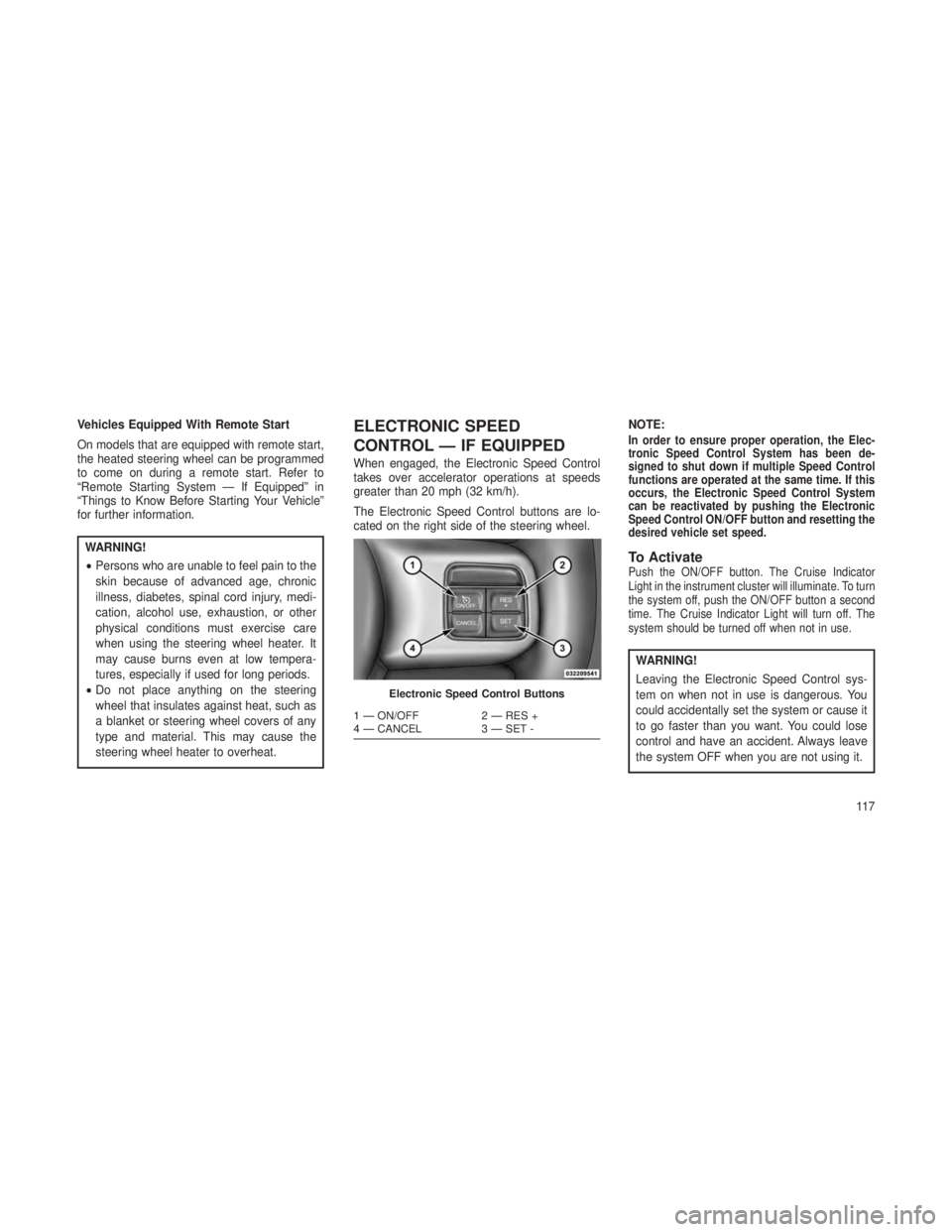
The Electronic Speed Control buttons are lo-
cated on the right side of the steering wheel. NOTE:
In order to ensure proper operation, the Elec-
tronic Speed Control System has been de-
signed to shut down if multiple Speed Control
functions are operated at the same time. If this
occurs, the Electronic Speed Control System
can be reactivated by pushing the Electronic
Speed Control ON/OFF button and resetting the
desired vehicle set speed.
To ActivatePush the ON/OFF button. The Cruise Indicator
Light in the instrument cluster will illuminate. To turn
the system off, push the ON/OFF button a second
time. The Cruise Indicator Light will turn off. The
system should be turned off when not in use.
WARNING!
Leaving the Electronic Speed Control sys-
tem on when not in use is dangerous. You
could accidentally set the system or cause it
to go faster than you want. You could lose
control and have an accident. Always leave
the system OFF when you are not using it.
Electronic Speed Control Buttons
1 — ON/OFF
2 — RES +
4 — CANCEL 3 — SET -
11 7
Page 123 of 408
ADAPTIVE CRUISE CONTROL
(ACC) — IF EQUIPPED
Adaptive Cruise Control (ACC) increases the
driving convenience provided by cruise control
while traveling on highways and major road-
ways. However, it is not a safety system and not
designed to prevent collisions.
ACC will allow you to keep cruise control en-
gaged in light to moderate traffic conditions
without the constant need to reset your cruise
control. ACC utilizes a radar sensor and a
forward facing camera designed to detect a
vehicle directly ahead of you.
NOTE:
•If the sensor does not detect a vehicle
ahead of you, ACC will maintain a fixed
set speed.
• If the ACC sensor detects a vehicle ahead,
ACC will apply limited braking or accel-
eration (not to exceed the original set
speed) automatically to maintain a preset
following distance, while matching the
speed of the vehicle ahead.
WARNING!
•Adaptive Cruise Control (ACC) is a conve-
nience system. It is not a substitute for
active driving involvement. It is always the
driver’s responsibility to be attentive of
road, traffic, and weather conditions, ve-
hicle speed, distance to the vehicle ahead;
and, most importantly, brake operation to
ensure safe operation of the vehicle under
all road conditions. Your complete atten-
tion is always required while driving to
maintain safe control of your vehicle. Fail-
ure to follow these warnings can result in a
collision and death or serious personal
injury.
• The ACC system:
• Does not react to pedestrians, on-
coming vehicles, and stationary ob-
jects (e.g., a stopped vehicle in a
traffic jam or a disabled vehicle).
(Continued)
WARNING!(Continued)
•Cannot take street, traffic, and
weather conditions into account, and
may be limited upon adverse sight
distance conditions.
• Does not always fully recognize com-
plex driving conditions, which can
result in wrong or missing distance
warnings.
• Can only apply a maximum of 40% of
the vehicle’s braking capability, and
will not bring the vehicle to a com-
plete stop.
11 9
Page 124 of 408
WARNING!
You should switch off the ACC system:
•
When driving in fog, heavy rain, heavy snow,
sleet, heavy traffic, and complex driving situ-
ations (i.e., in highway construction zones).
•When entering a turn lane or highway off
ramp; when driving on roads that are wind-
ing, icy, snow-covered, slippery, or have
steep uphill or downhill slopes.
• When towing a trailer up or down steep
slopes.
• When circumstances do not allow safe
driving at a constant speed.
Failure to follow these warnings can result in
a collision and death or serious personal
injury. The Cruise Control system has two control
modes:
•
Adaptive Cruise Control mode for maintaining
an appropriate distance between vehicles.
•Normal (fixed speed) cruise control mode for
cruising at a constant preset speed. For addi-
tional information, refer to “Normal (Fixed
Speed) Cruise Control Mode” in this section.
NOTE:
The system will not react to preceding ve-
hicles. Always be aware of the mode se-
lected.
You can change the mode by using the Cruise
Control buttons. The two control modes function
differently. Always confirm which mode is se-
lected.
Adaptive Cruise Control (ACC)
Operation
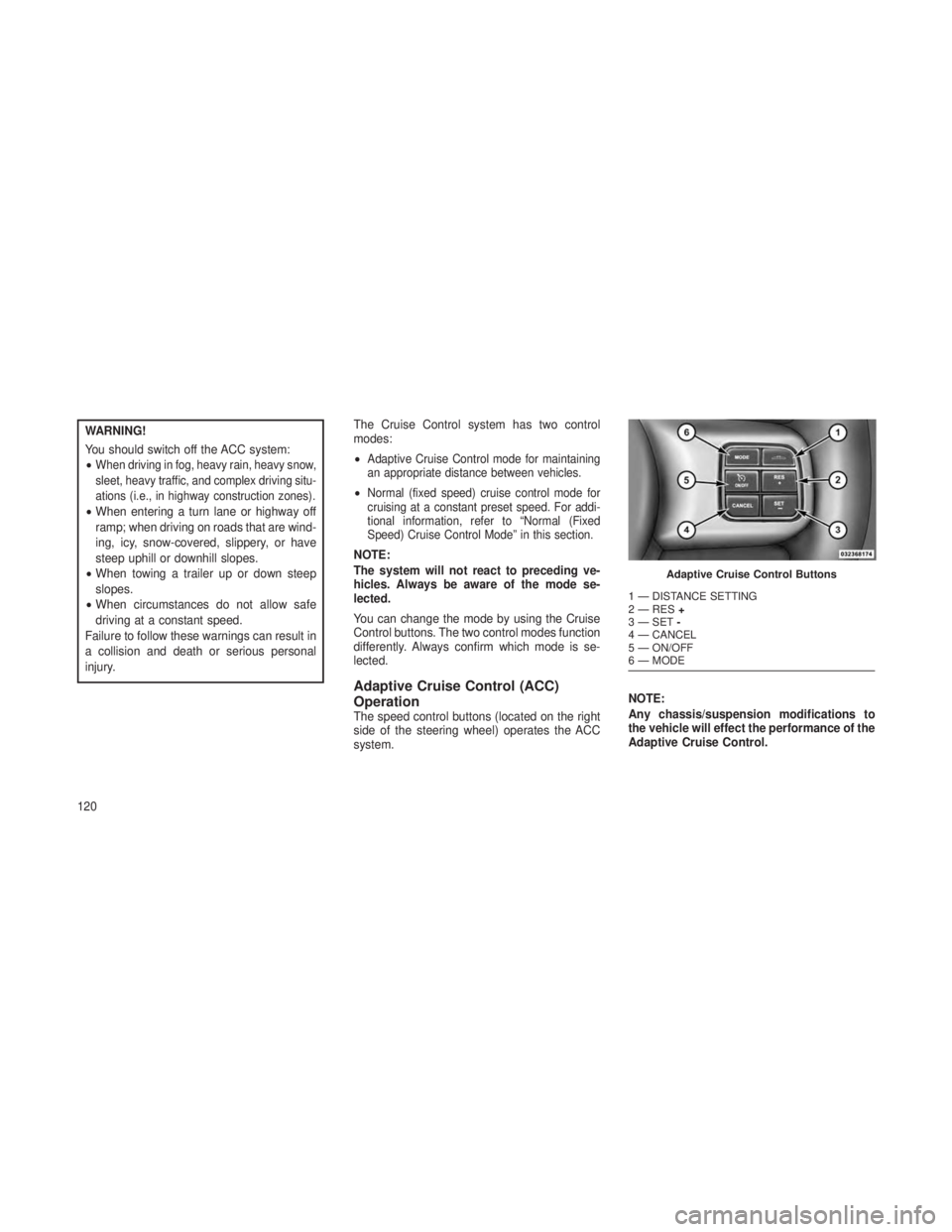
The speed control buttons (located on the right
side of the steering wheel) operates the ACC
system.
NOTE:
Any chassis/suspension modifications to
the vehicle will effect the performance of the
Adaptive Cruise Control.
Adaptive Cruise Control Buttons
1 — DISTANCE SETTING
2 — RES
+
3 — SET -
4 — CANCEL
5 — ON/OFF
6 — MODE
120
Page 173 of 408
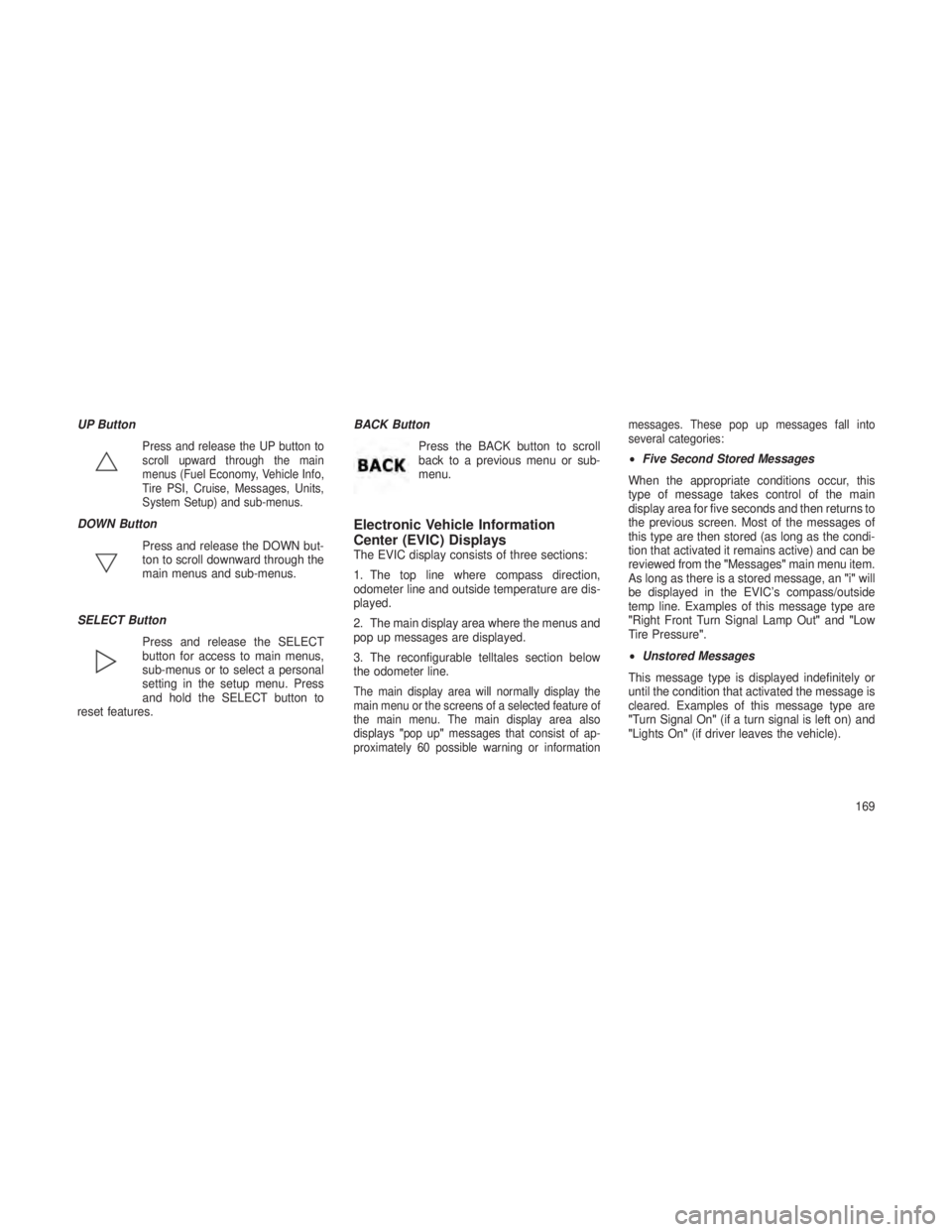
UP Button
Press and release the UP button to
scroll upward through the main
menus (Fuel Economy, Vehicle Info,
Tire PSI, Cruise, Messages, Units,
System Setup) and sub-menus.
DOWN ButtonPress and release the DOWN but-
ton to scroll downward through the
main menus and sub-menus.
SELECT Button Press and release the SELECT
button for access to main menus,
sub-menus or to select a personal
setting in the setup menu. Press
and hold the SELECT button to
reset features. BACK Button
Press the BACK button to scroll
back to a previous menu or sub-
menu.Electronic Vehicle Information
Center (EVIC) Displays
The EVIC display consists of three sections:
1. The top line where compass direction,
odometer line and outside temperature are dis-
played.
2. The main display area where the menus and
pop up messages are displayed.
3. The reconfigurable telltales section below
the odometer line.
The main display area will normally display the
main menu or the screens of a selected feature of
the main menu. The main display area also
displays"pop up" messages that consist of ap-
proximately 60 possible warning or information messages. These pop up messages fall into
several categories:
•
Five Second Stored Messages
When the appropriate conditions occur, this
type of message takes control of the main
display area for five seconds and then returns to
the previous screen. Most of the messages of
this type are then stored (as long as the condi-
tion that activated it remains active) and can be
reviewed from the "Messages"main menu item.
As long as there is a stored message, an "i"will
be displayed in the EVIC’s compass/outside
temp line. Examples of this message type are
"Right Front Turn Signal Lamp Out" and"Low
Tire Pressure".
• Unstored Messages
This message type is displayed indefinitely or
until the condition that activated the message is
cleared. Examples of this message type are
"Turn Signal On" (if a turn signal is left on) and
"Lights On" (if driver leaves the vehicle).
169
Page 177 of 408
•Immediate Air Suspension Service/Repair
Required — This is displayed when a fault
has occurred in the system which results in a
complete system shutdown. The system will
be non operational at that point.
• Reduce Speed To Maintain Selected Ride
Height — This message is displayed in ad-
vance warning to the driver that the vehicle
will be moved to the next lower preset posi-
tion unless the speed is reduced.
•
Selected Ride Height Not Permitted — The
vehicle speed is too high to enter one of the
preset levels (Entry/Exit Level/Off Road Ride
Height Level 1/Off Road Ride Height Level 2).
• Air Suspension System Cooling Down –
Please Wait — This message is displayed if
the compressor temperature level is too high.
Level control is suspended until the compres-
sor has cooled down.
• Vehicle Cannot Be Lowered – Door Open —
This message is displayed if a door or the
liftgate is ajar and level control is suspended. •
Air Suspension Temporarily Disabled For
Jacking And Tire Change.
• Aerodynamic Ride Height — This is dis-
played (for five seconds) when the vehicle
has achieved the Aerodynamic Height.
EVIC White Telltale LightsThis area will show reconfigurable white caution
telltales. These telltales include:
•Shift Lever Status
The shift lever status “P,R,N,D,L,5,4,3,2,1” are
displayed indicating the shift lever position. Tell-
tales “5,4,3,2,1” indicate the Electronic Range
Select (ERS) feature has been engaged and the
gear selected is displayed. For further information
on ERS, refer to “Starting And Operating”
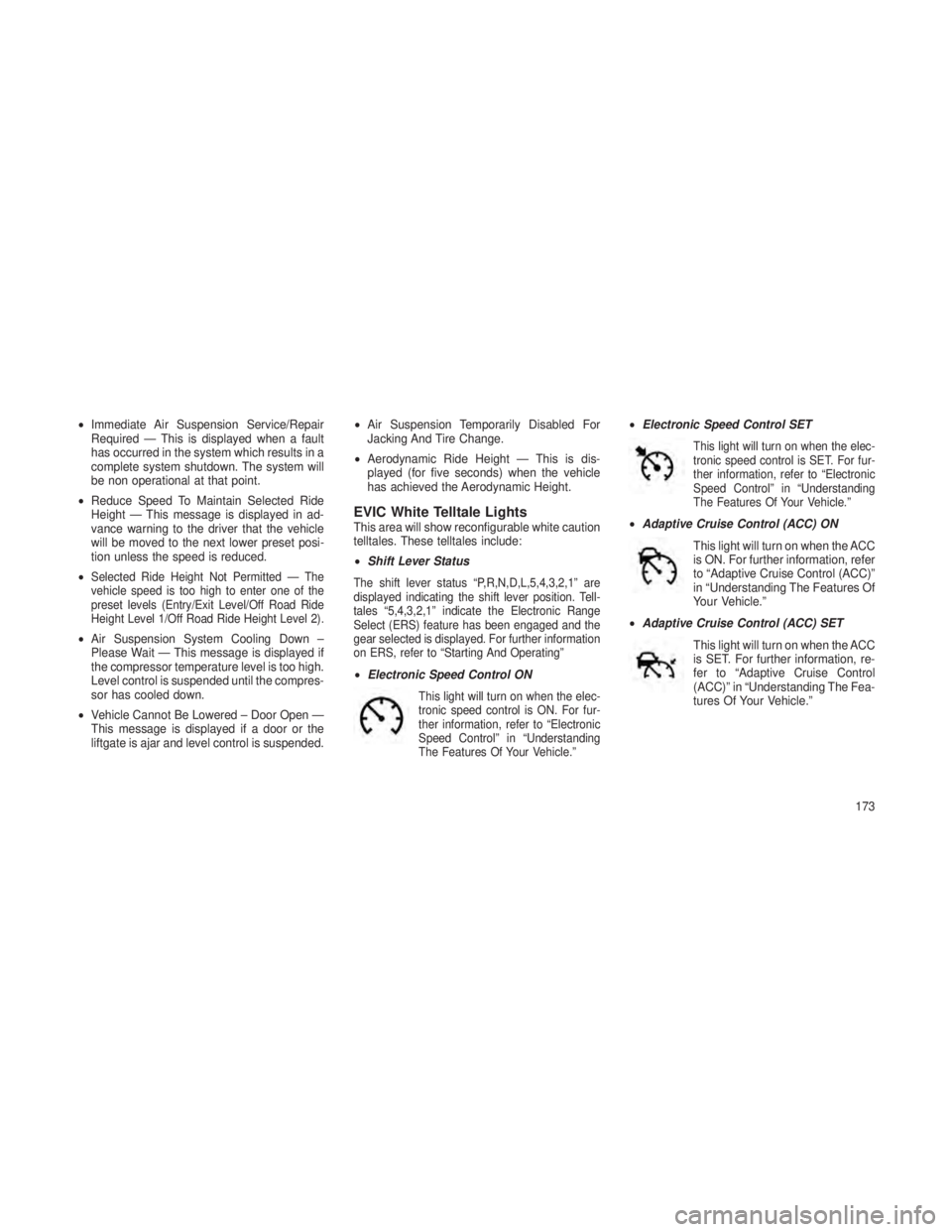
•Electronic Speed Control ON
This light will turn on when the elec-
tronic speed control is ON. For fur-
ther information, refer to “Electronic
Speed Control” in “Understanding
The Features Of Your Vehicle.”
•Electronic Speed Control SET
This light will turn on when the elec-
tronic speed control is SET. For fur-
ther information, refer to “Electronic
Speed Control” in “Understanding
The Features Of Your Vehicle.”
•Adaptive Cruise Control (ACC) ON
This light will turn on when the ACC
is ON. For further information, refer
to “Adaptive Cruise Control (ACC)”
in “Understanding The Features Of
Your Vehicle.”
• Adaptive Cruise Control (ACC) SET
This light will turn on when the ACC
is SET. For further information, re-
fer to “Adaptive Cruise Control
(ACC)” in “Understanding The Fea-
tures Of Your Vehicle.”
173
Page 181 of 408
WARNING!
If you continue operating the vehicle when
the Transmission Temperature Warning Light
is illuminated you could cause the fluid to boil
over, come in contact with hot engine or
exhaust components and cause a fire.
Engine Oil Change Indicator System
Oil Change Due — Gasoline Engine
Your vehicle is equipped with an engine oil
change indicator system. The “Oil Change Due”
message will flash in the EVIC display for
approximately 10 seconds after a single chime
has sounded, to indicate the next scheduled oil
change interval. The engine oil change indicator
system is duty cycle based, which means the
engine oil change interval may fluctuate, depen-
dent upon your personal driving style.
Unless reset, this message will continue to
display each time you turn the ignition switch to
the ON/RUN position or cycle the ignition to the
ON/RUN position if equipped with Keyless
Enter-N-Go. To turn off the message temporar-
ily, press and release the MENU button.To reset the oil change indicator system (after
performing the scheduled maintenance) refer to
the following procedure.
Vehicles Equipped With Keyless Enter-N-Go™
1. Without pressing the brake pedal, push the
ENGINE START/STOP button and cycle the
ignition to the ON/RUN position (Do not start the
engine.)
2. Fully depress the accelerator pedal, slowly,
three times within 10 seconds.
3. Without pressing the brake pedal, push the
ENGINE START/STOP button once to return
the ignition to the OFF/LOCK position.
Vehicles Not Equipped With Keyless
Enter-N-Go™
1. Turn the ignition switch to the ON/RUN po-
sition (Do not start the engine.)
2. Fully depress the accelerator pedal, slowly,
three times within 10 seconds.
3. Turn the ignition switch to the OFF/LOCK
position.
NOTE:
If the indicator message illuminates when
you start the vehicle, the oil change indica-
tor system did not reset. If necessary, repeat
this procedure.
Oil Change Due — Diesel Engine
Your vehicle is equipped with an engine oil
change indicator system. The
"Oil Change Due"
message will display in the EVIC for five sec-
onds after a single chime has sounded at the
start of each ignition that an oil change is due.
The engine oil change indicator system is duty
cycle based, which means the engine oil
change interval may fluctuate dependent upon
your personal driving style.
Unless reset, this message will continue to
display each time you cycle the ignition to the
ON/RUN position. To turn off the message
177
Page 182 of 408
temporarily, press and release the MENU but-
ton. To reset the oil change indicator system
(after performing the scheduled maintenance),
perform the following procedure:
1. Without pressing the brake pedal, push the
ENGINE START/STOP button and cycle the
ignition to the ON/RUN position (Do not start the
engine.)
2. Fully depress the accelerator pedal and
keep it fully pressed for at least 30 seconds.
3. Press and release the brake pedal six times
while holding the accelerator pedal pressed.
4. Perform one ignition OFF-ON cycle, start the
engine and verify that the reminder has been
reset.
NOTE:
If the indicator message illuminates when
you start the vehicle, the oil change indica-
tor system did not reset. If necessary, repeat
this procedure.Fuel EconomyPress and release the UP or DOWN button until
“Fuel Economy” displays highlighted in the
EVIC and press the SELECT button. Press and
release the UP/DOWN buttons until one of the
following Fuel Economy functions displays in
the EVIC:
•Average Fuel Economy/Fuel Saver Mode
• Distance To Empty (DTE)
•
Current Miles Per Gallon (MPG) or L/100km
Average Fuel Economy / Fuel Saver
Mode — If Equipped
Shows the average fuel economy since the last
reset. When the fuel economy is reset, the
display will read “RESET” or show dashes for
two seconds. Then, the history information will
be erased, and the averaging will continue from
the last fuel average reading before the reset.
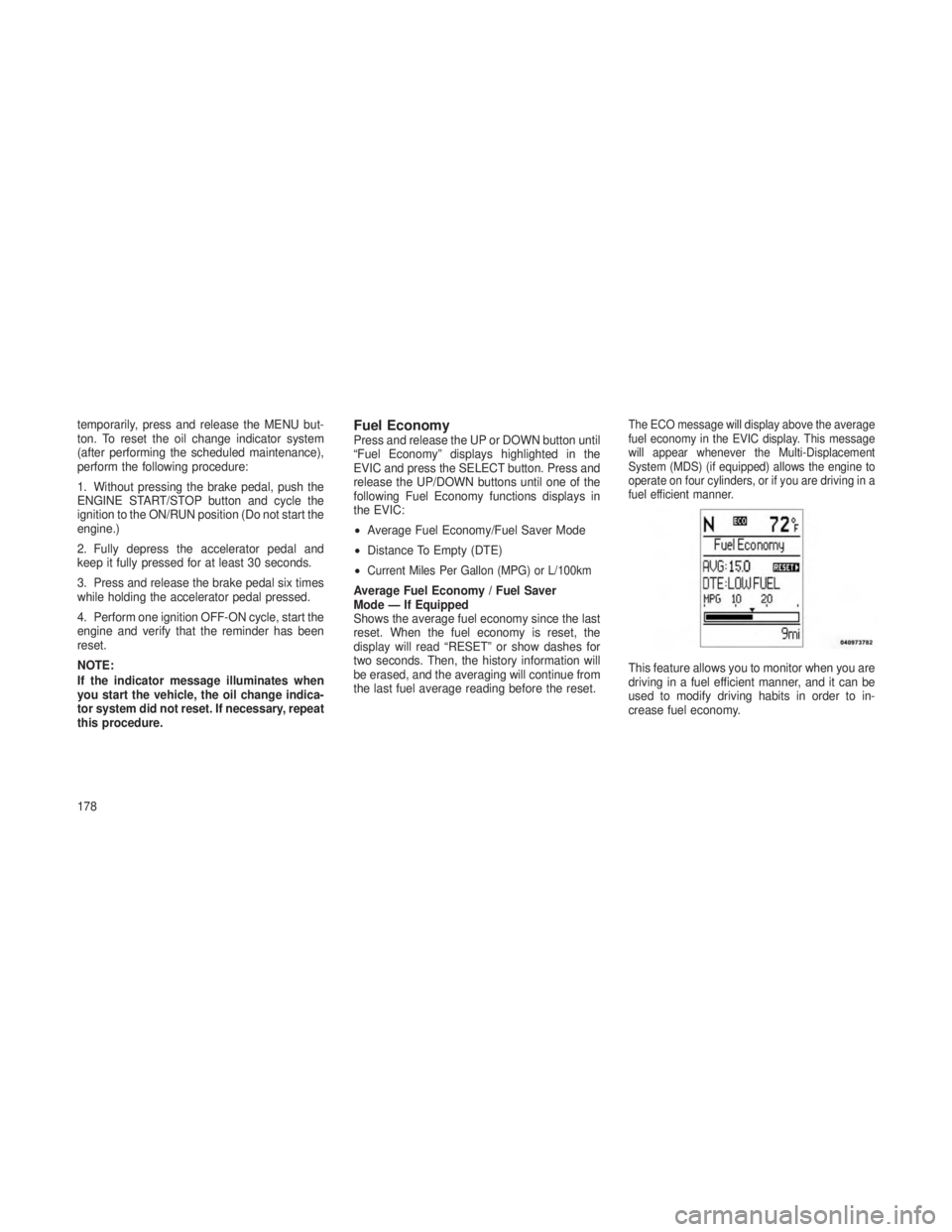
The ECO message will display above the average
fuel economy in the EVIC display. This message
will appear whenever the Multi-Displacement
System (MDS) (if equipped) allows the engine to
operate on four cylinders, or if you are driving in a
fuel efficient manner.
This feature allows you to monitor when you are
driving in a fuel efficient manner, and it can be
used to modify driving habits in order to in-
crease fuel economy.
178
Page 183 of 408

Distance To Empty (DTE)
Shows the estimated distance that can be trav-
eled with the fuel remaining in the tank. This
estimated distance is determined by a weighted
average of the instantaneous and average fuel
economy, according to the current fuel tank
level. DTE cannot be reset through the SELECT
button.
NOTE:
Significant changes in driving style or ve-
hicle loading will greatly affect the actual
drivable distance of the vehicle, regardless
of the DTE displayed value.
When the DTE value is less than 30 miles
(48 km) estimated driving distance, the DTE
display will change to a “LOW FUEL” message.
This display will continue until the vehicle runs
out of fuel. Adding a significant amount of fuel to
the vehicle will turn off the “LOW FUEL” mes-
sage and a new DTE value will display.Miles Per Gallon (MPG) Or L/100km
This display shows the instantaneous MPG or
L/100km in bar graph form while driving. This
will monitor the gas mileage in real-time as you
drive and can be used to modify driving habits in
order to increase fuel economy.
Adaptive Cruise ControlPress and release the UP or DOWN button until
"ACC"
(if equipped with Adaptive Cruise Con-
trol) is highlighted in the EVIC. Status of the
ACC is displayed in the menu line also. Press
and release the SELECT (right arrow) button to
display the following information:
• If equipped with ACC, one of several mes-
sages will be displayed giving a dynamic
update of the status of the feature as the
driver changes feature status or following
conditions change. If ACC is active and a
warning or other feature is in the EVIC main
display, the ACC status will be displayed in
place of the EVIC odometer line.
Press and release the BACK button to return to
the main menu.
Vehicle SpeedPress and release the UP or DOWN button until
“Vehicle Speed” displays highlighted in the
EVIC and press the SELECT button. Press the
SELECT button to display the current speed
in mph or km/h. Pressing the SELECT button a
second time will toggle the unit of measure
between mph or km/h.
NOTE:
Changing the unit of measure in the Vehicle
Speed menu will not change the unit of
measure in the EVIC.
Trip InfoPress and release the UP or DOWN button until
“Trip Info” displays highlighted in the EVIC and
press the SELECT button. Press and release
the UP/DOWN buttons until one of the following
Trip functions displays in the EVIC:
• Trip A
• Trip B
• Elapsed Time
179
Page 184 of 408
Trip A
Shows the total distance traveled for Trip A
since the last reset.
Trip B
Shows the total distance traveled for Trip B
since the last reset.
Elapsed Time
Shows the total elapsed time of travel since the
last reset when the ignition switch is in the ACC
position. Elapsed time will increment when the
ignition switch is in the ON or START position.
To Reset The Display
Reset will only occur while a resettable function
is being displayed. Press and release the SE-
LECT button once to clear the resettable func-
tion being displayed.
UnitsPress and release the UP or DOWN button until
“Units” displays highlighted in the EVIC and
press the SELECT button. The EVIC, odometer,
and navigation system (if equipped) can be
changed between English and Metric units ofmeasure. To make your selection, scroll up or
down until the preferred setting is highlighted,
then press and release the SELECT button until
a check-mark appears next to the setting, show-
ing that the setting has been selected.
Vehicle Info (Customer Information
Features)
Press and release the UP or DOWN button until
“Vehicle Info” displays highlighted in the EVIC
and press the SELECT button. Press the UP
and DOWN button to scroll through the avail-
able information displays, then press SELECT
to display any one of the following choices.
•
Oil Temp (If Equipped)
Displays the actual oil temperature.
• Oil Pressure (If Equipped)
Displays the actual oil pressure.
• Coolant Temp
Displays the actual coolant temperature. •
Trans Temperature
Displays the actual transmission temperature
when the shift lever is in the Drive position.
• Engine Hours
Displays the number of hours of engine operation.
Tire PSI or Tire KPAPress and release the UP or DOWN button until
“Tire PSI” or “Tire KPA” displays highlighted in
the EVIC and press the SELECT button. Press
and release the UP/DOWN buttons until one of
the following System Status messages displays
in the EVIC:
•System OK
• System Warnings Displayed (will display all
currently active System Warnings)
• Tire Pressure Monitor System (shows the
current pressure of all four road tires). For
additional information, refer to “Tire Pressure
Monitor System” in “Starting And Operating”.
180
Page 186 of 408

Compass / Temperature DisplayThe compass readings indicate the direction the
vehicle is facing. The EVIC will display one of
eight compass readings and the outside tem-
perature.
NOTE:
The system will display the last known out-
side temperature when starting the vehicle
and may need to be driven several minutes
before the updated temperature is dis-
played. Engine temperature can also affect
the displayed temperature; therefore, tem-
perature readings are not updated when the
vehicle is not moving.Automatic Compass Calibration
This compass is self-calibrating, which elimi-
nates the need to manually reset the compass.
When the vehicle is new, the compass may
appear erratic and the EVIC will display CAL
until the compass is calibrated. You may also
calibrate the compass by completing one or
more 360–degree turns (in an area free from
large metal or metallic objects) until the CAL
indicator displayed in the EVIC turns off. The
compass will now function normally.
NOTE:
A good calibration requires a level surface
and an environment free from large metallic
objects such as buildings, bridges, under-
ground cables, railroad tracks, etc.Compass Variance
Compass Variance is the difference between
Magnetic North and Geographic North. To com-
pensate for the differences the variance should
be set for the zone where the vehicle is driven,
per the zone map. Once properly set, the com-
pass will automatically compensate for the dif-
ferences, and provide the most accurate com-
pass heading. For the most accurate compass
performance, the compass must be set using
the following steps.
NOTE:
Keep magnetic materials away from the top
of the instrument panel, such as iPod’s,
Mobile Phones, Laptops and Radar Detec-
tors. This is where the compass module is
located, and it can cause interference with
the compass sensor, and it may give false
readings.
182