4WD JEEP GRAND CHEROKEE 2013 Owner handbook (in English)
[x] Cancel search | Manufacturer: JEEP, Model Year: 2013, Model line: GRAND CHEROKEE, Model: JEEP GRAND CHEROKEE 2013Pages: 408, PDF Size: 3.21 MB
Page 167 of 408
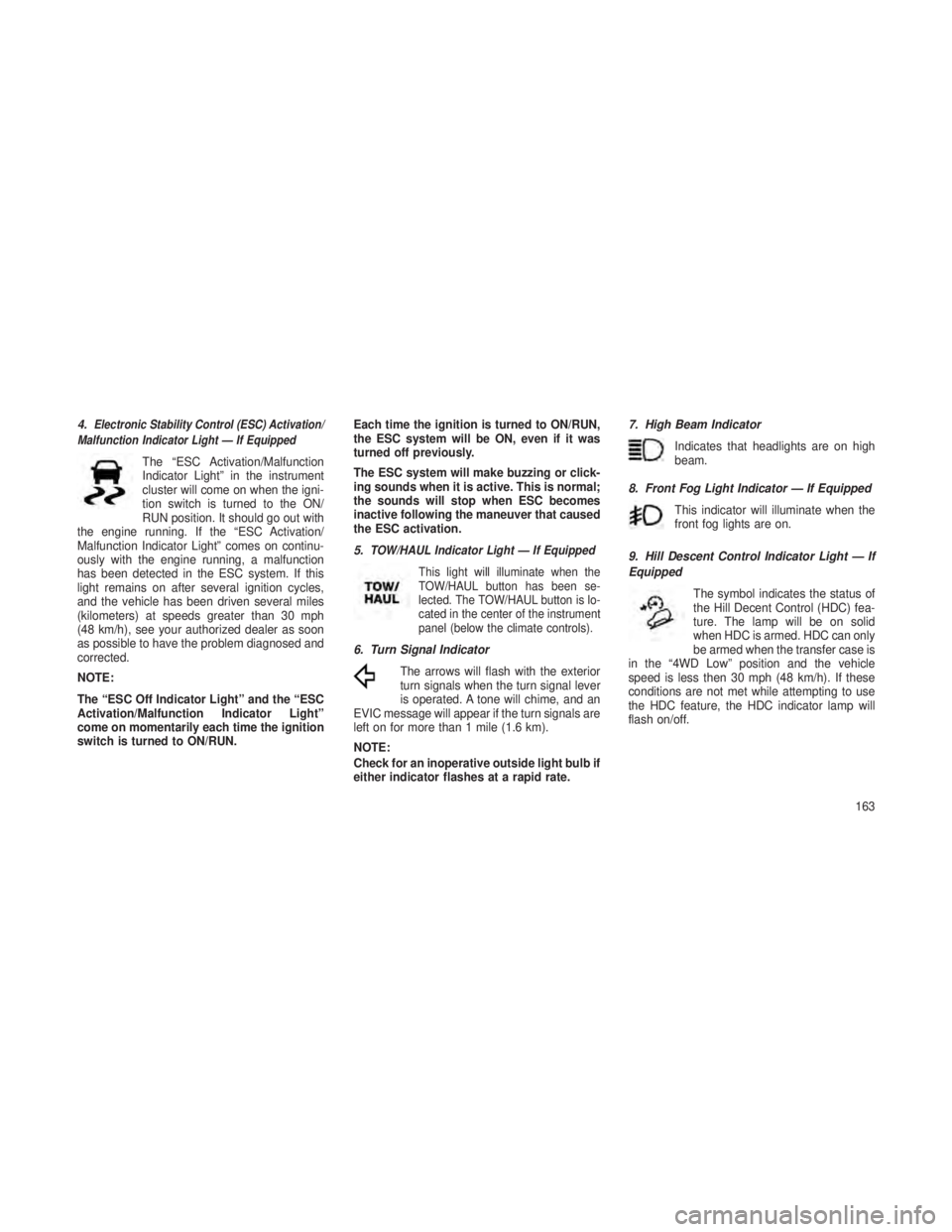
4.Electronic Stability Control (ESC) Activation/
Malfunction Indicator Light — If Equipped
The “ESC Activation/Malfunction
Indicator Light” in the instrument
cluster will come on when the igni-
tion switch is turned to the ON/
RUN position. It should go out with
the engine running. If the “ESC Activation/
Malfunction Indicator Light” comes on continu-
ously with the engine running, a malfunction
has been detected in the ESC system. If this
light remains on after several ignition cycles,
and the vehicle has been driven several miles
(kilometers) at speeds greater than 30 mph
(48 km/h), see your authorized dealer as soon
as possible to have the problem diagnosed and
corrected.
NOTE:
The “ESC Off Indicator Light” and the “ESC
Activation/Malfunction Indicator Light”
come on momentarily each time the ignition
switch is turned to ON/RUN. Each time the ignition is turned to ON/RUN,
the ESC system will be ON, even if it was
turned off previously.
The ESC system will make buzzing or click-
ing sounds when it is active. This is normal;
the sounds will stop when ESC becomes
inactive following the maneuver that caused
the ESC activation.
5.
TOW/HAUL Indicator Light — If Equipped
This light will illuminate when the
TOW/HAUL button has been se-
lected. The TOW/HAUL button is lo-
cated in the center of the instrument
panel (below the climate controls).
6. Turn Signal IndicatorThe arrows will flash with the exterior
turn signals when the turn signal lever
is operated. A tone will chime, and an
EVIC message will appear if the turn signals are
left on for more than 1 mile (1.6 km).
NOTE:
Check for an inoperative outside light bulb if
either indicator flashes at a rapid rate. 7. High Beam Indicator
Indicates that headlights are on high
beam.
8. Front Fog Light Indicator — If Equipped This indicator will illuminate when the
front fog lights are on.
9. Hill Descent Control Indicator Light — If
Equipped The symbol indicates the status of
the Hill Decent Control (HDC) fea-
ture. The lamp will be on solid
when HDC is armed. HDC can only
be armed when the transfer case is
in the “4WD Low” position and the vehicle
speed is less then 30 mph (48 km/h). If these
conditions are not met while attempting to use
the HDC feature, the HDC indicator lamp will
flash on/off.
163
Page 179 of 408
Tighten the fuel filler cap properly and press the
SELECT button to turn off the message. If the
problem continues, the message will appear the
next time the vehicle is started.
•A loose, improperly installed, or damaged
fuel filler cap may also turn on the Malfunc-
tion Indicator Light (MIL).
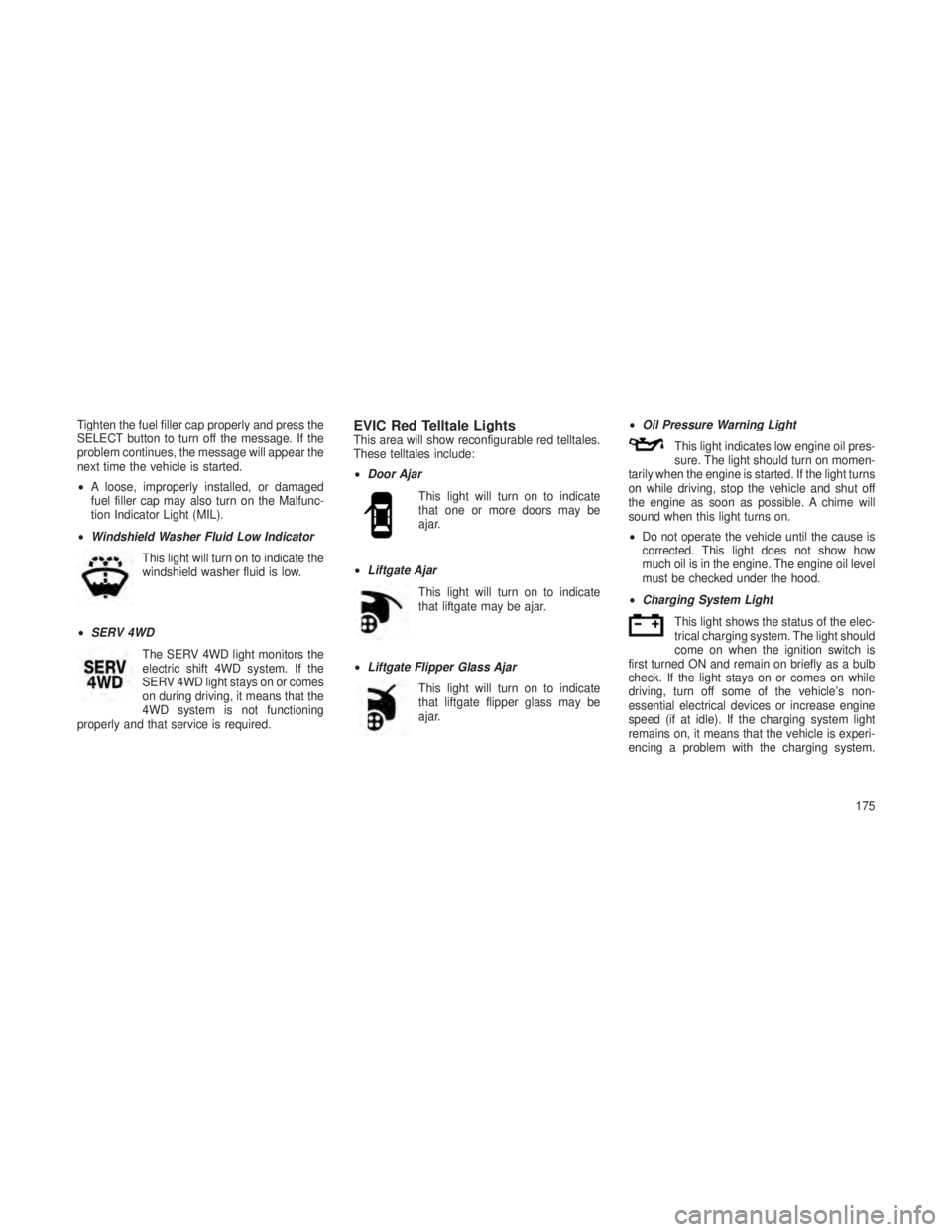
• Windshield Washer Fluid Low Indicator
This light will turn on to indicate the
windshield washer fluid is low.
• SERV 4WD
The SERV 4WD light monitors the
electric shift 4WD system. If the
SERV 4WD light stays on or comes
on during driving, it means that the
4WD system is not functioning
properly and that service is required.EVIC Red Telltale LightsThis area will show reconfigurable red telltales.
These telltales include:
• Door Ajar
This light will turn on to indicate
that one or more doors may be
ajar.
• Liftgate Ajar
This light will turn on to indicate
that liftgate may be ajar.
• Liftgate Flipper Glass Ajar
This light will turn on to indicate
that liftgate flipper glass may be
ajar. •
Oil Pressure Warning Light
This light indicates low engine oil pres-
sure. The light should turn on momen-
tarily when the engine is started. If the light turns
on while driving, stop the vehicle and shut off
the engine as soon as possible. A chime will
sound when this light turns on.
• Do not operate the vehicle until the cause is
corrected. This light does not show how
much oil is in the engine. The engine oil level
must be checked under the hood.
• Charging System Light
This light shows the status of the elec-
trical charging system. The light should
come on when the ignition switch is
first turned ON and remain on briefly as a bulb
check. If the light stays on or comes on while
driving, turn off some of the vehicle’s non-
essential electrical devices or increase engine
speed (if at idle). If the charging system light
remains on, it means that the vehicle is experi-
encing a problem with the charging system.
175
Page 220 of 408
•FOUR-WHEEL DRIVE OPERATION ....................237•Quadra-Trac II® Operating Instructions/Precautions .........237
• Shift Positions ............................... .238
• Shifting Procedures ............................ .238
• Quadra-Drive® II System – If Equipped .................240
•SELEC-TERRAIN™ — IF EQUIPPED ...................240•Description ................................. .240
• Electronic Vehicle Information Center (EVIC) Display Messages . .241
•QUADRA-LIFT™ — IF EQUIPPED .....................241•Description ................................. .241
• Electronic Vehicle Information Center (EVIC) Display Messages . .243
• Operation .................................. .243
•ON-ROAD DRIVING TIPS ..........................244
• OFF-ROAD DRIVING TIPS ..........................245
•Quadra-Lift™ – If Equipped ........................245
• When To Use 4WD LOW Range – If Equipped .............245
• Driving Through Water .......................... .245
• Driving In Snow, Mud And Sand .....................246
• Hill Climbing ................................ .246
• Traction Downhill ............................. .247
• After Driving Off-Road .......................... .247
•FUEL SAVER TECHNOLOGY 5.7L ENGINE ONLY – IF
EQUIPPED ....................................248
• POWER STEERING ..............................248
•3.6L And 5.7L Engine ........................... .248
• 3.0L Diesel Engine ............................ .249
• Power Steering Fluid Check ...................... .250
216
Page 241 of 408
•If the vehicle has not been driven for
several days, the first few seconds of
operation after shifting the transmission
into gear may seem sluggish. This is due
to the fluid partially draining from the
torque converter into the transmission.
This condition is normal and will not
cause damage to the transmission. The
torque converter will refill within five sec-
onds after starting the engine.
FOUR-WHEEL DRIVE
OPERATION
Quadra-Trac II® Operating
Instructions/Precautions
The Quadra-Trac II® transfer case is fully auto-
matic in the normal driving 4WD AUTO mode.
The Quadra-Trac II® transfer case provides
three mode positions:
•4WD HI
• NEUTRAL
• 4WD LOW This transfer case is fully automatic in the 4WD
HI mode.
When additional traction is required, the 4WD
LOW position can be used to lock the front and
rear driveshafts together and force the front and
rear wheels to rotate at the same speed. The
4WD LOW position is intended for loose, slip-
pery road surfaces only. Driving in the 4WD
LOW position on dry, hard-surfaced roads may
cause increased tire wear and damage to drive-
line components.
When operating your vehicle in 4WD LOW, the
engine speed is approximately three times that
of the 4WD HI position at a given road speed.
Take care not to overspeed the engine and do
not exceed 25 mph (40 km/h).
Proper operation of four-wheel drive vehicles
depends on tires of equal size, type, and cir-
cumference on each wheel. Any difference will
adversely affect shifting and cause damage to
the transfer case.
Because four-wheel drive provides improved
traction, there is a tendency to exceed safe
turning and stopping speeds. Do not go faster
than road conditions permit.
WARNING!
You or others could be injured if you leave
the vehicle unattended with the transfer case
in the NEUTRAL (N) position without first
fully engaging the parking brake. The trans-
fer case NEUTRAL (N) position disengages
both the front and rear driveshafts from the
powertrain and will allow the vehicle to move
regardless of the transmission position. The
parking brake should always be applied
when the driver is not in the vehicle.
237
Page 242 of 408
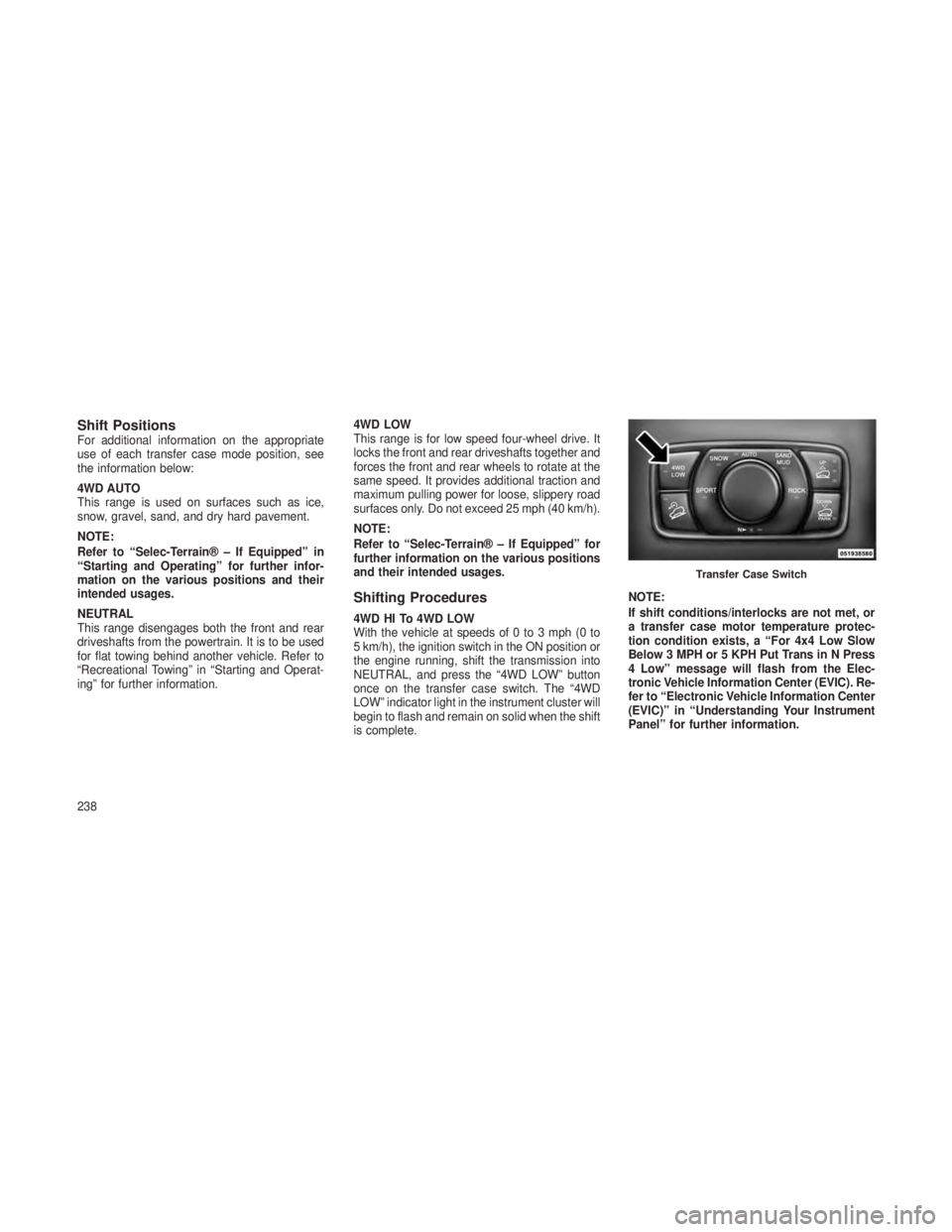
Shift PositionsFor additional information on the appropriate
use of each transfer case mode position, see
the information below:
4WD AUTO
This range is used on surfaces such as ice,
snow, gravel, sand, and dry hard pavement.
NOTE:
Refer to “Selec-Terrain® – If Equipped” in
“Starting and Operating” for further infor-
mation on the various positions and their
intended usages.
NEUTRAL
This range disengages both the front and rear
driveshafts from the powertrain. It is to be used
for flat towing behind another vehicle. Refer to
“Recreational Towing” in “Starting and Operat-
ing” for further information.4WD LOW
This range is for low speed four-wheel drive. It
locks the front and rear driveshafts together and
forces the front and rear wheels to rotate at the
same speed. It provides additional traction and
maximum pulling power for loose, slippery road
surfaces only. Do not exceed 25 mph (40 km/h).
NOTE:
Refer to “Selec-Terrain® – If Equipped” for
further information on the various positions
and their intended usages.
Shifting Procedures
4WD HI To 4WD LOW
With the vehicle at speeds of 0 to 3 mph (0 to
5 km/h), the ignition switch in the ON position or
the engine running, shift the transmission into
NEUTRAL, and press the “4WD LOW” button
once on the transfer case switch. The “4WD
LOW” indicator light in the instrument cluster will
begin to flash and remain on solid when the shift
is complete.
NOTE:
If shift conditions/interlocks are not met, or
a transfer case motor temperature protec-
tion condition exists, a “For 4x4 Low Slow
Below 3 MPH or 5 KPH Put Trans in N Press
4 Low” message will flash from the Elec-
tronic Vehicle Information Center (EVIC). Re-
fer to “Electronic Vehicle Information Center
(EVIC)” in “Understanding Your Instrument
Panel” for further information.
Transfer Case Switch
238
Page 243 of 408
4WD LOW To 4WD HI
With the vehicle at speeds of 0 to 3 mph (0 to
5 km/h), the ignition switch in the ON position or
the engine running, shift the transmission into
NEUTRAL, and press the “4WD LOW” button
once on the transfer case switch. The “4WD
LOW” indicator light in the instrument cluster will
flash and go out when the shift is complete.
NOTE:
•If shift conditions/interlocks are not met,
or a transfer case motor temperature pro-
tection condition exists, a “For 4x4 High
Slow Below 3 MPH or 5 KPH Put Trans in
N Press 4 Low” message will flash from
the Electronic Vehicle Information Center
(EVIC). Refer to “Electronic Vehicle Infor-
mation Center (EVIC)” in “Understanding
Your Instrument Panel” for further infor-
mation. •Shifting into or out of 4WD LOW is possible
with the vehicle completely stopped; how-
ever, difficulty may occur due to the mating
clutch teeth not being properly aligned.
Several attempts may be required for clutch
teeth alignment and shift completion to
occur. The preferred method is with the
vehicle rolling 0 to 3 mph (0 to 5 km/h). If the
vehicle is moving faster than 3 mph
(5 km/h), the transfer case will not allow the
shift.
NEUTRAL Shift Procedure
1. Turn the ignition switch to the ON position,
engine off.
2. Vehicle stopped, with foot on brake.
3. Place the transmission into NEUTRAL.
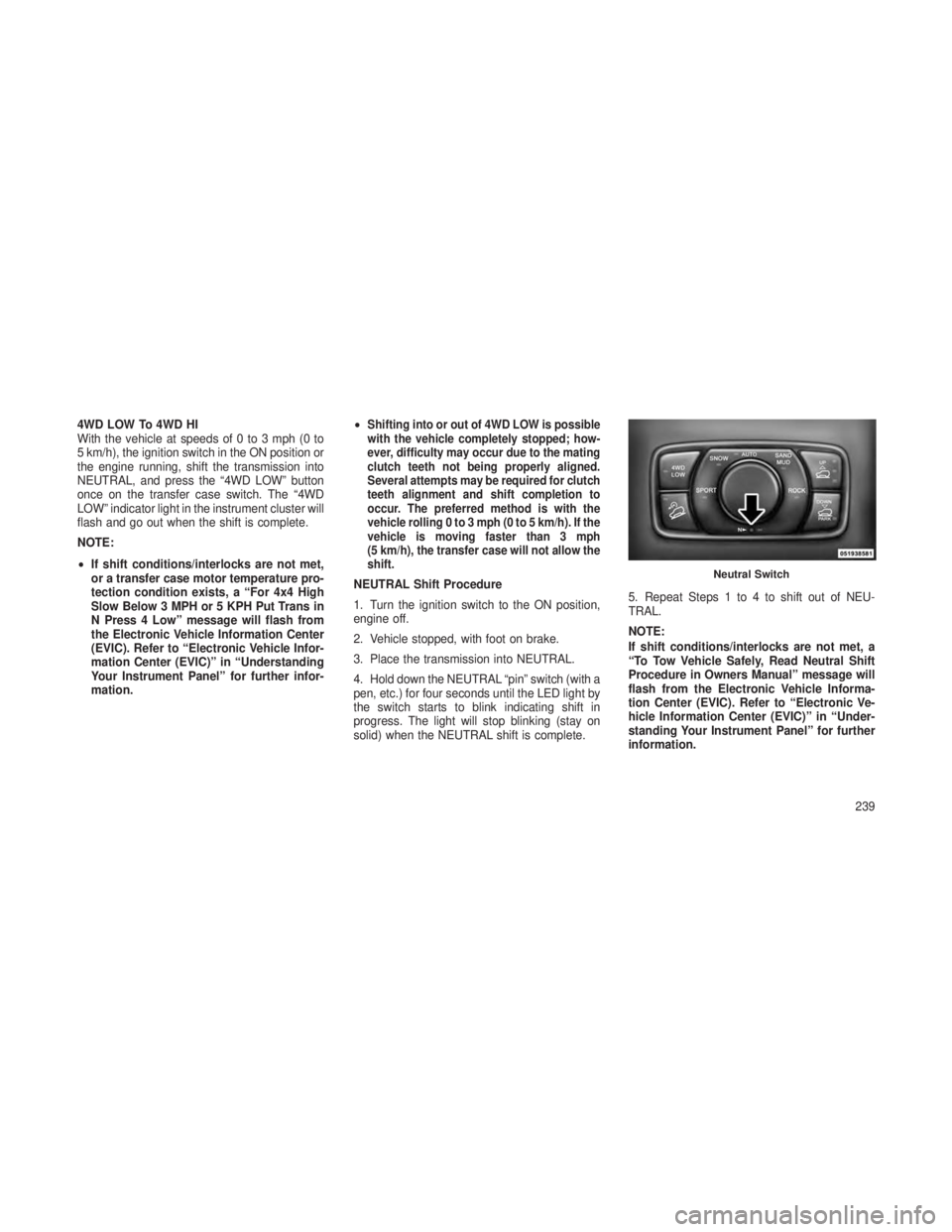
4. Hold down the NEUTRAL “pin” switch (with a
pen, etc.) for four seconds until the LED light by
the switch starts to blink indicating shift in
progress. The light will stop blinking (stay on
solid) when the NEUTRAL shift is complete.
5. Repeat Steps 1 to 4 to shift out of NEU-
TRAL.
NOTE:
If shift conditions/interlocks are not met, a
“To Tow Vehicle Safely, Read Neutral Shift
Procedure in Owners Manual” message will
flash from the Electronic Vehicle Informa-
tion Center (EVIC). Refer to “Electronic Ve-
hicle Information Center (EVIC)” in “Under-
standing Your Instrument Panel” for further
information.Neutral Switch
239
Page 244 of 408
Quadra-Drive® II System – If
Equipped
The optional Quadra-Drive® II System features
two torque transfer couplings. The couplings
include an Electronic Limited-Slip Differential
(ELSD) rear axle and the Quadra-Trac II®
transfer case. The optional ELSD axle is fully
automatic and requires no driver input to oper-
ate. Under normal driving conditions, the unit
functions as a standard axle, balancing torque
evenly between left and right wheels. With a
traction difference between left and right
wheels, the coupling will sense a speed differ-
ence. As one wheel begins to spin faster than
the other, torque will automatically transfer from
the wheel that has less traction, to the wheel
that has traction. While the transfer case and
axle coupling differ in design, their operation is
similar. Follow the Quadra-Trac II® transfer
case shifting information, preceding this sec-
tion, for shifting this system.
SELEC-TERRAIN™ — IF
EQUIPPED
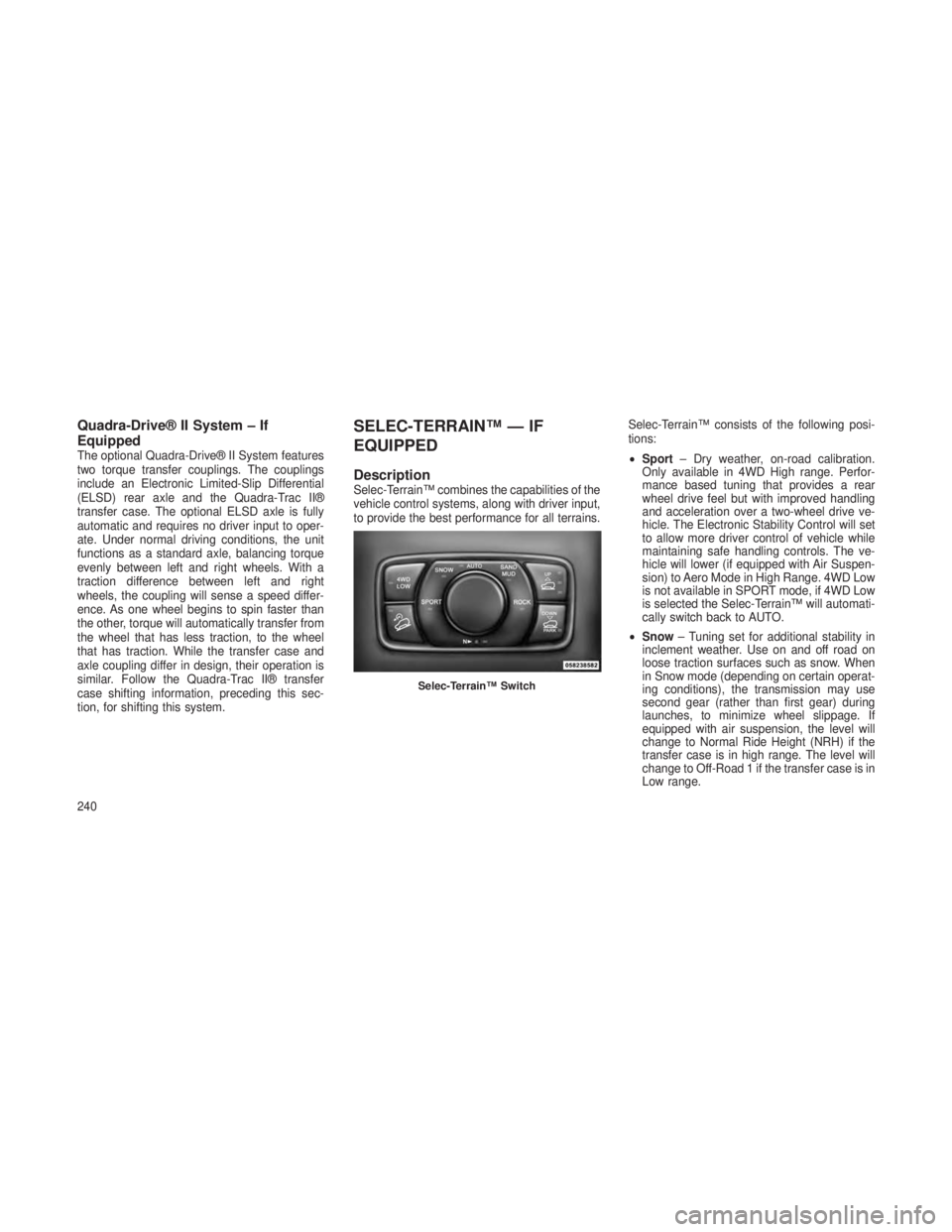
DescriptionSelec-Terrain™ combines the capabilities of the
vehicle control systems, along with driver input,
to provide the best performance for all terrains.Selec-Terrain™ consists of the following posi-
tions:
•
Sport – Dry weather, on-road calibration.
Only available in 4WD High range. Perfor-
mance based tuning that provides a rear
wheel drive feel but with improved handling
and acceleration over a two-wheel drive ve-
hicle. The Electronic Stability Control will set
to allow more driver control of vehicle while
maintaining safe handling controls. The ve-
hicle will lower (if equipped with Air Suspen-
sion) to Aero Mode in High Range. 4WD Low
is not available in SPORT mode, if 4WD Low
is selected the Selec-Terrain™ will automati-
cally switch back to AUTO.
• Snow – Tuning set for additional stability in
inclement weather. Use on and off road on
loose traction surfaces such as snow. When
in Snow mode (depending on certain operat-
ing conditions), the transmission may use
second gear (rather than first gear) during
launches, to minimize wheel slippage. If
equipped with air suspension, the level will
change to Normal Ride Height (NRH) if the
transfer case is in high range. The level will
change to Off-Road 1 if the transfer case is in
Low range.
Selec-Terrain™ Switch
240
Page 245 of 408
•Auto – Fully automatic full time four-wheel
drive operation can be used on and off road.
Balances traction with seamless steering feel
to provide improved handling and accelera-
tion over two-wheel drive vehicles. If
equipped with air suspension, the level will
change to NRH.
•
Sand/Mud–Off road calibration for use on low
traction surfaces such as mud, sand, or wet
grass. Driveline is maximized for traction.
Some binding may be felt on less forgiving
surfaces. The electronic brake controls are set
to limit traction control management of throttle
and wheel spin. If equipped with air suspen-
sion, the level will change to Off-Road 1.
• Rock – Off-road calibration only available in
4WD Low range. The vehicle is raised (if
equipped with Air Suspension) for improved
ground clearance. Traction based tuning with
improved steer-ability for use on high traction
off-road surfaces. Activate the Hill Descent
Control for steep downhill control. Use for low
speed obstacles such as large rocks, deep ruts, etc. If equipped with air suspension, the
vehicle level will change to Off-Road 2. If the
Selec-Terrain™ switch is in ROCK mode,
and the transfer case is switched from 4WD
Low to 4WD High, the Selec-Terrain™ sys-
tem will return to AUTO.
Electronic Vehicle Information
Center (EVIC) Display Messages
When the appropriate conditions exist, a mes-
sage will appear in the EVIC display. Refer to
“Electronic Vehicle Information Center (EVIC)”
in “Understanding Your Instrument Panel” for
further information.
QUADRA-LIFT™ — IF
EQUIPPED
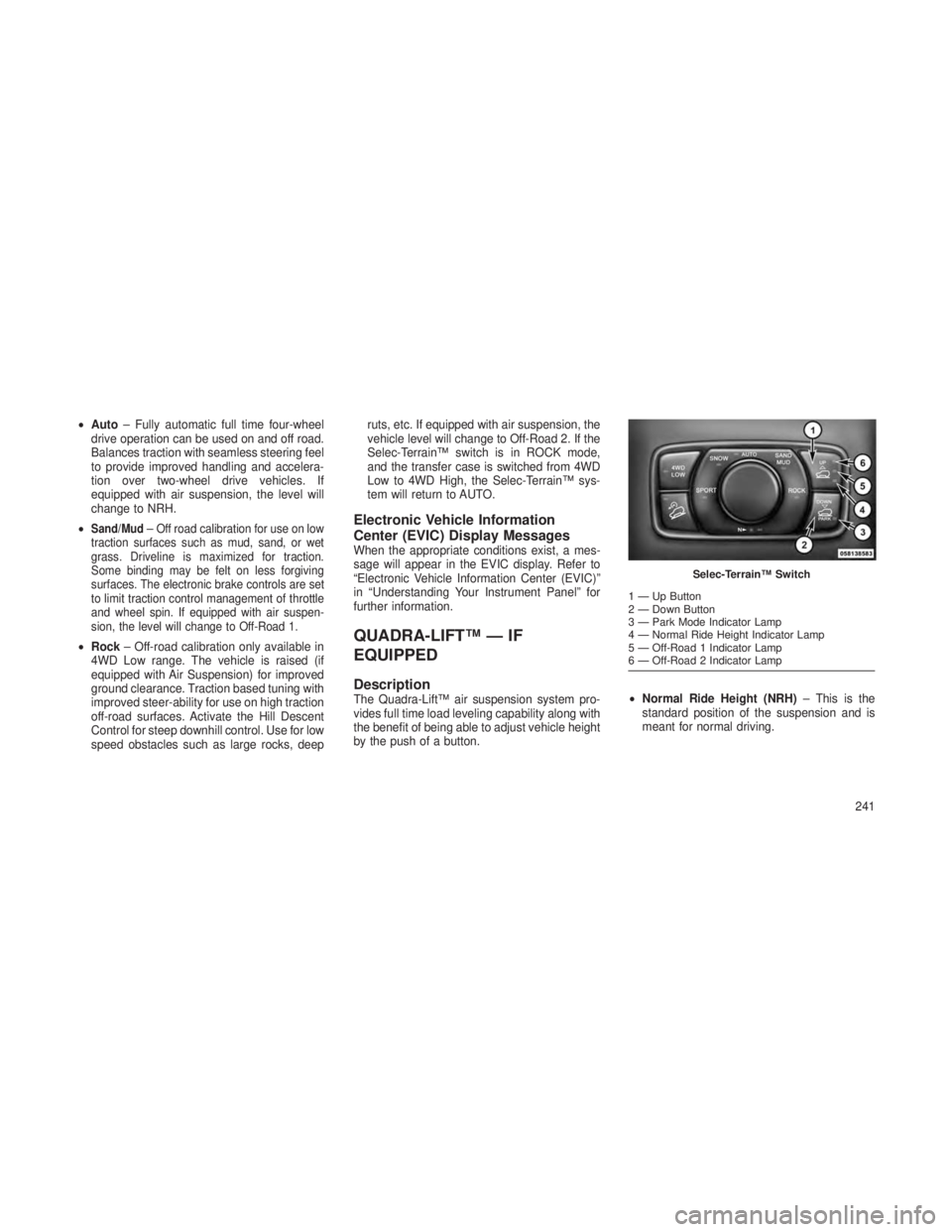
DescriptionThe Quadra-Lift™ air suspension system pro-
vides full time load leveling capability along with
the benefit of being able to adjust vehicle height
by the push of a button.
•
Normal Ride Height (NRH) – This is the
standard position of the suspension and is
meant for normal driving.
Selec-Terrain™ Switch
1—UpButton
2 — Down Button
3 — Park Mode Indicator Lamp
4 — Normal Ride Height Indicator Lamp
5 — Off-Road 1 Indicator Lamp
6 — Off-Road 2 Indicator Lamp
241
Page 249 of 408
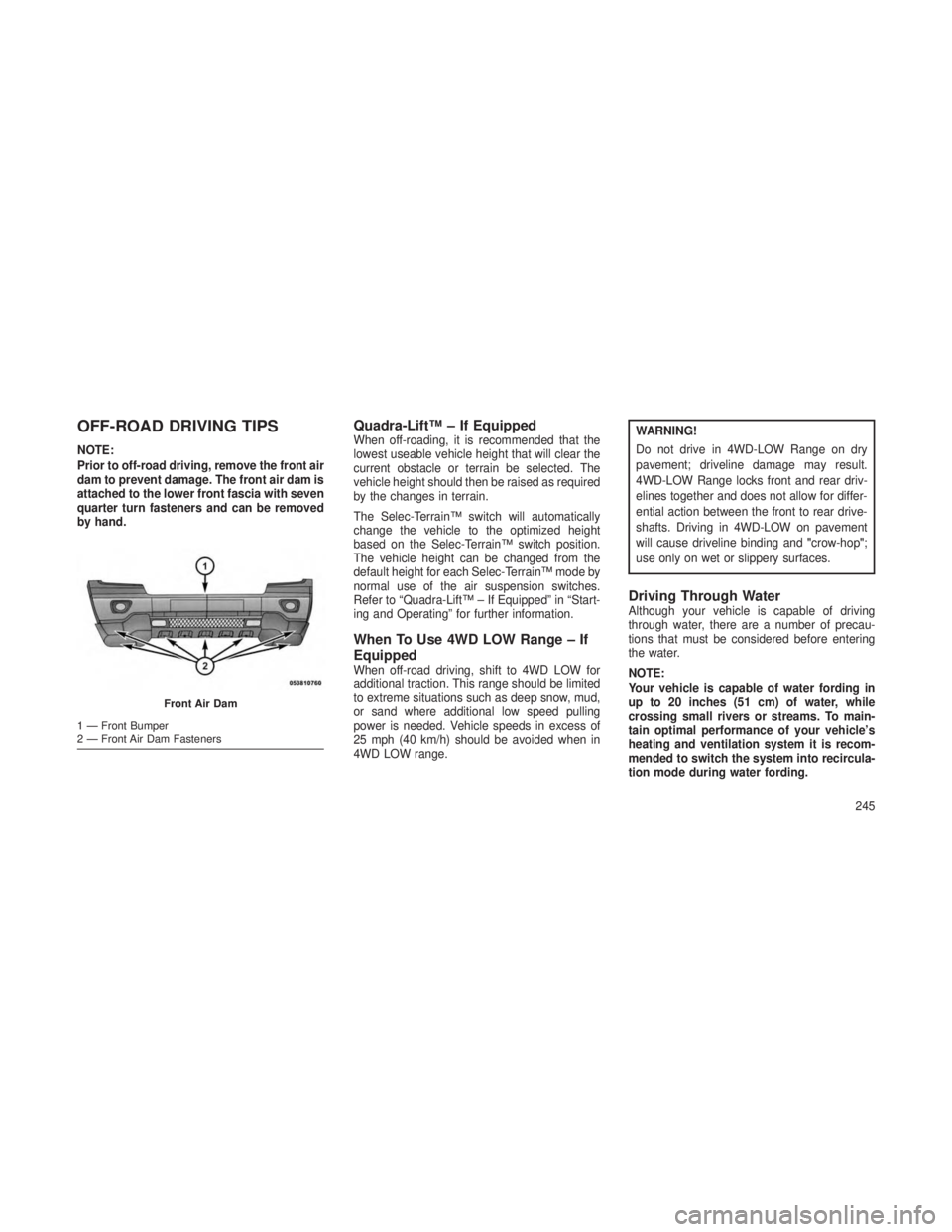
OFF-ROAD DRIVING TIPS
NOTE:
Prior to off-road driving, remove the front air
dam to prevent damage. The front air dam is
attached to the lower front fascia with seven
quarter turn fasteners and can be removed
by hand.
Quadra-Lift™ – If EquippedWhen off-roading, it is recommended that the
lowest useable vehicle height that will clear the
current obstacle or terrain be selected. The
vehicle height should then be raised as required
by the changes in terrain.
The Selec-Terrain™ switch will automatically
change the vehicle to the optimized height
based on the Selec-Terrain™ switch position.
The vehicle height can be changed from the
default height for each Selec-Terrain™ mode by
normal use of the air suspension switches.
Refer to “Quadra-Lift™ – If Equipped” in “Start-
ing and Operating” for further information.
When To Use 4WD LOW Range – If
Equipped
When off-road driving, shift to 4WD LOW for
additional traction. This range should be limited
to extreme situations such as deep snow, mud,
or sand where additional low speed pulling
power is needed. Vehicle speeds in excess of
25 mph (40 km/h) should be avoided when in
4WD LOW range.
WARNING!
Do not drive in 4WD-LOW Range on dry
pavement; driveline damage may result.
4WD-LOW Range locks front and rear driv-
elines together and does not allow for differ-
ential action between the front to rear drive-
shafts. Driving in 4WD-LOW on pavement
will cause driveline binding and"crow-hop";
use only on wet or slippery surfaces.
Driving Through WaterAlthough your vehicle is capable of driving
through water, there are a number of precau-
tions that must be considered before entering
the water.
NOTE:
Your vehicle is capable of water fording in
up to 20 inches (51 cm) of water, while
crossing small rivers or streams. To main-
tain optimal performance of your vehicle’s
heating and ventilation system it is recom-
mended to switch the system into recircula-
tion mode during water fording.
Front Air Dam
1 — Front Bumper
2 — Front Air Dam Fasteners
245
Page 250 of 408
CAUTION!
When driving through water, do not exceed
5 mph (8 km/h). Always check water depth
before entering, as a precaution, and check all
fluids afterward. Driving through water may
cause damage that may not be covered by the
new vehicle limited warranty.
Driving through water more than a few inches/
centimeters deep will require extra caution to
ensure safety and prevent damage to your
vehicle. If you must drive through water, try to
determine the depth and the bottom condition
(and location of any obstacles) prior to entering.
Proceed with caution and maintain a steady
controlled speed less than 5 mph (8 km/h) in
deep water to minimize wave effects.Flowing Water
If the water is swift flowing and rising (as in
storm run-off), avoid crossing until the water
level recedes and/or the flow rate is reduced. If
you must cross flowing water avoid depths in
excess of 9 inches (23 cm). The flowing water
can erode the streambed, causing your vehicle
to sink into deeper water. Determine exit
point(s) that are downstream of your entry point
to allow for drifting.
Standing Water
Avoid driving in standing water deeper than
20 inches (51 cm), and reduce speed appropri-
ately to minimize wave effects. Maximum speed
in 20 inches (51 cm) of water is less than 5 mph
(8 km/h).
Maintenance
After driving through deep water, inspect your
vehicle fluids and lubricants (engine oil, trans-
mission oil, axle, transfer case) to assure the
fluids have not been contaminated. Contami-
nated fluid (milky, foamy in appearance) should
be flushed/changed as soon as possible to
prevent component damage.
Driving In Snow, Mud And SandIn heavy snow, when pulling a load, or for
additional control at slower speeds, shift the
transmission to a low gear and shift the transfer
case to 4WD LOW if necessary. Refer to “Four-
Wheel Drive Operation” in “Starting and Oper-
ating” for further information. Do not shift to a
lower gear than necessary to maintain forward
motion. Over-revving the engine can spin the
wheels and traction will be lost.
Avoid abrupt downshifts on icy or slippery roads,
because engine braking may cause skidding and
loss of control.
Hill Climbing
NOTE:
Before attempting to climb a hill, determine
the conditions at the crest and/or on the
other side.
Before climbing a steep hill,
shift the trans-
mission to a lower gear and shift the transfer
case to 4WD LOW. Use first gear and 4WD
LOW for very steep hills.
246