fuel JEEP GRAND CHEROKEE 2013 Owner handbook (in English)
[x] Cancel search | Manufacturer: JEEP, Model Year: 2013, Model line: GRAND CHEROKEE, Model: JEEP GRAND CHEROKEE 2013Pages: 408, PDF Size: 3.21 MB
Page 51 of 408
A quantity of non-toxic gas is generated to
inflate the side curtain air bag. The inflating side
curtain air bag pushes the outside edge of the
headliner out of the way and covers the window.
The air bag inflates in about 30 milliseconds
(about one-quarter of the time that it takes to
blink your eyes) with enough force to injure you
if you are not belted and seated properly, or if
items are positioned in the area where the side
curtain air bag inflates. This especially applies
to children. The side curtain air bag is only
about 3-1/2 in (9 cm) thick when it is inflated.
Because air bag sensors estimate deceleration
over time, vehicle speed and damage are not
good indicators of whether or not an air bag
should have deployed.
NOTE:
In a rollover the pretensioners, and/or SAB
and SABIC air bags may deploy on both
sides of the vehicle.
Front And Side Impact Sensors
In front and side impacts, impact sensors can
aid the ORC in determining appropriate re-
sponse to impact events.Enhanced Accident Response System
In the event of an impact causing air bag
deployment, if the communication network re-
mains intact, and the power remains intact,
depending on the nature of the event the ORC
will determine whether to have the Enhanced
Accident Response System perform the follow-
ing functions:
•
Cut off fuel to the engine.
• Flash hazard lights as long as the battery has
power or until the ignition key is turned off.
• Turn on the interior lights, which remain on as
long as the battery has power or until the
ignition key is removed.
• Unlock the doors automatically.
In order to reset the Enhanced Accident Re-
sponse System functions after an event, the
ignition switch must be changed from IGN ON to
IGN OFF. If A Deployment Occurs
The Advanced Front Air Bags are designed to
deflate immediately after deployment.
NOTE:
In a rollover the pretensioners and/or SAB
and SABIC - if equipped air bags may deploy
on both sides of the vehicle.
If you do have a collision which deploys the air
bags, any or all of the following may occur:
•
The nylon air bag material may sometimes
cause abrasions and/or skin reddening to the
driver and front passenger as the air bags
deploy and unfold. The abrasions are similar
to friction rope burns or those you might get
sliding along a carpet or gymnasium floor.
They are not caused by contact with chemi-
cals. They are not permanent and normally
heal quickly. However, if you haven’t healed
significantly within a few days, or if you have
any blistering, see your doctor immediately.
47
Page 65 of 408
Floor Mat Safety Information
Always use floor mats designed to fit the foot-
well of your vehicle. Use only floor mats that
leave the pedal area unobstructed and that are
firmly secured so that they cannot slip out of
position and interfere with the pedals or impair
safe operation of your vehicle in other ways.
WARNING!
Pedals that cannot move freely can cause
loss of vehicle control and increase the risk
of serious personal injury.
•
Always make sure that floor mats are prop-
erly attached to the floor mat fasteners.
•Never place or install floor mats or other
floor coverings in the vehicle that cannot
be properly secured to prevent them from
moving and interfering with the pedals or
the ability to control the vehicle.
(Continued)
WARNING!(Continued)
•Never put floor mats or other floor cover-
ings on top of already installed floor mats.
Additional floor mats and other coverings
will reduce the size of the pedal area and
interfere with the pedals.
• Check mounting of mats on a regular
basis. Always properly reinstall and secure
floor mats that have been removed for
cleaning.
• Always make sure that objects cannot fall
into the driver footwell while the vehicle is
moving. Objects can become trapped un-
der the brake pedal and accelerator pedal
causing a loss of vehicle control.
• If required, mounting posts must be prop-
erly installed, if not equipped from the
factory.
Failure to properly follow floor mat installa-
tion or mounting can cause interference with
the brake pedal and accelerator pedal opera-
tion causing loss of control of the vehicle.
Periodic Safety Checks You Should
Make Outside The Vehicle
Tires
Examine tires for excessive tread wear and
uneven wear patterns. Check for stones, nails,
glass, or other objects lodged in the tread or
sidewall. Inspect the tread for cuts and cracks.
Inspect sidewalls for cuts, cracks and bulges.
Check the wheel nuts for tightness. Check the
tires (including spare) for proper cold inflation
pressure.
Lights
Have someone observe the operation of brake
lights and exterior lights while you work the
controls. Check turn signal and high beam
indicator lights on the instrument panel.
Door Latches
Check for positive closing, latching, and locking.
Fluid Leaks
Check area under vehicle after overnight park-
ing for fuel, engine coolant, oil, or other fluid
leaks. Also, if gasoline fumes are detected or if
fuel, power steering fluid, or brake fluid leaks
are suspected, the cause should be located and
corrected immediately.
61
Page 161 of 408
4
UNDERSTANDING YOUR INSTRUMENT
PANEL
•INSTRUMENT PANEL FEATURES ...................160
• INSTRUMENT CLUSTER .........................161
• INSTRUMENT CLUSTER DESCRIPTIONS ..............162
• ELECTRONIC VEHICLE INFORMATION CENTER (EVIC) .....168
•Electronic Vehicle Information Center (EVIC) Displays ......169
• EVIC White Telltale Lights ...................... .173
• EVIC Amber Telltale Lights ..................... .174
• EVIC Red Telltale Lights ........................175
• Engine Oil Change Indicator System ................177
• Fuel Economy ............................. .178
• Adaptive Cruise Control ........................179
• Vehicle Speed ............................. .179
• Trip Info ................................ .179
• Units .................................. .180
• Vehicle Info (Customer Information Features) ...........180
• TirePSIorTireKPA ......................... .180
• Messages # .............................. .181
• Turn Menu OFF ............................ .181
157
Page 164 of 408
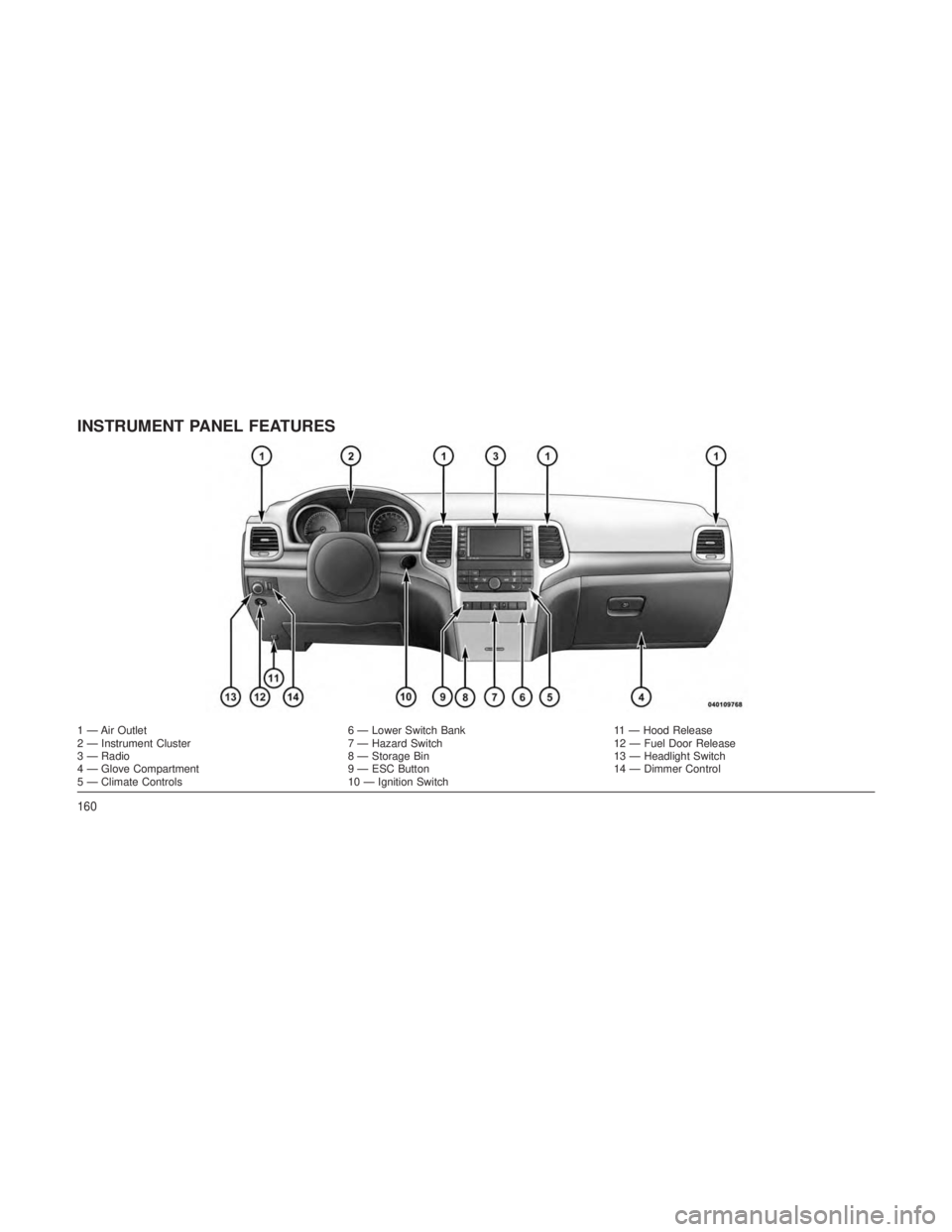
INSTRUMENT PANEL FEATURES
1 — Air Outlet6 — Lower Switch Bank11 — Hood Release
2 — Instrument Cluster 7 — Hazard Switch12 — Fuel Door Release
3 — Radio 8 — Storage Bin13 — Headlight Switch
4 — Glove Compartment 9 — ESC Button14 — Dimmer Control
5 — Climate Controls 10 — Ignition Switch
160
Page 166 of 408
INSTRUMENT CLUSTER
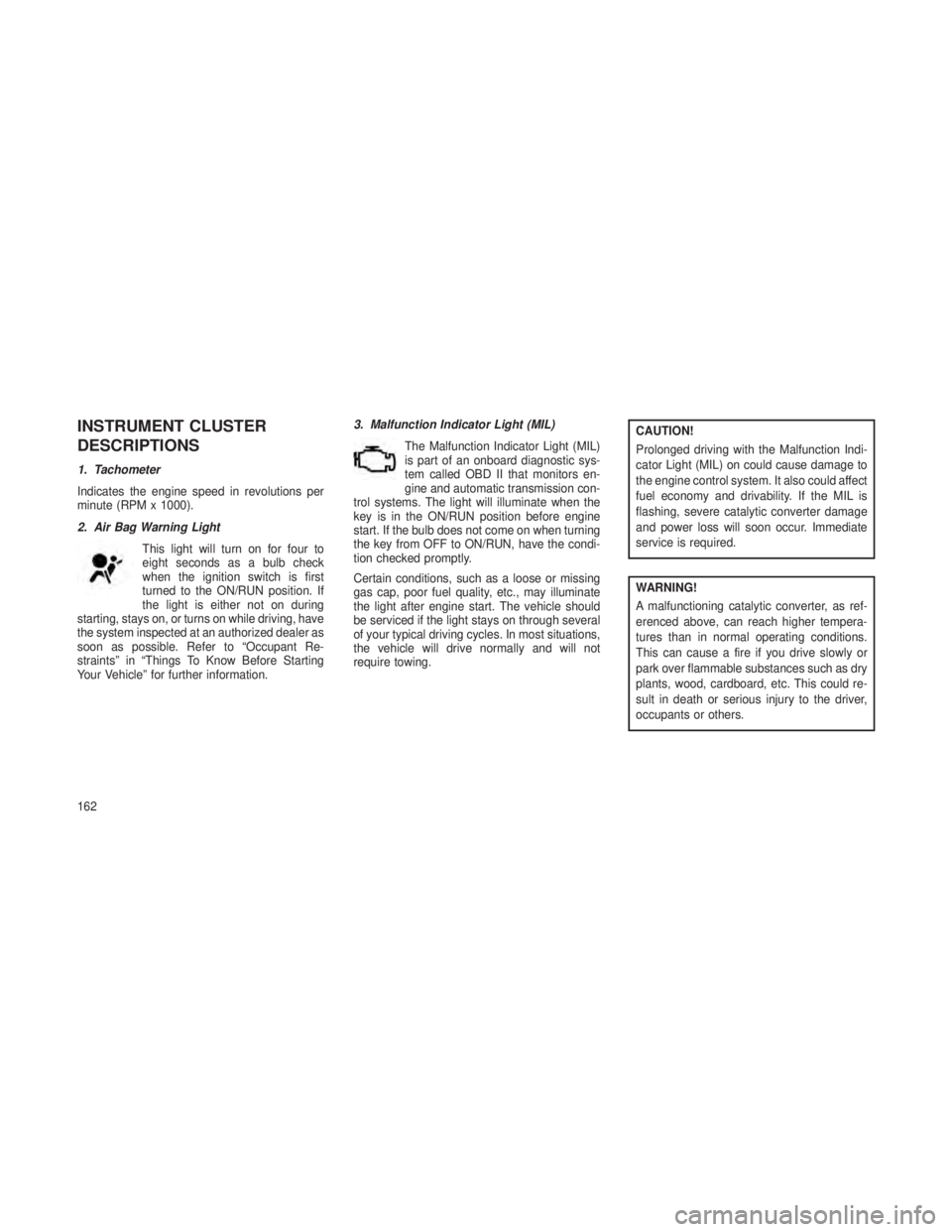
DESCRIPTIONS
1. Tachometer
Indicates the engine speed in revolutions per
minute (RPM x 1000).
2. Air Bag Warning LightThis light will turn on for four to
eight seconds as a bulb check
when the ignition switch is first
turned to the ON/RUN position. If
the light is either not on during
starting, stays on, or turns on while driving, have
the system inspected at an authorized dealer as
soon as possible. Refer to “Occupant Re-
straints” in “Things To Know Before Starting
Your Vehicle” for further information. 3. Malfunction Indicator Light (MIL)
The Malfunction Indicator Light (MIL)
is part of an onboard diagnostic sys-
tem called OBD II that monitors en-
gine and automatic transmission con-
trol systems. The light will illuminate when the
key is in the ON/RUN position before engine
start. If the bulb does not come on when turning
the key from OFF to ON/RUN, have the condi-
tion checked promptly.
Certain conditions, such as a loose or missing
gas cap, poor fuel quality, etc., may illuminate
the light after engine start. The vehicle should
be serviced if the light stays on through several
of your typical driving cycles. In most situations,
the vehicle will drive normally and will not
require towing.
CAUTION!
Prolonged driving with the Malfunction Indi-
cator Light (MIL) on could cause damage to
the engine control system. It also could affect
fuel economy and drivability. If the MIL is
flashing, severe catalytic converter damage
and power loss will soon occur. Immediate
service is required.
WARNING!
A malfunctioning catalytic converter, as ref-
erenced above, can reach higher tempera-
tures than in normal operating conditions.
This can cause a fire if you drive slowly or
park over flammable substances such as dry
plants, wood, cardboard, etc. This could re-
sult in death or serious injury to the driver,
occupants or others.
162
Page 168 of 408
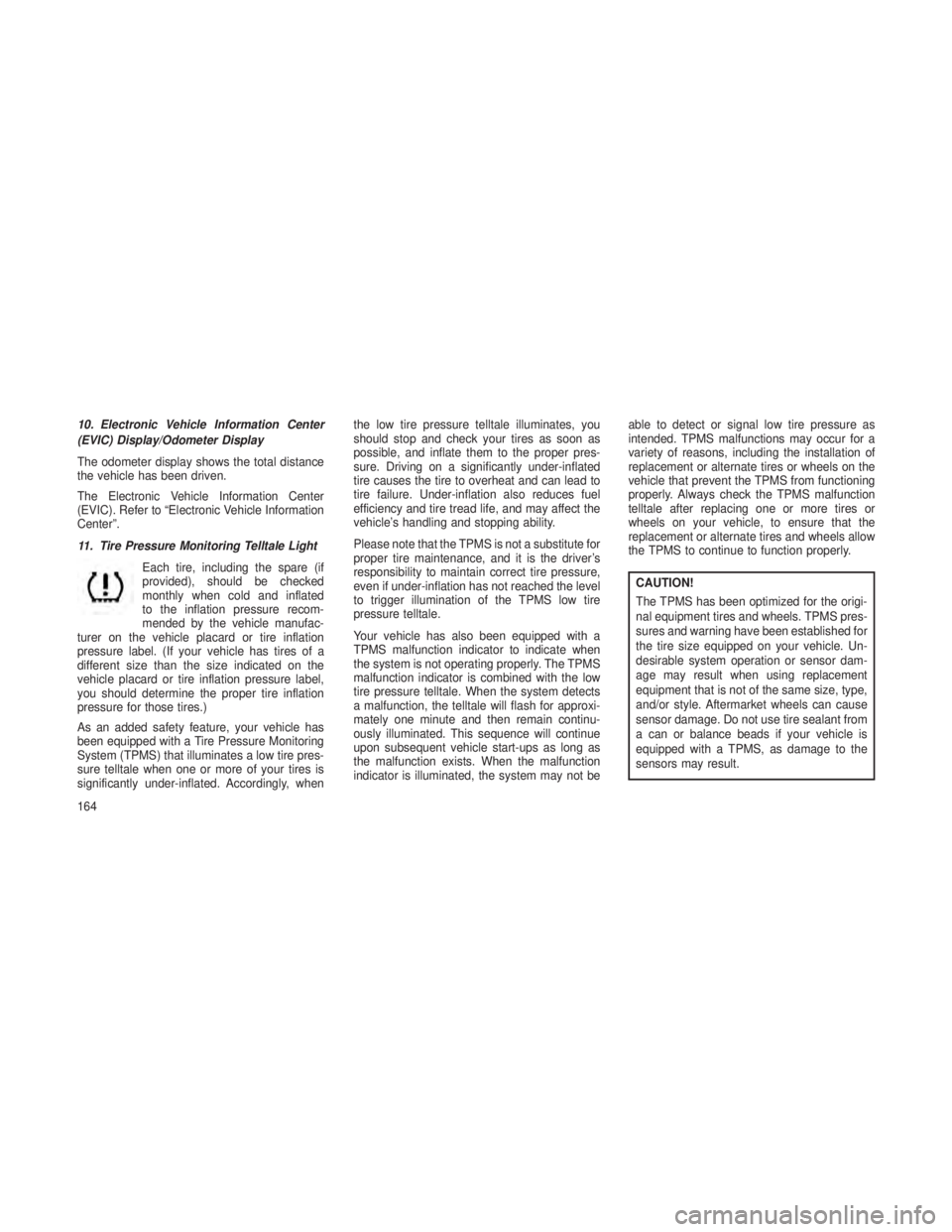
10. Electronic Vehicle Information Center
(EVIC) Display/Odometer Display
The odometer display shows the total distance
the vehicle has been driven.
The Electronic Vehicle Information Center
(EVIC). Refer to “Electronic Vehicle Information
Center”.
11. Tire Pressure Monitoring Telltale LightEach tire, including the spare (if
provided), should be checked
monthly when cold and inflated
to the inflation pressure recom-
mended by the vehicle manufac-
turer on the vehicle placard or tire inflation
pressure label. (If your vehicle has tires of a
different size than the size indicated on the
vehicle placard or tire inflation pressure label,
you should determine the proper tire inflation
pressure for those tires.)
As an added safety feature, your vehicle has
been equipped with a Tire Pressure Monitoring
System (TPMS) that illuminates a low tire pres-
sure telltale when one or more of your tires is
significantly under-inflated. Accordingly, when the low tire pressure telltale illuminates, you
should stop and check your tires as soon as
possible, and inflate them to the proper pres-
sure. Driving on a significantly under-inflated
tire causes the tire to overheat and can lead to
tire failure. Under-inflation also reduces fuel
efficiency and tire tread life, and may affect the
vehicle’s handling and stopping ability.
Please note that the TPMS is not a substitute for
proper tire maintenance, and it is the driver’s
responsibility to maintain correct tire pressure,
even if under-inflation has not reached the level
to trigger illumination of the TPMS low tire
pressure telltale.
Your vehicle has also been equipped with a
TPMS malfunction indicator to indicate when
the system is not operating properly. The TPMS
malfunction indicator is combined with the low
tire pressure telltale. When the system detects
a malfunction, the telltale will flash for approxi-
mately one minute and then remain continu-
ously illuminated. This sequence will continue
upon subsequent vehicle start-ups as long as
the malfunction exists. When the malfunction
indicator is illuminated, the system may not be
able to detect or signal low tire pressure as
intended. TPMS malfunctions may occur for a
variety of reasons, including the installation of
replacement or alternate tires or wheels on the
vehicle that prevent the TPMS from functioning
properly. Always check the TPMS malfunction
telltale after replacing one or more tires or
wheels on your vehicle, to ensure that the
replacement or alternate tires and wheels allow
the TPMS to continue to function properly.
CAUTION!
The TPMS has been optimized for the origi-
nal equipment tires and wheels. TPMS pres-
sures and warning have been established for
the tire size equipped on your vehicle. Un-
desirable system operation or sensor dam-
age may result when using replacement
equipment that is not of the same size, type,
and/or style. Aftermarket wheels can cause
sensor damage. Do not use tire sealant from
a can or balance beads if your vehicle is
equipped with a TPMS, as damage to the
sensors may result.
164
Page 170 of 408
Vehicles equipped with the Anti-Lock Brake
System (ABS), are also equipped with Elec-
tronic Brake Force Distribution (EBD). In the
event of an EBD failure, the Brake Warning
Light will turn on along with the ABS Light.
Immediate repair to the ABS system is required.
Operation of the Brake Warning Light can be
checked by turning the ignition switch from the
OFF position to the ON/RUN position. The light
should illuminate for approximately two sec-
onds. The light should then turn off unless the
parking brake is applied or a brake fault is
detected. If the light does not illuminate, have
the light inspected by an authorized dealer.
The light also will turn on when the parking
brake is applied with the ignition switch in the
ON/RUN position.
NOTE:
This light shows only that the parking brake
is applied. It does not show the degree of
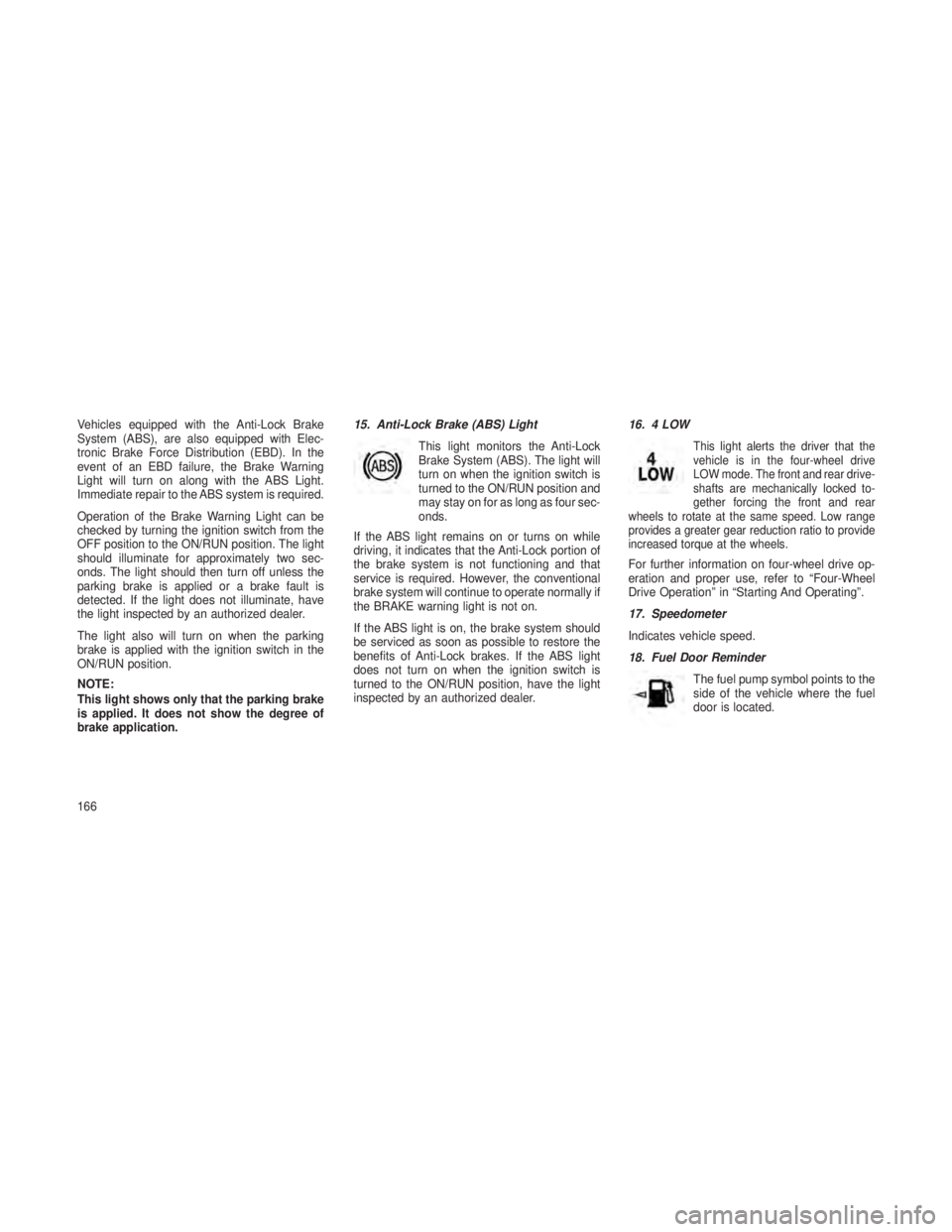
brake application.15. Anti-Lock Brake (ABS) Light
This light monitors the Anti-Lock
Brake System (ABS). The light will
turn on when the ignition switch is
turned to the ON/RUN position and
may stay on for as long as four sec-
onds.
If the ABS light remains on or turns on while
driving, it indicates that the Anti-Lock portion of
the brake system is not functioning and that
service is required. However, the conventional
brake system will continue to operate normally if
the BRAKE warning light is not on.
If the ABS light is on, the brake system should
be serviced as soon as possible to restore the
benefits of Anti-Lock brakes. If the ABS light
does not turn on when the ignition switch is
turned to the ON/RUN position, have the light
inspected by an authorized dealer. 16. 4 LOW
This light alerts the driver that the
vehicle is in the four-wheel drive
LOW mode. The front and rear drive-
shafts are mechanically locked to-
gether forcing the front and rear
wheels to rotate at the same speed. Low range
provides a greater gear reduction ratio to provide
increased torque at the wheels.
For further information on four-wheel drive op-
eration and proper use, refer to “Four-Wheel
Drive Operation” in “Starting And Operating”.
17. Speedometer
Indicates vehicle speed.
18. Fuel Door Reminder
The fuel pump symbol points to the
side of the vehicle where the fuel
door is located.
166
Page 171 of 408
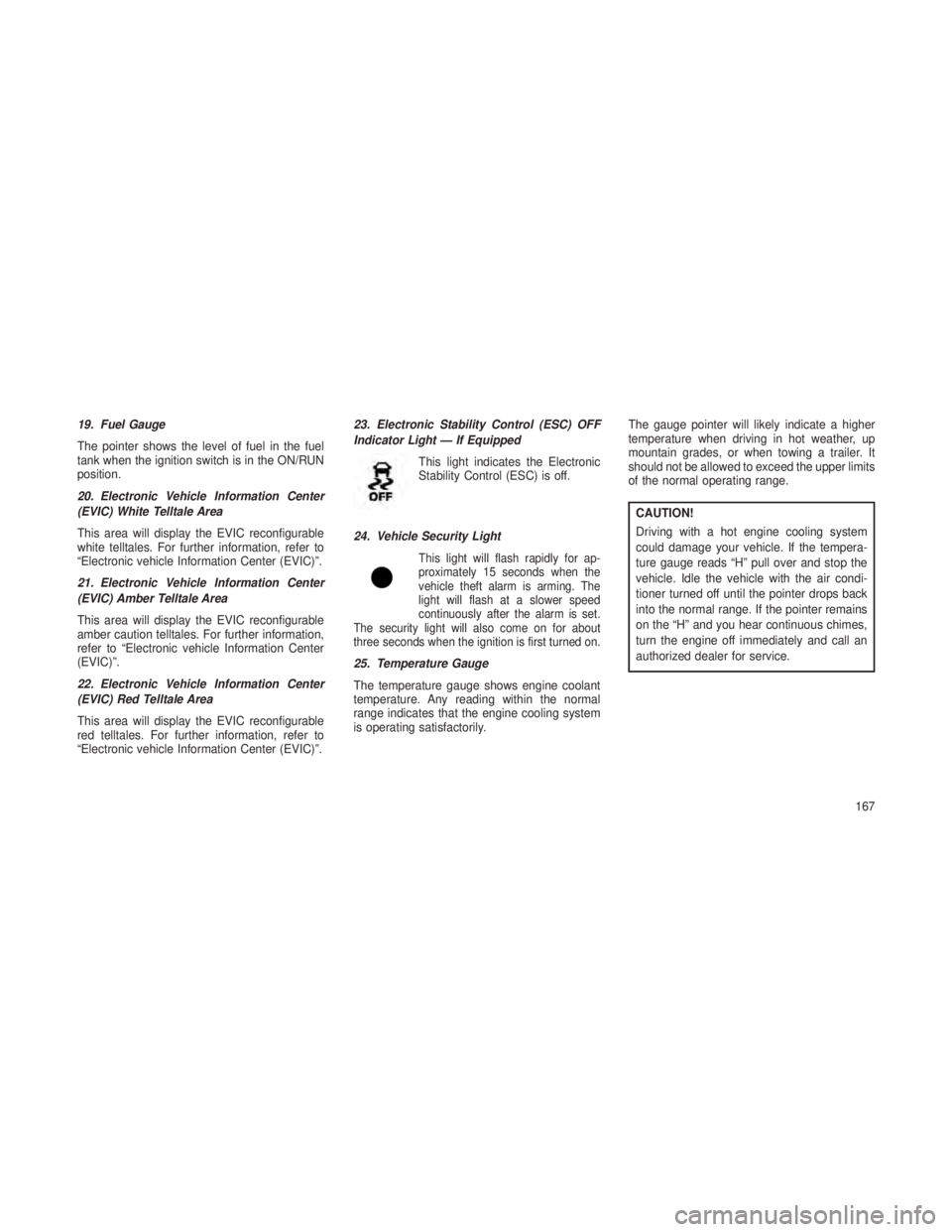
19. Fuel Gauge
The pointer shows the level of fuel in the fuel
tank when the ignition switch is in the ON/RUN
position.
20. Electronic Vehicle Information Center
(EVIC) White Telltale Area
This area will display the EVIC reconfigurable
white telltales. For further information, refer to
“Electronic vehicle Information Center (EVIC)”.
21. Electronic Vehicle Information Center
(EVIC) Amber Telltale Area
This area will display the EVIC reconfigurable
amber caution telltales. For further information,
refer to “Electronic vehicle Information Center
(EVIC)”.
22. Electronic Vehicle Information Center
(EVIC) Red Telltale Area
This area will display the EVIC reconfigurable
red telltales. For further information, refer to
“Electronic vehicle Information Center (EVIC)”.23. Electronic Stability Control (ESC) OFF
Indicator Light — If Equipped
This light indicates the Electronic
Stability Control (ESC) is off.
24. Vehicle Security Light
This light will flash rapidly for ap-
proximately 15 seconds when the
vehicle theft alarm is arming. The
light will flash at a slower speed
continuously after the alarm is set.
The security light will also come on for about
three seconds when the ignition is first turned on.
25. Temperature Gauge
The temperature gauge shows engine coolant
temperature. Any reading within the normal
range indicates that the engine cooling system
is operating satisfactorily. The gauge pointer will likely indicate a higher
temperature when driving in hot weather, up
mountain grades, or when towing a trailer. It
should not be allowed to exceed the upper limits
of the normal operating range.
CAUTION!
Driving with a hot engine cooling system
could damage your vehicle. If the tempera-
ture gauge reads “H” pull over and stop the
vehicle. Idle the vehicle with the air condi-
tioner turned off until the pointer drops back
into the normal range. If the pointer remains
on the “H” and you hear continuous chimes,
turn the engine off immediately and call an
authorized dealer for service.
167
Page 172 of 408
WARNING!
A hot engine cooling system is dangerous.
You or others could be badly burned by
steam or boiling coolant. You may want to
call an authorized dealer for service if your
vehicle overheats. If you decide to look un-
der the hood yourself, see “Maintaining Your
Vehicle”. Follow the warnings under the
Cooling System Pressure Cap paragraph.
26. Rear Fog Light Indicator — If Equipped This indicator will illuminate when the
rear fog lights are on.ELECTRONIC VEHICLE
INFORMATION CENTER (EVIC)
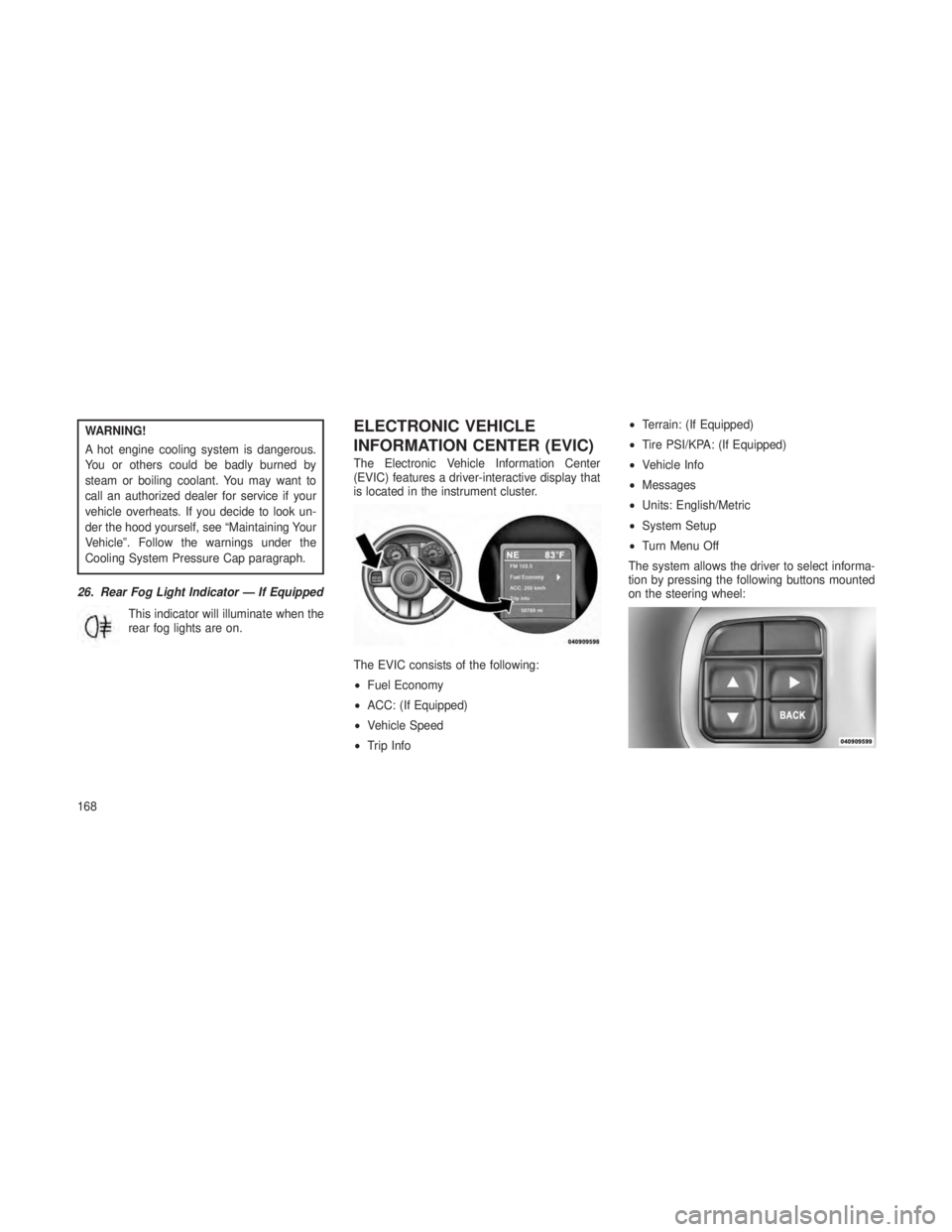
The Electronic Vehicle Information Center
(EVIC) features a driver-interactive display that
is located in the instrument cluster.
The EVIC consists of the following:
•Fuel Economy
• ACC: (If Equipped)
• Vehicle Speed
• Trip Info •
Terrain: (If Equipped)
• Tire PSI/KPA: (If Equipped)
• Vehicle Info
• Messages
• Units: English/Metric
• System Setup
• Turn Menu Off
The system allows the driver to select informa-
tion by pressing the following buttons mounted
on the steering wheel:
168
Page 173 of 408
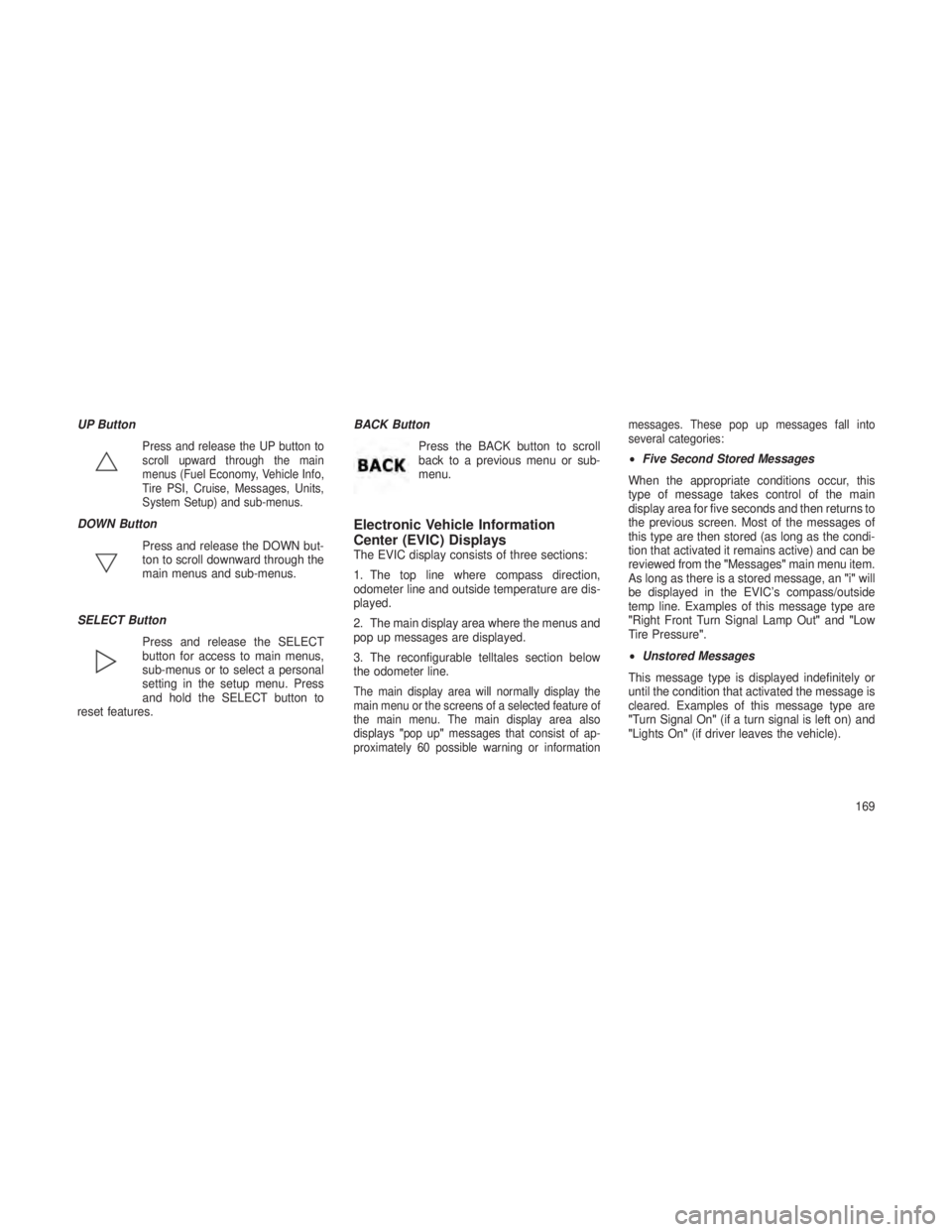
UP Button
Press and release the UP button to
scroll upward through the main
menus (Fuel Economy, Vehicle Info,
Tire PSI, Cruise, Messages, Units,
System Setup) and sub-menus.
DOWN ButtonPress and release the DOWN but-
ton to scroll downward through the
main menus and sub-menus.
SELECT Button Press and release the SELECT
button for access to main menus,
sub-menus or to select a personal
setting in the setup menu. Press
and hold the SELECT button to
reset features. BACK Button
Press the BACK button to scroll
back to a previous menu or sub-
menu.Electronic Vehicle Information
Center (EVIC) Displays
The EVIC display consists of three sections:
1. The top line where compass direction,
odometer line and outside temperature are dis-
played.
2. The main display area where the menus and
pop up messages are displayed.
3. The reconfigurable telltales section below
the odometer line.
The main display area will normally display the
main menu or the screens of a selected feature of
the main menu. The main display area also
displays"pop up" messages that consist of ap-
proximately 60 possible warning or information messages. These pop up messages fall into
several categories:
•
Five Second Stored Messages
When the appropriate conditions occur, this
type of message takes control of the main
display area for five seconds and then returns to
the previous screen. Most of the messages of
this type are then stored (as long as the condi-
tion that activated it remains active) and can be
reviewed from the "Messages"main menu item.
As long as there is a stored message, an "i"will
be displayed in the EVIC’s compass/outside
temp line. Examples of this message type are
"Right Front Turn Signal Lamp Out" and"Low
Tire Pressure".
• Unstored Messages
This message type is displayed indefinitely or
until the condition that activated the message is
cleared. Examples of this message type are
"Turn Signal On" (if a turn signal is left on) and
"Lights On" (if driver leaves the vehicle).
169