window JEEP GRAND CHEROKEE 2013 Owner handbook (in English)
[x] Cancel search | Manufacturer: JEEP, Model Year: 2013, Model line: GRAND CHEROKEE, Model: JEEP GRAND CHEROKEE 2013Pages: 408, PDF Size: 3.21 MB
Page 14 of 408
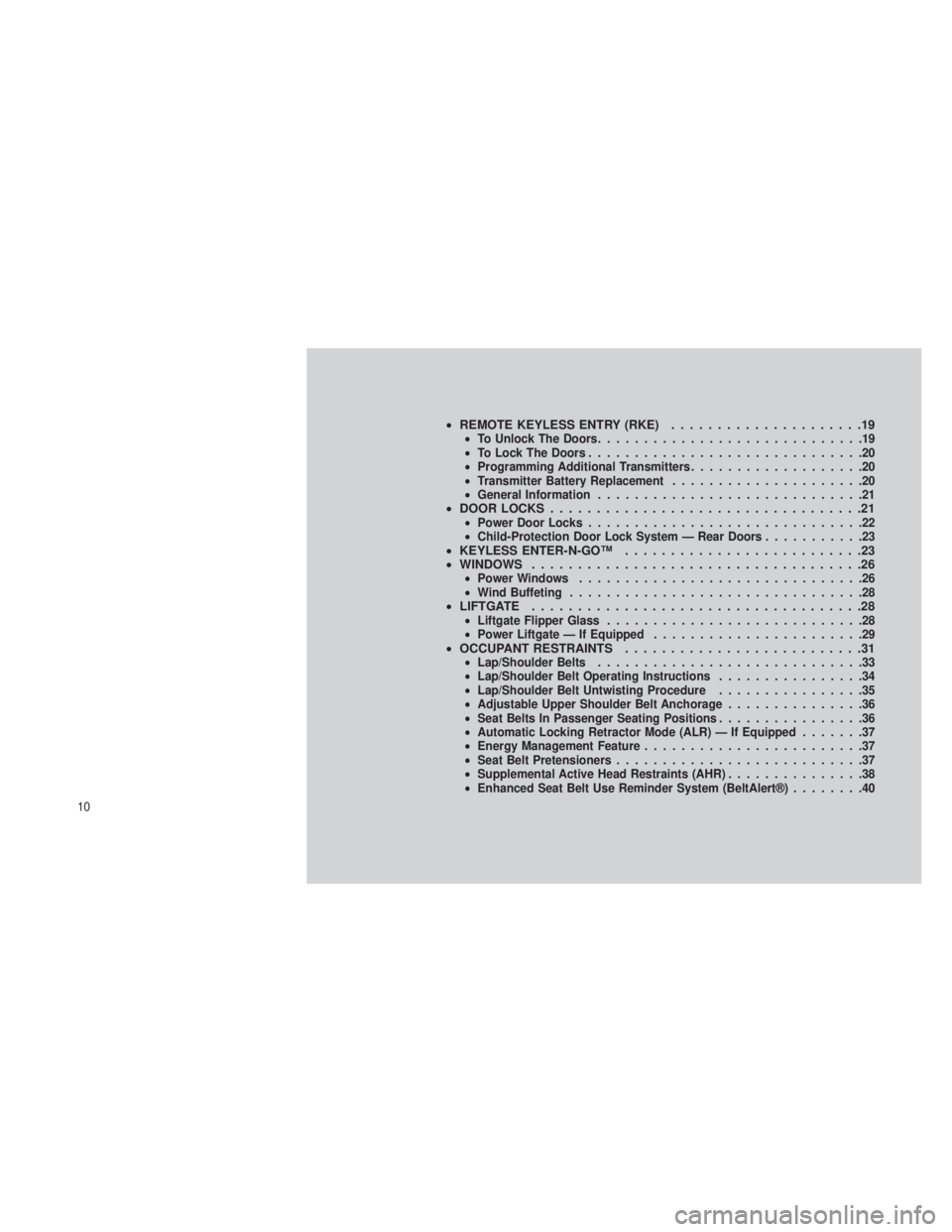
•REMOTE KEYLESS ENTRY (RKE) .....................19•To Unlock The Doors .............................19
• To Lock The Doors ..............................20
• Programming Additional Transmitters ...................20
• Transmitter Battery Replacement .....................20
• General Information .............................21
•DOOR LOCKS ..................................21•Power Door Locks ..............................22
• Child-Protection Door Lock System — Rear Doors ...........23
•KEYLESS ENTER-N-GO™ ..........................23
• WINDOWS ....................................26
•Power Windows ...............................26
• Wind Buffeting ................................28
•LIFTGATE ....................................28•Liftgate Flipper Glass ............................28
• Power Liftgate — If Equipped .......................29
•OCCUPANT RESTRAINTS ..........................31•Lap/Shoulder Belts .............................33
• Lap/Shoulder Belt Operating Instructions ................34
• Lap/Shoulder Belt Untwisting Procedure ................35
• Adjustable Upper Shoulder Belt Anchorage ...............36
• Seat Belts In Passenger Seating Positions ................36
• Automatic Locking Retractor Mode (ALR) — If Equipped .......37
• Energy Management Feature ........................37
• Seat Belt Pretensioners ...........................37
• Supplemental Active Head Restraints (AHR) ...............38
• Enhanced Seat Belt Use Reminder System (BeltAlert®) ........40
10
Page 17 of 408
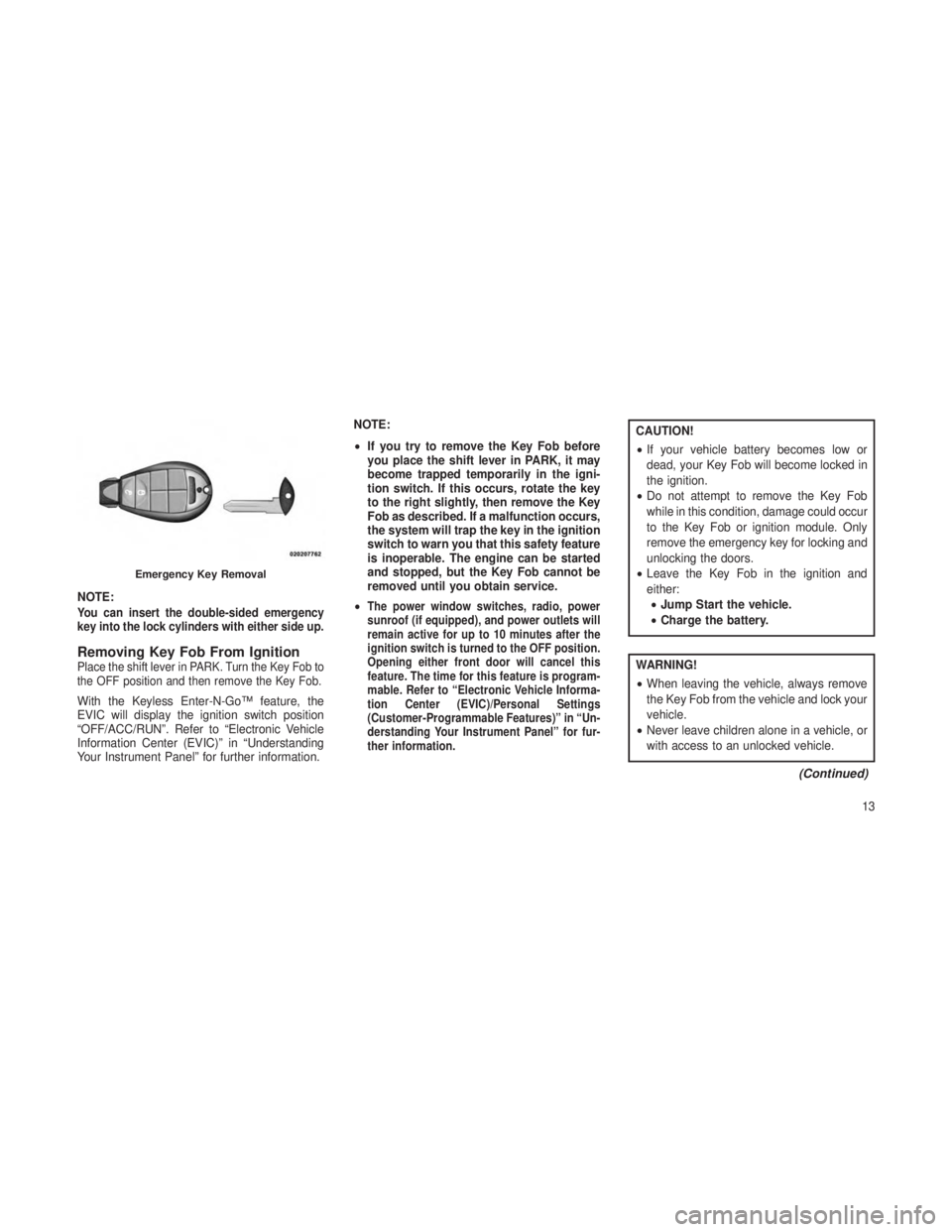
NOTE:You can insert the double-sided emergency
key into the lock cylinders with either side up.
Removing Key Fob From IgnitionPlace the shift lever in PARK. Turn the Key Fob to
the OFF position and then remove the Key Fob.
With the Keyless Enter-N-Go™ feature, the
EVIC will display the ignition switch position
“OFF/ACC/RUN”. Refer to “Electronic Vehicle
Information Center (EVIC)” in “Understanding
Your Instrument Panel” for further information.NOTE:
•
If you try to remove the Key Fob before
you place the shift lever in PARK, it may
become trapped temporarily in the igni-
tion switch. If this occurs, rotate the key
to the right slightly, then remove the Key
Fob as described. If a malfunction occurs,
the system will trap the key in the ignition
switch to warn you that this safety feature
is inoperable. The engine can be started
and stopped, but the Key Fob cannot be
removed until you obtain service.
•
The power window switches, radio, power
sunroof (if equipped), and power outlets will
remain active for up to 10 minutes after the
ignition switch is turned to the OFF position.
Opening either front door will cancel this
feature. The time for this feature is program-
mable. Refer to “Electronic Vehicle Informa-
tion Center (EVIC)/Personal Settings
(Customer-Programmable Features)” in “Un-
derstanding Your Instrument Panel” for fur-
ther information.
CAUTION!
• If your vehicle battery becomes low or
dead, your Key Fob will become locked in
the ignition.
• Do not attempt to remove the Key Fob
while in this condition, damage could occur
to the Key Fob or ignition module. Only
remove the emergency key for locking and
unlocking the doors.
• Leave the Key Fob in the ignition and
either:
• Jump Start the vehicle.
• Charge the battery.
WARNING!
•When leaving the vehicle, always remove
the Key Fob from the vehicle and lock your
vehicle.
• Never leave children alone in a vehicle, or
with access to an unlocked vehicle.
(Continued)
Emergency Key Removal
13
Page 18 of 408
WARNING!(Continued)
•Allowing children to be in a vehicle unat-
tended is dangerous for a number of rea-
sons. A child or others could be seriously or
fatally injured. Children should be warned
not to touch the parking brake, brake pedal
or the shift lever.
•Do not leave the Key Fob in or near the
vehicle, or in a location accessible to chil-
dren, and do not leave a vehicle equipped
with Keyless Enter-N-Go™ in the ACC or
ON/RUN mode. A child could operate
power windows, other controls, or move
the vehicle.
• Do not leave children or animals inside
parked vehicles in hot weather. Interior
heat build-up may cause serious injury or
death.
CAUTION!
An unlocked car is an invitation to thieves.
Always remove Key Fob from the ignition
and lock all doors when leaving the vehicle
unattended.
Key-In-Ignition ReminderOpening the driver’s door when the Key Fob is
in the ignition and the ignition switch position is
OFF or ACC, sounds a signal to remind you to
remove the Key Fob.
NOTE:
The Key-In-Ignition reminder only sounds
when the Key Fob is placed in the OFF or
ACC ignition position.
With the Keyless Enter-N-Go™ feature, open-
ing the driver’s door when the vehicle’s ignition
switch is placed in ACC or ON/RUN (engine
stopped) will cause the reminder chime to
sound. Refer to “Starting Procedures” in “Start-
ing And Operating” for further information.
STEERING WHEEL LOCK — IF
EQUIPPED
Your vehicle may be equipped with a passive
electronic steering wheel lock. This lock pre-
vents steering the vehicle without the ignition
key. The steering wheel lock has six positions
(one every 60 degrees). If the steering wheel is
moved to one of these six position with the key
in the off positions, the steering wheel will lock.
To Manually Lock The Steering WheelWith the engine running, rotate the steering
wheel one-half revolution in either direction
(three o’clock or nine o’clock position), turn off
the engine and remove the key. Turn the steer-
ing wheel slightly in either direction until the lock
engages.
14
Page 26 of 408
WARNING!
•For personal security and safety in the
event of a collision, lock the vehicle doors
before you drive as well as when you park
and leave the vehicle.
•
When leaving the vehicle, always remove
the Key Fob from the vehicle and lock your
vehicle. Unsupervised use of vehicle equip-
ment may cause severe personal injuries or
death.
•Never leave children alone in a vehicle, or
with access to an unlocked vehicle. Allowing
children to be in a vehicle unattended is
dangerous for a number of reasons. A child
or others could be seriously or fatally injured.
Children should be warned not to touch the
parking brake, brake pedal or the shift lever.
•Do not leave the Key Fob in or near the
vehicle, or in a location accessible to children,
and do not leave a vehicle equipped with
Keyless Enter-N-Go™ in the ACC or ON/RUN
mode. A child could operate power windows,
other controls, or move the vehicle.
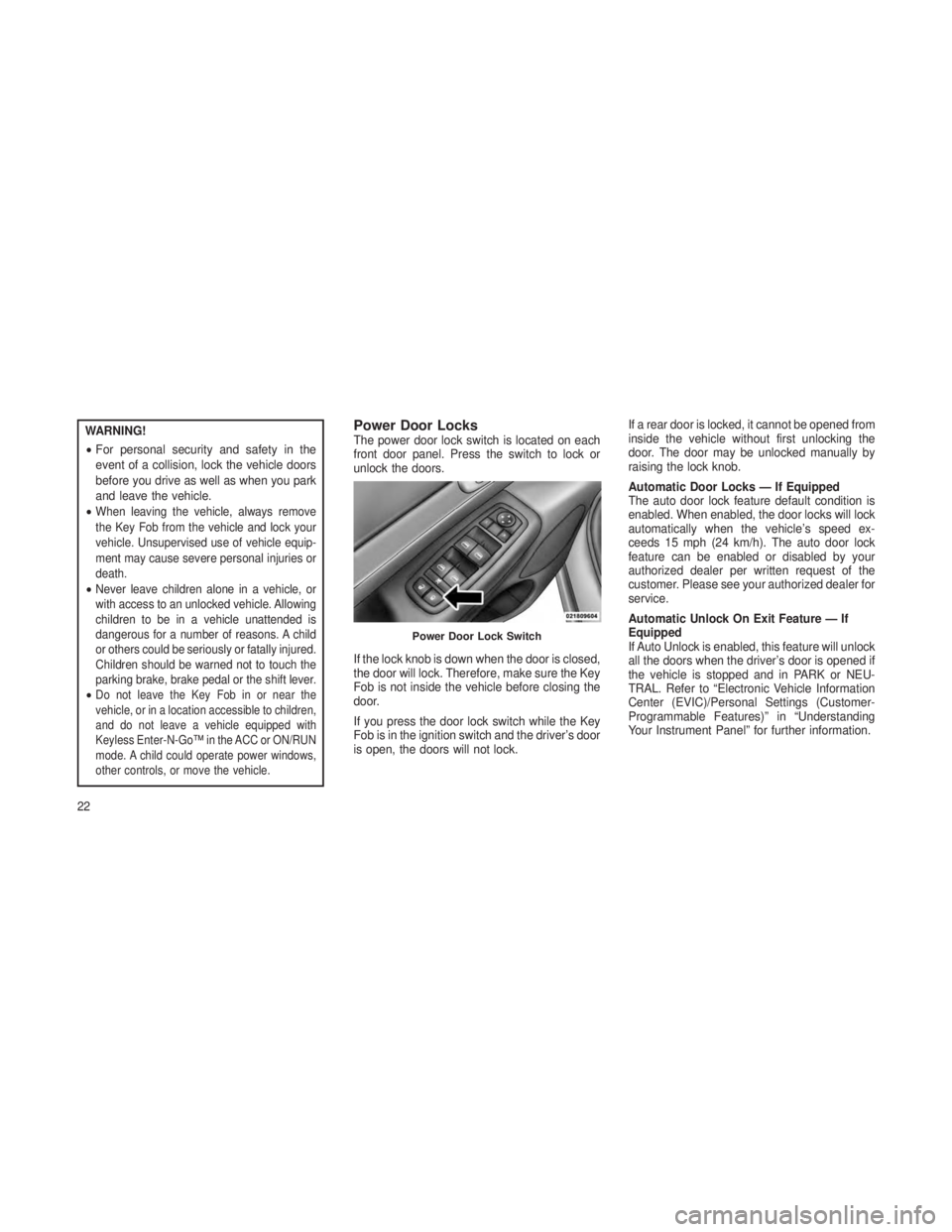
Power Door LocksThe power door lock switch is located on each
front door panel. Press the switch to lock or
unlock the doors.
If the lock knob is down when the door is closed,
the door will lock. Therefore, make sure the Key
Fob is not inside the vehicle before closing the
door.
If you press the door lock switch while the Key
Fob is in the ignition switch and the driver’s door
is open, the doors will not lock. If a rear door is locked, it cannot be opened from
inside the vehicle without first unlocking the
door. The door may be unlocked manually by
raising the lock knob.
Automatic Door Locks — If Equipped
The auto door lock feature default condition is
enabled. When enabled, the door locks will lock
automatically when the vehicle’s speed ex-
ceeds 15 mph (24 km/h). The auto door lock
feature can be enabled or disabled by your
authorized dealer per written request of the
customer. Please see your authorized dealer for
service.
Automatic Unlock On Exit Feature — If
Equipped
If Auto Unlock is enabled, this feature will unlock
all the doors when the driver’s door is opened if
the vehicle is stopped and in PARK or NEU-
TRAL. Refer to “Electronic Vehicle Information
Center (EVIC)/Personal Settings (Customer-
Programmable Features)” in “Understanding
Your Instrument Panel” for further information.
Power Door Lock Switch
22
Page 30 of 408
NOTE:
•After pressing the door handle LOCK but-
ton, you must wait two seconds before
you can lock or unlock the doors, using
either Passive Entry door handle. This is
done to allow you to check if the vehicle is
locked by pulling the door handle, without
the vehicle reacting and unlocking.
• The Passive Entry system will not operate
if the RKE transmitter battery is dead.
The vehicle doors can also be locked by using
the RKE transmitter lock button or the lock
button located on the vehicle’s interior door
panel.WINDOWS
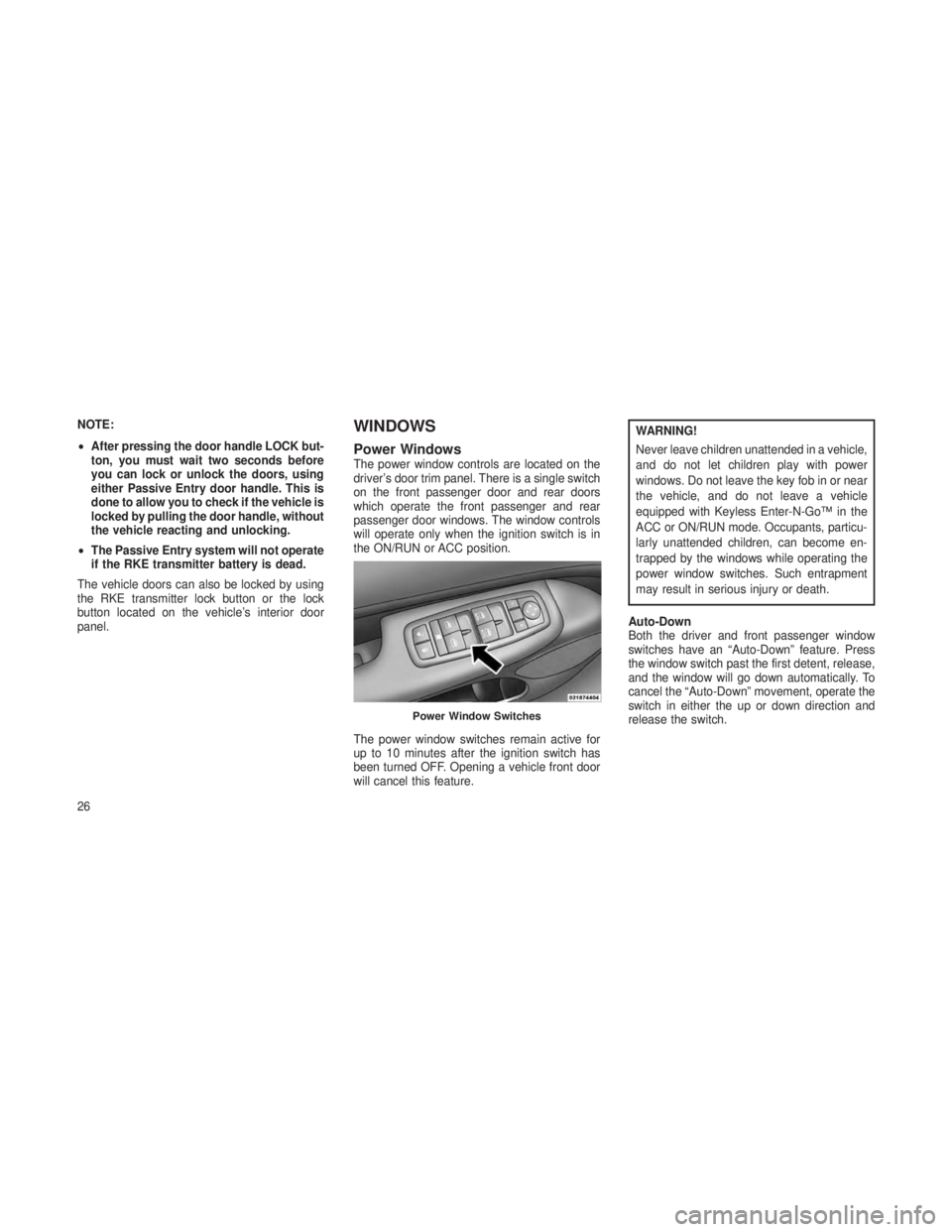
Power WindowsThe power window controls are located on the
driver’s door trim panel. There is a single switch
on the front passenger door and rear doors
which operate the front passenger and rear
passenger door windows. The window controls
will operate only when the ignition switch is in
the ON/RUN or ACC position.
The power window switches remain active for
up to 10 minutes after the ignition switch has
been turned OFF. Opening a vehicle front door
will cancel this feature.
WARNING!
Never leave children unattended in a vehicle,
and do not let children play with power
windows. Do not leave the key fob in or near
the vehicle, and do not leave a vehicle
equipped with Keyless Enter-N-Go™ in the
ACC or ON/RUN mode. Occupants, particu-
larly unattended children, can become en-
trapped by the windows while operating the
power window switches. Such entrapment
may result in serious injury or death.
Auto-Down
Both the driver and front passenger window
switches have an “Auto-Down” feature. Press
the window switch past the first detent, release,
and the window will go down automatically. To
cancel the “Auto-Down” movement, operate the
switch in either the up or down direction and
release the switch.
Power Window Switches
26
Page 31 of 408
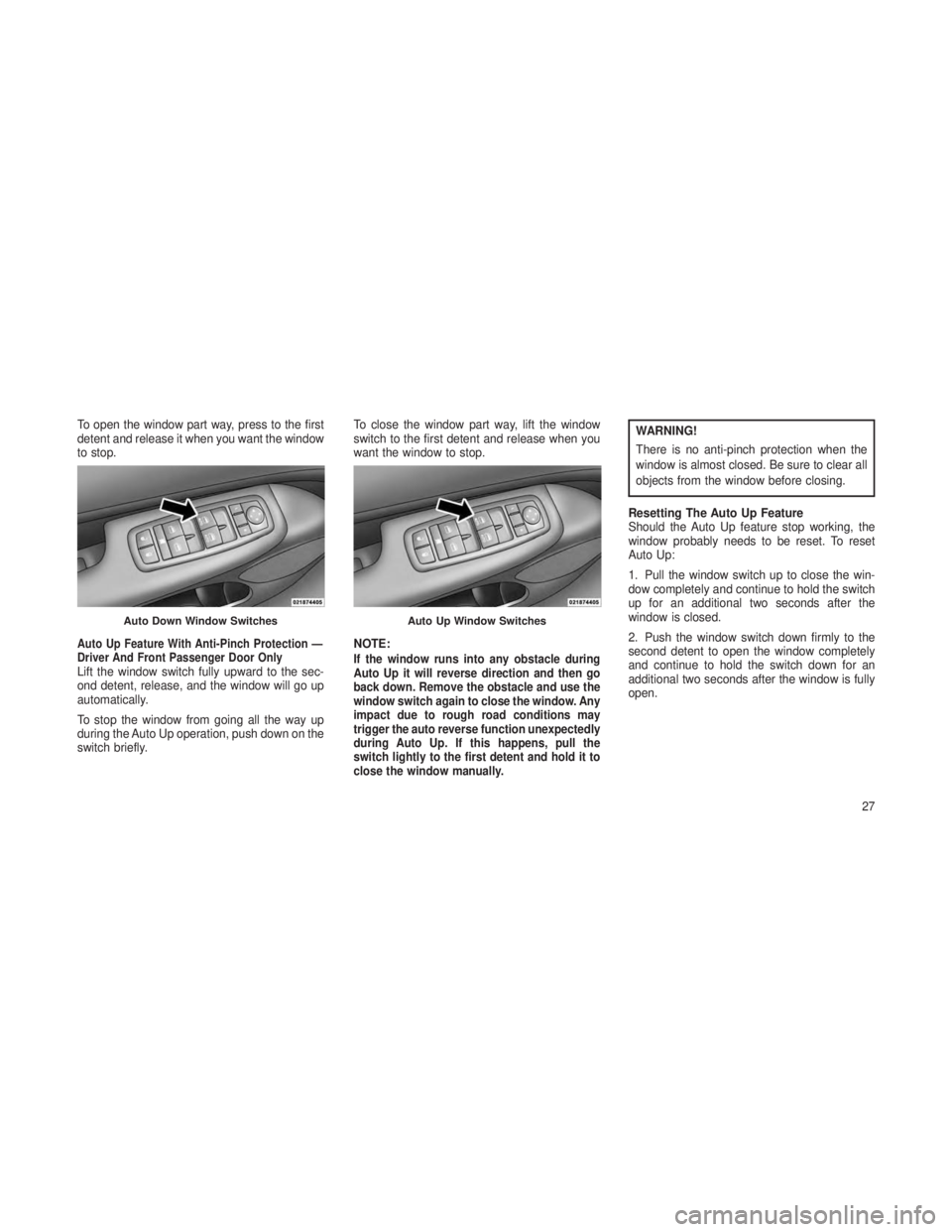
To open the window part way, press to the first
detent and release it when you want the window
to stop.
Auto Up Feature With Anti-Pinch Protection —
Driver And Front Passenger Door Only
Lift the window switch fully upward to the sec-
ond detent, release, and the window will go up
automatically.
To stop the window from going all the way up
during the Auto Up operation, push down on the
switch briefly.To close the window part way, lift the window
switch to the first detent and release when you
want the window to stop.
NOTE:If the window runs into any obstacle during
Auto Up it will reverse direction and then go
back down. Remove the obstacle and use the
window switch again to close the window. Any
impact due to rough road conditions may
trigger the auto reverse function unexpectedly
during Auto Up. If this happens, pull the
switch lightly to the first detent and hold it to
close the window manually.
WARNING!
There is no anti-pinch protection when the
window is almost closed. Be sure to clear all
objects from the window before closing.
Resetting The Auto Up Feature
Should the Auto Up feature stop working, the
window probably needs to be reset. To reset
Auto Up:
1. Pull the window switch up to close the win-
dow completely and continue to hold the switch
up for an additional two seconds after the
window is closed.
2. Push the window switch down firmly to the
second detent to open the window completely
and continue to hold the switch down for an
additional two seconds after the window is fully
open.
Auto Down Window SwitchesAuto Up Window Switches
27
Page 32 of 408
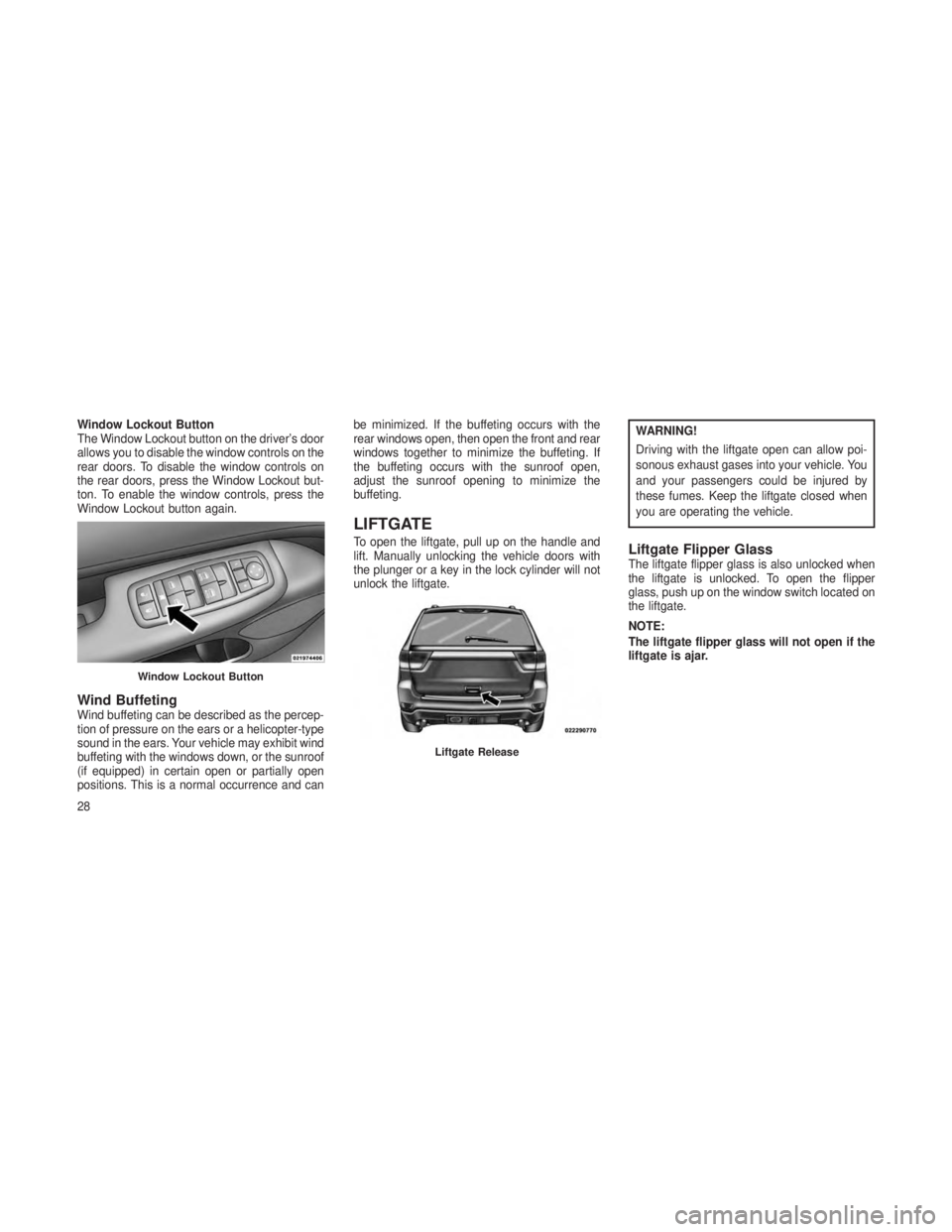
Window Lockout Button
The Window Lockout button on the driver’s door
allows you to disable the window controls on the
rear doors. To disable the window controls on
the rear doors, press the Window Lockout but-
ton. To enable the window controls, press the
Window Lockout button again.
Wind BuffetingWind buffeting can be described as the percep-
tion of pressure on the ears or a helicopter-type
sound in the ears. Your vehicle may exhibit wind
buffeting with the windows down, or the sunroof
(if equipped) in certain open or partially open
positions. This is a normal occurrence and canbe minimized. If the buffeting occurs with the
rear windows open, then open the front and rear
windows together to minimize the buffeting. If
the buffeting occurs with the sunroof open,
adjust the sunroof opening to minimize the
buffeting.
LIFTGATE
To open the liftgate, pull up on the handle and
lift. Manually unlocking the vehicle doors with
the plunger or a key in the lock cylinder will not
unlock the liftgate.
WARNING!
Driving with the liftgate open can allow poi-
sonous exhaust gases into your vehicle. You
and your passengers could be injured by
these fumes. Keep the liftgate closed when
you are operating the vehicle.
Liftgate Flipper GlassThe liftgate flipper glass is also unlocked when
the liftgate is unlocked. To open the flipper
glass, push up on the window switch located on
the liftgate.
NOTE:
The liftgate flipper glass will not open if the
liftgate is ajar.
Window Lockout Button
Liftgate Release
28
Page 33 of 408
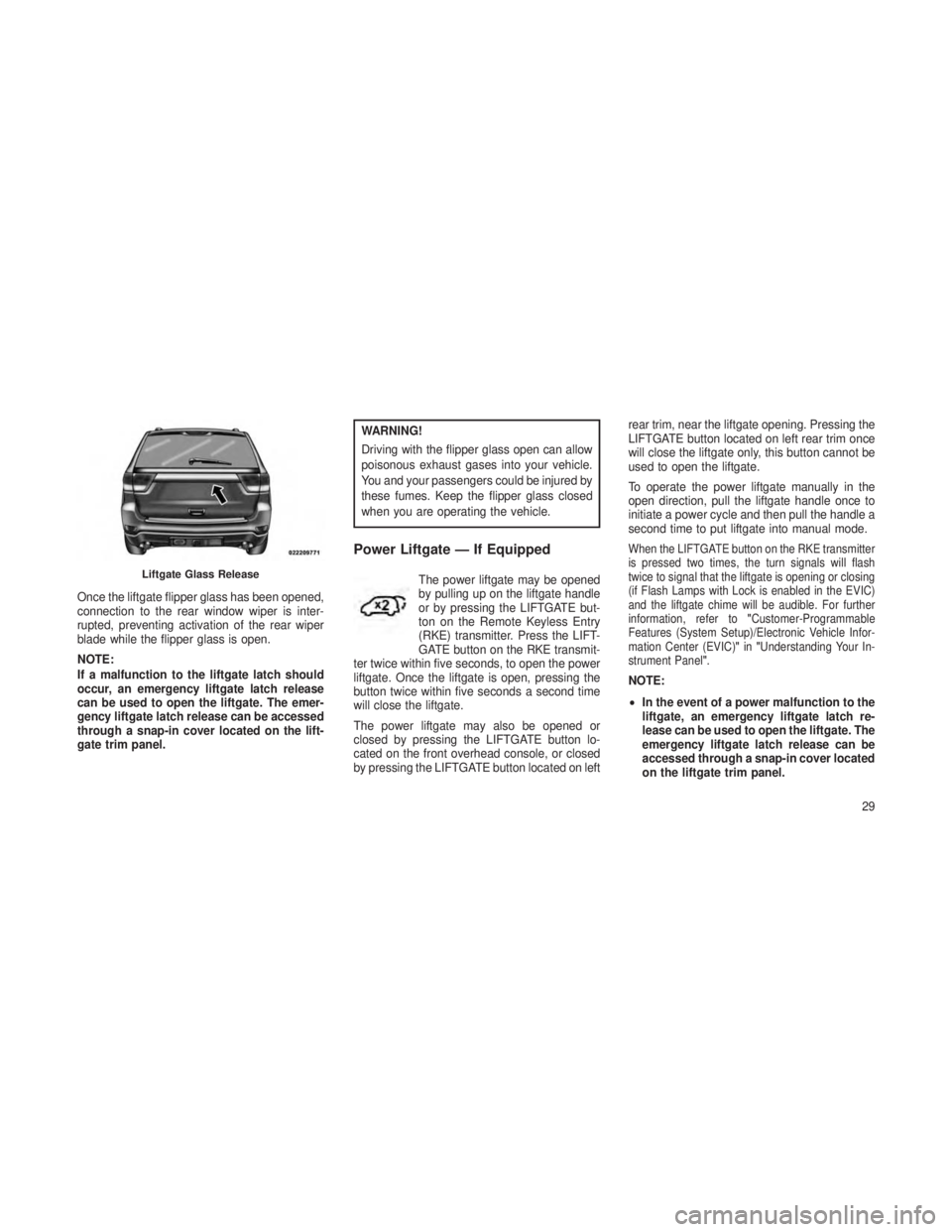
Once the liftgate flipper glass has been opened,
connection to the rear window wiper is inter-
rupted, preventing activation of the rear wiper
blade while the flipper glass is open.
NOTE:
If a malfunction to the liftgate latch should
occur, an emergency liftgate latch release
can be used to open the liftgate. The emer-
gency liftgate latch release can be accessed
through a snap-in cover located on the lift-
gate trim panel.
WARNING!
Driving with the flipper glass open can allow
poisonous exhaust gases into your vehicle.
You and your passengers could be injured by
these fumes. Keep the flipper glass closed
when you are operating the vehicle.
Power Liftgate — If Equipped
The power liftgate may be opened
by pulling up on the liftgate handle
or by pressing the LIFTGATE but-
ton on the Remote Keyless Entry
(RKE) transmitter. Press the LIFT-
GATE button on the RKE transmit-
ter twice within five seconds, to open the power
liftgate. Once the liftgate is open, pressing the
button twice within five seconds a second time
will close the liftgate.
The power liftgate may also be opened or
closed by pressing the LIFTGATE button lo-
cated on the front overhead console, or closed
by pressing the LIFTGATE button located on left rear trim, near the liftgate opening. Pressing the
LIFTGATE button located on left rear trim once
will close the liftgate only, this button cannot be
used to open the liftgate.
To operate the power liftgate manually in the
open direction, pull the liftgate handle once to
initiate a power cycle and then pull the handle a
second time to put liftgate into manual mode.
When the LIFTGATE button on the RKE transmitter
is pressed two times, the turn signals will flash
twice to signal that the liftgate is opening or closing
(if Flash Lamps with Lock is enabled in the EVIC)
and the liftgate chime will be audible. For further
information, refer to
"Customer-Programmable
Features (System Setup)/Electronic Vehicle Infor-
mation Center (EVIC) "in "Understanding Your In-
strument Panel".
NOTE:
• In the event of a power malfunction to the
liftgate, an emergency liftgate latch re-
lease can be used to open the liftgate. The
emergency liftgate latch release can be
accessed through a snap-in cover located
on the liftgate trim panel.
Liftgate Glass Release
29
Page 34 of 408
•If liftgate is left open for an extended
period of time, the liftgate may need to be
closed manually to reset power liftgate
functionality.
WARNING!
During power operation, personal injury or
cargo damage may occur. Ensure the liftgate
travel path is clear. Make sure the liftgate is
closed and latched before driving away.
NOTE:
• The power liftgate buttons will not oper-
ate if the vehicle is in gear or the vehicle
speed is above 0 mph (0 km/h).
• The power liftgate will not operate in tem-
peratures below 22°F (30°C) or tem-
peratures above 150°F (65°C). Be sure to
remove any buildup of snow or ice from
the liftgate before pressing any of the
power liftgate switches. •
If anything obstructs the power liftgate
while it is closing or opening, the liftgate
will automatically reverse to the closed or
open position, provided it meets suffi-
cient resistance.
• There are also pinch sensors attached to
the side of the liftgate. Light pressure
anywhere along these strips will cause
the liftgate to return to the open position.
• The power liftgate must be in the full open
position for rear liftgate close button on
the left rear trim, near the liftgate opening
to operate. If the liftgate is not fully open,
press the Liftgate button on the Key Fob
to fully open the liftgate, and then press it
again to close.
• If the liftgate handle is pulled while the
power liftgate is closing, the liftgate will
reverse to the full open position.
•
If the liftgate handle is pulled while the
power liftgate is opening, the liftgate motor
will disengage to allow manual operation.
•If the power liftgate encounters multiple
obstructions within the same cycle, the
system will automatically stop and the lift-
gate must be opened or closed manually.
• If your liftgate is power closing and you
put the vehicle in gear, the liftgate will
continue to power close. However, ve-
hicle movement may result in a detection
of an obstruction.
WARNING!
•Driving with the liftgate open can allow
poisonous exhaust gases into your ve-
hicle. You and your passengers could be
injured by these fumes. Keep the liftgate
closed when you are operating the vehicle.
• If you are required to drive with the liftgate
open, make sure that all windows are
closed, and the climate control blower
switch is set at high speed. Do not use the
recirculation mode.
30
Page 35 of 408
Gas props support the liftgate in the open
position. However, because the gas pressure
drops with temperature, it may be necessary to
assist the props when opening the liftgate in
cold weather.
OCCUPANT RESTRAINTS
Some of the most important safety features in
your vehicle are the restraint systems:
•Three-point lap and shoulder belts for the
driver and all passengers
• Advanced Front Air Bags for driver and front
passenger
• Supplemental Active Head Restraints (AHR)
located on top of the front seats (integrated
into the head restraint)
• Supplemental Driver Side Knee Air Bag
• Supplemental Side Air Bag Inflatable Cur-
tains (SABIC) for the driver and passengers
seated next to a window
• Supplemental Seat-Mounted Side Air
Bags (SAB) •
An energy-absorbing steering column and
steering wheel
•
Knee bolsters/blockers for front seat occupant
• Front seat belts incorporate pretensioners
that may enhance occupant protection by
managing occupant energy during an impact
event
• All seat belt systems (except the driver’s and
front passenger) include Automatic Locking
Retractors (ALRs), which lock the seat belt
webbing into position by extending the belt all
the way out and then adjusting the belt to the
desired length to restrain a child seat or
secure a large item in a seat — if equipped
Please pay close attention to the information in
this section. It tells you how to use your restraint
system properly, to keep you and your passen-
gers as safe as possible.
If you will be carrying children too small for
adult-sized seat belts, the seat belts or the ISO-
FIX feature also can be used to hold infant and
child restraint systems. Refer to ISOFIX — Child
Seat Anchorage System for more information.
NOTE:
The Advanced Front Air Bags have a multi-
stage inflator design. This allows the air bag
to have different rates of inflation based on
several factors, including the severity and
type of collision.
Here are some simple steps you can take to
minimize the risk of harm from a deploying air
bag:
1. Children 12 years old and under should
always ride buckled up in a rear seat.
WARNING!
Infants in rear facing child restraints should
never ride in the front seat of a vehicle with a
passenger Advanced Front Air Bag. An air
bag deployment can cause severe injury or
death to infants in that position.
Children that are not big enough to wear the
vehicle seat belt properly (see section on Child
Restraints) should be secured in the rear seat in
child restraints or belt-positioning booster seats.
31