phone JEEP GRAND CHEROKEE 2017 WK2 / 4.G Owner's Guide
[x] Cancel search | Manufacturer: JEEP, Model Year: 2017, Model line: GRAND CHEROKEE, Model: JEEP GRAND CHEROKEE 2017 WK2 / 4.GPages: 372
Page 339 of 372
Do Not Disturb can automatically reply with a
text message, a call or both, when declining
an incoming call and send it to voicemail.
Automatic reply messages can be:
• “I am driving right now, I will get back toyou shortly.”
• Create a custom auto reply message up to 160 characters.
While in Do Not Disturb, Conference Call can
be selected so you can still place a second
call without being interrupted by incoming
calls.
NOTE:
• Only the beginning of your custom mes- sage will be seen on the touchscreen.
• Reply with text message is not compatible with iPhones.
• Auto reply with text message is only avail- able on phones that supporting Bluetooth
MAP.Incoming Text Messages
After pairing your Uconnect system with a
Bluetooth enabled mobile device with the
Message Access Profile (MAP), the Uconnect
system can announce a new incoming text
message and read it to you over the vehicle’s
audio system.
NOTE:
Only incoming text messages received during
the current ignition cycle can be viewed/read.
NOTE:
All incoming text messages received during
the current ignition cycle will be deleted from
the Uconnect system when the ignition is
turned to the Off position.
To enable incoming text messaging:
iPhone
1. Press the settings button on the mobile phone.
2. Select Bluetooth.
• Ensure Bluetooth is enabled, and themobile phone is paired to the Uconnect
system. 3. Select
located under DEVICES next to
Uconnect.
4. Turn “Show Notifications” to On.
Android Devices
1. Push the Menu button on the mobile phone.
2. Select Settings.
3. Select Connections.
Enable iPhone Incoming Text Messages
337
Page 340 of 372
4. Turn “Show Notifications” to On.• A pop up will appear asking you toaccept a request for permission to con-
nect to your messages. Select “Don’t
ask again” and press OK.Voice Text Reply (Not Compatible With
iPhone)
NOTE:
Voice texting reply and voice texting features
require a compatible mobile device enabled
with Bluetooth Message Access Profile
(MAP). iPhone, and some other smart-
phones, may not entirely support Bluetooth
MAP. Visit UconnectPhone.com for the latest
system and device compatibility.
• Due to the extremely large number of mo- bile phone manufacturers, your mobile
device may not be listed. For further assis-
tance, contact Uconnect Customer Care @
1-877-855-8400 for U.S. residents or,
1-800-465-2001 (English) /
1-800-387-9983 (French) for Canadian
residents.
Once your Uconnect system is paired with a
compatible mobile device, the system can
announce a new incoming text message, and
read it to your over the vehicle audio system.
You can reply to the message using Voice
Recognition by selecting, or saying, one of
the 18 pre-defined messages.
Here’s How
1. Push the Uconnect Phone button
and wait for the beep, then say “reply.”
Uconnect will give the following prompt:
“Please say the message you would like to
send.”
2. Wait for the beep and say one of the pre-defined messages. (If you are not
sure, you can say “help”). Uconnect will
then read the pre-defined messages
allowed.
3. As soon as you hear the message you would like to send, you can interrupt the
list of prompts by pushing the Uconnect
phone button and saying the phrase.
Uconnect will confirm the message by
reading it back to you.
Enable Android Device Incoming Text Messages
MULTIMEDIA
338
Page 341 of 372
4. Push the Phone button and say “Send.”
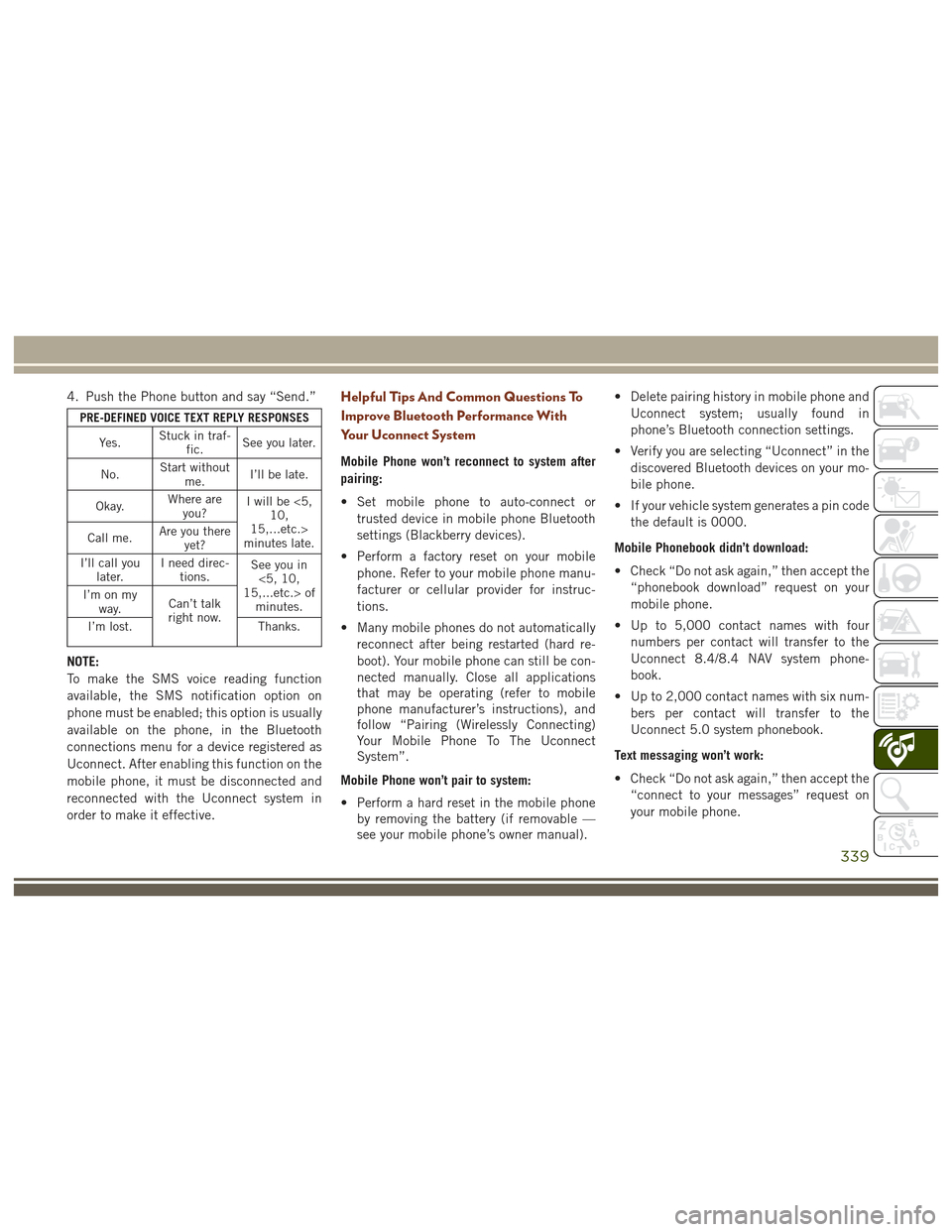
PRE-DEFINED VOICE TEXT REPLY RESPONSESYe s . Stuck in traf-
fic. See you later.
No. Start without
me. I’ll be late.
Okay. Where are
you? I will be <5,
10,
15,...etc.>
minutes late.
Call me. Are you there
yet?
I’ll call you later. I need direc-
tions. See you in
<5, 10,
15,...etc.> of minutes.
I’m on my
way. Can’t talk
right now.
I’m lost. Thanks.
NOTE:
To make the SMS voice reading function
available, the SMS notification option on
phone must be enabled; this option is usually
available on the phone, in the Bluetooth
connections menu for a device registered as
Uconnect. After enabling this function on the
mobile phone, it must be disconnected and
reconnected with the Uconnect system in
order to make it effective.
Helpful Tips And Common Questions To
Improve Bluetooth Performance With
Your Uconnect System
Mobile Phone won’t reconnect to system after
pairing:
• Set mobile phone to auto-connect or
trusted device in mobile phone Bluetooth
settings (Blackberry devices).
• Perform a factory reset on your mobile phone. Refer to your mobile phone manu-
facturer or cellular provider for instruc-
tions.
• Many mobile phones do not automatically reconnect after being restarted (hard re-
boot). Your mobile phone can still be con-
nected manually. Close all applications
that may be operating (refer to mobile
phone manufacturer’s instructions), and
follow “Pairing (Wirelessly Connecting)
Your Mobile Phone To The Uconnect
System”.
Mobile Phone won’t pair to system:
• Perform a hard reset in the mobile phone by removing the battery (if removable —
see your mobile phone’s owner manual). • Delete pairing history in mobile phone and
Uconnect system; usually found in
phone’s Bluetooth connection settings.
• Verify you are selecting “Uconnect” in the discovered Bluetooth devices on your mo-
bile phone.
• If your vehicle system generates a pin code the default is 0000.
Mobile Phonebook didn’t download:
• Check “Do not ask again,” then accept the “phonebook download” request on your
mobile phone.
• Up to 5,000 contact names with four numbers per contact will transfer to the
Uconnect 8.4/8.4 NAV system phone-
book.
• Up to 2,000 contact names with six num- bers per contact will transfer to the
Uconnect 5.0 system phonebook.
Text messaging won’t work:
• Check “Do not ask again,” then accept the “connect to your messages” request on
your mobile phone.
339
Page 342 of 372
• Verify that your mobile phone has theBluetooth feature (Message Access
Profile).
Can’t make a conference call:
• CDMA (Code-Division Multiple Access) carriers do not support conference calling.
Refer to your mobile phone user’s manual
for further information.
Making calls while connected to AUX:
• Plugging in your mobile phone to AUX while connected to Bluetooth will disable
Hands-Free Calling. Do not make calls
while your mobile phone is plugged into
the AUX jack.
UCONNECT VOICE
RECOGNITION QUICK TIPS
Introducing Uconnect
Start using Uconnect Voice Recognition with
these helpful quick tips. It provides the key
Voice Commands and tips you need to know
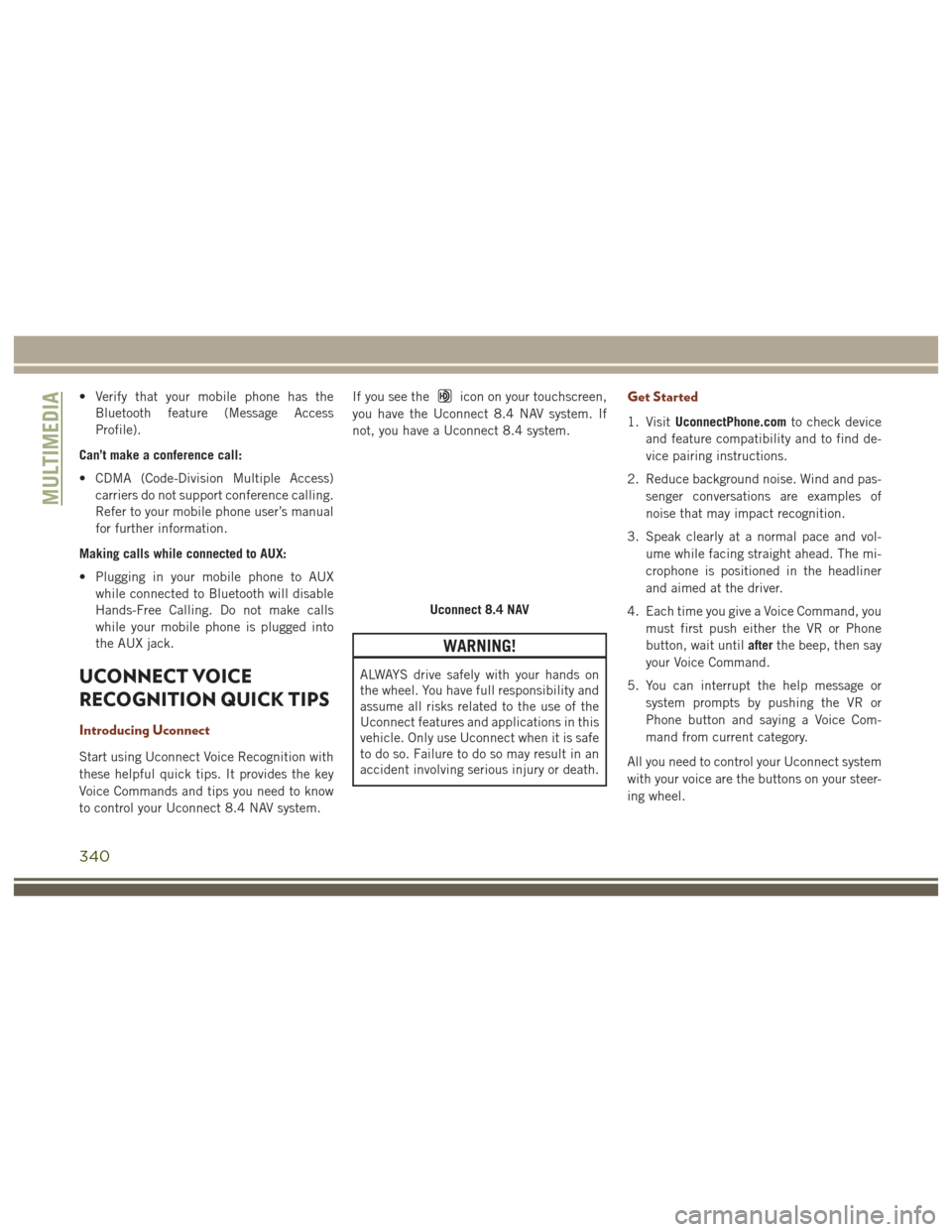
to control your Uconnect 8.4 NAV system. If you see the
icon on your touchscreen,
you have the Uconnect 8.4 NAV system. If
not, you have a Uconnect 8.4 system.
WARNING!
ALWAYS drive safely with your hands on
the wheel. You have full responsibility and
assume all risks related to the use of the
Uconnect features and applications in this
vehicle. Only use Uconnect when it is safe
to do so. Failure to do so may result in an
accident involving serious injury or death.
Get Started
1. Visit UconnectPhone.com to check device
and feature compatibility and to find de-
vice pairing instructions.
2. Reduce background noise. Wind and pas- senger conversations are examples of
noise that may impact recognition.
3. Speak clearly at a normal pace and vol- ume while facing straight ahead. The mi-
crophone is positioned in the headliner
and aimed at the driver.
4. Each time you give a Voice Command, you must first push either the VR or Phone
button, wait until afterthe beep, then say
your Voice Command.
5. You can interrupt the help message or system prompts by pushing the VR or
Phone button and saying a Voice Com-
mand from current category.
All you need to control your Uconnect system
with your voice are the buttons on your steer-
ing wheel.
Uconnect 8.4 NAV
MULTIMEDIA
340
Page 343 of 372
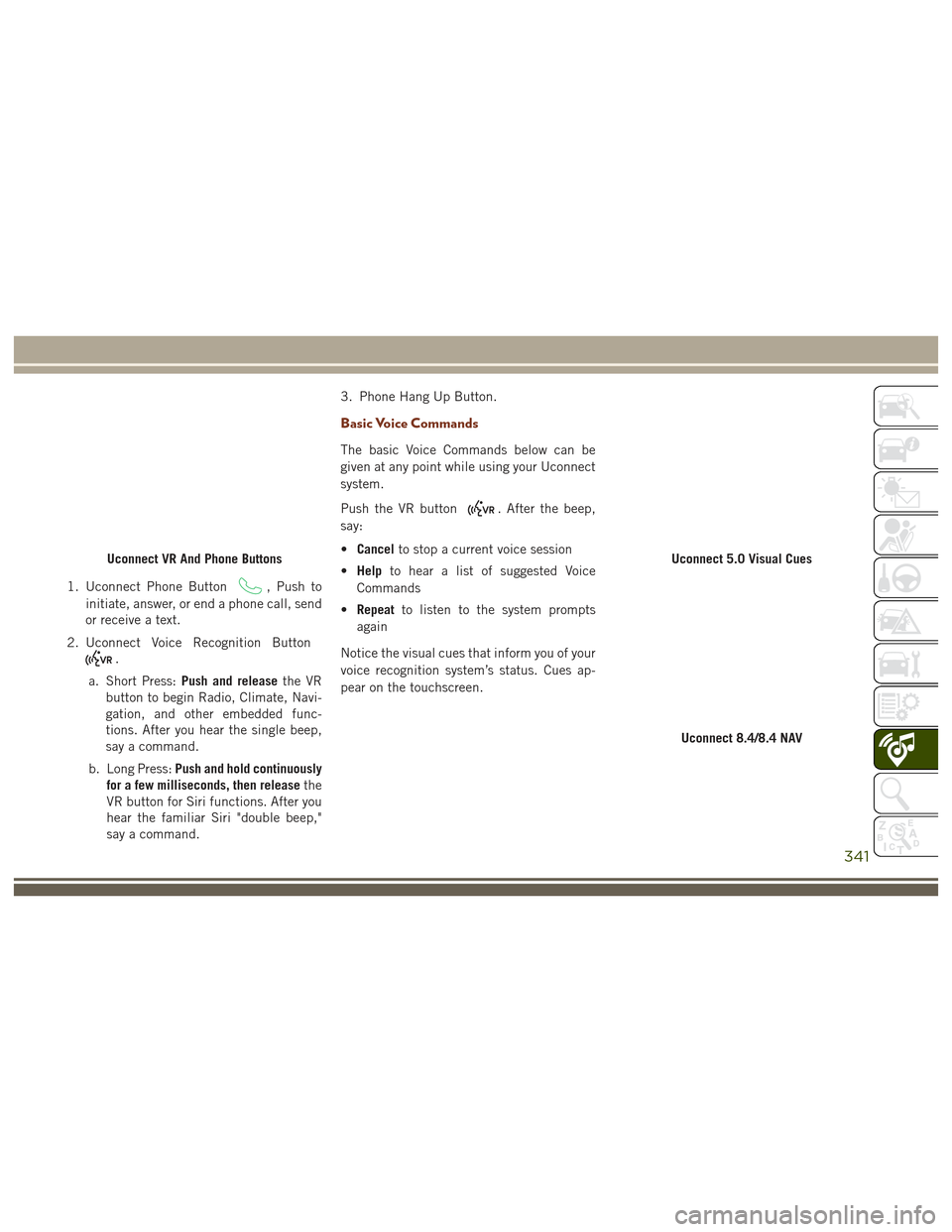
1. Uconnect Phone Button, Push to
initiate, answer, or end a phone call, send
or receive a text.
2. Uconnect Voice Recognition Button
.
a. Short Press: Push and release the VR
button to begin Radio, Climate, Navi-
gation, and other embedded func-
tions. After you hear the single beep,
say a command.
b. Long Press: Push and hold continuously
for a few milliseconds, then release the
VR button for Siri functions. After you
hear the familiar Siri "double beep,"
say a command. 3. Phone Hang Up Button.
Basic Voice Commands
The basic Voice Commands below can be
given at any point while using your Uconnect
system.
Push the VR button
. After the beep,
say:
• Cancel to stop a current voice session
• Help to hear a list of suggested Voice
Commands
• Repeat to listen to the system prompts
again
Notice the visual cues that inform you of your
voice recognition system’s status. Cues ap-
pear on the touchscreen.
Uconnect VR And Phone ButtonsUconnect 5.0 Visual Cues
Uconnect 8.4/8.4 NAV
341
Page 344 of 372
Radio
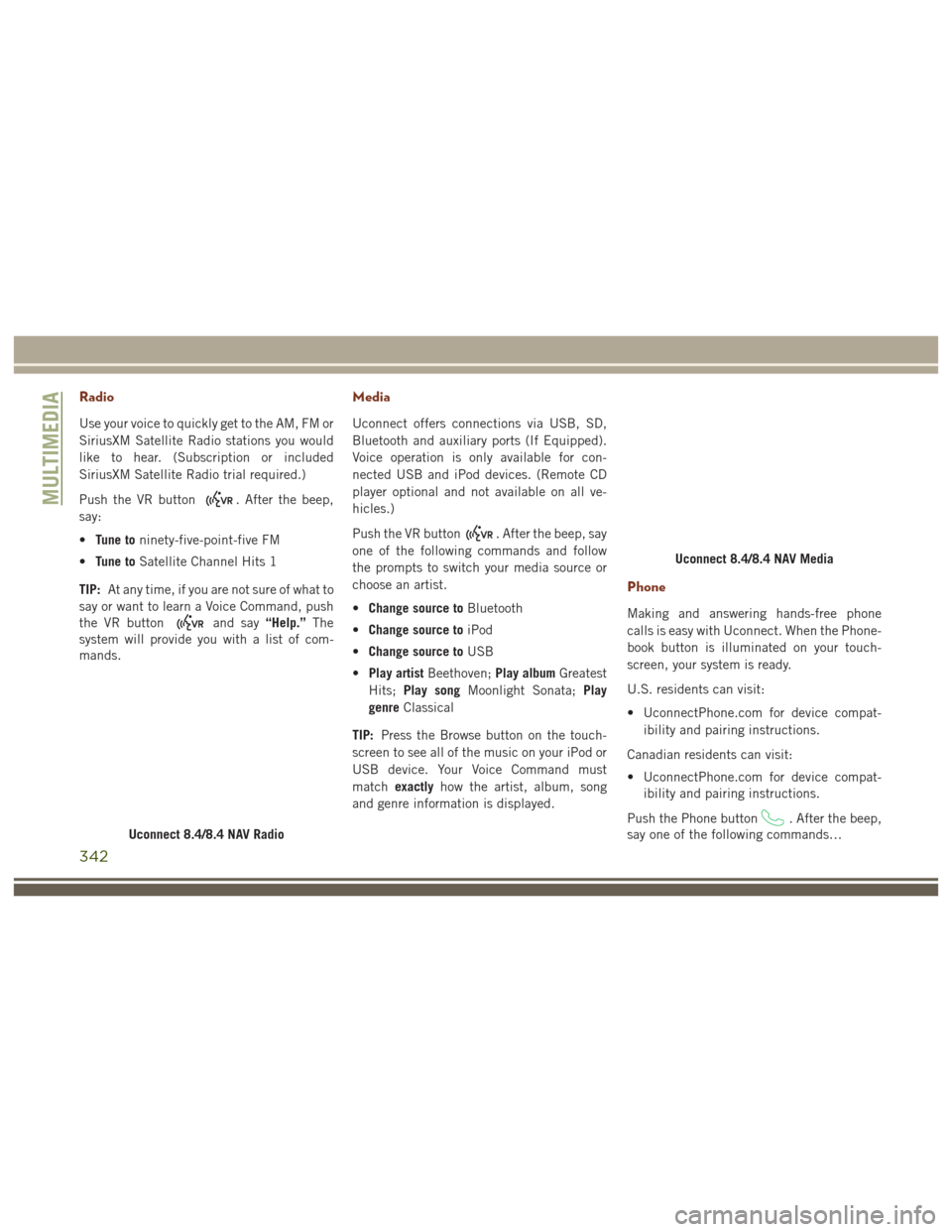
Use your voice to quickly get to the AM, FM or
SiriusXM Satellite Radio stations you would
like to hear. (Subscription or included
SiriusXM Satellite Radio trial required.)
Push the VR button
. After the beep,
say:
• Tune to ninety-five-point-five FM
• Tune to Satellite Channel Hits 1
TIP: At any time, if you are not sure of what to
say or want to learn a Voice Command, push
the VR button
and say “Help.”The
system will provide you with a list of com-
mands.
Media
Uconnect offers connections via USB, SD,
Bluetooth and auxiliary ports (If Equipped).
Voice operation is only available for con-
nected USB and iPod devices. (Remote CD
player optional and not available on all ve-
hicles.)
Push the VR button
. After the beep, say
one of the following commands and follow
the prompts to switch your media source or
choose an artist.
• Change source to Bluetooth
• Change source to iPod
• Change source to USB
• Play artist Beethoven; Play albumGreatest
Hits; Play song Moonlight Sonata; Play
genre Classical
TIP: Press the Browse button on the touch-
screen to see all of the music on your iPod or
USB device. Your Voice Command must
match exactly how the artist, album, song
and genre information is displayed.
Phone
Making and answering hands-free phone
calls is easy with Uconnect. When the Phone-
book button is illuminated on your touch-
screen, your system is ready.
U.S. residents can visit:
• UconnectPhone.com for device compat- ibility and pairing instructions.
Canadian residents can visit:
• UconnectPhone.com for device compat- ibility and pairing instructions.
Push the Phone button
. After the beep,
say one of the following commands…
Uconnect 8.4/8.4 NAV Radio
Uconnect 8.4/8.4 NAV Media
MULTIMEDIA
342
Page 345 of 372
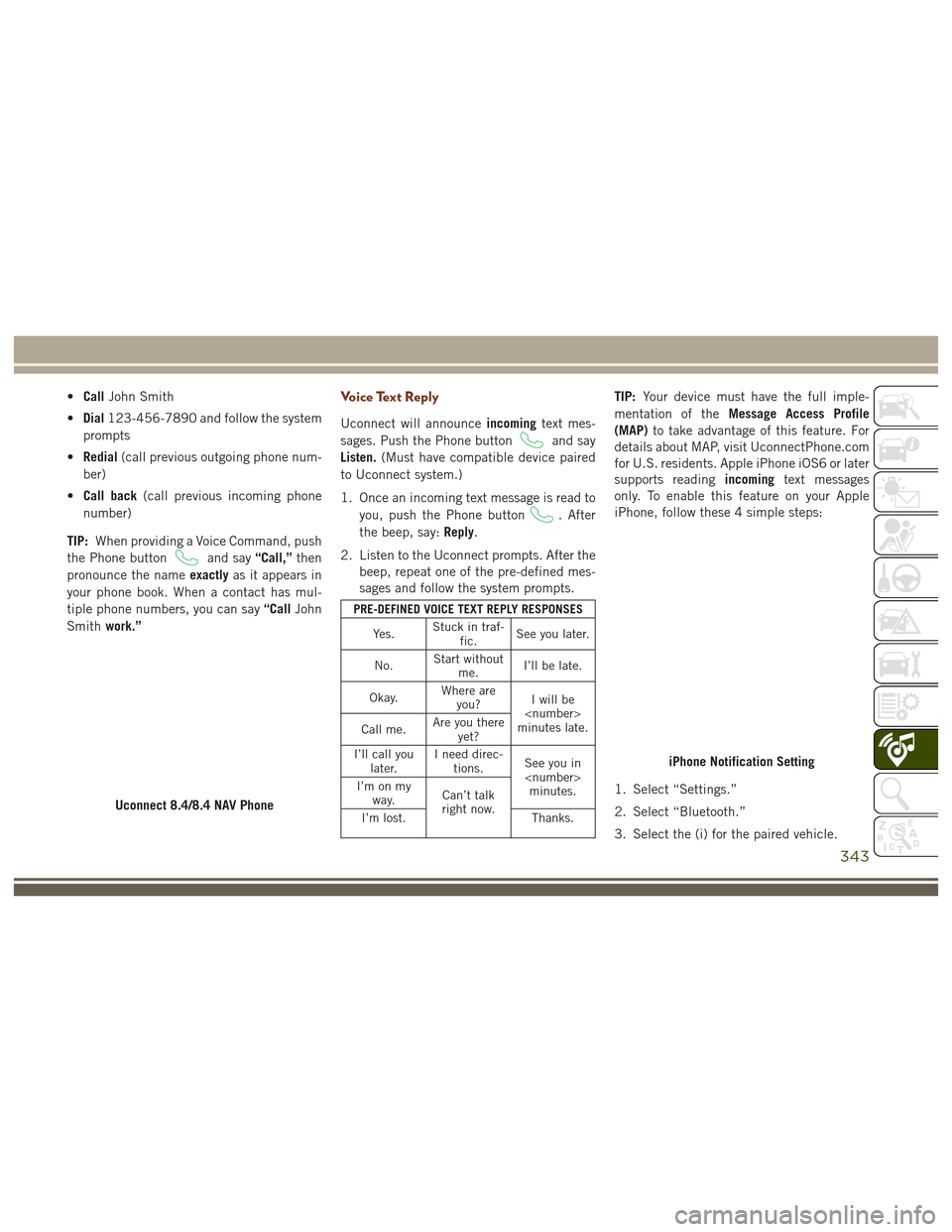
•Call John Smith
• Dial 123-456-7890 and follow the system
prompts
• Redial (call previous outgoing phone num-
ber)
• Call back (call previous incoming phone
number)
TIP: When providing a Voice Command, push
the Phone button
and say “Call,”then
pronounce the name exactlyas it appears in
your phone book. When a contact has mul-
tiple phone numbers, you can say “CallJohn
Smith work.”
Voice Text Reply
Uconnect will announce incomingtext mes-
sages. Push the Phone button
and say
Listen. (Must have compatible device paired
to Uconnect system.)
1. Once an incoming text message is read to you, push the Phone button
. After
the beep, say: Reply.
2. Listen to the Uconnect prompts. After the beep, repeat one of the pre-defined mes-
sages and follow the system prompts.
PRE-DEFINED VOICE TEXT REPLY RESPONSES
Yes. Stuck in traf-
fic. See you later.
No. Start without
me. I’ll be late.
Okay. Where are
you? I will be
minutes late.
Call me. Are you there
yet?
I’ll call you later. I need direc-
tions. See you in
I’m on my
way. Can’t talk
right now.
I’m lost. Thanks.
TIP:Your device must have the full imple-
mentation of the Message Access Profile
(MAP) to take advantage of this feature. For
details about MAP, visit UconnectPhone.com
for U.S. residents. Apple iPhone iOS6 or later
supports reading incomingtext messages
only. To enable this feature on your Apple
iPhone, follow these 4 simple steps:
1. Select “Settings.”
2. Select “Bluetooth.”
3. Select the (i) for the paired vehicle.
Uconnect 8.4/8.4 NAV Phone
iPhone Notification Setting
343
Page 346 of 372
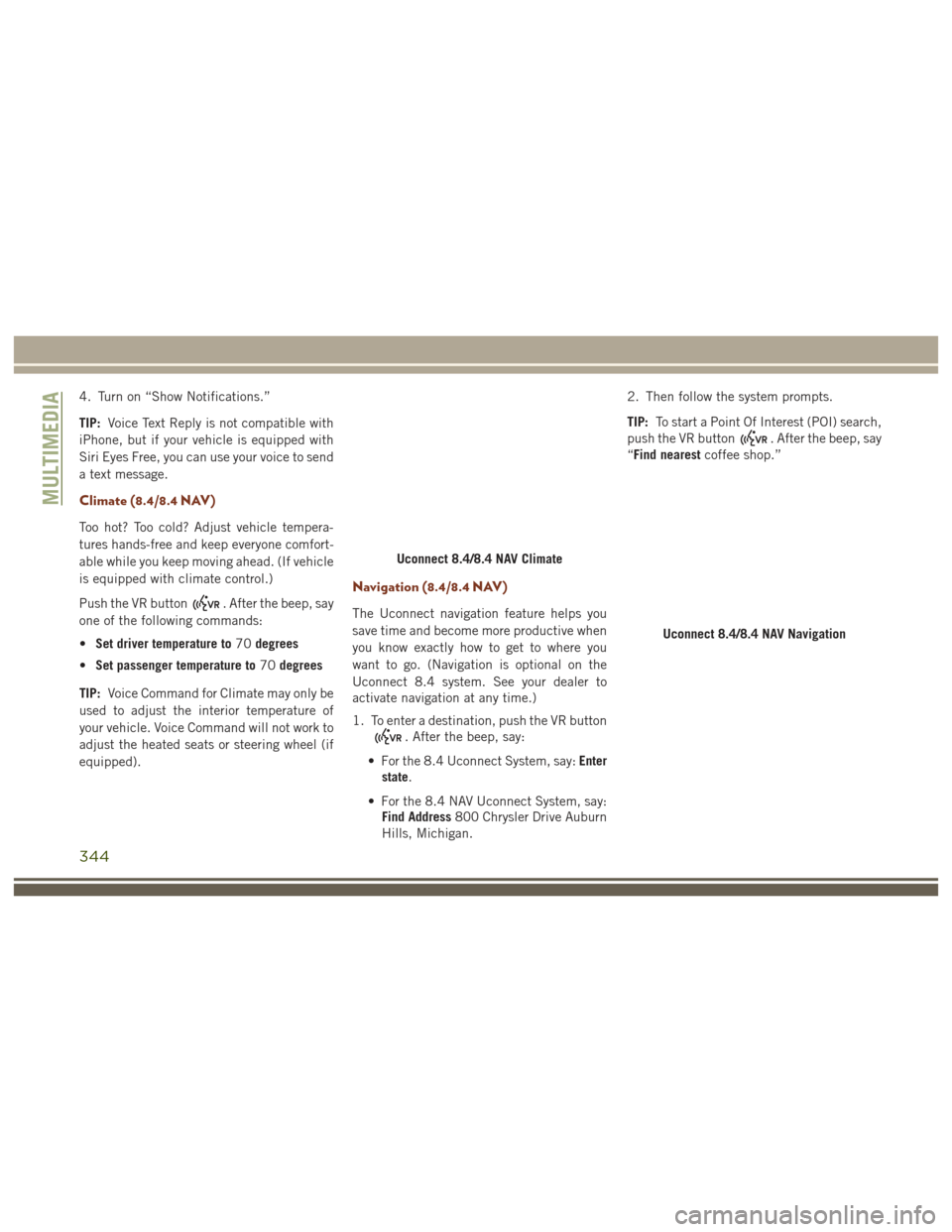
4. Turn on “Show Notifications.”
TIP:Voice Text Reply is not compatible with
iPhone, but if your vehicle is equipped with
Siri Eyes Free, you can use your voice to send
a text message.
Climate (8.4/8.4 NAV)
Too hot? Too cold? Adjust vehicle tempera-
tures hands-free and keep everyone comfort-
able while you keep moving ahead. (If vehicle
is equipped with climate control.)
Push the VR button
. After the beep, say
one of the following commands:
• Set driver temperature to 70degrees
• Set passenger temperature to 70degrees
TIP: Voice Command for Climate may only be
used to adjust the interior temperature of
your vehicle. Voice Command will not work to
adjust the heated seats or steering wheel (if
equipped).
Navigation (8.4/8.4 NAV)
The Uconnect navigation feature helps you
save time and become more productive when
you know exactly how to get to where you
want to go. (Navigation is optional on the
Uconnect 8.4 system. See your dealer to
activate navigation at any time.)
1. To enter a destination, push the VR button
. After the beep, say:
• For the 8.4 Uconnect System, say: Enter
state.
• For the 8.4 NAV Uconnect System, say: Find Address 800 Chrysler Drive Auburn
Hills, Michigan. 2. Then follow the system prompts.
TIP:
To start a Point Of Interest (POI) search,
push the VR button
. After the beep, say
“Find nearest coffee shop.”
Uconnect 8.4/8.4 NAV Climate
Uconnect 8.4/8.4 NAV Navigation
MULTIMEDIA
344
Page 349 of 372
5. Next time you’re in your vehicle, enableBluetooth, pair your device and select the
Via Mobile app you want to play from the
Uconnect touchscreen to stream your per-
sonalized music.
NOTE:
• You can also complete this process on the web. Simply visit
moparownerconnect.com log in and click
Set Up Via Mobile Profile (under Quick
Links).
• Once you download the app to your com- patible device, you will also be able to start
your vehicle and lock/unlock its doors from
virtually anywhere.
Voice Texting (8.4/8.4 NAV)
You must be registered with Uconnect Access
and have a compatible MAP – enabled device
to use your voice to send a personalized text
message. (Not compatible with iPhone.)
1. To send a message, push the Phone but-
ton
. After the beep, say: “Send
message to John Smith.” 2. Listen to the prompt. After the beep, dic-
tate the message you would like to send.
Wait for Uconnect to process your
message.
3. The Uconnect system will repeat your message and provide a variety of options
to add to, delete, send or hear the mes-
sage again. After the beep, tell Uconnect
what you’d like to do. For instance, if
you’re happy with your message, after the
beep, say “Send.”
You must be registered with Uconnect Access
and have a compatible MAP – enabled device
to use your voice to send a personalized text
message. For details about MAP, visit
UconnectPhone.com. Apple iPhone iOS6 or
later supports reading incoming text mes-
sages only. To enable this feature on your
Apple iPhone, follow these 4 simple steps: 1. Select “Settings.”
2. Select “Bluetooth.”
3. Select the (i) for the paired vehicle.
4. Turn on “Show Notifications.”
iPhone Notification Setting
347
Page 350 of 372
TIP:
• Voice Texting is not compatible withiPhone, but if your vehicle is equipped
with Siri Eyes Free, you can use your voice
to send a text message.
• Messages are limited to 140 characters.
• The Messaging button on the touchscreen must be illuminated to use the feature.
Yelp (8.4/8.4 NAV)
Once registered with Uconnect Access, you
can use your voice to search for the most
popular places or things around you.
1. Push the VR button
. After the beep,
say: Launch YELP.
2. Once the YELP home screen appears on the touchscreen, push the VR button
, then say: YELP search.
3. Listen to the system prompts and after the beep, tell Uconnect the place or business
that you’d like Uconnect to find.
TIP: Once you perform a search, you can
reorganize the results by selecting either the
Best Match, Rating or Distance tab on the top
of the touchscreen display.
SiriusXM Travel Link (8.4/8.4 NAV — US
Market Only)
Need to find a gas station, view local movie
listings, check a sports score or the5-day
weather forecast? SiriusXM Travel Link is a
suite of services that brings a wealth of infor-
mation right to your Uconnect 8.4 NAV sys-
tem. (Not available for 8.4 system.)
Push the VR button
. After the beep, say
one of the following commands:
• Show fuel prices
• Show 5 - day weather forecast
• Show extended weather TIP:
Traffic alerts are not accessible with
Voice Command.
Siri Eyes Free — If Equipped
Siri lets you use your voice to send text
messages, select media, place phone calls
and much more. Siri uses your natural lan-
guage to understand what you mean and will
respond back to confirm your requests. The
system is designed to keep your eyes on the
road and your hands on the wheel by letting
Siri help you perform useful tasks.
Yelp
SiriusXM Travel Link
MULTIMEDIA
348