instrument panel JEEP GRAND CHEROKEE 2020 Owner handbook (in English)
[x] Cancel search | Manufacturer: JEEP, Model Year: 2020, Model line: GRAND CHEROKEE, Model: JEEP GRAND CHEROKEE 2020Pages: 378, PDF Size: 6.88 MB
Page 45 of 378
The Rain Sensing system has protection fea-
tures for the wiper blades and arms, and will
not operate under the following conditions:
•Low Ambient Temperature— When the igni-
tion is first turned ON, the Rain Sensing
system will not operate until the wiper
switch is moved, vehicle speed is greater
than 3 mph (5 km/h), or the outside tem-
perature is greater than 32°F (0°C).
•Transmission In NEUTRAL Position— When
the ignition is ON, and the automatic trans-
mission is in the NEUTRAL position, the
Rain Sensing system will not operate until
the wiper switch is moved, vehicle speed is
greater than 3 mph (5 km/h), or the gear
selector is moved out of the NEUTRAL
position.
Rear Window Wiper/Washer
The rear wiper/washer controls are located on
the multifunction lever on the left side of the
steering column. The rear wiper/washer is
operated by rotating a switch, located at the
middle of the lever.Rotate the center portion of the lever upward
to the first detent for intermittent operation
and to the second detent for continuous rear
wiper operation.
Rotating the center portion upward once
more will activate the washer pump which
will continue to operate as long as the switch
is held. Upon release of the switch, the wip-
ers will resume the continuous rear wiper
operation. When this rotary control is in the
OFF position, rotating it downward will acti-
vate the rear washer pump which will con-
tinue to operate as long as the switch is held.
Once the switch is released it will return to
the OFF position and the wipers will cycle
several times before returning to the parked
position.
NOTE:
As a protective measure, the pump will stop if
the switch is held for more than 20 seconds.
Once the switch is released the pump will
resume normal operation.
If the rear wiper is operating when the igni-
tion is turned OFF, the wiper will automati-
cally return to the “park” position.
CLIMATE CONTROLS
The Climate Control System allows you to
regulate the temperature, air flow, and direc-
tion of air circulating throughout the vehicle.
The controls are located on the touchscreen
(if equipped) and on the instrument panel
below the radio.
43
Page 51 of 378
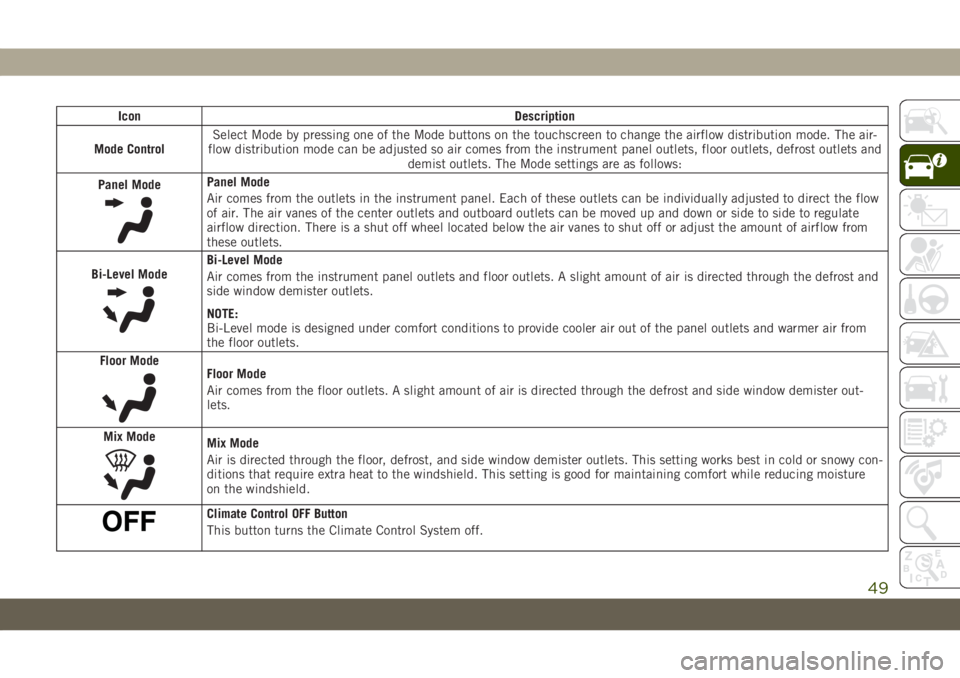
Icon Description
Mode ControlSelect Mode by pressing one of the Mode buttons on the touchscreen to change the airflow distribution mode. The air-
flow distribution mode can be adjusted so air comes from the instrument panel outlets, floor outlets, defrost outlets and
demist outlets. The Mode settings are as follows:
Panel Mode
Panel Mode
Air comes from the outlets in the instrument panel. Each of these outlets can be individually adjusted to direct the flow
of air. The air vanes of the center outlets and outboard outlets can be moved up and down or side to side to regulate
airflow direction. There is a shut off wheel located below the air vanes to shut off or adjust the amount of airflow from
these outlets.
Bi-Level Mode
Bi-Level Mode
Air comes from the instrument panel outlets and floor outlets. A slight amount of air is directed through the defrost and
side window demister outlets.
NOTE:
Bi-Level mode is designed under comfort conditions to provide cooler air out of the panel outlets and warmer air from
the floor outlets.
Floor Mode
Floor Mode
Air comes from the floor outlets. A slight amount of air is directed through the defrost and side window demister out-
lets.
Mix Mode
Mix Mode
Air is directed through the floor, defrost, and side window demister outlets. This setting works best in cold or snowy con-
ditions that require extra heat to the windshield. This setting is good for maintaining comfort while reducing moisture
on the windshield.
Climate Control OFF Button
This button turns the Climate Control System off.
49
Page 61 of 378
HOOD
To Open The Hood
To open the hood, two latches must be re-
leased.
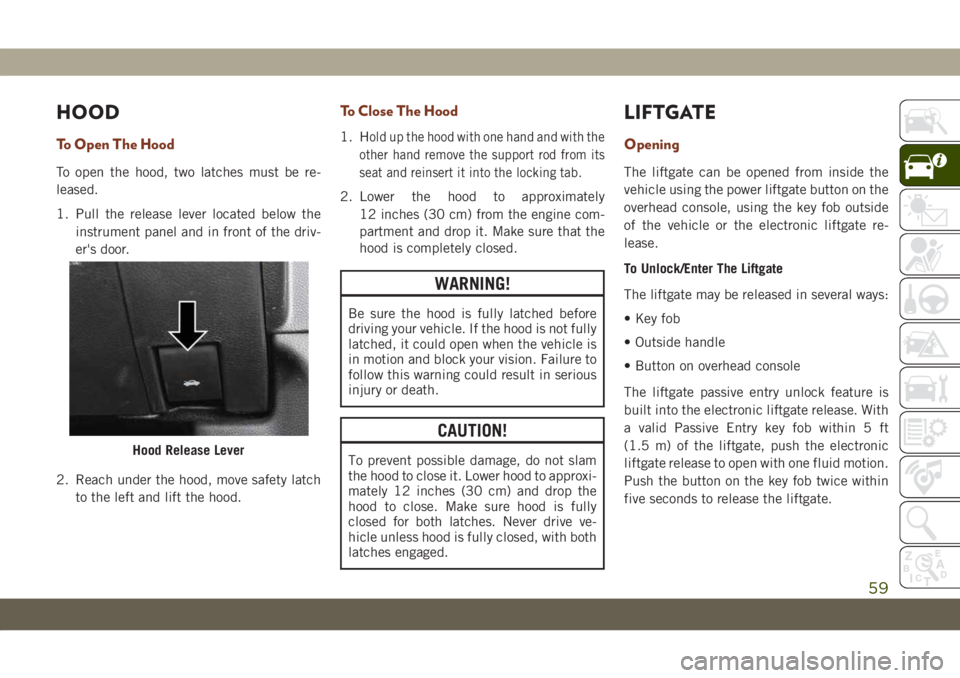
1. Pull the release lever located below the
instrument panel and in front of the driv-
er's door.
2. Reach under the hood, move safety latch
to the left and lift the hood.
To Close The Hood
1. Hold up the hood with one hand and with the
other hand remove the support rod from its
seat and reinsert it into the locking tab.
2. Lower the hood to approximately
12 inches (30 cm) from the engine com-
partment and drop it. Make sure that the
hood is completely closed.
WARNING!
Be sure the hood is fully latched before
driving your vehicle. If the hood is not fully
latched, it could open when the vehicle is
in motion and block your vision. Failure to
follow this warning could result in serious
injury or death.
CAUTION!
To prevent possible damage, do not slam
the hood to close it. Lower hood to approxi-
mately 12 inches (30 cm) and drop the
hood to close. Make sure hood is fully
closed for both latches. Never drive ve-
hicle unless hood is fully closed, with both
latches engaged.
LIFTGATE
Opening
The liftgate can be opened from inside the
vehicle using the power liftgate button on the
overhead console, using the key fob outside
of the vehicle or the electronic liftgate re-
lease.
To Unlock/Enter The Liftgate
The liftgate may be released in several ways:
• Key fob
• Outside handle
• Button on overhead console
The liftgate passive entry unlock feature is
built into the electronic liftgate release. With
a valid Passive Entry key fob within 5 ft
(1.5 m) of the liftgate, push the electronic
liftgate release to open with one fluid motion.
Push the button on the key fob twice within
five seconds to release the liftgate.
Hood Release Lever
59
Page 62 of 378
NOTE:
If “Unlock All Doors 1st Press” is pro-
grammed in the instrument cluster display,
all doors will unlock when you push the
electronic release on the liftgate. If "Unlock
Driver Door 1st Press" is programmed in
Uconnect, only the liftgate will unlock when
you push the electronic release on the lift-
gate. Refer to “Uconnect Settings” in “Mul-
timedia” in the Owner’s Manual for further
information.
NOTE:
Use the power door lock switch on either front
door trim panel or the key fob to lock and
unlock the liftgate. The manual door locks on
the doors and the driver's door lock cylinder
will not lock and unlock the liftgate.WARNING!
Driving with the liftgate open can allow
poisonous exhaust gases into your vehicle.
You and your passengers could be injured
by these fumes. Keep the liftgate closed
when you are operating the vehicle.
Closing
To manually close the liftgate, grasp the lift-
gate closing handle and initiate the lowering
of the liftgate. Release the handle when the
liftgate is partially closed and the momentum
will fully close the liftgate.
To Lock The Liftgate
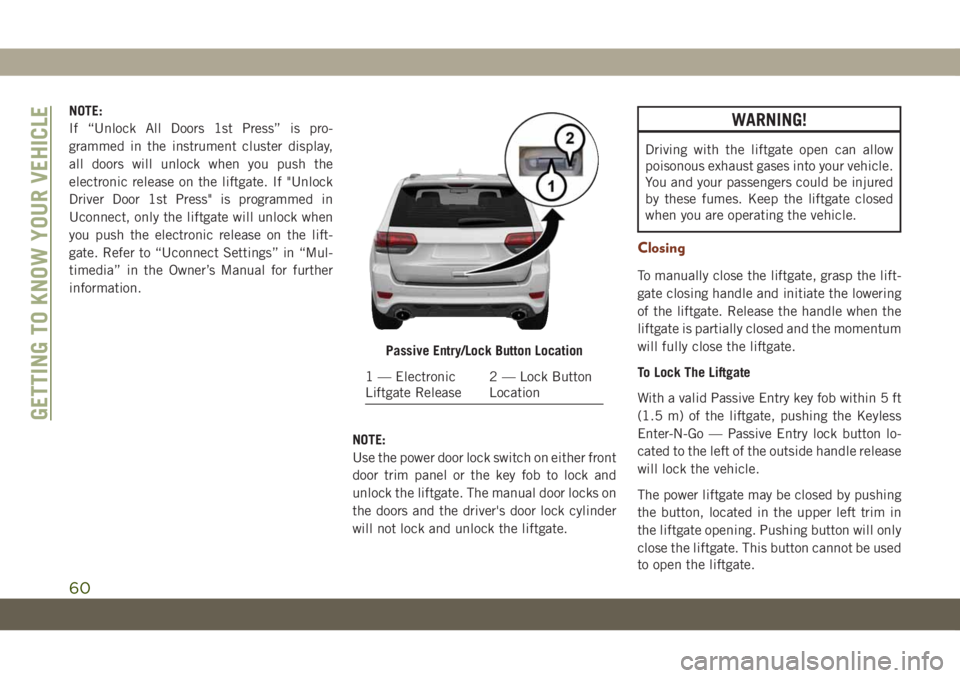
With a valid Passive Entry key fob within 5 ft
(1.5 m) of the liftgate, pushing the Keyless
Enter-N-Go — Passive Entry lock button lo-
cated to the left of the outside handle release
will lock the vehicle.
The power liftgate may be closed by pushing
the button, located in the upper left trim in
the liftgate opening. Pushing button will only
close the liftgate. This button cannot be used
to open the liftgate.
Passive Entry/Lock Button Location
1 — Electronic
Liftgate Release2 — Lock Button
Location
GETTING TO KNOW YOUR VEHICLE
60
Page 64 of 378
• The power liftgate will not operate in tem-
peratures below −22°F (−30°C) or tem-
peratures above 150° F (65° C). Be sure to
remove any buildup of snow or ice from the
liftgate before pushing any of the power
liftgate switches.
• If anything obstructs the power liftgate
while it is closing or opening, the liftgate
will automatically reverse to the closed or
open position, provided it meets sufficient
resistance.
• There are also pinch sensors attached to
the side of the liftgate. Light pressure any-
where along these strips will cause the
liftgate to return to the open position.
• If the liftgate is not fully open, push the
liftgate button on the key fob twice to
operate the liftgate.
• If the electronic liftgate release is pushed
while the power liftgate is closing, the lift-
gate will reverse to the full open position.• If the electronic liftgate release is pushed
while the power liftgate is opening, the
liftgate motor will disengage to allow
manual operation.
• If the power liftgate encounters multiple
obstructions within the same cycle, the
system will automatically stop and the lift-
gate must be opened or closed manually.
WARNING!
• Driving with the liftgate open can allow
poisonous exhaust gases into your ve-
hicle. You and your passengers could be
injured by these fumes. Keep the liftgate
closed when you are operating the
vehicle.
• If you are required to drive with the
liftgate open, make sure that all win-
dows are closed, and the climate control
blower switch is set at high speed. Do
not use the recirculation mode.
INTERNAL EQUIPMENT
Power Outlets
If equipped, there may be three 12 Volt
electrical power outlets on this vehicle.
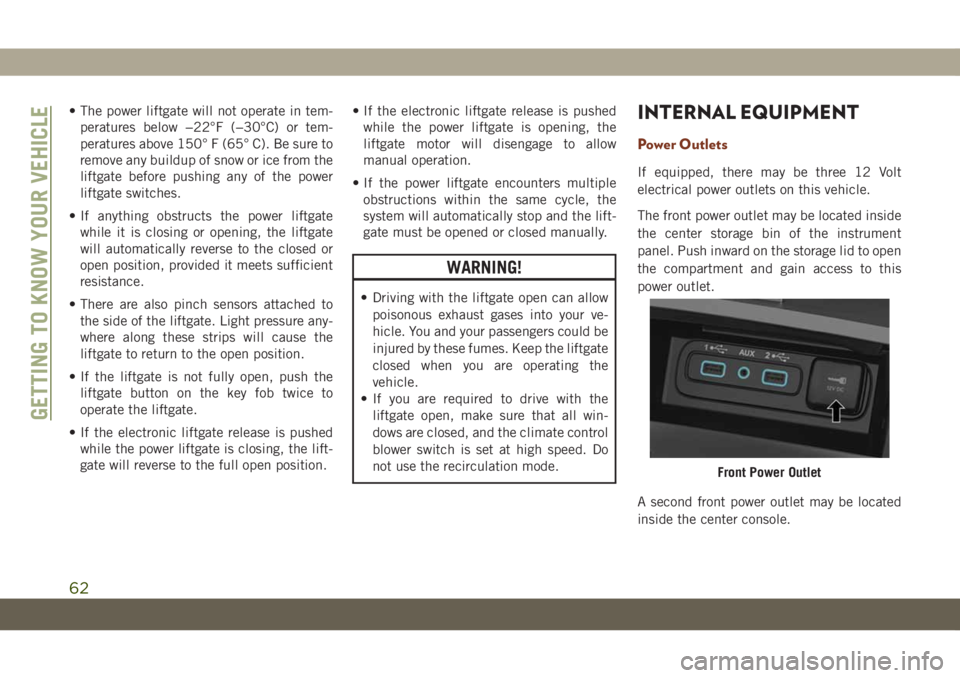
The front power outlet may be located inside
the center storage bin of the instrument
panel. Push inward on the storage lid to open
the compartment and gain access to this
power outlet.
A second front power outlet may be located
inside the center console.
Front Power Outlet
GETTING TO KNOW YOUR VEHICLE
62
Page 68 of 378
INSTRUMENT CLUSTER
DISPLAY
Your vehicle will be equipped with an instru-
ment cluster display, which offers useful in-
formation to the driver. With the ignition in
the STOP/OFF mode, opening/closing of a
door will activate the display for viewing, and
display the total miles, or kilometers, in the
odometer. Your instrument cluster display is
designed to display important information
about your vehicle’s systems and features.
Using a driver interactive display located on
the instrument panel, your instrument clus-
ter display can show you how systems are
working and give you warnings when they are
not. The steering wheel mounted controls
allow you to scroll through the main menus
and submenus. You can access the specific
information you want and make selections
and adjustments.
Instrument Cluster Display Location And
Controls
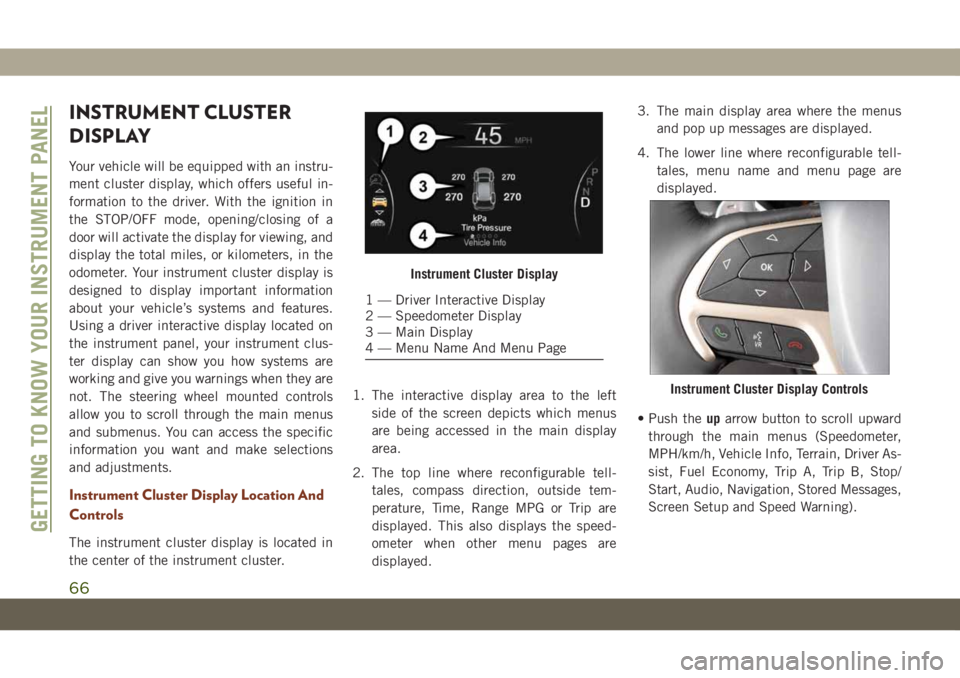
The instrument cluster display is located in
the center of the instrument cluster.1. The interactive display area to the left
side of the screen depicts which menus
are being accessed in the main display
area.
2. The top line where reconfigurable tell-
tales, compass direction, outside tem-
perature, Time, Range MPG or Trip are
displayed. This also displays the speed-
ometer when other menu pages are
displayed.3. The main display area where the menus
and pop up messages are displayed.
4. The lower line where reconfigurable tell-
tales, menu name and menu page are
displayed.
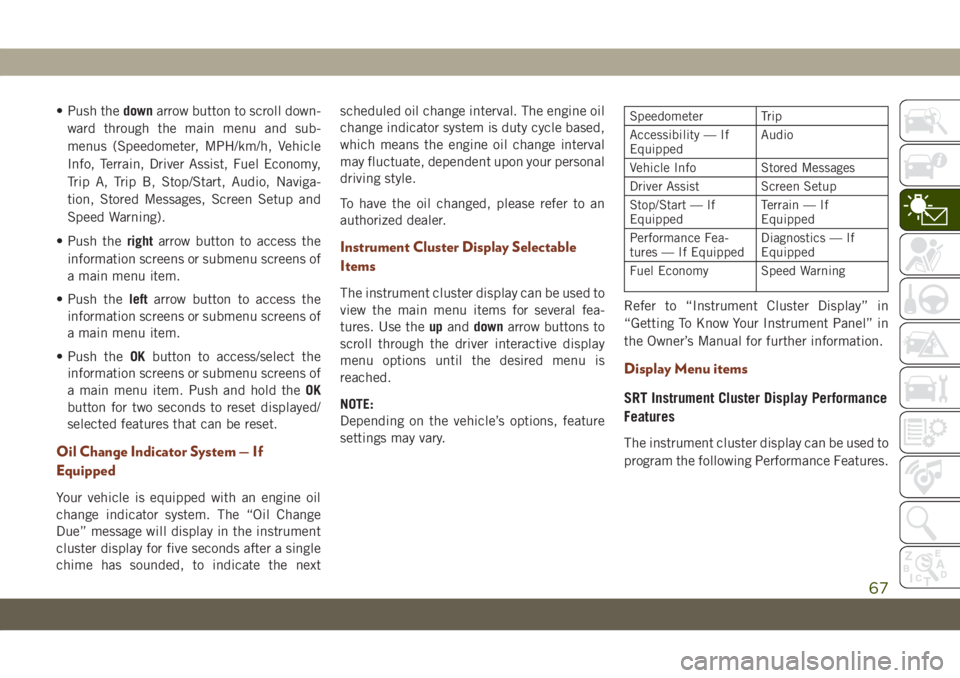
• Push theuparrow button to scroll upward
through the main menus (Speedometer,
MPH/km/h, Vehicle Info, Terrain, Driver As-
sist, Fuel Economy, Trip A, Trip B, Stop/
Start, Audio, Navigation, Stored Messages,
Screen Setup and Speed Warning).
Instrument Cluster Display
1 — Driver Interactive Display
2 — Speedometer Display
3 — Main Display
4 — Menu Name And Menu Page
Instrument Cluster Display Controls
GETTING TO KNOW YOUR INSTRUMENT PANEL
66
Page 69 of 378
• Push thedownarrow button to scroll down-
ward through the main menu and sub-
menus (Speedometer, MPH/km/h, Vehicle
Info, Terrain, Driver Assist, Fuel Economy,
Trip A, Trip B, Stop/Start, Audio, Naviga-
tion, Stored Messages, Screen Setup and
Speed Warning).
• Push therightarrow button to access the
information screens or submenu screens of
a main menu item.
• Push theleftarrow button to access the
information screens or submenu screens of
a main menu item.
• Push theOKbutton to access/select the
information screens or submenu screens of
a main menu item. Push and hold theOK
button for two seconds to reset displayed/
selected features that can be reset.
Oil Change Indicator System — If
Equipped
Your vehicle is equipped with an engine oil
change indicator system. The “Oil Change
Due” message will display in the instrument
cluster display for five seconds after a single
chime has sounded, to indicate the nextscheduled oil change interval. The engine oil
change indicator system is duty cycle based,
which means the engine oil change interval
may fluctuate, dependent upon your personal
driving style.
To have the oil changed, please refer to an
authorized dealer.
Instrument Cluster Display Selectable
Items
The instrument cluster display can be used to
view the main menu items for several fea-
tures. Use theupanddownarrow buttons to
scroll through the driver interactive display
menu options until the desired menu is
reached.
NOTE:
Depending on the vehicle’s options, feature
settings may vary.
Speedometer Trip
Accessibility — If
EquippedAudio
Vehicle Info Stored Messages
Driver Assist Screen Setup
Stop/Start — If
EquippedTerrain — If
Equipped
Performance Fea-
tures — If EquippedDiagnostics — If
Equipped
Fuel Economy Speed Warning
Refer to “Instrument Cluster Display” in
“Getting To Know Your Instrument Panel” in
the Owner’s Manual for further information.
Display Menu items
SRT Instrument Cluster Display Performance
Features
The instrument cluster display can be used to
program the following Performance Features.
67
Page 70 of 378
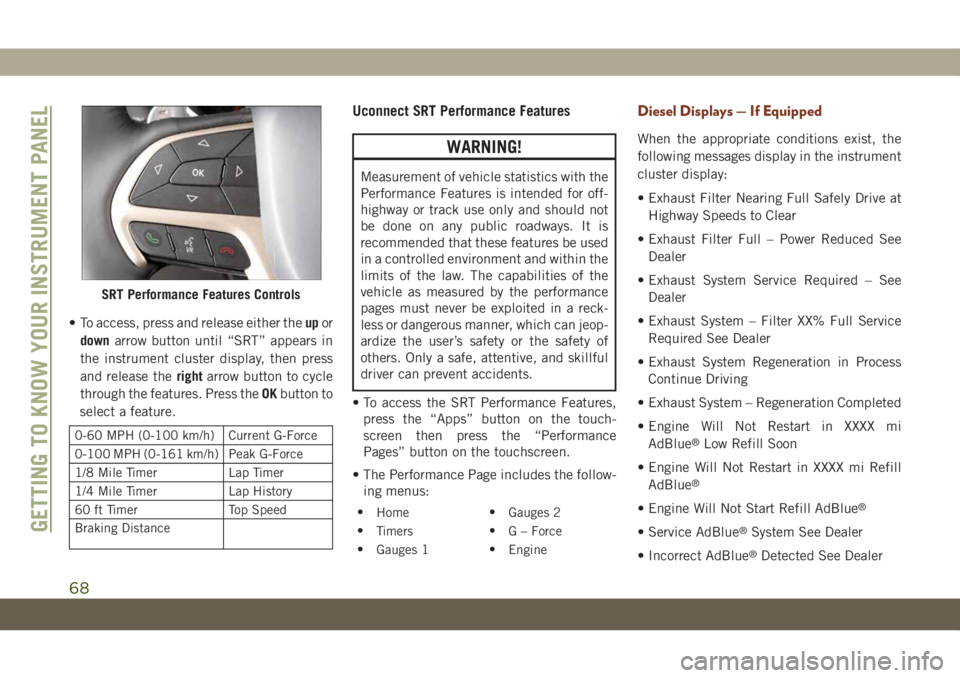
• To access, press and release either theupor
downarrow button until “SRT” appears in
the instrument cluster display, then press
and release therightarrow button to cycle
through the features. Press theOKbutton to
select a feature.
0-60 MPH (0-100 km/h) Current G-Force
0-100 MPH (0-161 km/h) Peak G-Force
1/8 Mile Timer Lap Timer
1/4 Mile Timer Lap History
60 ft Timer Top Speed
Braking Distance
Uconnect SRT Performance Features
WARNING!
Measurement of vehicle statistics with the
Performance Features is intended for off-
highway or track use only and should not
be done on any public roadways. It is
recommended that these features be used
in a controlled environment and within the
limits of the law. The capabilities of the
vehicle as measured by the performance
pages must never be exploited in a reck-
less or dangerous manner, which can jeop-
ardize the user’s safety or the safety of
others. Only a safe, attentive, and skillful
driver can prevent accidents.
• To access the SRT Performance Features,
press the “Apps” button on the touch-
screen then press the “Performance
Pages” button on the touchscreen.
• The Performance Page includes the follow-
ing menus:
•
Home•
Gauges 2
•
Timers•
G – Force
•
Gauges 1•
Engine
Diesel Displays — If Equipped
When the appropriate conditions exist, the
following messages display in the instrument
cluster display:
• Exhaust Filter Nearing Full Safely Drive at
Highway Speeds to Clear
• Exhaust Filter Full – Power Reduced See
Dealer
• Exhaust System Service Required – See
Dealer
• Exhaust System – Filter XX% Full Service
Required See Dealer
• Exhaust System Regeneration in Process
Continue Driving
• Exhaust System – Regeneration Completed
• Engine Will Not Restart in XXXX mi
AdBlue
®Low Refill Soon
• Engine Will Not Restart in XXXX mi Refill
AdBlue
®
• Engine Will Not Start Refill AdBlue®
• Service AdBlue®System See Dealer
• Incorrect AdBlue
®Detected See Dealer
SRT Performance Features Controls
GETTING TO KNOW YOUR INSTRUMENT PANEL
68
Page 71 of 378
• Engine Will Not Restart in XXX mi Service
AdBlue®See Dealer
• Engine Will Not Restart Service AdBlue
®
System See Dealer
• Engine Will Not Start Service AdBlue
®Sys-
tem See Dealer
Diesel Particulate Filter (DPF) Messages
— If Equipped
This engine meets all required diesel engine
emissions standards. To achieve these emis-
sions standards, your vehicle is equipped
with a state-of-the-art engine and exhaust
system. These systems are seamlessly inte-
grated into your vehicle and managed by the
Powertrain Control Module (PCM). The PCM
manages engine combustion to allow the ex-
haust system’s catalyst to trap and burn Par-
ticulate Matter (PM) pollutants, with no input
or interaction on your part.
WARNING!
A hot exhaust system can start a fire if you
park over materials that can burn. Such
materials might be grass or leaves coming
WARNING!
into contact with your exhaust system. Do
not park or operate your vehicle in areas
where your exhaust system can contact
anything that can burn.
Your vehicle has the ability to alert you to
additional maintenance required on your ve-
hicle or engine. Refer to the following mes-
sages that may be displayed on your instru-
ment cluster display:
•Exhaust Filter Nearing Full Safely Drive at
Highway Speeds to Clear— This message
will be displayed if the exhaust particulate
filter reaches 80% of its maximum storage
capacity. Under conditions of exclusive
short duration and low speed driving cycles,
your diesel engine and exhaust after-
treatment system may never reach the con-
ditions required to cleanse the filter to
remove the trapped PM. If this occurs, the
“Exhaust Filter XX% Full Safely Drive at
Highway Speeds to Remedy” message will
be displayed. If this message is displayed,
you will hear one chime to assist in alerting
you of this condition. By simply driving yourvehicle at highway speeds for up to 20 min-
utes, you can remedy the condition in the
particulate filter system and allow your die-
sel engine and exhaust after-treatment sys-
tem to cleanse the filter to remove the
trapped PM and restore the system to nor-
mal operating condition.
•Exhaust System Regeneration in Process Con-
tinue Driving— This message indicates that
the Diesel Particulate Filter (DPF) is self-
cleaning. Maintain your current driving
condition until regeneration is completed.
•Exhaust System — Regeneration Completed
— This message indicates that the Diesel
Particulate Filter (DPF) self-cleaning is
completed. If this message is displayed,
you will hear one chime to assist in alerting
you of this condition.
•Exhaust System Service Required — See
Dealer— This messages indicates regen-
eration has been disabled due to a system
malfunction. At this point the engine Pow-
ertrain Control Module (PCM) will register a
fault code, the instrument panel will dis-
play a MIL light.
69
Page 72 of 378
CAUTION!
See an authorized dealer, as damage to the
exhaust system could occur soon with con-
tinued operation.
•Exhaust Filter Full — Power Reduced See
Dealer— This message indicates the PCM
has derated the engine to limit the likeli-
hood of permanent damage to the after-
treatment system. If this condition is not
corrected and a dealer service is not per-
formed, extensive exhaust after-treatment
damage can occur. To correct this condition
it will be necessary to have your vehicle
serviced by an authorized dealer.
NOTE:
Failing to follow the oil change indicator,
changing your oil and resetting the oil change
indicator by 0 miles remaining will prevent
the diesel exhaust filter from performing it's
cleaning routine. This will shortly result in a
Malfunction Indicator Light (MIL) and re-
duced engine power. Only an authorized
dealer will be able to correct this condition.
CAUTION!
See an authorized dealer, as damage to the
exhaust system could occur soon with con-
tinued operation.
Fuel System Messages — If Equipped
The following chart contains a list of different
messages that may appear in the instrument
cluster, depending on different system or fuel
conditions. Use the descriptions to interpret
what the message means and determine the
best action to take.
GETTING TO KNOW YOUR INSTRUMENT PANEL
70