ESP JEEP GRAND CHEROKEE 2023 User Guide
[x] Cancel search | Manufacturer: JEEP, Model Year: 2023, Model line: GRAND CHEROKEE, Model: JEEP GRAND CHEROKEE 2023Pages: 424, PDF Size: 15.48 MB
Page 115 of 424
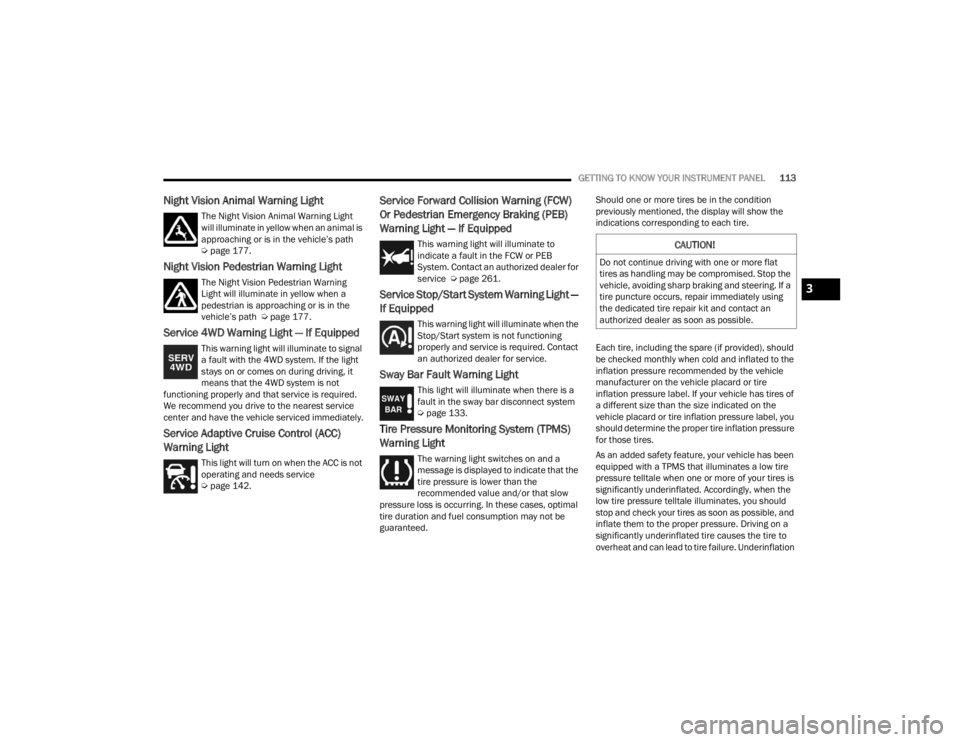
GETTING TO KNOW YOUR INSTRUMENT PANEL113
Night Vision Animal Warning Light
The Night Vision Animal Warning Light
will illuminate in yellow when an animal is
approaching or is in the vehicle’s path
Úpage 177.
Night Vision Pedestrian Warning Light
The Night Vision Pedestrian Warning
Light will illuminate in yellow when a
pedestrian is approaching or is in the
vehicle’s path Ú page 177.
Service 4WD Warning Light — If Equipped
This warning light will illuminate to signal
a fault with the 4WD system. If the light
stays on or comes on during driving, it
means that the 4WD system is not
functioning properly and that service is required.
We recommend you drive to the nearest service
center and have the vehicle serviced immediately.
Service Adaptive Cruise Control (ACC)
Warning Light
This light will turn on when the ACC is not
operating and needs service
Ú page 142.
Service Forward Collision Warning (FCW)
Or Pedestrian Emergency Braking (PEB)
Warning Light — If Equipped
This warning light will illuminate to
indicate a fault in the FCW or PEB
System. Contact an authorized dealer for
service Ú page 261.
Service Stop/Start System Warning Light —
If Equipped
This warning light will illuminate when the
Stop/Start system is not functioning
properly and service is required. Contact
an authorized dealer for service.
Sway Bar Fault Warning Light
This light will illuminate when there is a
fault in the sway bar disconnect system
Úpage 133.
Tire Pressure Monitoring System (TPMS)
Warning Light
The warning light switches on and a
message is displayed to indicate that the
tire pressure is lower than the
recommended value and/or that slow
pressure loss is occurring. In these cases, optimal
tire duration and fuel consumption may not be
guaranteed. Should one or more tires be in the condition
previously mentioned, the display will show the
indications corresponding to each tire.
Each tire, including the spare (if provided), should
be checked monthly when cold and inflated to the
inflation pressure recommended by the vehicle
manufacturer on the vehicle placard or tire
inflation pressure label. If your vehicle has tires of
a different size than the size indicated on the
vehicle placard or tire inflation pressure label, you
should determine the proper tire inflation pressure
for those tires.
As an added safety feature, your vehicle has been
equipped with a TPMS that illuminates a low tire
pressure telltale when one or more of your tires is
significantly underinflated. Accordingly, when the
low tire pressure telltale illuminates, you should
stop and check your tires as soon as possible, and
inflate them to the proper pressure. Driving on a
significantly underinflated tire causes the tire to
overheat and can lead to tire failure. Underinflation
CAUTION!
Do not continue driving with one or more flat
tires as handling may be compromised. Stop the
vehicle, avoiding sharp braking and steering. If a
tire puncture occurs, repair immediately using
the dedicated tire repair kit and contact an
authorized dealer as soon as possible.
3
23_WL_OM_EN_USC_t.book Page 113
Page 116 of 424
114GETTING TO KNOW YOUR INSTRUMENT PANEL
also reduces fuel efficiency and tire tread life, and
may affect the vehicle’s handling and stopping
ability.
Please note that the TPMS is not a substitute for
proper tire maintenance, and it is the driver’s
responsibility to maintain correct tire pressure,
even if underinflation has not reached the level to
trigger illumination of the TPMS low tire pressure
telltale.
Your vehicle has also been equipped with a TPMS
malfunction indicator to indicate when the system
is not operating properly. The TPMS malfunction
indicator is combined with the low tire pressure
telltale. When the system detects a malfunction,
the telltale will flash for approximately one minute
and then remain continuously illuminated. This
sequence will continue upon subsequent vehicle
start-ups as long as the malfunction exists. When
the malfunction indicator is illuminated, the
system may not be able to detect or signal low tire
pressure as intended. TPMS malfunctions may
occur for a variety of reasons, including the
installation of replacement or alternate tires or
wheels on the vehicle that prevent the TPMS from
functioning properly. Always check the TPMS
malfunction telltale after replacing one or more
tires or wheels on your vehicle to ensure that the
replacement or alternate tires and wheels allow
the TPMS to continue to function properly.
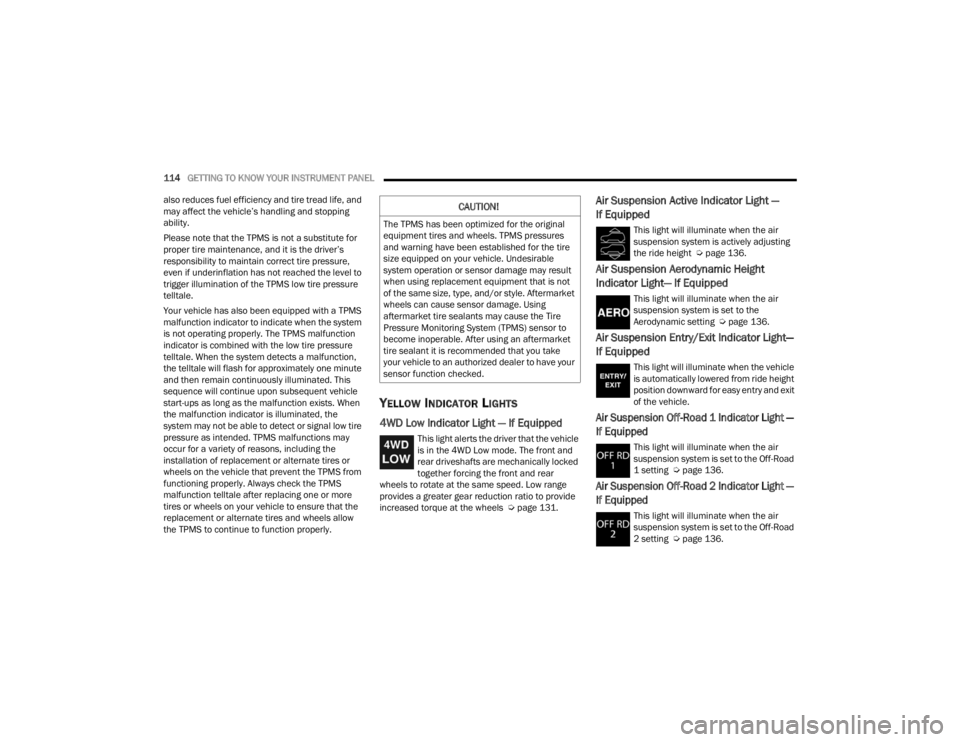
YELLOW INDICATOR LIGHTS
4WD Low Indicator Light — If Equipped
This light alerts the driver that the vehicle
is in the 4WD Low mode. The front and
rear driveshafts are mechanically locked
together forcing the front and rear
wheels to rotate at the same speed. Low range
provides a greater gear reduction ratio to provide
increased torque at the wheels Ú page 131.
Air Suspension Active Indicator Light —
If Equipped
This light will illuminate when the air
suspension system is actively adjusting
the ride height Úpage 136.
Air Suspension Aerodynamic Height
Indicator Light— If Equipped
This light will illuminate when the air
suspension system is set to the
Aerodynamic setting Ú page 136.
Air Suspension Entry/Exit Indicator Light—
If Equipped
This light will illuminate when the vehicle
is automatically lowered from ride height
position downward for easy entry and exit
of the vehicle.
Air Suspension Off-Road 1 Indicator Light —
If Equipped
This light will illuminate when the air
suspension system is set to the Off-Road
1 setting Úpage 136.
Air Suspension Off-Road 2 Indicator Light —
If Equipped
This light will illuminate when the air
suspension system is set to the Off-Road
2 setting Úpage 136.
CAUTION!
The TPMS has been optimized for the original
equipment tires and wheels. TPMS pressures
and warning have been established for the tire
size equipped on your vehicle. Undesirable
system operation or sensor damage may result
when using replacement equipment that is not
of the same size, type, and/or style. Aftermarket
wheels can cause sensor damage. Using
aftermarket tire sealants may cause the Tire
Pressure Monitoring System (TPMS) sensor to
become inoperable. After using an aftermarket
tire sealant it is recommended that you take
your vehicle to an authorized dealer to have your
sensor function checked.
23_WL_OM_EN_USC_t.book Page 114
Page 118 of 424
116GETTING TO KNOW YOUR INSTRUMENT PANEL
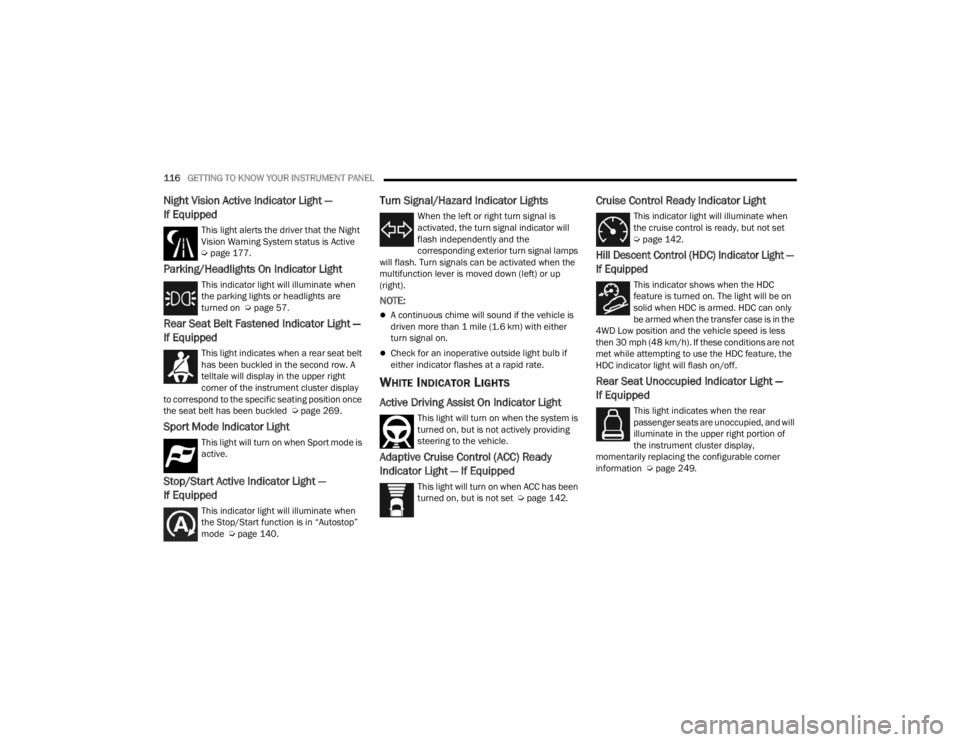
Night Vision Active Indicator Light —
If Equipped
This light alerts the driver that the Night
Vision Warning System status is Active
Úpage 177.
Parking/Headlights On Indicator Light
This indicator light will illuminate when
the parking lights or headlights are
turned on Ú page 57.
Rear Seat Belt Fastened Indicator Light —
If Equipped
This light indicates when a rear seat belt
has been buckled in the second row. A
telltale will display in the upper right
corner of the instrument cluster display
to correspond to the specific seating position once
the seat belt has been buckled Ú page 269.
Sport Mode Indicator Light
This light will turn on when Sport mode is
active.
Stop/Start Active Indicator Light —
If Equipped
This indicator light will illuminate when
the Stop/Start function is in “Autostop”
mode Úpage 140.
Turn Signal/Hazard Indicator Lights
When the left or right turn signal is
activated, the turn signal indicator will
flash independently and the
corresponding exterior turn signal lamps
will flash. Turn signals can be activated when the
multifunction lever is moved down (left) or up
(right).
NOTE:
A continuous chime will sound if the vehicle is
driven more than 1 mile (1.6 km) with either
turn signal on.
Check for an inoperative outside light bulb if
either indicator flashes at a rapid rate.
WHITE INDICATOR LIGHTS
Active Driving Assist On Indicator Light
This light will turn on when the system is
turned on, but is not actively providing
steering to the vehicle.
Adaptive Cruise Control (ACC) Ready
Indicator Light — If Equipped
This light will turn on when ACC has been
turned on, but is not set Ú page 142.
Cruise Control Ready Indicator Light
This indicator light will illuminate when
the cruise control is ready, but not set
Úpage 142.
Hill Descent Control (HDC) Indicator Light —
If Equipped
This indicator shows when the HDC
feature is turned on. The light will be on
solid when HDC is armed. HDC can only
be armed when the transfer case is in the
4WD Low position and the vehicle speed is less
then 30 mph (48 km/h). If these conditions are not
met while attempting to use the HDC feature, the
HDC indicator light will flash on/off.
Rear Seat Unoccupied Indicator Light —
If Equipped
This light indicates when the rear
passenger seats are unoccupied, and will
illuminate in the upper right portion of
the instrument cluster display,
momentarily replacing the configurable corner
information Ú page 249.
23_WL_OM_EN_USC_t.book Page 116
Page 130 of 424
128STARTING AND OPERATING
Only shift from DRIVE to PARK or REVERSE when
the accelerator pedal is released and the vehicle is
stopped. Be sure to keep your foot on the brake
pedal when shifting between these gears.
The transmission gear selector has only PARK,
REVERSE, NEUTRAL, and DRIVE positions. Manual
downshifts can be made using the steering wheel
mounted paddle shifters. Pulling the -/+ switches
(on the steering wheel) while in the DRIVE position
will select the highest available transmission gear,
and will display that gear limit in the instrument
cluster as 1, 2, 3, etc. Some models will display
both the selected gear limit, and the actual current
gear, while in AutoStick mode.
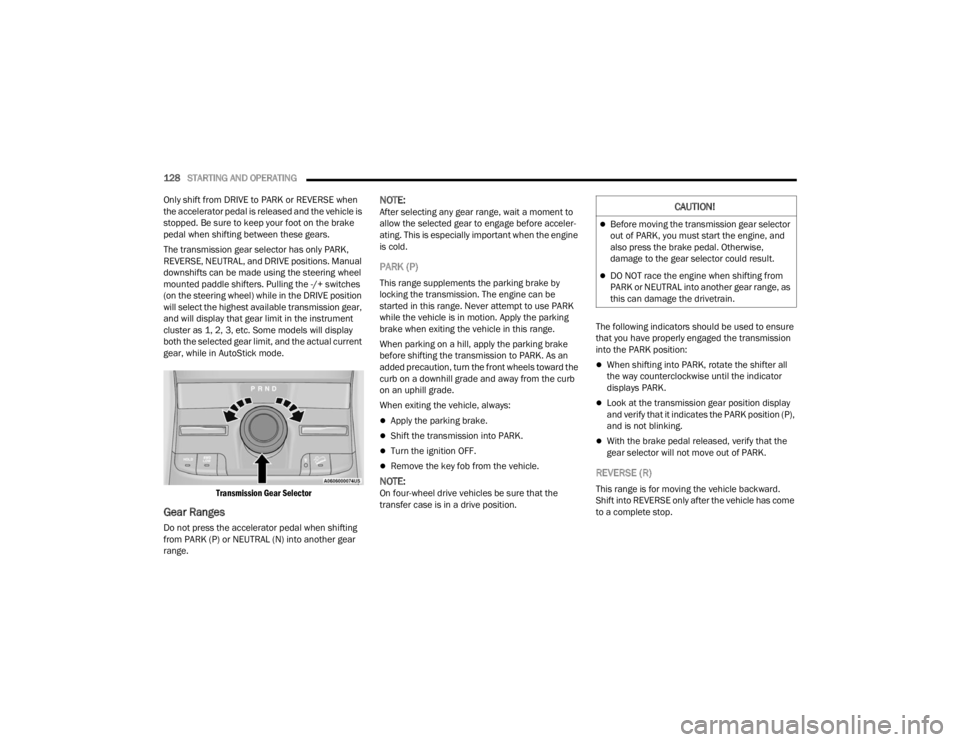
Transmission Gear Selector
Gear Ranges
Do not press the accelerator pedal when shifting
from PARK (P) or NEUTRAL (N) into another gear
range.
NOTE:After selecting any gear range, wait a moment to
allow the selected gear to engage before acceler -
ating. This is especially important when the engine
is cold.
PARK (P)
This range supplements the parking brake by
locking the transmission. The engine can be
started in this range. Never attempt to use PARK
while the vehicle is in motion. Apply the parking
brake when exiting the vehicle in this range.
When parking on a hill, apply the parking brake
before shifting the transmission to PARK. As an
added precaution, turn the front wheels toward the
curb on a downhill grade and away from the curb
on an uphill grade.
When exiting the vehicle, always:
Apply the parking brake.
Shift the transmission into PARK.
Turn the ignition OFF.
Remove the key fob from the vehicle.
NOTE:On four-wheel drive vehicles be sure that the
transfer case is in a drive position. The following indicators should be used to ensure
that you have properly engaged the transmission
into the PARK position:
When shifting into PARK, rotate the shifter all
the way counterclockwise until the indicator
displays PARK.
Look at the transmission gear position display
and verify that it indicates the PARK position (P),
and is not blinking.
With the brake pedal released, verify that the
gear selector will not move out of PARK.
REVERSE (R)
This range is for moving the vehicle backward.
Shift into REVERSE only after the vehicle has come
to a complete stop.
CAUTION!
Before moving the transmission gear selector
out of PARK, you must start the engine, and
also press the brake pedal. Otherwise,
damage to the gear selector could result.
DO NOT race the engine when shifting from
PARK or NEUTRAL into another gear range, as
this can damage the drivetrain.
23_WL_OM_EN_USC_t.book Page 128
Page 131 of 424
STARTING AND OPERATING129
NEUTRAL (N)
Use this range when the vehicle is standing for
prolonged periods with the engine running. Apply
the parking brake and shift the transmission into
PARK (P) if you must exit the vehicle.
DRIVE (D)
This range should be used for most city and
highway driving. It provides the smoothest upshifts
and downshifts, and the best fuel economy. The
transmission automatically upshifts through all
forward gears. When frequent transmission shifting occurs (such
as when operating the vehicle under heavy loading
conditions, in hilly terrain, traveling into strong
head winds, or while towing a heavy trailer), use
the AutoStick shift control to select a lower gear
Ú
page 130. Under these conditions, using a lower
gear will improve performance and extend
transmission life by reducing excessive shifting
and heat buildup.
During cold temperatures, transmission operation
may be modified depending on engine and
transmission temperature as well as vehicle
speed. This feature improves warm-up time of the
engine and transmission to achieve maximum
efficiency. Engagement of the torque converter
clutch is inhibited until the transmission fluid is
warm. Normal operation will resume once the
transmission temperature has risen to a suitable
level.
Transmission Limp Home Mode
Transmission function is monitored electronically
for abnormal conditions. If a condition is detected
that could result in transmission damage,
Transmission Limp Home Mode is activated. In this
mode, the transmission may operate only in
certain gears, or may not shift at all. Vehicle
performance may be severely degraded and the
engine may stall. In some situations, the
transmission may not re-engage if the engine is
turned off and restarted. The Malfunction Indicator Light (MIL) may be illuminated. A message in the
instrument cluster will inform the driver of the
more serious conditions, and indicate what actions
may be necessary.
In the event of a momentary problem, the
transmission can be reset to regain all forward
gears by performing the following steps:
NOTE:In cases where the instrument cluster message
indicates the transmission may not re-engage after
engine shutdown, perform this procedure only in a
desired location (preferably, at an authorized
dealer).
1. Stop the vehicle.
2. Shift the transmission into PARK (P), if
possible. If not, shift the transmission to
NEUTRAL (N).
3. Push and hold the ignition switch until the engine turns off.
4. Wait approximately 30 seconds.
5. Restart the engine.
6. Shift into the desired gear range. If the problem is no longer detected, the
transmission will return to normal operation.
WARNING!
Do not coast in NEUTRAL and never turn off the
ignition to coast down a hill. These are unsafe
practices that limit your response to changing
traffic or road conditions. You might lose control
of the vehicle and have a collision.
CAUTION!
Towing the vehicle, coasting, or driving for any
other reason with the transmission in NEUTRAL
can cause severe transmission damage.
For Recreational Towing see Ú page 195.
For Towing A Disabled Vehicle see Ú page 326.
4
23_WL_OM_EN_USC_t.book Page 129
Page 133 of 424
STARTING AND OPERATING131
SPORT MODE — IF EQUIPPED
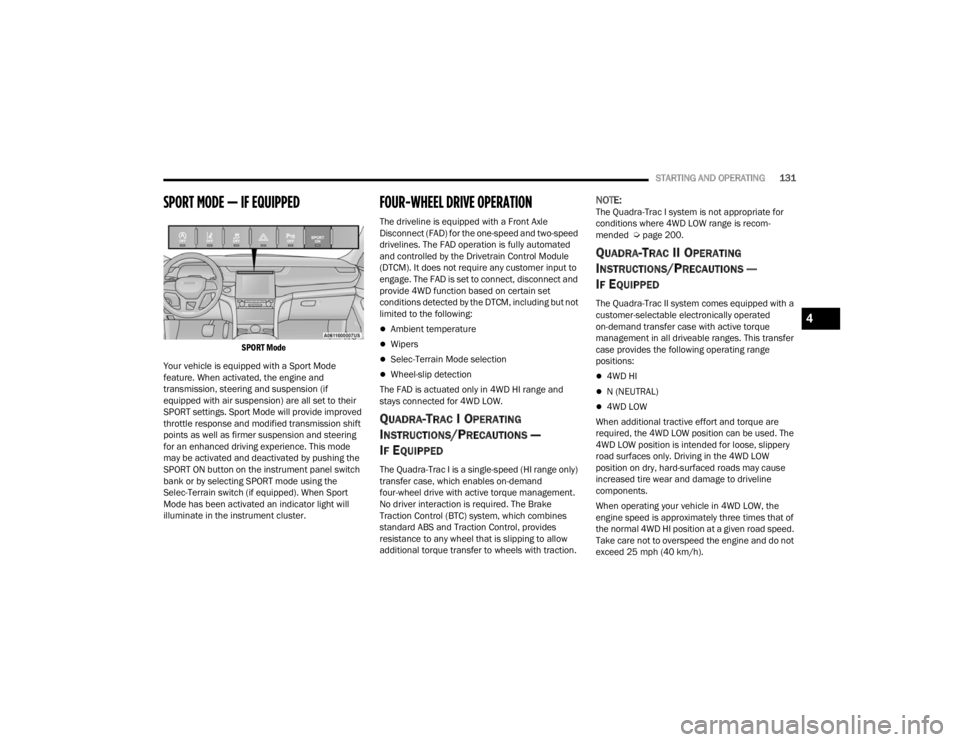
SPORT Mode
Your vehicle is equipped with a Sport Mode
feature. When activated, the engine and
transmission, steering and suspension (if
equipped with air suspension) are all set to their
SPORT settings. Sport Mode will provide improved
throttle response and modified transmission shift
points as well as firmer suspension and steering
for an enhanced driving experience. This mode
may be activated and deactivated by pushing the
SPORT ON button on the instrument panel switch
bank or by selecting SPORT mode using the
Selec-Terrain switch (if equipped). When Sport
Mode has been activated an indicator light will
illuminate in the instrument cluster.
FOUR-WHEEL DRIVE OPERATION
The driveline is equipped with a Front Axle
Disconnect (FAD) for the one-speed and two-speed
drivelines. The FAD operation is fully automated
and controlled by the Drivetrain Control Module
(DTCM). It does not require any customer input to
engage. The FAD is set to connect, disconnect and
provide 4WD function based on certain set
conditions detected by the DTCM, including but not
limited to the following:
Ambient temperature
Wipers
Selec-Terrain Mode selection
Wheel-slip detection
The FAD is actuated only in 4WD HI range and
stays connected for 4WD LOW.
QUADRA-TRAC I OPERATING
I
NSTRUCTIONS/PRECAUTIONS —
I
F EQUIPPED
The Quadra-Trac I is a single-speed (HI range only)
transfer case, which enables on-demand
four-wheel drive with active torque management.
No driver interaction is required. The Brake
Traction Control (BTC) system, which combines
standard ABS and Traction Control, provides
resistance to any wheel that is slipping to allow
additional torque transfer to wheels with traction.
NOTE:The Quadra-Trac I system is not appropriate for
conditions where 4WD LOW range is recom -
mended Ú page 200.
QUADRA-TRAC II OPERATING
I
NSTRUCTIONS/PRECAUTIONS —
I
F EQUIPPED
The Quadra-Trac II system comes equipped with a
customer-selectable electronically operated
on-demand transfer case with active torque
management in all driveable ranges. This transfer
case provides the following operating range
positions:
4WD HI
N (NEUTRAL)
4WD LOW
When additional tractive effort and torque are
required, the 4WD LOW position can be used. The
4WD LOW position is intended for loose, slippery
road surfaces only. Driving in the 4WD LOW
position on dry, hard-surfaced roads may cause
increased tire wear and damage to driveline
components.
When operating your vehicle in 4WD LOW, the
engine speed is approximately three times that of
the normal 4WD HI position at a given road speed.
Take care not to overspeed the engine and do not
exceed 25 mph (40 km/h).
4
23_WL_OM_EN_USC_t.book Page 131
Page 137 of 424
STARTING AND OPERATING135
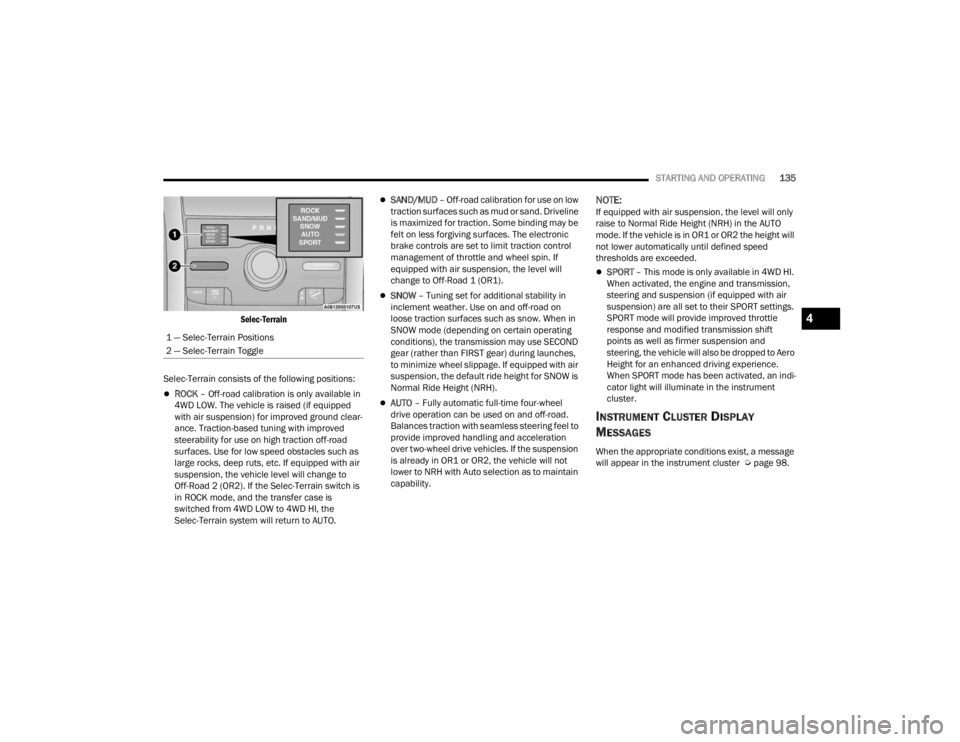
Selec-Terrain
Selec-Terrain consists of the following positions:
ROCK – Off-road calibration is only available in
4WD LOW. The vehicle is raised (if equipped
with air suspension) for improved ground clear -
ance. Traction-based tuning with improved
steerability for use on high traction off-road
surfaces. Use for low speed obstacles such as
large rocks, deep ruts, etc. If equipped with air
suspension, the vehicle level will change to
Off-Road 2 (OR2). If the Selec-Terrain switch is
in ROCK mode, and the transfer case is
switched from 4WD LOW to 4WD HI, the
Selec-Terrain system will return to AUTO.
SAND/MUD – Off-road calibration for use on low
traction surfaces such as mud or sand. Driveline
is maximized for traction. Some binding may be
felt on less forgiving surfaces. The electronic
brake controls are set to limit traction control
management of throttle and wheel spin. If
equipped with air suspension, the level will
change to Off-Road 1 (OR1).
SNOW – Tuning set for additional stability in
inclement weather. Use on and off-road on
loose traction surfaces such as snow. When in
SNOW mode (depending on certain operating
conditions), the transmission may use SECOND
gear (rather than FIRST gear) during launches,
to minimize wheel slippage. If equipped with air
suspension, the default ride height for SNOW is
Normal Ride Height (NRH).
AUTO – Fully automatic full-time four-wheel
drive operation can be used on and off-road.
Balances traction with seamless steering feel to
provide improved handling and acceleration
over two-wheel drive vehicles. If the suspension
is already in OR1 or OR2, the vehicle will not
lower to NRH with Auto selection as to maintain
capability.
NOTE:If equipped with air suspension, the level will only
raise to Normal Ride Height (NRH) in the AUTO
mode. If the vehicle is in OR1 or OR2 the height will
not lower automatically until defined speed
thresholds are exceeded.
SPORT – This mode is only available in 4WD HI.
When activated, the engine and transmission,
steering and suspension (if equipped with air
suspension) are all set to their SPORT settings.
SPORT mode will provide improved throttle
response and modified transmission shift
points as well as firmer suspension and
steering, the vehicle will also be dropped to Aero
Height for an enhanced driving experience.
When SPORT mode has been activated, an indi -
cator light will illuminate in the instrument
cluster.
INSTRUMENT CLUSTER DISPLAY
M
ESSAGES
When the appropriate conditions exist, a message
will appear in the instrument cluster Ú page 98.
1 — Selec-Terrain Positions
2 — Selec-Terrain Toggle
4
23_WL_OM_EN_USC_t.book Page 135
Page 141 of 424

STARTING AND OPERATING139
pushed multiple times. Each toggle down will lower
the requested level by one position down to a
minimum of Entry/Exit Height or the lowest
position allowed based on current conditions (i.e.
vehicle speed, etc.)
Automatic height changes will occur based on
vehicle speed and the current vehicle height. The
indicator lamps and instrument cluster display
messages will operate the same for automatic
changes and user requested changes.
Off-Road 2 (OR2) Ride Height – Indicator lamps
1 through 5 will be illuminated.
Off-Road 1 (OR1) Ride Height – Indicator lamps
2 through 5 will be illuminated.
Normal Ride Height (NRH) – Indicator lamps 3
through 5 will be illuminated.
Aero Ride Height– Indicator lamps 4 and 5 will
be illuminated.
Entry/Exit Ride Height– Indicator lamp 5 will be
illuminated.
Transport Mode – Indicator lamp 5 will be illumi -
nated. Driving above 3 mph (5 km/h) or dese -
lecting setting in the radio will disable Transport
Mode.
Tire/Jack Mode – Indicator lamps 3 through
5 will be illuminated. Driving above 5 mph
(8 km/h) or deselecting setting in the radio will
disable Tire/Jack Mode.
Wheel Alignment Mode – Indicator lamps 3
through 5 will be illuminated. Driving above
5 mph (8 km/h) or deselecting setting in the
radio will disable Wheel Alignment Mode.
FUEL SAVER TECHNOLOGY 5.7L ONLY —
IF EQUIPPED
This feature offers improved fuel economy by
shutting off four of the engine's eight cylinders
during light load and cruise conditions. The system
is automatic with no driver inputs or additional
driving skills required.
NOTE:This system may take some time to return to full
functionality after a battery disconnect.
POWER STEERING
The electric power steering system provides
enhanced vehicle response and increased ease of
maneuverability in tight spaces. The power
steering system adapts to different driving
conditions. If the electric power steering system
experiences a fault that prevents it from providing
assistance, you will still have the ability to steer the
vehicle manually.
NOTE:Alternate electric power steering efforts (Normal,
Comfort and Sport) can be selected through the
Uconnect System Ú page 204. If SPORT mode is
selected, steering efforts are optimized for sporty
driving.
If the Electric Power Steering warning
icon is displayed and the “Service Power
Steering” or the “Power Steering Assist
Off – Service System” message is
displayed within the instrument cluster display,
this indicates the vehicle needs to be taken to the
dealer for service Ú page 108.
NOTE:
Even if the power steering assistance is no
longer operational, it is still possible to steer the
vehicle. Under these conditions there will be a
substantial increase in steering effort, espe -
cially at low speeds and during parking maneu -
vers.
If the condition persists, see an authorized
dealer for service.
WARNING!
Continued operation with reduced assist could
pose a safety risk to yourself and others. Service
should be obtained as soon as possible.
4
23_WL_OM_EN_USC_t.book Page 139
Page 144 of 424

142STARTING AND OPERATING
(Continued)
CRUISE CONTROL SYSTEMS
Your vehicle is equipped with the Adaptive Cruise
Control (ACC) system which will adjust the vehicle
speed up to the preset speed to maintain a
distance with the vehicle ahead.
NOTE:In vehicles NOT equipped with the Active Driving
Assist (ADA) system:
Fixed Speed Cruise Control can be used when
ACC is not enabled, and functions as normal
cruise control.
Fixed Speed Cruise Control will not detect vehi -
cles directly ahead of you. Always be aware of
the feature selected.
Only one Cruise Control feature can operate at a
time. For example, if Fixed Speed Cruise Control
is enabled, Adaptive Cruise Control will be
unavailable, and vice versa.
ADAPTIVE CRUISE CONTROL (ACC)
Adaptive Cruise Control (ACC) increases the driving
convenience provided by Cruise Control while
traveling on highways and major roadways.
However, it is not a safety system and not designed
to prevent collisions. ACC will allow you to keep Cruise Control engaged
in light to moderate traffic conditions without the
constant need to reset your Cruise Control. ACC
utilizes a radar sensor and a forward facing
camera designed to detect a vehicle directly ahead
of you.
NOTE:
If the ACC sensor detects a vehicle ahead, ACC
will apply limited braking or acceleration (not to
exceed the original set speed) automatically to
maintain a preset following distance, while
matching the speed of the vehicle ahead.
Any chassis/suspension or tire size modifica
-
tions to the vehicle will affect the performance
of the Adaptive Cruise Control and Forward Colli -
sion Warning system.
In vehicles NOT equipped with the Active Driving
Assist system, Fixed Speed Cruise Control (ACC
not enabled) will not detect vehicles directly
ahead of you. Always be aware of the feature
selected Ú page 408.
WARNING!
Adaptive Cruise Control (ACC) is a conve -
nience system. It is not a substitute for active
driver involvement. It is always the driver’s
responsibility to be attentive of road, traffic,
and weather conditions, vehicle speed,
distance to the vehicle ahead and, most
importantly, brake operation to ensure safe
operation of the vehicle under all road condi -
tions. Your complete attention is always
required while driving to maintain safe control
of your vehicle. Failure to follow these warn -
ings can result in a collision and death or
serious personal injury.
The ACC system:
Does not react to pedestrians, oncoming
vehicles, and stationary objects (e.g., a
stationary vehicle in a traffic jam or a
disabled vehicle).
Cannot take street, traffic, and weather
conditions into account, and may be limited
upon adverse sight distance conditions.
Does not always fully recognize complex
driving conditions, which can result in
wrong or missing distance warnings.
23_WL_OM_EN_USC_t.book Page 142
Page 154 of 424
152STARTING AND OPERATING
(Continued)
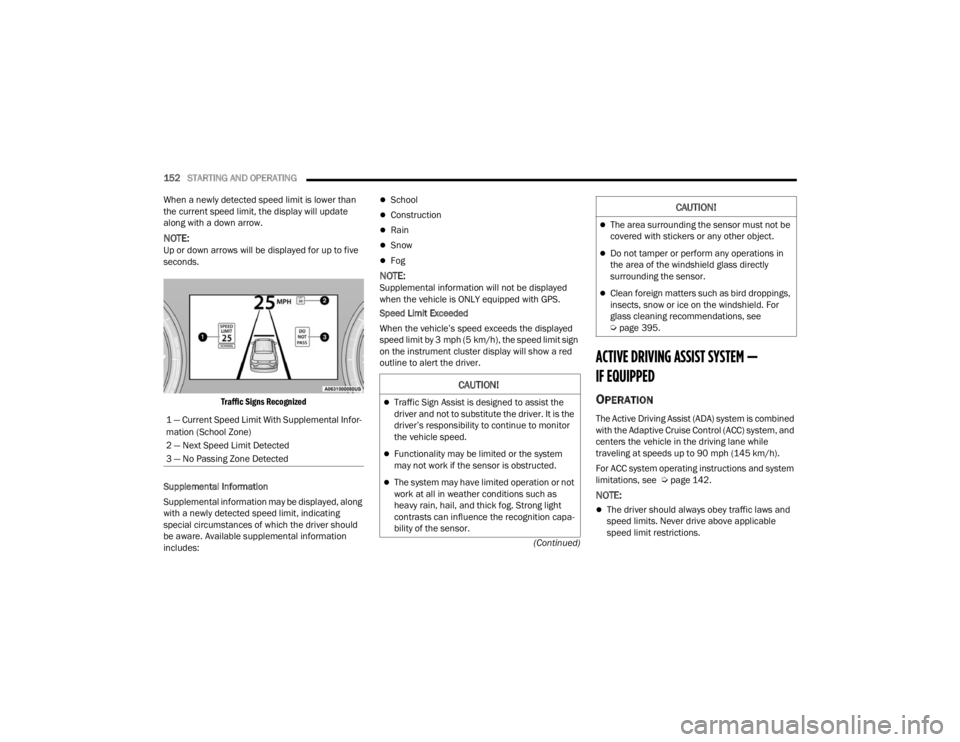
When a newly detected speed limit is lower than
the current speed limit, the display will update
along with a down arrow.
NOTE:Up or down arrows will be displayed for up to five
seconds.
Traffic Signs Recognized
Supplemental Information
Supplemental information may be displayed, along
with a newly detected speed limit, indicating
special circumstances of which the driver should
be aware. Available supplemental information
includes:
School
Construction
Rain
Snow
Fog
NOTE:Supplemental information will not be displayed
when the vehicle is ONLY equipped with GPS.
Speed Limit Exceeded
When the vehicle’s speed exceeds the displayed
speed limit by 3 mph (5 km/h), the speed limit sign
on the instrument cluster display will show a red
outline to alert the driver.
ACTIVE DRIVING ASSIST SYSTEM —
IF EQUIPPED
OPERATION
The Active Driving Assist (ADA) system is combined
with the Adaptive Cruise Control (ACC) system, and
centers the vehicle in the driving lane while
traveling at speeds up to 90 mph (145 km/h).
For ACC system operating instructions and system
limitations, see Ú page 142.
NOTE:
The driver should always obey traffic laws and
speed limits. Never drive above applicable
speed limit restrictions.
1 — Current Speed Limit With Supplemental Infor
-
mation (School Zone)
2 — Next Speed Limit Detected
3 — No Passing Zone Detected
CAUTION!
Traffic Sign Assist is designed to assist the
driver and not to substitute the driver. It is the
driver’s responsibility to continue to monitor
the vehicle speed.
Functionality may be limited or the system
may not work if the sensor is obstructed.
The system may have limited operation or not
work at all in weather conditions such as
heavy rain, hail, and thick fog. Strong light
contrasts can influence the recognition capa -
bility of the sensor.
The area surrounding the sensor must not be
covered with stickers or any other object.
Do not tamper or perform any operations in
the area of the windshield glass directly
surrounding the sensor.
Clean foreign matters such as bird droppings,
insects, snow or ice on the windshield. For
glass cleaning recommendations, see
Ú page 395.
CAUTION!
23_WL_OM_EN_USC_t.book Page 152