clock JEEP LIBERTY 2002 KJ / 1.G Repair Manual
[x] Cancel search | Manufacturer: JEEP, Model Year: 2002, Model line: LIBERTY, Model: JEEP LIBERTY 2002 KJ / 1.GPages: 1803, PDF Size: 62.3 MB
Page 573 of 1803

²Parade Mode- The internal circuitry and hard-
ware of the multi-function switch left (lighting) con-
trol stalk provide detent switching for a parade mode
that maximizes the illumination intensity of all
instrument panel lighting for visibility when driving
in daylight with the exterior lamps turned on.
²Park Lamps- The internal circuitry and hard-
ware of the multi-function switch left (lighting) con-
trol stalk provide detent switching for the park
lamps.
²Rear Fog Lamps- For vehicles so equipped,
the internal circuitry and hardware of the multi-
function switch left (lighting) control stalk provide
detent switching for the optional rear fog lamps.
Rear fog lamps are optional only for vehicles manu-
factured for certain markets, where they are
required.
²Turn Signal Control- The internal circuitry
and hardware of the multi-function switch left (light-
ing) control stalk provide both momentary non-detent
switching and detent switching with automatic can-
cellation for both the left and right turn signal
lamps.
RIGHT CONTROL STALK The right (wiper) con-
trol stalk of the multi-function switch supports the
following functions and features:
²Continuous Front Wipe Modes- The internal
circuitry and hardware of the multi-function switch
right (wiper) control stalk provide two continuous
front wipe switch positions, low speed or high speed.
²Continuous Rear Wipe Mode- The internal
circuitry and hardware of the multi-function switch
right (wiper) control stalk provide one continuous
rear wipe switch position.
²Front Washer Mode- The internal circuitry
and hardware of the multi-function switch right
(wiper) control stalk switch provide front washer sys-
tem operation.
²Front Wipe-After-Wash Mode- The internal
circuitry and hardware of the multi-function switch
right (wiper) control stalk provide a wipe-after-wash
mode.
²Front Wiper Mist Mode- The internal cir-
cuitry and hardware of the multi-function switch
right (wiper) control stalk provide a front wiper sys-
tem mist mode.
²Intermittent Front Wipe Mode- The internal
circuitry and hardware of the multi-function switch
right (wiper) control stalk provide an intermittent
front wipe mode with five delay interval positions.
²Intermittent Rear Wipe Mode- The internal
circuitry and hardware of the multi-function switch
right (wiper) control stalk provide one fixed interval
intermittent rear wipe mode switch position.²Rear Washer Mode- The internal circuitry and
hardware of the multi-function switch right (wiper)
control stalk provide rear washer system operation.
OPERATION
The multi-function switch uses a combination of
resistor multiplexed and conventionally switched out-
puts to control the many functions and features it
provides. The switch receives battery current on a
fused ignition switch output (run-acc) circuit from a
fuse in the Junction Block (JB) whenever the ignition
switch is in the On or Accessory positions. The switch
receives a path to ground at all times through a
splice block located in the instrument panel wire har-
ness with an eyelet terminal connector that is
secured by a nut to a ground stud on the driver side
instrument panel end bracket near the Junction
Block (JB). Following are descriptions of how each of
the two multi-function switch control stalks operate
to control the functions and features they provide.
LEFT CONTROL STALK The left (lighting) control
stalk of the multi-function switch operates as follows:
²Front Fog Lamps- For vehicles so equipped,
the control knob on the end of the multi-function
switch left (lighting) control stalk is pulled outward
to activate the optional front fog lamps. The control
knob is mechanically keyed so that it cannot be
pulled outward unless it is first rotated to turn on
the exterior lighting. The multi-function switch pro-
vides a resistor multiplexed output to the Body Con-
trol Module (BCM) on a fog lamp switch sense
circuit, and the BCM responds by energizing or de-
energizing the front fog lamp relay in the Junction
Block (JB) as required.
²Headlamps-
The control knob on the end of the
multi-function switch left (lighting) control stalk is
rotated forward (counterclockwise) to its second detent
position to activate the headlamps. The multi-function
switch provides a resistor multiplexed output to the
Body Control Module (BCM) on a headlamp switch
sense circuit, and the BCM responds by energizing or
de-energizing the selected low or high beam relay
(Daytime Running Lamp relay in Canadian vehicles)
in the Junction Block (JB) as required.
²Headlamp Beam Selection-The left (lighting)
control stalk of the multi-function switch is pulled
towards the steering wheel past a detent to actuate
the integral beam select switch circuitry. Each time the
control stalk is activated in this manner, the opposite
headlamp beam from what is currently selected will be
energized. The multi-function switch provides a ground
output to the Body Control Module (BCM) on a high
beam switch sense circuit, and the BCM responds by
energizing or de-energizing the selected low or high
beam relay (Daytime Running Lamp relay in Canadian
vehicles) in the Junction Block (JB) as required.
8Ls - 48 LAMPSKJ
MULTI-FUNCTION SWITCH (Continued)
Page 574 of 1803

²Headlamp Optical Horn- The left (lighting)
control stalk of the multi-function switch is pulled
towards the steering wheel to just before a detent, to
momentarily activate the headlamp optical horn fea-
ture. The high beams will remain illuminated until
the control stalk is released. The multi-function
switch provides a ground output on a high beam
relay control circuit to energize the headlamp high
beam relay (Daytime Running Lamp relay in Cana-
dian vehicles) in the Junction Block (JB) as required.
²Interior Lamps Defeat- The control ring on
the multi-function switch left (lighting) control stalk
is rotated to a full rearward (clockwise) detent to
defeat the illumination of all interior courtesy lamps.
The multi-function switch provides a resistor multi-
plexed output to the Body Control Module (BCM) on
a panel lamps dimmer switch mux circuit, and the
BCM responds by de-energizing its internal courtesy
lamp driver circuit.
²Interior Lamps On- The control ring on the
multi-function switch left (lighting) control stalk is
rotated to a full forward (counterclockwise) detent to
illuminate all interior courtesy lamps. The multi-
function switch provides a resistor multiplexed out-
put to the Body Control Module (BCM) on a panel
lamps dimmer switch mux circuit, and the BCM
responds by energizing its internal courtesy lamp
driver circuit.
²Panel Lamps Dimming- The control ring on
the multi-function switch left (lighting) control stalk
is rotated to one of six minor intermediate detents to
simultaneously select the desired illumination inten-
sity of all adjustable instrument panel and instru-
ment cluster lighting. The control ring is rotated
rearward (clockwise) to dim, or forward (counter-
clockwise) to brighten. The multi-function switch pro-
vides a resistor multiplexed output to the Body
Control Module (BCM) on a panel lamps dimmer
switch mux circuit, and the BCM responds by send-
ing an electronic panel lamps dimming level message
to the ElectroMechanical Instrument Cluster (EMIC)
over the Programmable Communications Interface
(PCI) data bus. The EMIC electronic circuitry then
provides the proper PWM output to the cluster illu-
mination lamps and the VFD on the EMIC circuit
board, then provides a matching PWM output on the
hard wired fused panel lamps dimmer switch signal
circuit.
²Parade Mode- The control ring on the multi-
function switch left (lighting) control stalk is rotated
to an intermediate detent that is one detent rear-
ward (clockwise) from the full forward (counterclock-
wise) detent to select the Parade mode. The multi-
function switch provides a resistor multiplexed
output to the Body Control Module (BCM) on a panel
lamps dimmer switch mux circuit, and the BCMresponds by sending an electronic panel lamps dim-
ming level message to the ElectroMechanical Instru-
ment Cluster (EMIC) over the Programmable
Communications Interface (PCI) data bus. The EMIC
electronic circuitry then provides the proper PWM
output to the cluster illumination lamps and the
VFD on the EMIC circuit board, then provides a
matching PWM output on the hard wired fused panel
lamps dimmer switch signal circuit to illuminate all
lamps at full (daylight) intensity with the exterior
lamps turned On.
²Park Lamps- The control knob on the end of
the multi-function switch left (lighting) control stalk
is rotated forward (counterclockwise) to its first
detent from the Off position to activate the park
lamps. The multi-function switch provides a resistor
multiplexed output to the Body Control Module
(BCM) on a headlamp switch sense circuit, and the
BCM responds by energizing or de-energizing the
park lamp relay in the Junction Block (JB) as
required.
²Rear Fog Lamps- For vehicles so equipped,
the control knob on the end of the multi-function
switch left (lighting) control stalk is rotated forward
(counterclockwise) to its third detent position to acti-
vate the rear fog lamps. The multi-function switch
provides a resistor multiplexed output to the Body
Control Module (BCM) on a headlamp switch sense
circuit, and the BCM responds by energizing or de-
energizing the rear fog lamp relay in the Junction
Block (JB) as required. Rear fog lamps are optional
only for vehicles manufactured for certain markets,
where they are required.
²Turn Signal Control- The left (lighting) con-
trol stalk of the multi-function switch is moved
upward to activate the right turn signal circuitry,
and, downward to activate the left turn signal cir-
cuitry. The turn signal switch has a detent position
in each direction that provides turn signals with
automatic cancellation, and an intermediate, momen-
tary position in each direction that provides turn sig-
nals only until the left multi-function switch control
stalk is released. When the control stalk is moved to
a turn signal switch detent position, the cancel
actuator extends toward the center of the steering
column. A turn signal cancel cam that is integral to
the clockspring rotates with the steering wheel and
the cam lobes contact the cancel actuator when it is
extended from the left multi-function switch. When
the steering wheel is rotated during a turning
maneuver, one of the two turn signal cancel cam
lobes will contact the turn signal cancel actuator. The
cancel actuator latches against the cancel cam rota-
tion in the direction opposite that which is signaled.
In other words, if the left turn signal detent is
selected, the lobes of the cancel cam will ratchet past
KJLAMPS8Ls-49
MULTI-FUNCTION SWITCH (Continued)
Page 575 of 1803

the cancel actuator when the steering wheel is
rotated to the left, but will unlatch the cancel actua-
tor as the steering wheel rotates to the right and
returns to center, which will cancel the turn signal
event and release the control stalk from the detent so
it returns to the neutral Off position. When a turn
signal is activated, the multi-function switch provides
a ground output on a right or left turn switch sense
circuit to the combination flasher circuitry within the
hazard switch, and the combination flasher flashes
the turn signal lamps.
RIGHT CONTROL STALK The right (wiper) con-
trol stalk of the multi-function switch operates as fol-
lows:
²Continuous Front Wipe Modes- The control
knob on the end of the multi-function switch right
(wiper) control stalk is rotated to an intermediate
detent that is one detent rearward (counterclockwise)
from the full forward (clockwise) detent to select the
low speed continuous front wiper mode, or to its full
forward (clockwise) detent to select the high speed
continuous front wiper mode. The multi-function
switch provides a resistor multiplexed output to the
Body Control Module (BCM) on a front wiper switch
mux circuit, and the BCM responds by energizing the
wiper on/off relay in the Power Distribution Center
(PDC) for the front low speed continuous wipe mode,
or the wiper on/off relay and the wiper high/low relay
in the PDC for the front high speed continuous wipe
mode as required.
²Continuous Rear Wipe Mode- The control
ring on the multi-function switch right (wiper) con-
trol stalk is rotated to the most forward (clockwise)
detent to select the continuous rear wiper mode. The
multi-function switch provides a battery current out-
put to the rear wiper motor on a rear wiper on driver
circuit to signal the rear wiper motor to operate in
the continuous wipe mode.
²Front Washer Mode- The right (wiper) control
stalk of the multi-function switch is pulled towards
the steering wheel to momentarily activate the
washer pump in the front washer mode. The washer
pump will continue to operate in the front washer
mode until the control stalk is released. The multi-
function switch provides a ground output on a
washer pump sense circuit, and battery current on a
washer pump driver circuit to energize the washer
pump in the front washer mode.
²Front Wiper Mist Mode- The right (wiper)
control stalk of the multi-function switch is pushed
towards the floor to momentarily activate the front
wiper motor in the mist mode. The front wiper motor
will continue to operate in the mist mode until the
control stalk is released. The multi-function switch
provides a resistor multiplexed output to the Body
Control Module (BCM) on a front wiper switch muxcircuit, and the BCM responds by energizing the
wiper on/off relay in the Power Distribution Center
(PDC) to operate the front wiper motor momentarily
at low speed to provide the front wiper mist mode.
²Intermittent Front Wipe Mode- The control
knob on the end of the multi-function switch right
(wiper) control stalk is rotated to one of five minor
intermediate detents to select the desired intermit-
tent front wipe delay interval. The control knob is
rotated rearward (counterclockwise) to increase the
delay, or forward (clockwise) to decrease the delay.
The multi-function switch provides a resistor multi-
plexed output to the Body Control Module (BCM) on
a front wiper switch mux circuit, and the BCM
responds by energizing the wiper on/off relay in the
Power Distribution Center (PDC) to operate the front
wiper motor at the selected delay intervals.
²Intermittent Rear Wipe Mode- The control
ring on the multi-function switch right (wiper) con-
trol stalk is rotated to the center detent to select the
intermittent rear wiper mode. The multi-function
switch provides a battery current output to the rear
wiper motor on a rear wiper intermittent driver cir-
cuit to signal the rear wiper motor to operate in the
intermittent wipe mode.
²Rear Washer Mode- The control ring on the
multi-function switch right (wiper) control stalk is
rotated to either the full forward (clockwise) or full
rearward (counterclockwise) momentary positions to
activate the washer pump in the rear washer mode.
The washer pump will continue to operate in the rear
washer mode until the control ring is released. The
multi-function switch provides a ground output on a
washer pump driver circuit, and battery current on a
washer pump sense circuit to energize the washer
pump in the rear washer mode.
DIAGNOSIS AND TESTING - MULTI-FUNCTION
SWITCH
Refer to the appropriate wiring information. The
wiring information includes wiring diagrams, proper
wire and connector repair procedures, details of wire
harness routing and retention, connector pin-out
information and location views for the various wire
harness connectors, splices and grounds.
8Ls - 50 LAMPSKJ
MULTI-FUNCTION SWITCH (Continued)
Page 578 of 1803

(4) If the multi-function switch fails any of the
continuity or resistance tests, replace the faulty
switch unit as required.
REMOVAL
WARNING: ON VEHICLES EQUIPPED WITH AIR-
BAGS, DISABLE THE SUPPLEMENTAL RESTRAINT
SYSTEM BEFORE ATTEMPTING ANY STEERING
WHEEL, STEERING COLUMN, DRIVER AIRBAG,
PASSENGER AIRBAG, SEAT BELT TENSIONER,
FRONT IMPACT SENSORS, SIDE CURTAIN AIRBAG,
OR INSTRUMENT PANEL COMPONENT DIAGNOSIS
OR SERVICE. DISCONNECT AND ISOLATE THE
BATTERY NEGATIVE (GROUND) CABLE, THEN
WAIT TWO MINUTES FOR THE SYSTEM CAPACI-
TOR TO DISCHARGE BEFORE PERFORMING FUR-
THER DIAGNOSIS OR SERVICE. THIS IS THE ONLY
SURE WAY TO DISABLE THE SUPPLEMENTAL
RESTRAINT SYSTEM. FAILURE TO TAKE THE
PROPER PRECAUTIONS COULD RESULT IN ACCI-
DENTAL AIRBAG DEPLOYMENT AND POSSIBLE
PERSONAL INJURY.
(1) Disconnect and isolate the battery negative
cable.
(2) If the vehicle is equipped with the optional tilt
steering column, move the tilt steering column to the
fully lowered position and leave the tilt release lever
in the released (down) position.
(3) From below the steering column, remove the
two screws that secure the lower shroud to the upper
shroud (Fig. 52).
(4) Using hand pressure, push gently inward on
both sides of the upper shroud near the parting line
between the upper and lower shrouds to release the
snap features that secure the two halves to each
other.
(5) Remove both the upper and lower shrouds from
the steering column.
(6) Disconnect the two instrument panel wire har-
ness connectors for the multi-function switch from
the two connector receptacles on the back of the
switch housing.
(7) Remove the multi-function switch from the
steering column lock housing by carefully rocking the
switch and pulling the switch housing upward far
enough to disengage its alignment posts and locator
tabs from the lock housing.
INSTALLATION
WARNING: ON VEHICLES EQUIPPED WITH AIR-
BAGS, DISABLE THE SUPPLEMENTAL RESTRAINT
SYSTEM BEFORE ATTEMPTING ANY STEERING
WHEEL, STEERING COLUMN, DRIVER AIRBAG,
PASSENGER AIRBAG, SEAT BELT TENSIONER,FRONT IMPACT SENSORS, SIDE CURTAIN AIRBAG,
OR INSTRUMENT PANEL COMPONENT DIAGNOSIS
OR SERVICE. DISCONNECT AND ISOLATE THE
BATTERY NEGATIVE (GROUND) CABLE, THEN
WAIT TWO MINUTES FOR THE SYSTEM CAPACI-
TOR TO DISCHARGE BEFORE PERFORMING FUR-
THER DIAGNOSIS OR SERVICE. THIS IS THE ONLY
SURE WAY TO DISABLE THE SUPPLEMENTAL
RESTRAINT SYSTEM. FAILURE TO TAKE THE
PROPER PRECAUTIONS COULD RESULT IN ACCI-
DENTAL AIRBAG DEPLOYMENT AND POSSIBLE
PERSONAL INJURY.
CAUTION: Before attempting to install the multi-
function switch, be certain that the left control stalk
is in the neutral turn signal position and the turn
signal cancel actuator is in the retracted (neutral)
position.
(1) Position the multi-function switch to the steer-
ing column.
(2) Reconnect the two instrument panel wire har-
ness connectors for the multi-function switch to the
two connector receptacles on the back of the switch
housing (Fig. 52).
Fig. 52 Multi-Function Switch Remove/Install
1 - UPPER SHROUD
2 - MULTI-FUNCTION SWITCH
3 - CLOCKSPRING
4 - LOWER SHROUD
5 - SCREW (2)
6 - STEERING COLUMN
7 - WIRE HARNESS CONNECTOR (2)
KJLAMPS8Ls-53
MULTI-FUNCTION SWITCH (Continued)
Page 584 of 1803

REAR LAMP BULB
REMOVAL
The rear lamp unit may contain up to four bulbs,
depending upon the market for which the vehicle was
manufactured. The service procedures for each bulb
is the same, only the bulb sizes and types may differ.
Be certain any removed bulb is replaced with the
same bulb size and type that was removed.
(1) Disconnect and isolate the battery negative
cable.
(2) Remove the rear lamp unit from the end of the
quarter panel. (Refer to 8 - ELECTRICAL/LAMPS/
LIGHTING - EXTERIOR/REAR LAMP UNIT -
REMOVAL).
(3) Firmly grasp the socket on the socket plate at
the back of the rear lamp unit housing for the bulb
that is being removed (Fig. 59).
(4) Rotate the socket on the socket plate at the
back of the rear lamp unit housing counterclockwise
about 30 degrees.
(5) Pull the socket and bulb straight out of the
back of the rear lamp unit housing.
(6) Pull the bulb straight out of the rear lamp unit
socket.
INSTALLATION
CAUTION: Always use the correct bulb size and
type for replacement. An incorrect bulb size or type
may overheat and cause damage to the lamp, the
socket and/or the lamp wiring.(1) Align the base of the bulb with the receptacle
in the rear lamp unit socket.
(2) Push the bulb straight into the rear lamp unit
socket until it is firmly seated.
(3) Align the socket and bulb with the opening in
the socket plate on the back of the rear lamp unit
housing (Fig. 59).
(4) Push the socket and bulb straight into the rear
lamp unit housing until the socket is firmly seated
against the socket plate.
(5) Rotate the socket on the socket plate at the
back of the rear lamp unit housing clockwise about
30 degrees.
(6) Reinstall the rear lamp unit onto the end of the
quarter panel. (Refer to 8 - ELECTRICAL/LAMPS/
LIGHTING - EXTERIOR/REAR LAMP UNIT -
INSTALLATION).
(7) Reconnect the battery negative cable.
REAR LAMP UNIT
REMOVAL
(1) Disconnect and isolate the battery negative
cable.
(2) Open the tailgate to access and remove the two
screws that secure the inboard side of the rear lamp
unit to the side jamb of the tailgate opening (Fig. 60).
(3) Pull the outboard side of the rear lamp unit
rearward (away from the end of the quarter panel)
far enough to unsnap the two ball studs on the out-
board side of the lamp housing from the plastic nuts
in the quarter panel.
Fig. 59 Rear Lamp Bulb Remove/Install
1 - REAR LAMP HOUSING
2 - BULB HOLDER
3 - BULB
4 - SOCKET PLATE
Fig. 60 Rear Lamp Unit Remove/Install
1 - PLASTIC NUT (2)
2 - WIRE HARNESS CONNECTOR
3 - PLASTIC NUT (2)
4 - REAR LAMP UNIT
5 - SCREW (2)
KJLAMPS8Ls-59
Page 585 of 1803

(4) Pull the rear lamp unit away from the quarter
panel far enough to access and disconnect the wire
harness connector for the lamp unit from the connec-
tor receptacle on the lamp socket plate.
(5) Remove the rear lamp unit from the quarter
panel.
(6) Remove the plastic nuts from the quarter panel
and discard.
INSTALLATION
(1) Install new plastic nuts into the quarter panel
(Fig. 60).
(2) Position the rear lamp unit to the quarter
panel.
(3) Reconnect the wire harness connector for the
rear lamp unit to the connector receptacle on the
lamp socket plate.
(4) Align the two ball studs on the outboard side of
the rear lamp unit housing with the plastic nuts in
the quarter panel.
(5) Using hand pressure, push the outboard side of
the rear lamp unit forward (towards the end of the
quarter panel) far enough to snap the two ball studs
on the outboard side of the lamp housing into the
plastic nuts in the quarter panel.
(6) Align the mounting holes on the inboard side of
the rear lamp unit housing with the plastic nuts in
the side jamb of the tailgate opening.
(7) Install and tighten the two screws that secure
the inboard side of the rear lamp unit housing to the
plastic nuts in the side jamb of the tailgate opening.
Tighten the screws to 2 N´m (20 in. lbs.).
(8) Reconnect the battery negative cable.
REPEATER LAMP BULB
REMOVAL
Side repeater lamps are used only on vehicles man-
ufactured for certain markets where these lamps are
required.
(1) Disconnect and isolate the battery negative
cable.
(2) Remove the repeater lamp unit from the front
fender panel. (Refer to 8 - ELECTRICAL/LAMPS/
LIGHTING - EXTERIOR/REPEATER LAMP UNIT -
REMOVAL).
(3) Rotate the repeater lamp socket in the lamp
lens counterclockwise about 30 degrees (Fig. 61).
(4) Pull the socket and bulb straight out of the
repeater lamp lens.
(5) Pull the bulb straight out of the repeater lamp
socket.
INSTALLATION
Side repeater lamps are used only on vehicles man-
ufactured for certain markets where these lamps are
required.
CAUTION: Always use the correct bulb size and
type for replacement. An incorrect bulb size or type
may overheat and cause damage to the lamp, the
socket and/or the lamp wiring.
(1) Align the base of the bulb with the receptacle
in the repeater lamp socket.
(2) Push the bulb straight into the repeater lamp
socket until it is firmly seated.
(3) Align the socket and bulb with the socket open-
ing in the repeater lamp lens (Fig. 61).
(4) Push the socket and bulb straight into the
repeater lamp lens until it is firmly seated
(5) Rotate the repeater lamp socket in the lamp
lens clockwise about 30 degrees.
(6) Reinstall the repeater lamp unit onto the front
fender panel. (Refer to 8 - ELECTRICAL/LAMPS/
LIGHTING - EXTERIOR/REPEATER LAMP UNIT -
INSTALLATION).
(7) Reconnect the battery negative cable.
Fig. 61 Repeater Lamp Bulb Remove/Install
1 - FRONT FENDER
2 - SOCKET
3 - BULB
4 - LENS
8Ls - 60 LAMPSKJ
REAR LAMP UNIT (Continued)
Page 613 of 1803

TAILGATE CYLINDER LOCK SWITCH TABLE
SWITCH POSITION RESISTANCE
NEUTRAL 0 OHMS
LOCK (CLOCKWISE) 2 K OHMS 10 %
UNLOCK (COUNTER-
CLOCKWISE)470 OHMS 10 %
(5) If switch resistance is not correct, replace
switch.
REMOVAL
(1) Disconnect and isolate the battery negative
cable.
(2) Remove the tailgate trim panel.(Refer to 23 -
BODY/DECKLID/HATCH/LIFTGATE/TAILGATE/
TRIM PANEL - REMOVAL).
(3) Remove the retainer clip from the pin on the
back of the door lock cylinder (Fig. 6).
(4) Remove the washer from the pin on the back of
the door lock cylinder.
(5) Remove the door cylinder lock switch from the
back of the lock cylinder.
INSTALLATION
(1) Position the tailgate cylinder lock switch onto
the back of the lock cylinder with the wire harness
oriented toward the bottom.
(2) Position the washer over the switch.
(3) Install the retainer clip onto the pin on the
back of the tailgate lock cylinder. Be certain that thecenter tab of the retainer is engaged in the retention
hole on the lock lever.
(4) Install the trim panel (Refer to 23 - BODY/
DECKLID/HATCH/LIFTGATE/TAILGATE/TRIM
PANEL - INSTALLATION).
(5) Connect the battery negative cable.
Fig. 6 Lock Cylinder Switch Remove/Install -Typical
1 - LEVER
2 - RETAINER
3 - LOCK CYLINDER
4 - SWITCH
5 - PLIERS
6 - OUTSIDE DOOR HANDLE
8N - 10 POWER LOCKSKJ
TAILGATE CYLINDER LOCK SWITCH (Continued)
Page 628 of 1803
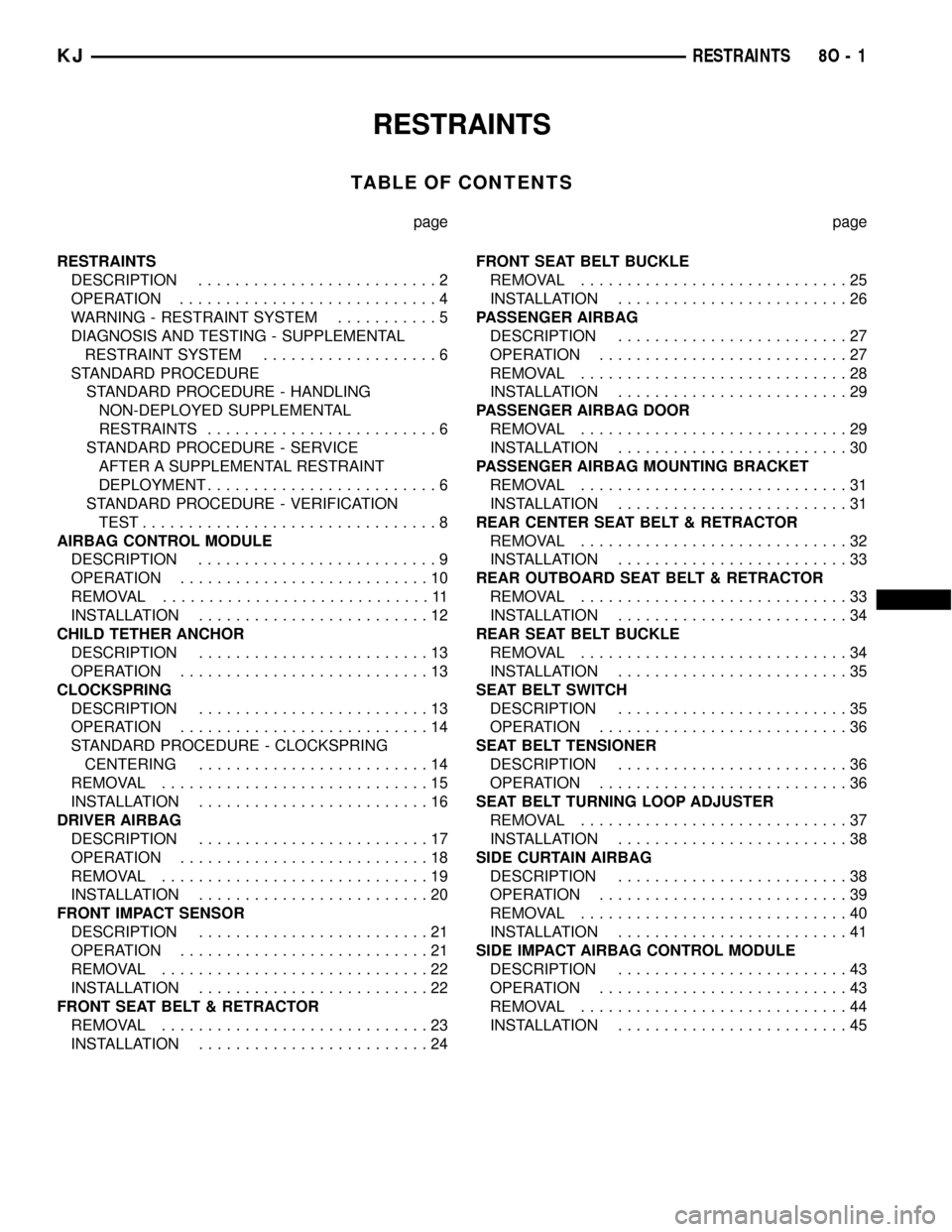
RESTRAINTS
TABLE OF CONTENTS
page page
RESTRAINTS
DESCRIPTION..........................2
OPERATION............................4
WARNING - RESTRAINT SYSTEM...........5
DIAGNOSIS AND TESTING - SUPPLEMENTAL
RESTRAINT SYSTEM...................6
STANDARD PROCEDURE
STANDARD PROCEDURE - HANDLING
NON-DEPLOYED SUPPLEMENTAL
RESTRAINTS.........................6
STANDARD PROCEDURE - SERVICE
AFTER A SUPPLEMENTAL RESTRAINT
DEPLOYMENT.........................6
STANDARD PROCEDURE - VERIFICATION
TEST................................8
AIRBAG CONTROL MODULE
DESCRIPTION..........................9
OPERATION...........................10
REMOVAL.............................11
INSTALLATION.........................12
CHILD TETHER ANCHOR
DESCRIPTION.........................13
OPERATION...........................13
CLOCKSPRING
DESCRIPTION.........................13
OPERATION...........................14
STANDARD PROCEDURE - CLOCKSPRING
CENTERING.........................14
REMOVAL.............................15
INSTALLATION.........................16
DRIVER AIRBAG
DESCRIPTION.........................17
OPERATION...........................18
REMOVAL.............................19
INSTALLATION.........................20
FRONT IMPACT SENSOR
DESCRIPTION.........................21
OPERATION...........................21
REMOVAL.............................22
INSTALLATION.........................22
FRONT SEAT BELT & RETRACTOR
REMOVAL.............................23
INSTALLATION.........................24FRONT SEAT BELT BUCKLE
REMOVAL.............................25
INSTALLATION.........................26
PASSENGER AIRBAG
DESCRIPTION.........................27
OPERATION...........................27
REMOVAL.............................28
INSTALLATION.........................29
PASSENGER AIRBAG DOOR
REMOVAL.............................29
INSTALLATION.........................30
PASSENGER AIRBAG MOUNTING BRACKET
REMOVAL.............................31
INSTALLATION.........................31
REAR CENTER SEAT BELT & RETRACTOR
REMOVAL.............................32
INSTALLATION.........................33
REAR OUTBOARD SEAT BELT & RETRACTOR
REMOVAL.............................33
INSTALLATION.........................34
REAR SEAT BELT BUCKLE
REMOVAL.............................34
INSTALLATION.........................35
SEAT BELT SWITCH
DESCRIPTION.........................35
OPERATION...........................36
SEAT BELT TENSIONER
DESCRIPTION.........................36
OPERATION...........................36
SEAT BELT TURNING LOOP ADJUSTER
REMOVAL.............................37
INSTALLATION.........................38
SIDE CURTAIN AIRBAG
DESCRIPTION.........................38
OPERATION...........................39
REMOVAL.............................40
INSTALLATION.........................41
SIDE IMPACT AIRBAG CONTROL MODULE
DESCRIPTION.........................43
OPERATION...........................43
REMOVAL.............................44
INSTALLATION.........................45
KJRESTRAINTS 8O - 1
Page 630 of 1803

An occupant restraint system is standard factory-
installed safety equipment on this model. Available
occupant restraints for this model include both active
and passive types. Active restraints are those which
require the vehicle occupants to take some action to
employ, such as fastening a seat belt; while passive
restraints require no action by the vehicle occupants
to be employed (Fig. 1).
ACTIVE RESTRAINTS The active restraints for
this model include:
²Front Seat Belts- Both front seating positions
are equipped with three-point seat belt systems
employing a lower B-pillar mounted inertia latch-
type retractor, height-adjustable upper B-pillar
mounted turning loops, a traveling lower seat belt
anchor secured to the outboard side of the seat
frame, and a traveling end-release seat belt buckle
secured to the inboard side of the seat frame. Both
front seat belt buckles include an integral Hall-effect
seat belt switch that detects whether its respective
seat belt has been fastened.
²Rear Seat Belts- All three rear seating posi-
tions are equipped with three-point seat belt sys-
tems. The outboard seating position belts employ a
lower C-pillar mounted inertia latch-type retractor, a
fixed position upper C-pillar mounted turning loop,
and a fixed lower seat belt anchor secured to the
floor panel. The rear seat center seating position belt
has an inertia latch-type retractor that is integral to
the rear seat back panel, and a cable from the seat
back latch locks the center belt retractor spool unless
the seat back is fully latched. The rear seat center
seating position belt lower anchor is secured to the
floor panel. All three rear seat belts have fixed end-
release seat belt buckles secured to the floor panel, a
single buckle unit on the right side and a double
buckle unit on the left side.
²Child Seat Tether Anchors- All vehicles are
equipped with three, fixed-position, child seat tether
anchors. Two anchors are integral to the back of the
right rear seat back panel, and one is integral to the
left rear seat back panel.
PASSIVE RESTRAINTS The passive restraints
available for this model include the following:
²Dual Front Airbags- Multistage driver and
front passenger airbags are available for this model.
This airbag system is a passive, inflatable, Supple-
mental Restraint System (SRS) and vehicles with
this equipment can be readily identified by the ªSRS
- AIRBAGº logo molded into the driver airbag trim
cover in the center of the steering wheel and also
into the passenger airbag door on the instrument
panel above the glove box (Fig. 2). Vehicles with the
airbag system can also be identified by the airbag
indicator, which will illuminate in the instrument
cluster for about seven seconds as a bulb test eachtime the ignition switch is turned to the On position.
A pyrotechnic-type seat belt tensioner is integral to
the driver side front seat belt retractor mounted on
the lower B-pillar of all models equipped with dual
front airbags.
²Side Curtain Airbags- Optional side curtain
airbags are available for this model when it is also
equipped with dual front airbags. This airbag system
is a passive, inflatable, Supplemental Restraint Sys-
tem (SRS) and vehicles with this equipment can be
readily identified by a molded identification trim but-
ton with the ªSRS - AIRBAGº logo located on the
headliner above each B-pillar (Fig. 2).
The supplemental restraint system includes the
following major components, which are described in
further detail elsewhere in this service information:
²Airbag Control Module- The Airbag Control
Module (ACM) is also sometimes referred to as the
Occupant Restraint Controller (ORC). The ACM is
located on a mount on the floor panel transmission
tunnel, below the center of the instrument panel.
²Airbag Indicator- The airbag indicator is inte-
gral to the ElectroMechanical Instrument Cluster
(EMIC), which is located on the instrument panel in
front of the driver.
²Clockspring- The clockspring is located near
the top of the steering column, directly beneath the
steering wheel.
²Driver Airbag- The driver airbag is located in
the center of the steering wheel, beneath the driver
airbag trim cover.
²Driver Knee Blocker- The driver knee blocker
is a structural unit secured to the back side of and
integral to the instrument panel steering column
opening cover.
²Front Impact Sensor- Two front impact sen-
sors are used on vehicles equipped with dual front
airbags, one left side and one right side. One sensor
Fig. 2 SRS Logo
KJRESTRAINTS 8O - 3
RESTRAINTS (Continued)
Page 633 of 1803

WARNING: THE FASTENERS, SCREWS, AND
BOLTS ORIGINALLY USED FOR THE RESTRAINT
SYSTEM COMPONENTS HAVE SPECIAL COATINGS
AND ARE SPECIFICALLY DESIGNED FOR THE
RESTRAINT SYSTEM. THEY MUST NEVER BE
REPLACED WITH ANY SUBSTITUTES. ANY TIME A
NEW FASTENER IS NEEDED, REPLACE IT WITH
THE CORRECT FASTENERS PROVIDED IN THE
SERVICE PACKAGE OR SPECIFIED IN THE
DAIMLERCHRYSLER MOPAR PARTS CATALOG.
WARNING: WHEN A STEERING COLUMN HAS AN
AIRBAG UNIT ATTACHED, NEVER PLACE THE COL-
UMN ON THE FLOOR OR ANY OTHER SURFACE
WITH THE STEERING WHEEL OR AIRBAG UNIT
FACE DOWN.
DIAGNOSIS AND TESTING - SUPPLEMENTAL
RESTRAINT SYSTEM
Proper diagnosis and testing of the supplemental
restraint system components, the PCI data bus, the
data bus message inputs to and outputs from the
ElectroMechanical Instrument Cluster (EMIC), the
Airbag Control Module (ACM), or the Side Impact
Airbag Control Module (SIACM) as well as the
retrieval or erasure of a Diagnostic Trouble Code
(DTC) from the ACM or SIACM requires the use of a
DRBIIItscan tool. Refer to the appropriate diagnos-
tic information.
WARNING: ON VEHICLES EQUIPPED WITH AIR-
BAGS, DISABLE THE SUPPLEMENTAL RESTRAINT
SYSTEM BEFORE ATTEMPTING ANY STEERING
WHEEL, STEERING COLUMN, DRIVER AIRBAG,
PASSENGER AIRBAG, SEAT BELT TENSIONER,
FRONT IMPACT SENSORS, SIDE CURTAIN AIRBAG,
OR INSTRUMENT PANEL COMPONENT DIAGNOSIS
OR SERVICE. DISCONNECT AND ISOLATE THE
BATTERY NEGATIVE (GROUND) CABLE, THEN
WAIT TWO MINUTES FOR THE SYSTEM CAPACI-
TOR TO DISCHARGE BEFORE PERFORMING FUR-
THER DIAGNOSIS OR SERVICE. THIS IS THE ONLY
SURE WAY TO DISABLE THE SUPPLEMENTAL
RESTRAINT SYSTEM. FAILURE TO TAKE THE
PROPER PRECAUTIONS COULD RESULT IN ACCI-
DENTAL AIRBAG DEPLOYMENT AND POSSIBLE
PERSONAL INJURY.
STANDARD PROCEDURE
STANDARD PROCEDURE - HANDLING
NON-DEPLOYED SUPPLEMENTAL RESTRAINTS
At no time should any source of electricity be per-
mitted near the inflator on the back of a non-de-
ployed airbag or seat belt tensioner. When carrying a
non-deployed airbag, the trim cover or airbag cushion
side of the unit should be pointed away from the
body to minimize injury in the event of an accidental
deployment. If the airbag unit is placed on a bench or
any other surface, the trim cover or airbag cushion
side of the unit should be face up to minimize move-
ment in the event of an accidental deployment. When
handling a non-deployed seat belt tensioner, take
proper care to keep fingers out from under the
retractor cover and away from the seat belt webbing
where it exits from the retractor cover. In addition,
the supplemental restraint system should be dis-
armed whenever any steering wheel, steering col-
umn, seat belt tensioner, driver airbag, passenger
airbag, front impact sensor, side curtain airbag, or
instrument panel components require diagnosis or
service. Failure to observe this warning could result
in accidental airbag deployment and possible per-
sonal injury.
All damaged, faulty or non-deployed airbags and
seat belt tensioners which are replaced on vehicles
are to be handled and disposed of properly. If an air-
bag or seat belt tensioner unit is faulty or damaged
and non-deployed, refer to the Hazardous Substance
Control System for proper disposal. Dispose of all
non-deployed and deployed airbags and seat belt ten-
sioners in a manner consistent with state, provincial,
local and federal regulations.
SUPPLEMENTAL RESTRAINT STORAGE
Airbags and seat belt tensioners must be stored in
their original, special container until they are used
for service. Also, they must be stored in a clean, dry
environment; away from sources of extreme heat,
sparks, and high electrical energy. Always place or
store any airbag on a surface with its trim cover or
airbag cushion side facing up, to minimize movement
in case of an accidental deployment.
STANDARD PROCEDURE - SERVICE AFTER A
SUPPLEMENTAL RESTRAINT DEPLOYMENT
Any vehicle which is to be returned to use follow-
ing a supplemental restraint deployment, must have
the deployed restraints replaced. In addition, if the
driver airbag has been deployed, the clockspring
must be replaced. If the passenger airbag is
deployed, the passenger airbag door and both passen-
ger airbag mounting brackets must be replaced. If a
side curtain airbag has been deployed, the complete
8O - 6 RESTRAINTSKJ
RESTRAINTS (Continued)