phone JEEP PATRIOT 2013 1.G Owner's Manual
[x] Cancel search | Manufacturer: JEEP, Model Year: 2013, Model line: PATRIOT, Model: JEEP PATRIOT 2013 1.GPages: 108, PDF Size: 3.17 MB
Page 56 of 108
Receiving A Call – Accept (And End)
• When an incoming call rings/is announced on Uconnect®, press the Phone button
.
• To end a call, press the Phone button
.
Mute (Or Unmute) Microphone During Call
• During a call, press the “Voice Command” button.
• (After the BEEP), say “mute” (or “mute off”).
Transfer Ongoing Call Between Handset And Vehicle
• During a call, press the “Voice Command” button.
• (After the BEEP), say “transfer call”.
Changing The Volume
• Start a dialogue by pressing the “Phone” button, then adjust the volume
during a normal call.
• Use the radio ON/OFF VOLUME rotary knob to adjust the volume to a comfortable level while the Uconnect
®system is speaking. Please note the volume setting for
Uconnect®is different than the audio system.
WARNING!
• Any voice commanded system should be used only in safe driving conditions
following applicable laws regarding phone use. Your attention should be
focused on safely operating the vehicle. Failure to do so may result in a
collision causing you and others to be severely injured or killed.
• In an emergency, to use Uconnect
®Phone, your mobile phone must be:
• turned on,
• paired to Uconnect
®Phone,
• and have network coverage.
Uconnect® VOICE COMMAND
Voice Command Operation
• The Uconnect®Voice Command system allows you to control your AM, FM radio,
satellite radio, disc player, HDD, Uconnect®Phone, a memo recorder, and
supported portable media devices.
• When you press the “Voice Command” button
located on the radio
faceplate or steering wheel, you will hear a beep. The beep is your signal to give a
command. If you do not say a command within a few seconds, the system will
present you with a list of options. If you ever wish to interrupt the system while it
lists options, press the “Voice Command” button
, listen for the BEEP, and
say your command.
ELECTRONICS
54
Page 58 of 108
Memo Mode To switch to the voice recorder mode, say “Memo”. The followingare common voice commands for this mode: “New Memo” (to
record a new memo) — During the recording, you may press the
Voice Command button
to stop recording. You proceed by
saying one of the following commands:
— “Save” (to save the memo)
— “Continue” (to continue recording)
— “Delete” (to delete the recording)
— “Play Memos” (to play previously recorded memos) — During
the playback you may press the Voice Command button
to
stop playing memos. You proceed by saying one of the following
commands:
— “Repeat” (to repeat a memo)
— “Next” (to play the next memo)
— “Previous” (to play the previous memo)
— “Delete” (to delete a memo)
— “Delete All” (to delete all memos)
Voice Text Reply
• If equipped with Uconnect®Voice Command, your Uconnect®430N, 730N &
731N radios may be able to play incoming Short Message Service (SMS) messages
(text messages) through the vehicle's sound system.
• It also allows you to respond by selecting from various pre-defined phrases.
• Not all phones are compatible with this feature. Refer to the phone compatibility list at www.UconnectPhone.com. Connected mobile phones must be bluetooth-
compatible, and paired with your radio.
• Press the “Voice Command” button
and after the BEEP, say “SMS” to get
started.
NOTE:
To access the tutorial, press the “Voice Command” button
. After the BEEP,
say “tutorial”. Press any hard-key/button or touch the display (Touch-Screen radio) to
cancel the tutorial.
WARNING!
Any voice commanded system should be used only in safe driving conditions
following applicable laws regarding phone use. Your attention should be focused
on safely operating the vehicle. Failure to do so may result in a collision causing
you and others to be severely injured or killed.
ELECTRONICS
56
Page 59 of 108
Bluetooth® STREAMING AUDIO
• If equipped with Uconnect®Voice
Command, your Bluetooth-equipped
iPod
®devices, cell phones or other
media players, may also be able to
stream music to your vehicle's speak-
ers. Your connected device must be
Bluetooth-compatible, and paired with
your radio (see Uconnect
®Phone for
pairing instructions). Non-Touch-
Screen Radios: Press the “AUX” but-
ton on the radio faceplate until "BT" or “Audio Streaming” is displayed on the radio
screen. Touch-Screen-Radios: Press the “RADIO/MEDIA” or “MEDIA” hard-key
and then touch the “AUX” soft-key tab.
ELECTRONIC VEHICLE INFORMATION CENTER
(EVIC)
• The EVIC features a driver interactive display that is located in the instru-
ment cluster. Pressing the controls on
the steering wheel allows the driver
to select vehicle information and Per-
sonal Settings. For additional informa-
tion, refer to Programmable Features
in this guide.
• Press and release the MENU button and the mode displayed will change
between Compass/Temperature, Trip,
System Status, and Personal settings.
• Press the DOWN
button to scroll through sub menus (i.e., Trip Functions,
Avg. Fuel Economy, DTE, Elapsed Time, and Units).
• Press and release the COMPASS
button for instant access to the Compass/
Temperature screens.
• Press the SELECT
button to RESET Trip Functions and change Personal
Settings.
Compass Calibration
• This compass is self-calibrating, which eliminates the need to set the compass manually. When the vehicle is new, the compass may appear erratic and the EVIC
will display “CAL” until the compass is calibrated.
• You may also calibrate the compass by completing one or more 360 degree turns (in an area free from large metal or metallic objects) until the “CAL” message
displayed in the EVIC turns off. The compass will now function normally.
ELECTRONICS
57
Page 63 of 108
• Press and hold the programmed HomeLink®button and observe the indicator
light.
NOTE: • If the indicator light stays on constantly, programming is complete and thegarage door (or device) should activate when the HomeLink
®button is pressed.
• To program the two remaining HomeLink
®buttons, repeat each step for each
remaining button. DO NOT erase the channels.
Using HomeLink®
• To operate, press and release the programmed HomeLink®button. Activation will
now occur for the programmed device (i.e., garage door opener, gate operator,
security system, entry door lock, home/office lighting, etc.,). The hand-held
transmitter of the device may also be used at any time.
WARNING!
• Your motorized door or gate will open and close while you are programming the universal transceiver. Do not program the transceiver if people or pets are in the
path of the door or gate.
• Do not run your vehicle in a closed garage or confined area while programming
the transceiver. Exhaust gas from your vehicle contains Carbon Monoxide (CO)
which is odorless and colorless. Carbon Monoxide is poisonous when inhaled
and can cause you and others to be severely injured or killed.
POWER INVERTER
•A 115 Volt, 150 Watt AC power inverter
is located on the front of the center
console.
• This outlet can power cellular phones, electronics and other low power de-
vices requiring power up to 150 Watts.
NOTE:
The power inverter is designed with
built-in overload protection. If the power
rating of 150 Watts is exceeded, the
power inverter will automatically shut
down. Once the electrical device has been removed from the outlet, the inverter
should automatically reset. If the power rating exceeds approximately 170 Watts, the
power inverter may have to be reset manually. To reset the inverter manually, unplug
the device and plug it in again. To avoid overloading the circuit, check the power
ratings on electrical devices prior to using the inverter.
ELECTRONICS
61
Page 68 of 108
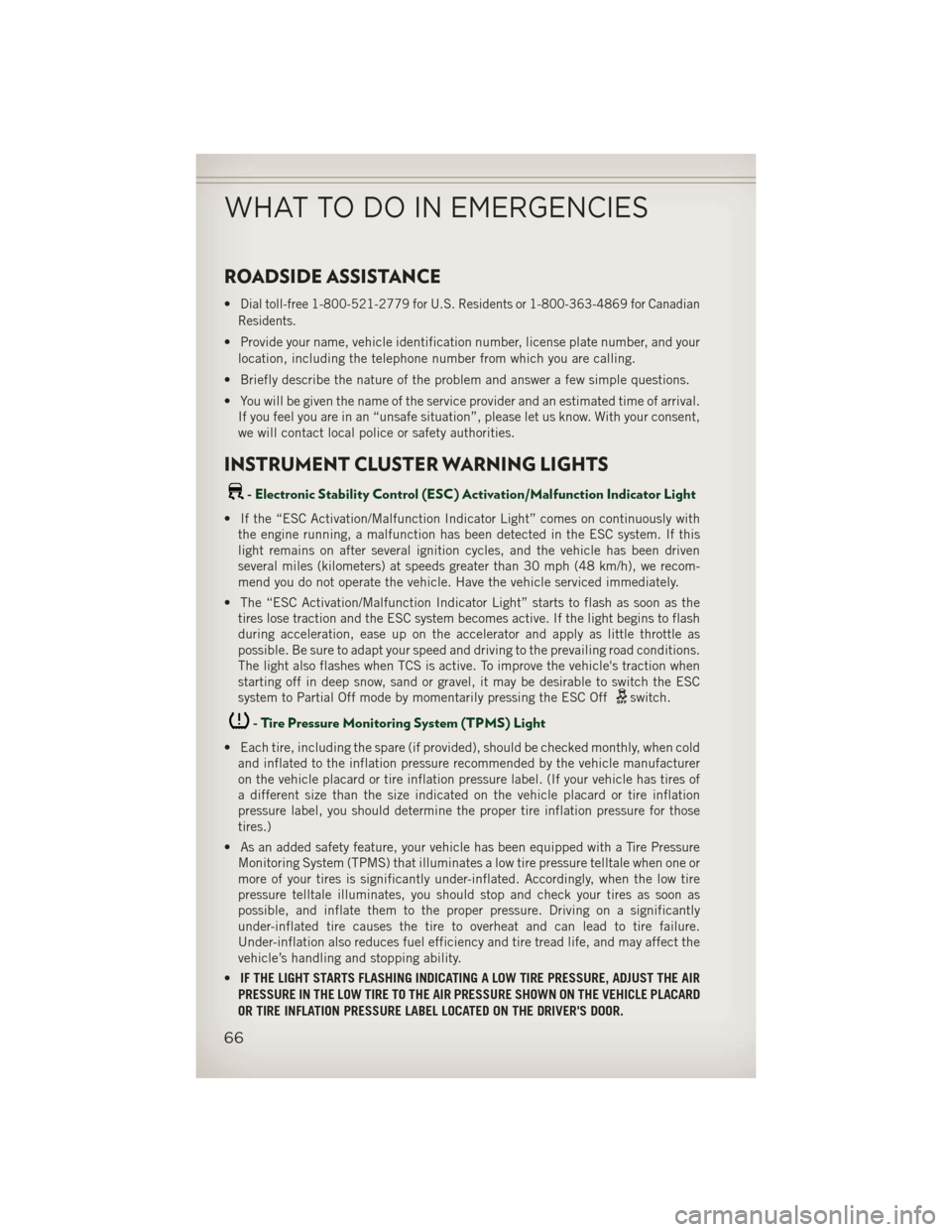
ROADSIDE ASSISTANCE
•Dial toll-free 1-800-521-2779 for U.S. Residents or 1-800-363-4869 for Canadian
Residents.
• Provide your name, vehicle identification number, license plate number, and your location, including the telephone number from which you are calling.
• Briefly describe the nature of the problem and answer a few simple questions.
• You will be given the name of the service provider and an estimated time of arrival. If you feel you are in an “unsafe situation”, please let us know. With your consent,
we will contact local police or safety authorities.
INSTRUMENT CLUSTER WARNING LIGHTS
- Electronic Stability Control (ESC) Activation/Malfunction Indicator Light
• If the “ESC Activation/Malfunction Indicator Light” comes on continuously withthe engine running, a malfunction has been detected in the ESC system. If this
light remains on after several ignition cycles, and the vehicle has been driven
several miles (kilometers) at speeds greater than 30 mph (48 km/h), we recom-
mend you do not operate the vehicle. Have the vehicle serviced immediately.
• The “ESC Activation/Malfunction Indicator Light” starts to flash as soon as the tires lose traction and the ESC system becomes active. If the light begins to flash
during acceleration, ease up on the accelerator and apply as little throttle as
possible. Be sure to adapt your speed and driving to the prevailing road conditions.
The light also flashes when TCS is active. To improve the vehicle's traction when
starting off in deep snow, sand or gravel, it may be desirable to switch the ESC
system to Partial Off mode by momentarily pressing the ESC Off
switch.
- Tire Pressure Monitoring System (TPMS) Light
• Each tire, including the spare (if provided), should be checked monthly, when coldand inflated to the inflation pressure recommended by the vehicle manufacturer
on the vehicle placard or tire inflation pressure label. (If your vehicle has tires of
a different size than the size indicated on the vehicle placard or tire inflation
pressure label, you should determine the proper tire inflation pressure for those
tires.)
• As an added safety feature, your vehicle has been equipped with a Tire Pressure Monitoring System (TPMS) that illuminates a low tire pressure telltale when one or
more of your tires is significantly under-inflated. Accordingly, when the low tire
pressure telltale illuminates, you should stop and check your tires as soon as
possible, and inflate them to the proper pressure. Driving on a significantly
under-inflated tire causes the tire to overheat and can lead to tire failure.
Under-inflation also reduces fuel efficiency and tire tread life, and may affect the
vehicle’s handling and stopping ability.
• IF THE LIGHT STARTS FLASHING INDICATING A LOW TIRE PRESSURE, ADJUST THE AIR
PRESSURE IN THE LOW TIRE TO THE AIR PRESSURE SHOWN ON THE VEHICLE PLACARD
OR TIRE INFLATION PRESSURE LABEL LOCATED ON THE DRIVER'S DOOR.
WHAT TO DO IN EMERGENCIES
66
Page 80 of 108
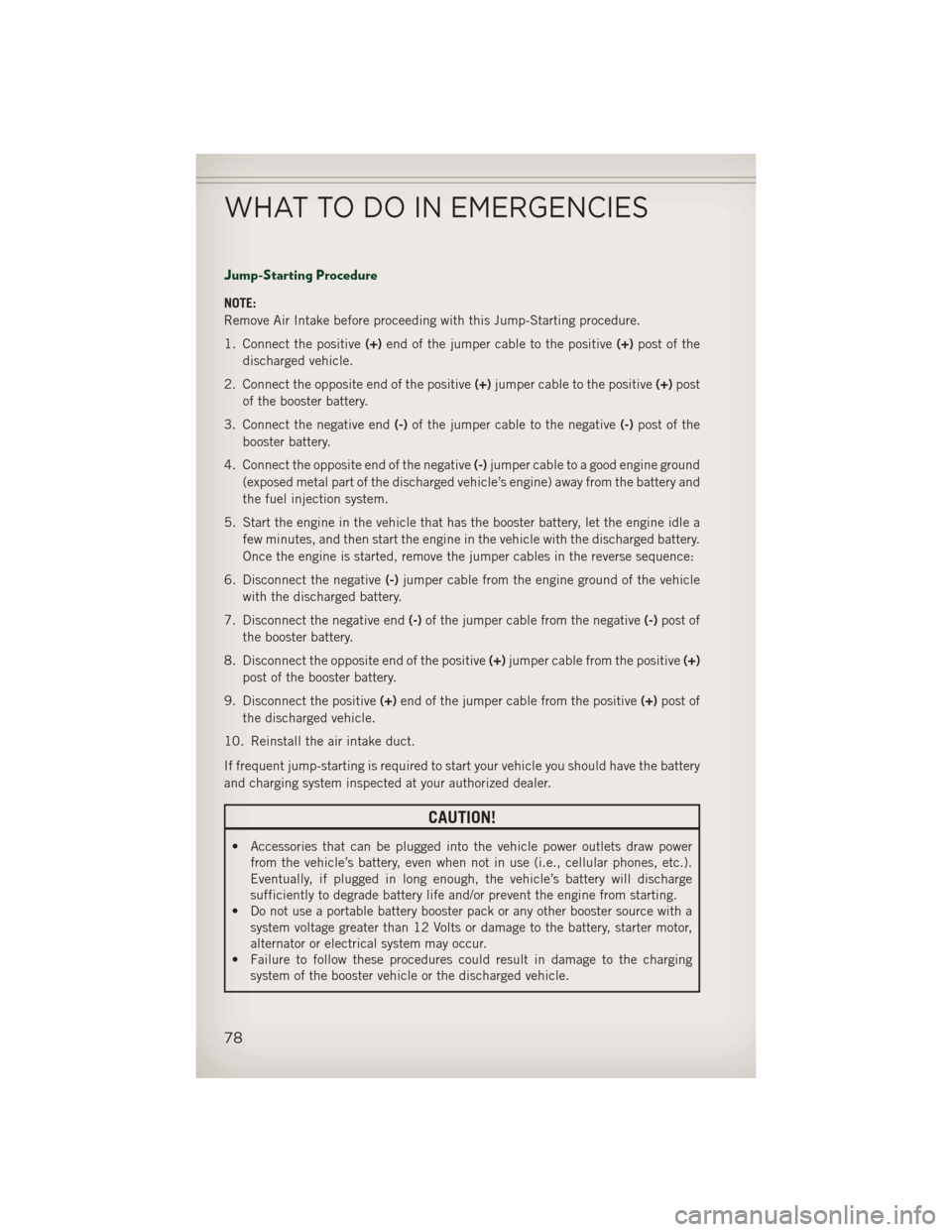
Jump-Starting Procedure
NOTE:
Remove Air Intake before proceeding with this Jump-Starting procedure.
1. Connect the positive(+)end of the jumper cable to the positive (+)post of the
discharged vehicle.
2. Connect the opposite end of the positive (+)jumper cable to the positive (+)post
of the booster battery.
3. Connect the negative end (-)of the jumper cable to the negative (-)post of the
booster battery.
4. Connect the opposite end of the negative (-)jumper cable to a good engine ground
(exposed metal part of the discharged vehicle’s engine) away from the battery and
the fuel injection system.
5. Start the engine in the vehicle that has the booster battery, let the engine idle a few minutes, and then start the engine in the vehicle with the discharged battery.
Once the engine is started, remove the jumper cables in the reverse sequence:
6. Disconnect the negative (-)jumper cable from the engine ground of the vehicle
with the discharged battery.
7. Disconnect the negative end (-)of the jumper cable from the negative (-)post of
the booster battery.
8. Disconnect the opposite end of the positive (+)jumper cable from the positive (+)
post of the booster battery.
9. Disconnect the positive (+)end of the jumper cable from the positive (+)post of
the discharged vehicle.
10. Reinstall the air intake duct.
If frequent jump-starting is required to start your vehicle you should have the battery
and charging system inspected at your authorized dealer.
CAUTION!
• Accessories that can be plugged into the vehicle power outlets draw power from the vehicle’s battery, even when not in use (i.e., cellular phones, etc.).
Eventually, if plugged in long enough, the vehicle’s battery will discharge
sufficiently to degrade battery life and/or prevent the engine from starting.
• Do not use a portable battery booster pack or any other booster source with a
system voltage greater than 12 Volts or damage to the battery, starter motor,
alternator or electrical system may occur.
• Failure to follow these procedures could result in damage to the charging
system of the booster vehicle or the discharged vehicle.
WHAT TO DO IN EMERGENCIES
78
Page 94 of 108
FUSES
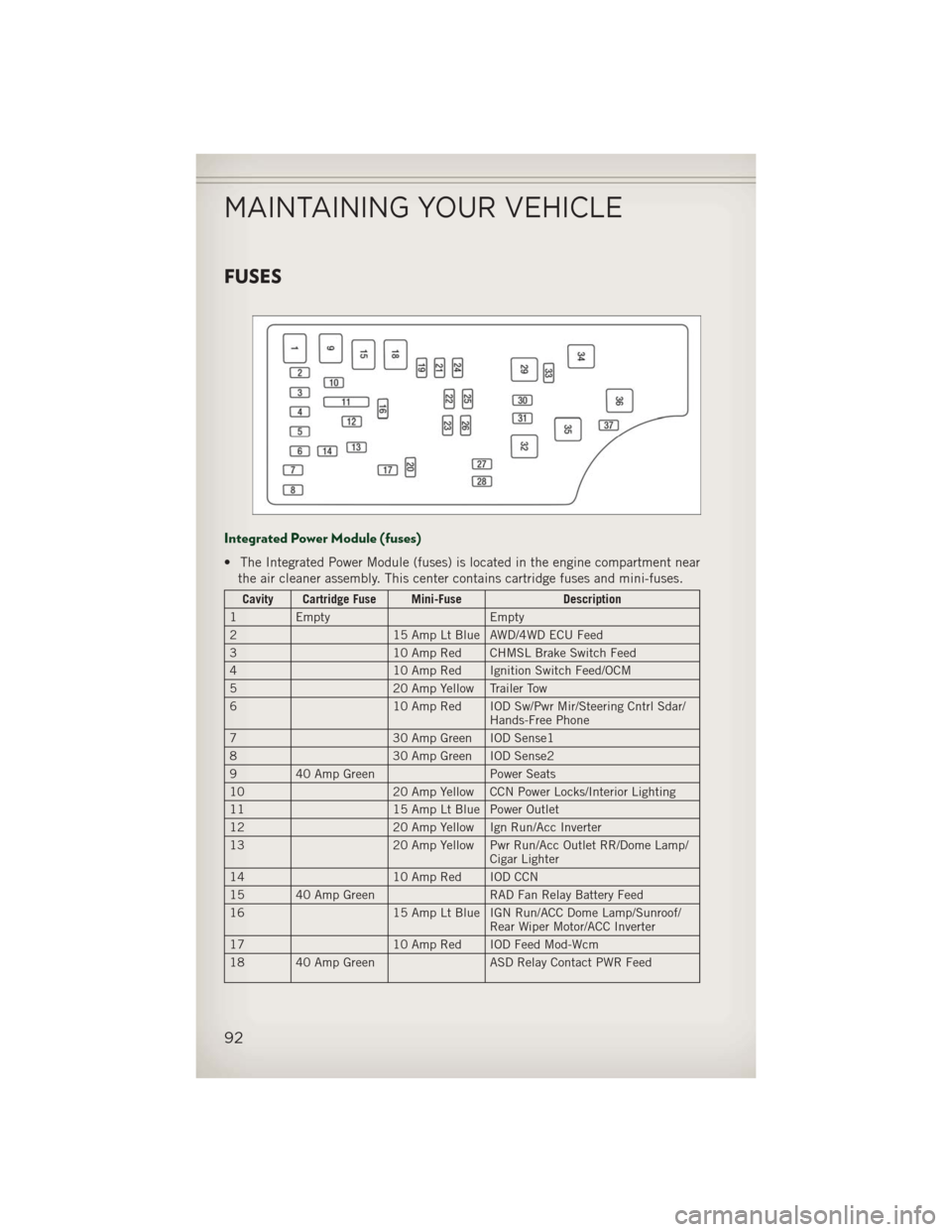
Integrated Power Module (fuses)
• The Integrated Power Module (fuses) is located in the engine compartment nearthe air cleaner assembly. This center contains cartridge fuses and mini-fuses.
Cavity Cartridge Fuse Mini-Fuse Description
1 Empty Empty
2 15 Amp Lt Blue AWD/4WD ECU Feed
3 10 Amp Red CHMSL Brake Switch Feed
4 10 Amp Red Ignition Switch Feed/OCM
5 20 Amp Yellow Trailer Tow
6 10 Amp Red IOD Sw/Pwr Mir/Steering Cntrl Sdar/
Hands-Free Phone
7 30 Amp Green IOD Sense1
8 30 Amp Green IOD Sense2
9 40 Amp Green Power Seats
10 20 Amp Yellow CCN Power Locks/Interior Lighting
11 15 Amp Lt Blue Power Outlet
12 20 Amp Yellow Ign Run/Acc Inverter
13 20 Amp Yellow Pwr Run/Acc Outlet RR/Dome Lamp/
Cigar Lighter
14 10 Amp Red IOD CCN
15 40 Amp Green RAD Fan Relay Battery Feed
16 15 Amp Lt Blue IGN Run/ACC Dome Lamp/Sunroof/
Rear Wiper Motor/ACC Inverter
17 10 Amp Red IOD Feed Mod-Wcm
18 40 Amp Green ASD Relay Contact PWR Feed
MAINTAINING YOUR VEHICLE
92
Page 98 of 108
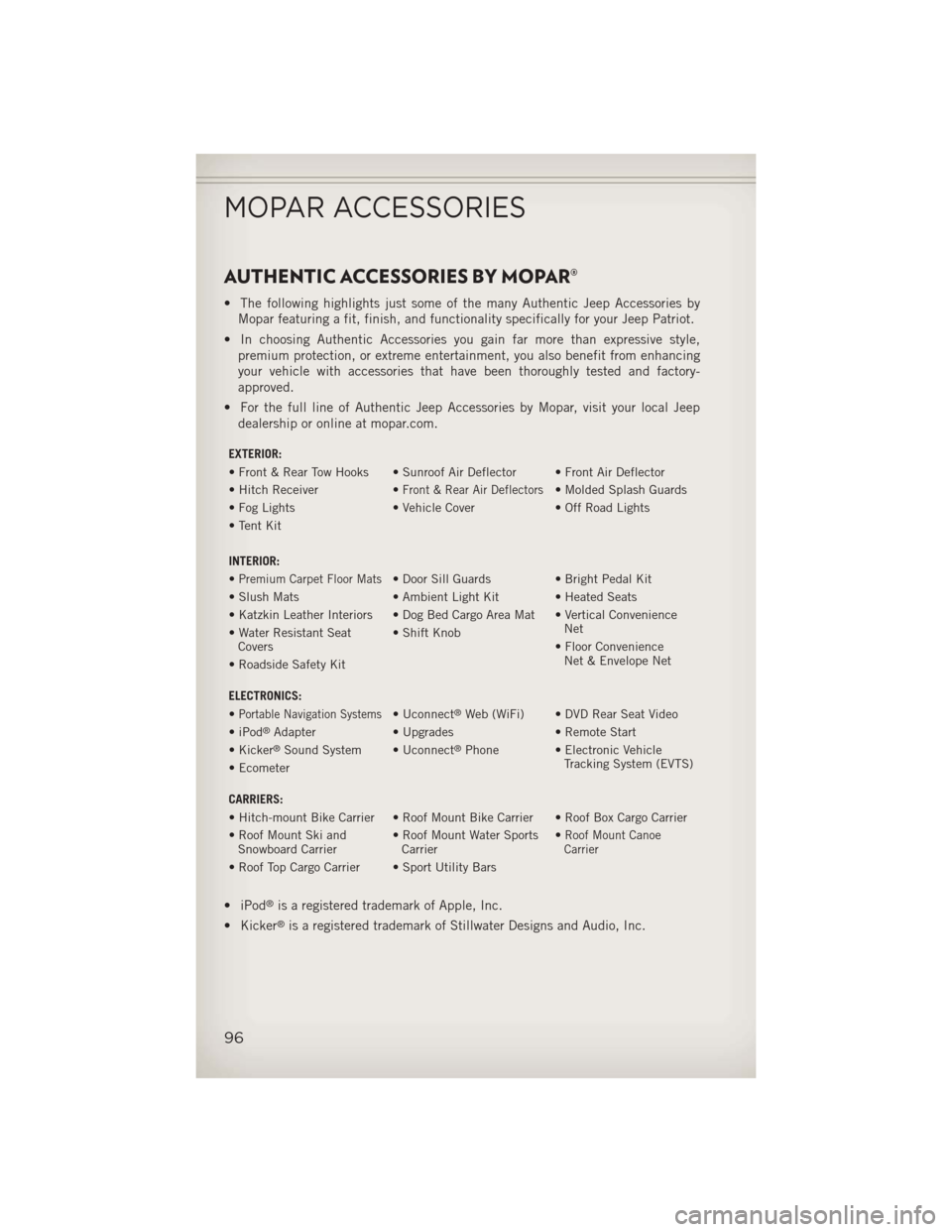
AUTHENTIC ACCESSORIES BY MOPAR®
• The following highlights just some of the many Authentic Jeep Accessories byMopar featuring a fit, finish, and functionality specifically for your Jeep Patriot.
• In choosing Authentic Accessories you gain far more than expressive style, premium protection, or extreme entertainment, you also benefit from enhancing
your vehicle with accessories that have been thoroughly tested and factory-
approved.
• For the full line of Authentic Jeep Accessories by Mopar, visit your local Jeep dealership or online at mopar.com.
EXTERIOR:
• Front & Rear Tow Hooks • Sunroof Air Deflector • Front Air Deflector
• Hitch Receiver •
Front & Rear Air Deflectors• Molded Splash Guards
• Fog Lights • Vehicle Cover• Off Road Lights
• Tent Kit
INTERIOR:
•
Premium Carpet Floor Mats• Door Sill Guards • Bright Pedal Kit
• Slush Mats • Ambient Light Kit • Heated Seats
• Katzkin Leather Interiors • Dog Bed Cargo Area Mat • Vertical Convenience Net
• Water Resistant Seat
Covers • Shift Knob
• Floor ConvenienceNet & Envelope Net
• Roadside Safety Kit
ELECTRONICS:
•
Portable Navigation Systems• Uconnect®Web (WiFi) • DVD Rear Seat Video
• iPod®Adapter • Upgrades • Remote Start
• Kicker®Sound System • Uconnect®Phone • Electronic Vehicle Tracking System (EVTS)
• Ecometer
CARRIERS:
• Hitch-mount Bike Carrier • Roof Mount Bike Carrier • Roof Box Cargo Carrier
• Roof Mount Ski and
Snowboard Carrier • Roof Mount Water Sports
Carrier •
Roof Mount Canoe
Carrier
• Roof Top Cargo Carrier • Sport Utility Bars
• iPod®is a registered trademark of Apple, Inc.
• Kicker
®is a registered trademark of Stillwater Designs and Audio, Inc.
MOPAR ACCESSORIES
96
Page 102 of 108
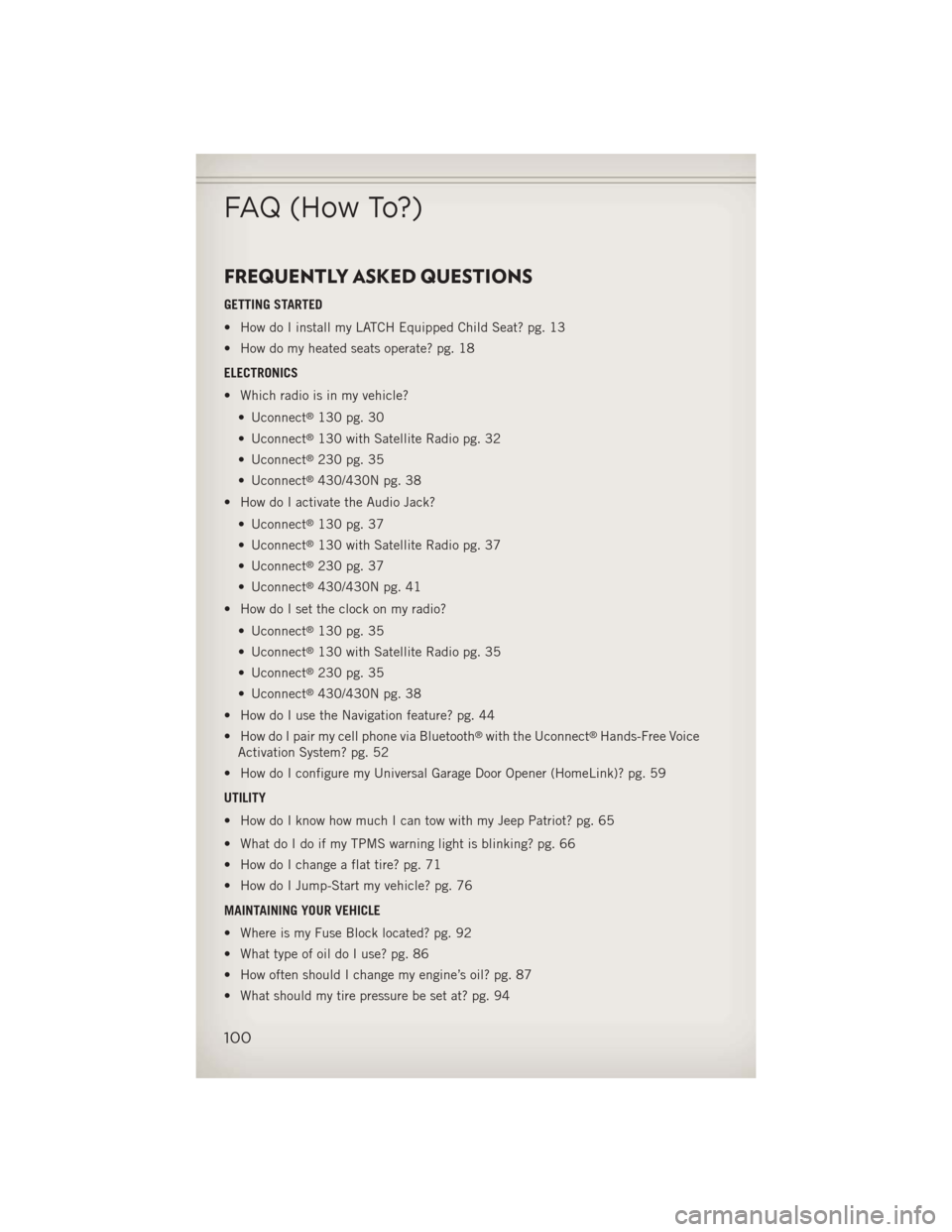
FREQUENTLY ASKED QUESTIONS
GETTING STARTED
• How do I install my LATCH Equipped Child Seat? pg. 13
• How do my heated seats operate? pg. 18
ELECTRONICS
• Which radio is in my vehicle?• Uconnect
®130 pg. 30
• Uconnect
®130 with Satellite Radio pg. 32
• Uconnect
®230 pg. 35
• Uconnect
®430/430N pg. 38
• How do I activate the Audio Jack?
• Uconnect
®130 pg. 37
• Uconnect
®130 with Satellite Radio pg. 37
• Uconnect
®230 pg. 37
• Uconnect
®430/430N pg. 41
• How do I set the clock on my radio?
• Uconnect
®130 pg. 35
• Uconnect
®130 with Satellite Radio pg. 35
• Uconnect
®230 pg. 35
• Uconnect
®430/430N pg. 38
• How do I use the Navigation feature? pg. 44
• How do I pair my cell phone via Bluetooth
®with the Uconnect®Hands-Free Voice
Activation System? pg. 52
• How do I configure my Universal Garage Door Opener (HomeLink)? pg. 59
UTILITY
• How do I know how much I can tow with my Jeep Patriot? pg. 65
• What do I do if my TPMS warning light is blinking? pg. 66
• How do I change a flat tire? pg. 71
• How do I Jump-Start my vehicle? pg. 76
MAINTAINING YOUR VEHICLE
• Where is my Fuse Block located? pg. 92
• What type of oil do I use? pg. 86
• How often should I change my engine’s oil? pg. 87
• What should my tire pressure be set at? pg. 94
FAQ (How To?)
100
Page 107 of 108
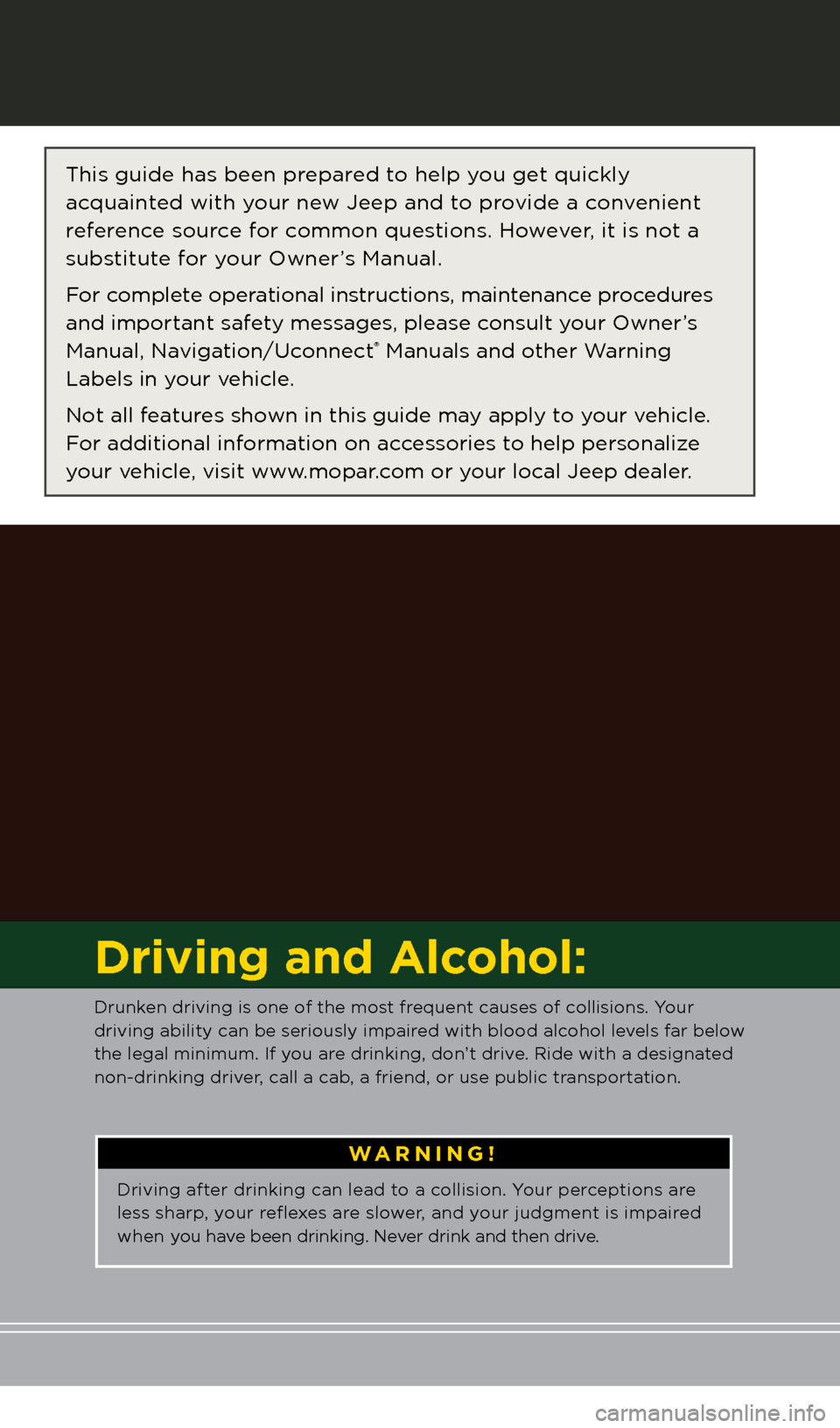
The driver’s primary responsibility is th\te sa\fe operation o\f the vehicle.
Drivin\b while distracted can result in loss o\f vehicle control, resultin\b
in a collision and perso\tnal injury. Chrysler Group LLC stron\bly
recommends that the driver use extreme caution when us\tin\b any
device or \feature that may take their attention off the road. Use o\f any
electrical devices such as cell phones, computers, portable radios,
vehicle navi\bation or other devices by the driver while the vehicle is
movin\b is dan\berous and could lead to a serious collision. Textin\b while
drivin\b is also dan\t\berous and should never be done while th\te vehicle is
movin\b. I\f you find yoursel\f unable to devote your \full attention to
vehicle operation, pull off the r\toad to a sa\fe location and stop your
vehicle. Some States or Provinces prohibit the use o\f cellular
telephones or textin\b while drivin\b. \tIt is always the driver’s
responsibility to comply with all loca\tl laws.
Important:
This User Guide is \tintended to \familiarize you with the importan\tt \features
o\f your vehicle. The DVD enclosed conta\fns your O\bner’s Manual,
Nav\fgat\fon/Uconnect
® Manuals, Warranty Booklets, T\fre Warranty
and Roads\fde Ass\fstance (ne\b veh\fcles purchased \fn the U.S.) or
Roads\fde Ass\fstance (ne\b veh\fcles purchased \fn Canada) \fn\d electron\fc
format. We hope you find it use\ful. Replacement DVD kits may be
purchased by visitin\b www.techauthority.com. Jeep
® is a re\bistered
trademark o\f Chrysler Group LLC. © 2012 Chrysler Group LLC.
Dr\fv\fng and Alcohol:
Drunken drivin\b is one o\t\f the most \frequent causes o\f collisions. Your
drivin\b ability can\t be seriously impa\tired with blood alcohol levels \far below
the le\bal minimum. I\t\f you are drinkin\b, don’t d\trive. Ride with a desi\bn\tated
non-drinkin\b driver, call a cab, a \friend, or use \tpublic transportation.
WARNING!
Drivin\b a\fter drinkin\b can lea\td to a collision. Your perceptions are
less sharp, your reflexes are slower, and your jud\bment is imp\taired
when you have been drinkin\b. Ne\tver drink and then d\trive.
This \buide has been \tprepared to help you \bet quickly
acquainted with your new Jeep and to provide a convenient
re\ference source \for common questions. However, it is not a
substitute \for your Owner’s Manual.
For complete operational instructions, maintenance procedures
and important sa\fety messa\bes, please consult your Owner’s
Manual, Navi\bation/Uconnect
® Manuals and other \tWarnin\b
Labels in your vehicle.
Not all \features shown in this \buide ma\ty apply to your vehicle.
For additional in\formation on accessories to help personalize
your vehicle, visit www.mopar.com or your local Jeep dea\tler.
If you are the first registered retail owner of
your \fehicle, you may o\btain a complimentary
printed copy of the Owner’s Manual, Na\figation/
Uconnect
® Manuals or Warranty Booklet \by calling
1-877-426-5337 (U.S.) or 1-800-387-1143 (Canada)
or \by contacting your dealer.
1118478_13c_Patriot_User_Guide_102212.indd 210/22/12 12:28 PMChrysler PDF maker.indd 310/22/12 12:42 PM