ignition KIA CADENZA 2011 Owner's Guide
[x] Cancel search | Manufacturer: KIA, Model Year: 2011, Model line: CADENZA, Model: KIA CADENZA 2011Pages: 352, PDF Size: 28.17 MB
Page 103 of 352
Features of your vehicle
42
4
Neutral : When the remote control out-
side rearview mirror switch is in the middle position, the outside
rearview mirrors will not oper-
ate.
✽✽ NOTICE
The outside rearview mirrors will auto-
matically revert to their original posi-
tions under the following conditions:
1. ENGINE START/STOP button is changed to the ACC or OFF position.
2. Shift lever is moved to any position
except R.
3. Remote control outside rearview mir-
ror switch is placed in the middle
position.
Folding/Unfolding the outside
rearview mirror (if equipped)
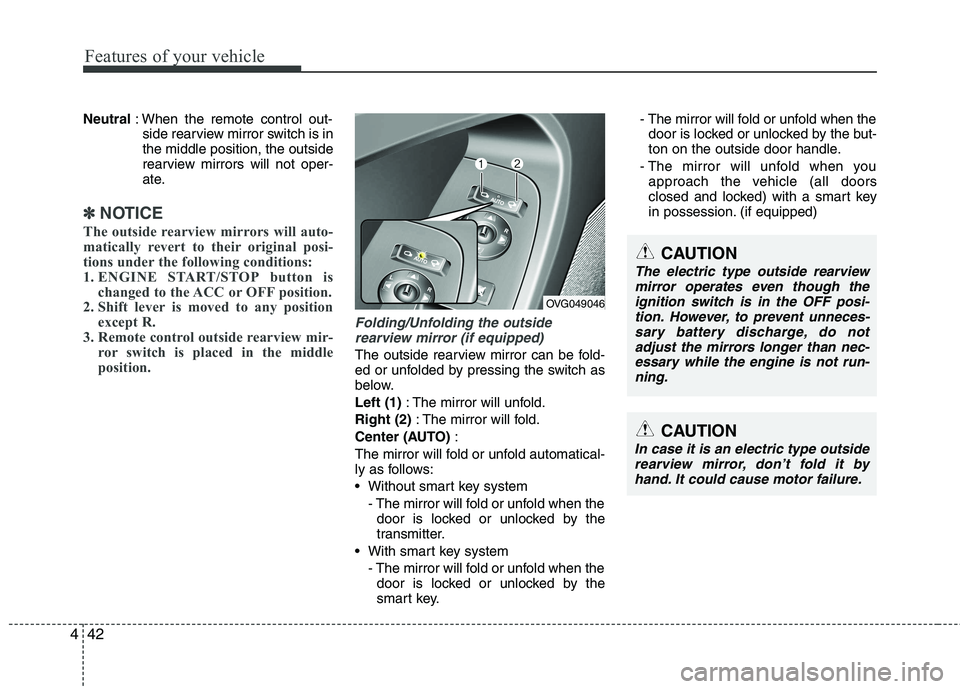
The outside rearview mirror can be fold-
ed or unfolded by pressing the switch as
below. Left (1) : The mirror will unfold.
Right (2) : The mirror will fold.
Center (AUTO) :
The mirror will fold or unfold automatical-
ly as follows:
Without smart key system - The mirror will fold or unfold when thedoor is locked or unlocked by the
transmitter.
With smart key system - The mirror will fold or unfold when thedoor is locked or unlocked by the
smart key. - The mirror will fold or unfold when the
door is locked or unlocked by the but-
ton on the outside door handle.
- The mirror will unfold when you approach the vehicle (all doors
closed and locked) with a smart key
in possession. (if equipped)
CAUTION
In case it is an electric type outside
rearview mirror, don’t fold it byhand. It could cause motor failure.
OVG049046
CAUTION
The electric type outside rearview
mirror operates even though the ignition switch is in the OFF posi-tion. However, to prevent unneces-sary battery discharge, do not
adjust the mirrors longer than nec- essary while the engine is not run-ning.
Page 105 of 352
Features of your vehicle
44
4
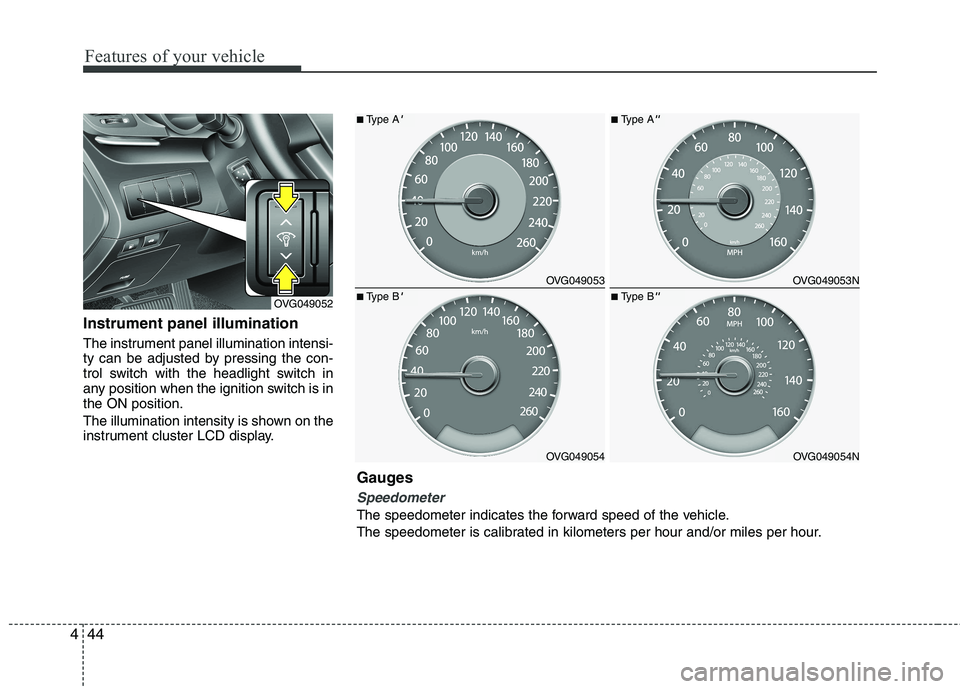
Instrument panel illumination
The instrument panel illumination intensi-
ty can be adjusted by pressing the con-
trol switch with the headlight switch in
any position when the ignition switch is inthe ON position.
The illumination intensity is shown on the
instrument cluster LCD display.
OVG049052
OVG049053
OVG049054
■ Type A'
■Type B'
OVG049053N
OVG049054N
■Type A''
■Type B''
Gauges
Speedometer
The speedometer indicates the forward speed of the vehicle.
The speedometer is calibrated in kilometers per hour and/or miles per hour.
Page 106 of 352
445
Features of your vehicle
Tachometer
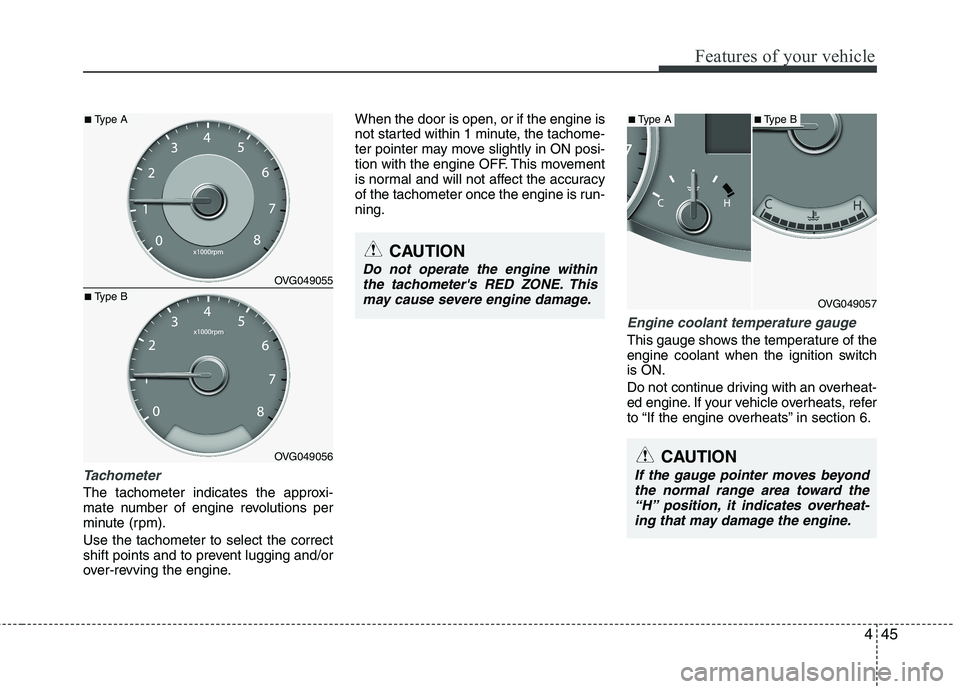
The tachometer indicates the approxi-
mate number of engine revolutions per
minute (rpm). Use the tachometer to select the correct
shift points and to prevent lugging and/or
over-revving the engine.When the door is open, or if the engine is
not started within 1 minute, the tachome-
ter pointer may move slightly in ON posi-
tion with the engine OFF. This movement
is normal and will not affect the accuracy
of the tachometer once the engine is run-ning.
Engine coolant temperature gauge
This gauge shows the temperature of the
engine coolant when the ignition switchis ON.
Do not continue driving with an overheat-
ed engine. If your vehicle overheats, refer
to “If the engine overheats” in section 6.
CAUTION
If the gauge pointer moves beyond
the normal range area toward the“H” position, it indicates overheat-ing that may damage the engine.
CAUTION
Do not operate the engine within
the tachometer's RED ZONE. This may cause severe engine damage.
OVG049057
OVG049055
OVG049056
■ Type A■Type A■ Type B
■Type B
Page 108 of 352
447
Features of your vehicle
Trip computer
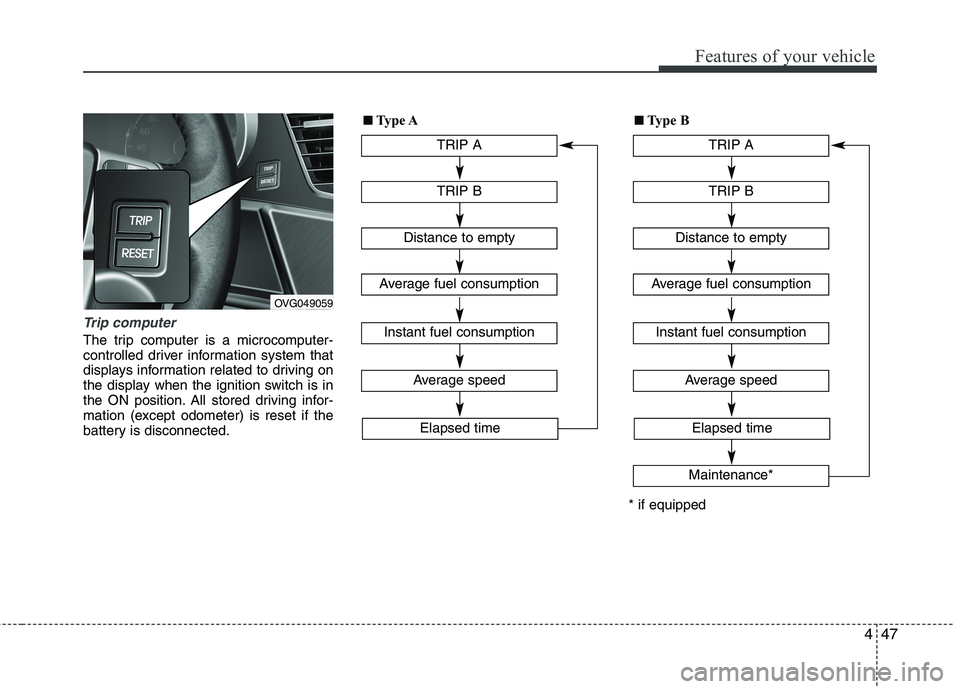
The trip computer is a microcomputer-
controlled driver information system that
displays information related to driving on
the display when the ignition switch is in
the ON position. All stored driving infor-
mation (except odometer) is reset if the
battery is disconnected.
OVG049059TRIP A
TRIP B
Average speed
Elapsed time
Distance to empty
Average fuel consumption
Instant fuel consumption
■■
Type A
TRIP A
TRIP B
Average speed
Elapsed time
Distance to empty
Average fuel consumption
Instant fuel consumption
Maintenance*
* if equipped■
■
Type B
Page 114 of 352
453
Features of your vehicle
Vehicle option (if equipped)
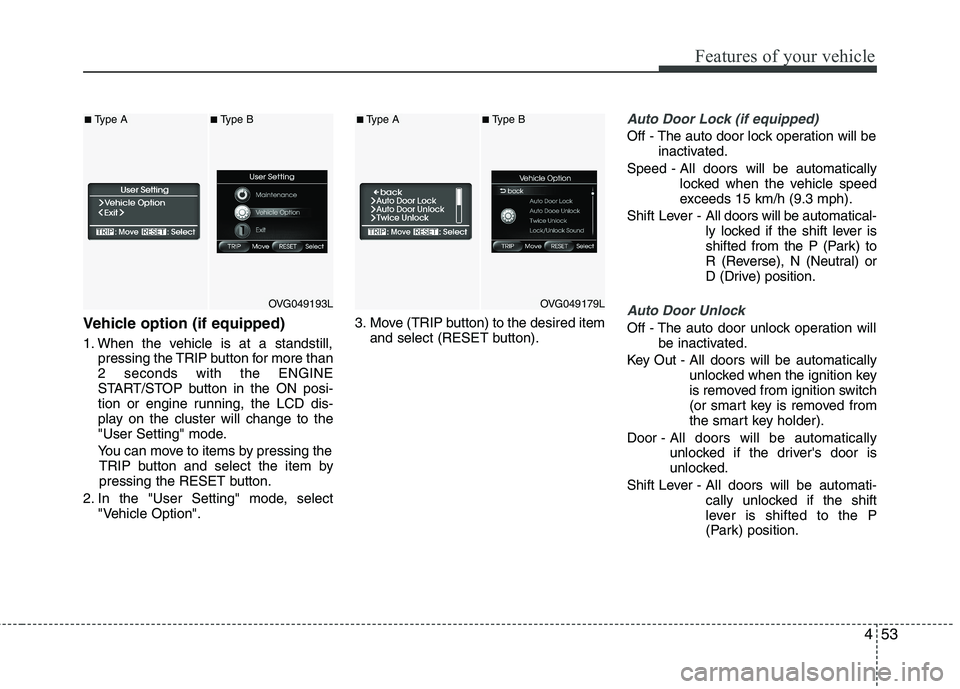
1. When the vehicle is at a standstill,pressing the TRIP button for more than 2 seconds with the ENGINE
START/STOP button in the ON posi-
tion or engine running, the LCD dis-
play on the cluster will change to the
"User Setting" mode.
You can move to items by pressing the TRIP button and select the item by
pressing the RESET button.
2. In the "User Setting" mode, select "Vehicle Option". 3. Move (TRIP button) to the desired item
and select (RESET button).
Auto Door Lock (if equipped)
Off - The auto door lock operation will be inactivated.
Speed - All doors will be automatically locked when the vehicle speed
exceeds 15 km/h (9.3 mph).
Shift Lever - All doors will be automatical-
ly locked if the shift lever is
shifted from the P (Park) to
R (Reverse), N (Neutral) or
D (Drive) position.
Auto Door Unlock
Off - The auto door unlock operation will
be inactivated.
Key Out - All doors will be automatically unlocked when the ignition key
is removed from ignition switch
(or smart key is removed from
the smart key holder).
Door - All doors will be automatically
unlocked if the driver's door is
unlocked.
Shift Lever - All doors will be automati- cally unlocked if the shift
lever is shifted to the P
(Park) position.
OVG049193L
■Type A■Type B
OVG049179L
■Type A■Type B
Page 115 of 352
Features of your vehicle
54
4
Seat Easy Access (only for Driver
Position Memory System equippedvehicle)
On - The driver's seat will automatically move forward or rearward for the
driver to enter or exit the vehicle
comfortably.
Off - The Seat Easy Access function will be inactivated.
Steering Easy Access (only for Driver
Position Memory System equippedvehicle)
On - The steering wheel will automatical- ly move away or toward the driver
for the driver to enter or exit the
vehicle comfortably.
Off - The Steering Easy Access function will be inactivated.
Headlamp Escort
On - The Headlamp Escort and EscortWelcome function will be activated
Off - The Headlamp Escort and Escort Welcome function will be inactivat- ed
Welcome Light (if equipped)
On - When all the doors(and trunk) arelocked and closed, if you approach
the vehicle with a smart key in pos-session the puddle lamp and door
handle lamp will come on for about
15 seconds.
Off - The Welcome Light function will be inactivated.
Welcome Sound
On - The Welcome Sound function willbe activated.
Off - The Welcome Sound function will be inactivated.
Auto Triple Turn (One-touch triple
turn signal)
On - The lane change signals will blink 3 times when the turn signal lever is
moved slightly.
Off - The Auto Triple Turn function will be inactivated. Warnings and indicators
All warning lights are checked by turning
the ignition switch ON (do not start the
engine). Any light that does not illuminate
should be checked by an authorized KIA
dealer.
After starting the engine, check to make
sure that all warning lights are off. If anyare still on, this indicates a situation that
needs attention. When releasing the
parking brake, the brake system warning
light should go off. The fuel warning light
will stay on if the fuel level is low.
Page 116 of 352
455
Features of your vehicle
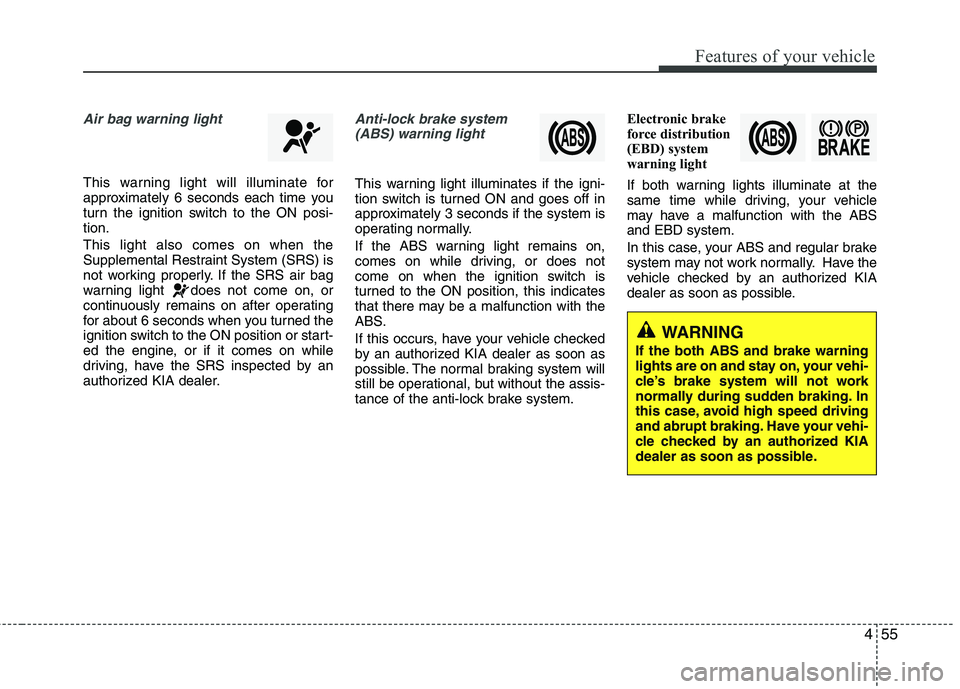
Air bag warning light
This warning light will illuminate for
approximately 6 seconds each time you
turn the ignition switch to the ON posi-tion. This light also comes on when the
Supplemental Restraint System (SRS) is
not working properly. If the SRS air bag
warning light does not come on, or
continuously remains on after operating
for about 6 seconds when you turned the
ignition switch to the ON position or start-
ed the engine, or if it comes on while
driving, have the SRS inspected by an
authorized KIA dealer.
Anti-lock brake system(ABS) warning light
This warning light illuminates if the igni-
tion switch is turned ON and goes off in
approximately 3 seconds if the system is
operating normally.
If the ABS warning light remains on,
comes on while driving, or does not
come on when the ignition switch is
turned to the ON position, this indicates
that there may be a malfunction with the
ABS.
If this occurs, have your vehicle checked
by an authorized KIA dealer as soon as
possible. The normal braking system will
still be operational, but without the assis-
tance of the anti-lock brake system. Electronic brake
force distribution
(EBD) system
warning light
If both warning lights illuminate at the
same time while driving, your vehicle
may have a malfunction with the ABSand EBD system.
In this case, your ABS and regular brake
system may not work normally. Have the
vehicle checked by an authorized KIA
dealer as soon as possible.
WARNING
If the both ABS and brake warning
lights are on and stay on, your vehi-
cle’s brake system will not work
normally during sudden braking. In
this case, avoid high speed driving
and abrupt braking. Have your vehi-
cle checked by an authorized KIA
dealer as soon as possible.
Page 117 of 352
Features of your vehicle
56
4
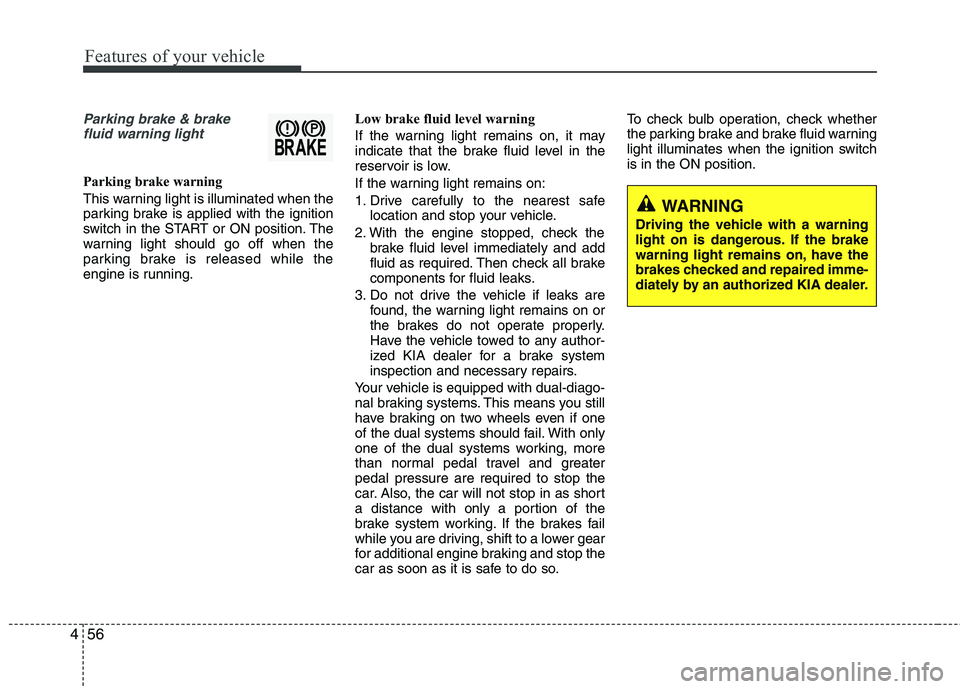
Parking brake & brake
fluid warning light
Parking brake warning
This warning light is illuminated when the
parking brake is applied with the ignition
switch in the START or ON position. The
warning light should go off when the
parking brake is released while the
engine is running. Low brake fluid level warning
If the warning light remains on, it may
indicate that the brake fluid level in the
reservoir is low.
If the warning light remains on:
1. Drive carefully to the nearest safe
location and stop your vehicle.
2. With the engine stopped, check the brake fluid level immediately and add
fluid as required. Then check all brake
components for fluid leaks.
3. Do not drive the vehicle if leaks are found, the warning light remains on or
the brakes do not operate properly.
Have the vehicle towed to any author-
ized KIA dealer for a brake system
inspection and necessary repairs.
Your vehicle is equipped with dual-diago-
nal braking systems. This means you still
have braking on two wheels even if one
of the dual systems should fail. With only
one of the dual systems working, more
than normal pedal travel and greaterpedal pressure are required to stop the
car. Also, the car will not stop in as short
a distance with only a portion of the
brake system working. If the brakes fail
while you are driving, shift to a lower gear
for additional engine braking and stop the
car as soon as it is safe to do so. To check bulb operation, check whether
the parking brake and brake fluid warning
light illuminates when the ignition switchis in the ON position.
WARNING
Driving the vehicle with a warning
light on is dangerous. If the brake
warning light remains on, have the
brakes checked and repaired imme-
diately by an authorized KIA dealer.
Page 118 of 352
457
Features of your vehicle
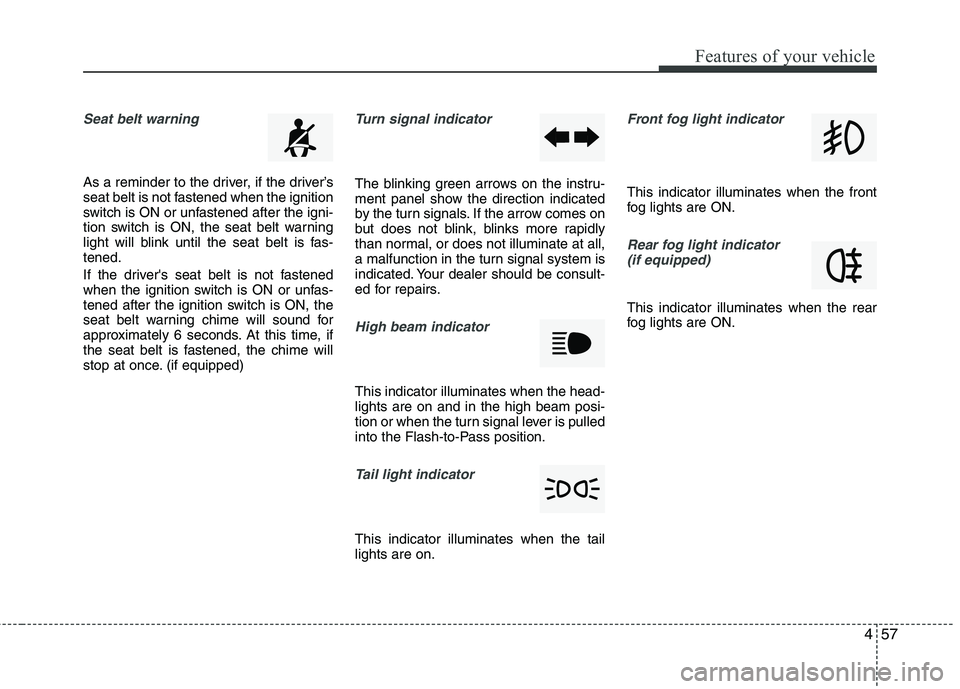
Seat belt warning
As a reminder to the driver, if the driver’s
seat belt is not fastened when the ignition
switch is ON or unfastened after the igni-
tion switch is ON, the seat belt warning
light will blink until the seat belt is fas-tened.
If the driver's seat belt is not fastened
when the ignition switch is ON or unfas-
tened after the ignition switch is ON, the
seat belt warning chime will sound for
approximately 6 seconds. At this time, if
the seat belt is fastened, the chime will
stop at once. (if equipped)
Turn signal indicator
The blinking green arrows on the instru-
ment panel show the direction indicated
by the turn signals. If the arrow comes on
but does not blink, blinks more rapidly
than normal, or does not illuminate at all,
a malfunction in the turn signal system is
indicated. Your dealer should be consult-
ed for repairs.
High beam indicator
This indicator illuminates when the head- lights are on and in the high beam posi-
tion or when the turn signal lever is pulled
into the Flash-to-Pass position.
Tail light indicator
This indicator illuminates when the tail lights are on.
Front fog light indicator
This indicator illuminates when the front
fog lights are ON.
Rear fog light indicator (if equipped)
This indicator illuminates when the rear
fog lights are ON.
Page 119 of 352
Features of your vehicle
58
4
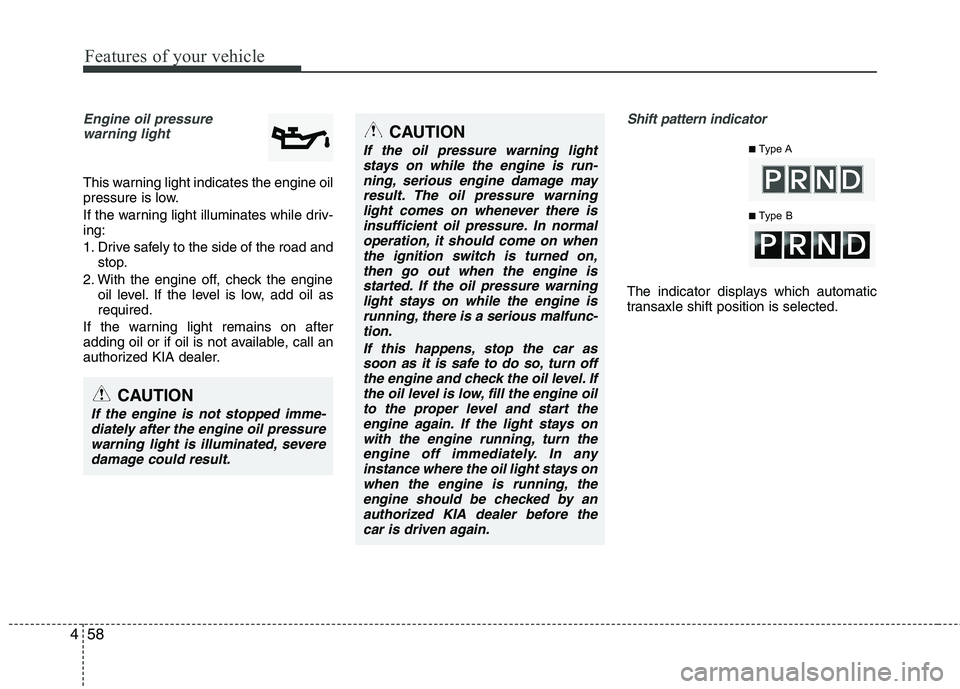
Engine oil pressure
warning light
This warning light indicates the engine oil
pressure is low.
If the warning light illuminates while driv- ing:
1. Drive safely to the side of the road and stop.
2. With the engine off, check the engine oil level. If the level is low, add oil as required.
If the warning light remains on after
adding oil or if oil is not available, call an
authorized KIA dealer.
Shift pattern indicator
The indicator displays which automatic
transaxle shift position is selected.
■ Type A
■ Type BCAUTION
If the oil pressure warning light
stays on while the engine is run-
ning, serious engine damage mayresult. The oil pressure warninglight comes on whenever there is insufficient oil pressure. In normal
operation, it should come on whenthe ignition switch is turned on,then go out when the engine is
started. If the oil pressure warninglight stays on while the engine isrunning, there is a serious malfunc-tion.
If this happens, stop the car assoon as it is safe to do so, turn off the engine and check the oil level. Ifthe oil level is low, fill the engine oilto the proper level and start the
engine again. If the light stays onwith the engine running, turn theengine off immediately. In anyinstance where the oil light stays on
when the engine is running, theengine should be checked by anauthorized KIA dealer before the car is driven again.
CAUTION
If the engine is not stopped imme-diately after the engine oil pressure
warning light is illuminated, severe damage could result.