warning KIA CADENZA 2020 Owners Manual
[x] Cancel search | Manufacturer: KIA, Model Year: 2020, Model line: CADENZA, Model: KIA CADENZA 2020Pages: 560, PDF Size: 11.37 MB
Page 325 of 560
Driving your vehicle
72 5
System setting and activation
System setting
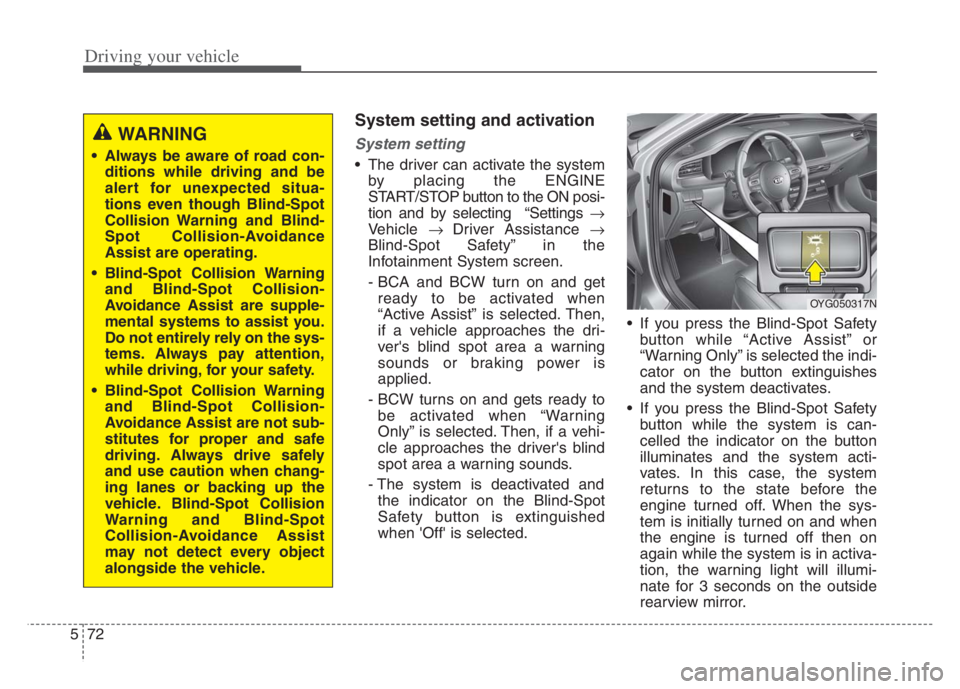
The driver can activate the system
by placing the ENGINE
START/STOP button to the ON posi-
tion and by selecting “Settings
Vehicle Driver Assistance
Blind-Spot Safety” in the
Infotainment System screen.
- BCA and BCW turn on and get
ready to be activated when
“Active Assist” is selected. Then,
if a vehicle approaches the dri-
ver's blind spot area a warning
sounds or braking power is
applied.
- BCW turns on and gets ready to
be activated when “Warning
Only” is selected. Then, if a vehi-
cle approaches the driver's blind
spot area a warning sounds.
- The system is deactivated and
the indicator on the Blind-Spot
Safety button is extinguished
when 'Off' is selected. If you press the Blind-Spot Safety
button while “Active Assist” or
“Warning Only” is selected the indi-
cator on the button extinguishes
and the system deactivates.
If you press the Blind-Spot Safety
button while the system is can-
celled the indicator on the button
illuminates and the system acti-
vates. In this case, the system
returns to the state before the
engine turned off. When the sys-
tem is initially turned on and when
the engine is turned off then on
again while the system is in activa-
tion, the warning light will illumi-
nate for 3 seconds on the outside
rearview mirror.
WARNING
Always be aware of road con-
ditions while driving and be
alert for unexpected situa-
tions even though Blind-Spot
Collision Warning and Blind-
Spot Collision-Avoidance
Assist are operating.
Blind-Spot Collision Warning
and Blind-Spot Collision-
Avoidance Assist are supple-
mental systems to assist you.
Do not entirely rely on the sys-
tems. Always pay attention,
while driving, for your safety.
Blind-Spot Collision Warning
and Blind-Spot Collision-
Avoidance Assist are not sub-
stitutes for proper and safe
driving. Always drive safely
and use caution when chang-
ing lanes or backing up the
vehicle. Blind-Spot Collision
Warning and Blind-Spot
Collision-Avoidance Assist
may not detect every object
alongside the vehicle.
OYG050317N
Page 326 of 560
573
Driving your vehicle
If the engine is turned off then on
again, the system maintains the
previous state.Warning Timing
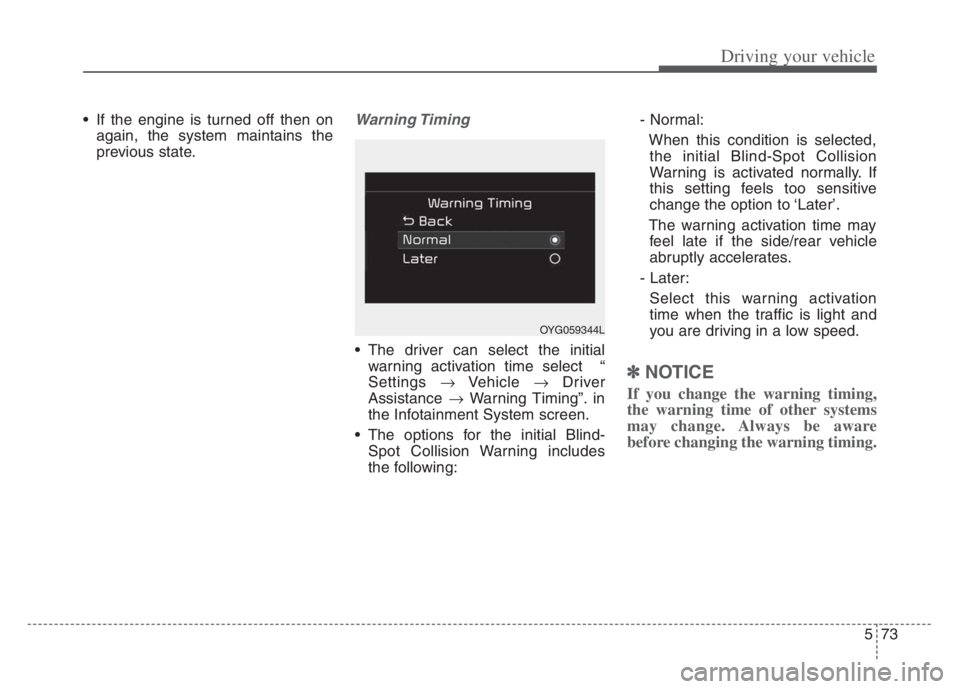
The driver can select the initial
warning activation time select “
Settings Vehicle Driver
Assistance Warning Timing”. in
the Infotainment System screen.
The options for the initial Blind-
Spot Collision Warning includes
the following:- Normal:
When this condition is selected,
the initial Blind-Spot Collision
Warning is activated normally. If
this setting feels too sensitive
change the option to ‘Later’.
The warning activation time may
feel late if the side/rear vehicle
abruptly accelerates.
- Later:
Select this warning activation
time when the traffic is light and
you are driving in a low speed.
✽ ✽
NOTICE
If you change the warning timing,
the warning time of other systems
may change. Always be aware
before changing the warning timing.
OYG059344L
Page 327 of 560
Driving your vehicle
74 5
Warning Volume
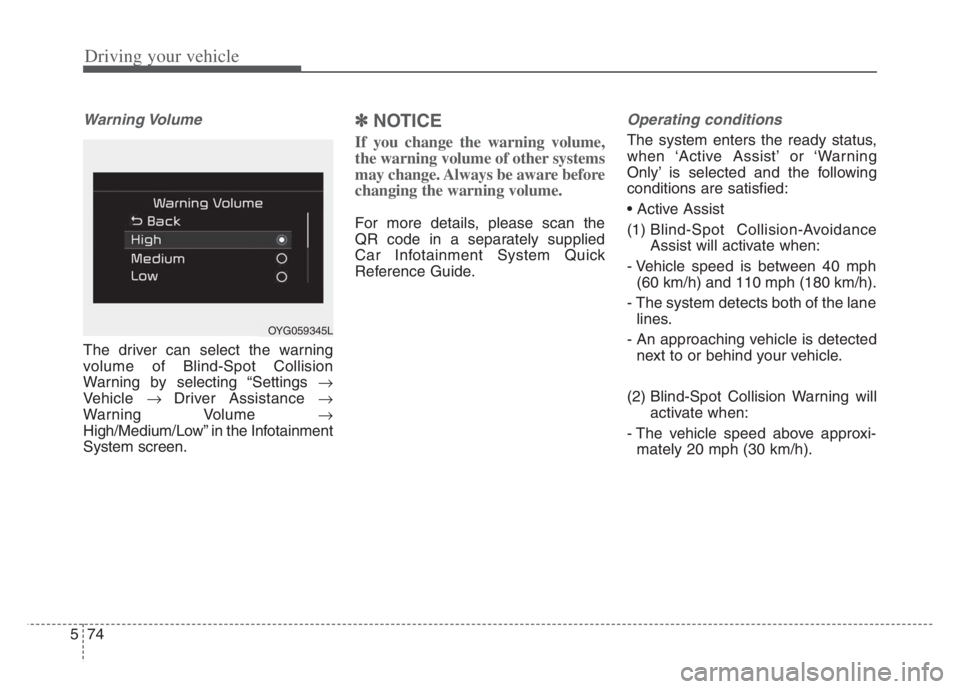
The driver can select the warning
volume of Blind-Spot Collision
Warning by selecting “Settings
Vehicle Driver Assistance
Warning Volume
High/Medium/Low” in the Infotainment
System screen.
✽ ✽
NOTICE
If you change the warning volume,
the warning volume of other systems
may change. Always be aware before
changing the warning volume.
For more details, please scan the
QR code in a separately supplied
Car Infotainment System Quick
Reference Guide.
Operating conditions
The system enters the ready status,
when ‘Active Assist’ or ‘Warning
Only’ is selected and the following
conditions are satisfied:
(1) Blind-Spot Collision-Avoidance
Assist will activate when:
- Vehicle speed is between 40 mph
(60 km/h) and 110 mph (180 km/h).
- The system detects both of the lane
lines.
- An approaching vehicle is detected
next to or behind your vehicle.
(2) Blind-Spot Collision Warning will
activate when:
- The vehicle speed above approxi-
mately 20 mph (30 km/h).
OYG059345L
Page 328 of 560
575
Driving your vehicle
(1) Blind-Spot Collision Warning will
activate when:
- The vehicle speed above approxi-
mately 20 mph (30 km/h).
❈Blind-Spot Collision-Avoidance
Assist is not activate.Warning message and control
Blind-Spot Collision Warning
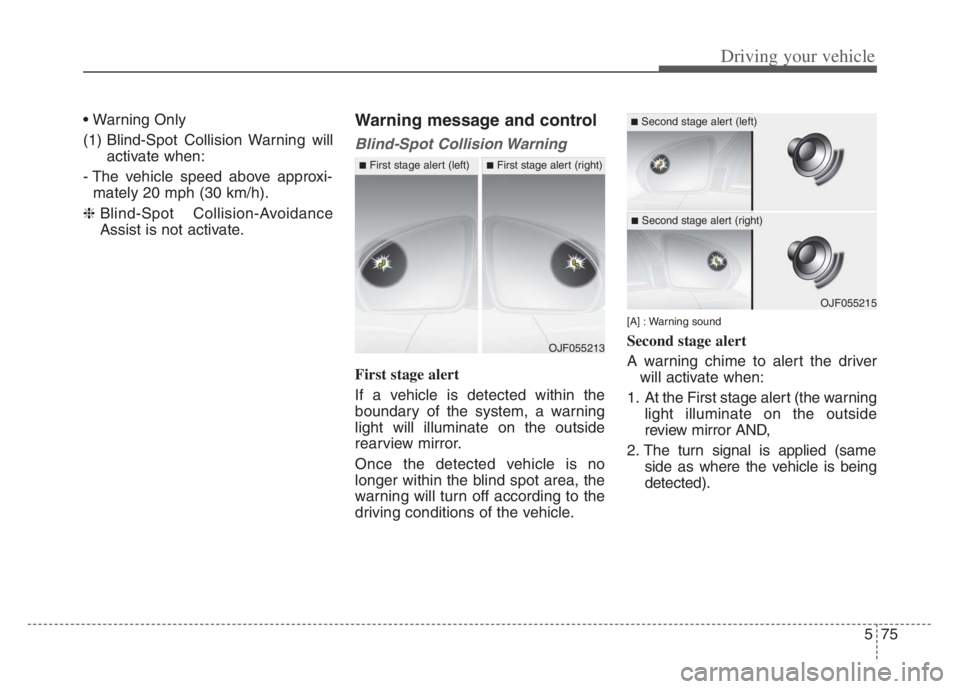
First stage alert
If a vehicle is detected within the
boundary of the system, a warning
light will illuminate on the outside
rearview mirror.
Once the detected vehicle is no
longer within the blind spot area, the
warning will turn off according to the
driving conditions of the vehicle.
[A] : Warning sound
Second stage alert
A warning chime to alert the driver
will activate when:
1. At the First stage alert (the warning
light illuminate on the outside
review mirror AND,
2. The turn signal is applied (same
side as where the vehicle is being
detected).OJF055213
■First stage alert (left)■First stage alert (right)
OJF055215
■Second stage alert (left)
■Second stage alert (right)
Page 329 of 560
Driving your vehicle
76 5
When this alert is activated, the warn-
ing light on the outside rearview mirror
will also blink. And a warning chime
will sound.
If you turn off the turn signal indicator,
the second stage alert will be deacti-
vated.
Once the detected vehicle is no
longer within the warning area, the
warning will turn off according to the
driving conditions of the vehicle.
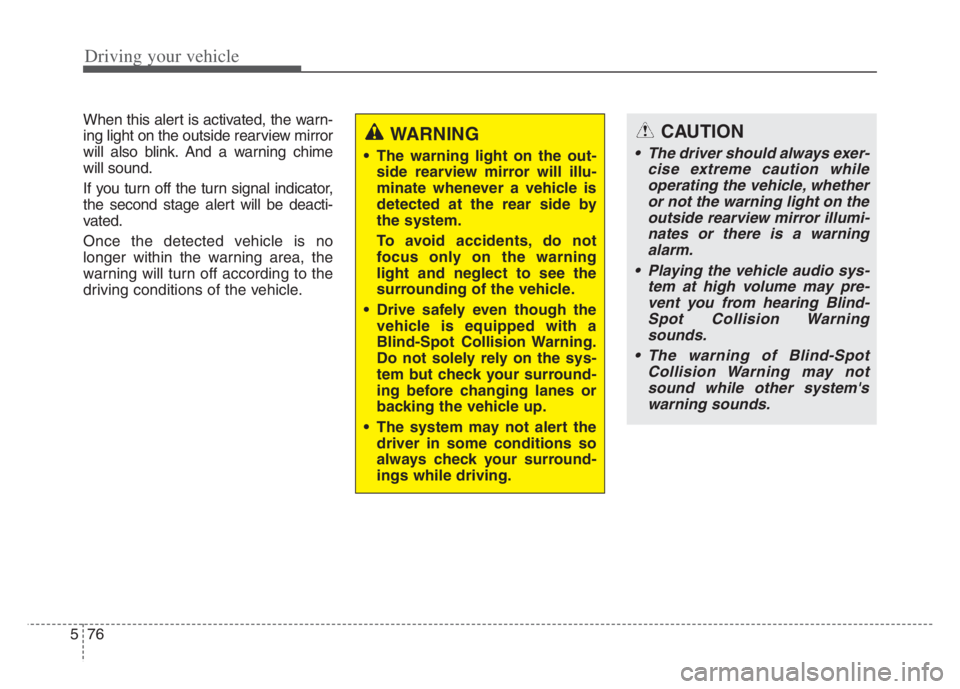
WARNING
The warning light on the out-
side rearview mirror will illu-
minate whenever a vehicle is
detected at the rear side by
the system.
To avoid accidents, do not
focus only on the warning
light and neglect to see the
surrounding of the vehicle.
Drive safely even though the
vehicle is equipped with a
Blind-Spot Collision Warning.
Do not solely rely on the sys-
tem but check your surround-
ing before changing lanes or
backing the vehicle up.
The system may not alert the
driver in some conditions so
always check your surround-
ings while driving.
CAUTION
The driver should always exer-
cise extreme caution while
operating the vehicle, whether
or not the warning light on the
outside rearview mirror illumi-
nates or there is a warning
alarm.
Playing the vehicle audio sys-
tem at high volume may pre-
vent you from hearing Blind-
Spot Collision Warning
sounds.
The warning of Blind-Spot
Collision Warning may not
sound while other system's
warning sounds.
Page 330 of 560
577
Driving your vehicle
Blind-Spot Collision-Avoidance
Assist
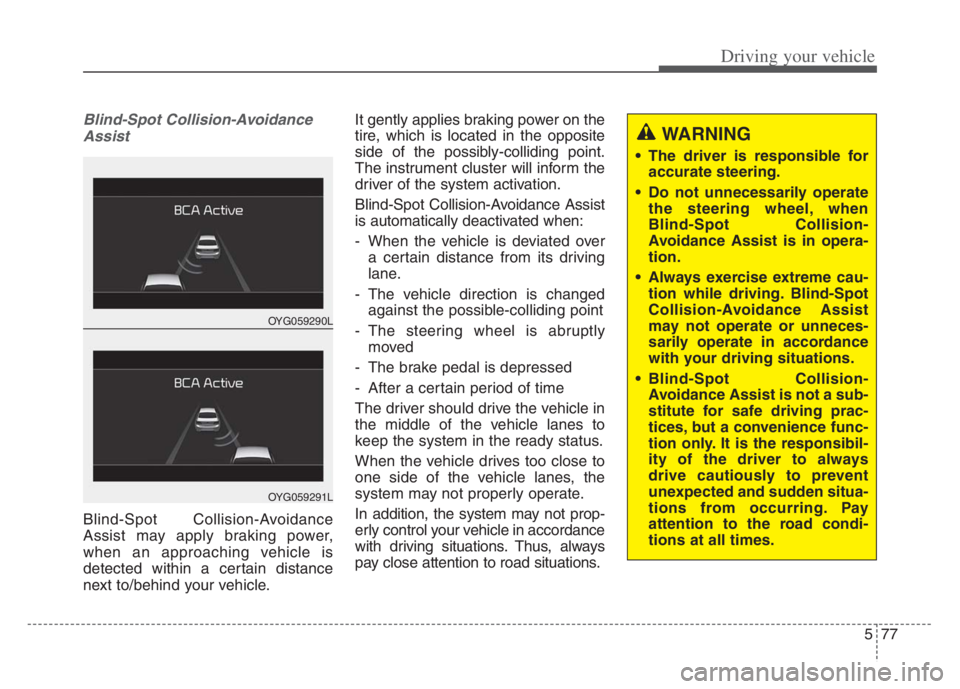
Blind-Spot Collision-Avoidance
Assist may apply braking power,
when an approaching vehicle is
detected within a certain distance
next to/behind your vehicle.It gently applies braking power on the
tire, which is located in the opposite
side of the possibly-colliding point.
The instrument cluster will inform the
driver of the system activation.
Blind-Spot Collision-Avoidance Assist
is automatically deactivated when:
- When the vehicle is deviated over
a certain distance from its driving
lane.
- The vehicle direction is changed
against the possible-colliding point
- The steering wheel is abruptly
moved
- The brake pedal is depressed
- After a certain period of time
The driver should drive the vehicle in
the middle of the vehicle lanes to
keep the system in the ready status.
When the vehicle drives too close to
one side of the vehicle lanes, the
system may not properly operate.
In addition, the system may not prop-
erly control your vehicle in accordance
with driving situations. Thus, always
pay close attention to road situations.
OYG059290L
OYG059291L
WARNING
The driver is responsible for
accurate steering.
Do not unnecessarily operate
the steering wheel, when
Blind-Spot Collision-
Avoidance Assist is in opera-
tion.
Always exercise extreme cau-
tion while driving. Blind-Spot
Collision-Avoidance Assist
may not operate or unneces-
sarily operate in accordance
with your driving situations.
Blind-Spot Collision-
Avoidance Assist is not a sub-
stitute for safe driving prac-
tices, but a convenience func-
tion only. It is the responsibil-
ity of the driver to always
drive cautiously to prevent
unexpected and sudden situa-
tions from occurring. Pay
attention to the road condi-
tions at all times.
Page 332 of 560

579
Driving your vehicle
Warning message
Blind-Spot Collision Warning (BCW)
system disabled.
Radar blocked
This warning message may appear
when :
- One or both of the sensors on the
rear bumper is blocked by dirt or
snow or a foreign object.
- When a trailer or carrier is
installed.
(Continued)
Be careful not to apply unnec-
essary force on the radar sen-
sor or near the sensor. If the
sensor is forcibly moved out
of proper alignment, the sys-
tem may not operate correctly.
In this case, a warning mes-
sage may not be displayed.
Have the vehicle inspected by
an authorized Kia dealer.
Do not apply foreign objects
such as a bumper sticker or a
bumper guard near the radar
sensor or apply paint to the
sensor area. Doing so may
adversely affect the perform-
ance of the sensor.
NEVER install any acces-
sories or stickers on the front
windshield, nor tint the front
windshield.
(Continued)(Continued)
Pay special attention to keep
the camera sensor out of water.
NEVER locate any reflective
objects (i.e. white paper, mir-
ror) over the crash pad. Any
light reflection may cause a
malfunction of the system.
OJF058433L
Page 333 of 560

Driving your vehicle
80
5
- Driving in rural areas where the
sensor does not detect another
vehicle for an extended period of
time.
- When there is inclement weather such as heavy snow or rain.
If any of these conditions occur, the
light on the Blind-Spot Safety button
and the system will turn off automat-
ically.
When BCW canceled warning mes-
sage is displayed in the cluster,
check to make sure that the rear
bumper is free from any dirt or snow
in the areas where the sensor is
located. Remove any dirt, snow, or
foreign material that could interfere
with the radar sensors.
After any dirt or debris is removed,
BCA will work in normal after engine
restart.
If BCW/BCA still does not operate
normally, have your vehicle inspect-
ed by an authorized Kia dealer.✽ ✽ NOTICE
Turn off BCW/BCA and RCCA (if
equipped) when a trailer or carrier
is installed.
- Press the Blind-Spot Safety button
(the indicator on the button extin-
guish)
- Deactivate RCCA by deselecting
- Deactivate RCCA by selecting “Settings
Vehicle
Driver
Assistance
Parking Safety
Rear Cross-Traffic Safety” in the
Infotainment System screen.
Check Blind-Spot Collision Warning
(BCW) system
If there is a problem with BCW, a
warning message will appear and
the light on the switch will turn off.
The system will turn off automatical-
ly. BCA will not operate also if BCW
turns off due to malfunction. We rec-
ommend that you have your vehicle
inspected by an authorized Kia deal-
er.
OON058108L
Page 334 of 560
581
Driving your vehicle
Check Blind-Spot Collision-Avoidance
Assist (BCA) system
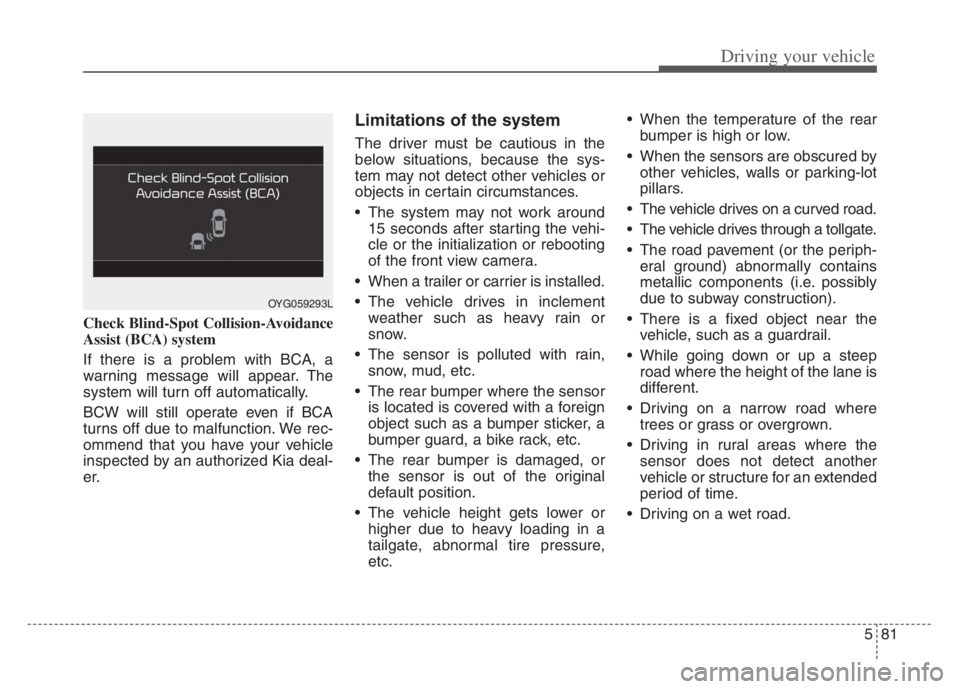
If there is a problem with BCA, a
warning message will appear. The
system will turn off automatically.
BCW will still operate even if BCA
turns off due to malfunction. We rec-
ommend that you have your vehicle
inspected by an authorized Kia deal-
er.
Limitations of the system
The driver must be cautious in the
below situations, because the sys-
tem may not detect other vehicles or
objects in certain circumstances.
The system may not work around15 seconds after starting the vehi-
cle or the initialization or rebooting
of the front view camera.
When a trailer or carrier is installed.
The vehicle drives in inclement weather such as heavy rain or
snow.
The sensor is polluted with rain, snow, mud, etc.
The rear bumper where the sensor is located is covered with a foreign
object such as a bumper sticker, a
bumper guard, a bike rack, etc.
The rear bumper is damaged, or the sensor is out of the original
default position.
The vehicle height gets lower or higher due to heavy loading in a
tailgate, abnormal tire pressure,
etc. When the temperature of the rear
bumper is high or low.
When the sensors are obscured by other vehicles, walls or parking-lot
pillars.
The vehicle drives on a curved road.
The vehicle drives through a tollgate.
The road pavement (or the periph- eral ground) abnormally contains
metallic components (i.e. possibly
due to subway construction).
There is a fixed object near the vehicle, such as a guardrail.
While going down or up a steep road where the height of the lane is
different.
Driving on a narrow road where trees or grass or overgrown.
Driving in rural areas where the sensor does not detect another
vehicle or structure for an extended
period of time.
Driving on a wet road.
OYG059293L
Page 335 of 560

Driving your vehicle
82 5
Driving on a road where the guardrail
or wall is in double structure.
A big vehicle is near such as a bus
or truck.
When the other vehicle approach-
es very close.
When the other vehicle passes at a
very fast speed.
While changing lanes.
If the vehicle has started at the
same time as the vehicle next to
you and has accelerated.
When the vehicle in the next lane
moves two lanes away from you OR
when the vehicle two lanes away
moves to the next lane from you.
A motorcycle or bicycle is near.
A flat trailer is near.
If there are small objects in the
detecting area such as a shopping
cart or a baby stroller.
If there is a low height vehicle such
as a sports car.
The braking pull control may not
work in the following cases. You
need pay attention. The brake pedal is depressed.
ESC (Electronic Stability Control)
is activated.
ESC (Electronic Stability Control)
malfunctions.
The tire pressure is low or a tire is
damaged.
The brake is reworked.
The vehicle abruptly changes driv-
ing direction.
The vehicle makes sharp lane
changes.
The vehicle sharply stops.
Temperature is extremely low
around the vehicle.
The vehicle severely vibrates while
driving over a bumpy road,
uneven/bumpy road, or concrete
patch.
The vehicle drives on a slippery
surface due to snow, water puddle,
or ice. Lane Departure Warning or Lane
Keeping Assist do not operate nor-
mally.
For more information refer to "Lane
Keeping Assist (LKA)" in this chap-
ter.