warning KIA CADENZA 2020 Owners Manual
[x] Cancel search | Manufacturer: KIA, Model Year: 2020, Model line: CADENZA, Model: KIA CADENZA 2020Pages: 560, PDF Size: 11.37 MB
Page 352 of 560
599
Driving your vehicle
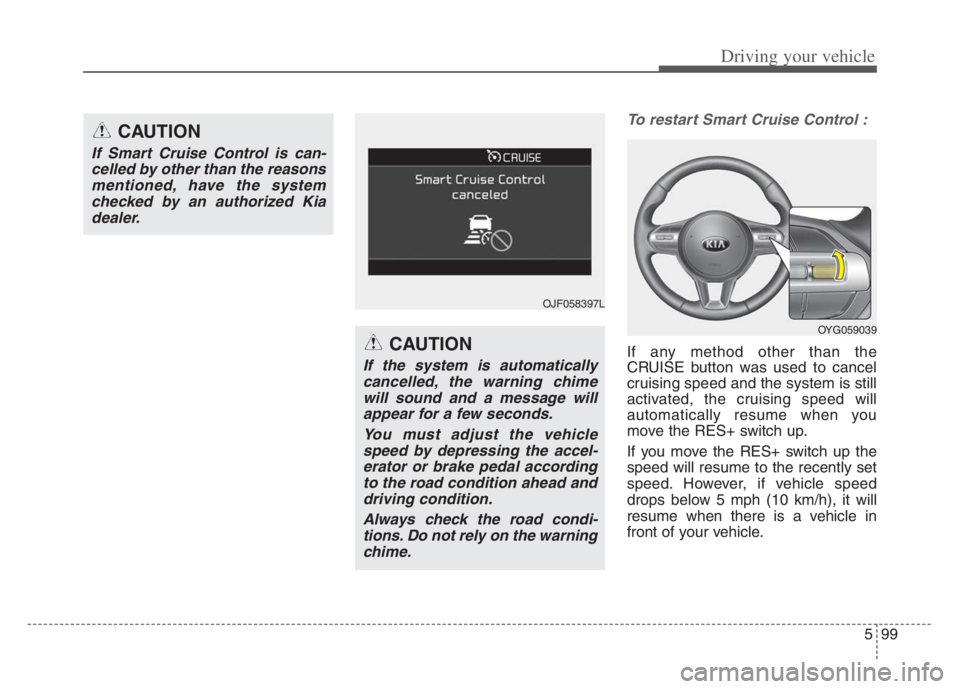
To restart Smart Cruise Control :
If any method other than the
CRUISE button was used to cancel
cruising speed and the system is still
activated, the cruising speed will
automatically resume when you
move the RES+ switch up.
If you move the RES+ switch up the
speed will resume to the recently set
speed. However, if vehicle speed
drops below 5 mph (10 km/h), it will
resume when there is a vehicle in
front of your vehicle.
CAUTION
If Smart Cruise Control is can-
celled by other than the reasons
mentioned, have the system
checked by an authorized Kia
dealer.
CAUTION
If the system is automatically
cancelled, the warning chime
will sound and a message will
appear for a few seconds.
You must adjust the vehicle
speed by depressing the accel-
erator or brake pedal according
to the road condition ahead and
driving condition.
Always check the road condi-
tions. Do not rely on the warning
chime.
OJF058397L
OYG059039
Page 357 of 560
Driving your vehicle
104 5
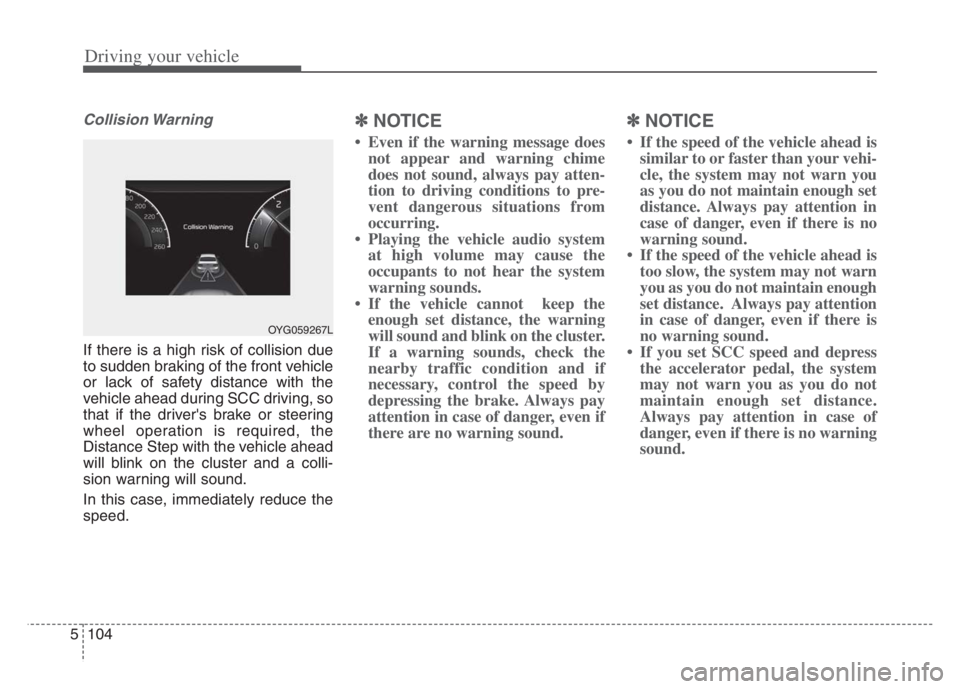
Collision Warning
If there is a high risk of collision due
to sudden braking of the front vehicle
or lack of safety distance with the
vehicle ahead during SCC driving, so
that if the driver's brake or steering
wheel operation is required, the
Distance Step with the vehicle ahead
will blink on the cluster and a colli-
sion warning will sound.
In this case, immediately reduce the
speed.
✽ ✽
NOTICE
• Even if the warning message does
not appear and warning chime
does not sound, always pay atten-
tion to driving conditions to pre-
vent dangerous situations from
occurring.
• Playing the vehicle audio system
at high volume may cause the
occupants to not hear the system
warning sounds.
• If the vehicle cannot keep the
enough set distance, the warning
will sound and blink on the cluster.
If a warning sounds, check the
nearby traffic condition and if
necessary, control the speed by
depressing the brake. Always pay
attention in case of danger, even if
there are no warning sound.
✽ ✽
NOTICE
• If the speed of the vehicle ahead is
similar to or faster than your vehi-
cle, the system may not warn you
as you do not maintain enough set
distance. Always pay attention in
case of danger, even if there is no
warning sound.
• If the speed of the vehicle ahead is
too slow, the system may not warn
you as you do not maintain enough
set distance. Always pay attention
in case of danger, even if there is
no warning sound.
• If you set SCC speed and depress
the accelerator pedal, the system
may not warn you as you do not
maintain enough set distance.
Always pay attention in case of
danger, even if there is no warning
sound.
OYG059267L
Page 358 of 560
5105
Driving your vehicle
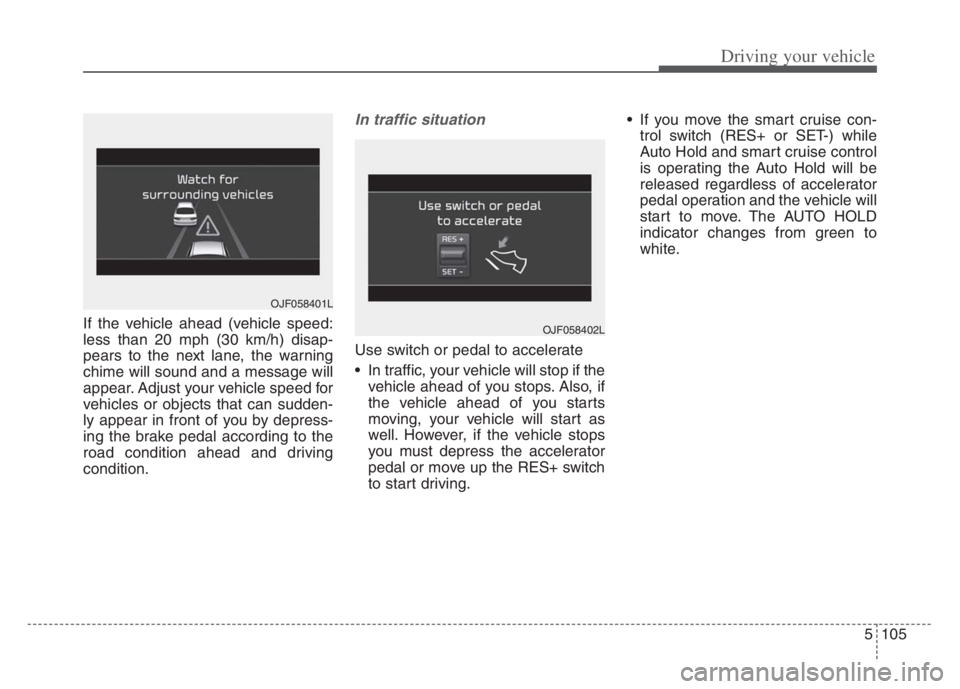
If the vehicle ahead (vehicle speed:
less than 20 mph (30 km/h) disap-
pears to the next lane, the warning
chime will sound and a message will
appear. Adjust your vehicle speed for
vehicles or objects that can sudden-
ly appear in front of you by depress-
ing the brake pedal according to the
road condition ahead and driving
condition.
In traffic situation
Use switch or pedal to accelerate
In traffic, your vehicle will stop if the
vehicle ahead of you stops. Also, if
the vehicle ahead of you starts
moving, your vehicle will start as
well. However, if the vehicle stops
you must depress the accelerator
pedal or move up the RES+ switch
to start driving. If you move the smart cruise con-
trol switch (RES+ or SET-) while
Auto Hold and smart cruise control
is operating the Auto Hold will be
released regardless of accelerator
pedal operation and the vehicle will
start to move. The AUTO HOLD
indicator changes from green to
white.
OJF058402L
OJF058401L
Page 360 of 560
5107
Driving your vehicle
Warning message
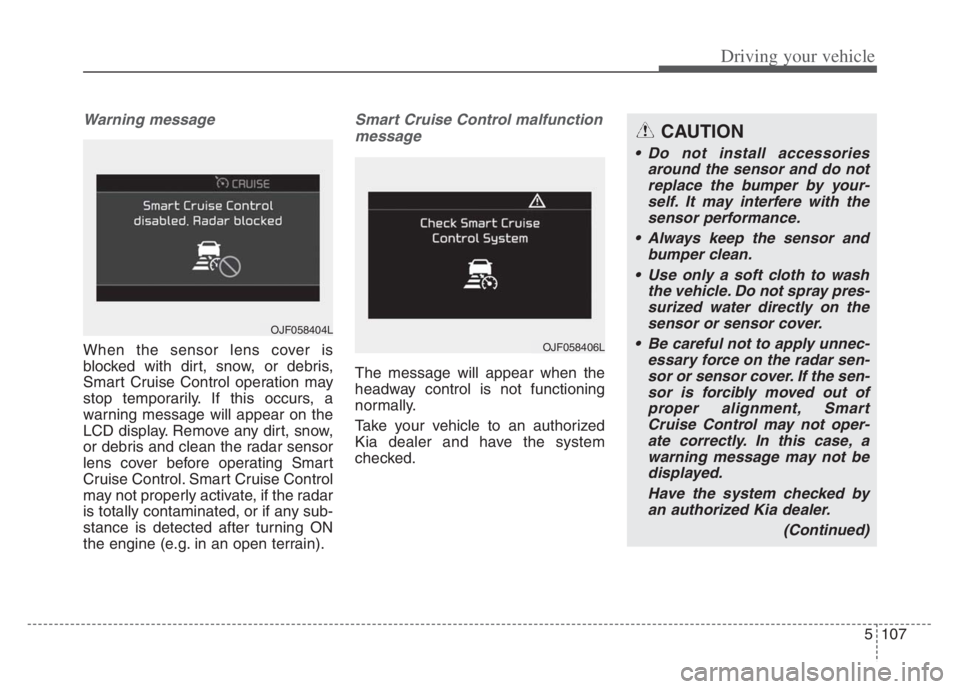
When the sensor lens cover is
blocked with dirt, snow, or debris,
Smart Cruise Control operation may
stop temporarily. If this occurs, a
warning message will appear on the
LCD display. Remove any dirt, snow,
or debris and clean the radar sensor
lens cover before operating Smart
Cruise Control. Smart Cruise Control
may not properly activate, if the radar
is totally contaminated, or if any sub-
stance is detected after turning ON
the engine (e.g. in an open terrain).
Smart Cruise Control malfunction
message
The message will appear when the
headway control is not functioning
normally.
Take your vehicle to an authorized
Kia dealer and have the system
checked.
OJF058404L
OJF058406L
CAUTION
Do not install accessories
around the sensor and do not
replace the bumper by your-
self. It may interfere with the
sensor performance.
Always keep the sensor and
bumper clean.
Use only a soft cloth to wash
the vehicle. Do not spray pres-
surized water directly on the
sensor or sensor cover.
Be careful not to apply unnec-
essary force on the radar sen-
sor or sensor cover. If the sen-
sor is forcibly moved out of
proper alignment, Smart
Cruise Control may not oper-
ate correctly. In this case, a
warning message may not be
displayed.
Have the system checked by
an authorized Kia dealer.
(Continued)
Page 361 of 560

Driving your vehicle
108 5
To convert to cruise control
mode:
The driver may choose to only use
the cruise control mode (speed con-
trol function) by doing as follows:
(Continued)
Do not damage the sensor or
sensor area by a strong
impact. If the sensor moves
slightly off position, Smart
Cruise Control will not operate
correctly without any warning
or indicator from the cluster.
If this occurs, have your vehi-
cle checked by an authorized
Kia dealer as soon as possi-
ble.
Use only a genuine Kia sensor
cover for your vehicle. Do not
paint anything on the sensor
cover.
If the front bumper becomes
damaged in the area around
the radar sensor, Smart Cruise
Control may not operate prop-
erly.
(Continued)(Continued)
To prevent sensor cover dam-
age from occurring, wash the
car with a soft cloth.
Do not tint the window or
install stickers, accessories
around the inside mirror
where the camera is installed.
Make sure the frontal camera
installation point does not get
wet.
Do not place reflective
objects(white paper or mirror
etc.) on the crash pad. FCA
may activate unnecessarily
due to reflect of the sunlight.
Do not impact or arbitrarily
remove any front view camera
components.
OJF058400L
OJF058399L
Page 362 of 560

5109
Driving your vehicle
1. Turn Smart Cruise Control on (the
cruise indicator light will be on but
the system will not be activated).
2. Push the distance to distance
switch for more than 2 seconds.
3. Choose between "Smart Cruise
Control" and "Cruise Control".
When the system is canceled using
the CRUISE button or the CRUISE
button is used after the engine is
turned on, the Smart Cruise Control
mode will turn on.Limitations of the system
Smart Cruise Control may have lim-
its to its ability to detect distance to
the vehicle ahead due to road and
traffic conditions.
On curves
On curves, Smart Cruise Control
may not detect a moving vehicle in
your lane, and then your vehicle
could accelerate to the set speed.
Also, the vehicle speed will rapidly
down when the vehicle ahead is
recognized suddenly.
Select the appropriate set speed
on curves and adjust your vehicle
speed by depressing the accelera-
tor or brake pedal according to the
road condition ahead and driving
condition.WARNING
When using the cruise control
mode, you must manually
adjust the distance to other
vehicles as the system will not
automatically brake to slow
down for other vehicles.
OHM059349L
Page 366 of 560

5113
Driving your vehicle
Always be cautious for vehicles
with higher height or vehicles car-
rying loads that sticks out to the
back of the vehicle.
WARNING
When using Smart Cruise
Control take the following pre-
cautions:
If an emergency stop is nec-
essary, you must apply the
brakes. The vehicle cannot be
stopped at every emergency
situation by using Smart
Cruise Control.
Keep a safe distance accord-
ing to road conditions and
vehicle speed. If the headway
is too close during a high-
speed driving, a serious colli-
sion may result.
Always maintain sufficient
braking distance and deceler-
ate your vehicle by applying
the brakes if necessary.
Smart Cruise Control cannot
recognize a stopped vehicle,
pedestrians or an oncoming
vehicle. Always look ahead
cautiously to prevent unex-
pected and sudden situations
from occurring.
(Continued)
OYG059275
(Continued)
Vehicles moving in front of
you with a frequent lane
change may cause a delay in
the system's reaction or may
cause the system to react to a
vehicle actually in an adjacent
lane.
Always drive cautiously to
prevent unexpected and sud-
den situations from occur-
ring.
Always be aware of the select-
ed speed and headway. The
driver should not solely rely
on the system but always pay
attention to driving conditions
and control your vehicle
speed.
Smart Cruise Control may not
recognize complex driving sit-
uations so always pay atten-
tion to driving conditions and
control your vehicle speed.
(Continued)
Page 368 of 560

5115
Driving your vehicle
Navigation-based Smart Cruise
Control will help automatically adjust
your speed when a curved road is
ahead by receiving road information
from the navigation while the Smart
Cruise Control is operating.✽ ✽
NOTICE
• Navigation-based Smart Cruise
Control is available only on con-
trolled access road of certain high-
ways.
❈ ❈
Controlled access road indicates
roads with limited entrances
and exits that allow uninter-
rupted high speed traffic flow.
Only passenger cars and motor-
cycles are allowed on controlled
access roads.
• Additional highways may be
expanded by navigation updates.
System Setting and Operation
System setting
With the Engine Start/Stop button
in the ON or START position,
Navigation-based Smart Cruise
Control can be activated by select-
ing 'Driver Assistance →Driving
Assist →Highway Auto Curve
Slowdown' from the Vehicle mode
on the infotainment system. For
detailed information, please refer
to the infotainment system manual
separately supplied.
If the engine is turned off then on
again, the system maintains the
last setting.
NAVIGATION-BASED SMART CRUISE CONTROL (NSCC)
WARNING
Navigation-based Smart
Cruise Control is not a substi-
tute for safe driving practices,
but a convenience function. It
is the responsibility of the driv-
er to always be aware of the
surroundings and drive safely.
Navigation-based Smart
Cruise Control relies entirely
on the road information pro-
vided by the navigation sys-
tem and may accelerate above
speed limit. It is the responsi-
bility of the driver to follow
traffic laws and avoid acci-
dents.
For your safety, please read
the owner's manual before
using the system.
Available highway
(Controlled access road)
USA
Select Interstate Highway
and U.S. (Federal) and State
Highways
Page 370 of 560

5117
Driving your vehicle
The higher the driving speed, the
faster the vehicle is decelerated.
The system responds to curves
located on the destination set in
the navigation. If the destination is
not set, the system will respond to
road information of the expected
route.✽ ✽
NOTICE
• Navigation-based Smart Cruise
Control is limited in other coun-
tries.
• The system may not operate due to
the existence of leading vehicles
and the driving situations of the
vehicle.
• The system operates regardless of
whether the sharp curve warning
appears on the navigation, but the
time gap could occur between the
warning and system operation.
• The navigation only provides
curve information within permit-
ted speed ranges so that the system
may not decrease its speed during
extreme over speed driving.
• The system is not designed to work
on highways other than mentioned
as a controlled access road.
• The system automatically cancels
when you leave the highway
(Continued)(Continued)
• Highway Driving Assist and
Navigation-based Smart Cruise
Control uses the same “AUTO”
symbol that indicates the status of
the system. Therefore, even if
Navigation-based Cruise Control
is off, the “AUTO” symbol may be
displayed.
• If there is a problem with
Navigation based Smart Cruise
Control, the system cannot be acti-
vated in the AVN system screen,
and the “AUTO” symbol will turn
off. However, if Highway Driving
Assist is activated, the “AUTO”
symbol will be displayed.
• After you pass through a tollgate
on a highway, the system operates
based on the first lane. If you enter
one of the other lanes, the system
might not properly decelerate.
• If you over speed, the system may
not decelerate the vehicle in a
curve.
(Continued)
Page 373 of 560
Driving your vehicle
120 5
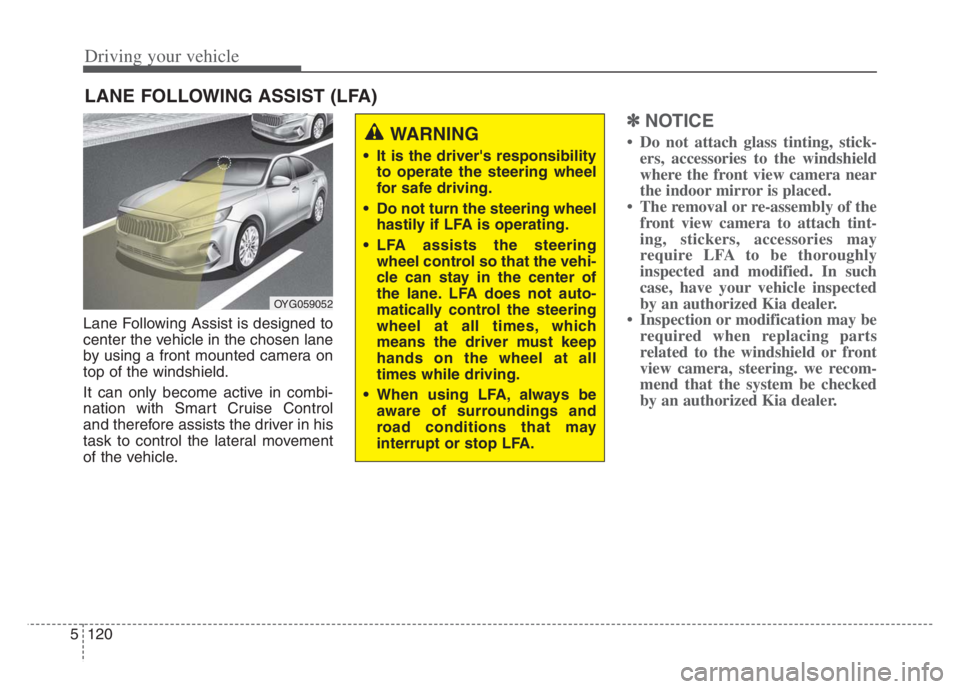
Lane Following Assist is designed to
center the vehicle in the chosen lane
by using a front mounted camera on
top of the windshield.
It can only become active in combi-
nation with Smart Cruise Control
and therefore assists the driver in his
task to control the lateral movement
of the vehicle.
✽ ✽
NOTICE
• Do not attach glass tinting, stick-
ers, accessories to the windshield
where the front view camera near
the indoor mirror is placed.
• The removal or re-assembly of the
front view camera to attach tint-
ing, stickers, accessories may
require LFA to be thoroughly
inspected and modified. In such
case, have your vehicle inspected
by an authorized Kia dealer.
• Inspection or modification may be
required when replacing parts
related to the windshield or front
view camera, steering. we recom-
mend that the system be checked
by an authorized Kia dealer.
LANE FOLLOWING ASSIST (LFA)
OYG059052
WARNING
It is the driver's responsibility
to operate the steering wheel
for safe driving.
Do not turn the steering wheel
hastily if LFA is operating.
LFA assists the steering
wheel control so that the vehi-
cle can stay in the center of
the lane. LFA does not auto-
matically control the steering
wheel at all times, which
means the driver must keep
hands on the wheel at all
times while driving.
When using LFA, always be
aware of surroundings and
road conditions that may
interrupt or stop LFA.