cruise control KIA CADENZA 2020 User Guide
[x] Cancel search | Manufacturer: KIA, Model Year: 2020, Model line: CADENZA, Model: KIA CADENZA 2020Pages: 560, PDF Size: 11.37 MB
Page 349 of 560
Driving your vehicle
96 5
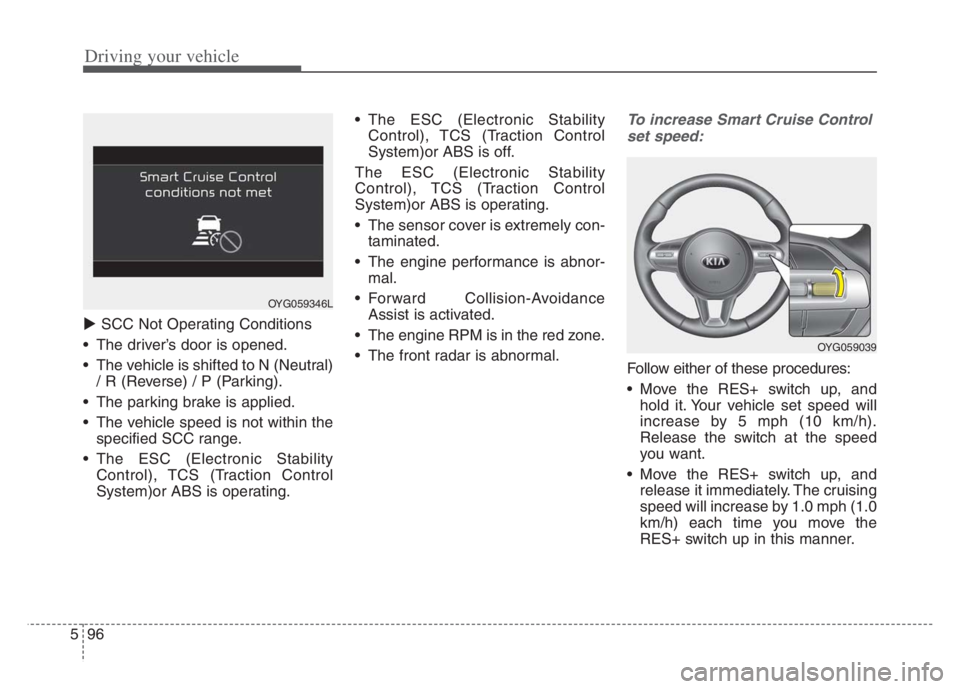
SCC Not Operating Conditions
The driver’s door is opened.
The vehicle is shifted to N (Neutral)
/ R (Reverse) / P (Parking).
The parking brake is applied.
The vehicle speed is not within the
specified SCC range.
The ESC (Electronic Stability
Control), TCS (Traction Control
System)or ABS is operating. The ESC (Electronic Stability
Control), TCS (Traction Control
System)or ABS is off.
The ESC (Electronic Stability
Control), TCS (Traction Control
System)or ABS is operating.
The sensor cover is extremely con-
taminated.
The engine performance is abnor-
mal.
Forward Collision-Avoidance
Assist is activated.
The engine RPM is in the red zone.
The front radar is abnormal.
To increase Smart Cruise Control
set speed:
Follow either of these procedures:
Move the RES+ switch up, and
hold it. Your vehicle set speed will
increase by 5 mph (10 km/h).
Release the switch at the speed
you want.
Move the RES+ switch up, and
release it immediately. The cruising
speed will increase by 1.0 mph (1.0
km/h) each time you move the
RES+ switch up in this manner.
OYG059346L
OYG059039
Page 350 of 560
597
Driving your vehicle
Although SCC will operate to amaximum setting of up to 120 mph
(200 km/h), all local speed limit
laws must always be followed.To decrease Smart Cruise Control
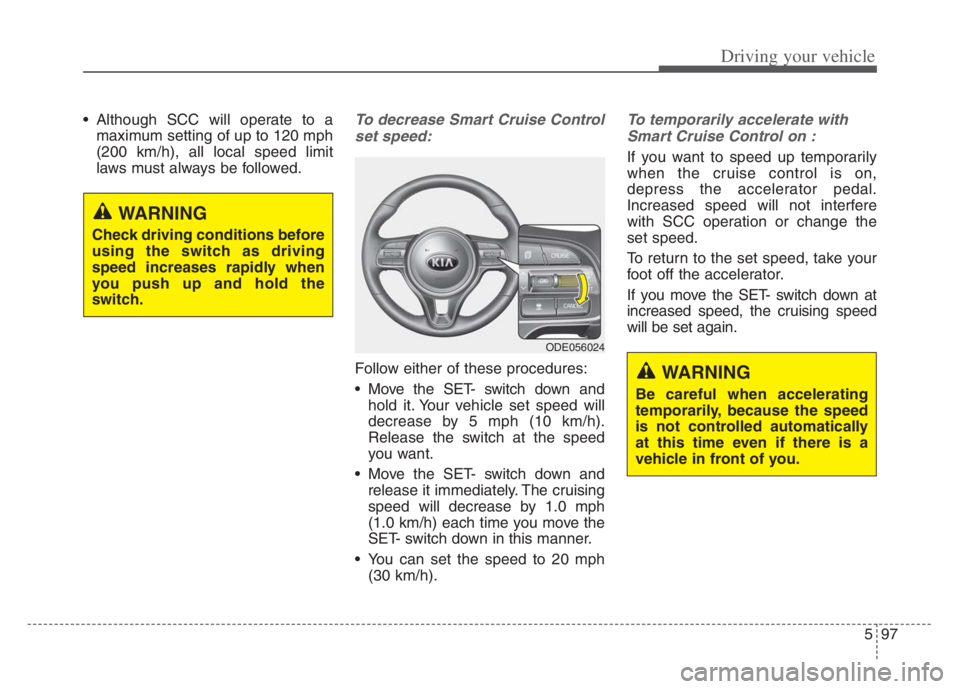
set speed:
Follow either of these procedures:
Move the SET- switch down and hold it. Your vehicle set speed will
decrease by 5 mph (10 km/h).
Release the switch at the speed
you want.
Move the SET- switch down and release it immediately. The cruising
speed will decrease by 1.0 mph
(1.0 km/h) each time you move the
SET- switch down in this manner.
You can set the speed to 20 mph (30 km/h).
To temporarily accelerate with
Smart Cruise Control on :
If you want to speed up temporarily
when the cruise control is on,
depress the accelerator pedal.
Increased speed will not interfere
with SCC operation or change the
set speed.
To return to the set speed, take your
foot off the accelerator.
If you move the SET- switch down at
increased speed, the cruising speed
will be set again.
WARNING
Check driving conditions before
using the switch as driving
speed increases rapidly when
you push up and hold the
switch.
ODE056024
WARNING
Be careful when accelerating
temporarily, because the speed
is not controlled automatically
at this time even if there is a
vehicle in front of you.
Page 351 of 560
Driving your vehicle
98
5
Smart Cruise Control will be tem-
porarily canceled when:
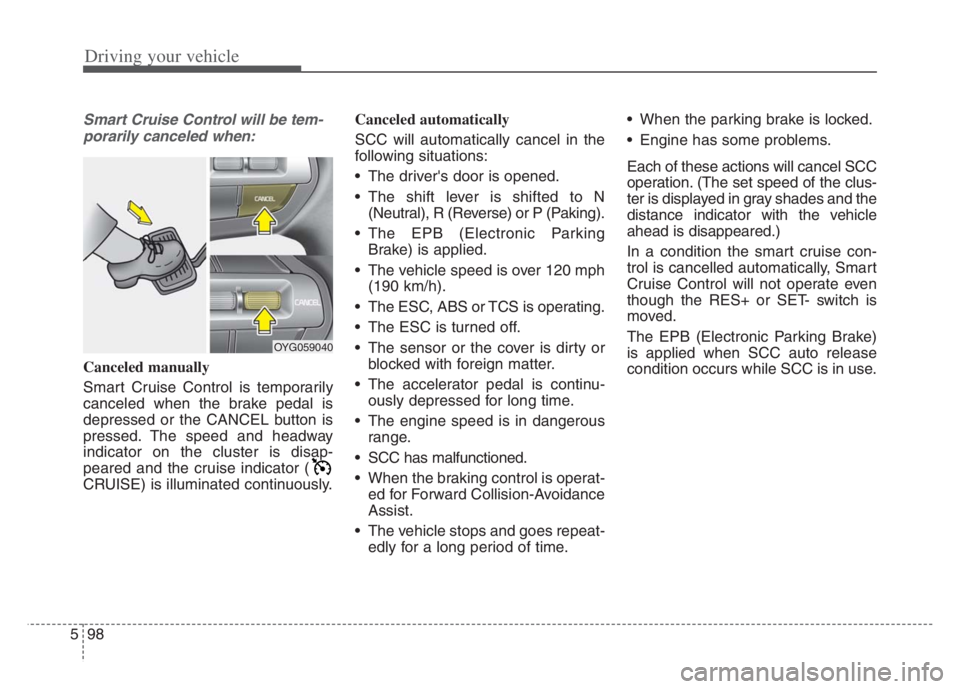
Canceled manually
Smart Cruise Control is temporarily
canceled when the brake pedal is
depressed or the CANCEL button is
pressed. The speed and headway
indicator on the cluster is disap-
peared and the cruise indicator (
CRUISE) is illuminated continuously. Canceled automatically
SCC will automatically cancel in the
following situations:
The driver's door is opened.
The shift lever is shifted to N
(Neutral), R (Reverse) or P (Paking).
The EPB (Electronic Parking Brake) is applied.
The vehicle speed is over 120 mph (190 km/h).
The ESC, ABS or TCS is operating.
The ESC is turned off.
The sensor or the cover is dirty or blocked with foreign matter.
The accelerator pedal is continu- ously depressed for long time.
The engine speed is in dangerous range.
SCC has malfunctioned.
When the braking control is operat- ed for Forward Collision-Avoidance
Assist.
The vehicle stops and goes repeat- edly for a long period of time. When the parking brake is locked.
Engine has some problems.
Each of these actions will cancel SCC
operation. (The set speed of the clus-
ter is displayed in gray shades and the
distance indicator with the vehicle
ahead is disappeared.)
In a condition the smart cruise con-
trol is cancelled automatically, Smart
Cruise Control will not operate even
though the RES+ or SET- switch is
moved.
The EPB (Electronic Parking Brake)
is applied when SCC auto release
condition occurs while SCC is in use.
OYG059040
Page 352 of 560
599
Driving your vehicle
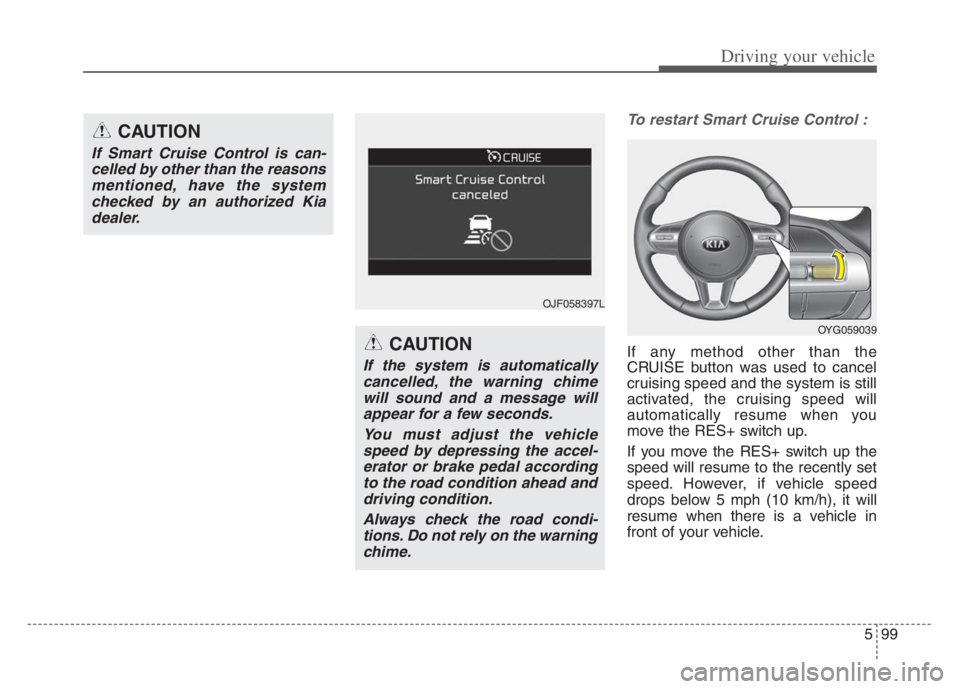
To restart Smart Cruise Control :
If any method other than the
CRUISE button was used to cancel
cruising speed and the system is still
activated, the cruising speed will
automatically resume when you
move the RES+ switch up.
If you move the RES+ switch up the
speed will resume to the recently set
speed. However, if vehicle speed
drops below 5 mph (10 km/h), it will
resume when there is a vehicle in
front of your vehicle.
CAUTION
If Smart Cruise Control is can-
celled by other than the reasons
mentioned, have the system
checked by an authorized Kia
dealer.
CAUTION
If the system is automatically
cancelled, the warning chime
will sound and a message will
appear for a few seconds.
You must adjust the vehicle
speed by depressing the accel-
erator or brake pedal according
to the road condition ahead and
driving condition.
Always check the road condi-
tions. Do not rely on the warning
chime.
OJF058397L
OYG059039
Page 353 of 560
Driving your vehicle
100 5
✽
✽
NOTICE
To reduce the risk of an accident,
always check the road conditions
when reactivating the smart cruise
control using the RES+ switch to
ensure the road conditions permit
safe use of the cruise control.
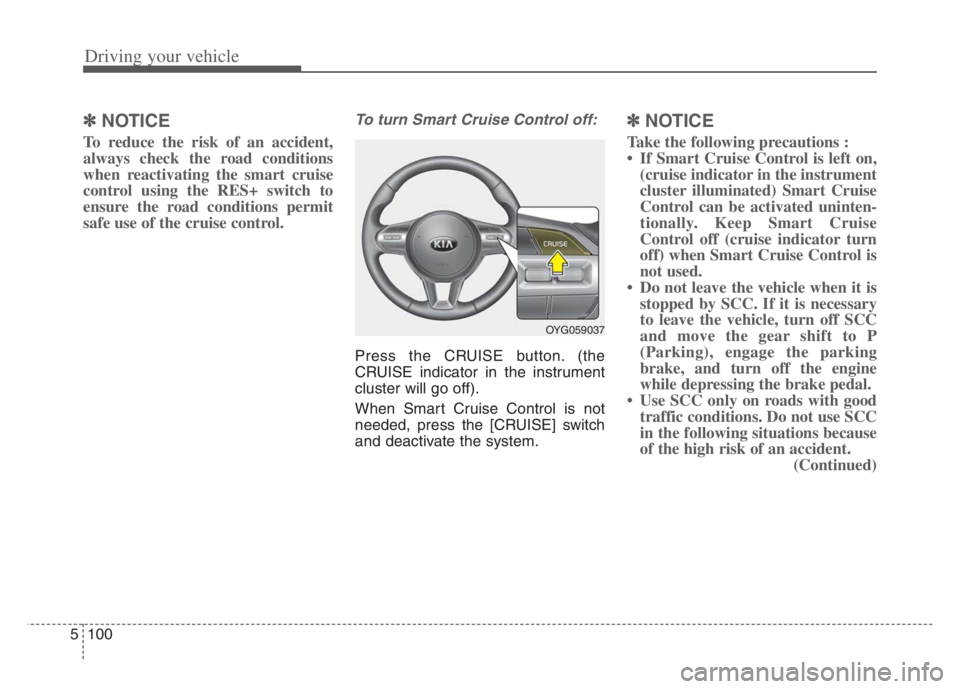
To turn Smart Cruise Control off:
Press the CRUISE button. (the
CRUISE indicator in the instrument
cluster will go off).
When Smart Cruise Control is not
needed, press the [CRUISE] switch
and deactivate the system.
✽ ✽
NOTICE
Take the following precautions :
• If Smart Cruise Control is left on,
(cruise indicator in the instrument
cluster illuminated) Smart Cruise
Control can be activated uninten-
tionally. Keep Smart Cruise
Control off (cruise indicator turn
off) when Smart Cruise Control is
not used.
• Do not leave the vehicle when it is
stopped by SCC. If it is necessary
to leave the vehicle, turn off SCC
and move the gear shift to P
(Parking), engage the parking
brake, and turn off the engine
while depressing the brake pedal.
• Use SCC only on roads with good
traffic conditions. Do not use SCC
in the following situations because
of the high risk of an accident.
(Continued)
OYG059037
Page 354 of 560
5101
Driving your vehicle
(Continued)
- Highway interchange and toll-
gate
- Road surrounded by multiple
steel constructions (subway con-
struction, steel tunnel, etc)
- Parking lot
- Lanes beside guard rail on a
road
- Slippery road with rain, ice, or
snow covered
- Abrupt curved road
- Steep hills
- Windy roads
- Off roads
- Rods under construction
- Rumble strip
- When driving near crash barri-
ers
- When the vehicle sensing ability
decreases due to vehicle modifi-
cation that causes a difference in
the level of the vehicle's front
and rear
- When driving with limited view
(possibly due to bad weather, such
as fog, snow, rain or sandstorm)
(Continued)(Continued)
• Pay particular attention to the
driving conditions whenever using
Smart Cruise Control.
• Smart Cruise Control is not a sub-
stitute for safe driving. It is the
responsibility of the driver to
always check the speed and dis-
tance of the vehicle ahead.
• Be careful when driving downhill
using SCC.
• Smart Cruise Control should not
be used when the vehicle is being
towed.
• Always set the vehicle speed under
the applicable speed limit.
• Unexpected situations may lead to
accidents. Pay continuous atten-
tion to road conditions and your
surroundings even when the Smart
Cruise Control is operating.To adjust the sensitivity of Smart
Cruise Control
The sensitivity of vehicle speed
when following the front vehicle to
maintain the set distance can be
adjusted.
Go to the 'User Settings Driver
Assistance SCC Reaction
Fast/Normal/Slow' on the LCD dis-
play.
You may select one of the three
stages you prefer.
Page 355 of 560
Driving your vehicle
102 5
Distance 4 Distance 3 Distance 2
Distance 1
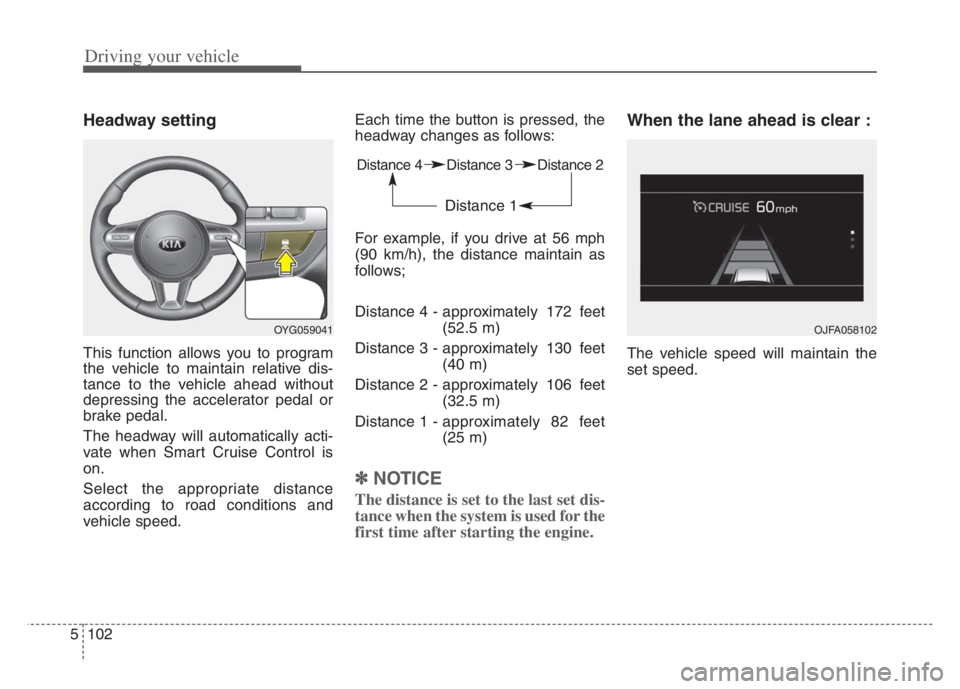
Headway setting
This function allows you to program
the vehicle to maintain relative dis-
tance to the vehicle ahead without
depressing the accelerator pedal or
brake pedal.
The headway will automatically acti-
vate when Smart Cruise Control is
on.
Select the appropriate distance
according to road conditions and
vehicle speed.Each time the button is pressed, the
headway changes as follows:
For example, if you drive at 56 mph
(90 km/h), the distance maintain as
follows;
Distance 4 - approximately 172 feet
(52.5 m)
Distance 3 - approximately 130 feet
(40 m)
Distance 2 - approximately 106 feet
(32.5 m)
Distance 1 - approximately 82 feet
(25 m)
✽ ✽
NOTICE
The distance is set to the last set dis-
tance when the system is used for the
first time after starting the engine.
When the lane ahead is clear :
The vehicle speed will maintain the
set speed.
OYG059041 OJFA058102
Page 358 of 560
5105
Driving your vehicle
If the vehicle ahead (vehicle speed:
less than 20 mph (30 km/h) disap-
pears to the next lane, the warning
chime will sound and a message will
appear. Adjust your vehicle speed for
vehicles or objects that can sudden-
ly appear in front of you by depress-
ing the brake pedal according to the
road condition ahead and driving
condition.
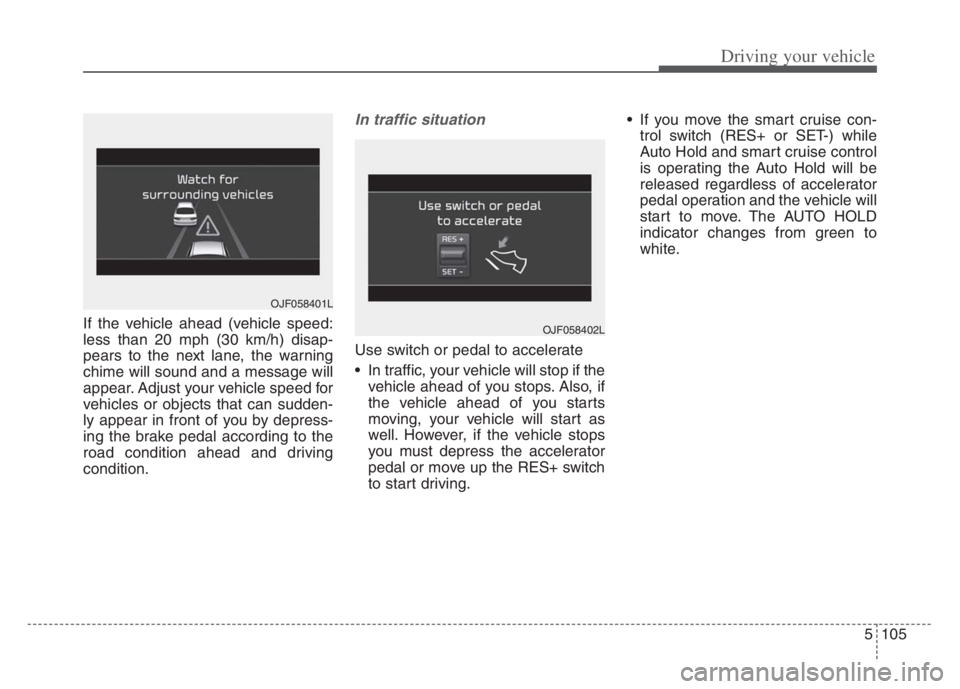
In traffic situation
Use switch or pedal to accelerate
In traffic, your vehicle will stop if the
vehicle ahead of you stops. Also, if
the vehicle ahead of you starts
moving, your vehicle will start as
well. However, if the vehicle stops
you must depress the accelerator
pedal or move up the RES+ switch
to start driving. If you move the smart cruise con-
trol switch (RES+ or SET-) while
Auto Hold and smart cruise control
is operating the Auto Hold will be
released regardless of accelerator
pedal operation and the vehicle will
start to move. The AUTO HOLD
indicator changes from green to
white.
OJF058402L
OJF058401L
Page 360 of 560
5107
Driving your vehicle
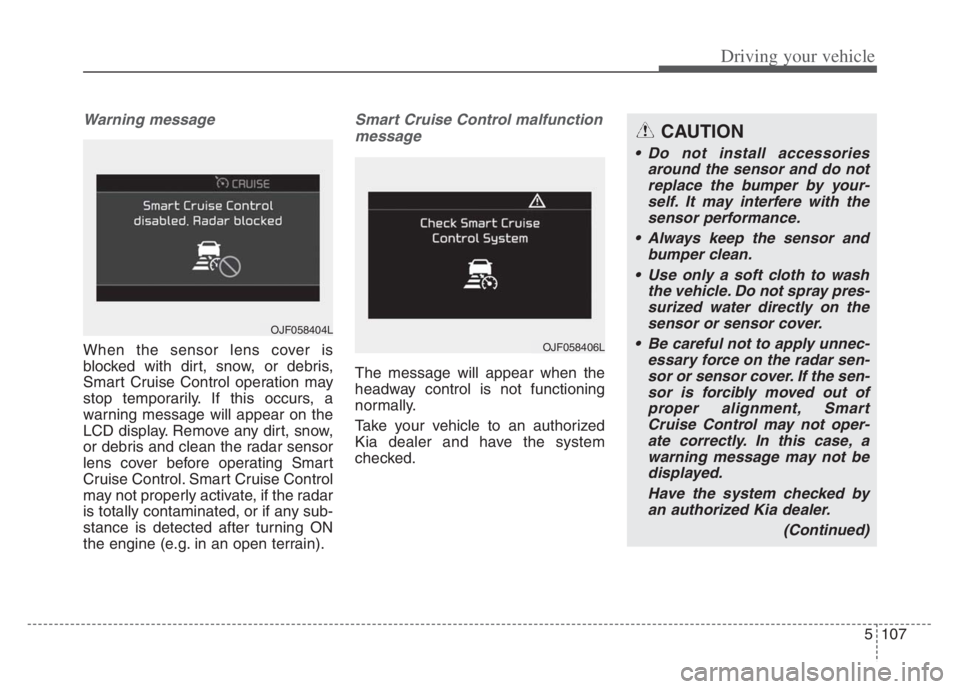
Warning message
When the sensor lens cover is
blocked with dirt, snow, or debris,
Smart Cruise Control operation may
stop temporarily. If this occurs, a
warning message will appear on the
LCD display. Remove any dirt, snow,
or debris and clean the radar sensor
lens cover before operating Smart
Cruise Control. Smart Cruise Control
may not properly activate, if the radar
is totally contaminated, or if any sub-
stance is detected after turning ON
the engine (e.g. in an open terrain).
Smart Cruise Control malfunction
message
The message will appear when the
headway control is not functioning
normally.
Take your vehicle to an authorized
Kia dealer and have the system
checked.
OJF058404L
OJF058406L
CAUTION
Do not install accessories
around the sensor and do not
replace the bumper by your-
self. It may interfere with the
sensor performance.
Always keep the sensor and
bumper clean.
Use only a soft cloth to wash
the vehicle. Do not spray pres-
surized water directly on the
sensor or sensor cover.
Be careful not to apply unnec-
essary force on the radar sen-
sor or sensor cover. If the sen-
sor is forcibly moved out of
proper alignment, Smart
Cruise Control may not oper-
ate correctly. In this case, a
warning message may not be
displayed.
Have the system checked by
an authorized Kia dealer.
(Continued)
Page 361 of 560

Driving your vehicle
108 5
To convert to cruise control
mode:
The driver may choose to only use
the cruise control mode (speed con-
trol function) by doing as follows:
(Continued)
Do not damage the sensor or
sensor area by a strong
impact. If the sensor moves
slightly off position, Smart
Cruise Control will not operate
correctly without any warning
or indicator from the cluster.
If this occurs, have your vehi-
cle checked by an authorized
Kia dealer as soon as possi-
ble.
Use only a genuine Kia sensor
cover for your vehicle. Do not
paint anything on the sensor
cover.
If the front bumper becomes
damaged in the area around
the radar sensor, Smart Cruise
Control may not operate prop-
erly.
(Continued)(Continued)
To prevent sensor cover dam-
age from occurring, wash the
car with a soft cloth.
Do not tint the window or
install stickers, accessories
around the inside mirror
where the camera is installed.
Make sure the frontal camera
installation point does not get
wet.
Do not place reflective
objects(white paper or mirror
etc.) on the crash pad. FCA
may activate unnecessarily
due to reflect of the sunlight.
Do not impact or arbitrarily
remove any front view camera
components.
OJF058400L
OJF058399L