ESP KIA CADENZA 2020 Owner's Guide
[x] Cancel search | Manufacturer: KIA, Model Year: 2020, Model line: CADENZA, Model: KIA CADENZA 2020Pages: 560, PDF Size: 11.37 MB
Page 289 of 560
Driving your vehicle
36 5
VSM operation
When the VSM is in operation, ESC
indicator light ( ) blinks.
When the vehicle stability manage-
ment is operating properly, you can
feel a slight pulsation in the vehicle
and/or abnormal steering responses
(EPS- Electronic Power Steering).
This is only the effect of brake and
EPS control and indicates nothing
unusual.
The VSM does not operate when:
Driving on a sloping road such as a
gradient or incline
Driving in reverse
ESC OFF indicator light ( )
remains on the instrument cluster
EPS indicator light remains on the
instrument cluster
VSM operation off
If you press the ESC OFF button to
turn off the ESC, the VSM will also
cancel and the ESC OFF indicator
light ( ) illuminates.
To turn on the VSM, press the button
again. The ESC OFF indicator light
goes out.
Malfunction indicator
The VSM can be deactivated even if
you don’t cancel the VSM operation
by pressing the ESC OFF button. It
indicates that a malfunction has
been detected somewhere in the
Electric Power Steering system or
VSM system. If the ESC indicator
light ( ) or EPS warning light
remains on, take your vehicle to an
authorized Kia dealer and have the
system checked.
✽ ✽
NOTICE
• The VSM is designed to function
above approximately 13 mph (22
km/h) on curves.
• The VSM is designed to function
above approximately 6 mph (10
km/h) when a vehicle is braking on
a split-mu surface. A split-mu sur-
face is made of two surfaces which
have different friction forces.
WARNING
- Vehicle stability manage-
ment
Drive carefully even though
your vehicle has Vehicle stabili-
ty management. It can only
assist you in maintaining con-
trol under certain circum-
stances.
Page 290 of 560

537
Driving your vehicle
The Vehicle Stability Management
system is not a substitute for safe
driving practices but a supplemen-
tary function only. It is the respon-
sibility of the driver to always check
the speed and the distance to the
vehicle ahead. Always hold the
steering wheel firmly while driving.
Your vehicle is designed to activate
according to the driver’s intention,
even with installed VSM. Always fol-
low all the normal precautions for
driving at safe speeds for the condi-
tions – including driving in inclement
weather and on a slippery road.Hill-start assist control (HAC)
A vehicle has the tendency to roll
back on a steep hill when it starts to
go after stopping. The Hill-start
Assist Control (HAC) prevents the
vehicle from rolling back by applying
the brakes automatically for about 2
seconds. The brakes are released
when the accelerator pedal is
depressed or after about 2 seconds.
The HAC is activated only for about 2
seconds, so when the vehicle is
starting off always depress the accel-
erator pedal.
Good braking practices
Check to be sure the parking brake
is not engaged and the parking
brake indicator light is out before
driving away.
Driving through water may get the
brakes wet. They can also get wet
when the vehicle is washed. Wet
brakes can be dangerous! Your
vehicle will not stop as quickly if the
brakes are wet. Wet brakes may
cause the vehicle to pull to one side.
To dry the brakes, apply the brakes
lightly until the braking action
returns to normal, taking care to
keep the vehicle under control at all
times. If the braking action does not
return to normal, stop as soon as it
is safe to do so and call an author-
ized Kia dealer for assistance.
Don't coast down hills with the
vehicle out of gear. This is extreme-
ly hazardous. Keep the vehicle in
gear at all times, use the brakes to
slow down, then shift to a lower
gear so that engine braking will
help you maintain a safe speed.
WARNING- Maintaining
Brake Pressure on Incline
HAC does not replace the need
to apply brakes while stopped on
an incline. While stopped, make
sure you maintain brake pres-
sure sufficient to prevent your
vehicle from rolling backward
and causing an accident. Don’t
release the brake pedal until you
are ready to accelerate forward.WARNING
For maximum protection, always
wear your seat belt. No system,
no matter how advanced, can
compensate for all driver error
and/or driving conditions.
Always drive responsibly.
Page 296 of 560
543
Driving your vehicle
When ECO mode is activated:
The acceleration response may be
slightly reduced if the accelerator
pedal is depressed moderately.
The air conditioner performance
may be limited.
The shift pattern of the automatic
transmission may change.
The engine noise may get louder.
The above situations are comfort
conditions when ECO mode is acti-
vated to improve fuel efficiency.Limitation of ECO mode operation:
If the following conditions occur while
ECO mode is operating, the system
operation is limited even though
there is no change in the ECO indi-
cator.
When the coolant temperature is
low:
The system will be limited until
engine performance becomes
comfort.
When driving up a hill:
The system will be limited to gain
power when driving uphill because
engine torque is restricted.
When driving the vehicle with the
automatic transmission gear shift
lever in manual mode.
The system will be limited accord-
ing to the shift location.
Page 302 of 560
549
Driving your vehicle
Brake operation
In an urgent situation, the braking
system enters into the ready status
for prompt reaction to assist the driv-
er in depressing the brake pedal.
FCA provides additional braking
power for optimum braking per-
formance, when the driver
depresses the brake pedal.
The braking control is automatical-
ly deactivated, when the driver
sharply depresses the accelerator
pedal, or when the driver abruptly
operates the steering wheel.
The braking control is automatical-
ly canceled, when risk factors dis-
appear.WARNING
FCA cannot avoid all collisions.
FCA might not completely stop
the vehicle before a collision,
due to ambient, weather and
road conditions. The driver has
the responsibility to drive safely
and control the vehicle.
WARNING
FCA operates in accordance
with the risk levels, such as the
distance from the vehicle in
front, the speed of the vehicle in
front, and the driver's vehicle
operation. For the system to
activate, do not attempt risky
driving.
CAUTION
The driver should always pay
great caution to vehicle opera-
tion, even though there is no
warning message or warning
alarm.
If any other warning sound
such as seat belt warning
chime is already generated,
Forward Collision-Avoidance
Assist warning may not
sound.
Excessive audio volume may
disturb the sound of the sys-
tem warning alarm.
Page 305 of 560
Driving your vehicle
52 5
System malfunction
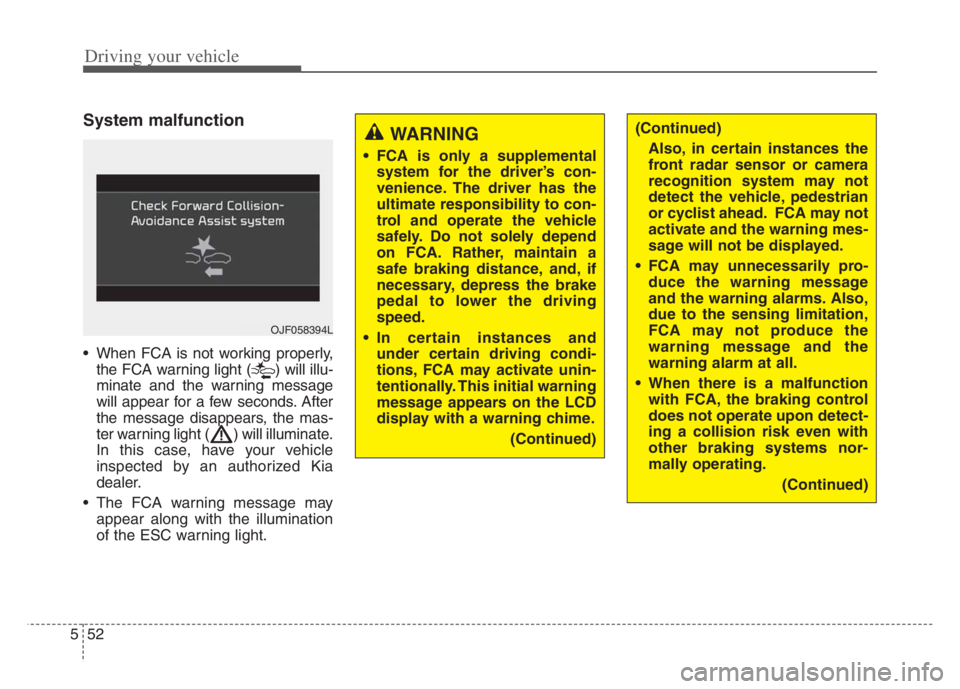
When FCA is not working properly,
the FCA warning light ( ) will illu-
minate and the warning message
will appear for a few seconds. After
the message disappears, the mas-
ter warning light ( ) will illuminate.
In this case, have your vehicle
inspected by an authorized Kia
dealer.
The FCA warning message may
appear along with the illumination
of the ESC warning light.
WARNING
FCA is only a supplemental
system for the driver’s con-
venience. The driver has the
ultimate responsibility to con-
trol and operate the vehicle
safely. Do not solely depend
on FCA. Rather, maintain a
safe braking distance, and, if
necessary, depress the brake
pedal to lower the driving
speed.
In certain instances and
under certain driving condi-
tions, FCA may activate unin-
tentionally. This initial warning
message appears on the LCD
display with a warning chime.
(Continued)
OJF058394L
(Continued)
Also, in certain instances the
front radar sensor or camera
recognition system may not
detect the vehicle, pedestrian
or cyclist ahead. FCA may not
activate and the warning mes-
sage will not be displayed.
FCA may unnecessarily pro-
duce the warning message
and the warning alarms. Also,
due to the sensing limitation,
FCA may not produce the
warning message and the
warning alarm at all.
When there is a malfunction
with FCA, the braking control
does not operate upon detect-
ing a collision risk even with
other braking systems nor-
mally operating.
(Continued)
Page 306 of 560

553
Driving your vehicle
(Continued)
FCA operates only for the
vehicle/pedestrian in front,
while driving forward. It does
not operate for any animals or
vehicles in the opposite direc-
tion.
FCA does not recognize the
vehicle, which transversally
drives across the crossroad,
or the vehicle, which is parked
in the transversal direction.
If the vehicle in front stops
suddenly, you may have less
control of the brake system.
Therefore, always keep safe
distance between your vehicle
and the vehicle in front of you.
FCA may activate during brak-
ing and the vehicle may stop
suddenly. And the load in the
vehicle may endanger passen-
gers. Therefore, always be
mindful of the load volume in
the vehicle.
(Continued)(Continued)
FCA may not activate if the
driver applies the brake pedal
to avoid risk of collision.
FCA does not operate when
the vehicle is in reverse. In
these circumstances, you
must maintain a safe braking
distance, and if necessary,
depress the brake pedal to
reduce the driving speed in
order to maintain a safe dis
tance.
The regular braking function
will operate normally even if
There is a problem with the
FCA brake control system or
other functions. In this case,
the braking control will not
operate in an imminent colli-
sion.
(Continued)(Continued)
FCA may not activate accord-
ing to driving condition, traffic
on the road, weather, road
condition, etc.
FCA may not activate in
response to all types of vehi-
cles.
Page 307 of 560

Driving your vehicle
54 5
Limitation of the system
FCA is an assistant system for a driv-
er in a certain risky driving condition
and it does not take every responsi-
bility for all risks from driving condi-
tion.
FCA monitors the driving situations
through the radar and the camera
sensor. Thus, for a situation out of
the sensing range, FCA may not nor-
mally operate. The driver should pay
great caution in the following situa-
tions. FCA operation may be limited.
Recognizing vehicles
The sensor may be limited when:
The front view camera or front
radar sensor is blocked with a for-
eign object or debris
The camera lens is contaminated
due to tinted, filmed or coated
windshield, damaged glass, or
stuck of foreign matter (sticker,
bug, etc.) on the glass
Inclement weather such as heavy
rain or snow obscures the field of
view of the radar sensor or camera
There is interference by electro-
magnetic waves
There is severe irregular reflection
from the radar sensor
The front view camera/front radar
sensor recognition is limited
The vehicle in front is too small to
be detected (for example a motor-
cycle etc.)
The vehicle in front is an oversize
vehicle or trailer that is too big to
be detected by the camera recog-
nition system (for example a tractor
trailer, etc.) The camera's field of view is not
well illuminated (either too dark or
too much reflection or too much
backlight that obscures the field of
view)
The vehicle in front does not have
their rear lights or their rear lights
does not turned ON or their rear
lights are located unusually.
The outside brightness changes
suddenly, for example when enter-
ing or exiting a tunnel
When light coming from a street
light or an oncoming vehicle is
reflected on a wet road surface
such as a puddle in the road
The field of view in front is
obstructed by sun glare
The vehicle in front is driving errat-
ically
The vehicle is on unpaved or
uneven rough surfaces, or road
with sudden gradient changes.
The vehicle is driven near areas
containing metal substances as a
construction zone, railroad, etc.
Page 311 of 560

Driving your vehicle
58 5
- Changing lanes
When a vehicle changes lanes in
front of you, Forward Collision-
Avoidance Assist may not immedi-
ately detect the vehicle, especially if
the vehicle changes lanes abruptly.
In this case, you must maintain a
safe braking distance, and if neces-
sary, depress the brake pedal to
reduce your driving speed in order to
maintain a safe distance.When driving in stop-and-go traffic,
and a stopped vehicle in front of you
merges out of the lane, Forward
Collision-Avoidance Assist may not
immediately detect the new vehicle
that is now in front of you. In this
case, you must maintain a safe brak-
ing distance, and if necessary,
depress the brake pedal to reduce
your driving speed in order to main-
tain a safe distance.- Recognizing the vehicle
When the vehicle in front has heavy
loading extended rearward, or when
the vehicle in front has higher ground
clearance, it may induce a haz-
ardous situation. Always pay atten-
tion to road and driving conditions,
while driving and, if necessary,
depress the brake pedal to reduce
your driving speed in order to main-
tain distance.
OJF055028OJF055029OYG059332
Page 314 of 560
561
Driving your vehicle
This device complies with Part 15
of the FCC rules.
Operation is subject to the following
three conditions:
1. This device may not cause harm-
ful interference.
2. This device must accept any inter-
ference received, including inter-
ference that may cause undesired
operation.
3. Changes or modifications not
expressly approved by the party
responsible for compliance could
void the user's authority to operate
the device.Radio frequency radiation exposure
information:
This equipment complies with FCC
radiation exposure limits set forth for
uncontrolled environment.
This equipment should be installed
and operated with minimum distance
of 8 in. (20 cm) between the radiator
(antenna) and your body.
This transmitter must not be co-
located or operating in conjunction
with any other antenna or transmit-
ter.
Page 315 of 560
Driving your vehicle
62 5
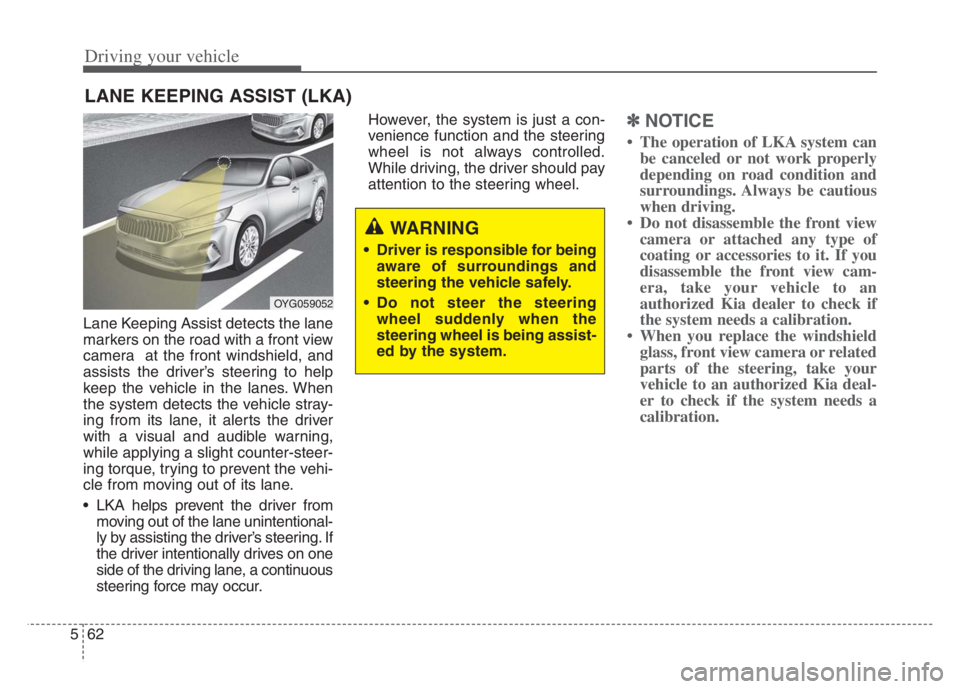
Lane Keeping Assist detects the lane
markers on the road with a front view
camera at the front windshield, and
assists the driver’s steering to help
keep the vehicle in the lanes. When
the system detects the vehicle stray-
ing from its lane, it alerts the driver
with a visual and audible warning,
while applying a slight counter-steer-
ing torque, trying to prevent the vehi-
cle from moving out of its lane.
LKA helps prevent the driver from
moving out of the lane unintentional-
ly by assisting the driver’s steering. If
the driver intentionally drives on one
side of the driving lane, a continuous
steering force may occur.However, the system is just a con-
venience function and the steering
wheel is not always controlled.
While driving, the driver should pay
attention to the steering wheel.
✽ ✽
NOTICE
• The operation of LKA system can
be canceled or not work properly
depending on road condition and
surroundings. Always be cautious
when driving.
• Do not disassemble the front view
camera or attached any type of
coating or accessories to it. If you
disassemble the front view cam-
era, take your vehicle to an
authorized Kia dealer to check if
the system needs a calibration.
• When you replace the windshield
glass, front view camera or related
parts of the steering, take your
vehicle to an authorized Kia deal-
er to check if the system needs a
calibration.
LANE KEEPING ASSIST (LKA)
OYG059052
WARNING
Driver is responsible for being
aware of surroundings and
steering the vehicle safely.
Do not steer the steering
wheel suddenly when the
steering wheel is being assist-
ed by the system.