ESP KIA CADENZA 2020 Service Manual
[x] Cancel search | Manufacturer: KIA, Model Year: 2020, Model line: CADENZA, Model: KIA CADENZA 2020Pages: 560, PDF Size: 11.37 MB
Page 320 of 560
567
Driving your vehicle
The driver is responsible for accu-
rate steering.
Even though the steering is assist-
ed by the system, the driver may
control the steering wheel.
Turn off the system and drive the
vehicle in the below situations:
- In bad weather
- In bad road conditions
- When the steering wheel needs
to be controlled by the driver fre-
quently.
- When towing a vehicle or trailer.
The steering wheel may feel heav-
ier when the steering wheel is
assisted by the system than when
it is not.✽ ✽
NOTICE
• Even though the steering is assist-
ed by the system, the driver may
control the steering.
• The steering wheel may feel heav-
ier when the steering wheel is
assisted by the system than when it
is not.
Lane Keeping Assist malfunc-
tion
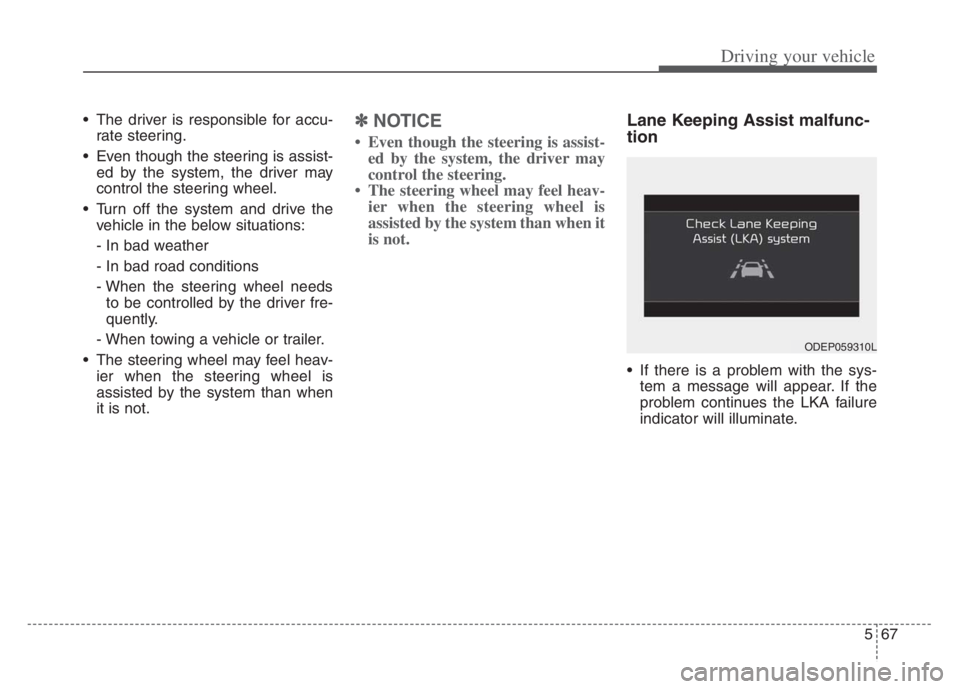
If there is a problem with the sys-
tem a message will appear. If the
problem continues the LKA failure
indicator will illuminate.
ODEP059310L
Page 330 of 560
577
Driving your vehicle
Blind-Spot Collision-Avoidance
Assist
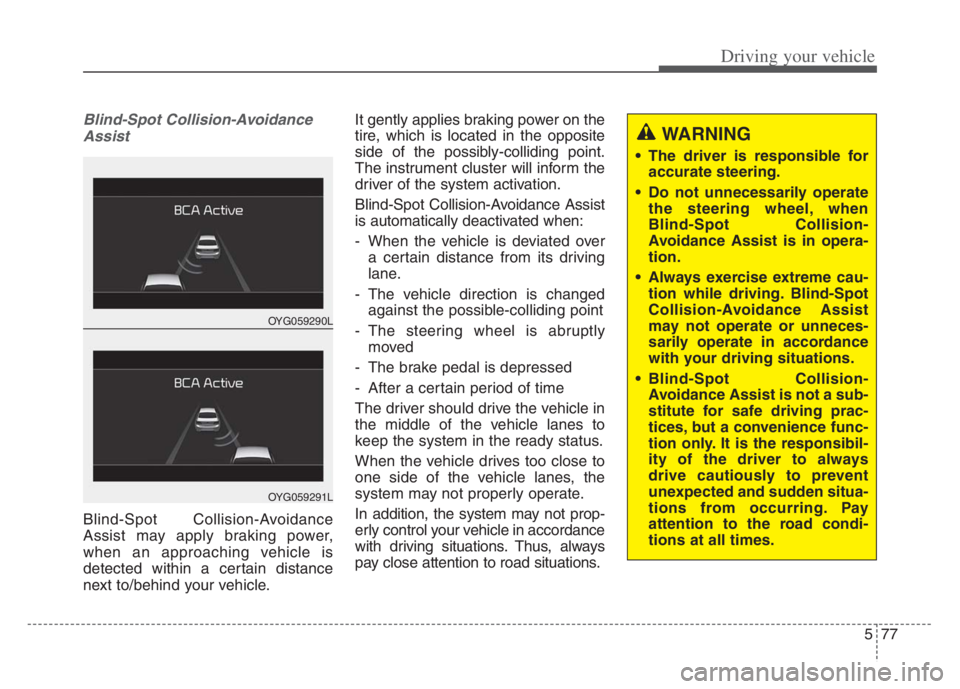
Blind-Spot Collision-Avoidance
Assist may apply braking power,
when an approaching vehicle is
detected within a certain distance
next to/behind your vehicle.It gently applies braking power on the
tire, which is located in the opposite
side of the possibly-colliding point.
The instrument cluster will inform the
driver of the system activation.
Blind-Spot Collision-Avoidance Assist
is automatically deactivated when:
- When the vehicle is deviated over
a certain distance from its driving
lane.
- The vehicle direction is changed
against the possible-colliding point
- The steering wheel is abruptly
moved
- The brake pedal is depressed
- After a certain period of time
The driver should drive the vehicle in
the middle of the vehicle lanes to
keep the system in the ready status.
When the vehicle drives too close to
one side of the vehicle lanes, the
system may not properly operate.
In addition, the system may not prop-
erly control your vehicle in accordance
with driving situations. Thus, always
pay close attention to road situations.
OYG059290L
OYG059291L
WARNING
The driver is responsible for
accurate steering.
Do not unnecessarily operate
the steering wheel, when
Blind-Spot Collision-
Avoidance Assist is in opera-
tion.
Always exercise extreme cau-
tion while driving. Blind-Spot
Collision-Avoidance Assist
may not operate or unneces-
sarily operate in accordance
with your driving situations.
Blind-Spot Collision-
Avoidance Assist is not a sub-
stitute for safe driving prac-
tices, but a convenience func-
tion only. It is the responsibil-
ity of the driver to always
drive cautiously to prevent
unexpected and sudden situa-
tions from occurring. Pay
attention to the road condi-
tions at all times.
Page 342 of 560
589
Driving your vehicle
✽ ✽
NOTICE
Driver Attention Warning utilizes
the front view camera sensor on the
front windshield for its operation.
To keep the front view camera
sensor in the best condition, you
should observe the followings:
- Do not disassemble camera tem-
porarily for tinted window or
attaching any types of coatings and
accessories. If you disassemble a
camera and assemble it again, take
your vehicle to an authorized Kia
dealer and have the system checked
to need a calibration.
- Do not locate any reflective
objects (i.e. white paper, mirror)
over the dashboard. Any light
reflection may cause a mal-func-
tion of Driver Attention Warning.
(Continued)(Continued)
- Pay extreme caution to keep the
front view camera out of water.
- Do not arbitrarily disassemble the
camera assembly, nor apply any
impact on the camera assembly.
• Playing the vehicle audio system
at high volume may offset the
Driver Attention Warning warn-
ing sounds.
For more information of front
view camera, refer to “Lane
Keeping Assist (LKA)”.WARNING
Driver Attention Warning is
not a substitute for safe driv-
ing practices, but a conven-
ience function only. It is the
responsibility of the driver to
always drive cautiously to
prevent unexpected and sud-
den situations from occur-
ring. Pay attention to the road
conditions at all times.
The driver, who feels fatigued,
should take a break, even
though there is no break sug-
gestion by Driver Attention
Warning.
Page 346 of 560
593
Driving your vehicle
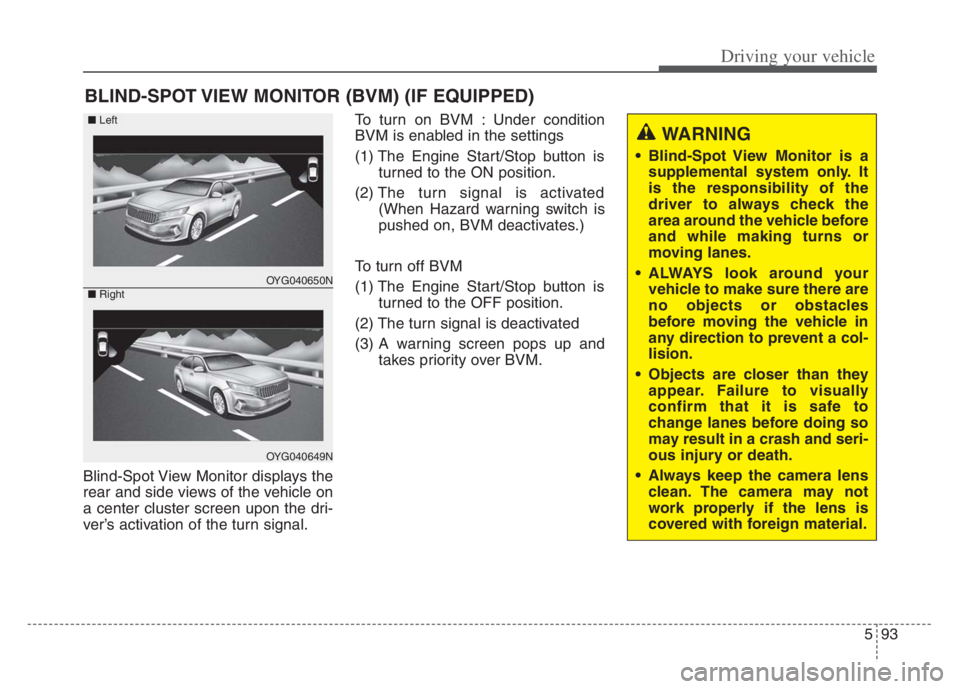
Blind-Spot View Monitor displays the
rear and side views of the vehicle on
a center cluster screen upon the dri-
ver’s activation of the turn signal.To turn on BVM : Under condition
BVM is enabled in the settings
(1) The Engine Start/Stop button is
turned to the ON position.
(2) The turn signal is activated
(When Hazard warning switch is
pushed on, BVM deactivates.)
To turn off BVM
(1) The Engine Start/Stop button is turned to the OFF position.
(2) The turn signal is deactivated
(3) A warning screen pops up and takes priority over BVM.
BLIND-SPOT VIEW MONITOR (BVM) (IF EQUIPPED)
WARNING
• Blind-Spot View Monitor is asupplemental system only. It
is the responsibility of the
driver to always check the
area around the vehicle before
and while making turns or
moving lanes.
ALWAYS look around your vehicle to make sure there are
no objects or obstacles
before moving the vehicle in
any direction to prevent a col-
lision.
Objects are closer than they appear. Failure to visually
confirm that it is safe to
change lanes before doing so
may result in a crash and seri-
ous injury or death.
Always keep the camera lens clean. The camera may not
work properly if the lens is
covered with foreign material.
OYG040650N
OYG040649N
■ Left
■ Right
Page 354 of 560
5101
Driving your vehicle
(Continued)
- Highway interchange and toll-
gate
- Road surrounded by multiple
steel constructions (subway con-
struction, steel tunnel, etc)
- Parking lot
- Lanes beside guard rail on a
road
- Slippery road with rain, ice, or
snow covered
- Abrupt curved road
- Steep hills
- Windy roads
- Off roads
- Rods under construction
- Rumble strip
- When driving near crash barri-
ers
- When the vehicle sensing ability
decreases due to vehicle modifi-
cation that causes a difference in
the level of the vehicle's front
and rear
- When driving with limited view
(possibly due to bad weather, such
as fog, snow, rain or sandstorm)
(Continued)(Continued)
• Pay particular attention to the
driving conditions whenever using
Smart Cruise Control.
• Smart Cruise Control is not a sub-
stitute for safe driving. It is the
responsibility of the driver to
always check the speed and dis-
tance of the vehicle ahead.
• Be careful when driving downhill
using SCC.
• Smart Cruise Control should not
be used when the vehicle is being
towed.
• Always set the vehicle speed under
the applicable speed limit.
• Unexpected situations may lead to
accidents. Pay continuous atten-
tion to road conditions and your
surroundings even when the Smart
Cruise Control is operating.To adjust the sensitivity of Smart
Cruise Control
The sensitivity of vehicle speed
when following the front vehicle to
maintain the set distance can be
adjusted.
Go to the 'User Settings Driver
Assistance SCC Reaction
Fast/Normal/Slow' on the LCD dis-
play.
You may select one of the three
stages you prefer.
Page 367 of 560
Driving your vehicle
114 5
✽
✽
NOTICE
Smart Cruise Control may not oper-
ate temporarily due to:
• Electrical interference
• Modifying the suspension
• Differences of tire abrasion or tire
pressure
• Installing different type of tires
The brake control using Smart
Cruise Control may make a
sound.
This device complies with Part 15
of the FCC rules.
Operation is subject to the following
three conditions:
1. This device may not cause harm-
ful interference, and
2. This device must accept any inter-
ference received, including inter-
ference that may cause undesired
operation.
3. Changes or modifications not
expressly approved by the party
responsible for compliance could
void the user's authority to operate
the device.(Continued)
Smart Cruise Control may rec-
ognize a pedestrian, bicycle,
motorcycle, etc. as a vehicle.
Always, look ahead cautiously
to prevent unexpected and
sudden situations from occur-
ring.
Turn off Smart Cruise Control
when the vehicle is being
towed.
Page 368 of 560

5115
Driving your vehicle
Navigation-based Smart Cruise
Control will help automatically adjust
your speed when a curved road is
ahead by receiving road information
from the navigation while the Smart
Cruise Control is operating.✽ ✽
NOTICE
• Navigation-based Smart Cruise
Control is available only on con-
trolled access road of certain high-
ways.
❈ ❈
Controlled access road indicates
roads with limited entrances
and exits that allow uninter-
rupted high speed traffic flow.
Only passenger cars and motor-
cycles are allowed on controlled
access roads.
• Additional highways may be
expanded by navigation updates.
System Setting and Operation
System setting
With the Engine Start/Stop button
in the ON or START position,
Navigation-based Smart Cruise
Control can be activated by select-
ing 'Driver Assistance →Driving
Assist →Highway Auto Curve
Slowdown' from the Vehicle mode
on the infotainment system. For
detailed information, please refer
to the infotainment system manual
separately supplied.
If the engine is turned off then on
again, the system maintains the
last setting.
NAVIGATION-BASED SMART CRUISE CONTROL (NSCC)
WARNING
Navigation-based Smart
Cruise Control is not a substi-
tute for safe driving practices,
but a convenience function. It
is the responsibility of the driv-
er to always be aware of the
surroundings and drive safely.
Navigation-based Smart
Cruise Control relies entirely
on the road information pro-
vided by the navigation sys-
tem and may accelerate above
speed limit. It is the responsi-
bility of the driver to follow
traffic laws and avoid acci-
dents.
For your safety, please read
the owner's manual before
using the system.
Available highway
(Controlled access road)
USA
Select Interstate Highway
and U.S. (Federal) and State
Highways
Page 370 of 560

5117
Driving your vehicle
The higher the driving speed, the
faster the vehicle is decelerated.
The system responds to curves
located on the destination set in
the navigation. If the destination is
not set, the system will respond to
road information of the expected
route.✽ ✽
NOTICE
• Navigation-based Smart Cruise
Control is limited in other coun-
tries.
• The system may not operate due to
the existence of leading vehicles
and the driving situations of the
vehicle.
• The system operates regardless of
whether the sharp curve warning
appears on the navigation, but the
time gap could occur between the
warning and system operation.
• The navigation only provides
curve information within permit-
ted speed ranges so that the system
may not decrease its speed during
extreme over speed driving.
• The system is not designed to work
on highways other than mentioned
as a controlled access road.
• The system automatically cancels
when you leave the highway
(Continued)(Continued)
• Highway Driving Assist and
Navigation-based Smart Cruise
Control uses the same “AUTO”
symbol that indicates the status of
the system. Therefore, even if
Navigation-based Cruise Control
is off, the “AUTO” symbol may be
displayed.
• If there is a problem with
Navigation based Smart Cruise
Control, the system cannot be acti-
vated in the AVN system screen,
and the “AUTO” symbol will turn
off. However, if Highway Driving
Assist is activated, the “AUTO”
symbol will be displayed.
• After you pass through a tollgate
on a highway, the system operates
based on the first lane. If you enter
one of the other lanes, the system
might not properly decelerate.
• If you over speed, the system may
not decelerate the vehicle in a
curve.
(Continued)
Page 372 of 560
5119
Driving your vehicle
This device complies with Part 15
of the FCC rules.
Operation is subject to the following
three conditions:
1. This device may not cause harm-
ful interference, and
2. This device must accept any inter-
ference received, including inter-
ference that may cause undesired
operation.
3. Changes or modifications not
expressly approved by the party
responsible for compliance could
void the user's authority to operate
the device.Radio frequency radiation expo-
sure information:
This equipment complies with FCC
radiation exposure limits set forth for
an uncontrolled environment.
This equipment should be installed
and operated with a minimum dis-
tance of 8 in (20 cm) between the
radio (antenna) and your body.
This transmitter must not be colocat-
ed or operating in conjunction with
any other antenna or transmitter.
Page 373 of 560
Driving your vehicle
120 5
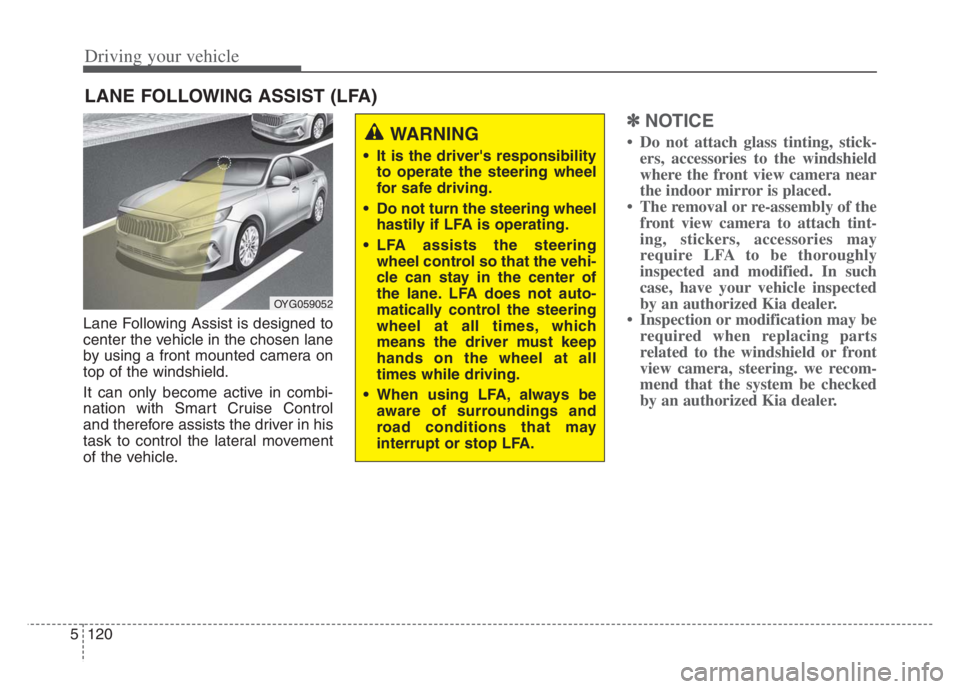
Lane Following Assist is designed to
center the vehicle in the chosen lane
by using a front mounted camera on
top of the windshield.
It can only become active in combi-
nation with Smart Cruise Control
and therefore assists the driver in his
task to control the lateral movement
of the vehicle.
✽ ✽
NOTICE
• Do not attach glass tinting, stick-
ers, accessories to the windshield
where the front view camera near
the indoor mirror is placed.
• The removal or re-assembly of the
front view camera to attach tint-
ing, stickers, accessories may
require LFA to be thoroughly
inspected and modified. In such
case, have your vehicle inspected
by an authorized Kia dealer.
• Inspection or modification may be
required when replacing parts
related to the windshield or front
view camera, steering. we recom-
mend that the system be checked
by an authorized Kia dealer.
LANE FOLLOWING ASSIST (LFA)
OYG059052
WARNING
It is the driver's responsibility
to operate the steering wheel
for safe driving.
Do not turn the steering wheel
hastily if LFA is operating.
LFA assists the steering
wheel control so that the vehi-
cle can stay in the center of
the lane. LFA does not auto-
matically control the steering
wheel at all times, which
means the driver must keep
hands on the wheel at all
times while driving.
When using LFA, always be
aware of surroundings and
road conditions that may
interrupt or stop LFA.