ignition KIA CARENS RHD 2018 Owners Manual
[x] Cancel search | Manufacturer: KIA, Model Year: 2018, Model line: CARENS RHD, Model: KIA CARENS RHD 2018Pages: 723, PDF Size: 40.94 MB
Page 490 of 723
655
Driving your vehicle
CAUTION
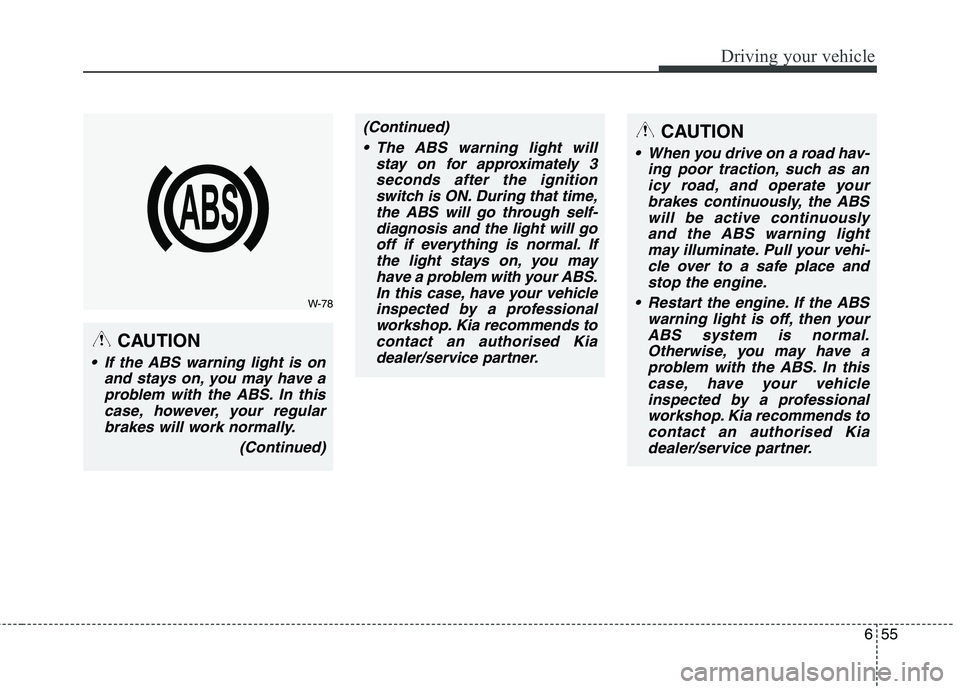
If the ABS warning light is onand stays on, you may have aproblem with the ABS. In thiscase, however, your regularbrakes will work normally.
(Continued)
(Continued) The ABS warning light will stay on for approximately 3seconds after the ignition switch is ON. During that time,the ABS will go through self-diagnosis and the light will gooff if everything is normal. If the light stays on, you mayhave a problem with your ABS.In this case, have your vehicle inspected by a professionalworkshop. Kia recommends tocontact an authorised Kia dealer/service partner.
W-78
CAUTION
When you drive on a road hav- ing poor traction, such as anicy road, and operate your brakes continuously, the ABSwill be active continuouslyand the ABS warning light may illuminate. Pull your vehi-cle over to a safe place andstop the engine.
Restart the engine. If the ABS warning light is off, then yourABS system is normal.Otherwise, you may have aproblem with the ABS. In this case, have your vehicleinspected by a professionalworkshop. Kia recommends tocontact an authorised Kia dealer/service partner.
Page 494 of 723
659
Driving your vehicle
Indicator light
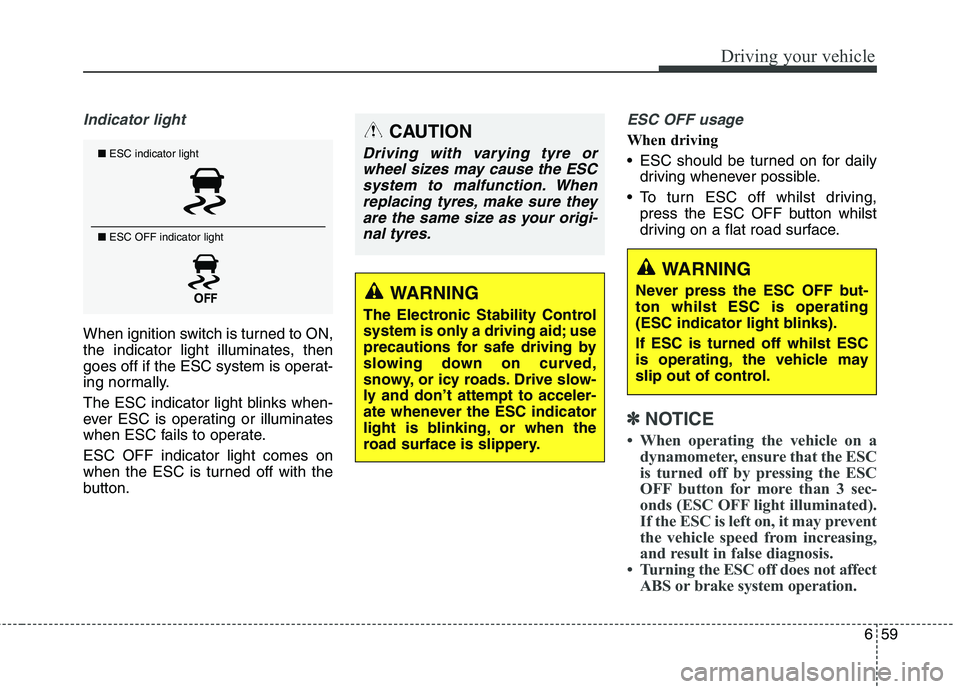
When ignition switch is turned to ON,
the indicator light illuminates, then
goes off if the ESC system is operat-
ing normally.
The ESC indicator light blinks when-
ever ESC is operating or illuminates
when ESC fails to operate. ESC OFF indicator light comes on
when the ESC is turned off with the
button.
ESC OFF usage
When driving
ESC should be turned on for dailydriving whenever possible.
To turn ESC off whilst driving, press the ESC OFF button whilst
driving on a flat road surface.
✽✽ NOTICE
When operating the vehicle on a dynamometer, ensure that the ESC
is turned off by pressing the ESC
OFF button for more than 3 sec-
onds (ESC OFF light illuminated).
If the ESC is left on, it may prevent
the vehicle speed from increasing,
and result in false diagnosis.
Turning the ESC off does not affect ABS or brake system operation.
■ESC indicator light
■ ESC OFF indicator light
CAUTION
Driving with varying tyre or
wheel sizes may cause the ESCsystem to malfunction. When replacing tyres, make sure theyare the same size as your origi-nal tyres.
WARNING
The Electronic Stability Control
system is only a driving aid; use
precautions for safe driving by
slowing down on curved,
snowy, or icy roads. Drive slow-
ly and don’t attempt to acceler-
ate whenever the ESC indicator
light is blinking, or when the
road surface is slippery.
WARNING
Never press the ESC OFF but- ton whilst ESC is operating
(ESC indicator light blinks). If ESC is turned off whilst ESC
is operating, the vehicle may
slip out of control.
Page 500 of 723
665
Driving your vehicle
✽✽NOTICE
During normal cruise control oper- ation, when the SET switch is acti-
vated or reactivated after applying
the brakes, the cruise control will
energize after approximately 3 sec-
onds. This delay is normal.
To activate cruise control, depress the brake pedal at least once after
turning the ignition switch to the
ON position or starting the engine.
This is to check if the brake switch
which is important part to cancel
cruise control is in normal condi-
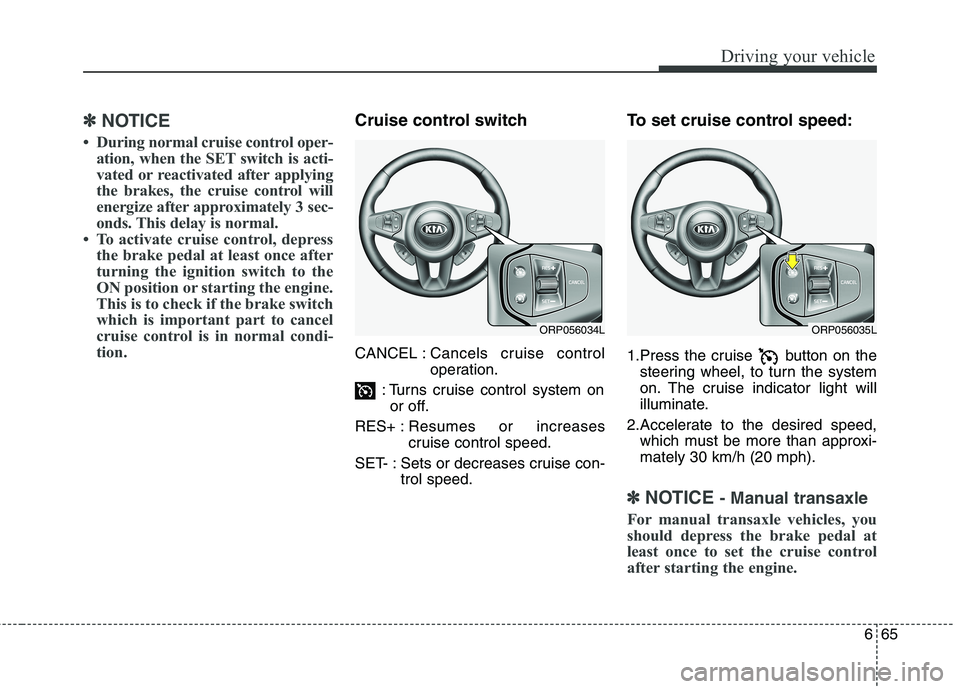
tion.Cruise control switch CANCEL : Cancels cruise control
operation.
: Turns cruise control system on or off.
RES+ : Resumes or increases
cruise control speed.
SET- : Sets or decreases cruise con- trol speed. To set cruise control speed:
1.Press the cruise button on the
steering wheel, to turn the system
on. The cruise indicator light will
illuminate.
2.Accelerate to the desired speed, which must be more than approxi- mately 30 km/h (20 mph).
✽✽ NOTICE - Manual transaxle
For manual transaxle vehicles, you
should depress the brake pedal at
least once to set the cruise control
after starting the engine.
ORP056034LORP056035L
Page 503 of 723
Driving your vehicle
68
6
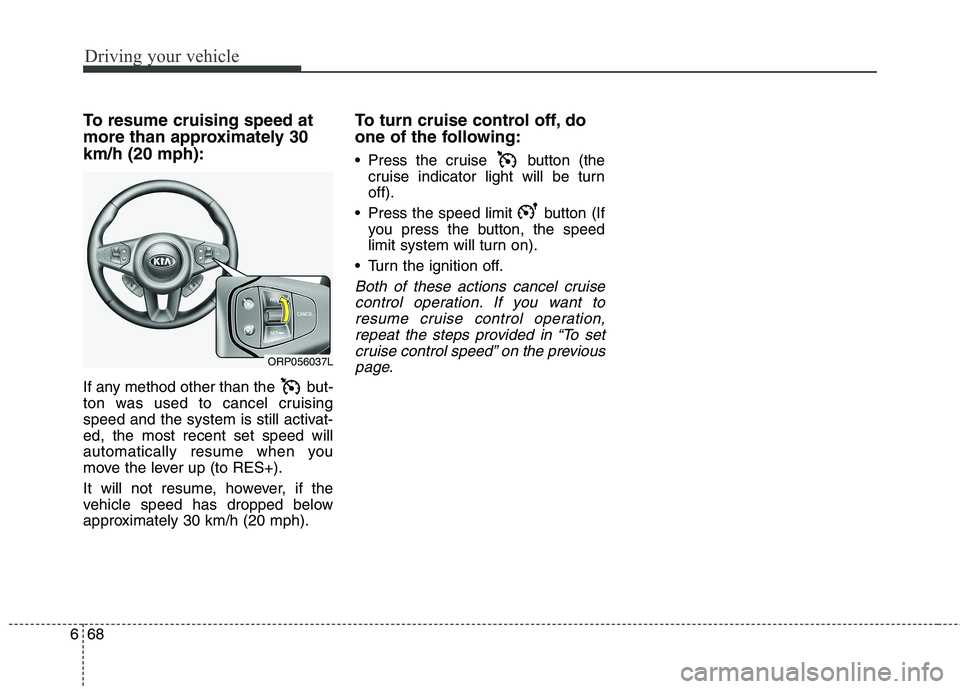
To resume cruising speed at
more than approximately 30km/h (20 mph):
If any method other than the but-
ton was used to cancel cruising
speed and the system is still activat-ed, the most recent set speed will
automatically resume when you
move the lever up (to RES+).
It will not resume, however, if the
vehicle speed has dropped below
approximately 30 km/h (20 mph). To turn cruise control off, do
one of the following:
Press the cruise button (the
cruise indicator light will be turn off).
Press the speed limit button (If you press the button, the speed
limit system will turn on).
Turn the ignition off.
Both of these actions cancel cruise control operation. If you want toresume cruise control operation, repeat the steps provided in “To setcruise control speed” on the previouspage.
ORP056037L
Page 506 of 723
671
Driving your vehicle
To drive over the preset speed limit
you must depress hard on the accel-
erator pedal (more than approxi-
mately 80%) until the kick down
mechanism works with a clicking
noise. Then the set speed limit will
blink and chime will sound until you
return the vehicle speed within thespeed limit.
✽✽NOTICE
Depressing the accelerator pedal less than approximately 50%, the
vehicle will not speed over the pre-
set speed limit but maintain the
vehicle speed within the speed
limit.
A clicking noise heard from the kick down mechanism by depress-
ing the accelerator pedal fully is a
normal condition.
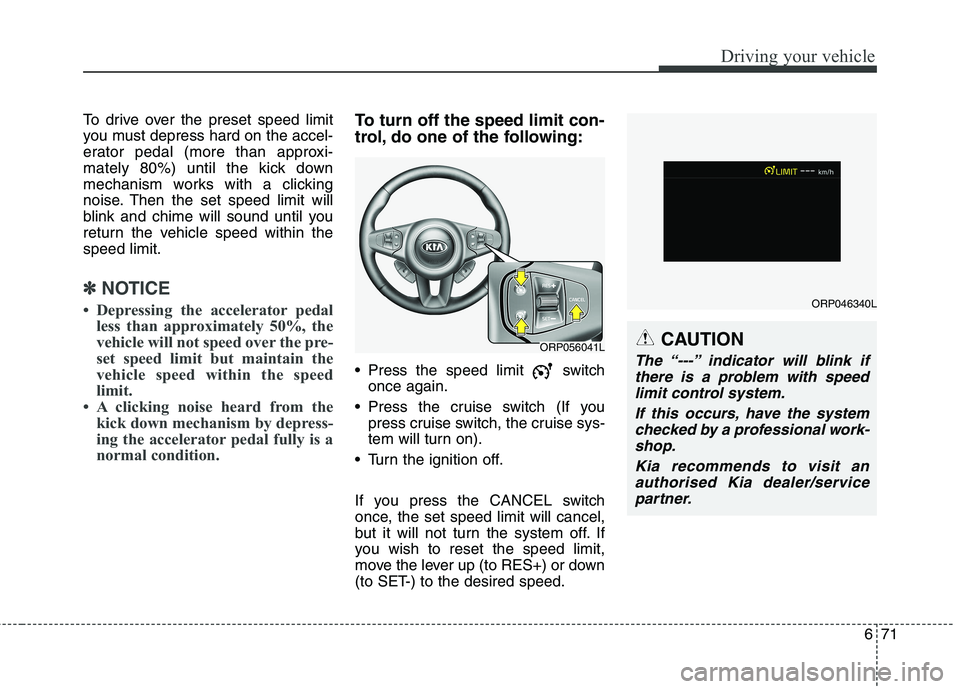
To turn off the speed limit con-
trol, do one of the following:
Press the speed limit switchonce again.
Press the cruise switch (If you press cruise switch, the cruise sys-
tem will turn on).
Turn the ignition off.
If you press the CANCEL switch
once, the set speed limit will cancel,
but it will not turn the system off. If
you wish to reset the speed limit,
move the lever up (to RES+) or down
(to SET-) to the desired speed.
CAUTION
The “---” indicator will blink if there is a problem with speedlimit control system.
If this occurs, have the systemchecked by a professional work- shop.
Kia recommends to visit anauthorised Kia dealer/servicepartner.ORP056041L
ORP046340L
Page 508 of 723
673
Driving your vehicle
SLIF activation / deactivation
SLIF Setting method :Cluster User Settings Driving
Assist SLIF (Speed Limit
Information Function)
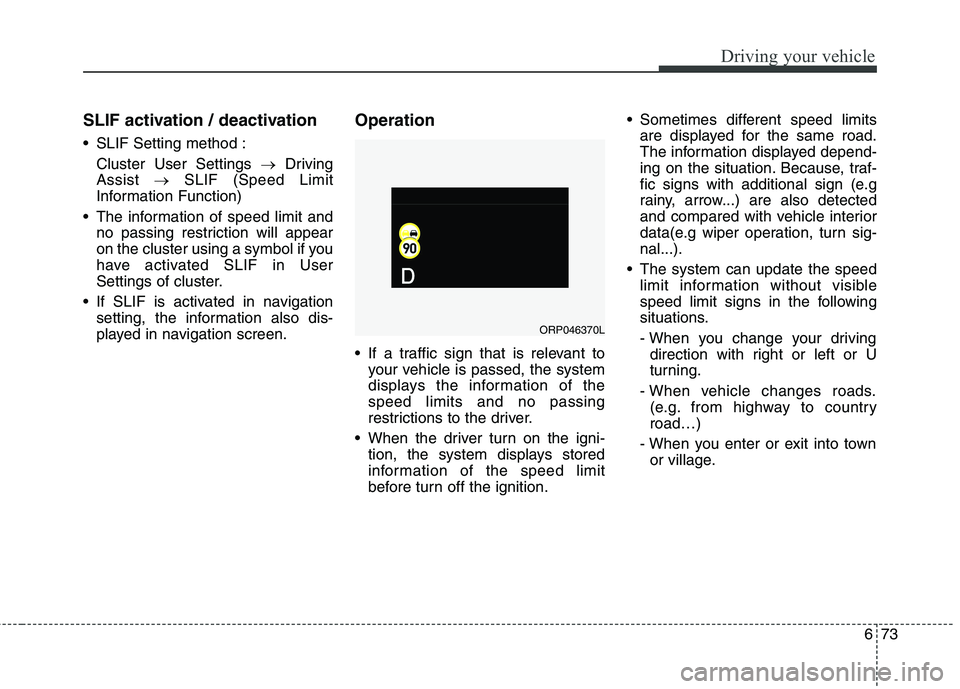
The information of speed limit and no passing restriction will appear
on the cluster using a symbol if you
have activated SLIF in User
Settings of cluster.
If SLIF is activated in navigation setting, the information also dis-
played in navigation screen. Operation
If a traffic sign that is relevant to
your vehicle is passed, the system
displays the information of thespeed limits and no passing
restrictions to the driver.
When the driver turn on the igni- tion, the system displays stored
information of the speed limit
before turn off the ignition. Sometimes different speed limits
are displayed for the same road.
The information displayed depend-
ing on the situation. Because, traf-
fic signs with additional sign (e.g
rainy, arrow...) are also detected
and compared with vehicle interior
data(e.g wiper operation, turn sig-nal...).
The system can update the speed limit information without visible
speed limit signs in the following
situations.
- When you change your drivingdirection with right or left or U
turning.
- When vehicle changes roads. (e.g. from highway to countryroad…)
- When you enter or exit into town or village.
ORP046370L
Page 514 of 723
679
Driving your vehicle
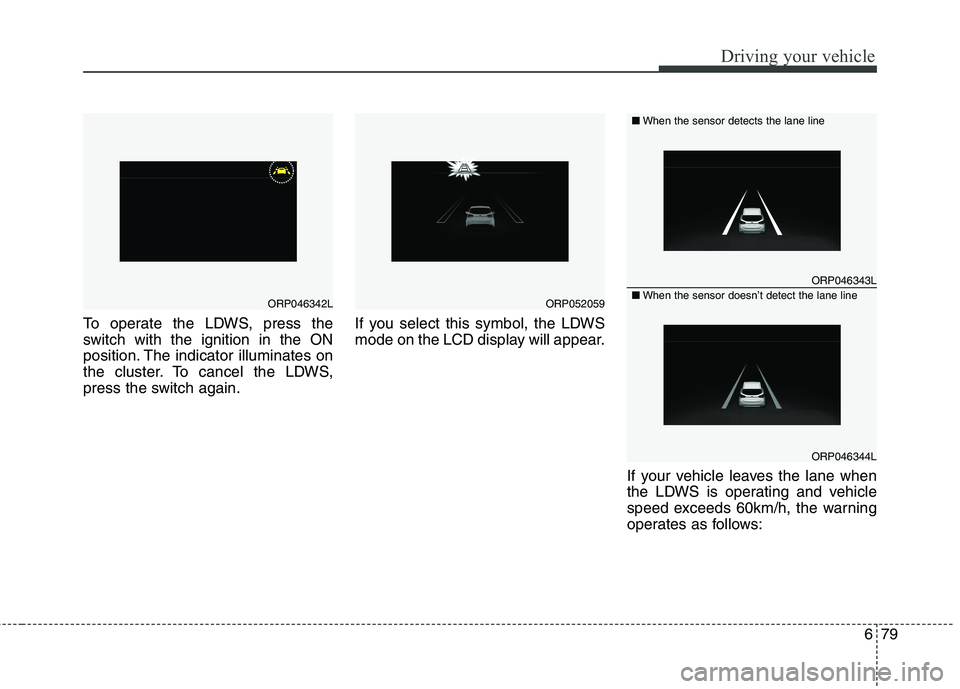
To operate the LDWS, press the
switch with the ignition in the ON
position. The indicator illuminates on
the cluster. To cancel the LDWS,
press the switch again.If you select this symbol, the LDWS
mode on the LCD display will appear.
If your vehicle leaves the lane when
the LDWS is operating and vehicle
speed exceeds 60km/h, the warning
operates as follows:
ORP046342LORP052059
ORP046343L
ORP046344L
■When the sensor detects the lane line
■When the sensor doesn’t detect the lane line
Page 526 of 723
691
Driving your vehicle
Remember, your vehicle does notrequire extended warm-up. After
the engine has started, allow the
engine to run for 10 to 20 seconds
prior to placing the vehicle in gear.
In very cold weather, however, give
your engine a slightly longer warm-
up period.
Do not "lug" or "over-rev" the engine. Lugging is driving too slow-ly in too high a gear resulting
engine bucking. If this happens,
shift to a lower gear. Over-revving
is racing the engine beyond its safe
limit. This can be avoided by shift-
ing at the recommended speeds.
Use your air conditioning sparingly. The air conditioning system is
operated by engine power so your
fuel economy is reduced when youuse it.
Open windows at high speeds can reduce fuel economy.
Fuel economy is less in crosswinds and headwinds. To help offset
some of this loss, slow down when
driving in these conditions. Keeping a vehicle in good operating
condition is important both for econ-
omy and safety. Therefore, have the
system serviced by a professional
workshop. Kia recommends to visit an autho-
rised Kia dealer/service partner.
WARNING
- Engine off
during motion
Never turn the engine off to
coast down hills or anytime the
vehicle is in motion. The power
steering and power brakes will
not function properly without
the engine running. Instead,
keep the engine on and down-
shift to an appropriate gear for
engine braking effect. In addi-
tion, turning off the ignition
whilst driving could engage the
steering wheel lock (ifequipped) resulting in loss of
vehicle steering which could
cause serious injury or death.
Page 533 of 723
Driving your vehicle
98
6
Use high quality ethylene gly- col coolant
Your vehicle is delivered with high
quality ethylene glycol coolant in the
cooling system. It is the only type ofcoolant that should be used because
it helps prevent corrosion in the cool-
ing system, lubricates the water
pump and prevents freezing. Be sure
to replace or replenish your coolantin accordance with the maintenance
schedule. Before winter, have yourcoolant tested to assure that its
freezing point is sufficient for the
temperatures anticipated during the
winter.
Check battery and cables
Winter puts additional burdens on
the battery system. Visually inspect
the battery and cables as described
in chapter 8. Have the level of charge
in your battery checked by a profes-
sional workshop. Kia recommends to
visit an authorised Kia dealer/service
partner. Change to "winter weight" oil
if necessary In some climates it is recommended
that a lower viscosity "winter weight"
oil be used during cold weather. See
chapter 9 for recommendations. If
you aren't sure what weight oil you
should use, Kia recommends to con-
sult an authorised Kia dealer/service
partner.
Check spark plugs and igni- tion system
Inspect your spark plugs as
described in chapter 8 and replace
them if necessary. Also check all
ignition wiring and components to be
sure they are not cracked, worn or
damaged in any way.
CAUTION
Chains that are the wrong size
or improperly installed candamage your vehicle's brakelines, suspension, body andwheels.
Stop driving and retighten the chains any time you hear themhitting the vehicle.
WARNING - Tyre chains
The use of chains may adversely affect vehicle han- dling.
Do not exceed 30 km/h (20 mph) or the chain manufactur-
er’s recommended speed
limit, whichever is lower.
Drive carefully and avoid bumps, holes, sharp turns,
and other road hazards, which
may cause the vehicle to
bounce.
Avoid sharp turns or locked- wheel braking.
Page 554 of 723
What to do in an emergency
4
7
IF THE ENGINE DOES NOT START
If engine doesn't turn over or
turns over slowly
1.If your vehicle has an automatic transaxle / dual clutch transmis-
sion, be sure the shift lever is in N
(Neutral) or P (Park) and the emer-
gency brake is set.
2.Check the battery connections to be sure they are clean and tight.
3.Turn on the interior light. If the light dims or goes out when you operate
the starter, the battery is discharged.
4.Check the starter connections to be sure they are securely tightened.
5.Do not push or pull the vehicle to start it. See instructions for "Jump
starting". If engine turns over normally
but does not start
1.Check fuel level.
2.With the ignition switch in the
LOCK/ OFF position, check all connectors at ignition, coil and
spark plugs. Reconnect any that
may be disconnected or loose.
3.Check the fuel line in the engine compartment.
4.If the engine still does not start, call a professional workshop. Kia rec-
ommends to call an authorised Kia
dealer/service partner.
WARNING
If the engine does not start, do
not push or pull the vehicle to
start it. This could result in a col-
lision or cause other damage. In
addition, push or pull starting
may cause the catalytic convert-
er (if equipped) to be overloaded
and create a fire hazard.