fuel KIA CEED 2015 Owners Manual
[x] Cancel search | Manufacturer: KIA, Model Year: 2015, Model line: CEED, Model: KIA CEED 2015Pages: 1210, PDF Size: 35.92 MB
Page 753 of 1210
Features of your vehicle
68
4
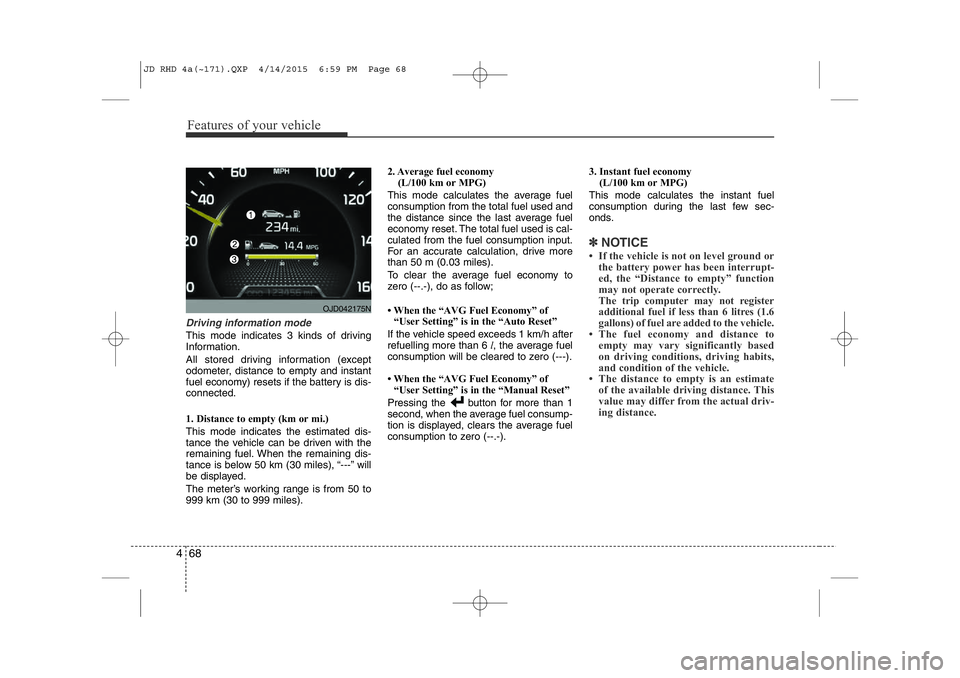
Driving information mode
This mode indicates 3 kinds of driving
Information.
All stored driving information (except
odometer, distance to empty and instant
fuel economy) resets if the battery is dis-connected.
1. Distance to empty (km or mi.) This mode indicates the estimated dis-
tance the vehicle can be driven with the
remaining fuel. When the remaining dis-
tance is below 50 km (30 miles), “---” will
be displayed.
The meter’s working range is from 50 to 999 km (30 to 999 miles). 2. Average fuel economy
(L/100 km or MPG)
This mode calculates the average fuelconsumption from the total fuel used and
the distance since the last average fuel
economy reset. The total fuel used is cal-culated from the fuel consumption input.
For an accurate calculation, drive morethan 50 m (0.03 miles).
To clear the average fuel economy to
zero (--.-), do as follow;
• When the “AVG Fuel Economy” of “User Setting” is in the “Auto Reset”
If the vehicle speed exceeds 1 km/h after refuelling more than 6 l, the average fuel
consumption will be cleared to zero (---).
• When the “AVG Fuel Economy” of
“User Setting” is in the “Manual Reset”
Pressing the button for more than 1
second, when the average fuel consump-
tion is displayed, clears the average fuel
consumption to zero (--.-). 3. Instant fuel economy
(L/100 km or MPG)
This mode calculates the instant fuel
consumption during the last few sec-
onds.
✽NOTICE
• If the vehicle is not on level ground or the battery power has been interrupt-
ed, the “Distance to empty” function
may not operate correctly.
The trip computer may not register
additional fuel if less than 6 litres (1.6
gallons) of fuel are added to the vehicle.
• The fuel economy and distance to empty may vary significantly based
on driving conditions, driving habits,
and condition of the vehicle.
• The distance to empty is an estimate
of the available driving distance. This
value may differ from the actual driv-
ing distance.
OJD042175N
JD RHD 4a(~171).QXP 4/14/2015 6:59 PM Page 68
Page 754 of 1210
469
Features of your vehicle
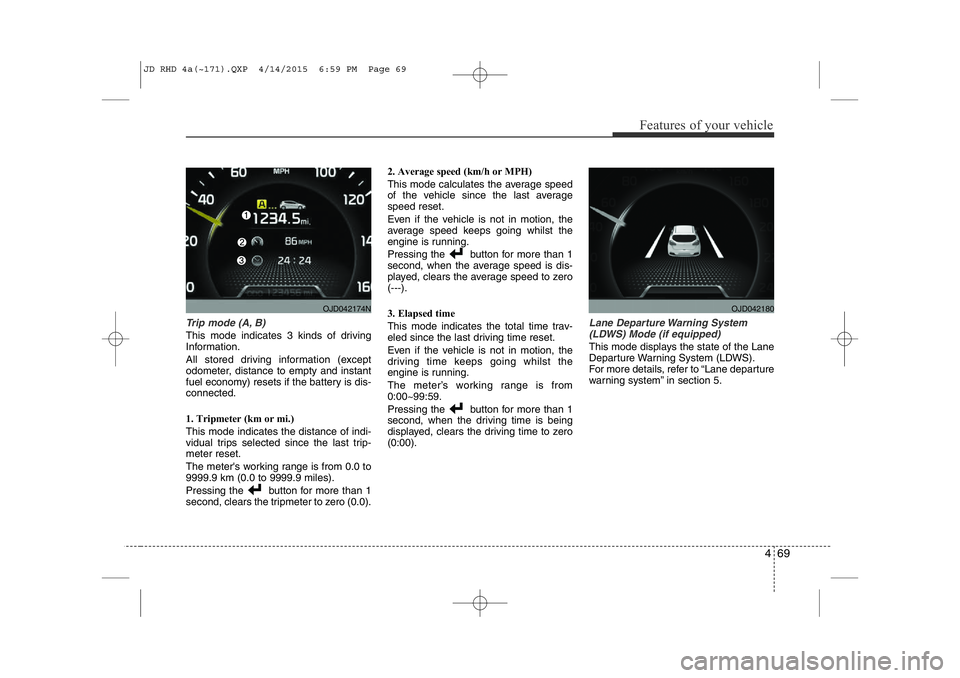
Trip mode (A, B)
This mode indicates 3 kinds of driving
Information.
All stored driving information (except
odometer, distance to empty and instant
fuel economy) resets if the battery is dis-connected.
1. Tripmeter (km or mi.) This mode indicates the distance of indi-
vidual trips selected since the last trip-meter reset.
The meter's working range is from 0.0 to 9999.9 km (0.0 to 9999.9 miles).
Pressing the button for more than 1
second, clears the tripmeter to zero (0.0).2. Average speed (km/h or MPH)
This mode calculates the average speed
of the vehicle since the last averagespeed reset.
Even if the vehicle is not in motion, the
average speed keeps going whilst the
engine is running.
Pressing the button for more than 1
second, when the average speed is dis-
played, clears the average speed to zero(---).
3. Elapsed time
This mode indicates the total time trav-
eled since the last driving time reset.
Even if the vehicle is not in motion, the
driving time keeps going whilst the
engine is running.
The meter’s working range is from 0:00~99:59.
Pressing the button for more than 1
second, when the driving time is being
displayed, clears the driving time to zero(0:00).
Lane Departure Warning System
(LDWS) Mode (if equipped)
This mode displays the state of the Lane
Departure Warning System (LDWS).
For more details, refer to “Lane departure
warning system” in section 5.
OJD042180OJD042174N
JD RHD 4a(~171).QXP 4/14/2015 6:59 PM Page 69
Page 757 of 1210
Features of your vehicle
72
4
Lamp Menu
• Headlamp delay (if equipped)
If the headlamp delay function is checked :
The Headlamp delay and Headlamp
Welcome function will be activated.
• Auto Triple Turn
(One-touch triple turn signal)
If the auto triple turn function is checked :
The lane change signals will blink 3 times
when the turn signal lever is moved
slightly.
• Welcome Light (if equipped)
If the welcome light function is checked :
The welcome light function of puddle
lamp will activate. Settings Menu
• Seat Easy Access (for Driver Position
Memory System equipped vehicle)
(if equipped)
If the seat easy access function is
checked:
The driver's seat will automatically move
forward or rearward for the driver to enter
or exit the vehicle comfortably.
• Welcome Sound
If the welcome sound function is checked :
The Welcome Sound function will be acti-
vated.
• Steering Position (if equipped)
If the steering position function is
checked:
The warning illuminates on the LCD dis-
play when the steering wheel is not
aligned with the ENGINE STRAT/STOP
button in the ON position. • AVG fuel ECO Reset
Auto Reset - The average fuel economy
will reset automatically
when you drive after refu- elling.
Manual Reset - The average fuel econo- my will not reset auto-
matically when you drive
after refuelling. You can
reset the average fuel
economy by pressing
the button for morethan 1 second when the
average fuel economy is
displayed.
• Speed Gauge Scale (if equipped)
- 100% : The size of the numbers on speed gauge is normal state.
- 110% : The size of the numbers on speed gauge will increase.
• Unit
You can choose the displayed unit in the
instrument cluster “km” or “mile”.
• Language
Choose the language you prefer within
the LCD display.
JD RHD 4a(~171).QXP 4/14/2015 6:59 PM Page 72
Page 765 of 1210
Features of your vehicle
80
4
Immobiliser indicator
Without smart key system This indicator illuminates when the
immobiliser key is inserted and turned to
the ON position to start the engine.
At this time, you can start the engine. The
indicator goes out after the engine is run-ning.
If this indicator blinks when the ignition
switch is in the ON position before start-
ing the engine, we recommend that the
system be checked by an authorised Kia
dealer. With smart key system
If any of the following occurs in a vehicle
equipped with the smart key, the immo-
biliser indicator illuminates, blinks or
goes off.
• When the smart key is in the vehicle, if
the engine start/stop button is in the
ACC or ON position, the indicator will
illuminate for approximately 30 sec-
onds to indicate that you are able to
start the engine. However, when the
smart key is not in the vehicle, if the
engine start/stop button is pressed, the
indicator will blink for a few seconds to
indicate that you are not be able to
start the engine.
• If the indicator illuminates only for 2 seconds and goes out when the
engine start/stop button is turned to
ON position with the smart key in the
vehicle, we recommend that the sys-
tem be checked by an authorised Kia
dealer.
• When the battery is weak, if the engine start/stop button is pressed, the indica-
tor will blink and you are not able to
start the engine. However, you are able
to start the engine by pressing the
engine start/stop button directly with
the smart key. Also, if the smart key
system related parts have a problem,
the indicator will blink.
Tailgate open warning light
This warning light illuminates when the
tailgate is not closed securely.
Low fuel level warning
This warning light indicates the fuel tank
is nearly empty. When it comes on, you
should add fuel as soon as possible.
Driving with the fuel level warning light on
or with the fuel level below “O/E” cancause the engine to misfire and damage
the catalytic converter (if equipped).
JD RHD 4a(~171).QXP 4/14/2015 7:00 PM Page 80
Page 773 of 1210
Features of your vehicle
88
4
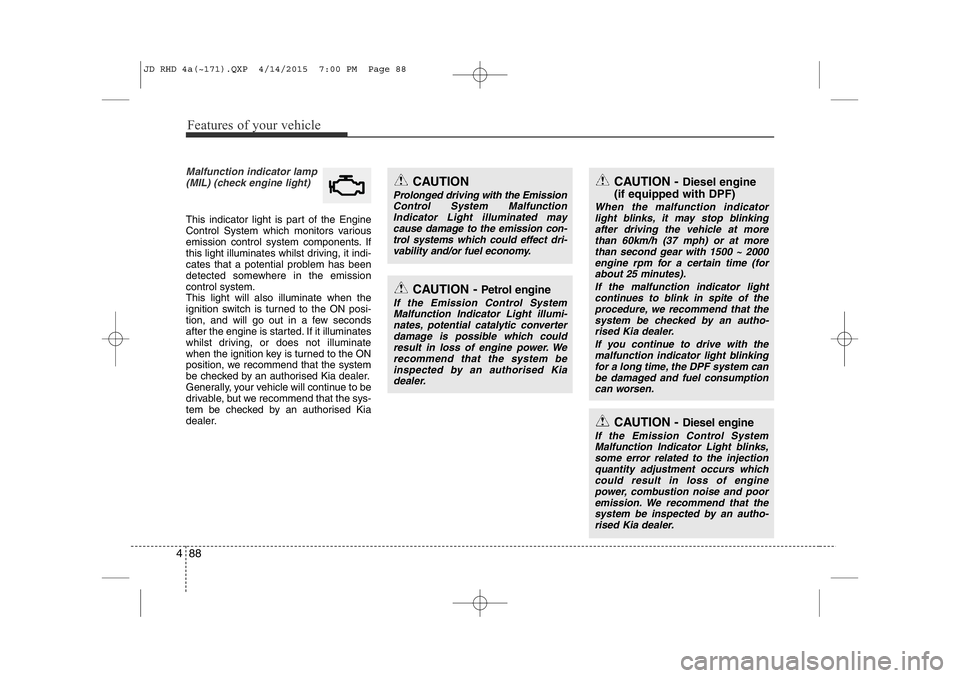
Malfunction indicator lamp
(MIL) (check engine light)
This indicator light is part of the Engine
Control System which monitors various
emission control system components. If
this light illuminates whilst driving, it indi-
cates that a potential problem has been
detected somewhere in the emissioncontrol system.This light will also illuminate when the
ignition switch is turned to the ON posi-
tion, and will go out in a few seconds
after the engine is started. If it illuminates
whilst driving, or does not illuminate
when the ignition key is turned to the ON
position, we recommend that the system
be checked by an authorised Kia dealer.
Generally, your vehicle will continue to be
drivable, but we recommend that the sys-
tem be checked by an authorised Kia
dealer.
CAUTION
Prolonged driving with the EmissionControl System MalfunctionIndicator Light illuminated maycause damage to the emission con-trol systems which could effect dri-
vability and/or fuel economy.
CAUTION - Petrol engine
If the Emission Control SystemMalfunction Indicator Light illumi- nates, potential catalytic converterdamage is possible which could
result in loss of engine power. Werecommend that the system beinspected by an authorised Kiadealer.
CAUTION - Diesel engine
(if equipped with DPF)
When the malfunction indicator light blinks, it may stop blinkingafter driving the vehicle at more than 60km/h (37 mph) or at morethan second gear with 1500 ~ 2000
engine rpm for a certain time (forabout 25 minutes).
If the malfunction indicator lightcontinues to blink in spite of the
procedure, we recommend that thesystem be checked by an autho- rised Kia dealer.
If you continue to drive with themalfunction indicator light blinking
for a long time, the DPF system canbe damaged and fuel consumption can worsen.
CAUTION - Diesel engine
If the Emission Control SystemMalfunction Indicator Light blinks,
some error related to the injectionquantity adjustment occurs whichcould result in loss of engine power, combustion noise and pooremission. We recommend that the
system be inspected by an autho-rised Kia dealer.
JD RHD 4a(~171).QXP 4/14/2015 7:00 PM Page 88
Page 774 of 1210
489
Features of your vehicle
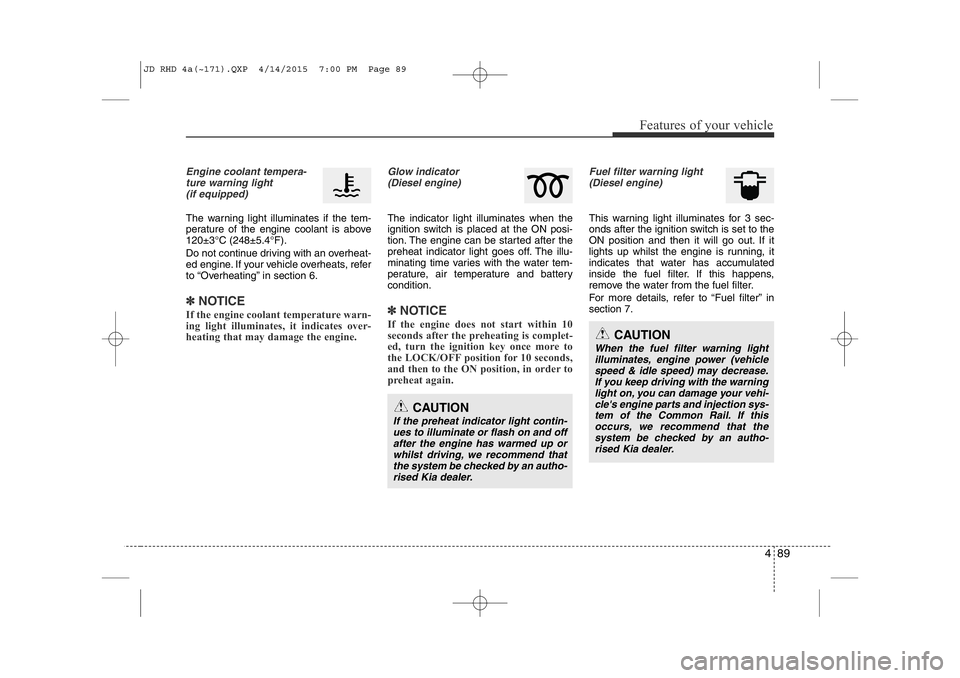
Engine coolant tempera-ture warning light(if equipped)
The warning light illuminates if the tem-
perature of the engine coolant is above120±3°C (248±5.4°F).
Do not continue driving with an overheat-
ed engine. If your vehicle overheats, refer
to “Overheating” in section 6.
✽NOTICE
If the engine coolant temperature warn-
ing light illuminates, it indicates over-
heating that may damage the engine.
Glow indicator (Diesel engine)
The indicator light illuminates when the
ignition switch is placed at the ON posi-
tion. The engine can be started after the
preheat indicator light goes off. The illu-
minating time varies with the water tem-
perature, air temperature and battery condition.
✽NOTICE
If the engine does not start within 10
seconds after the preheating is complet-
ed, turn the ignition key once more to
the LOCK/OFF position for 10 seconds,
and then to the ON position, in order to
preheat again.
Fuel filter warning light (Diesel engine)
This warning light illuminates for 3 sec-
onds after the ignition switch is set to the
ON position and then it will go out. If it
lights up whilst the engine is running, it
indicates that water has accumulated
inside the fuel filter. If this happens,
remove the water from the fuel filter.
For more details, refer to “Fuel filter” in section 7.
CAUTION
If the preheat indicator light contin- ues to illuminate or flash on and offafter the engine has warmed up orwhilst driving, we recommend thatthe system be checked by an autho-
rised Kia dealer.
CAUTION
When the fuel filter warning lightilluminates, engine power (vehiclespeed & idle speed) may decrease. If you keep driving with the warning
light on, you can damage your vehi-cle's engine parts and injection sys-tem of the Common Rail. If thisoccurs, we recommend that the
system be checked by an autho-
rised Kia dealer.
JD RHD 4a(~171).QXP 4/14/2015 7:00 PM Page 89
Page 965 of 1210
515
Driving your vehicle
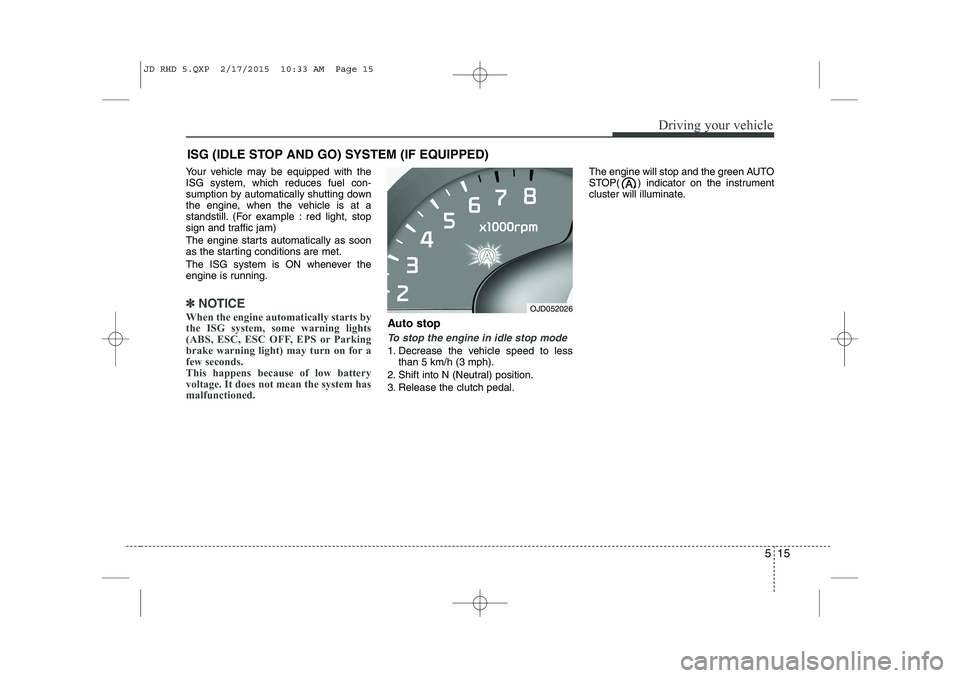
Your vehicle may be equipped with the ISG system, which reduces fuel con-
sumption by automatically shutting down
the engine, when the vehicle is at a
standstill. (For example : red light, stop
sign and traffic jam)
The engine starts automatically as soon
as the starting conditions are met.
The ISG system is ON whenever the
engine is running.
✽✽NOTICE
When the engine automatically starts by
the ISG system, some warning lights
(ABS, ESC, ESC OFF, EPS or Parking
brake warning light) may turn on for a
few seconds.
This happens because of low battery
voltage. It does not mean the system has
malfunctioned.
Auto stop
To stop the engine in idle stop mode
1. Decrease the vehicle speed to less than 5 km/h (3 mph).
2. Shift into N (Neutral) position.
3. Release the clutch pedal. The engine will stop and the green AUTO
STOP( ) indicator on the instrument
cluster will illuminate.
ISG (IDLE STOP AND GO) SYSTEM (IF EQUIPPED)
OJD052026
JD RHD 5.QXP 2/17/2015 10:33 AM Page 15
Page 976 of 1210
Driving your vehicle
26
5
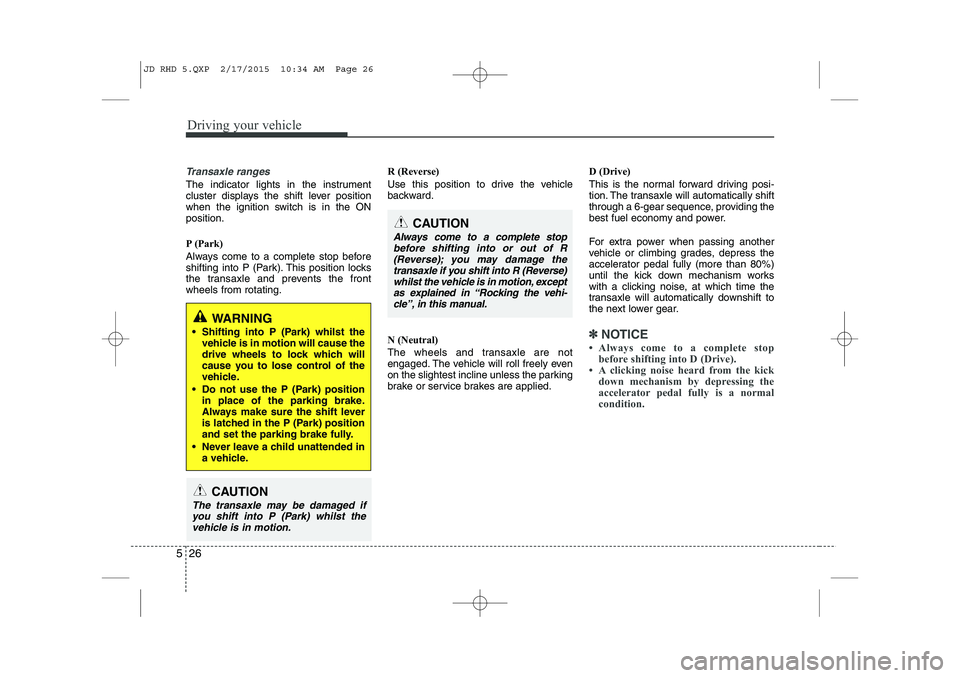
Transaxle ranges
The indicator lights in the instrument
cluster displays the shift lever position
when the ignition switch is in the ONposition.
P (Park)
Always come to a complete stop before
shifting into P (Park). This position locks
the transaxle and prevents the frontwheels from rotating. R (Reverse)
Use this position to drive the vehicle
backward.
N (Neutral)
The wheels and transaxle are not
engaged. The vehicle will roll freely even
on the slightest incline unless the parking
brake or service brakes are applied.D (Drive)
This is the normal forward driving posi-
tion. The transaxle will automatically shift
through a 6-gear sequence, providing the
best fuel economy and power.
For extra power when passing another
vehicle or climbing grades, depress the
accelerator pedal fully (more than 80%)
until the kick down mechanism works
with a clicking noise, at which time the
transaxle will automatically downshift to
the next lower gear.
✽✽
NOTICE
Always come to a complete stop before shifting into D (Drive).
A clicking noise heard from the kick down mechanism by depressing the
accelerator pedal fully is a normal
condition.
CAUTION
Always come to a complete stop
before shifting into or out of R (Reverse); you may damage the
transaxle if you shift into R (Reverse)whilst the vehicle is in motion, except as explained in “Rocking the vehi-
cle”, in this manual.
WARNING
Shifting into P (Park) whilst the vehicle is in motion will cause the
drive wheels to lock which will
cause you to lose control of the
vehicle.
Do not use the P (Park) position in place of the parking brake.
Always make sure the shift lever
is latched in the P (Park) position
and set the parking brake fully.
Never leave a child unattended in a vehicle.
CAUTION
The transaxle may be damaged if
you shift into P (Park) whilst the
vehicle is in motion.
JD RHD 5.QXP 2/17/2015 10:34 AM Page 26
Page 982 of 1210
Driving your vehicle
32
5
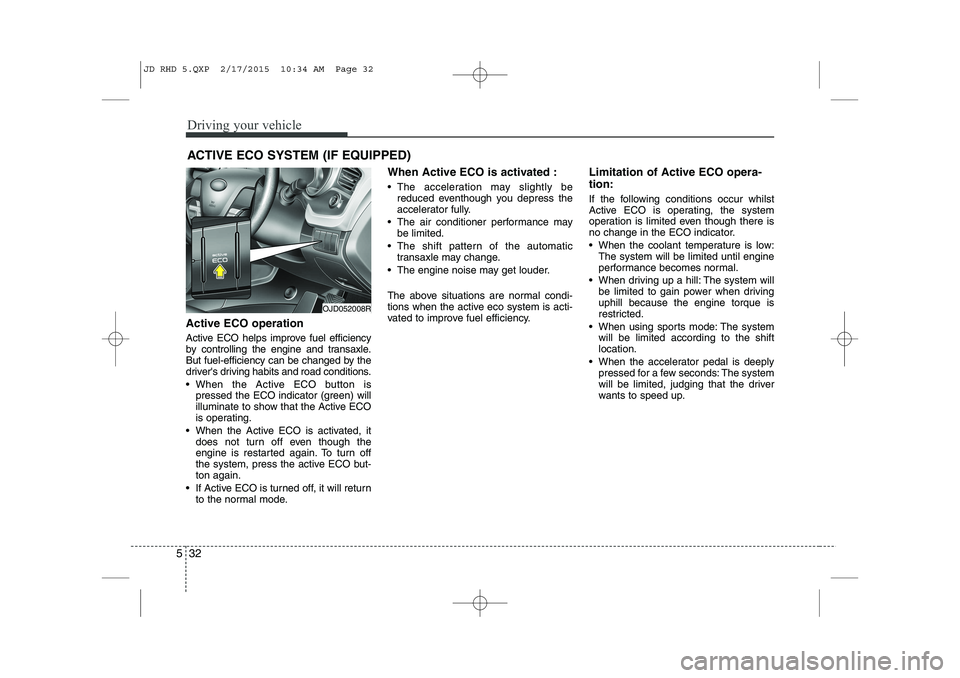
Active ECO operation
Active ECO helps improve fuel efficiency
by controlling the engine and transaxle.
But fuel-efficiency can be changed by the
driver's driving habits and road conditions.
When the Active ECO button is
pressed the ECO indicator (green) will
illuminate to show that the Active ECO
is operating.
When the Active ECO is activated, it does not turn off even though the
engine is restarted again. To turn off
the system, press the active ECO but-ton again.
If Active ECO is turned off, it will return to the normal mode. When Active ECO is activated :
The acceleration may slightly be
reduced eventhough you depress the
accelerator fully.
The air conditioner performance may be limited.
The shift pattern of the automatic transaxle may change.
The engine noise may get louder.
The above situations are normal condi-
tions when the active eco system is acti-
vated to improve fuel efficiency. Limitation of Active ECO opera- tion:
If the following conditions occur whilst
Active ECO is operating, the system
operation is limited even though there is
no change in the ECO indicator.
When the coolant temperature is low:
The system will be limited until engine
performance becomes normal.
When driving up a hill: The system will be limited to gain power when drivinguphill because the engine torque is
restricted.
When using sports mode: The system will be limited according to the shiftlocation.
When the accelerator pedal is deeply pressed for a few seconds: The system
will be limited, judging that the driver
wants to speed up.
ACTIVE ECO SYSTEM (IF EQUIPPED)
OJD052008R
JD RHD 5.QXP 2/17/2015 10:34 AM Page 32
Page 1012 of 1210
Driving your vehicle
62
5
ECONOMICAL OPERATION
Your vehicle's fuel economy depends
mainly on your style of driving, where you
drive and when you drive.
Each of these factors affects how many
kilometers (miles) you can get from a
litre (gallon) of fuel. To operate your vehi-
cle as economically as possible, use the
following driving suggestions to help
save money in both fuel and repairs:
Drive smoothly. Accelerate at a moder- ate rate. Do not make "jack-rabbit"
starts or full-throttle shifts and maintain
a steady cruising speed. Do not race
between stoplights. Try to adjust your
speed to the traffic so you do not have
to change speeds unnecessarily. Avoid
heavy traffic whenever possible.
Always maintain a safe distance from
other vehicles so you can avoid unnec-
essary braking. This also reduces
brake wear.
Drive at a moderate speed. The faster you drive, the more fuel your vehicle
uses. Driving at a moderate speed,
especially on the highway, is one of the
most effective ways to reduce fuel con-sumption. Do not "ride" the brake or clutch pedal.
This can increase fuel consumption
and also increase wear on these com-
ponents. In addition, driving with your
foot resting on the brake pedal may
cause the brakes to overheat, which
reduces their effectiveness and may
lead to more serious consequences.
Take care of your tyres. Keep them inflated to the recommended pressure.
Incorrect inflation, either too much or
too little, results in unnecessary tyre
wear. Check the tyre pressures at leastonce a month.
Be sure that the wheels are aligned correctly. Improper alignment can
result from hitting kerbs or driving too
fast over irregular surfaces. Poor align-
ment causes faster tyre wear and may
also result in other problems as well as
greater fuel consumption. Keep your vehicle in good condition.
For better fuel economy and reduced
maintenance costs, maintain your vehi-cle in accordance with the mainte-
nance schedule. If you drive your vehi-
cle in severe conditions, more frequentmaintenance is required.
Keep your vehicle clean. For maximum service, your vehicle should be kept
clean and free of corrosive materials. It
is especially important that mud, dirt,
ice, etc. not be allowed to accumulate
on the underside of the vehicle. This
extra weight can result in increased
fuel consumption and also contributeto corrosion.
Travel lightly. Do not carry unnecessary weight in your vehicle. Weight reduces
fuel economy.
Do not let the engine idle longer than necessary. If you are waiting (and not
in traffic), turn off your engine and
restart only when you're ready to go.
JD RHD 5.QXP 2/17/2015 10:35 AM Page 62